Durch Anklicken „Alle Cookies akzeptieren“, stimmen Sie der Speicherung von Cookies auf Ihrem Gerät zu, um die Seitennavigation zu verbessern, die Nutzung der Website zu analysieren und unsere Marketingaktivitäten zu unterstützen. Sehen Sie sich unsere an Datenschutzrichtlinie für weitere Informationen.
MeetGeekBlogAI Productivity Tools We Actually Use in Sales and Marketing
Back to Blog

AI Productivity Tools We Actually Use in Sales and Marketing

Produktivität
Produktivität

A practical look at the AI productivity tools we use daily for meetings, content, automation, sales workflows, and teamwork.

Melania Ciocianu
June 2, 2026
/
5 min read
Table of content
Get started with MeetGeek AI Meeting Assistant:
📝 AI-powered Meeting Note taker
✅ Free meeting recording & transcription
💬 Automated sharing of insights to other tools.
Sign Up for Free
Share the knowledge with your circle
Copied

Most articles about AI productivity tools feel disconnected from how people actually work. They either list hundreds of tools without context or promise unrealistic automation.

What’s been more useful for our team is building practical workflows around a smaller stack of AI tools that solve specific bottlenecks: meeting follow-ups, CRM updates, landing page creation, content production, research, and repetitive administrative work.

Over the last year, we’ve tested dozens of AI apps, AI chatbots, and AI-powered features across marketing, sales, and project management workflows. Some tools became daily drivers. Others looked impressive but created more complexity than value.

This article is a walkthrough of the AI productivity apps we actually use, where they save time, where they still struggle, and how combining tools like Claude, MeetGeek, Notion AI, ChatGPT, Webflow, and automation workflows has helped us work smarter without turning every process into an overengineered AI experiment.

Why most AI productivity advice breaks down in real workflows

A lot of the “best AI productivity tools” content online assumes people work in isolated tasks.

But most teams operate across multiple communication channels, existing software systems, CRM data, project management platforms, calendars, documents, meetings, and marketing workflows.

That’s usually where the friction starts.

The challenge isn’t finding AI tools anymore. There are thousands of AI productivity apps offering image generation, task management, natural language processing, coding assistance, data analysis, AI writing assistant features, or AI search engine capabilities.

The real challenge is making those tools useful together.

In practice, most teams run into a few recurring problems:

  • Too many disconnected AI apps
  • Weak integration capabilities
  • AI features that sound impressive but rarely help with daily work
  • Multi-step workflows that still require manual effort
  • Repetitive tasks moving between meetings, CRM systems, and documents
  • Context loss between tools
  • A steep learning curve for advanced features

That’s why we started focusing less on finding the single “best AI” platform and more on building practical systems around existing tools we already relied on.

The AI productivity stack we actually use

Instead of relying on one platform for everything, we use different AI models and AI assistants for different types of work.

Here’s the current stack we use most often:

Tool Main use case
MeetGeek Meeting notes, meeting intelligence, CRM enrichment
Claude Analysis, dashboards, brainstorming ideas, structured workflows
ChatGPT Writing, image creation, creative ideas, summarization
Notion AI Documentation, project management, internal organization
Webflow + Claude MCP Landing page creation and updates
Canva AI Marketing materials and quick design work
VEED Video editing and subtitles
ElevenLabs Voice generation and audio workflows
Semrush + Claude SEO analysis and content workflows
Google Docs Collaborative editing and approvals

Some of these have generous free versions or a free plan, while others only become useful once you move into paid plans or enterprise plans.

One thing we learned quickly is that most AI users don’t actually need dozens of subscriptions. A few well-connected tools with strong AI capabilities usually outperform massive AI stacks.

How our AI workflow actually works day to day

Most of our workflows start from meetings, collaborative discussions, or content planning.

That’s important because AI productivity usually breaks down when tools operate without context.

Instead of treating meetings, project management, CRM updates, content production, and reporting as separate systems, we try to connect them into a single operational workflow.

A simplified version of the process usually looks like this:

  1. Meetings and conversations happen across Zoom, Microsoft Teams, and Google Meet
  2. MeetGeek captures meeting notes, transcripts, summaries, and action items automatically
  3. Claude analyzes structured meeting data and helps organize follow-up workflows
  4. Notion AI and Google Docs become the collaborative layer for planning and execution
  5. ChatGPT, Canva AI, VEED, and other AI apps help create marketing materials and assets
  6. Webflow + Claude MCP accelerate landing page creation and updates
  7. Semrush + Claude workflows help analyze data and identify SEO opportunities

The biggest productivity gains came from reducing manual transitions between tools.

Instead of constantly copying information between communication channels, CRM systems, documentation platforms, and task management tools, the goal became keeping contextual data connected.

How we use MeetGeek for meeting intelligence and follow-up workflows

MeetGeek became the operational starting point for a lot of our sales and marketing workflows.

We use it primarily for:

  • AI meeting notes
  • Automatic summaries
  • Action item extraction
  • Customer conversation analysis
  • Searchable meeting history
  • CRM enrichment workflows
  • Internal review documentation
  • Cross-functional collaboration

The main value for us is reducing manual note-taking and follow-up work.

Instead of spending time organizing meeting recaps, searching through recordings, or manually updating project management systems after conversations, we can focus more directly on execution.

MeetGeek automatically joins Zoom, Microsoft Teams, and Google Meet calls, records conversations, generates summaries, and makes discussions searchable later using natural language.

MeetGeek meeting transcription and summary with features mentioned in the corners

That becomes especially useful when conversations span multiple stakeholders, departments, or ongoing projects.

We also take advantage of MeetGeek’s newer AI voice agent capabilities for repetitive workflows like lead qualification, discovery calls, and structured intake conversations. 

The interesting part isn’t just automation itself, but the ability to standardize conversations, capture consistent information, and automatically sync outcomes into existing workflows without adding more admin work for the team.

We also use it heavily for retrieving historical data and contextual information before calls. Instead of searching scattered Google Docs, Slack threads, or CRM notes, we can quickly review previous conversations, decisions, and customer concerns.

That’s especially helpful for onboarding calls, partnership discussions, and long sales cycles.

How we use Claude for analysis, dashboards, and structured workflows

Claude is probably the tool we rely on most for deeper reasoning workflows.

We mainly use it for:

  • Data analysis
  • Structured summaries
  • Brainstorming ideas
  • Organizing complex projects
  • Workflow planning
  • SEO analysis
  • Content reviews
  • Dashboard generation
  • Multi-step workflows

One of the more interesting workflows involved combining Claude with MeetGeek meeting intelligence.

The goal was creating a structured way to surface actionable insights from meetings almost immediately after conversations happened.

Claude connectors list

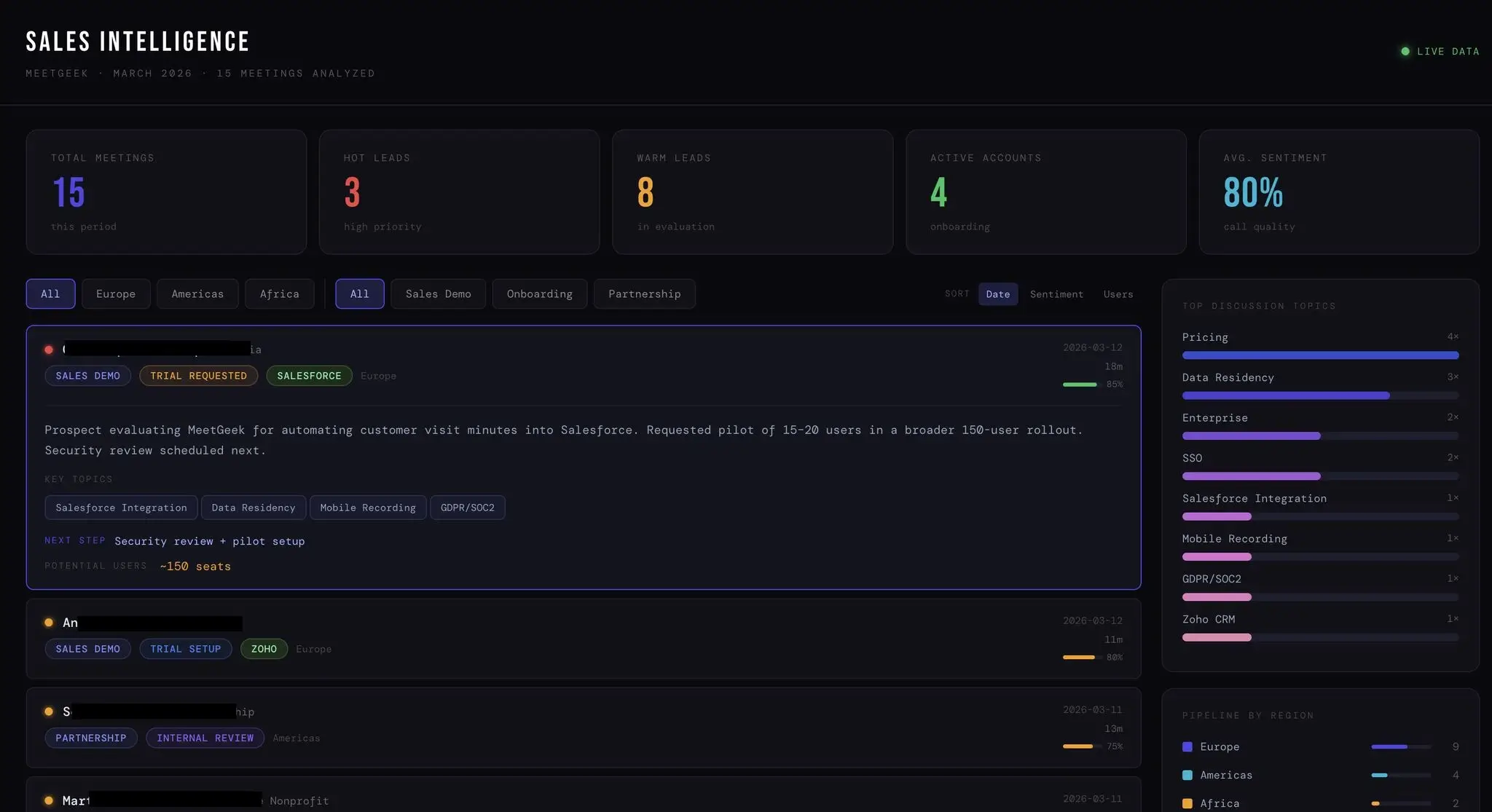
We used Claude to organize information from MeetGeek into a live sales intelligence dashboard that tracks:

  • Hot leads
  • Warm leads
  • Customer sentiment
  • Discussion topics
  • CRM-related insights
  • Regional pipeline activity
  • Potential seat expansion opportunities
  • Next steps from meetings

What made this workflow useful was the speed of organization.

Instead of manually reviewing calls, updating CRM data, organizing notes, and preparing summaries, the system helped surface key takeaways almost immediately.

For example, if a customer conversation mentioned Salesforce integration concerns, GDPR requirements, onboarding plans, or rollout timing, Claude could help structure that information into:

  • Follow-up recommendations
  • Internal summaries
  • Customer satisfaction signals
  • Pipeline insights
  • Onboarding preparation tasks
  • CRM-ready notes

That’s where AI productivity becomes genuinely practical.

Not because it removes human involvement, but because it reduces repetitive tasks surrounding communication and coordination.

How we use ChatGPT for writing, image generation, and creative workflows

ChatGPT became one of our main tools for creative iteration and fast production workflows.

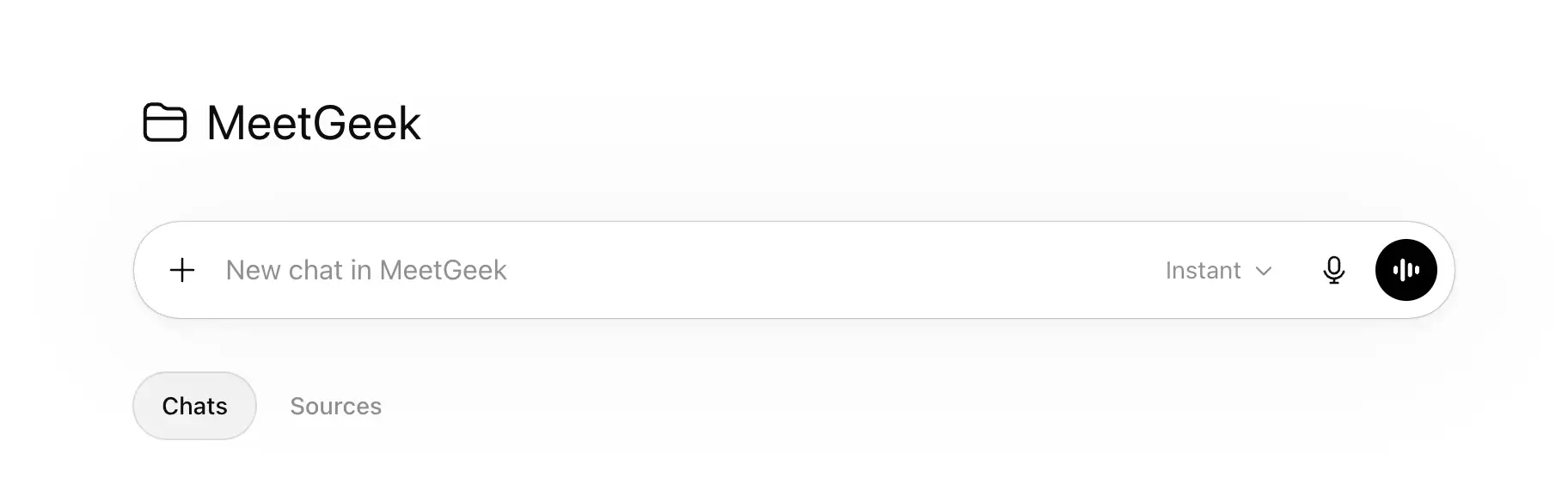
New chat in the MeetGeek folder in ChatGPT

We mostly use it for:

  • AI writing assistant workflows
  • Article outlining
  • Updating older content
  • Creating social media posts
  • Summarizing research
  • Brainstorming ideas
  • Image generation
  • Image editor tasks
  • Create images for blog content
  • Drafting marketing materials

One thing that made a noticeable difference was speeding up review and localization workflows.

Instead of rebuilding articles from scratch, we can review, restructure, update, and adapt content much faster.

We also use ChatGPT heavily for visual workflows.

That includes blog cover image creation, creative concepts, rough campaign ideas, and lightweight design support before moving assets into Canva AI or final editing tools.

Compared to other tools, ChatGPT is often the fastest option for quick ideation and flexible creative experimentation.

How we use Notion AI and Google Docs for project management and collaboration

Notion AI works best for us as an organizational layer rather than a standalone AI productivity tool.

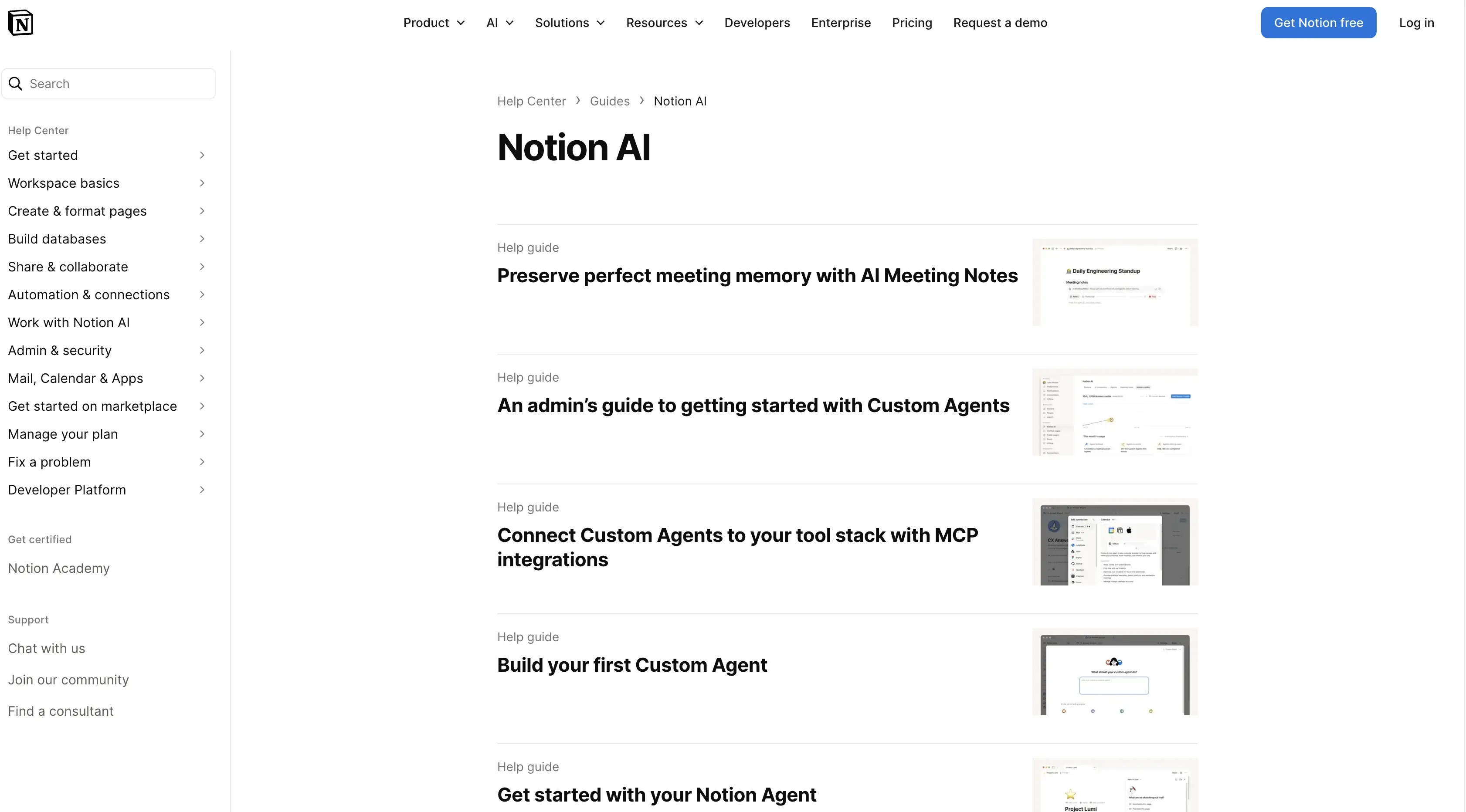
Notion AI interface

We mainly use it for:

  • Internal documentation
  • Project management
  • To-do list systems
  • Meeting organization
  • Workflow tracking
  • Team collaboration
  • Knowledge management
  • Organizing complex tasks

Most of the value comes from reducing friction around documentation and coordination.

Instead of manually restructuring notes, formatting documents, or rebuilding project updates after meetings, the AI assistant layer helps automate smaller operational tasks.

Google Docs still remains important as the collaborative editing layer.

Even with advanced AI-powered features across newer platforms, teams still need shared spaces for approvals, editing, comments, and final publishing workflows.

That combination between Notion AI, Google Docs, MeetGeek, and Claude became much more effective than trying to force every workflow into a single AI platform.

How we use Webflow, Canva AI, VEED, and other AI tools for content production

The rest of the stack focuses mostly on production speed.

Webflow combined with Claude MCP workflows significantly accelerated landing page creation and updates.

Instead of manually handling repetitive page structures and edits, we can move faster between planning, drafting, and implementation.

Canva AI helps with:

  • Marketing materials
  • Social media management
  • Presentation assets
  • Campaign visuals
  • Lightweight image creation

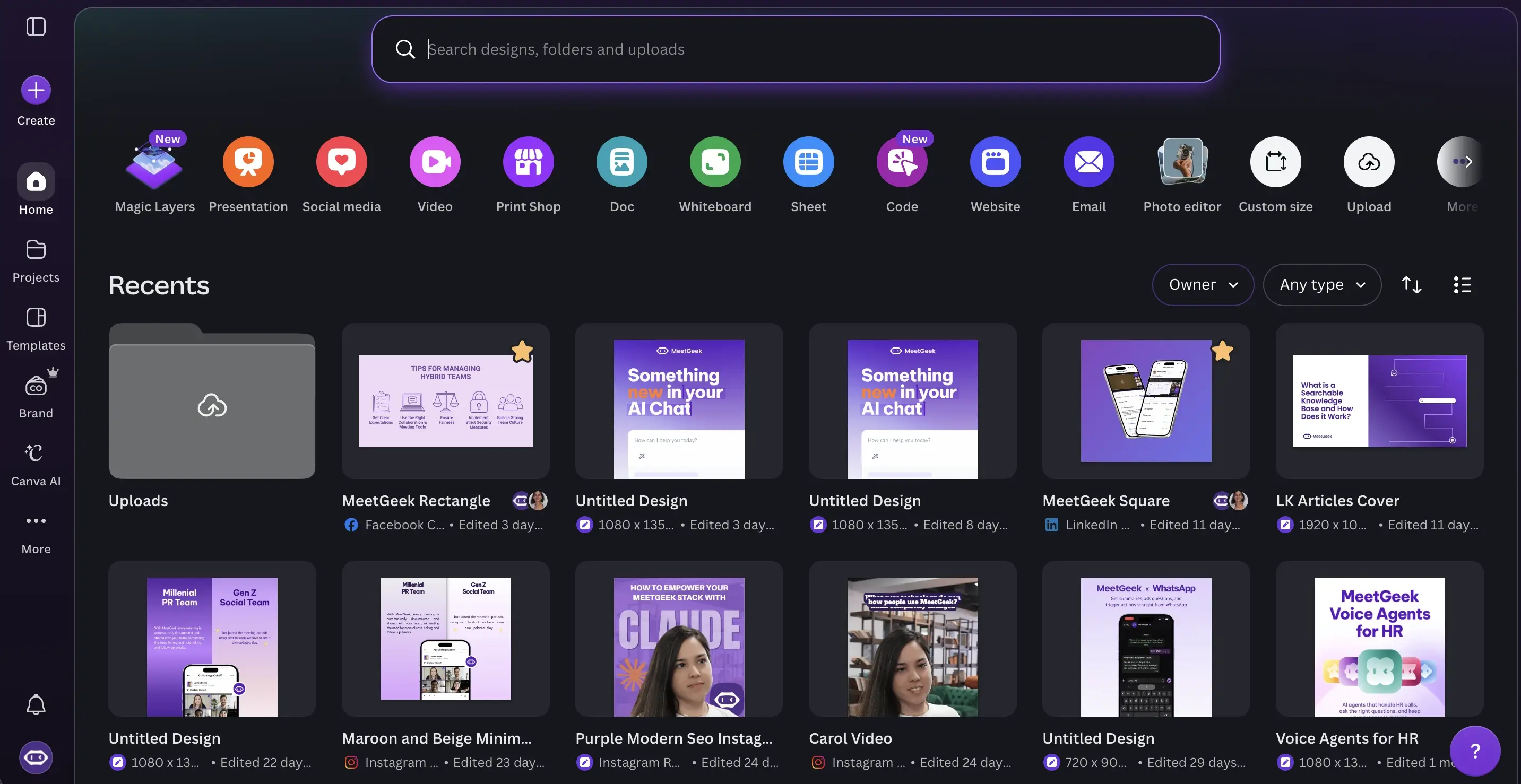
Canva home page with MeetGeek projects

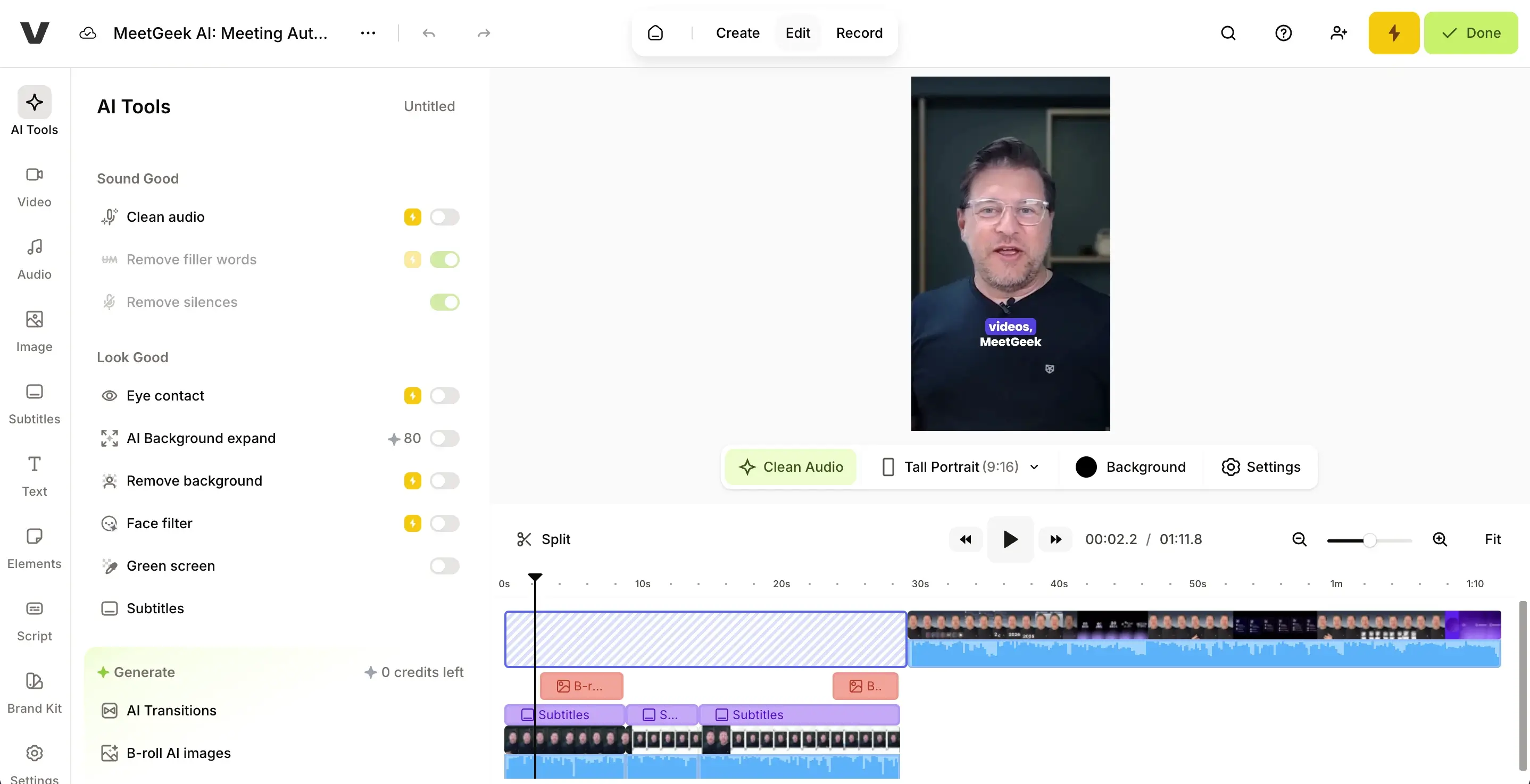
VEED became useful for:

  • Video editing
  • Subtitle generation
  • Webinar repurposing
  • Social clips
  • Marketing videos

VEED editor with MeetGeek short video

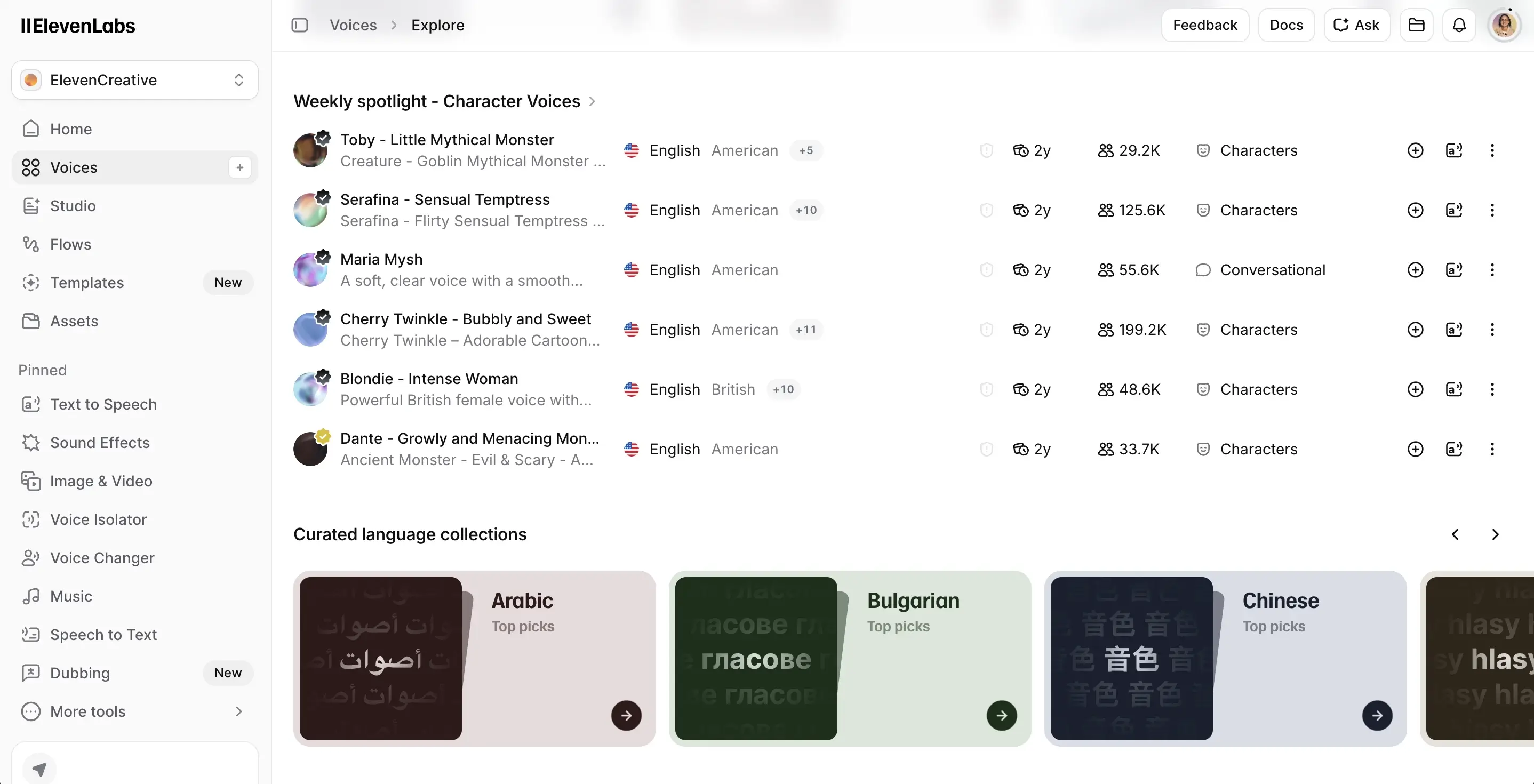
ElevenLabs is mostly used for voice generation workflows and audio experimentation.

ElevenLabs character voices

Semrush + Claude workflows also became surprisingly effective for SEO analysis.

Instead of manually reviewing keyword gaps, search intent mismatches, and historical data across multiple web pages, we can analyze opportunities much faster and identify missing sections or optimization opportunities.

That significantly accelerated content production.

The AI tools we tested but didn’t fully adopt

Not every AI productivity tool becomes part of a long-term workflow.

We explored several other tools that looked promising but either overlapped too much with existing tools or introduced unnecessary complexity.

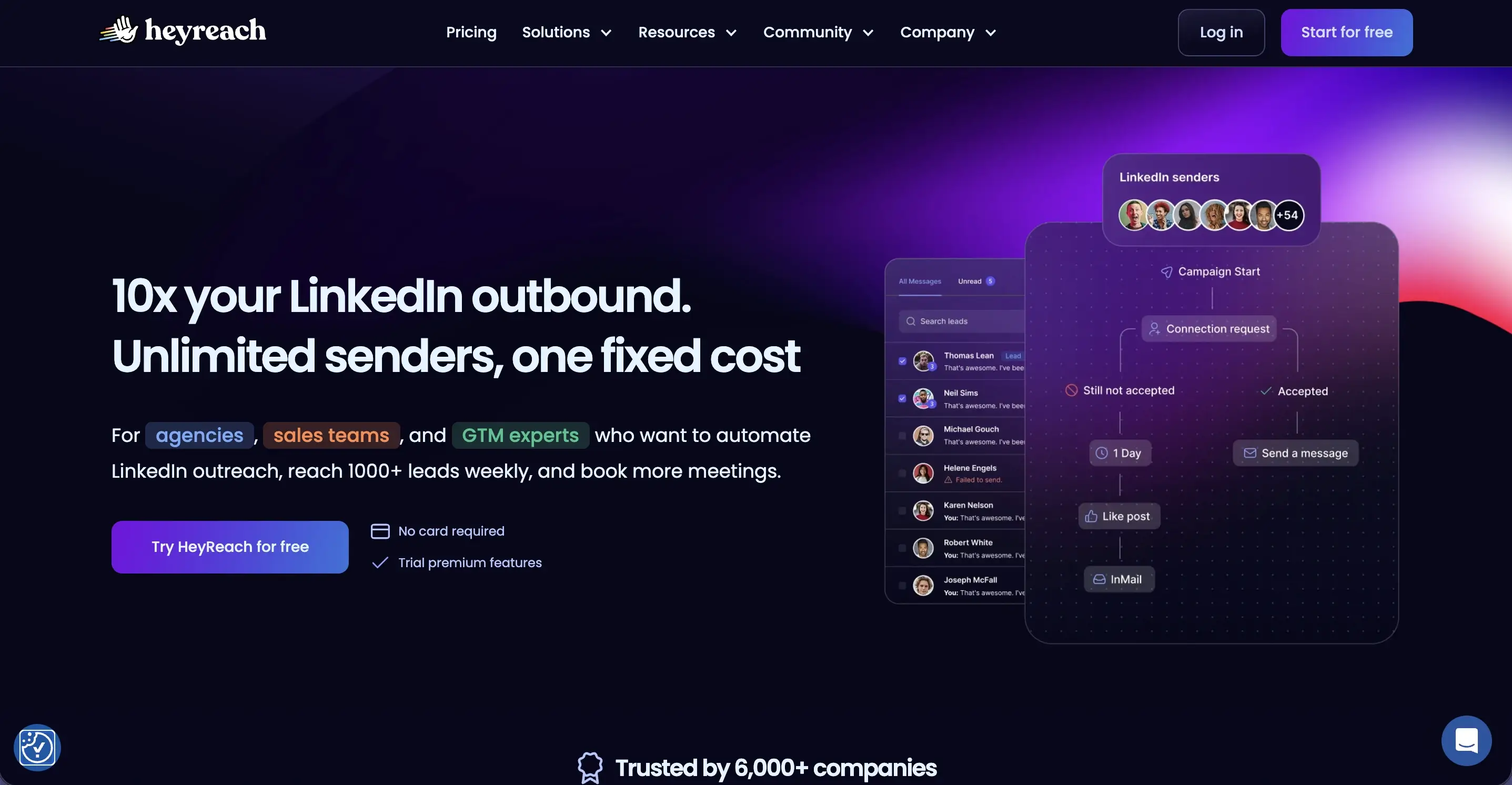
One example is HeyReach.

HeyReach landing page

While we haven’t fully implemented it ourselves yet, it’s a platform many sales teams use for LinkedIn outreach automation and multi-account prospecting workflows.

From what I’ve found in user feedback and workflow examples, the platform seems particularly useful for outbound sales teams managing high-volume outreach campaigns.

But tools like this also introduce a significant concern: When automation becomes disconnected from context, outreach quality often drops.

That’s why we’ve generally prioritized AI-powered workflows that improve decision-making and organization rather than fully automating customer communication.

Where AI productivity still falls short

Even the top AI productivity tools still have limitations.

Some of the biggest issues we still encounter include:

Context fragmentation

AI tools still struggle to maintain consistent awareness across communication channels, CRM systems, Google Drive assets, project management tools, and historical conversations.

Weak workflow reliability

Multi-step workflows sometimes fail at some point and you won't even realize it. This becomes especially frustrating when automating complex tasks involving multiple integrations.

Hallucinations and inaccurate outputs

AI models still occasionally generate incorrect summaries, incomplete data analysis, or misleading conclusions. Human review remains necessary.

Feature overload

Many AI apps add AI-powered features simply because competitors are doing it. The result is often cluttered products with confusing interfaces and steep learning curves.

Integration fatigue

Adding too many AI agents and automations can eventually create more maintenance work than productivity gains.

That’s why the most sustainable approach we found is keeping workflows relatively simple.

Where do AI productivity tools save the most time?

One pattern became obvious across almost every workflow we tested: the biggest productivity gains rarely came from replacing creative thinking or strategic decision-making.

Instead, AI productivity tools saved the most time by reducing the operational work surrounding those tasks. Manual note-taking, CRM admin work, meeting follow-ups, status updates, repetitive task creation, document formatting, searching for information, and constantly switching between tools all consume more time than most teams realize.

That’s where AI tools currently create the most practical value. Not as replacements for human judgment, but as systems that reduce operational drag and make day-to-day workflows easier to manage.

Which AI productivity tools are actually worth using?

If you’re evaluating the best AI tools for your own workflows, I’d focus less on feature lists and more on workflow fit.

The tools that consistently created value for us shared a few characteristics:

  • Strong integration capabilities
  • Good natural language interfaces
  • Reliable automation for repetitive tasks
  • Useful collaboration features
  • Fast onboarding with minimal learning curve
  • Flexible workflows instead of rigid templates
  • Compatibility with existing software

For sales and customer-facing teams specifically, tools that connect meetings, CRM systems, task management, and documentation workflows tend to create the biggest operational impact.

That’s one reason platforms like MeetGeek became more useful over time.

Instead of operating as another isolated AI app, it connects conversations directly to execution workflows.

Final thoughts

After analyzing how people actually use AI productivity tools in real workflows, the biggest gains usually come from reducing friction between meetings, documentation, collaboration, and execution.

The tools that consistently proved most useful for us were the ones that fit naturally into existing workflows instead of forcing entirely new systems.

For meeting-heavy sales and marketing teams, that’s where MeetGeek became especially valuable. It helps centralize meeting notes, searchable conversations, summaries, and follow-up workflows without adding extra administrative work.

If you want to automate meeting documentation and turn conversations into actionable insights, try MeetGeek for free.

Frequently asked questions

What are the best AI productivity tools right now?

Some of the top AI productivity tools currently include ChatGPT, Claude, MeetGeek, Notion AI, Canva AI, Grammarly, Jasper, and Perplexity. The best choice depends heavily on whether your workflow focuses on meetings, writing, project management, data analysis, or automation.

Which AI productivity apps are best for sales teams?

Sales teams usually benefit most from AI productivity apps that combine meeting intelligence, CRM enrichment, automation, and actionable insights. MeetGeek is particularly useful because it connects meeting notes, customer conversations, and workflow automation across Zoom, Google Meet, and Microsoft Teams.

Are free AI productivity tools enough for your team?

Free versions can work well for individuals or small teams testing workflows. However, larger organizations often need advanced features, integration capabilities, analytics, collaboration tools, and automation options that are usually only available in paid plans or team plan tiers.

Can AI tools automate project management tasks?

Yes. Many AI-powered platforms can automate tasks like meeting summaries, task management, follow-up reminders, CRM updates, and documentation workflows. However, human review is still important for complex projects and strategic decision-making.

How does AI improve meeting productivity?

AI helps reduce manual note-taking, automate summaries, extract key points, identify action items, and organize meeting knowledge into searchable systems. Tools like MeetGeek can also provide actionable insights from customer conversations and recurring meeting patterns.

Article updated on 
June 2, 2026
Share the knowledge with your circle
Copied
Related posts

AI Productivity Tools We Actually Use in Sales and Marketing

A practical look at the AI productivity tools we use daily for meetings, content, automation, sales workflows, and teamwork.

This is some text inside of a div block.

Gemini vs. Google Assistant: Umfassender Vergleichsleitfaden

Verwirrt über Gemini vs. Google Assistant? Erfahre die wichtigsten Unterschiede, was Google ändert und welcher Assistent am besten zu dir passt.

This is some text inside of a div block.

Management hybrider Teams 2026: Häufige Herausforderungen und wie man sie meistert

Kommunikationslücken, Zeitzonen-Reibung, Kulturdrift – die vier Herausforderungen, denen sich jede Führungskraft im Hybridmodell stellen muss, und wie man sie löst.

This is some text inside of a div block.

MeetGeek vs tl;dv: Welches KI-Meeting-Tool ist das Richtige für Ihr Team im Jahr 2026?

Funktionen, Preise, Genauigkeit und Integrationen im direkten Vergleich mit einem klaren Urteil für Vertriebs-, CS- und Betriebsteams.

This is some text inside of a div block.

So konvertieren Sie MP4 in ein Transkript (schnell und genau)

Erfahren Sie, wie Sie MP4-Dateien mit KI-Tools für Besprechungen, Webinare und Interviews in genaue Transkripte, Untertitel und Bildunterschriften konvertieren.

This is some text inside of a div block.

Google Transkriptionsdienst 2026: Ehrliche Bewertung und beste Alternative

Google Meet, Cloud Speech-to-Text, Docs, Recorder — was jedes kann, wo jedes an seine Grenzen stößt und die bessere Alternative.

This is some text inside of a div block.

KI-Vertriebscoaching: Wie moderne Vertriebsteams KI nutzen, um mehr Geschäfte abzuschließen

Wie KI-Vertriebscoaching jeden Anruf analysiert (nicht nur die 3%, die ein Manager in die Stichprobe einnimmt) und anhand von Repräsentant, Phase und Art des Einwands die zu coachenden Momente herausarbeitet.

This is some text inside of a div block.

Kann ChatGPT Audio transkribieren? Was es kann und was nicht

Kann ChatGPT Audio transkribieren? Erfahren Sie, wie es funktioniert, welche Einschränkungen es gibt und wann Sie MeetGeek für bessere Ergebnisse verwenden sollten.

This is some text inside of a div block.

KI für den Kundenerfolg: Das Playbook 2026

Wo KI in den CSM-Tag integriert wird (Verlängerungen, Risiko, Referenzen, Bewertungen) sowie ein Reifegradmodell und eine 10-teilige Checkliste für die Auswahl der Tools.

This is some text inside of a div block.

Ein vollständiger Leitfaden zur MEDDIC-Vertriebsmethodik

Erfahren Sie, wie MEDDIC Sales dabei hilft, Leads zu qualifizieren, Entscheidungsprozesse zu verstehen und die Gewinnraten in komplexen B2B-Verkaufszyklen zu verbessern.

This is some text inside of a div block.

So schreiben Sie eine Abwesenheitsnachricht

Erfahren Sie, wie Sie eine klare Abwesenheitsnachricht verfassen, was Sie einbeziehen sollten, und verwenden Sie kopierfertige Beispiele für jede Situation.

This is some text inside of a div block.

So kündigen Sie Ihr Zoom-Abonnement im Jahr 2026

Müssen Sie Ihr Zoom-Abonnement kündigen? In dieser Anleitung wird genau erklärt, wie Sie dies auf der Zoom-Website, im Apple App Store oder bei Google Play tun, was nach der Kündigung passiert und wie Sie zusätzliche Rechnungsgebühren vermeiden können.

This is some text inside of a div block.

MeetGeek vs Fellow: Vergleich von Besprechungsnotizen, Tagesordnungen und Automatisierung

Vergleich von MeetGeek gegen Fellow? Sieh dir an, wie sich die KI-Besprechungsnotizen, Tagesordnungen, Aufzeichnungen und Automatisierungsfunktionen der Anbieter unterscheiden, um die beste Lösung für dein Team zu finden.

This is some text inside of a div block.

So nehmen Sie auf dem Mac auf dem Bildschirm auf (mit Audio, Systemsound und Profi-Tipps)

Erfahren Sie, wie Sie mit den integrierten Tools auf dem Mac Bildschirmaufnahmen machen, Audio korrekt aufnehmen und herausfinden, wann MeetGeek die intelligentere Option ist.

This is some text inside of a div block.

MeetGeek gegen Krisp: Welcher KI-Meeting-Assistent ist der richtige für Ihr Team?

MeetGeek und Krisp im Vergleich: KI-Hinweise, Geräuschunterdrückung, Preisgestaltung, Integrationen und Aufnahmefunktionen klar erklärt.

This is some text inside of a div block.

Tipps für Videokonferenzen für erfolgreiche virtuelle Besprechungen

Erfahren Sie praktische Tipps für Videokonferenzen, die die Audioqualität, das Engagement und die Nachverfolgung verbessern und Teams helfen, auch nach virtuellen Besprechungen an einem Strang zu ziehen.

This is some text inside of a div block.

Webex vs Zoom: Welche Videokonferenzplattform passt am besten zu Ihren Meetings?

Ein klarer Vergleich von Webex und Zoom, von Funktionen und Preisen bis hin zu Sicherheit und Integrationen.

This is some text inside of a div block.

Wie man im Zoom die Hand hebt und tatsächlich gehört wird

Erfahren Sie, wie Sie in Zoom auf jedem Gerät Ihre Hand heben, Unterbrechungen vermeiden und Besprechungen von Anfang bis Ende organisieren können.

This is some text inside of a div block.

Gute Fragen, die Sie in einem Interview stellen sollten und die Ihnen helfen, die richtige Wahl zu treffen

Erfahren Sie, welche Fragen Sie stellen sollten, wann Sie sie stellen sollten und wie Sie Interviews nutzen können, um zu entscheiden, ob eine Rolle, ein Team und ein Unternehmen wirklich zu Ihnen passen.

This is some text inside of a div block.

Was ist der Companion Mode in Google Meet? Alles was du wissen musst

Lesen Sie weiter, um eine praktische Anleitung zur Verwendung des Begleitmodus in Google Meet für klarere, ausgewogenere Hybrid-Meetings zu erhalten.

This is some text inside of a div block.

Was ist ein Skip-Level-Meeting? Wie Führungskräfte Skip-Levels nutzen, um die Kommunikation zu verbessern

Ein detaillierter Einblick in Besprechungen auf Skip-Level-Ebene und wie sie Führungskräften helfen, mit Teams in Kontakt zu treten und echte Einblicke zu gewinnen.

This is some text inside of a div block.

Was ist ein AI-Sprachagent? Ein praktischer Leitfaden, wie Sprach-KI wirklich funktioniert

In diesem Leitfaden wird erklärt, was ein KI-Sprachagent ist, wie er funktioniert, welche Vorteile er bietet und wo er am besten zu menschlichen Teams passt.

This is some text inside of a div block.

Leitfaden für Stand-Up-Meetings: Was sie sind und wie man sie durchführt

Finden Sie heraus, was ein Stand-up-Meeting tatsächlich nützlich macht. In diesem Leitfaden wird erklärt, wie du tägliche Stand-Ups durchführst, die kurz bleiben, Blockaden zum Vorschein bringen und die Teams auf einer Linie halten.

This is some text inside of a div block.

Alles über Microsoft Teams AI Interpreter + So gehen Sie über die Übersetzung hinaus

Erfahren Sie, wie Microsoft Teams AI Interpreter funktioniert, wo er zu kurz kommt und wie Sie über die Übersetzung hinausgehen können.

This is some text inside of a div block.

Beste App zur Vorlesungsaufzeichnung im Jahr 2026:5 Tools, die Studierende tatsächlich verwenden

Schauen wir uns genauer an, was Studierende heutzutage verwenden, um ihre Vorlesungen sowohl online als auch offline aufzuzeichnen und zu organisieren.

This is some text inside of a div block.

Read AI-Preise erklärt für 2026: Lohnt es sich für Meeting-Notizen?

Erfahren Sie mehr über die Preisgestaltung für 2026 von Read AI, ihre Kernfunktionen und wie sie mit Besprechungsnotizen, Transkriptionen und Erkenntnissen umgeht, um moderne Teams zu unterstützen.

This is some text inside of a div block.

Was ist eine durchsuchbare Wissensdatenbank und wie funktioniert sie?

Erfahren Sie, wie durchsuchbare Wissensdatenbanken den Zugriff auf Informationen verbessern, und sehen Sie, wie MeetGeek Ihre Meetings in eine schnelle, zuverlässige Wissenszentrale verwandelt.

This is some text inside of a div block.

So verwischen Sie den Hintergrund in Google Meet (einfache Anleitung für alle Geräte)

Erfahren Sie, wie Sie Ihren Hintergrund in Google Meet auf Desktop und Handy verwischen, visuelle Effekte verwenden und bei jedem Anruf ein klareres, fokussierteres Aussehen erzielen.

This is some text inside of a div block.

So treten Sie Team-Meetings mit Code bei: Eine vollständige schrittweise Anleitung

Erfahren Sie, wie Sie mithilfe eines Besprechungscodes an Microsoft Teams-Besprechungen teilnehmen können, sowie über andere Optionen wie einen Link oder eine Einladung. In diesem Handbuch werden alle Methoden klar und Schritt für Schritt erklärt.

This is some text inside of a div block.

Die 5 besten NoteGPT-Alternativen im Jahr 2026

Entdecken Sie die 5 besten NoteGPT-Alternativen, mit denen Sie wichtige Erkenntnisse erfassen, Inhalte transkribieren und die Produktivität in Lern- und professionellen Arbeitsabläufen steigern können.

This is some text inside of a div block.

Was ist Perplexity AI? Ein Leitfaden für die KI-gestützte Suchmaschine, die die Art und Weise, wie wir Informationen finden, verändert

In diesem Artikel werfen wir einen genaueren Blick auf Perplexity AI, was sie im Vergleich zu herkömmlichen Suchmaschinen für Sie tun kann, und einige ihrer Vor- und Nachteile.

This is some text inside of a div block.

Die besten tl;dv-Alternativen zur Optimierung Ihrer Besprechungen

Entdecken Sie die besten tl;dv-Alternativen und erkunden und vergleichen Sie deren Funktionen, um das richtige KI-Meeting-Tool für Ihr Unternehmen auszuwählen.

This is some text inside of a div block.

ChatGPT-Aufnahmemodus gegen MeetGeek: Hier finden Sie alles, was Sie wissen müssen

Neugierig, wie der ChatGPT-Rekorder im Vergleich zu MeetGeek abschneidet? Wir haben uns die Funktionen, die Integration und die Datensicherheit für die Aufzeichnung von Besprechungen angesehen.

This is some text inside of a div block.

Fathom AI Pricing 2026: Lohnt es sich für moderne Teams immer noch?

Erkunden Sie die Preise von Fathom AI für 2026, einschließlich Funktionen, Limits und Tarifvergleiche, und erfahren Sie, wie MeetGeek Teams mehr Flexibilität bietet.

This is some text inside of a div block.

KI-Tagenten: Wie autonome KI die Zukunft der Arbeit verändert

Erfahren Sie, wie KI-Besprechungsagenten die Zukunft der Arbeit neu definieren. Sie kümmern sich um die Planung, Nachbereitung und sprechen sogar in Ihrem Namen, um Zeit zu sparen und jedes Meeting in echte Aktionen umzusetzen.

This is some text inside of a div block.

Notta AI Review: Lohnt sich dieses KI-Transkriptionstool im Jahr 2026?

Lesen Sie diesen ausführlichen Testbericht über Notta AI, um zu erfahren, wie gut es Besprechungen transkribiert, mehrere Sprachen verarbeitet und KI-Zusammenfassungen liefert und wo es im Vergleich zu intelligenteren Besprechungsassistenten zu kurz kommt.

This is some text inside of a div block.

Mit diesen 4 KI-Tools für gemeinnützige Organisationen zählt jede Stunde

Machen Sie Ihre gemeinnützige Organisation effizienter mit KI-Tools, die den Verwaltungsaufwand verkürzen, die Zusammenarbeit verbessern und jede Stunde der Wirkung maximieren.

This is some text inside of a div block.

Granola AI Notes-Alternativen: Die besten Optionen, die Sie 2026 ausprobieren sollten

Entdecken Sie die besten Granola AI Notes-Alternativen für 2026 mit intelligenteren Tools, die über die Transkription hinausgehen und Automatisierung, Einblicke und Zusammenarbeit bieten.

This is some text inside of a div block.

Folge-E-Mail nach dem Interview: Wie man es schreibt, wann man es sendet und was man sagt

Erfahren Sie, wie Sie nach einem Interview eine effektive Folge-E-Mail schreiben. Von Zeitplan und Vorlagen bis hin zu Ton und Struktur behandelt dieser Leitfaden alles, was Sie brauchen, um sich abzuheben und unvergesslich zu bleiben.

This is some text inside of a div block.

Tactiq Pricing Review 2026: Pläne, Grenzen und die beste Alternative

Informieren Sie sich über die neuesten Preispläne von Tactiq und finden Sie heraus, wie sie im Vergleich zum All-in-One-Meeting-Assistenten von MeetGeek abschneiden.

This is some text inside of a div block.

Bedeutung und Durchführung eines Ad-hoc-Meetings

Entdecken Sie die wahre Bedeutung von Ad-hoc-Meetings und lernen Sie, wie Sie spontane Diskussionen zielgerichteter und effektiver gestalten können. Finden Sie heraus, wann Sie sie abhalten und verwalten sollten.

This is some text inside of a div block.

Etikette für virtuelle Besprechungen: 15 grundlegende Regeln für professionelle Videoanrufe

Entdecken Sie 15 wichtige Regeln und Tipps zur Etikette virtueller Besprechungen, die dafür sorgen, dass Gespräche konzentriert, professionell und ansprechend bleiben.

This is some text inside of a div block.

So verwischen Sie den Hintergrund im Zoom: Schrittweise Anleitung

Erfahren Sie, wie Sie die Funktion zum Weichzeichnen des Hintergrunds von Zoom für mehr Privatsphäre und Fokus verwenden können, sowie Tipps, Korrekturen und wann Sie zu virtuellen Hintergründen wechseln sollten.

This is some text inside of a div block.

So teilen Sie den Bildschirm in Google Meet: Eine einfache schrittweise Anleitung

Erfahre, wie du deinen Bildschirm auf Google Meet mit klaren Schritten für Computer, iPhone, iPad und Android teilst.

This is some text inside of a div block.

Der MCP-Server von MeetGeek erklärt: Wie KI-Assistenten damit Besprechungen transformieren können

Erfahren Sie, wie der MCP Server von MeetGeek KI-Assistenten dabei unterstützt, Ihre Besprechungen in intelligente, umsetzbare Erkenntnisse zu verwandeln, und das alles von Ihrem lokalen Computer aus.

This is some text inside of a div block.

So ändern Sie den Namen auf Zoom (vor und nach dem Beitritt zu einem Meeting)

Erfahre Schritt für Schritt, wie du deinen Zoom-Namen auf jedem Gerät änderst, und erhalte Tipps für Gastgeber, Wartezimmer und Problemlösungen.

This is some text inside of a div block.

KI zum Notieren für Studierende: Die besten Tools, um 2026 intelligenter zu lernen

Ein Leitfaden zu den besten KI-Tools zum Notieren für Schüler im Jahr 2026 mit Funktionen, Vor- und Nachteilen, die Ihnen bei der Auswahl der richtigen App für das Lernen helfen.

This is some text inside of a div block.

Beschreibung des Preisüberblicks 2026: Was es bietet, wo es zu kurz kommt und eine bessere Alternative

Ein genauerer Blick auf die Preisstufen von Descript, ihre Kompromisse und warum MeetGeek als intelligentere Wahl für YouTuber hervorsticht.

This is some text inside of a div block.

Google Meet-Zeitlimit: Alles, was Sie wissen müssen

In diesem Artikel erfahren Sie alles, was Sie über die Zeitlimits von Google Meet wissen müssen und wie Sie diese überschreiten.

This is some text inside of a div block.

So transkribieren Sie Sprachnotizen in Text (3 verschiedene Möglichkeiten)

In diesem Artikel erfahren Sie, wie Sie Sprachnotizen auf drei verschiedene Arten transkribieren und dabei die Vor- und Nachteile der einzelnen Optionen abwägen.

This is some text inside of a div block.

Beste ClickUp-Alternativen für KI-Notizen

Erfahren Sie mehr über die 5 besten ClickUp-Alternativen, wenn Sie über das einfache Erstellen von KI-Notizen hinausgehen und einen umfassenden Besprechungsassistenten finden möchten.

This is some text inside of a div block.

Was ist eine objektive Zusammenfassung und wie schreibe ich eine für Ihre Besprechungen

Objektive Zusammenfassungen sind ein Muss, wenn Sie wichtige Informationen aus langen Besprechungen benötigen. Wir werden in diesem Artikel alles darüber besprechen!

This is some text inside of a div block.

So zeichnen Sie ein Google Meet auf: Alle Optionen erklärt

In diesem Artikel erfahren Sie, wie Sie ein Google Meet sowohl nativ als auch mithilfe von Tools von Drittanbietern wie MeetGeek aufzeichnen.

This is some text inside of a div block.

Die 7 derzeit besten Apps zum Aufzeichnen von Besprechungsnotizen

Suchen Sie nach der besten App zum Aufzeichnen von Besprechungsnotizen für Ihr Team? Wir erläutern die Funktionen, Vor- und Nachteile der derzeit 7 besten Apps.

This is some text inside of a div block.

So zeichnen Sie ein Zoom-Webinar als Gastgeber oder Teilnehmer auf (2 Methoden)

In diesem Artikel erfahren Sie, wie Sie ein Zoom-Webinar als Gastgeber oder Teilnehmer mithilfe des integrierten Aufzeichnungs- und Drittanbietertools mit KI-Transkription von Zoom aufzeichnen.

This is some text inside of a div block.

Die 7 besten Chrome-Erweiterungen für Verkäufer und AMs

In diesem Artikel werden wir die besten Chrome-Erweiterungen für Vertriebsmitarbeiter untersuchen und uns dabei auf Tools konzentrieren, die die Intelligenz von Besprechungen verbessern, in CRMs integrieren und die Produktivität optimieren.

This is some text inside of a div block.

Die besten Chrome Audio Capture-Erweiterungen und -Tools im Jahr 2026 [Vergleich]

Wir werden uns mit einer Reihe von Optionen befassen, von einfachen Rekordern bis hin zu fortschrittlichen Plattformen, die Transkription, Zusammenfassungen und nahtlose Integrationen bieten.

This is some text inside of a div block.

Die 7 besten Speech-to-Text-Chrome-Erweiterungen: Vergleich und Funktionen

In diesem Leitfaden werden die 8 wichtigsten Chrome-Erweiterungen für Speech-to-Text für 2025 beschrieben. Dabei werden die wichtigsten Funktionen, Preise und idealen Anwendungsfälle beschrieben, damit Sie eine fundierte Entscheidung treffen können.

This is some text inside of a div block.

Die Überlastung von Besprechungen ist nicht das eigentliche Problem — schlechtes Meeting-Design schon

Wenn eine Überlastung der Besprechungen offensichtlich wird, gibt es einige kleine Änderungen, die Ihre gesamte Meetingkultur verändern können.

This is some text inside of a div block.

Die beste Conversational Intelligence-Software für Coaching und Meeting-Analytics im Jahr 2026

Durch den Einsatz von KI liefern diese Conversational Intelligence-Plattformen die Analysen, die erforderlich sind, um Verkaufs- oder Investorengespräche zu verfeinern, das Coaching zu verbessern und den Umsatz zu beeinflussen.

This is some text inside of a div block.

So fügen Sie Besprechungsnotizen zu Google Docs hinzu [3 einfache Möglichkeiten]

Schauen wir uns drei Möglichkeiten an, wie Sie Ihre Besprechungsnotizen zu Google Docs hinzufügen können — manuell oder automatisch.

This is some text inside of a div block.

Finden Sie die beste Zoom-Alternative im Jahr 2026

Suchen Sie nach einer Zoom-Alternative? Schauen Sie sich die besten Optionen für 2026 an und finden Sie die perfekte Lösung für Ihre Meetings!

This is some text inside of a div block.

So verlängern Sie das Zoom-Zeitlimit: Bezahlte und kostenlose Lösungen

Benötigen Sie mehr Zeit für Ihr Zoom-Meeting? Erfahren Sie mit dieser einfachen Anleitung, wie Sie Ihre Sitzung einfach verlängern können.

This is some text inside of a div block.

So installieren Sie Microsoft Teams für Mac (Anfängerfreundliche Anleitung)

Das Einrichten von Microsoft Teams auf dem Mac ist einfach! Folgen Sie unserer Kurzanleitung, um nahtlos mit der Zusammenarbeit zu beginnen.

This is some text inside of a div block.

Die 5 besten Integrationen für KI-Besprechungsassistenten im Jahr 2026

Sie möchten Ihre Meeting-Produktivität steigern? Entdecken Sie die besten KI-Integrationen für Besprechungsassistenten von 2026, die sich nahtlos mit Ihren bevorzugten Tools und Apps verbinden lassen.

This is some text inside of a div block.

Die viertägige Arbeitswoche: Wie Unternehmen den Talentkrieg gewinnen

Warum weniger Arbeit für Unternehmen, die nach Produktivität, Innovation und Talentbindung streben, der klügste Schritt sein könnte.

This is some text inside of a div block.

So zeichnen Sie WhatsApp-Anrufe auf: 5 Methoden für jedes Gerät (2026)

Entdecken Sie mit unserer klaren, schrittweisen Anleitung, wie Sie WhatsApp-Anrufe am einfachsten aufzeichnen können.

This is some text inside of a div block.

7 Möglichkeiten, wie KI-Meeting-Assistenten Vertriebsteams im Jahr 2026 Zeit sparen

Erfahren Sie, wie KI-Besprechungsassistenten die Vertriebsproduktivität im Jahr 2026 verbessern, indem sie manuelle Aufgaben eliminieren, Arbeitsabläufe rationalisieren und es den Mitarbeitern ermöglichen, sich auf den Verkauf zu konzentrieren.

This is some text inside of a div block.

Alle Zoom-Preispläne erklärt und Alternativen

Erhalten Sie eine klare Aufschlüsselung aller Zoom-Preispläne sowie nützliche Tipps zum Speichern oder zur kostenlosen Nutzung von Funktionen.

This is some text inside of a div block.

Kann ich in Teams einen Screenshot machen? Ihre Fragen, beantwortet

Sie fragen sich, wie Sie einen Screenshot in Teams machen können? Wir erklären, was funktioniert, was nicht und worauf Sie achten sollten.

This is some text inside of a div block.

Preise und Tarife für Google Meet, vereinfacht

Finden Sie mit unserer übersichtlichen Aufschlüsselung und intelligenten Tipps zum Kostensparen den richtigen Google Meet-Tarif für Ihr Team.

This is some text inside of a div block.

Wo werden Teamaufzeichnungen gespeichert? Alle Standorte, erklärt

Sie fragen sich, wo Ihre Microsoft Teams-Aufzeichnungen landen? Hier werden alle Speicheroptionen klar erklärt.

This is some text inside of a div block.

Finden Sie die beste Speech-to-Text-App für die Arbeit im Jahr 2026 (kostenlos und kostenpflichtig)

Auf der Suche nach einer Speech-to-Text-App im Jahr 2026? Wir haben die besten Tipps zusammengestellt, um die Produktivität zu steigern und Zeit bei der Arbeit zu sparen.

This is some text inside of a div block.

Verwaltung von Sicherheits- und Compliance-Risiken im Zusammenhang mit KI-Notizenschreibern

Sorgen Sie dafür, dass Ihre KI-gestützten Besprechungen sicher und konform sind! Erfahren Sie, wie Sie Sicherheits- und Compliance-Risiken verwalten, sensible Daten schützen und den Datenschutz in Ihren virtuellen Besprechungen gewährleisten können.

This is some text inside of a div block.

So schreiben Sie eine Follow-up-E-Mail für ein Geschäftstreffen mit Vorlagen und ChatGPT-Eingabeaufforderungen

Erfahren Sie, wie Sie mit Vorlagen und ChatGPT-Eingabeaufforderungen klare, professionelle Follow-ups zu Geschäftstreffen verfassen, um Zeit zu sparen und die Anzahl der Antworten zu erhöhen.

This is some text inside of a div block.

So erstellen Sie ein Protokoll für ein Meeting wie ein Profi [+ Kostenlose anpassbare Vorlage]

Nehmen Sie jedes Mal makellose Sitzungsprotokolle auf! Erfahren Sie Expertentipps, um wichtige Punkte festzuhalten, Maßnahmen zu verfolgen und Ihr Team mit professionellen Notizfähigkeiten zu beeindrucken.

This is some text inside of a div block.

So verwenden Sie Microsoft Teams AI für Besprechungen

Erfahren Sie, wie Sie Notizen automatisieren, die Teamzusammenarbeit und den Wissensaustausch verbessern und Teambesprechungen mit KI-gestützten Funktionen produktiver gestalten können.

This is some text inside of a div block.

Die 5 A effiziente Kommunikation: Ein Startup-Guide für eine bessere Teamzusammenarbeit

Zum Erfolg eines Startups gehören nicht nur gute Ideen, sondern auch, wie gut dein Team kommuniziert. Entdecken Sie das 5 A-Framework, um die Zusammenarbeit zu verbessern, Betriebsverluste zu reduzieren und die Umsetzung in die Praxis umzusetzen.

This is some text inside of a div block.

Anwesenheitsbericht zu Teamsitzung: Was ist das und wie wird er verwendet

Entmystifizieren Sie den Anwesenheitsbericht zu Teamsitzungen! Erfahren Sie, wie Sie auf ihn zugreifen, ihn interpretieren und nutzen können, um das Engagement zu verfolgen und Ihre virtuellen Besprechungen mühelos zu verbessern.

This is some text inside of a div block.

So erstellen und verwenden Sie Google Meet Breakout Rooms

Meistere die Breakout-Räume von Google Meet! Erfahren Sie, wie Sie erstellen, verwalten und verwenden, um die Zusammenarbeit und das Engagement in Ihren virtuellen Meetings zu fördern.

This is some text inside of a div block.

Fireflies vs Otter: Welches ist das Beste

Vergleichen Sie Fireflies.AI und Otter.AI, um herauszufinden, welches Transkriptionstool für Besprechungen am besten zu Ihren Anforderungen passt. Informieren Sie sich über Funktionen, Preise und mehr, um die richtige Wahl zu treffen!

This is some text inside of a div block.

So holen Sie das Beste aus dem Zoom AI Companion als KI-Meeting-Assistent heraus

Erfahren Sie, wie Sie die Funktionen von Zoom AI Companion verwenden können, um Ihre Besprechungen zu verbessern, Zeit zu sparen und die Produktivität mit hilfreichen Funktionen und Tipps für einen reibungsloseren Arbeitsablauf zu steigern.

This is some text inside of a div block.

So planen Sie ein Zoom-Meeting in Outlook auf einem beliebigen Gerät

Erfahren Sie in unserer schrittweisen Anleitung, wie Sie Zoom-Besprechungen in Outlook geräteübergreifend planen können. Optimieren Sie Ihren Planungsprozess für effiziente Besprechungen.

This is some text inside of a div block.

So schreiben Sie nach einem Verkaufsgespräch eine Dankeschön-E-Mail mit Beispielen

Lernen Sie, nach Verkaufsgesprächen überzeugende Dankes-E-Mails mit Beispielen zu verfassen, um Geschäfte zu beschleunigen und starke Kundenbeziehungen zu pflegen.

This is some text inside of a div block.

So zeichnen Sie ein Team-Meeting mit einem beliebigen Microsoft 365-Abonnement auf

Entdecken Sie unsere einfach zu befolgenden Schritte zum Aufzeichnen eines Team-Meetings. Speichern Sie mühelos Diskussionen, Präsentationen und gemeinsame Sitzungen, damit Sie nie wieder wichtige Details verpassen!

This is some text inside of a div block.

So zeichnen Sie Google Meet-Sitzungen ohne besondere Berechtigungen im Jahr 2026 auf

In unserer umfassenden Anleitung erfahren Sie, wie Sie ganz einfach ein Google Meet aufzeichnen können. Lesen Sie diesen Artikel, um sich nie wieder Sorgen zu machen, wichtige Informationen zu verpassen!

This is some text inside of a div block.

Die besten 60+ motivierenden Angebote für Ihr Vertriebsteam im Jahr 2026

Auf der Suche nach Verkaufsmotivation? Finden Sie die besten Verkaufsangebote für 2026, um Ihr Team zu stärken, eine positive Denkweise zu fördern und dafür zu sorgen, dass sich alle darauf konzentrieren, Ihre Ziele zu erreichen.

This is some text inside of a div block.

So gehen Sie professionell mit Terminkonflikten um

Erfahren Sie, wie Sie professionell mit Terminkonflikten umgehen. Dieser Leitfaden enthält praktische Tipps zum Umgang mit Überschneidungen, zur Neuplanung von Besprechungen und zur Pflege starker Beziehungen.

This is some text inside of a div block.

So verwenden Sie den Google Meet AI Note-Taker

Erfahren Sie, wie Sie das Beste aus dem KI-Notizbuch von Google Meet herausholen können, um Besprechungsdetails automatisch zu erfassen, den Überblick zu behalten und Zeit bei Follow-ups und Zusammenfassungen zu sparen!

This is some text inside of a div block.

Die 10 effektivsten Arten des Notierens

Wir stellen die 10 besten Methoden zum Aufzeichnen von Notizen vor, mit denen Sie Ihre Produktivität in die Höhe schnellen lassen können. Verpassen Sie nicht diese wegweisenden Strategien!

This is some text inside of a div block.

30+ Sales KPIs to Track in 2026

Unlock the secrets to sales success in 2026 with this guide to over 30 essential sales KPIs. Learn what to track to drive your team’s performance and revenue growth.

This is some text inside of a div block.

How to Create a Zoom Transcript: 3 Ways

Discover how to effortlessly create Zoom transcripts with our guide on three simple methods, perfect for capturing every key discussion point.

This is some text inside of a div block.

7 Best Loom Alternatives in 2026

Discover the top 7 Loom alternatives in 2026. Find the best tools for video messaging and team collaboration.

This is some text inside of a div block.

Microsoft Teams vs Zoom: What Works Better in 2026?

Discover which is better for you in 2026: Zoom or Microsoft Teams? Compare features and make the best choice for your needs!

This is some text inside of a div block.

Land More Appointments With a Meeting QR Codes

Read this handbook to learn all about meeting QR Codes. Dive into their practical use cases, benefits, and step-by-step instructions to create these for your needs.

This is some text inside of a div block.

How to Ace Remote Closing in 2026: Top Tips & Strategies

Discover how to stand out in the remote closing industry with these expert-approved tips and strategies!

This is some text inside of a div block.

How to Take Great Meeting Notes (+Free Template)

Are you struggling to take meeting notes during your team meetings? Follow these tips to get it down to a science and ace your next meeting!

This is some text inside of a div block.

Find the Perfect Employee Performance Review Template

Discover the best employee performance review templates to streamline your evaluation process and boost workplace productivity.

This is some text inside of a div block.

Where Do Zoom Recordings Go? 3 Places You Should Check

Find out where your Zoom recordings are stored with this easy guide. Learn how to locate, access, and manage your recorded meetings in just a few simple steps.

This is some text inside of a div block.

How to Generate a Podcast Transcript: A Complete Guide

Discover easy steps to generate a podcast transcript with this comprehensive guide. Boost accessibility and engagement for your audience today!

This is some text inside of a div block.

Erste Schritte mit MeetGeek

Machen Sie Besprechungen von einem notwendigen Übel zu einer positiven und lohnenden Erfahrung
Kostenlos testen
Keine Kreditkarte erforderlich.