


La plupart des articles sur les outils de productivité IA semblent déconnectés de la façon dont les gens travaillent réellement. Ils listent soit des centaines d'outils sans contexte, soit promettent une automatisation irréaliste.
Ce qui a été plus utile pour notre équipe, c'est de construire des flux de travail pratiques autour d'un ensemble plus restreint d'outils IA qui résolvent des goulots d'étranglement spécifiques : les suivis de réunion, les mises à jour CRM, la création de pages de destination, la production de contenu, la recherche et le travail administratif répétitif.
Au cours de la dernière année, nous avons testé des dizaines d'applications IA, de chatbots IA et de fonctionnalités basées sur l'IA dans les flux de travail de marketing, de vente et de gestion de projet. Certains outils sont devenus des incontournables quotidiens. D'autres semblaient impressionnants mais ont créé plus de complexité que de valeur.
Cet article est une présentation des applications de productivité IA que nous utilisons réellement, où elles nous font gagner du temps, où elles rencontrent encore des difficultés, et comment la combinaison d'outils comme Claude, MeetGeek, Notion AI, ChatGPT, Webflow et les flux de travail d'automatisation nous a aidés à travailler plus intelligemment sans transformer chaque processus en une expérience IA sur-ingénierée.
Pourquoi la plupart des conseils en productivité IA échouent dans les flux de travail réels
Une grande partie du contenu en ligne sur les « meilleurs outils de productivité IA » suppose que les gens travaillent sur des tâches isolées.
Mais la plupart des équipes opèrent à travers de multiples canaux de communication, des systèmes logiciels existants, des données CRM, des plateformes de gestion de projet, des calendriers, des documents, des réunions et des flux de travail marketing.
C'est généralement là que les frictions commencent.
Le défi n'est plus de trouver des outils IA. Il existe des milliers d'applications de productivité IA offrant la génération d'images, la gestion des tâches, le traitement du langage naturel, l'assistance au codage, l'analyse de données, des fonctionnalités d'assistant d'écriture IA ou des capacités de moteur de recherche IA.
Le véritable défi est de rendre ces outils utiles ensemble.
En pratique, la plupart des équipes rencontrent quelques problèmes récurrents :
- Trop d'applications d'IA déconnectées
- Capacités d'intégration limitées
- Des fonctionnalités d'IA qui semblent impressionnantes mais qui aident rarement au travail quotidien
- Des flux de travail en plusieurs étapes qui nécessitent encore un effort manuel
- Tâches répétitives entre les réunions, les systèmes CRM et les documents
- Perte de contexte entre les outils
- Une courbe d'apprentissage abrupte pour les fonctionnalités avancées
C'est pourquoi nous avons commencé à moins nous concentrer sur la recherche de la "meilleure IA" unique et davantage sur la construction de systèmes pratiques autour des outils existants sur lesquels nous nous appuyions déjà.
La pile de productivité IA que nous utilisons réellement
Au lieu de nous fier à une seule plateforme pour tout, nous utilisons différents modèles et assistants d'IA pour différents types de travail.
Voici la pile actuelle que nous utilisons le plus souvent :
| Tool | Main use case |
|---|---|
| MeetGeek | Meeting notes, meeting intelligence, CRM enrichment |
| Claude | Analysis, dashboards, brainstorming ideas, structured workflows |
| ChatGPT | Writing, image creation, creative ideas, summarization |
| Notion AI | Documentation, project management, internal organization |
| Webflow + Claude MCP | Landing page creation and updates |
| Canva AI | Marketing materials and quick design work |
| VEED | Video editing and subtitles |
| ElevenLabs | Voice generation and audio workflows |
| Semrush + Claude | SEO analysis and content workflows |
| Google Docs | Collaborative editing and approvals |
Certains d'entre eux proposent des versions gratuites généreuses ou un plan gratuit, tandis que d'autres ne deviennent utiles qu'une fois que vous passez aux plans payants ou aux plans d'entreprise.
Une chose que nous avons rapidement apprise est que la plupart des utilisateurs d'IA n'ont pas réellement besoin de dizaines d'abonnements. Quelques outils bien connectés dotés de solides capacités d'IA surpassent généralement les architectures IA complexes.
Comment notre flux de travail IA fonctionne réellement au quotidien
La plupart de nos flux de travail commencent par des réunions, des discussions collaboratives ou la planification de contenu.
C'est important car la productivité de l'IA est généralement compromise lorsque les outils fonctionnent sans contexte.
Au lieu de considérer les réunions, la gestion de projet, les mises à jour CRM, la production de contenu et le reporting comme des systèmes distincts, nous essayons de les connecter en un seul flux de travail opérationnel.
Une version simplifiée du processus ressemble généralement à ceci :
- Les réunions et les conversations ont lieu via Zoom, Microsoft Teams, et Google Meet
- MeetGeek capture automatiquement les notes de réunion, les transcriptions, les résumés et les points d'action
- Claude analyse les données de réunion structurées et aide à organiser les flux de travail de suivi
- Notion AI et Google Docs deviennent la couche collaborative pour la planification et l'exécution
- ChatGPT, Canva AI, VEED et d'autres applications d'IA aident à créer des supports marketing et des actifs
- Webflow + Claude MCP accélèrent la création et les mises à jour de pages de destination
- Les flux de travail Semrush + Claude aident à analyser les données et à identifier les opportunités SEO
Les plus grands gains de productivité ont résulté de la réduction des transitions manuelles entre les outils.
Au lieu de copier constamment des informations entre les canaux de communication, les systèmes CRM, les plateformes de documentation et les outils de gestion des tâches, l'objectif est devenu de maintenir les données contextuelles connectées.
Comment nous utilisons MeetGeek pour l'analyse des réunions et les flux de travail de suivi
MeetGeek est devenu le point de départ opérationnel pour une grande partie de nos flux de travail de vente et de marketing.
Nous l'utilisons principalement pour :
- Notes de réunion IA
- Résumés automatiques
- Extraction des points d'action
- Analyse des conversations clients
- Historique des réunions consultable
- Flux de travail d'enrichissement CRM
- Documentation de révision interne
- Collaboration interfonctionnelle
La principale valeur pour nous est la réduction de la prise de notes manuelle et du travail de suivi.
Au lieu de passer du temps à organiser les comptes rendus de réunion, à rechercher dans les enregistrements ou à mettre à jour manuellement les systèmes de gestion de projet après les conversations, nous pouvons nous concentrer plus directement sur l'exécution.
MeetGeek rejoint automatiquement les réunions Zoom, Microsoft Teams et Google Meet , enregistre les conversations, génère des résumés et rend les discussions consultables ultérieurement à l'aide du langage naturel.
-1%202.webp)
Cela devient particulièrement utile lorsque les conversations impliquent plusieurs parties prenantes, départements ou projets en cours.
Le nouvel agent vocal IA de MeetGeek est un excellent outil de productivité IA doté de capacités pour les flux de travail répétitifs tels que la qualification de leads, les appels de découverte et les conversations d'intégration structurées.
Le plus intéressant n'est pas seulement l'automatisation elle-même, mais la capacité de standardiser les conversations, de capturer des informations cohérentes et de synchroniser automatiquement les résultats dans les flux de travail existants sans ajouter de travail administratif supplémentaire pour l'équipe.
Nous l'utilisons également beaucoup pour récupérer des données historiques et des informations contextuelles avant les appels. Au lieu de chercher dans des Google Docs éparpillés, des fils Slack ou des notes CRM, nous pouvons rapidement consulter les conversations, décisions et préoccupations des clients précédentes.
C'est particulièrement utile pour les appels d'intégration, les discussions de partenariat et les cycles de vente longs.
Comment nous utilisons Claude pour l'analyse, les tableaux de bord et les flux de travail structurés
Claude est probablement l'outil d'IA générative sur lequel nous nous appuyons le plus pour les flux de travail nécessitant un raisonnement approfondi.
Nous l'utilisons principalement pour :
- L'analyse de données
- Les résumés structurés
- Le brainstorming d'idées
- L'organisation de projets complexes
- La planification de flux de travail
- L'analyse SEO
- Les revues de contenu
- La génération de tableaux de bord
- Les flux de travail multi-étapes
L'un des flux de travail les plus intéressants impliquait la combinaison de Claude avec MeetGeek intelligence de réunion.
L'objectif était de créer un moyen structuré de dégager des informations exploitables des réunions, presque immédiatement après les conversations.
.webp)
Nous avons utilisé Claude pour organiser les informations de MeetGeek dans un tableau de bord d'intelligence commerciale en temps réel qui suit :
- Pistes chaudes
- Pistes tièdes
- Sentiment client
- Sujets de discussion
- Informations liées au CRM
- Activité du pipeline régional
- Opportunités d'expansion de licences potentielles
- Prochaines étapes des réunions
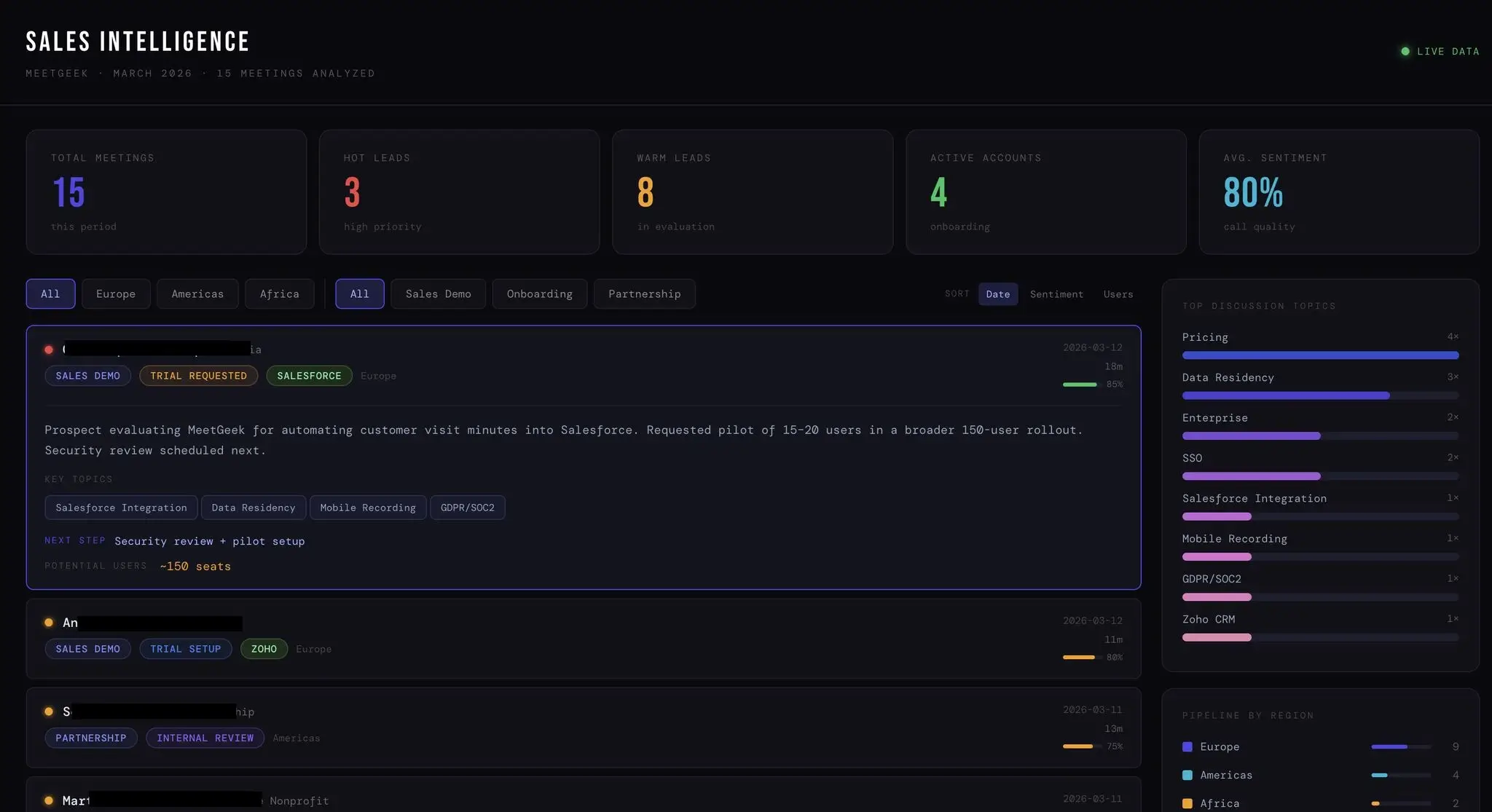
Ce qui a rendu ce flux de travail utile, c'est la rapidité d'organisation.
Plutôt que de revoir manuellement les appels, de mettre à jour les données CRM, d'organiser les notes et de préparer des résumés, le système a permis de dégager les points clés presque immédiatement.
Par exemple, si une conversation client mentionnait l'intégration Salesforce des préoccupations, des exigences RGPD, des plans d'intégration ou des délais de déploiement, Claude pourrait aider à structurer ces informations en :
- Recommandations de suivi
- Résumés internes
- Signaux de satisfaction client
- Analyses du pipeline
- Tâches de préparation à l'intégration
- Notes prêtes pour le CRM
C'est là que la productivité de l'IA devient réellement pratique.
Non pas parce qu'elle supprime l'implication humaine, mais parce qu'elle réduit les tâches répétitives liées à la communication et à la coordination.
Comment nous utilisons ChatGPT pour la rédaction, la génération d'images et les flux de travail créatifs
ChatGPT est devenu l'un de nos principaux outils pour l'itération créative et les flux de production rapides.

Nous l'utilisons principalement pour :
- Flux de travail d'assistant rédactionnel IA
- Planification d'articles
- Mise à jour d'anciens contenus
- Création de publications pour les réseaux sociaux
- Synthétiser des recherches
- Brainstorming d'idées
- Génération d'images
- Tâches d'édition d'images
- Créer des images pour les articles de blog
- Rédaction de supports marketing
Une chose qui a fait une différence notable a été d'accélérer les flux de travail de révision et de localisation.
Au lieu de recréer des articles de toutes pièces, nous pouvons réviser, restructurer, mettre à jour et adapter le contenu beaucoup plus rapidement.
Nous utilisons également ChatGPT intensivement pour les flux de travail visuels.
Cela comprend la création d'images de couverture de blog, des concepts créatifs, des ébauches d'idées de campagne et un soutien à la conception léger avant de transférer les éléments dans Canva AI ou des outils d'édition finaux.
Comparé à d'autres outils, ChatGPT est souvent l'option la plus rapide pour l'idéation rapide et l'expérimentation créative flexible.
Comment nous utilisons Notion AI et Google Docs pour la gestion de projet et la collaboration
Notion AI fonctionne mieux pour nous comme une couche organisationnelle plutôt que comme un outil de productivité IA autonome.
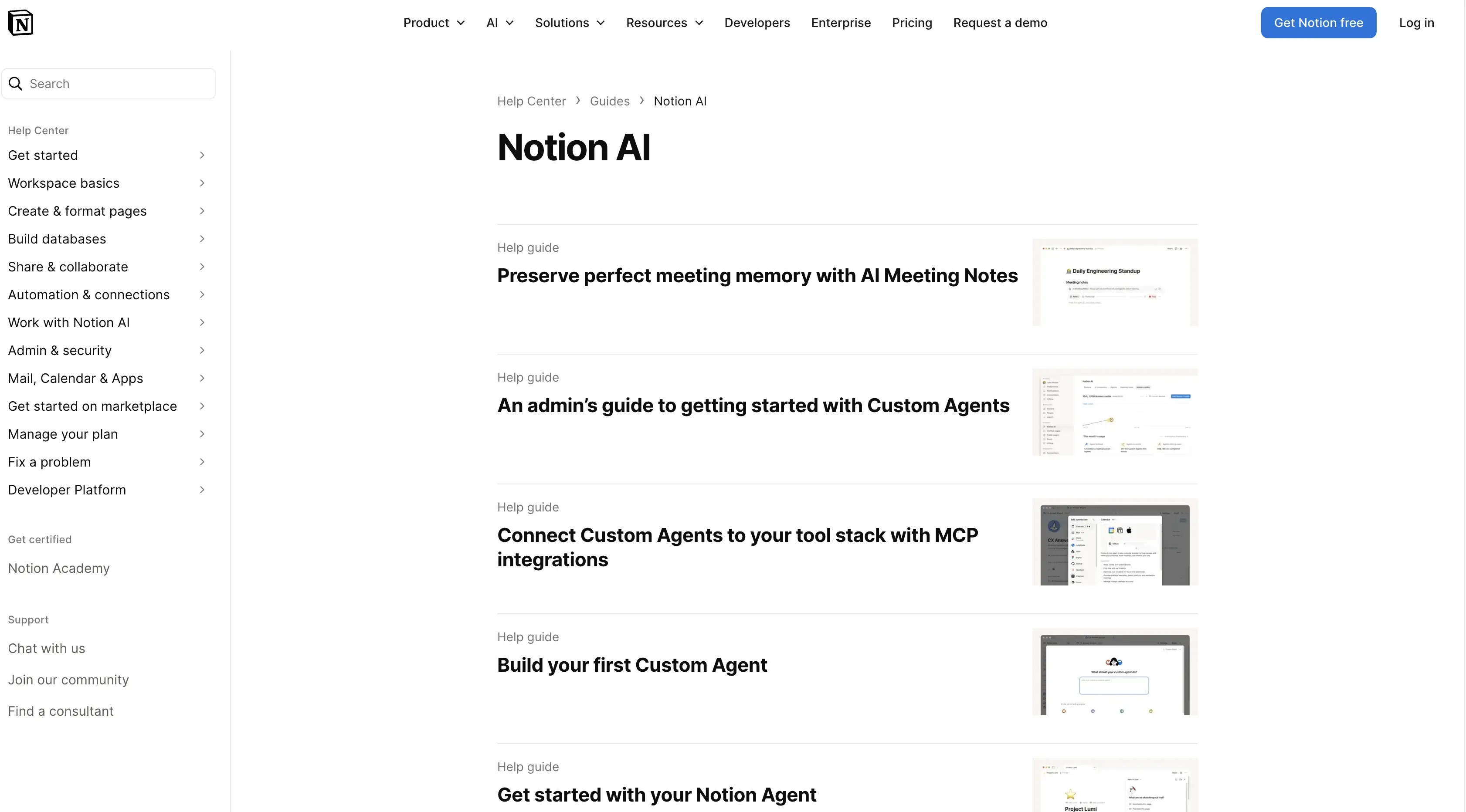
Nous l'utilisons principalement pour :
- La documentation interne
- La gestion de projet
- Les systèmes de listes de tâches
- L'organisation des réunions
- Le suivi des flux de travail
- La collaboration d'équipe
- La gestion des connaissances
- L'organisation des tâches complexes
L'essentiel de la valeur réside dans la réduction des frictions liées à la documentation et à la coordination.
Au lieu de restructurer manuellement les notes, de formater des documents ou de reconstruire les mises à jour de projet après les réunions, la couche d'assistant IA aide à automatiser les tâches opérationnelles plus petites.
Google Docs reste un élément important en tant que couche d'édition collaborative.
Même avec les fonctionnalités avancées basées sur l'IA des plateformes plus récentes, les équipes ont toujours besoin d'espaces partagés pour les approbations, l'édition, les commentaires et les flux de travail de publication finale.
Cette combinaison entre Notion AI, Google Docs, MeetGeek et Claude est devenue bien plus efficace que d'essayer de forcer chaque flux de travail dans une seule plateforme d'IA.
Comment nous utilisons Webflow, Canva AI, VEED et d'autres outils d'IA pour la production de contenu
Le reste de la pile se concentre principalement sur la vitesse de production.
Webflow combiné aux flux de travail Claude MCP a considérablement accéléré la création et les mises à jour des pages de destination.
Au lieu de gérer manuellement les structures de page et les modifications répétitives, nous pouvons passer plus rapidement de la planification à la rédaction et à la mise en œuvre.
Canva AI aide pour :
- Les supports marketing
- La gestion des réseaux sociaux
- Les éléments de présentation
- Les visuels de campagne
- Création d'images légère
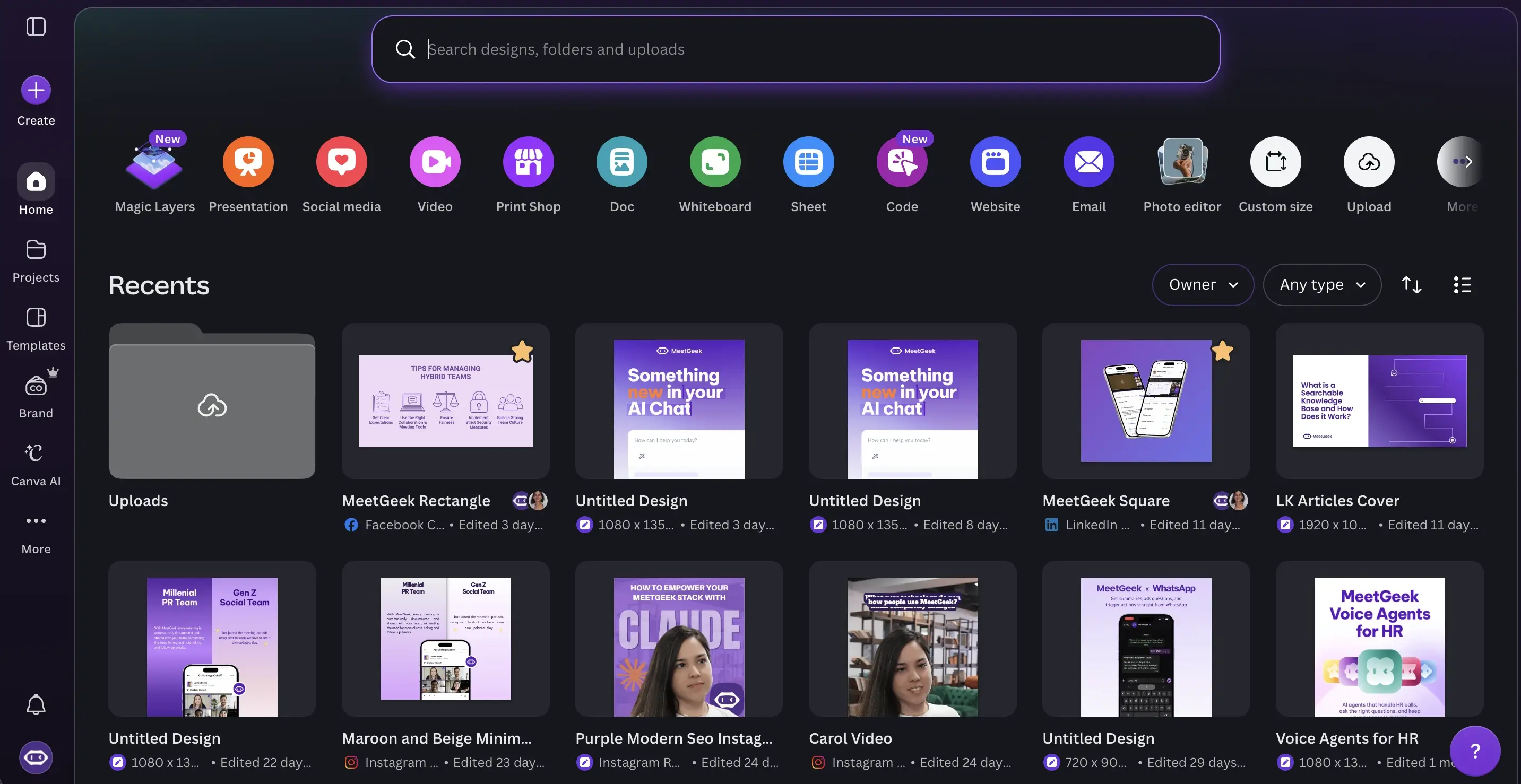
VEED s'est avéré utile pour :
- Montage vidéo
- Génération de sous-titres
- Réutilisation de webinaires
- Clips sociaux
- Vidéos marketing
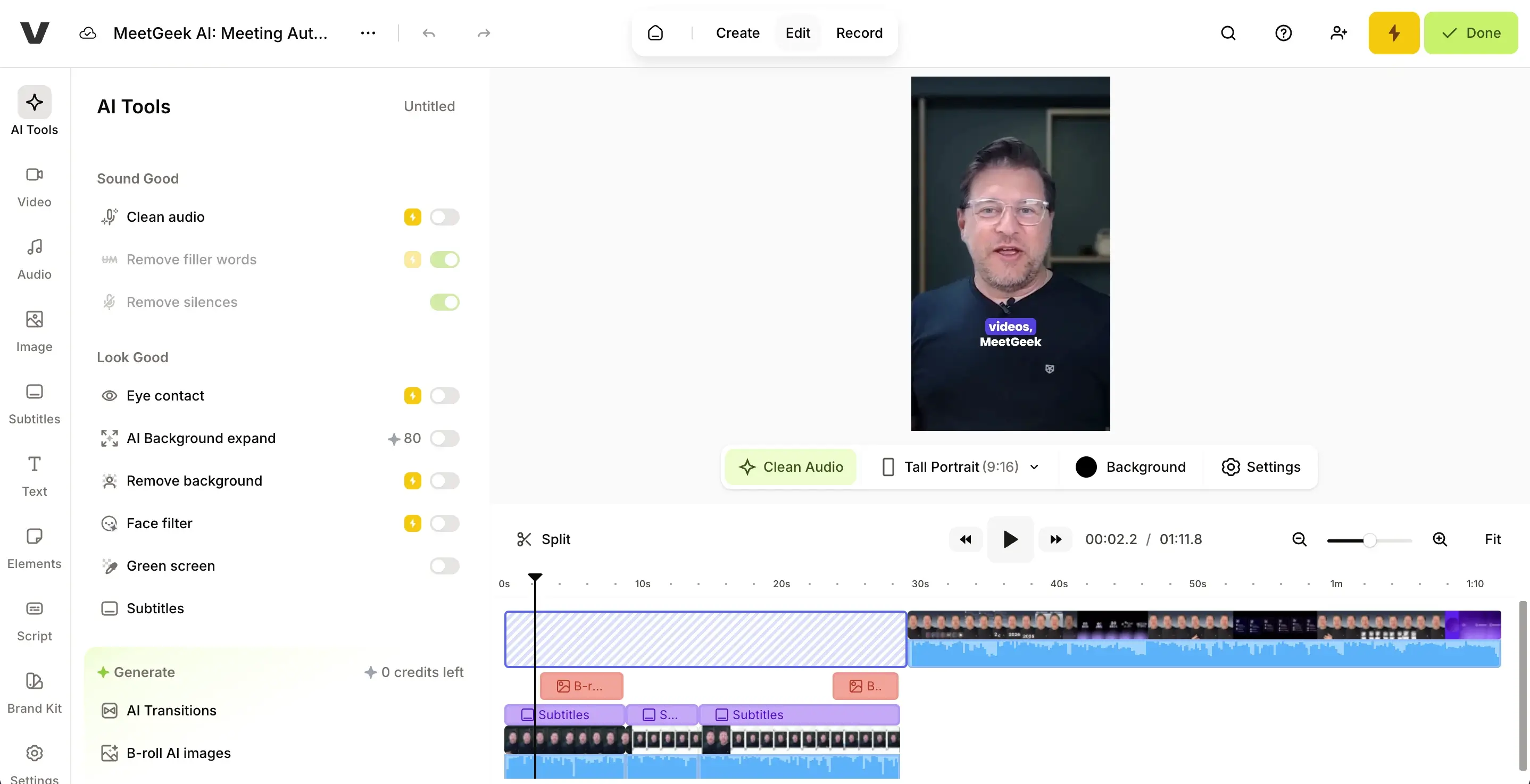
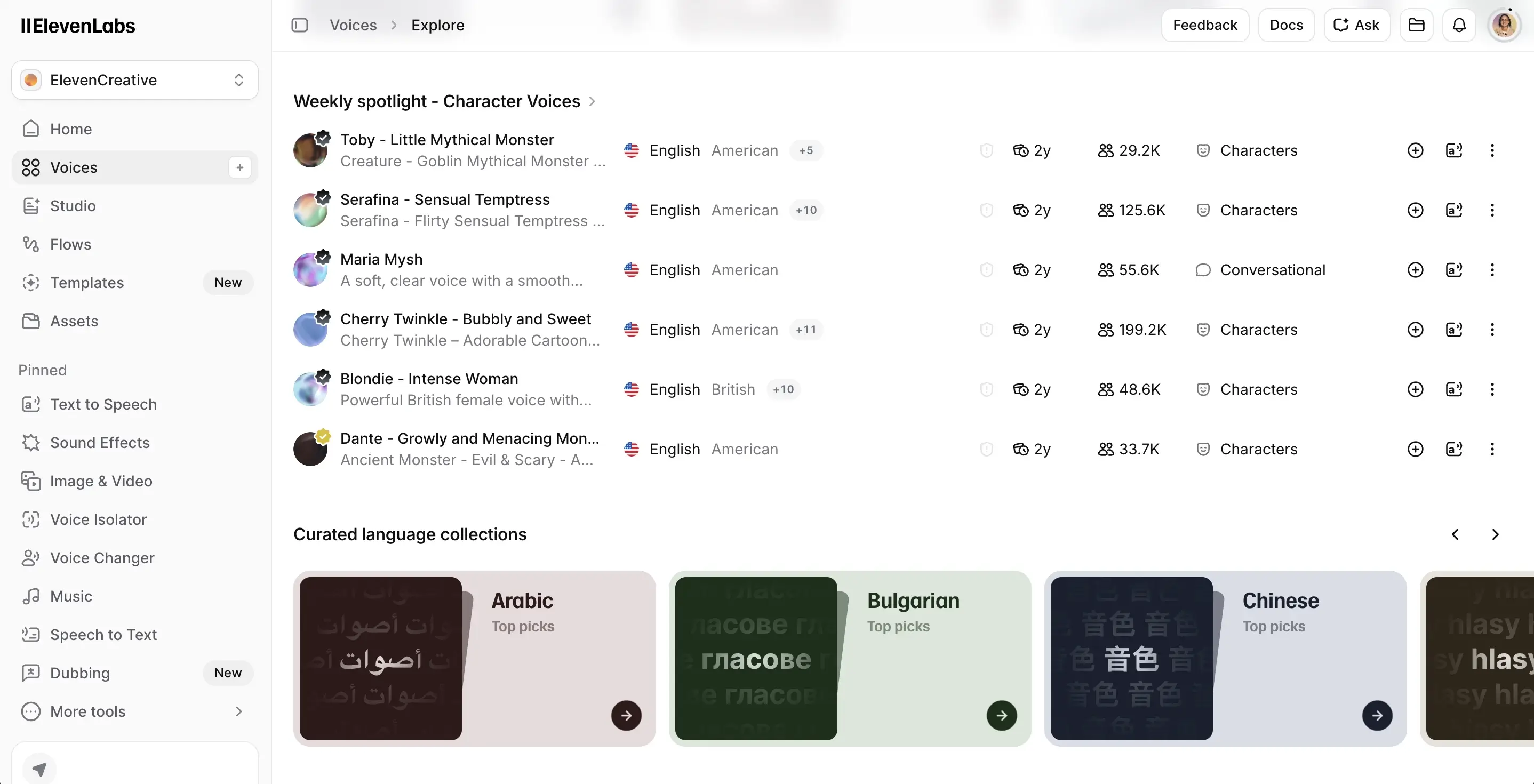
ElevenLabs est principalement utilisé pour les flux de travail de génération de voix et de musique et l'expérimentation audio.
Semrush + les flux de travail Claude sont également devenus étonnamment efficaces pour l'analyse SEO.
Au lieu d'examiner manuellement les lacunes en matière de mots-clés, les incohérences d'intention de recherche et les données historiques sur plusieurs pages web, nous pouvons analyser les opportunités beaucoup plus rapidement et identifier les sections manquantes ou les opportunités d'optimisation.
Cela a considérablement accéléré la production de contenu.
Les outils d'IA que nous avons testés mais que nous n'avons pas entièrement adoptés
Tous les outils de productivité basés sur l'IA ne s'intègrent pas à un flux de travail à long terme.
Nous avons exploré plusieurs autres outils qui semblaient prometteurs, mais qui chevauchaient trop les outils existants ou introduisaient une complexité inutile.
Un exemple est HeyReach.
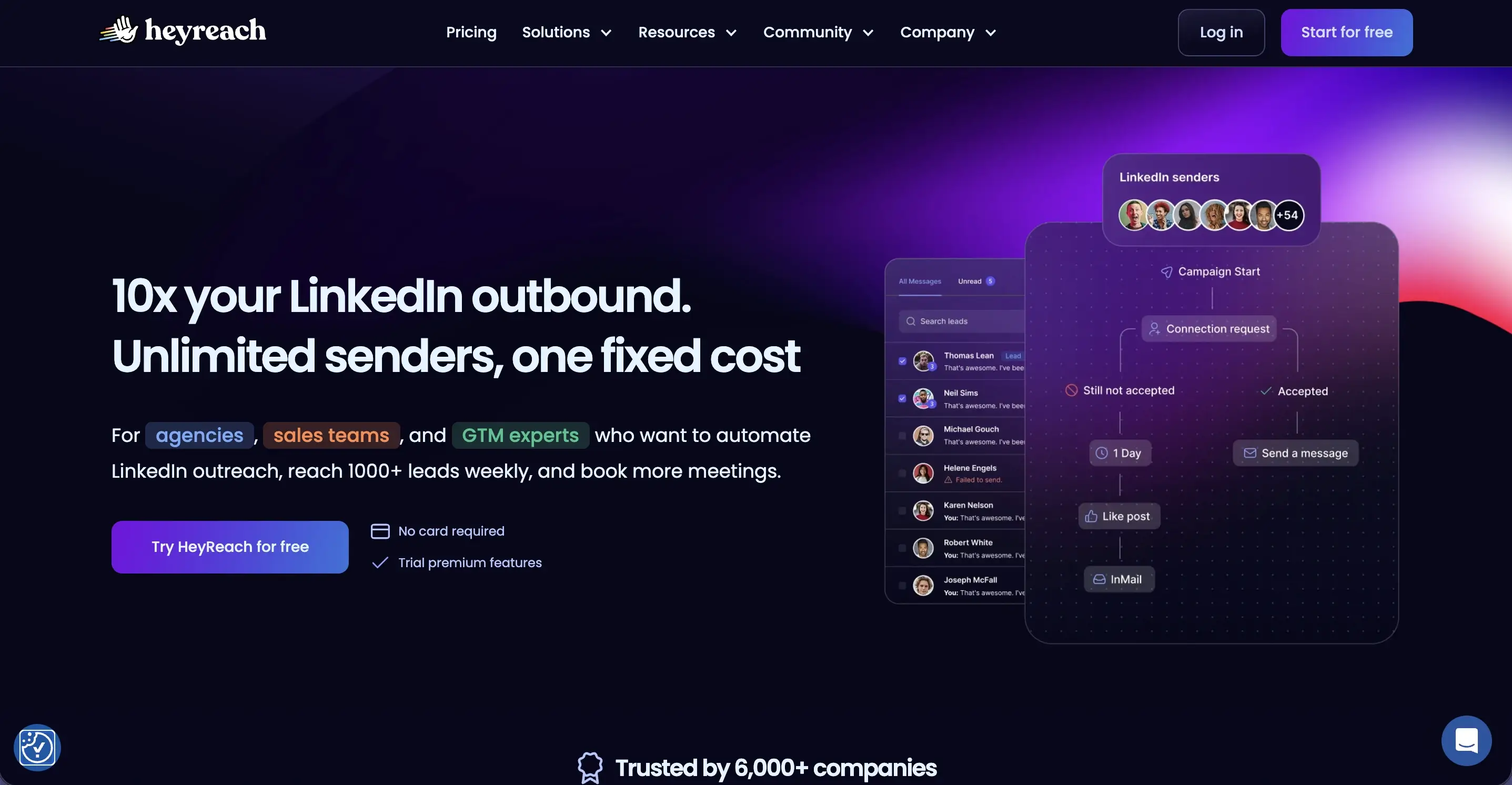
Bien que nous ne l'ayons pas encore entièrement mis en œuvre nous-mêmes, c'est une plateforme que de nombreuses équipes de vente utilisent pour l'automatisation de la prospection sur LinkedIn et les flux de travail de prospection multi-comptes.
D'après ce que j'ai constaté dans les retours d'utilisateurs et les exemples de flux de travail, la plateforme semble particulièrement utile pour les équipes de prospection commerciales gérant des campagnes de prospection à fort volume.
Mais des outils comme celui-ci soulèvent également une préoccupation majeure : lorsque l'automatisation est déconnectée du contexte, la qualité de la prospection diminue souvent.
C'est pourquoi nous avons généralement privilégié les flux de travail basés sur l'IA qui améliorent la prise de décision et l'organisation, plutôt que d'automatiser entièrement la communication client.
Là où la productivité de l'IA montre encore ses limites
Même les meilleurs outils de productivité basés sur l'IA ont encore des limites.
Parmi les problèmes majeurs que nous rencontrons encore figurent :
Fragmentation du contexte
Les outils d'IA peinent encore à maintenir une connaissance cohérente à travers les canaux de communication, les systèmes CRM, les ressources Google Drive, les outils de gestion de projet et les conversations passées.
Fiabilité des flux de travail insuffisante
Les flux de travail en plusieurs étapes échouent parfois à un certain stade et vous ne vous en rendez même pas compte. Cela devient particulièrement frustrant lors de l'automatisation de tâches complexes impliquant de multiples intégrations.
Hallucinations et résultats inexacts
Les modèles d'IA génèrent encore occasionnellement des résumés erronés, des analyses de données incomplètes ou des conclusions trompeuses. Une vérification humaine reste nécessaire.
Surcharge de fonctionnalités
De nombreuses applications d'IA ajoutent des fonctionnalités basées sur l'IA simplement parce que leurs concurrents le font. Le résultat est souvent des produits encombrés avec des interfaces confuses et des courbes d'apprentissage abruptes.
Fatigue d'intégration
L'ajout d'un trop grand nombre d'agents IA et d'automatisations peut à terme créer plus de travail de maintenance que de gains de productivité.
C'est pourquoi l'approche la plus durable que nous ayons trouvée est de maintenir les flux de travail relativement simples.
Où les outils de productivité basés sur l'IA permettent-ils de gagner le plus de temps ?
Un schéma est devenu évident dans presque tous les flux de travail que nous avons testés : les gains de productivité les plus importants provenaient rarement du remplacement de la pensée créative ou de la prise de décision stratégique.
Au lieu de cela, les outils de productivité basés sur l'IA ont permis de gagner le plus de temps en réduisant le travail opérationnel lié à ces tâches. La prise de notes manuelle, le travail administratif du CRM, les suivis de réunion, les mises à jour de statut, la création de tâches répétitives, la mise en forme de documents, la recherche d'informations et le passage constant d'un outil à l'autre consomment tous plus de temps que la plupart des équipes ne le réalisent.
C'est là que de nombreux outils d'IA créent actuellement la plus grande valeur pratique. Non pas en tant que substituts au jugement humain, mais en tant que systèmes qui réduisent la friction opérationnelle et facilitent la gestion des flux de travail quotidiens.
Quels outils de productivité basés sur l'IA valent réellement la peine d'être utilisés ?
Si vous évaluez les meilleurs outils d'IA pour vos propres flux de travail, je me concentrerais moins sur les listes de fonctionnalités et davantage sur l'adéquation au flux de travail.
Les outils qui nous ont constamment apporté de la valeur partageaient quelques caractéristiques :
- Capacités d'intégration solides
- Bonnes interfaces en langage naturel
- Automatisation fiable des tâches répétitives
- Fonctionnalités de collaboration utiles
- Intégration rapide avec une courbe d'apprentissage minimale
- Des flux de travail flexibles plutôt que des modèles rigides
- Compatibilité avec les logiciels existants
Plus spécifiquement pour les équipes de vente et celles en contact avec les clients, les outils qui connectent les réunions, les systèmes CRM, la gestion des tâches et les flux de travail de documentation ont tendance à générer le plus grand impact opérationnel.
C'est l'une des raisons pour lesquelles des plateformes comme MeetGeek sont devenues plus utiles avec le temps.
Au lieu de fonctionner comme une autre application d'IA isolée, elle connecte les conversations directement aux flux de travail d'exécution.
Réflexions finales
Après avoir analysé la manière dont les gens utilisent réellement les outils de productivité basés sur l'IA dans leurs flux de travail réels, les plus grands gains proviennent généralement de la réduction des frictions entre les réunions, la documentation, la collaboration et l'exécution.
Les outils qui se sont systématiquement révélés les plus utiles pour nous étaient ceux qui s'intégraient naturellement aux flux de travail existants, au lieu d'imposer des systèmes entièrement nouveaux.
Pour les équipes de vente et de marketing qui ont beaucoup de réunions, c'est là que MeetGeek est devenu particulièrement précieux. Il aide à centraliser les notes de réunion, les conversations consultables, les résumés et les flux de travail de suivi sans ajouter de travail administratif supplémentaire.
Si vous souhaitez automatiser la documentation des réunions et transformer les conversations en informations exploitables, essayez MeetGeek gratuitement.
Foire aux questions
Quels sont les meilleurs outils de productivité IA actuellement ?
Parmi les meilleurs outils de productivité IA actuels figurent ChatGPT, Claude, MeetGeek, Notion AI, Canva AI, Grammarly, Jasper et Perplexity. Le meilleur choix dépend fortement de si votre flux de travail est axé sur les réunions, la rédaction, la gestion de projet, l'analyse de données ou l'automatisation.
Quelles applications de productivité IA sont les meilleures pour les équipes de vente ?
Les équipes de vente bénéficient généralement le plus des applications de productivité IA qui combinent l'intelligence de réunion, l'enrichissement du CRM, l'automatisation et les informations exploitables. MeetGeek est particulièrement utile car il connecte les notes de réunion, les conversations clients et l'automatisation des flux de travail sur Zoom, Google Meet et Microsoft Teams.
Les outils de productivité IA gratuits sont-ils suffisants pour votre équipe ?
Les versions gratuites peuvent bien fonctionner pour les individus ou les petites équipes qui testent des flux de travail. Cependant, les grandes organisations ont souvent besoin de fonctionnalités avancées, de capacités d'intégration, d'analyses, d'outils de collaboration et d'options d'automatisation qui ne sont généralement disponibles que dans les forfaits payants ou les formules d'équipe.
Les outils IA peuvent-ils automatiser les tâches de gestion de projet ?
Oui. De nombreuses plateformes basées sur l'IA peuvent automatiser des tâches telles que les résumés de réunion, la gestion des tâches, les rappels de suivi, les mises à jour CRM et les flux de travail de documentation. Cependant, une révision humaine reste importante pour les projets complexes et la prise de décision stratégique.
Comment l'IA améliore-t-elle la productivité des réunions ?
L'IA aide à réduire la prise de notes manuelle, à automatiser les résumés, à extraire les points clés, à identifier les actions à mener et à organiser les connaissances des réunions dans des systèmes consultables. Des outils comme MeetGeek peuvent également fournir des informations exploitables à partir des conversations clients et des modèles de réunions récurrents.







.avif)