



Welcher KI-Assistent der beste ist, hängt davon ab, wo Ihre Arbeit ins Stocken gerät. Manche eignen sich besser für Recherche und Schreiben, andere sind darauf ausgelegt, Fokuszeit zu schützen, Meetings festzuhalten oder Gespräche in klare nächste Schritte zu verwandeln.
Dieser Leitfaden vergleicht universell einsetzbare persönliche KI-Assistenten, KI-Tools für mehr Produktivität und KI-Agenten, die Aufgaben in anderen Apps ausführen können.
Kurzfassung: die besten KI-Assistenten im Überblick
| Tool | Einsatzbereich | Gratis-Tarif | Kostenpflichtig ab (monatliche Abrechnung)* | Wichtigster Kompromiss |
|---|---|---|---|---|
| ChatGPT | Vielfältige Aufgaben aus Alltag und Beruf | Ja | 8 $/Monat | Ihre E-Mails, Ihr Kalender, Ihre Projekte und Meetings liegen weiterhin in anderen Apps |
| Google Gemini | Arbeit rund um Google Workspace | Ja | 4,99 $/Monat | Weniger nützlich, wenn sich Ihre Arbeit auf Tools außerhalb von Google verteilt |
| Microsoft Copilot | Arbeit rund um Microsoft 365 | Ja | 9,99 $/Monat (Microsoft 365 Personal, inkl. Copilot) | Funktionen variieren je nach App, Lizenz und Administratoreinstellungen |
| Claude | Lange Dokumente und komplexe Anfragen | Ja | 20 $/Monat | Keine eigenständige Kalender-, E-Mail- oder Aufgaben-App |
| Perplexity | Aktuelle Recherche mit überprüfbaren Quellen | Ja | 20 $/Monat | Stärker beim Finden von Antworten als beim Organisieren des Arbeitstags |
| Reclaim | Fokuszeit schützen, wenn sich der Zeitplan ändert | Ja | 12 $/Nutzer/Monat | Vor allem auf Terminplanung ausgerichtet |
| Motion | Aufgaben und Fristen in einen Tagesplan verwandeln | Kein dauerhafter Gratis-Tarif | 38 $/Monat | Höherer Einstiegspreis und längere Einarbeitung |
| Superhuman Mail | Einen Posteingang mit hohem E-Mail-Aufkommen bewältigen | Nein | 30 $/Nutzer/Monat | Teuer, wenn E-Mail kein großer Engpass ist |
| MeetGeek | Meetings in durchsuchbare Notizen und nächste Schritte verwandeln | Ja | 15,99 $/Nutzer/Monat | Auf Gespräche spezialisiert statt auf allgemeinen Chat |
| Notion AI | Workspace-Wissen für Projekte und Dokumentation nutzen | Begrenzte Testphase | 24 $/Nutzer/Monat | Funktioniert am besten, wenn Ihre Informationen bereits in Notion liegen |
| Zapier | Informationen und Aufgaben zwischen Apps übertragen | Ja | 29,99 $/Monat | Mehrstufige Workflows erfordern Einrichtung und Überwachung |
*Offizielle US-Preise bei monatlicher Abrechnung, Stand: September 2026. Bei jährlicher Abrechnung sind die meisten Tools günstiger.
Welche sind die besten KI-Assistenten 2026?
1. ChatGPT
ChatGPT ist ein universell einsetzbarer KI-Assistent für viele alltägliche und berufliche Aufgaben. Da der Einstieg leichtfällt, ist ChatGPT ein praktischer erster KI-Assistent für vielbeschäftigte Berufstätige und Nutzer ohne technischen Hintergrund.
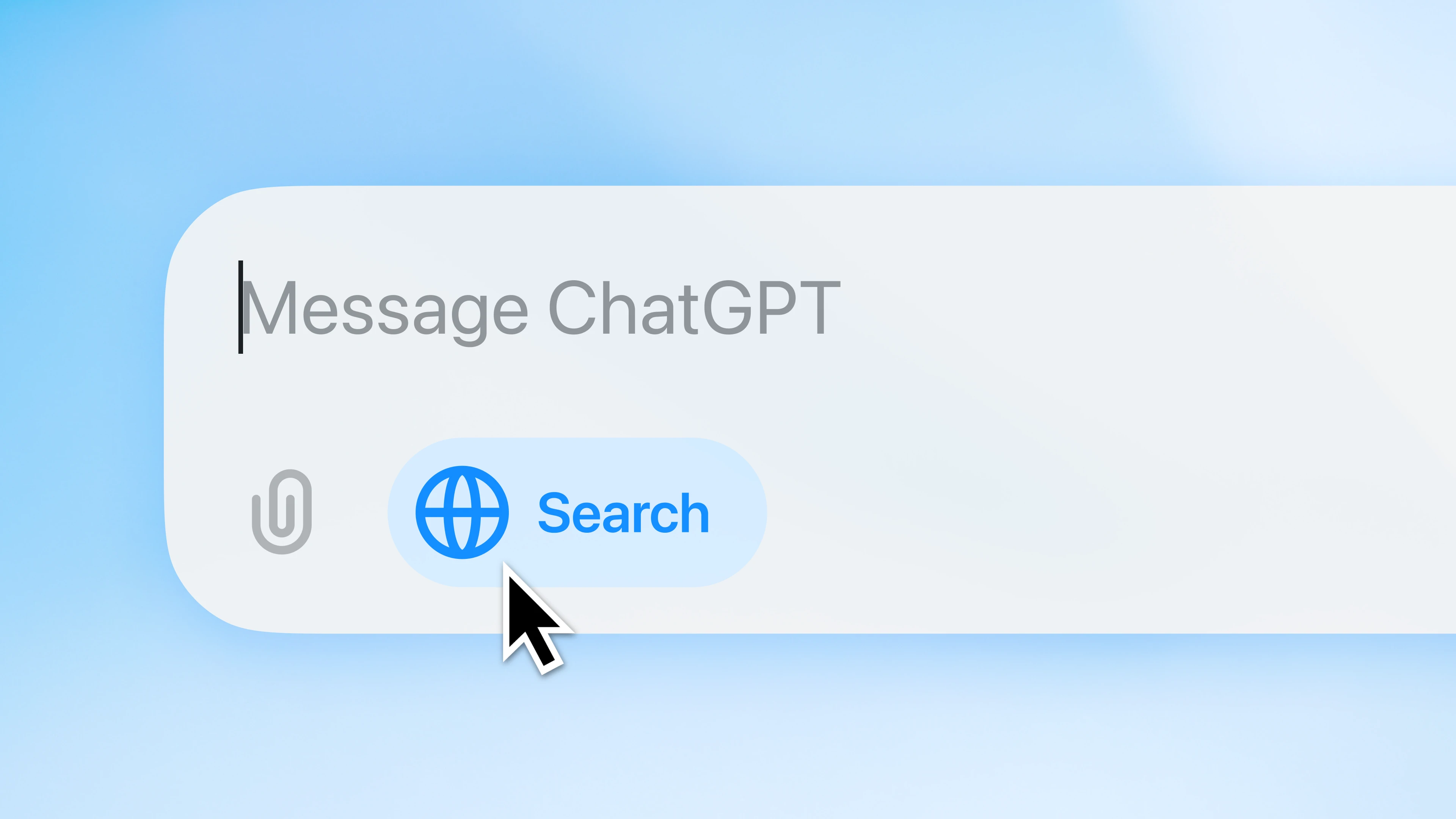
Im Kern ist ChatGPT ein KI-Chat, der auf Anfragen in natürlicher Sprache antwortet. Der Funktionsumfang hängt von Modell und Tarif ab, reicht aber über Text hinaus bis zu Recherche, Dateien, Bildern und Sprache. Im Dialog können Sie Antworten außerdem verfeinern, sodass ChatGPT zu einem nützlichen Sparringspartner wird.
Gedächtnis und Projektkontext machen die Nutzung mit der Zeit persönlicher. Wenn die Funktion aktiviert ist, kann ChatGPT Details aus früheren Chats und gespeicherte Präferenzen nutzen, sodass Sie wichtigen Kontext nicht wiederholen müssen. Ein dauerhaftes Gedächtnis ist jedoch kein lückenloses Protokoll. Wichtige Anweisungen und Quellmaterial sollten deshalb in einem Projekt oder Dokument bleiben, das Sie selbst verwalten.
ChatGPT ist außerdem einfach zu bedienen. Das Tool kann aus einer groben Anfrage ohne aufwendige Einrichtung einen brauchbaren ersten Entwurf machen.
Wichtigste Funktionen:
- Schreiben aller Art, Schlussfolgern, Analyse, Programmieren und Ideenfindung
- Suche und Deep Research für aktuelle Fragen oder Fragen mit mehreren Quellen
- Datei-Uploads und Datenanalyse
- Bildgenerierung und multimodale Eingabe
- Sprachfunktion (Voice) auf unterstützten Geräten
- Gedächtnis, Projekte und GPTs
- Zugriff über Mobilgeräte, Web und Desktop
Preise: Der Gratis-Tarif von ChatGPT bietet kostenlosen Zugang mit Nutzungslimits. Der kostenpflichtige Go-Tarif kostet ab 8 $/Monat, während höhere Tarife mehr Kapazität und erweiterte Funktionen bieten.
Wichtigster Kompromiss: ChatGPT kann fast jede Phase einer Aufgabe unterstützen, doch die meisten Menschen verwalten ihre E-Mails, ihren Kalender, ihre Projekte und ihre Meeting-Notizen weiterhin in anderen Tools. Wenn Sie nicht die passenden Apps verbinden, müssen Sie unter Umständen selbst Kontext in ChatGPT einbringen und das Ergebnis anschließend wieder in Ihre anderen Tools übertragen.
Wenn Sie sich für die Funktionen von ChatGPT interessieren, aber nicht sicher sind, ob es das richtige Tool für Sie ist, werfen Sie einen Blick auf unsere Liste mit ChatGPT-Alternativen für die Arbeit.
2. Google Gemini
Google Gemini ist eine starke Wahl für alle, deren Arbeit bereits im Google-Ökosystem stattfindet. Neben dem separaten Chatfenster ist Gemini auch direkt in die Google-Tools eingebaut, die Sie bereits nutzen.
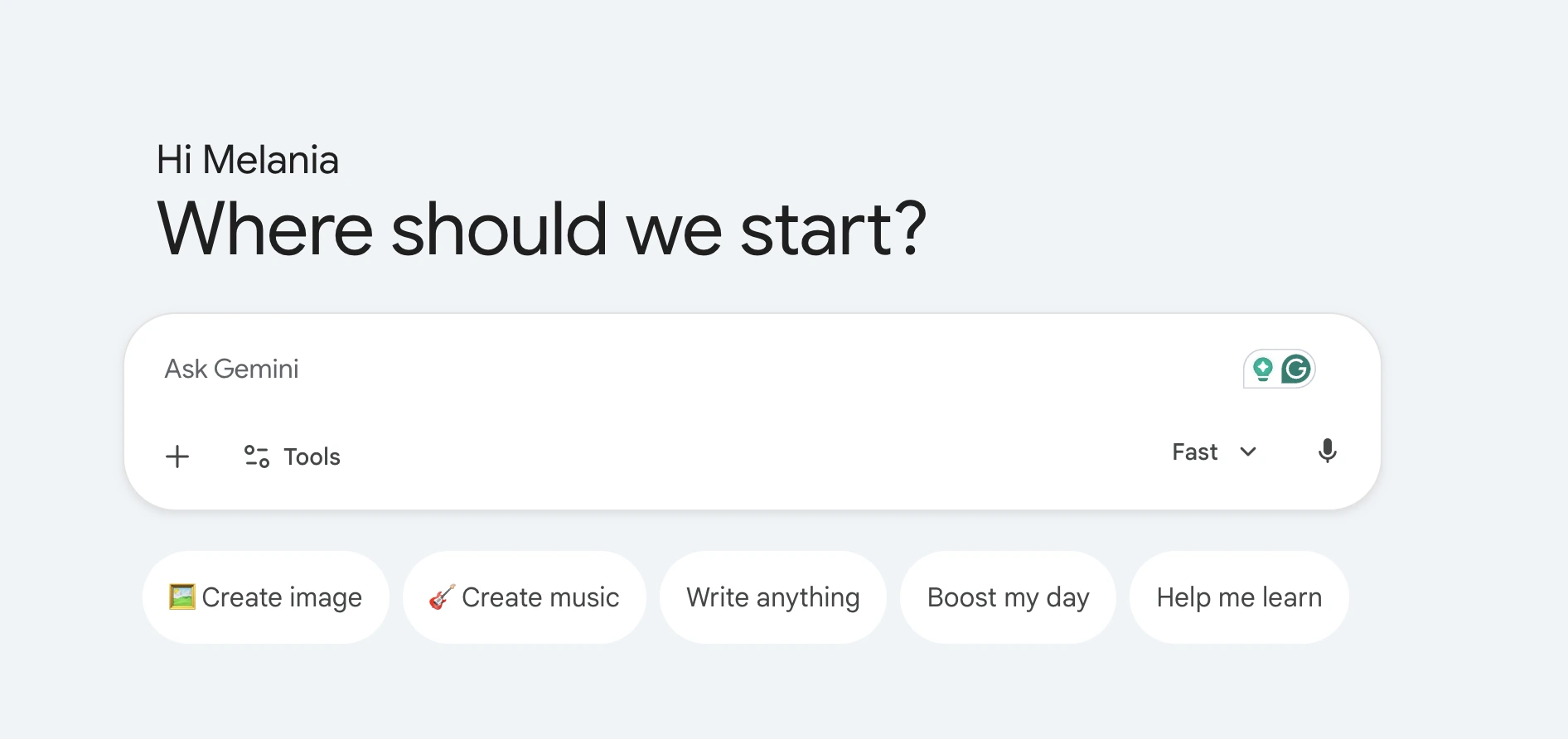
Diese Integration ist der größte Vorteil. Gemini kann Ihnen helfen, E-Mail-Verläufe zusammenzufassen, Inhalte in Google Docs zu entwerfen, mit Dateien in Drive zu arbeiten und Meetings vorzubereiten. Dabei greift Gemini auf Informationen zurück, die bereits in Google-Apps gespeichert sind. Das reduziert den Wechsel zwischen Tabs und macht den Assistenten bei Routineaufgaben nützlicher.
Gemini unterstützt Recherche und Content-Erstellung auf verschiedenen Geräten. Da sich Gemini in Alltagssprache bedienen lässt, kommen auch Nutzer ohne technischen Hintergrund gut zurecht. Die Funktionen für Teams hängen allerdings von der Workspace-Edition und den Administratoreinstellungen ab.
Wichtigste Funktionen:
- Native Anbindung an Gmail, Google Docs, Drive, Sheets und Kalender
- Antworten auf Basis von Webquellen und Deep Research
- Analyse von Dateien und Dokumenten mit langem Kontext
- Bildgenerierung und multimodale Unterstützung
- Mobiler Zugriff und Sprachinteraktion
- Unterstützung für Kalender und Meetings im Google-Ökosystem
Preise: Gemini bietet einen Gratis-Tarif. Google AI Plus, der kostenpflichtige Einstiegstarif, kostet in den USA 4,99 $/Monat. Preise und enthaltene Funktionen variieren je nach Land.
Wichtigster Kompromiss: Am nützlichsten ist Gemini, wenn Ihre E-Mails, Dateien und Ihr Kalender in Google-Apps liegen. Verteilt sich Ihre Arbeit auf andere Tools, kann Gemini auf weniger Kontext zurückgreifen.
3. Microsoft Copilot
Microsoft Copilot eignet sich für alle, die hauptsächlich in Microsoft 365 arbeiten. Copilot bietet KI-Unterstützung direkt in Apps wie Word, Excel, Outlook und Teams.
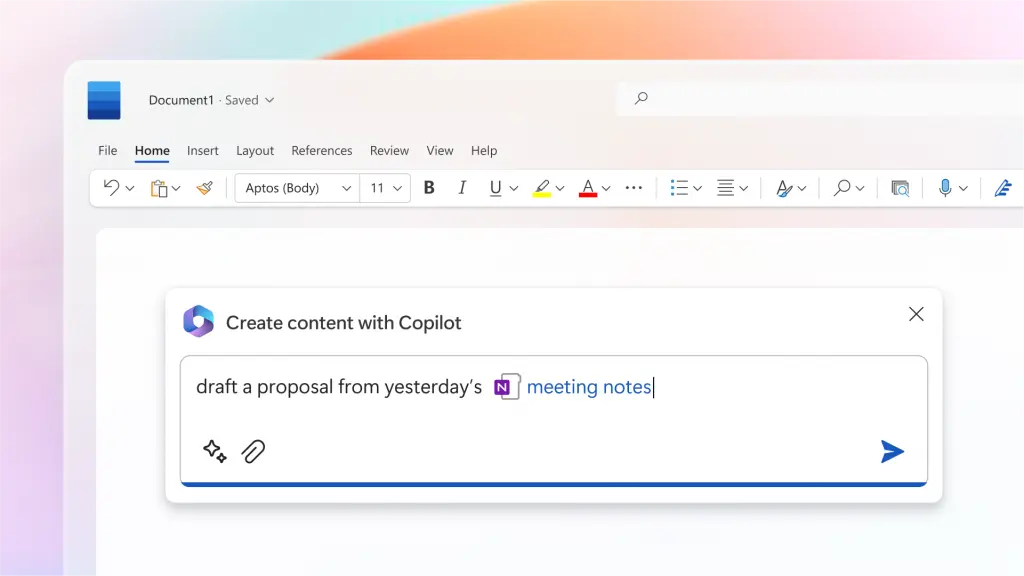
Copilot kann Ihnen helfen, Inhalte im Kontext Ihrer Arbeit zu erstellen und zusammenzufassen. Unternehmensteams können je nach Lizenz und Administratoreinstellungen außerdem auf Unternehmensdaten und spezialisierte Agenten zugreifen.
Der eigenständige Copilot-Chat bietet kostenlosen Zugang für alltägliche Aufgaben. Kostenpflichtige Microsoft-365-Tarife bieten höhere Nutzungslimits und eine tiefere Integration in die Apps. Manche kennen Copilot noch unter seinem früheren Namen Bing Chat.
Wichtigste Funktionen:
- KI-Unterstützung in Word, Excel, PowerPoint, Outlook und Teams
- Websuche, Recherche, Schreiben und Bildgenerierung
- Unterstützung bei E-Mails, Dokumenten, Präsentationen und Daten
- Zugriff über Mobilgeräte und Desktop
- Chat mit Bezug zu Arbeitsdaten und KI-Agenten für berechtigte Organisationen
Preise: Copilot gibt es auch als Gratisversion. Microsoft 365 Personal, das Copilot in den Microsoft-365-Apps enthält, kostet 9,99 $/Monat. Für Unternehmen ist Microsoft 365 Copilot Business ein Add-on zu einem Microsoft-365-Business-Tarif und kostet bei monatlicher Abrechnung 25,20 $ pro Nutzer und Monat.
Wichtigster Kompromiss: Die Funktionen von Copilot verteilen sich auf Microsoft-365-Apps, den eigenständigen Chat und Agenten. Welche davon Sie nutzen können, hängt von Ihrer Lizenz und den Administratoreinstellungen ab. Dadurch lässt sich schwerer als bei einer einzelnen Chat-App überblicken, was verfügbar ist.
Wie gut ist die KI in Microsoft Teams für Ihre Meetings? Mehr dazu erfahren Sie in unserem Vergleich zwischen MeetGeek und der KI in Microsoft Teams.
4. Claude
Claude eignet sich gut zum Schreiben und für die Arbeit mit langen Dokumenten. Claude liefert klare, gut strukturierte Antworten und behält auch bei komplexen Anfragen den Kontext.
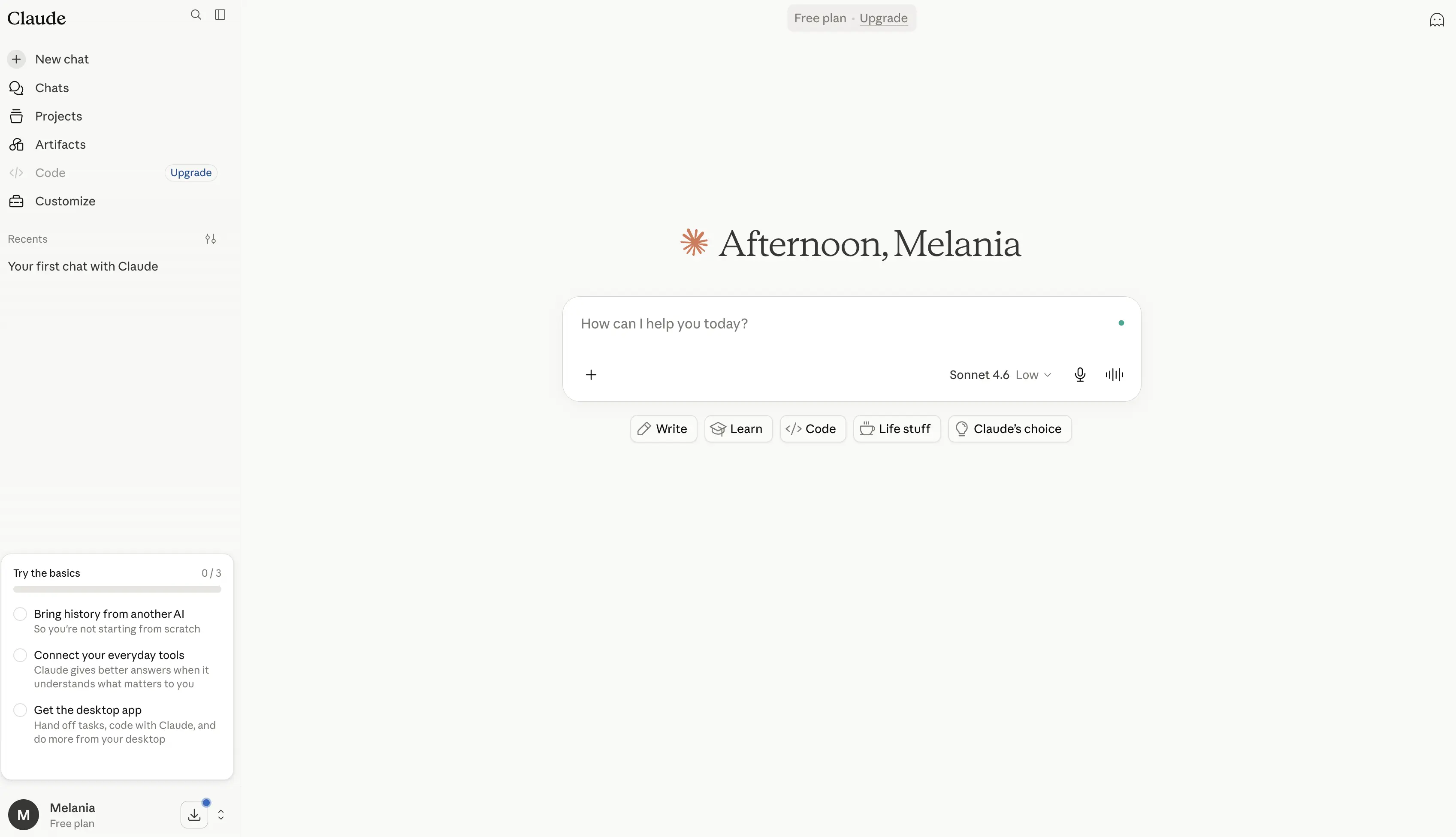
Dank Datei-Uploads und Projektfunktionen eignet sich Claude gut, um große Informationsmengen zu prüfen und zusammenzuführen. Claude unterstützt außerdem Programmieraufgaben und bleibt dabei auch für Nicht-Techniker leicht zugänglich.
Claude ist keine Kalender- oder E-Mail-App, kann aber über Konnektoren mit Tools wie Gmail, Google Kalender und Google Drive arbeiten und bittet um Ihre Freigabe, bevor es Aktionen ausführt. Welche Konnektoren Sie nutzen können, hängt von Ihrem Tarif und in Unternehmen von den Administratoreinstellungen ab.
Wichtigste Funktionen:
- Analyse von Dokumenten mit langem Kontext
- Starke Fähigkeiten beim Schreiben, Redigieren, Zusammenfassen und Schlussfolgern
- Datei-Uploads und Projektkontext
- Hilfe beim Programmieren und technische Analysen
- Websuche und Konnektoren für Apps wie Gmail, Google Kalender und Google Drive
Preise: Claude bietet einen Gratis-Tarif. Der Pro-Tarif kostet ab 20 $/Monat. Dazu kommen der Max-Tarif mit höherer Kapazität und Tarife für Teams.
Wichtigster Kompromiss: Claude arbeitet über den Chat und Konnektoren, nicht als Kalender-, Posteingangs- oder Aufgaben-App. Wer ein eigenes Tool für Terminplanung oder E-Mail möchte, braucht dafür unter Umständen weiterhin eine zusätzliche App.
PROFI-TIPP: Wenn Sie Claude für Ihre Online-Meetings nutzen möchten, können Sie es über die Claude-Integration von MeetGeek mit MeetGeek verbinden.
5. Perplexity
Perplexity ist ein KI-Suchassistent, der dafür entwickelt wurde, aktuelle Informationen mit sichtbaren Quellen zu finden. Wenn es vor allem darum geht, Produkte zu vergleichen, aktuelle Entwicklungen zu prüfen, Belege zu sammeln oder eine tiefgehende Recherche zu starten, ist Perplexity sinnvoller als ein allgemeiner Chat-Assistent.
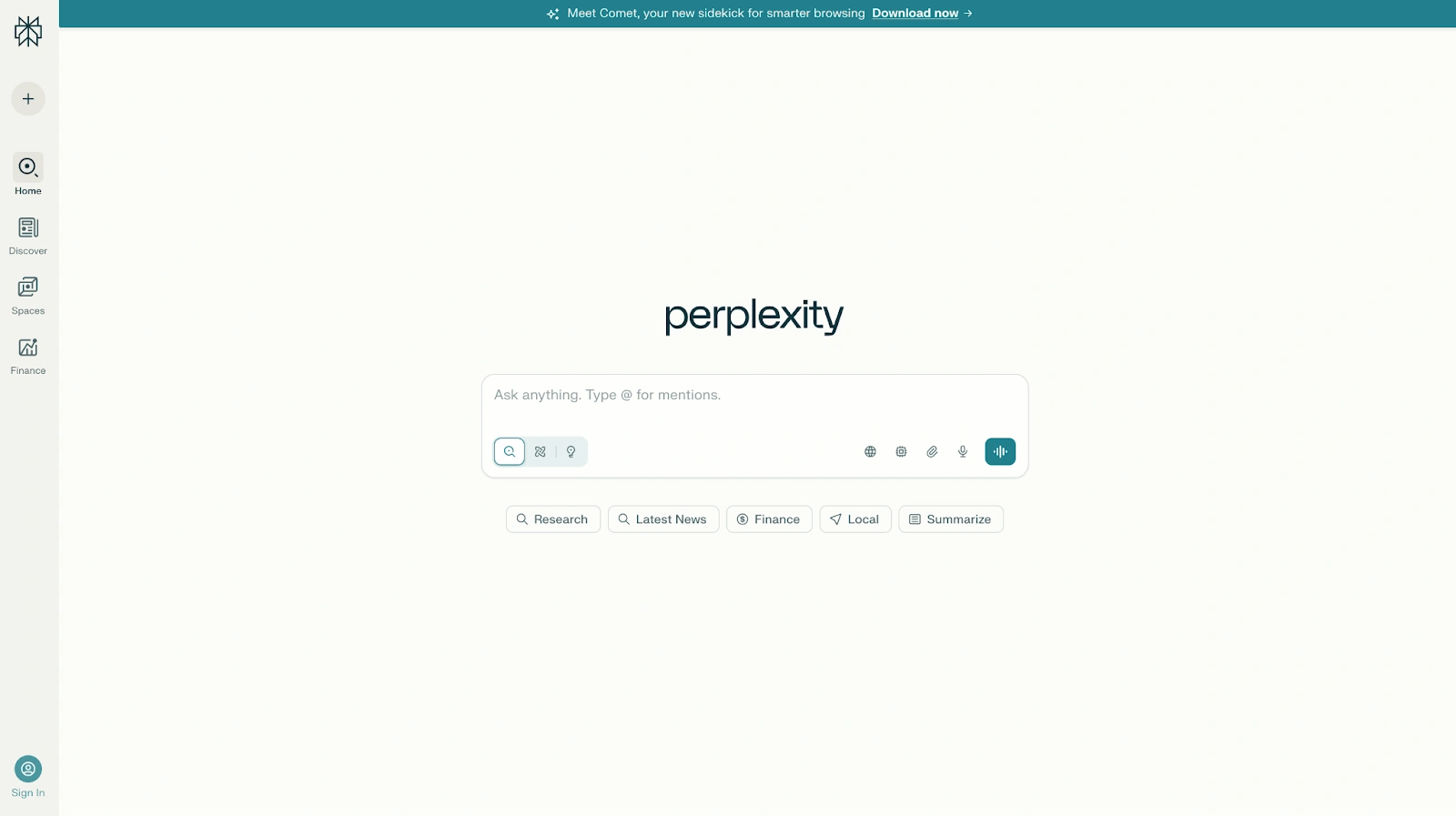
Der Assistent durchsucht das Web, fasst die Ergebnisse zusammen und verlinkt die Seiten, auf die sich seine Antwort stützt. Deep Research kann eine komplexe Anfrage in mehrere Suchen aufteilen und einen vollständigeren Bericht erstellen. Das ist nützlich für Marktforschung, Meeting-Vorbereitung, Reiseplanung und die Suche nach relevanten wissenschaftlichen Arbeiten.
Perplexity ist nicht in erster Linie als persönlicher Assistent für Kalender und Zeitmanagement gedacht. Das Tool kann Ihnen helfen, die Arbeit zu planen, ist aber vor allem darauf ausgelegt, Fragen zu beantworten, und nicht darauf, Ihren Posteingang zu verwalten, Fokuszeit zu schützen oder ein Projektboard zu pflegen.
Wichtigste Funktionen:
- KI-Suche mit Quellenlinks und Surfen im Web
- Deep Research für komplexe Fragen
- Dateianalyse und Folgefragen
- Mehrere Modelle zur Auswahl in kostenpflichtigen Tarifen
- Mobile App und Zugriff über den Browser
Preise: Perplexity bietet einen Gratis-Tarif. Der Pro-Tarif kostet 20 $/Monat.
Wichtigster Kompromiss: Perplexity ist auf Recherche ausgelegt und übernimmt deshalb weder Terminplanung noch Aufgabenverwaltung oder Automatisierung über mehrere Apps.
6. Reclaim
Reclaim ist ein KI-Kalenderassistent, der Meetings, Aufgaben, Gewohnheiten, Pausen und Fokuszeit einplant. Das Tool passt gut zu allen, deren Kalender Fokuszeit automatisch schützen soll, ohne dass sie die Woche bei jeder Prioritätsänderung von Hand umplanen müssen.
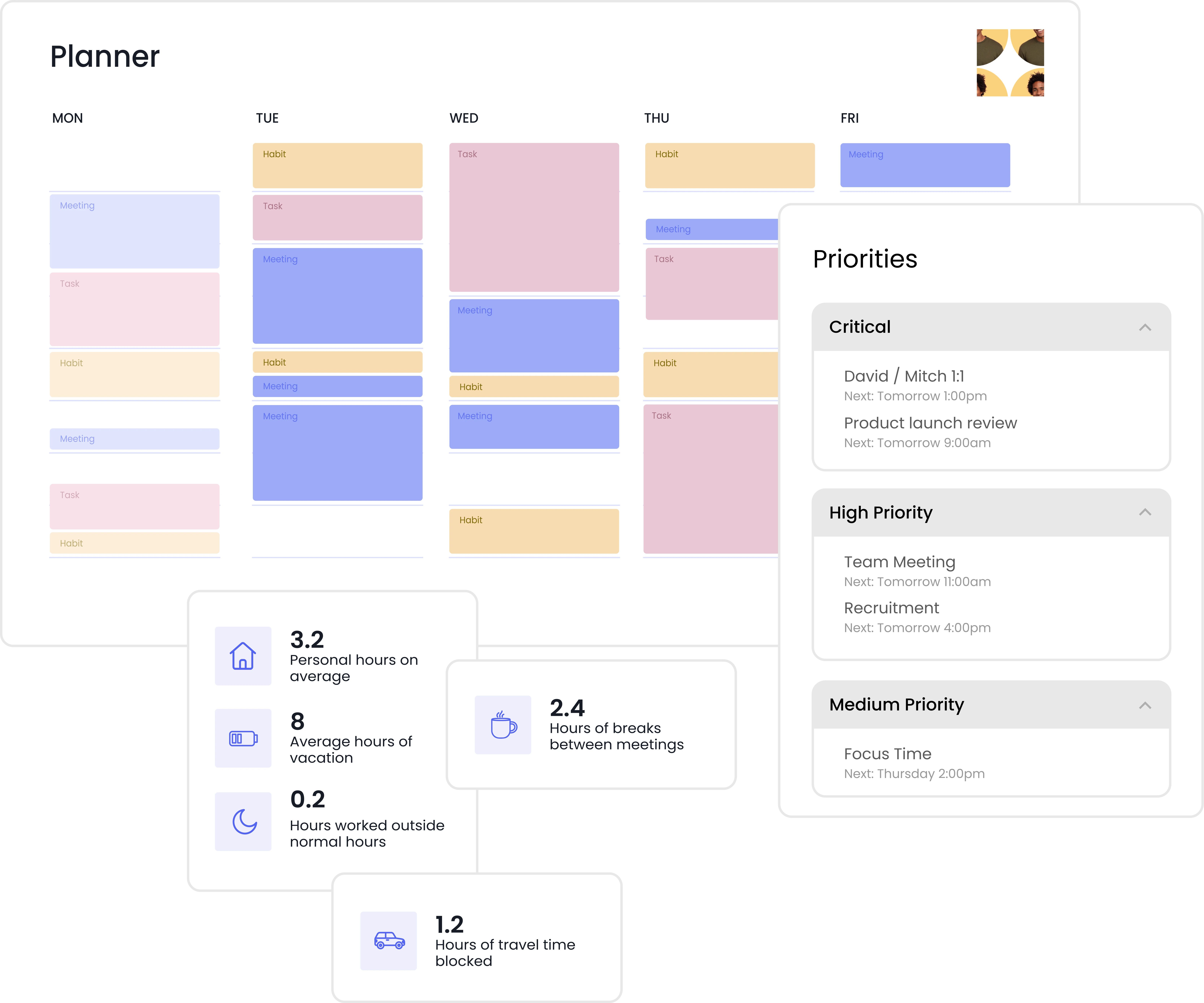
Das Tool verbindet sich mit Google Kalender und kann flexible Arbeitsblöcke um feste Kalendereinträge herum platzieren. Verschiebt sich ein Meeting oder kommt eine dringende Aufgabe hinzu, kann Reclaim flexible Einträge anhand von Prioritäten und Fristen neu einplanen. Außerdem kann Reclaim Terminbuchungslinks erstellen, Pufferzeiten einfügen, Kalender synchronisieren und Teams helfen, passende Zeiten für Meetings zu finden.
Damit eignet sich Reclaim für vielbeschäftigte Berufstätige, die Hilfe bei einem ganz bestimmten Problem brauchen: Prioritäten in einen realistischen Kalender übersetzen. Reclaim kann wiederkehrende Kalenderpflege reduzieren, ersetzt aber keinen allgemeinen KI-Assistenten für Schreiben oder tiefgehende Recherche.
Wichtigste Funktionen:
- Automatische Planung von Aufgaben und Gewohnheiten
- Geschützte Fokuszeit und Pufferzeiten
- Intelligente Planung von Meetings und Terminbuchungslinks
- Integration in Google Kalender und Kalendersynchronisierung
- Planer, Zeiterfassung und Team-Analysen
Preise: Reclaim bietet einen Gratis-Tarif (Lite). Kostenpflichtige Tarife kosten bei monatlicher Abrechnung ab 12 $ pro Nutzer und Monat.
Wichtigster Kompromiss: Die Stärke von Reclaim liegt in Kalender- und Zeitmanagement. Für Schreiben, Recherche, Meeting-Notizen oder das Sortieren des Posteingangs brauchen Sie weiterhin andere KI-Tools.
7. Motion
Motion vereint Kalender, Aufgabenverwaltung und Projektmanagement. Die KI-Planungsengine verteilt Aufgaben auf die verfügbare Zeit, berechnet den Plan neu, wenn sich Fristen oder Prioritäten ändern, und hilft Nutzern zu erkennen, was sie realistisch schaffen können.
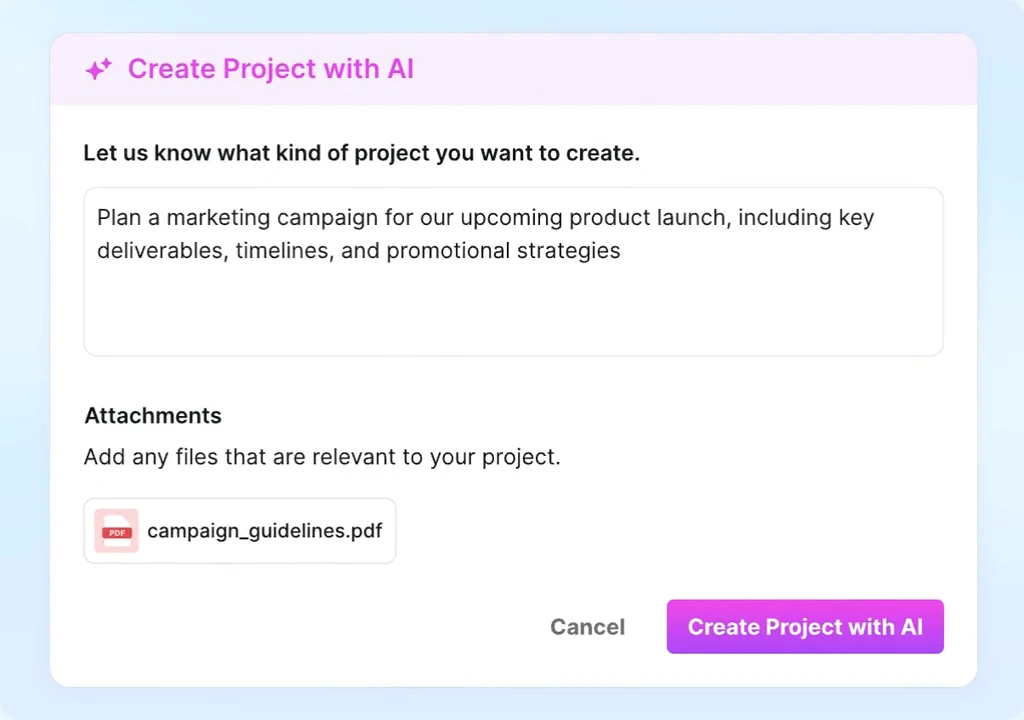
Während Reclaim neben einem bestehenden Aufgabentool laufen kann, will Motion selbst das System werden, in dem Aufgaben und Projekte liegen. Damit eignet sich Motion für Einzelpersonen und Teams, die Aufgabenverwaltung, Auslastungsplanung und Kalenderverwaltung in einem Produkt wollen.
Der Nachteil ist der Einrichtungsaufwand. Laufende Arbeit in ein neues Projektmanagement-Tool zu übertragen, kostet Zeit, und beim Konfigurieren von Status, Projekten, Fristen und Teamverantwortlichkeiten ist eine Einarbeitung nötig. Der Umstieg ist ein größerer Schritt, als einen KI-Chat zu öffnen, und Motion kostet mehr als die meisten Tools in dieser Liste.
Wichtigste Funktionen:
- KI-generierte Tagespläne
- Automatische Priorisierung und Neuplanung von Aufgaben
- Verwaltung von Kalender, Projekten und Auslastung
- Planung von Teamkapazität und Fristen
- Meeting-Planung und Workflow-Vorlagen
Preise: Motion bietet keinen Gratis-Tarif, nur eine kostenlose Testphase. Bei monatlicher Abrechnung beginnen die Tarife für Einzelpersonen bei 38 $/Monat und die Team-Tarife bei 26 $ pro Nutzer und Monat.
Wichtigster Kompromiss: Motion hat einen höheren Einstiegspreis und erfordert mehr Einrichtung als ein schlanker persönlicher Assistent.
8. Superhuman
Superhuman Mail, Teil der Superhuman-Suite, ist eine E-Mail-App mit KI-Funktionen für Berufstätige, die einen großen Teil des Tages in Gmail oder Outlook verbringen. Die App kombiniert einen schnellen, per Tastatur gesteuerten E-Mail-Client mit KI-Entwürfen, Zusammenfassungen, Suche, Erinnerungen und Nachfassen.
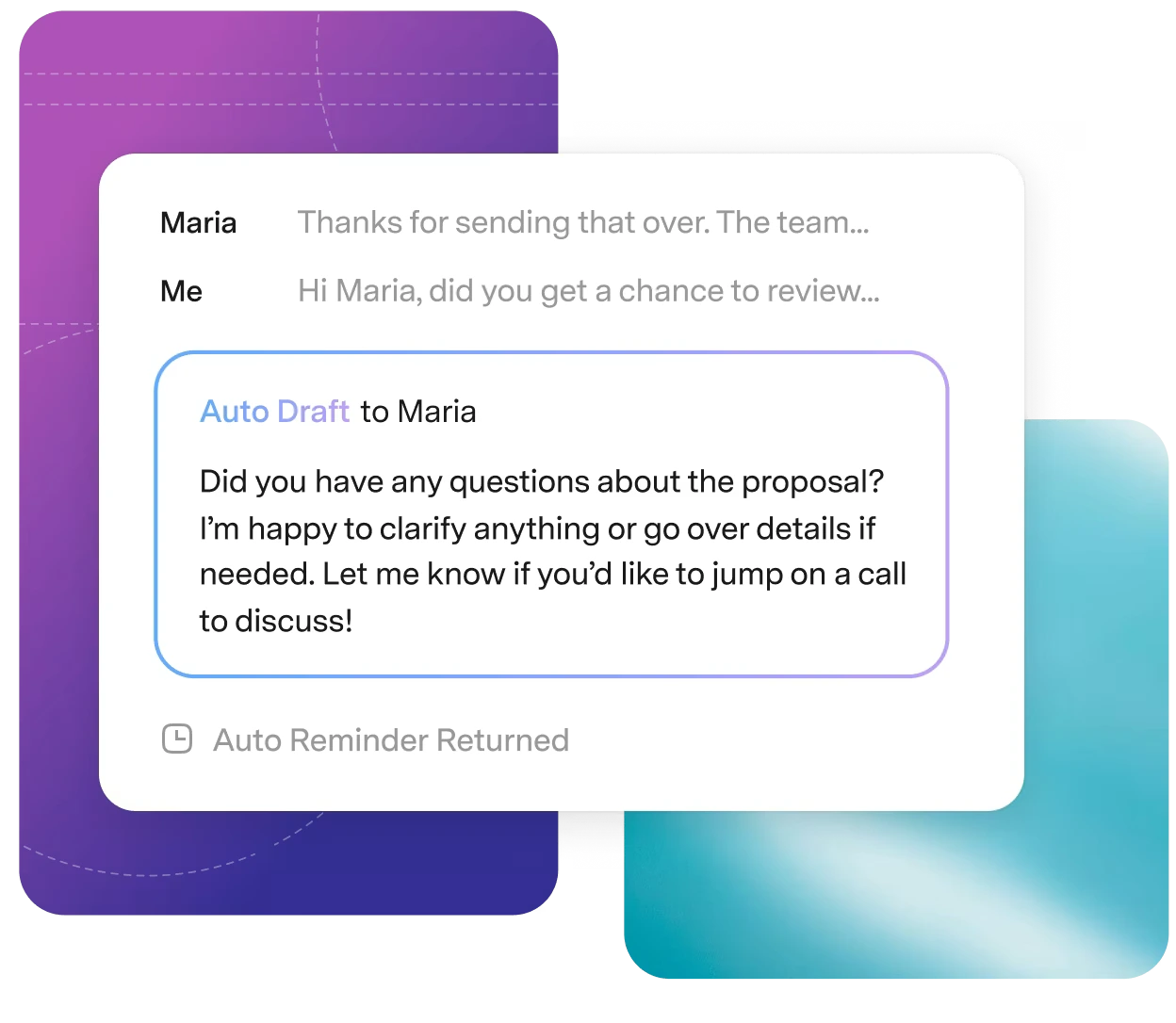
Am stärksten ist Superhuman beim Sortieren des Posteingangs. Das Tool kann Nutzern helfen, lange E-Mail-Verläufe zu verstehen, eine Nachfass-E-Mail zu entwerfen, ihre Texte zu verbessern und wichtige Unterhaltungen nicht aus den Augen zu verlieren. Außerdem kann Superhuman Terminplanung und Zusammenarbeit unterstützen und eignet sich damit für Kundengespräche und beziehungsintensive Arbeit.
Superhuman lohnt sich am meisten, wenn das E-Mail-Aufkommen ein ernstes Problem ist. Wenn Sie nur eine überschaubare Zahl von Nachrichten bearbeiten, decken ein allgemeiner KI-Assistent oder die KI in Ihrem bestehenden E-Mail-Programm dieselben Routineaufgaben möglicherweise günstiger ab.
Wichtigste Funktionen:
- Schneller E-Mail-Workflow für Gmail und Outlook
- KI-Entwürfe, Umformulierungen und Zusammenfassungen von E-Mail-Verläufen
- Erinnerungen zum Nachfassen und Unterstützung bei der Terminplanung
- Suche, aufgeteilte Posteingänge und Zusammenarbeit im Team
- Apps für Mobilgeräte und Desktop
Preise: Die kostenpflichtigen Tarife von Superhuman Mail beginnen bei 30 $ pro Nutzer und Monat.
Wichtigster Kompromiss: Superhuman Mail ist ein E-Mail-Tool und deckt daher weder Recherche noch Projektmanagement oder Meetings ab.
9. MeetGeek
MeetGeek ist ein spezialisierter KI-Meeting-Assistent, der Online-Gespräche aufzeichnet, transkribiert und zusammenfasst. Über die mobile App erfasst MeetGeek auch Meetings vor Ort und verarbeitet hochgeladene Aufnahmen.
%20(2).webp)
MeetGeek erstellt automatisch strukturierte Notizen mit Entscheidungen und To-dos. Frühere Meetings können Sie durchsuchen oder im AI Chat Fragen dazu stellen. So hat das Team eine gemeinsame Dokumentation dessen, was besprochen wurde.
Nach jedem Meeting kann MeetGeek Notizen und Aufgaben an verbundene Tools senden. Das hilft Teams, die Vorbereitung und Nachbereitung wiederkehrender Meetings zu automatisieren.
Der AI Chat von MeetGeek kann die in Ihrem Workspace erfassten Meetings als Kontext nutzen. Sie können fragen, worum ein Kunde gebeten hat, was entschieden wurde oder welche To-dos noch offen sind.
Wichtigste Funktionen:
- Automatische Aufzeichnung und Transkription von Online-Meetings
- Mobile Aufnahme von Gesprächen vor Ort
- KI-Notizen für Meetings, Zusammenfassungen, Entscheidungen und To-dos
- AI Chat und Suche über alle Ihre Meetings
- Automatisierte Nachbereitung und Integrationen (kostenpflichtige Tarife)
- Gemeinsames Meeting-Archiv, Kommentare und Analysen
- Eigene Vorlagen und Meeting-Erkenntnisse
Preise: MeetGeek bietet einen Gratis-Tarif mit drei Stunden Transkription pro Monat. Bei monatlicher Abrechnung kostet der Pro-Tarif 15,99 $ pro Nutzer und Monat und der Business-Tarif mit unbegrenzter Transkription 27 $ pro Nutzer und Monat.
Wichtigster Kompromiss: MeetGeek ist auf Meetings und Analyse von Gesprächen ausgerichtet. Kombinieren Sie MeetGeek mit einem breiter aufgestellten Assistenten, wenn Sie auch allgemeine Webrecherche, Bildgenerierung oder persönliches Aufgabenmanagement ohne Meeting-Bezug brauchen.
10. Notion AI
Notion AI arbeitet im gesamten Notion-Workspace, beantwortet Fragen, erstellt Inhalte und erledigt mehrstufige Aufgaben. Dabei greift Notion AI auf bestehende Seiten und Datenbanken zurück und hilft Teams, ihren Workspace als geordnete zentrale Informationsquelle zu nutzen.
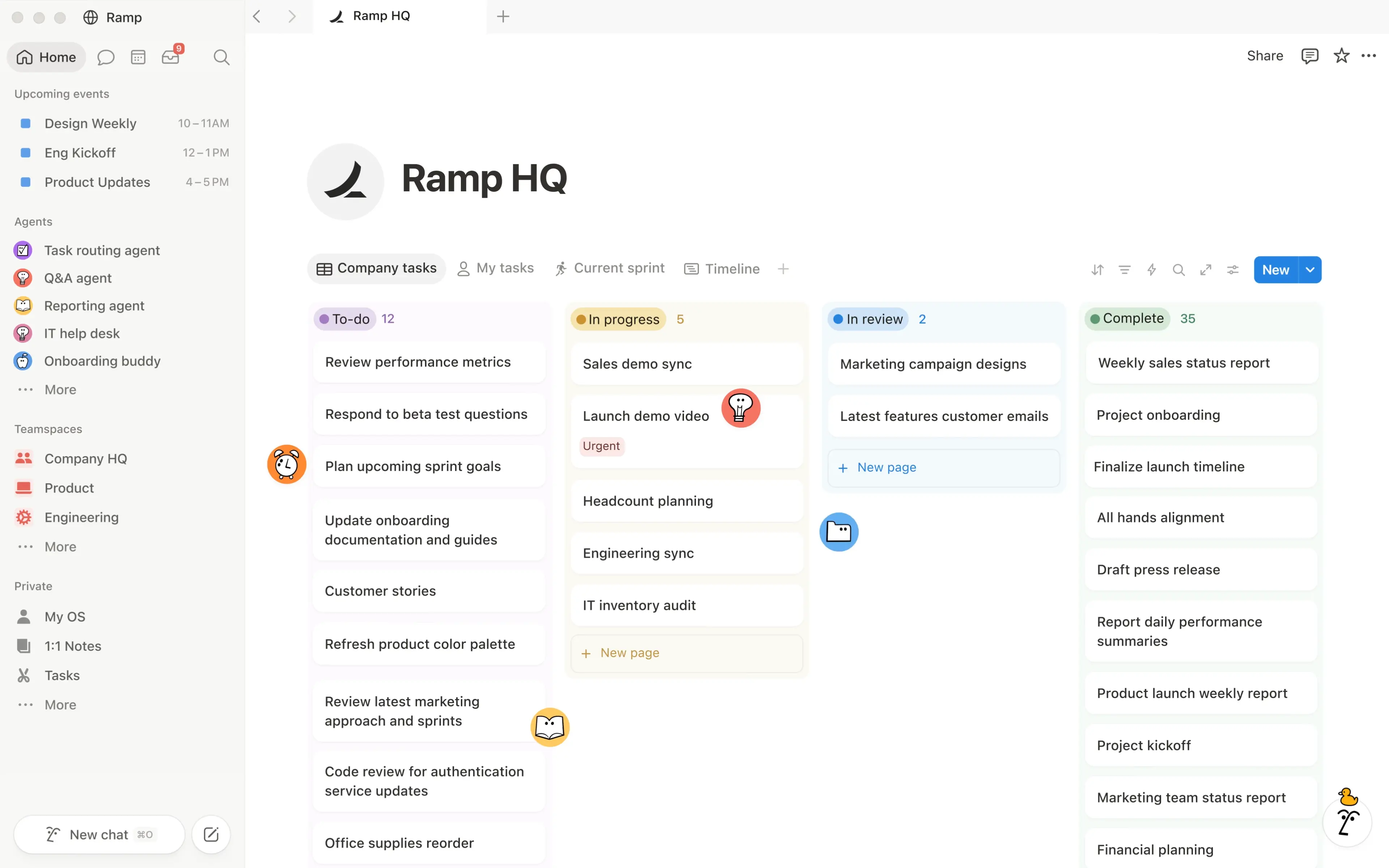
Der Recherchemodus kann internes Wissen mit Informationen aus verbundenen Apps und dem Web kombinieren. In den Tarifen Business und Enterprise automatisieren individuelle Agenten (Custom Agents) wiederkehrende Aufgaben. Abgerechnet werden sie über Notion-Credits.
Dadurch ist Notion AI besonders für Projektmanagement und internes Wissen nützlich. Liegen wichtige Informationen verstreut außerhalb von Notion, ist der Nutzen geringer.
Wichtigste Funktionen:
- Schreiben, Redigieren und Übersetzen mit KI sowie automatisches Ausfüllen von Datenbanken
- Suche im Workspace und unternehmensweite Suche
- Recherchemodus über interne Quellen und Webquellen
- Meeting-Notizen und Nachbereitung mit Notion AI
- Notion Agent für komplexe, mehrstufige Aufgaben
- Individuelle Agenten und Kontext aus verbundenen Apps
Preise: Die Tarife Free und Plus enthalten eine begrenzte Testphase von Notion AI. Der Business-Tarif mit dem vollen Umfang von Notion AI kostet bei monatlicher Abrechnung 24 $ pro Nutzer und Monat. Individuelle Agenten setzen einen Business- oder Enterprise-Tarif voraus und verbrauchen Notion-Credits (10 $ pro 1.000 Credits und Monat).
Wichtigster Kompromiss: Notion AI hängt davon ab, was in Ihrem Notion-Workspace liegt. Speichert Ihr Team sein Wissen in anderen Apps, fallen die Antworten unter Umständen weniger vollständig aus.
11. Zapier
Zapier ist eine Automatisierungsplattform und kein Chat-Assistent. Zapier verbindet KI-Tools mit Tausenden anderer Apps, sodass Informationen und Aufgaben durch Ihren bestehenden Tool-Stack fließen können.
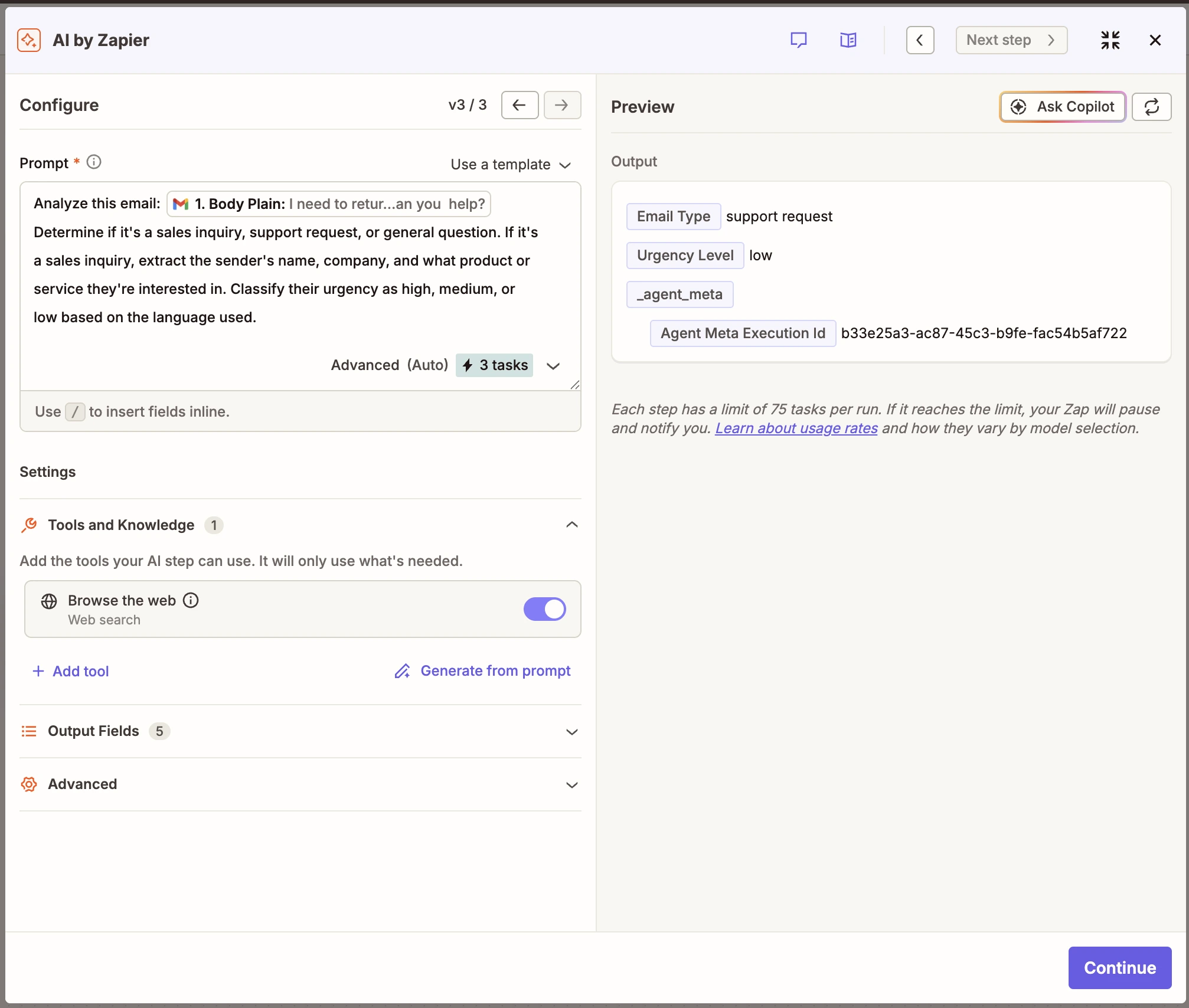
Die KI-Funktionen helfen dabei, Anfragen in natürlicher Sprache in wiederholbare Workflows zu verwandeln. Damit eignet sich Zapier für die Automatisierung über mehrere Apps hinweg, wenn kein einzelner Assistent auf alle beteiligten Systeme zugreifen kann.
Dank Vorlagen können auch Nutzer ohne technischen Hintergrund einfache Workflows umsetzen. Anspruchsvollere Automatisierungen erfordern unter Umständen Webhooks, API-Schlüssel, Freigaben und sorgfältiges Testen.
Wichtigste Funktionen:
- Automatisierung über Tausende verbundene Apps
- Mehrstufige Workflows mit Bedingungen und Datenformatierung
- KI-gestützte Erstellung von Workflows
- Zapier Agents, Chatbots, Tables und Forms
- Kontrollfunktionen für Teams und gemeinsam genutzte App-Verbindungen
Preise: Zapier bietet einen Gratis-Tarif mit 100 Aufgaben pro Monat. Bei monatlicher Abrechnung beginnt der Professional-Tarif bei 29,99 $/Monat und der Team-Tarif bei 103,50 $/Monat. Die jährliche Abrechnung ist günstiger.
Wichtigster Kompromiss: Automatisierung über mehrere Apps ist leistungsstark, ist aber aufwendiger einzurichten, als einem allgemeinen KI-Assistenten eine Frage zu stellen. Komplexe Workflows erfordern außerdem Tests, Überwachung und sinnvolle Freigabepunkte.
Was ist ein persönlicher KI-Assistent?
Ein persönlicher KI-Assistent ist eine Software, die künstliche Intelligenz und die Verarbeitung natürlicher Sprache nutzt, um Fragen zu beantworten, Inhalte zu erstellen, Informationen abzurufen, Arbeit zu organisieren oder Aufgaben zu erledigen. In der Regel kommunizieren Sie mit ihm in Alltagssprache über ein Chatfenster, eine Sprachschnittstelle, den Browser, eine Desktop-App oder eine mobile App.
Die Kategorie umfasst heute drei verschiedene Arten von Tools:
- Allgemeine KI-Assistenten wie ChatGPT, Google Gemini, Claude und Microsoft Copilot dienen als Sparringspartner, etwa für Schreiben, Recherche und andere komplexe Anfragen.
- Spezialisierte Assistenten wie MeetGeek, Reclaim, Motion und Superhuman konzentrieren sich auf einen Teil der Arbeit, etwa Meeting-Notizen, Kalenderverwaltung, Aufgabenverwaltung oder das Sortieren des Posteingangs.
- KI-Agenten und Automatisierungsplattformen können Aufgaben in verbundenen Apps ausführen. Sie können mit weniger manuellem Aufwand Daten abrufen, einen Kalendertermin erstellen, ein Projekt aktualisieren oder einen mehrstufigen Workflow starten.
KI-Assistenten unterscheiden sich außerdem von klassischen Sprachassistenten. Apple und Google haben Siri und den früheren Google Assistant vor allem für Telefonate, Timer, Wegbeschreibungen und Befehle an smarte Geräte entwickelt.
Google integriert Gemini inzwischen tiefer in seine Produkte, und aus dem früheren Bing Chat von Microsoft ist Copilot geworden. Die moderne Kategorie der persönlichen KI-Assistenten soll Wissensarbeitern helfen, produktiver zu arbeiten.
Wie haben wir die besten KI-Assistenten ausgewählt?
Es gibt nicht das eine beste KI-Tool für alle Menschen und Teams. Wir haben die Produkte anhand ihrer offiziellen Produktseiten, Dokumentation und Preisangaben verglichen, und zwar nach Kriterien, die im Arbeitsalltag zählen:
- Qualität der Unterstützung: Versteht das Tool natürliche Sprache, bewältigt es komplexe Anfragen und liefert es ohne übermäßig viele Prompts nützliche Antworten?
- Aktion und Automatisierung: Beantwortet es nur Fragen oder kann es Aufgaben erledigen, Workflows auslösen und mehrstufige Abläufe ausführen?
- Kontext und Gedächtnis: Kann es hochgeladene Dokumente, ein dauerhaftes Gedächtnis, frühere Chats, die Meeting-Historie oder Informationen aus verbundenen Apps nutzen?
- Passung zum Ökosystem: Bietet es eine nützliche Integration in Google Workspace, Unterstützung für Microsoft 365, Anbindungen an Projektmanagement-Tools oder Automatisierung über mehrere Apps?
- Benutzerfreundlichkeit: Ist die Chat-Oberfläche für Nutzer ohne technischen Hintergrund verständlich? Wie viel Einarbeitung braucht es in der ersten Woche?
- Zugang und Preise: Gibt es einen brauchbaren Gratis-Tarif? Was schaltet der erste kostenpflichtige Tarif frei und sind höhere Nutzungslimits für Routineaufgaben nötig?
- Kontrolle: Können Nutzer Ergebnisse prüfen und Freigaben erteilen, bevor ein KI-Agent Nachrichten sendet, Datensätze ändert oder andere folgenreiche Aktionen ausführt?
Welcher KI-Assistent sollte welchen Teil Ihres Arbeitstags übernehmen?
Bei der Auswahl hilft es, zuerst herauszufinden, wo Ihre Arbeit ins Stocken gerät. Die folgende Tabelle zeigt, mit welchem Assistenten Sie bei welchem Problem beginnen sollten und wann Sie ein weiteres Tool ergänzen oder zu einem anderen wechseln sollten.
| Woran die Arbeit stockt | Beginnen Sie mit... | Was es Ihnen abnehmen sollte | Wann Sie wechseln oder ergänzen sollten |
|---|---|---|---|
| Sie haben eine vage Anfrage, aber keinen klaren Ausgangspunkt | ChatGPT | Aus einer unfertigen Idee einen brauchbaren Entwurf, einen Plan, eine Analyse oder einen Fragenkatalog machen | Die Aufgabe wird zu einem wiederkehrenden Workflow, der in eine bestimmte Geschäftsanwendung gehört |
| Sie müssen viel Material verstehen, bevor Sie handeln können | Claude | Lange Dokumente durcharbeiten, den Kontext behalten und die Erkenntnisse in ein strukturiertes Ergebnis oder einen verbundenen Workflow überführen | Ein spezieller Kalender-, E-Mail- oder Meeting-Assistent erledigt die Aufgabe besser |
| Die Antwort hängt von aktuellen Informationen ab, die Sie überprüfen müssen | Perplexity | Das Thema recherchieren, Quellen vergleichen und einen Bericht mit nachvollziehbaren Quellenangaben erstellen | Aus der Recherche soll ein laufendes Projekt werden oder sie soll Aktionen in anderen Systemen auslösen |
| Der nötige Kontext ist über Gmail, Drive, Docs und Kalender verstreut | Google Gemini | Kontext aus Google Workspace zusammenführen und daraus ein Dokument, eine Tabelle, eine Präsentation, eine E-Mail oder eine geplante Aufgabe machen | Wichtige Informationen liegen außerhalb des Google-Ökosystems |
| Die Arbeit findet bereits in Outlook, Teams, Word, Excel oder in mit Microsoft 365 verbundenen Unternehmenssystemen statt | Microsoft Copilot | Unternehmenskontext nutzen, um Inhalte vorzubereiten, Informationen zu analysieren und Microsoft-basierte Workflows auszuführen | Ihr Team nutzt einen gemischten Tool-Stack, in dem Microsoft nur ein Teil ist |
| Ihre Prioritäten sind klar, aber Meetings verdrängen wichtige Arbeit immer wieder aus dem Kalender | Reclaim | Fokuszeit schützen und flexible Arbeit automatisch verschieben, wenn sich der Zeitplan ändert | Sie müssen außerdem Projektverantwortung, Abhängigkeiten und die Umsetzung im Team steuern |
| Ihre Aufgabenliste ist auf dem Papier realistisch, passt aber nie in den verfügbaren Tag | Motion | Aufgaben, Fristen und Verfügbarkeit in einen Zeitplan verwandeln, der sich bei geänderten Prioritäten anpasst | Sie haben bereits ein Projektsystem, das Sie nicht ersetzen möchten |
| Im E-Mail-Postfach bleibt Arbeit liegen oder gerät in Vergessenheit | Superhuman | Ihnen helfen, den Posteingang schneller abzuarbeiten, lange E-Mail-Verläufe zu verstehen und beim Nachfassen den Überblick zu behalten | Die Arbeit muss über die E-Mail hinaus in mehreren anderen Apps weitergehen |
| Entscheidungen gehen nach dem Meeting verloren | MeetGeek | Das Gespräch festhalten, die Meeting-Historie bewahren und das Besprochene in klare nächste Schritte verwandeln | Sie brauchen einen Assistenten für Arbeit, die nichts mit Gesprächen zu tun hat |
| Die Antwort steckt irgendwo in Ihrem Workspace, aber niemand weiß, wo | Notion AI | Internes Wissen finden und bündeln und das Ergebnis dann bei den zugehörigen Projekten und Dokumentationen speichern | Ihr Team pflegt seine Arbeit und seine zentrale Informationsquelle nicht in Notion |
| Jemand muss Informationen noch von einer App in eine andere kopieren | Zapier | Die Übergabe zwischen Tools automatisieren und wiederholbare, mehrstufige Workflows koordinieren | Es handelt sich um eine einmalige Anfrage, die den Aufbau und die Pflege einer Automatisierung nicht rechtfertigt |
Entscheidend ist nicht, welcher Assistent eine Aufgabe technisch erledigen kann. Mehrere dieser Tools können ein Dokument zusammenfassen, im Web suchen oder eine E-Mail entwerfen. Die hilfreichere Frage lautet: Wohin soll das Ergebnis als Nächstes?
Wenn die Antwort Ihnen nur beim Denken helfen soll, reicht ein allgemeiner KI-Assistent möglicherweise aus. Soll daraus ein Kalenderblock, ein Meeting-Protokoll, ein Projekt-Update oder ein Workflow über mehrere Apps werden, wählen Sie das Tool, das diesen Teil des Prozesses bereits abdeckt.
Wie können Sie einen KI-Assistenten vor dem Kauf testen?
Produktseiten können Ihnen sagen, was ein KI-Assistent kann, aber nicht zeigen, wie gut er mit Ihrer Arbeit zurechtkommt. Bevor Sie sich für einen kostenpflichtigen Tarif entscheiden, testen Sie jeden Assistenten Ihrer engeren Auswahl mit Aufgaben, die Sie ohnehin regelmäßig erledigen.
Nutzen Sie für jedes Tool dieselben drei Aufgaben:
- Lassen Sie ein echtes Dokument zusammenfassen. Fragen Sie nach der wichtigsten Schlussfolgerung, den stützenden Argumenten und allen Informationen, die unklar bleiben.
- Stellen Sie eine aktuelle Recherchefrage. Prüfen Sie, ob die Antwort korrekt und aktuell ist und sich auf Quellen stützt, die Sie selbst nachvollziehen können.
- Lassen Sie eine praktische Aufgabe erledigen. Wählen Sie etwas mit einer App, die Sie regelmäßig nutzen, zum Beispiel einen Kalendertermin anlegen oder die Follow-up-E-Mail zu einem Meeting entwerfen.
Fragen Sie sich nach jeder Aufgabe:
- Hat der Assistent die Anfrage ohne wiederholtes Nachfragen verstanden?
- Konnten Sie die Antwort überprüfen?
- Hat er den richtigen Kontext genutzt?
- Mussten Sie das Ergebnis stark überarbeiten?
- Hat er Ihnen Arbeit abgenommen oder nur erklärt, was Sie tun sollten?
- Hat er um Freigabe gebeten, bevor er eine externe Aktion ausgeführt hat?
Machen Sie mit MeetGeek aus jedem Meeting konkrete Ergebnisse
Der beste KI-Assistent sollte Ihnen Arbeit abnehmen, statt ein weiteres Tool hinzuzufügen, das Sie verwalten müssen. Allgemeine KI-Assistenten unterstützen viele verschiedene Aufgaben, während spezialisierte Tools bestimmte wiederkehrende Arbeit übernehmen können, etwa Meeting-Notizen und die Nachbereitung.
MeetGeek verwandelt Online- und Präsenzgespräche in durchsuchbare Meeting-Notizen und klare nächste Schritte. Außerdem sendet MeetGeek die wichtigsten Ergebnisse an die Tools, die Ihr Team bereits nutzt.
Testen Sie MeetGeek kostenlos und automatisieren Sie die Arbeit, die nach jedem Meeting anfällt.
Das Wichtigste in Kürze
- ChatGPT, Gemini, Copilot, Claude, Perplexity, Reclaim, MeetGeek und Zapier bieten Gratis-Tarife. Motion und Superhuman Mail haben keinen dauerhaften Gratis-Tarif.
- Claude ist nicht mehr auf Schreiben und Dokumentenanalyse beschränkt. Über Konnektoren, etwa für Gmail, Google Kalender und Google Drive, kann Claude in Business-Tools arbeiten und Aktionen ausführen, die Sie freigeben.
- Der Gratis-Tarif von MeetGeek umfasst drei Stunden Transkription pro Monat, eine KI-Zusammenfassung für jedes Meeting sowie AI Chat und Suche über alle Ihre Meetings. Transkripte werden drei Monate lang gespeichert. Native Integrationen sowie Zapier, Make und n8n gibt es in den kostenpflichtigen Tarifen.
- Bei monatlicher Abrechnung reichen die Preise der ersten kostenpflichtigen Tarife von 4,99 $/Monat (Google AI Plus) bis 38 $/Monat (Einzeltarif von Motion). Vergleichen Sie deshalb jeden Preis mit der Arbeit, die Ihnen das Tool tatsächlich abnimmt.
Häufig gestellte Fragen
Welcher KI-Assistent ist insgesamt der beste?
Es gibt nicht den einen besten KI-Assistenten für jede Aufgabe. Die richtige Wahl hängt davon ab, ob Sie Hilfe bei Recherche, Schreiben, Zeitmanagement, der Erfassung von Meetings oder der Arbeit über mehrere Apps hinweg brauchen. Bewerten Sie jede Option danach, welche Aufgabe sie Ihnen abnehmen soll.
Welcher persönliche KI-Assistent ist am besten für die Arbeit?
Die beste Wahl ist das Tool, das zu der Arbeit passt, die Sie abgeben möchten. Ein allgemeiner KI-Assistent kann bei Recherche und Schreiben helfen, während ein spezialisiertes Tool wie MeetGeek besser geeignet ist, um zu organisieren, was während und nach Meetings passiert.
Kann ein KI-Assistent Telefonate führen?
Einige KI-Sprachagenten können für Sie Anrufe tätigen oder entgegennehmen. Die Voice Agents von MeetGeek arbeiten in Online-Meetings statt am Telefon. Die Agenten können an Routine-Meetings wie Screening- oder Discovery-Gesprächen teilnehmen und sie leiten, die Informationen erfassen und die Notizen an Ihre Tools senden. Vorgaben zur Einwilligung und Verfügbarkeit unterscheiden sich je nach Tool und Region.
Können KI-Assistenten Aufgaben automatisch erledigen?
Manche schon. KI-Agenten können unter Umständen eigenständig Apps aktualisieren oder Workflows ausführen. Bei vielen Assistenten müssen Sie die empfohlenen Schritte aber weiterhin selbst umsetzen.
Welcher KI-Assistent ist kostenlos?
Viele der Assistenten in dieser Liste bieten einen Gratis-Tarif, doch alle schränken die Nutzung oder die Funktionen ein, manche davon sehr stark (Notion AI bietet zum Beispiel nur eine Testphase). Prüfen Sie, was der Gratis-Tarif umfasst, bevor Sie sich darauf verlassen.






.avif)