



ChatGPT sigue siendo uno de los mejores chatbots de IA para tareas generales, escritura, análisis de datos, generación de imágenes, análisis de imágenes y respuesta a preguntas. Pero no siempre es la mejor opción para cada flujo de trabajo.
Algunas herramientas de IA son mejores para reuniones. Otras son mejores para investigación académica, búsqueda en tiempo real, codificación, Google Workspace, Microsoft 365, publicaciones en redes sociales, creación de videos, análisis de mercado o documentos extensos.
Esta guía compara las principales alternativas en 2026 basándose en casos de uso prácticos, no en el bombo publicitario. El objetivo es simple: ayudarte a elegir el asistente de IA para el trabajo que realmente haces.
¿Por qué buscar una alternativa a ChatGPT?
ChatGPT es potente porque puede manejar casi cualquier cosa. Ahí es también donde a veces se queda corto.
Un modelo de lenguaje general puede ayudarte a redactar correos electrónicos, resumir páginas web, analizar datos, generar ideas, crear imágenes y responder preguntas. Pero cuando la tarea se vuelve más específica, otras herramientas pueden ser una mejor opción.
Por ejemplo, ChatGPT puede no ser la mejor opción cuando necesitas contexto específico de reuniones de llamadas anteriores, búsqueda web citada, trabajos de investigación, flujos de trabajo nativos de Google Docs, resúmenes de Microsoft Teams, análisis de mercado respaldado por fuentes o soporte de codificación dentro de tu IDE.
Por eso, la herramienta adecuada depende menos del modelo en sí y más del flujo de trabajo que lo rodea.
¿Qué hace que una alternativa sea buena?
Una buena alternativa debería hacer al menos una cosa mejor que ChatGPT.
Eso podría significar una mejor búsqueda web, un mejor análisis de documentos largos, mejores integraciones, respuestas más rápidas, controles de privacidad más sólidos, precios de API más bajos o funciones básicas más útiles en la versión gratuita.
Antes de elegir entre todos los demás chatbots, pregúntate:
- ¿Resuelve un problema específico mejor que ChatGPT?
- ¿Funciona con las herramientas que ya utilizo?
- ¿La versión gratuita es suficiente, o necesitaré un plan pro?
- ¿Es compatible con mi flujo de trabajo sin demasiadas herramientas de terceros?
- ¿Puede obtener información de las fuentes correctas?
- ¿Es lo suficientemente fiable para el trabajo diario?
Las mejores alternativas a ChatGPT de un vistazo
1. Claude
Claude es una de las mejores opciones para escritura, documentos extensos, codificación y razonamiento cuidadoso.
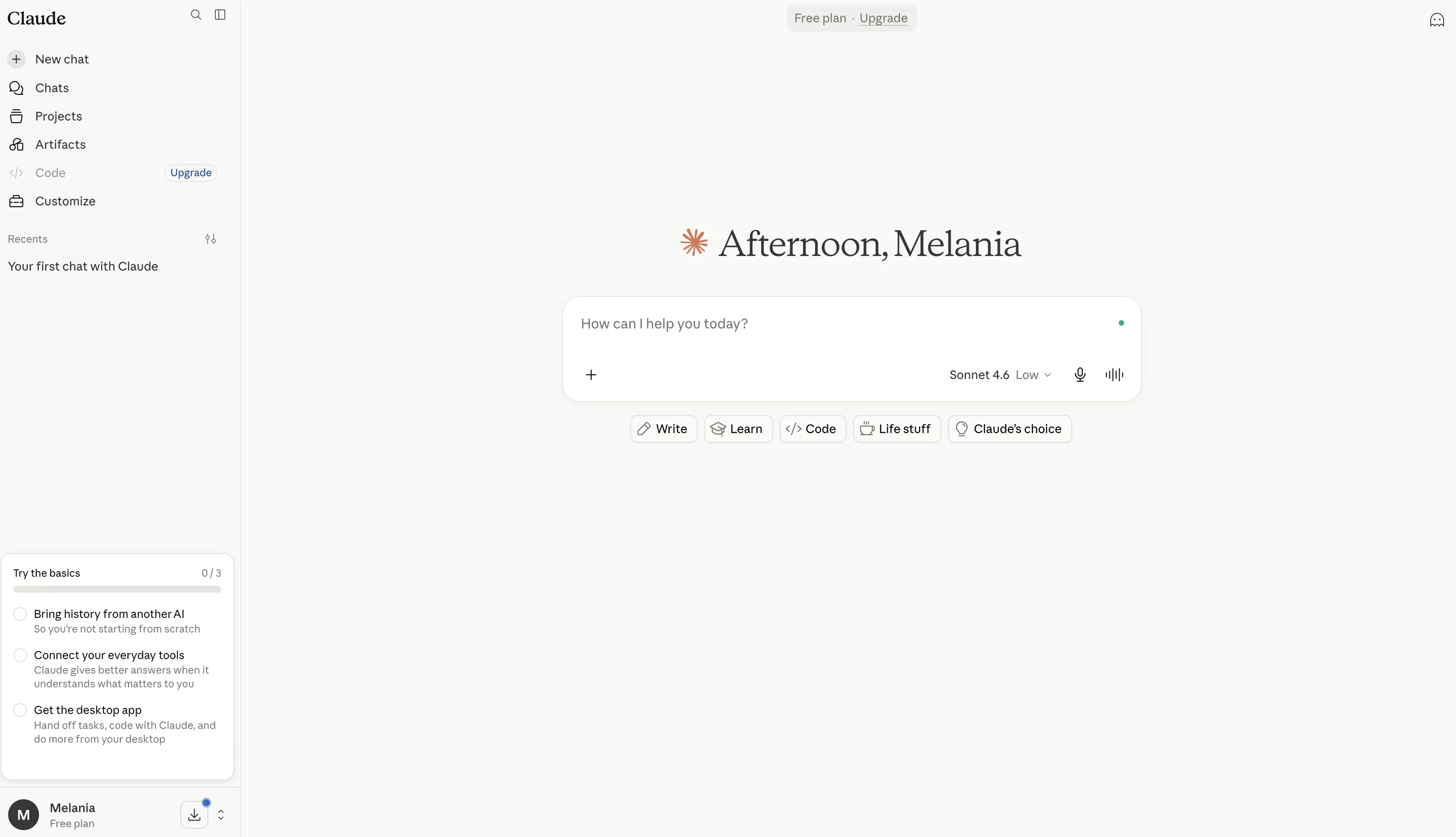
Es especialmente útil cuando se necesita más detalle, una mejor estructura o un estilo de escritura más natural. Claude también funciona bien con documentos extensos, políticas, trabajos de investigación, informes, transcripciones y análisis estratégico.
Claude Code lo hace útil para desarrolladores, mientras que Claude Pro y el plan Max están dirigidos a usuarios más exigentes que necesitan mayor capacidad.
Ventajas
- Excelente para la escritura de formato largo, edición y reescritura, a menudo produciendo contenido más natural y pulido que muchos otros chatbots de IA.
- Maneja documentos extensos excepcionalmente bien gracias a su gran ventana de contexto, lo que lo hace útil para informes, trabajos de investigación, contratos, transcripciones y documentación técnica.
- Sólido modelo de razonamiento que se desempeña bien en análisis, resolución de problemas, planificación y flujos de trabajo complejos.
- Incluye Claude Code, uno de los asistentes de codificación de IA más capaces disponibles para desarrolladores.
- Cuenta con Claude Cowork, que puede realizar acciones en archivos y herramientas conectados para ayudar a automatizar el trabajo.
- Soporta búsqueda web, flujos de trabajo de investigación, visualización de datos, ejecución de código y creación de archivos.
- Se integra con Slack, Google Workspace, Microsoft 365, Outlook y herramientas externas a través de conectores MCP.
- Incluye Proyectos para organizar conversaciones, documentos y trabajo en curso en un espacio de trabajo estructurado.
- Ofrece memoria entre conversaciones, ayudando a mantener el contexto a lo largo del tiempo.
- Gran énfasis en la seguridad y fiabilidad de la IA, lo que lo convierte en una opción popular para casos de uso profesionales y empresariales.
Contras
- Las capacidades de generación de imágenes son más limitadas que las de ChatGPT, Gemini o las herramientas dedicadas a la generación de imágenes.
- Las funciones avanzadas como Research, Claude Code, Claude Cowork y los límites de uso más altos requieren planes de pago.
- Ocasionalmente puede producir respuestas más largas o detalladas de lo necesario para preguntas sencillas.
- Menos funciones orientadas al consumidor en comparación con ChatGPT, especialmente para la creación de contenido multimedia.
- Los usuarios de alto volumen pueden necesitar el plan Max, que puede resultar caro.
Precios
Gratis: $0
Un nivel gratuito sólido para usuarios individuales que exploran Claude.
- Disponible en web, escritorio, iOS y Android
- Redacción, edición y creación de contenido
- Capacidades de búsqueda web
- Memoria entre conversaciones
- Generación de código y visualización de datos
- Creación de archivos y ejecución de código
- Integraciones con Slack y Google Workspace
- Soporte para conector MCP
- Modo de pensamiento extendido para tareas complejas
Pro: $17/mes (facturación anual) o $20/mes
Diseñado para profesionales que usan Claude con regularidad.
- Todo lo incluido en la versión Gratuita
- Mayores límites de uso
- Incluye Claude Code
- Incluye Claude Cowork
- Proyectos ilimitados
- Acceso a funciones de investigación
- Acceso a modelos adicionales de Claude
- Integración con Microsoft 365
- Integración con Outlook
Max: A partir de $100/mes
Para usuarios avanzados, desarrolladores y equipos que dependen en gran medida de Claude.
- Todo lo incluido en la versión Pro
- 5 o 20 veces más uso que la versión Pro
- Mayores límites de salida
- Acceso anticipado a nuevas funciones
- Acceso prioritario durante los períodos de mayor uso
Equipo y Empresa: Precios personalizados
Diseñado para organizaciones que necesitan controles de colaboración, administración, seguridad y gobernanza.
- Espacios de trabajo de equipo compartidos
- Controles administrativos
- Funciones de seguridad empresarial
- Integraciones avanzadas
- Implementación y soporte para toda la organización
Ideal para
Claude es ideal para escritores, investigadores, analistas, consultores, desarrolladores y profesionales que trabajan regularmente con documentos extensos, tareas de razonamiento complejas, investigación profunda y creación de contenido estructurado. Destaca para los usuarios que valoran la escritura de alta calidad, el análisis reflexivo y el manejo de documentos de gran contexto por encima de la generación de imágenes o las funciones centradas en multimedia.
2. Google Gemini
Google Gemini es la elección natural para las personas que ya viven dentro de Google Workspace.
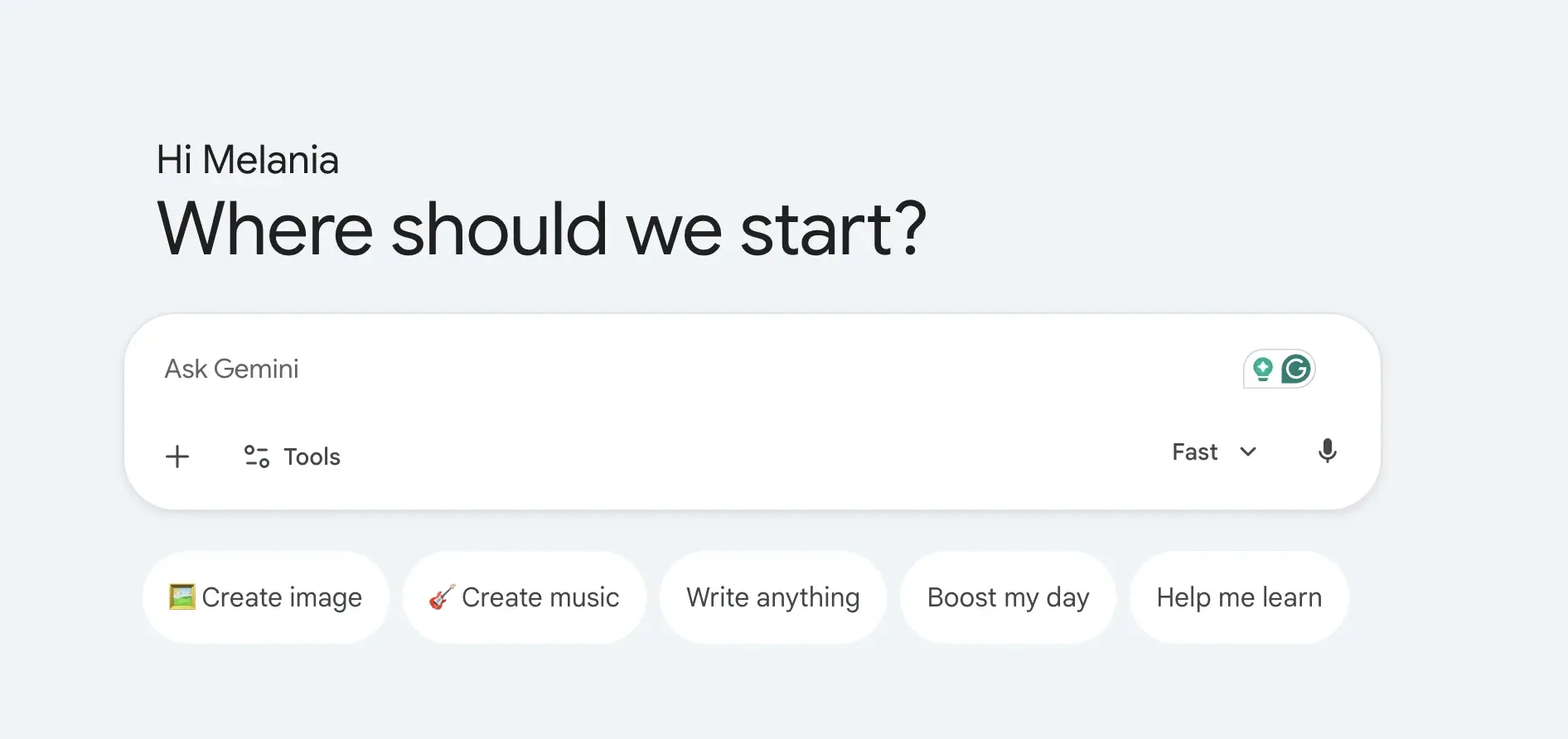
Su mayor ventaja es la integración. Gemini funciona de forma natural con Google Docs, Gmail, Google Drive, YouTube, Maps y otras herramientas de Google. También es potente para la búsqueda en tiempo real, el análisis de imágenes, el modo de voz y las tareas multimodales.
Gemini puede ayudar a redactar en Google Docs, resumir archivos de Google Drive, responder preguntas con contexto actual y apoyar la creación de contenido en todo el ecosistema de Google.
Ventajas
- Profundamente integrado con Google Workspace, lo que permite a los usuarios trabajar directamente en Google Docs, Gmail, Google Drive, Sheets, Slides y otros servicios de Google.
- Potentes capacidades de búsqueda en tiempo real impulsadas por la infraestructura de búsqueda de Google, lo que lo hace útil para eventos actuales, investigación y búsqueda de información.
- Admite flujos de trabajo multimodales, incluyendo texto, imágenes, conversaciones de voz, análisis de imágenes, generación de imágenes y creación de videos.
- Incluye Deep Research, que puede ayudar a recopilar información, analizar fuentes y crear informes de investigación detallados más rápido que la búsqueda web tradicional.
- Gemini Live permite conversaciones en modo de voz natural, lo que lo hace sentir más como un asistente personal de IA que como un chatbot tradicional.
- Incluye Gemini en Chrome, lo que permite a los usuarios interactuar con la IA mientras navegan por páginas web y contenido en línea.
- Incluye Google Flow, el estudio creativo de IA de Google para generar escenas cinematográficas, historias, videos y contenido visual.
- Ofrece integración con NotebookLM, una de las herramientas de investigación de IA más potentes para trabajar con documentos, notas, artículos de investigación y materiales de origen.
- Fuerte ventaja de ecosistema para los usuarios que ya trabajan con productos y servicios de Google.
- Versión gratuita generosa que incluye generación de imágenes, Deep Research, Gemini Live, Gems y acceso a los modelos de Gemini.
Contras
- Ofrece el mayor valor dentro del ecosistema de Google y puede ser menos atractivo para los usuarios que trabajan principalmente con Microsoft 365 u otras plataformas.
- Algunas de las funciones más avanzadas, límites de uso más altos, herramientas de generación de video y capacidades de agente están restringidas a planes de pago.
- Las respuestas generadas por IA pueden ser ocasionalmente menos detalladas que las de Claude para el razonamiento de formato largo y el análisis de documentos.
- Los flujos de trabajo empresariales a menudo requieren la adopción de Google Workspace para beneficiarse plenamente de las integraciones de Gemini.
- Las funciones avanzadas de creatividad y desarrollo pueden resultar costosas para los usuarios intensivos.
Precios
Gratis: 0 $/mes
Una sólida opción gratuita para asistencia de IA diaria y productividad.
- Acceso a la aplicación Gemini
- Gemini 3.5 Flash
- Acceso limitado a Gemini 3.1 Pro
- Generación y edición de imágenes
- Investigación profunda
- Gemini Live
- Canvas
- Gems
- Acceso a Google Flow
- NotebookLM
- 15 GB de almacenamiento en la nube en Gmail, Drive y Fotos
Google AI Plus: 4,99 $/mes
Diseñado para usuarios que buscan más acceso y funciones de productividad.
- Todo lo incluido en Gratuito
- Límites de uso 2 veces mayores
- Funciones de generación de video
- Resumen diario
- 200 créditos de Google Flow
- Más acceso a Nano Banana
- Gemini directamente en las aplicaciones de Google
- Gemini en Chrome (acceso anticipado)
- 400 GB de almacenamiento en la nube
Google AI Pro: 19,99 $/mes
Ideal para profesionales, creadores, investigadores y usuarios avanzados.
- Todo lo incluido en AI Plus
- Límites de uso 4 veces mayores
- Búsqueda profunda
- Mayor acceso a los modelos Gemini Pro
- Capacidades de agente
- 1.000 créditos de Google Flow
- Gemini en Gmail, Docs, Drive y las aplicaciones de Workspace
- Límites mejorados de NotebookLM
- Acceso al agente de codificación Jules
- Gemini en Chrome
- 5 TB de almacenamiento en la nube
Google AI Ultra: Desde $99.99/mes
Para usuarios avanzados, desarrolladores y organizaciones que necesitan acceso máximo.
- Todo lo incluido en AI Pro
- Límites de uso hasta 20 veces mayores
- Acceso anticipado a modelos y funciones avanzados
- Capacidades de pensamiento profundo
- Máximo acceso a los modelos Gemini
- 10,000–25,000 créditos de Google Flow
- Límites máximos de NotebookLM
- Límites máximos de capacidad agéntica
- Acceso a Project Genie
- Opciones de almacenamiento en la nube de más de 20 TB
- YouTube Premium incluido
Ideal para
Google Gemini es ideal para usuarios de Google Workspace, especialistas en marketing, investigadores, estudiantes, creadores de contenido y profesionales que ya trabajan intensamente con Google Docs, Gmail, Google Drive y Search. Destaca para los usuarios que buscan búsqueda en tiempo real, capacidades de IA multimodal, flujos de trabajo de investigación profunda, interacciones en modo de voz y una integración perfecta en todo el ecosistema de Google.
3. Microsoft Copilot
Microsoft Copilot es la mejor alternativa si tu trabajo se desarrolla dentro de Microsoft 365.
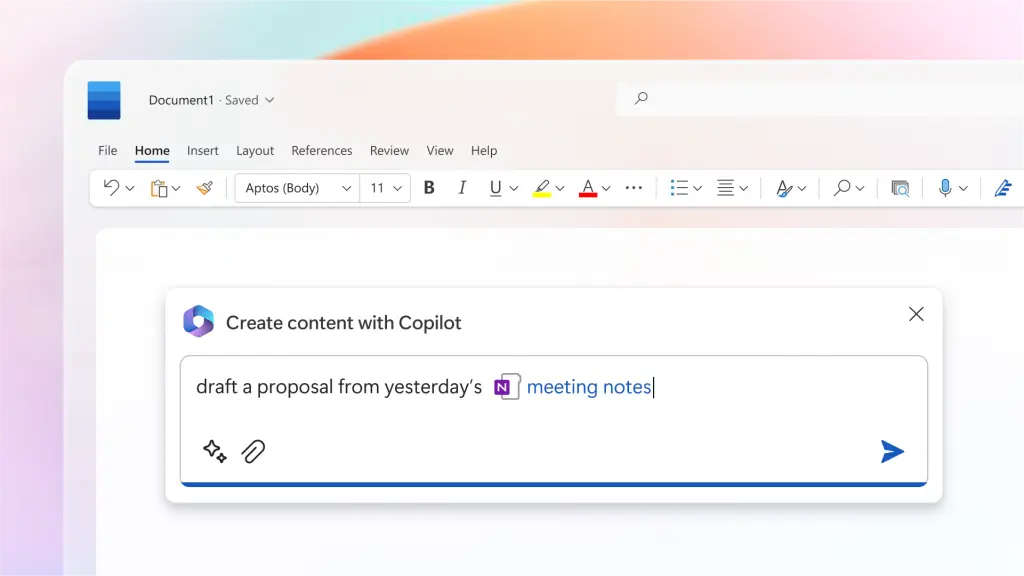
Funciona en Word, Excel, PowerPoint, Outlook y Microsoft Teams. Para las empresas que ya utilizan herramientas de Microsoft, Copilot puede resumir reuniones, redactar documentos, analizar hojas de cálculo, crear presentaciones y extraer información de archivos de trabajo.
También tiene la ventaja de la seguridad empresarial, el cumplimiento normativo y los controles de administración.
Ventajas
- Profundamente integrado en todo el ecosistema de Microsoft, incluyendo Word, Excel, PowerPoint, Outlook, OneNote, OneDrive, Teams y Microsoft Designer.
- Ayuda a los usuarios a redactar documentos, resumir correos electrónicos, crear presentaciones, analizar hojas de cálculo y generar informes sin salir de las aplicaciones de Microsoft 365.
- Especialmente potente para el análisis de datos en Excel, donde puede ayudar a identificar tendencias, crear visualizaciones, explicar fórmulas y resumir conjuntos de datos.
- Puede acceder al contexto organizacional a través de Microsoft 365, haciendo que las respuestas sean más relevantes para los flujos de trabajo del entorno laboral y los documentos empresariales.
- Integrado en Microsoft Teams, permitiendo a los usuarios resumir reuniones, generar elementos de acción y ponerse al día con las discusiones perdidas.
- Incluye agentes de IA que pueden realizar tareas más complejas, como crear informes de investigación con citas de fuentes y realizar análisis avanzados.
- La seguridad de nivel empresarial, el cumplimiento, los controles de privacidad y la gobernanza lo hacen atractivo para organizaciones más grandes.
- Copilot Studio permite a las empresas crear agentes de IA personalizados y automatizar flujos de trabajo internos.
- Funciona especialmente bien para equipos que ya utilizan Microsoft 365 como su plataforma principal de productividad.
- Ofrece una experiencia familiar, ya que las funciones de IA están integradas directamente en las herramientas que los empleados ya usan a diario.
Contras
- Más valioso para organizaciones que ya están integradas en Microsoft 365 y el ecosistema de Microsoft.
- Muchas funciones avanzadas de Copilot requieren suscripciones separadas o planes de Microsoft 365 que califiquen.
- Menos flexible que ChatGPT o Claude para escritura creativa, lluvia de ideas abierta y razonamiento de formato largo.
- Algunas funciones varían significativamente entre los planes personal, empresarial y para grandes empresas.
- Puede resultar costoso para grandes organizaciones cuando se implementa para cientos de usuarios.
Precios
Microsoft 365 Personal: $9.99/mes
Ideal para usuarios individuales que desean Copilot integrado en sus herramientas de productividad personal.
- Microsoft Copilot en todas las aplicaciones de Microsoft 365
- Aplicaciones de escritorio de Word, Excel, PowerPoint y Outlook
- Límites de uso de Copilot más altos que el acceso gratuito
- Creación y edición de imágenes con IA
- Asistencia visual con IA
- Integración con Teams
- 1 TB de almacenamiento en la nube
- Disponible para PC, Mac, teléfono y tableta
Microsoft 365 Familia: $12.99/mes
Diseñado para hogares y familias.
- Todo lo incluido en Personal
- Admite hasta 6 usuarios
- Hasta 6 TB de almacenamiento en la nube
- Acceso multidispositivo para cada miembro de la familia
- Beneficios compartidos del ecosistema de Microsoft 365
Microsoft 365 Premium: $19.99/mes
Para usuarios avanzados que necesitan capacidades de IA avanzadas.
- Todo lo incluido en Family
- Agentes de IA para tareas complejas
- Informes de investigación con fuentes citadas
- Análisis y visualización de datos avanzados
- Límites de uso de Copilot ampliados
- Generación y edición de imágenes mejoradas
- Acceso anticipado a funciones avanzadas de Copilot
Microsoft 365 Copilot Business: $25.20/usuario/mes
Diseñado para pequeñas y medianas empresas.
- Requiere una suscripción de Microsoft 365 válida
- Chat con IA impulsado por Work IQ
- Copilot en Teams, Outlook, Word, PowerPoint y Excel
- Acceso a Copilot Studio
- Agentes personalizados y automatización de flujos de trabajo
- Seguridad y cumplimiento de nivel empresarial
- Compatible con organizaciones de hasta 300 usuarios
Microsoft 365 Copilot: $30/usuario/mes
Para organizaciones más grandes e implementaciones empresariales.
- Requiere una suscripción válida de Microsoft 365
- Chat con IA basado en datos de la empresa
- Integración completa con las aplicaciones de Microsoft 365
- Conocimiento avanzado del contexto empresarial
- Soporte para Copilot Studio
- Gobernanza, privacidad y cumplimiento de nivel empresarial
- Capacidades de implementación en toda la organización
Ideal para
Microsoft Copilot es ideal para equipos empresariales, equipos de operaciones, profesionales de finanzas, analistas, gestores de proyectos y organizaciones que ya dependen en gran medida de Microsoft 365. Es insuperable para la productividad en el lugar de trabajo, el análisis de datos, la creación de documentos, la gestión de reuniones y la automatización de procesos de negocio, especialmente para las empresas que pasan la mayor parte de su día en Word, Excel, Outlook y Microsoft Teams.
4. MeetGeek
MeetGeek es una excelente opción si tu flujo de trabajo principal de IA comienza en las reuniones.
%20(2).webp)
ChatGPT puede resumir una transcripción después de que la subas. MeetGeek va más allá al unirse automáticamente a llamadas de Zoom, Google Meet y Microsoft Teams, grabar la conversación, generar notas de IA, extraer elementos de acción, detectar decisiones y convertir las reuniones en una base de conocimientos con capacidad de búsqueda.
Esto es importante porque gran parte del conocimiento empresarial nunca llega a los documentos. Permanece oculto en llamadas de ventas, entrevistas con clientes, llamadas de incorporación, reuniones de equipo, demostraciones y sincronizaciones internas.
Con MeetGeek, puedes hacer preguntas sobre reuniones pasadas, extraer información de llamadas anteriores, generar correos electrónicos de seguimiento, encontrar inquietudes de los clientes, revisar elementos de acción y sincronizar notas con herramientas como Slack, HubSpot, Notion, Google Drive, Trello, Asana, ClickUp y Zapier.
MeetGeek también incluye agentes de voz de IA que pueden gestionar flujos de trabajo de reuniones repetitivos como llamadas de descubrimiento, entrevistas de selección, llamadas de cualificación y conversaciones de cumplimiento. En lugar de usar la IA solo después de una llamada, los equipos pueden usarla para capturar, estructurar y automatizar el propio proceso de la reunión.
Ventajas
- Graba, transcribe y resume automáticamente reuniones en Zoom, Google Meet, Microsoft Teams y archivos de audio o video subidos.
- Crea archivos de reuniones con capacidad de búsqueda, lo que facilita la recuperación de decisiones, elementos de acción, comentarios de clientes y puntos de discusión meses después.
- Genera Notas de reuniones con IA, resúmenes, puntos clave y correos electrónicos de seguimiento automáticamente.
- Incluye funciones de inteligencia para reuniones como análisis de conversaciones, seguimiento de sentimientos, proporciones de habla-escucha e información sobre el rendimiento del equipo.
- Se conecta con herramientas empresariales populares como HubSpot, Slack, Notion, Google Drive, ClickUp, Trello, Asana, Zapier, Make y n8n.
- Admite flujos de trabajo impulsados por IA y agentes de voz que pueden automatizar llamadas de descubrimiento repetitivas, entrevistas, llamadas de cualificación y procesos de seguimiento.
- Permite a los usuarios chatear con reuniones pasadas usando lenguaje natural para obtener información al instante sin revisar grabaciones completas.
- Ofrece un generoso plan gratuito con resúmenes ilimitados de IA, búsqueda global, chat de IA, aplicaciones móviles y acceso a la API.
Contras
- No está diseñado para reemplazar a ChatGPT en escritura general, codificación, generación de imágenes, análisis de imágenes o búsqueda web amplia.
- La mayoría de las funciones avanzadas de automatización, flujo de trabajo, análisis y colaboración requieren un plan de pago.
- Ofrece el mayor valor a los equipos que dedican mucho tiempo a reuniones, en lugar de a usuarios que buscan un chatbot de IA independiente.
Precios
Básico: Gratis
Ideal para reuniones ocasionales y usuarios individuales.
- Gratis para siempre
- 3 horas de transcripción al mes
- Almacenamiento de transcripciones durante 3 meses
- Almacenamiento de audio durante 1 mes
- Resúmenes de IA ilimitados
- Análisis de reuniones
- Búsqueda global y chat de IA
- Aplicaciones móviles y grabación desde el navegador
- Acceso a API y MCP
Pro: $15.99/usuario/mes
Diseñado para profesionales que asisten a reuniones con regularidad.
- 20 horas de transcripción al mes
- Almacenamiento de transcripciones durante 1 año
- Plantillas de reuniones
- Detección automática del tipo de reunión
- Integraciones ilimitadas
- Compatibilidad con Zapier, Make y n8n
- Chat de IA con herramientas
- Agentes de IA y flujos de trabajo
- Análisis personales
- Descargas y exportaciones
Empresarial: $27/usuario/mes
Ideal para equipos con reuniones frecuentes y flujos de trabajo colaborativos.
- Transcripción ilimitada
- Almacenamiento ilimitado de transcripciones
- Espacios de trabajo en equipo
- Análisis de reuniones de equipo
- Comentarios de reuniones
- Chat ilimitado con IA y herramientas
- Flujos de trabajo agentivos ilimitados
- Resúmenes y marca personalizados
- Controles avanzados de uso compartido y privacidad
Enterprise: Precios personalizados
Diseñado para organizaciones más grandes que requieren gobernanza, seguridad y escalabilidad.
- Transcripción y almacenamiento ilimitados
- SSO y SCIM
- Agentes de voz personalizados
- Políticas personalizadas de retención de datos
- Opciones de almacenamiento local
- Incorporación y gestión de cuentas dedicadas
- Acceso anticipado a nuevos modelos de IA
¿Para quién es ideal MeetGeek?
MeetGeek es ideal para equipos de ventas, reclutadores, consultores, equipos de éxito del cliente, agencias, gerentes, fundadores y organizaciones remotas que pasan una parte significativa de su jornada laboral en reuniones. A diferencia de los chatbots de IA tradicionales, se centra en capturar, organizar, analizar y automatizar conversaciones, lo que lo hace particularmente valioso para los equipos que dependen de la inteligencia de reuniones como parte fundamental de su flujo de trabajo.
5. Perplexity AI
Perplexity AI es una de las mejores herramientas de IA para la búsqueda web, la investigación de IA, la investigación académica y las respuestas respaldadas por fuentes.
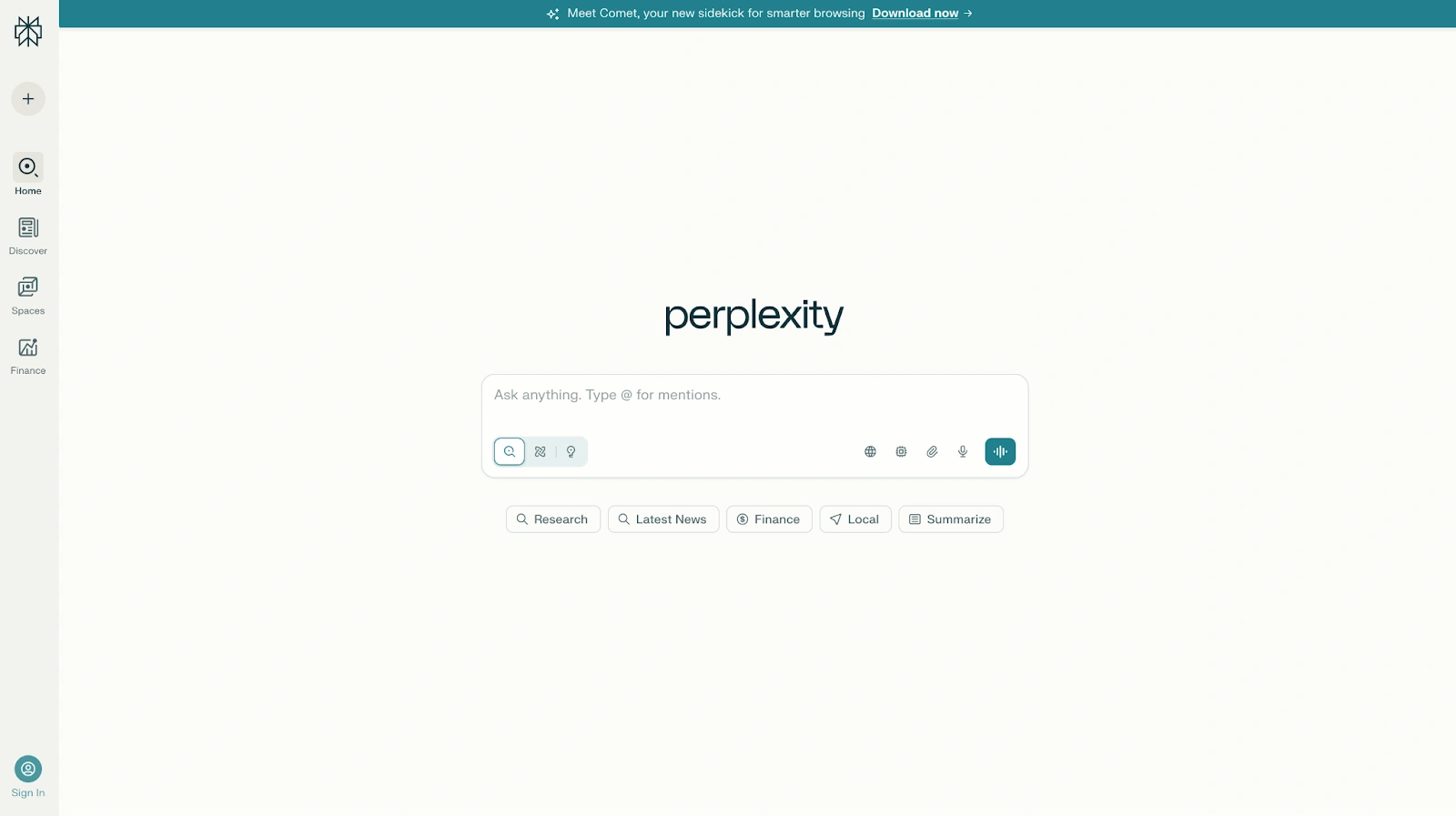
A diferencia de muchos chatbots de IA, Perplexity se basa en citas. Puede buscar páginas web, artículos académicos, fuentes sociales y otro material en línea. También es compatible con flujos de trabajo de investigación profunda, búsquedas profesionales y selección de modelos, incluido el acceso a modelos como Claude, Gemini y su propio modelo Sonar, según el plan.
Ventajas
- Una de las mejores herramientas de IA para la búsqueda web, la búsqueda en tiempo real, la investigación académica, el análisis de mercado y la verificación de hechos.
- Proporciona citas para las respuestas, lo que facilita la verificación de la información y la exploración de las fuentes originales.
- Combina respuestas generadas por IA con datos web en vivo, lo que ayuda a los usuarios a acceder a información más actual que los modelos de lenguaje grandes tradicionales entrenados principalmente con datos históricos.
- Admite flujos de trabajo de investigación profunda que pueden analizar docenas o incluso cientos de fuentes para crear informes exhaustivos.
- Ofrece acceso a múltiples modelos de IA líderes, incluyendo Gemini, Claude, Sonar y otros modelos de razonamiento a través de una única interfaz.
- Especialmente eficaz para resumir trabajos de investigación, artículos académicos, informes financieros, tendencias de la industria y documentos técnicos.
- Las asociaciones de datos premium proporcionan acceso a información financiera, científica y empresarial propietaria de fuentes como PitchBook, Wiley, Statista y otras.
- Perplexity Computer puede automatizar tareas complejas y realizar flujos de trabajo de investigación de varios pasos.
- Las respuestas rápidas y una interfaz limpia facilitan pasar de una pregunta a una respuesta bien fundamentada rápidamente.
- Excelente para comparar información de múltiples fuentes sin abrir manualmente docenas de páginas web.
Contras
- Menos natural que ChatGPT o Claude para la escritura creativa, la narración de historias y las tareas conversacionales.
- La experiencia centrada en la búsqueda puede parecer más una herramienta de investigación que un asistente de IA tradicional.
- Algunas de las capacidades de investigación profunda más potentes, los modelos de razonamiento avanzados y las funciones de automatización requieren planes de pago.
- La calidad de las fuentes aún depende de la información disponible en línea, por lo que los usuarios deben verificar los hallazgos importantes.
- Menos adecuado para la creación de contenido, la lluvia de ideas y los flujos de trabajo de marketing que herramientas como ChatGPT, Claude o Jasper.
Precios
Gratis
Un nivel gratuito sólido para la investigación diaria y la búsqueda web.
- Búsqueda web en tiempo real
- Citas de fuentes
- Respuestas impulsadas por IA
- Capacidades básicas de investigación
- Acceso a la experiencia de búsqueda principal de Perplexity
Perplexity Pro: 20 $/mes
Diseñado para profesionales, investigadores y usuarios avanzados.
- Todo lo de la versión Gratuita
- Acceso a Perplexity Computer
- Acceso a los modelos de IA más recientes
- Elija entre Gemini 3.1 Pro, Sonar 2, Claude Sonnet 4.6 y más
- Mejor rendimiento para preguntas complejas
- Generación mejorada de informes, documentos y aplicaciones
- Mayor profundidad en las fuentes del índice de Perplexity
- Acceso a conjuntos de datos financieros y científicos propietarios
- Mayores límites de uso
Plan de Uso Más Alto: 200 $/mes
Diseñado para usuarios que ejecutan flujos de trabajo de investigación intensivos.
- Todo lo de Pro
- 10.000 créditos mensuales y 35.000 créditos de bonificación para Perplexity Computer
- Acceso a los modelos de razonamiento más avanzados
- Investigaciones profundas a gran escala
- Soporte para grandes volúmenes de datos y archivos
- Consejo de Modelos Perplexity para comparar múltiples respuestas de modelos de IA
- Acceso prioritario a nuevas funciones
Enterprise Pro: $40/usuario/mes
Diseñado para organizaciones que necesitan investigación segura y colaborativa.
- Todo lo incluido en Perplexity Pro
- Garantizado: no se entrena con datos de la empresa
- Búsqueda en contenido web, archivos de equipo y aplicaciones de trabajo
- Citas premium de fuentes como PitchBook y Statista
- Inicio de sesión único (SSO) y aprovisionamiento SCIM
- Gestión de usuarios y permisos
- Soporte empresarial dedicado
- El doble de los límites de carga de archivos
- Cumplimiento con SOC 2 Tipo II, HIPAA, GDPR y PCI DSS
Enterprise Max: $325/usuario/mes
Diseñado para organizaciones que realizan investigación y análisis a gran escala.
- Todo lo incluido en Enterprise Pro
- Acceso a los modelos de razonamiento más avanzados, incluidos los modelos de clase Claude Opus
- Investigación profunda a escala empresarial
- Conjuntos de datos y soporte de archivos más grandes
- Límites de carga más altos
- Comparaciones de respuestas multimodelos
- Registros de auditoría e información del equipo
- Políticas de retención de datos configurables
- Controles de cumplimiento y gobernanza de nivel empresarial
Ideal para
Perplexity AI es ideal para investigadores, analistas, consultores, periodistas, estudiantes, inversores y profesionales de negocios que necesitan respuestas con fuentes en lugar de IA conversacional. Es la opción preferida para la investigación académica, el análisis de mercado, la inteligencia competitiva, la verificación de hechos y los flujos de trabajo de investigación profunda donde las citas, la búsqueda web y la precisión de la información importan más que la escritura creativa o la generación de contenido.
6. Meta AI
Meta AI es una opción gratuita para usuarios ocasionales, flujos de trabajo de redes sociales y generación de imágenes.
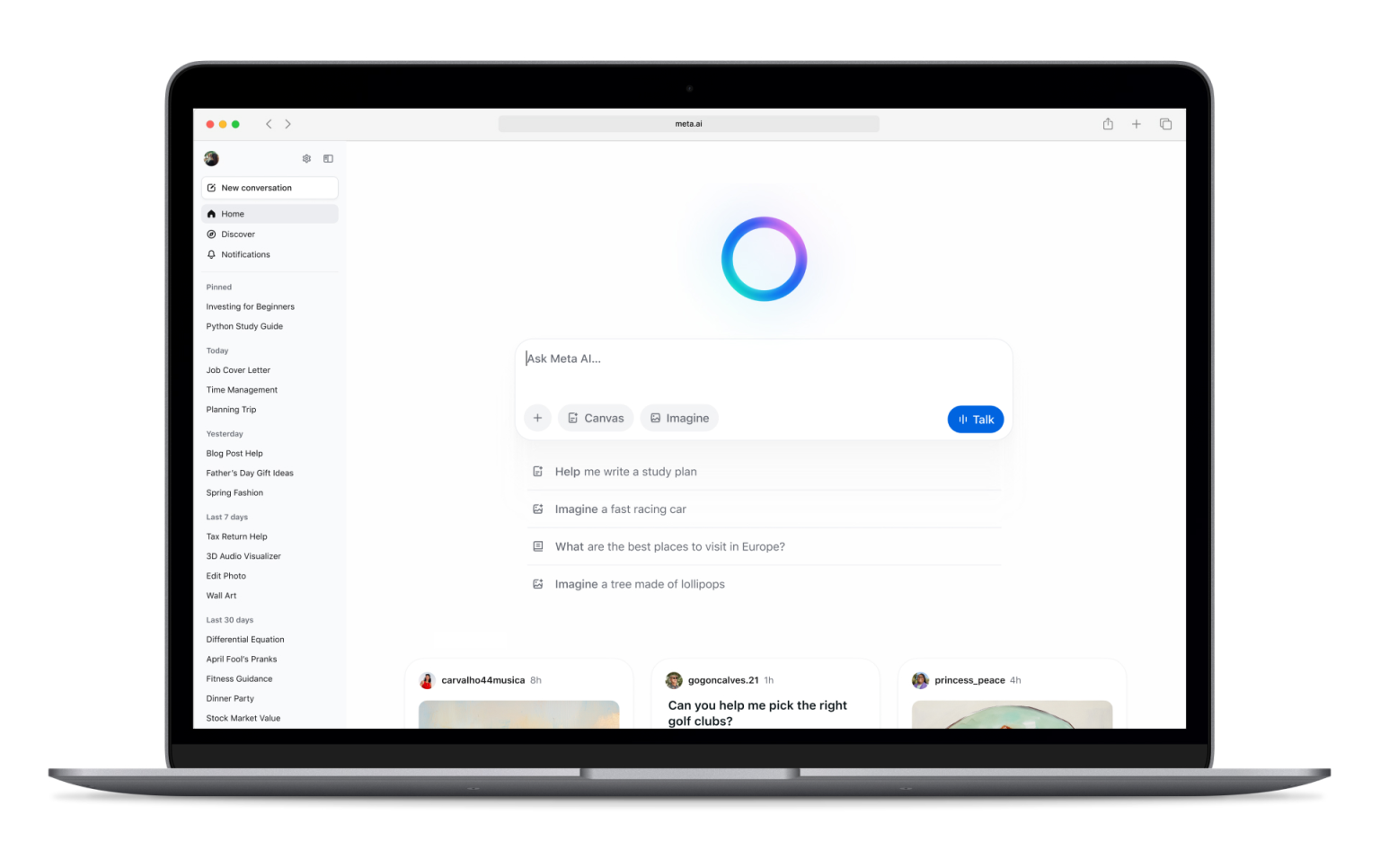
Funciona en todo el ecosistema de Meta, incluyendo Facebook, Instagram, WhatsApp, Messenger y la aplicación Meta AI. Puede responder preguntas, generar imágenes, editar imágenes y apoyar la creación de contenido ligero.
Ventajas
- De uso completamente gratuito, lo que la convierte en una de las herramientas de IA más accesibles disponibles.
- Integrado directamente en Facebook, Instagram, Messenger y WhatsApp, lo que permite a los usuarios acceder a la IA sin instalar herramientas adicionales.
- Permite la generación y edición de imágenes directamente dentro del ecosistema de Meta.
- Útil para crear publicaciones en redes sociales, subtítulos, ideas de contenido y contenido creativo informal.
- Puede responder preguntas, resumir información, generar ideas y ayudar con tareas cotidianas.
- Disponible tanto en experiencias móviles como de escritorio, lo que facilita su uso dondequiera que la gente ya pase tiempo en línea.
- Incluye interacciones de voz y funciones conversacionales que hacen que se sienta como un asistente personal de IA.
- Especialmente conveniente para creadores, influencers y pequeñas empresas que ya gestionan audiencias en las plataformas de Meta.
- Aprovecha información en tiempo real en muchos escenarios, ayudando a proporcionar respuestas más actuales que los modelos de lenguaje tradicionales con datos de entrenamiento estáticos.
- No se requiere una suscripción separada para acceder a las funciones principales.
Contras
- Las preocupaciones sobre la privacidad siguen siendo una consideración común porque Meta AI está profundamente integrado en el ecosistema y las plataformas sociales de Meta.
- Menos capaz que Claude, ChatGPT o Perplexity AI para investigación profunda, investigación académica y análisis profesional.
- Funciones limitadas orientadas a negocios en comparación con las herramientas de IA empresariales.
- Menos flujos de trabajo de productividad avanzados que Google Gemini o Microsoft Copilot.
- No es ideal para manejar documentos largos, análisis de datos complejos o proyectos de investigación a gran escala.
- Menos personalizable que algunas herramientas de IA de la competencia.
- Los equipos profesionales pueden encontrar que carece de las integraciones y los controles de gobernanza necesarios para flujos de trabajo críticos para el negocio.
Precios
Gratis: $0
Meta AI está actualmente disponible sin costo adicional.
- Acceso a través de Facebook
- Acceso a través de Instagram
- Acceso a través de Messenger
- Acceso a través de WhatsApp
- Chat de IA y respuesta a preguntas
- Generación y edición de imágenes
- Interacciones de voz
- Asistencia para la creación de contenido
- Soporte para redes sociales
Meta sigue expandiendo las funciones en todo su ecosistema, pero al momento de escribir esto, la mayoría de los usuarios no necesitan planes de pago separados para acceder a Meta AI.
Ideal para
Meta AI es ideal para usuarios ocasionales, creadores de contenido en redes sociales, influencers, propietarios de pequeñas empresas y personas que ya pasan la mayor parte de su tiempo en Facebook, Instagram, WhatsApp o Messenger. Funciona bien para crear contenido para redes sociales, generar imágenes, responder preguntas cotidianas y obtener asistencia de IA directamente dentro de las aplicaciones que la gente ya usa a diario. Es menos adecuada para investigaciones profundas, escritura profesional, análisis de mercado o flujos de trabajo de productividad empresarial.
7. Jasper
Jasper es un asistente de IA enfocado en marketing, diseñado para la voz de marca, campañas y creación de contenido escalable.
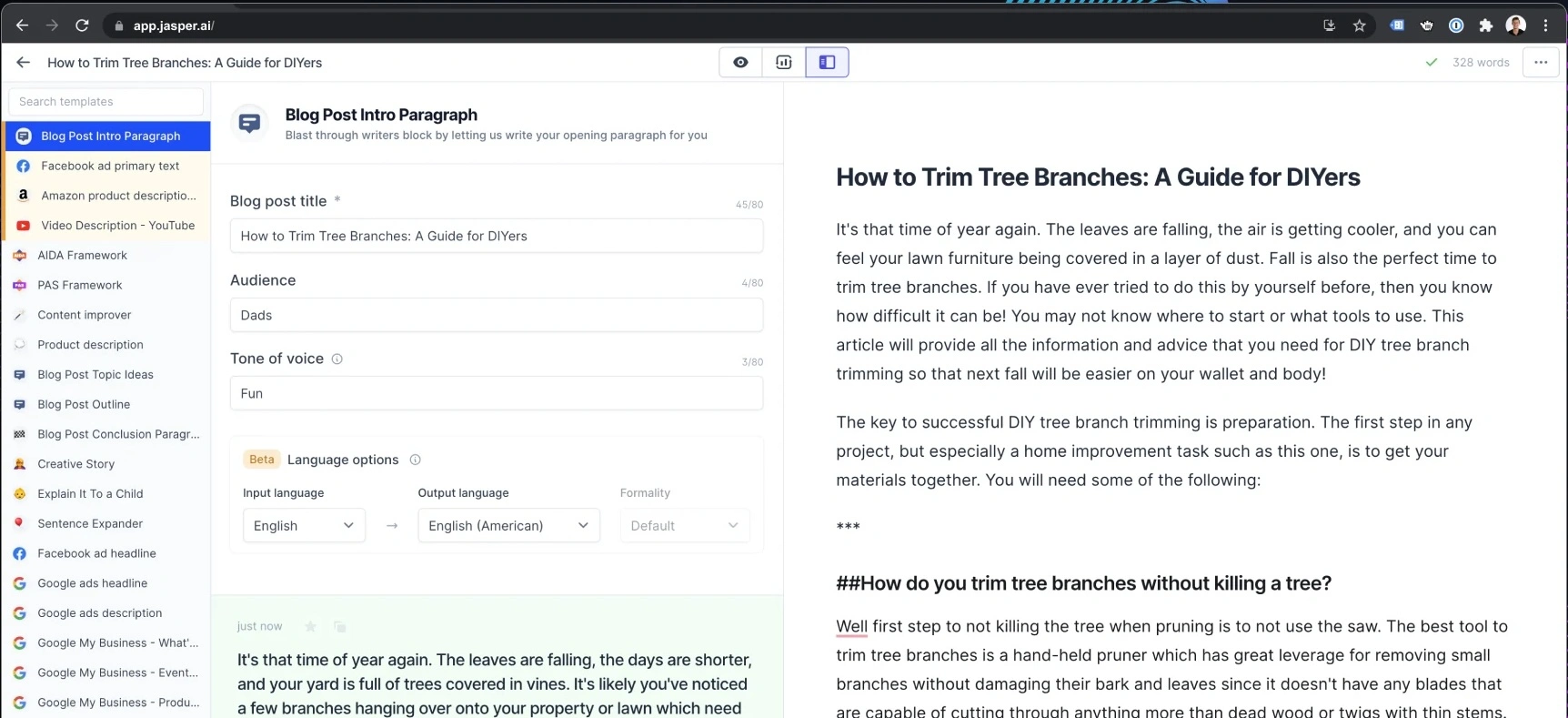
No intenta hacerlo todo. En cambio, se enfoca en equipos de marketing que necesitan textos coherentes en anuncios, páginas de destino, correos electrónicos, publicaciones en redes sociales y campañas.
Ventajas
- Diseñado específicamente para equipos de marketing en lugar de para un uso general de IA, lo que lo hace muy eficaz para la creación de contenido y la ejecución de campañas.
- Potentes controles de voz de marca que ayudan a mantener la coherencia en publicaciones de blog, anuncios, correos electrónicos, páginas de destino y contenido de redes sociales.
- Incluye agentes de IA enfocados en marketing que pueden ayudar con flujos de trabajo comunes como la planificación de campañas, la producción de contenido y la optimización.
- Canvas proporciona un espacio de trabajo colaborativo para crear, editar y refinar contenido con la ayuda de la IA.
- Admite mensajes específicos para la audiencia, lo que permite a los equipos adaptar el contenido a diferentes segmentos de clientes.
- Los activos de conocimiento ayudan a Jasper a aprender información de la empresa, detalles del producto, pautas de mensajería y documentación interna.
- Las funciones de colaboración lo hacen adecuado para agencias y equipos de marketing más grandes que gestionan múltiples partes interesadas.
- Jasper Grid permite la producción de contenido a escala en grandes campañas y bibliotecas de contenido.
- Incluye acceso a la API y funciones de gobernanza empresarial para organizaciones que desean integrar la IA en operaciones de marketing más amplias.
- Diseñado para reducir el tiempo dedicado a la creación de activos de marketing al tiempo que mejora la coherencia de la marca.
Contras
- Significativamente más caro que muchos chatbots de IA de propósito general.
- Menos útil para investigación profunda, codificación, análisis de datos o tareas de razonamiento general en comparación con ChatGPT, Claude o Perplexity AI.
- La mayor parte de su valor proviene de flujos de trabajo específicos de marketing, lo que dificulta justificarlo para equipos que no son de marketing.
- Requiere cierta configuración para aprovechar al máximo las Voces de Marca, los activos de conocimiento y la personalización de la audiencia.
- No hay plan gratuito más allá del período de prueba limitado.
- Las empresas más pequeñas pueden encontrar que el precio es difícil de justificar en comparación con herramientas de IA más generales.
Precios
Pro: $69 por puesto al mes
Diseñado para profesionales de marketing individuales, autónomos y equipos de marketing más pequeños.
- Incluye 1 puesto
- Plataforma de creación de contenido Canvas
- Agentes de IA esenciales para flujos de trabajo de marketing
- 2 Voces de Marca
- 5 activos de conocimiento
- 3 perfiles de audiencia
- Generación de contenido consistente con la marca
- Prueba gratuita de 7 días disponible
Empresarial: Precios personalizados
Diseñado para equipos más grandes y organizaciones de marketing empresariales.
- Todo lo incluido en Pro
- Agentes de IA avanzados para la orquestación de campañas
- Creador de aplicaciones de IA sin código
- Agentes de IA personalizados
- Jasper Grid para la ejecución de contenido a gran escala
- Voces de marca ilimitadas
- Activos de conocimiento ilimitados
- Perfiles de audiencia ilimitados
- Acceso a la API
- Controles de administración y herramientas de gobernanza
- Gestión de cuentas dedicada
- Soporte prioritario
- Opciones de implementación empresarial
Ideal para
Jasper es ideal para equipos de marketing, equipos de contenido, agencias y organizaciones centradas en la marca que necesitan producir grandes volúmenes de contenido consistente en múltiples canales. Destaca en la creación de contenido, la gestión de campañas, la coherencia de la voz de marca y las operaciones de marketing, pero es menos adecuado para la investigación, la codificación, el análisis de datos o la asistencia de IA de propósito general.
8. Writesonic
Writesonic es otra herramienta de creación de contenido centrada en la redacción SEO, el copy de marketing y los flujos de trabajo de publicación rápida.
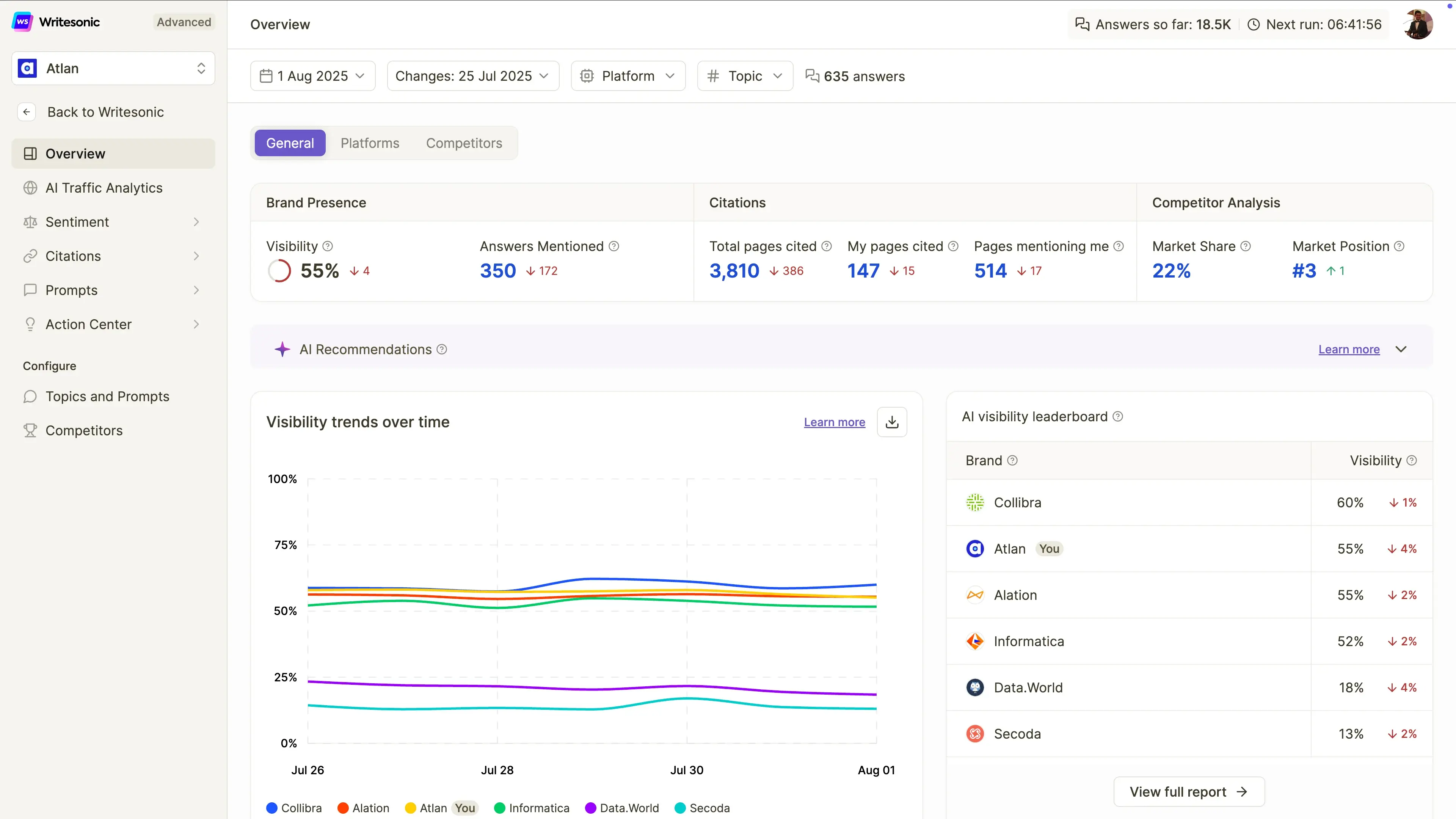
Puede ayudar a escribir publicaciones de blog, páginas de destino, anuncios y publicaciones en redes sociales. En comparación con ChatGPT, ofrece a los usuarios plantillas más guiadas y flujos de trabajo específicos de marketing.
Ventajas
- Diseñado específicamente para la creación de contenido SEO, lo que facilita la elaboración de artículos pensados para posicionarse tanto en motores de búsqueda tradicionales como en plataformas de búsqueda con IA.
- Incluye generación de artículos impulsada por IA que ayuda a los especialistas en marketing a crear borradores más rápido que si empezaran desde cero.
- Rastrea la visibilidad de la marca en ChatGPT, Google Gemini y Google AI Overviews, lo cual es cada vez más importante a medida que crece la búsqueda con IA.
- Ofrece auditorías de sitios que ayudan a identificar problemas técnicos y de contenido que afectan la visibilidad en los motores de búsqueda.
- Proporciona seguimiento de la visibilidad en búsquedas con IA, lo que permite a los equipos monitorear con qué frecuencia su marca aparece en las respuestas generadas por IA.
- Incluye análisis de sentimiento y monitoreo de visibilidad para ayudar a las marcas a comprender cómo son representadas por los sistemas de IA.
- Admite flujos de trabajo agénticos que pueden automatizar partes del análisis y la optimización SEO.
- Interfaz fácil de usar para principiantes en comparación con plataformas SEO más complejas.
- Útil para especialistas en marketing de contenidos que desean SEO, GEO (Optimización de Motores Generativos), creación de contenido y seguimiento de visibilidad de IA en una sola plataforma.
- Ideal para organizaciones centradas en el crecimiento del tráfico orgánico y la visibilidad en búsquedas con IA.
Desventajas
- El contenido aún requiere edición humana, verificación de hechos y refinamiento antes de su publicación.
- Menos capaz que ChatGPT, Claude o Perplexity AI para investigación profunda, razonamiento complejo y análisis de formato largo.
- Enfocado principalmente en SEO y marketing de contenidos, en lugar de casos de uso más amplios de asistentes de IA.
- Significativamente más caro que muchas herramientas de escritura con IA de propósito general.
- Las funciones avanzadas de seguimiento y optimización de la visibilidad están pensadas para equipos de marketing profesionales, no para usuarios ocasionales.
- Las capacidades de flujo de trabajo agéntico siguen siendo limitadas en los planes de nivel inferior.
Precios
Inicial: $99/mes
Diseñado para particulares y pequeñas empresas que se inician en la visibilidad de búsqueda con IA.
- Seguimiento de la visibilidad en ChatGPT
- 50 indicaciones y 50 respuestas con seguimiento diario
- 15 artículos generados por IA al mes
- 10 auditorías de sitio (100 páginas cada una)
- Flujos de trabajo agénticos limitados
- 1 usuario
- 1 proyecto
- Soporte estándar por correo electrónico
Básico: $249/mes
Para equipos de contenido y SEO en crecimiento.
- Seguimiento de la visibilidad en ChatGPT, Gemini y Google AI Overviews
- 100 indicaciones y 300 respuestas con seguimiento diario
- 25 artículos generados por IA al mes
- 20 auditorías de sitios web (1.200 páginas cada una)
- Automatización de flujos de trabajo ampliada
- 2 usuarios
- 1 proyecto
- Soporte estándar por correo electrónico
Crecimiento: 499 $/mes
Ideal para empresas que optimizan activamente su visibilidad en búsquedas con IA.
- Monitoriza ChatGPT, Gemini y Google AI Overviews
- 200 prompts y 600 respuestas monitorizadas diariamente
- 50 artículos generados por IA al mes
- 50 auditorías de sitios web (2.500 páginas cada una)
- Análisis de sentimiento incluido
- Acceso al Centro de Acción
- Flujos de trabajo basados en agentes ampliados
- 3 usuarios
- 2 proyectos
- Soporte prioritario por correo electrónico
Enterprise: Precios personalizados
Para organizaciones más grandes que gestionan el SEO y la visibilidad de la IA a gran escala.
- Límites de uso personalizados
- Funciones de gobernanza avanzadas
- Soporte empresarial
- Informes y flujos de trabajo personalizados
- Gestión de equipos ampliada
- Monitoreo a gran escala de la visibilidad de la IA
Ideal para
Writesonic es ideal para blogueros, equipos de SEO, autónomos, especialistas en marketing de contenidos y equipos de marketing pequeños y medianos que desean mejorar su visibilidad tanto en los motores de búsqueda tradicionales como en las experiencias de búsqueda impulsadas por IA. Es una excelente opción para la creación de contenido centrado en SEO, la optimización de búsqueda con IA y el seguimiento de la visibilidad de la marca, pero es menos adecuado para la investigación profunda, la codificación, el análisis de datos o la asistencia de IA de propósito general.
9. DeepSeek
DeepSeek es una alternativa popular para el razonamiento, la codificación, las matemáticas y el uso de API de bajo costo.
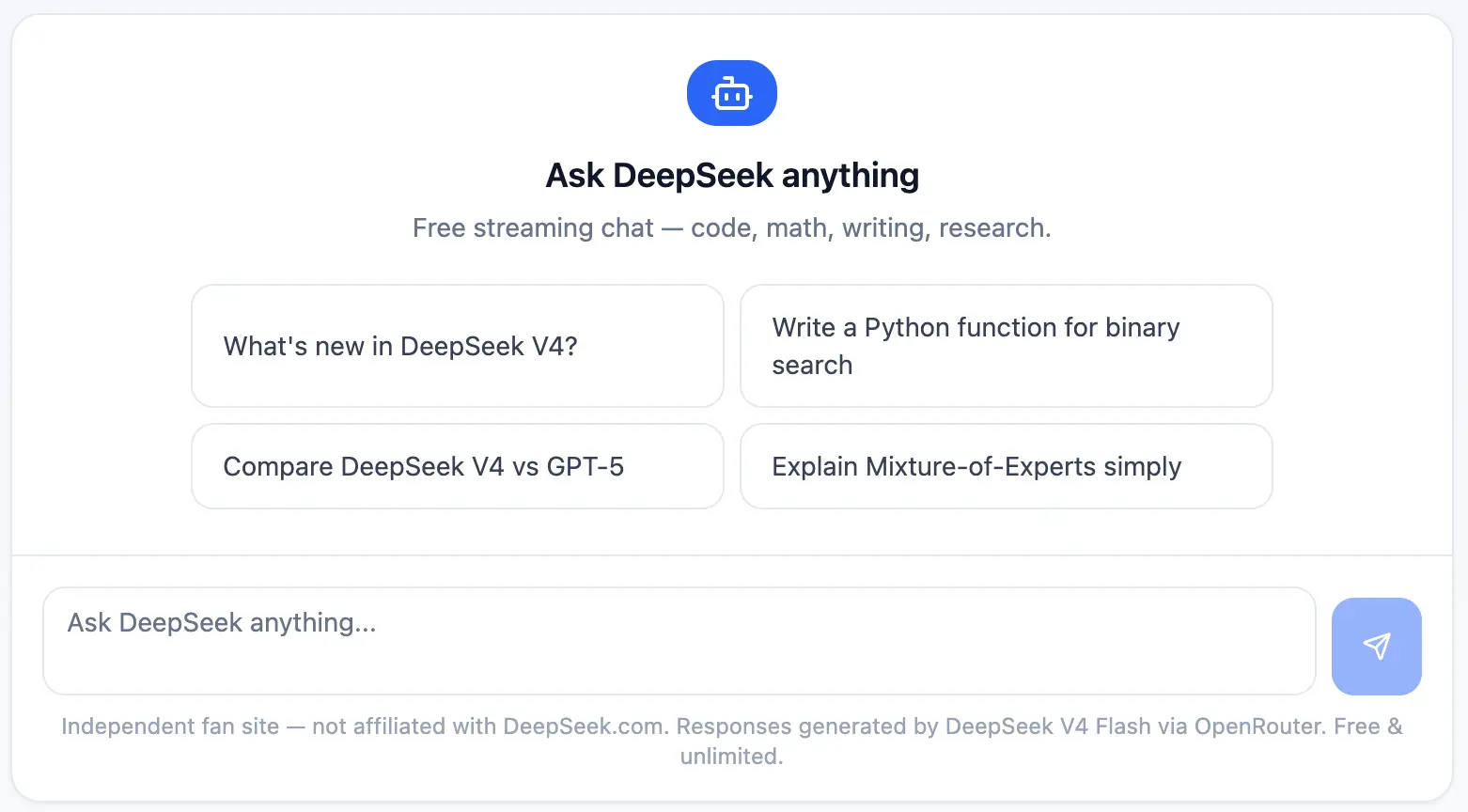
Su mayor ventaja es el costo. Para desarrolladores y equipos técnicos, DeepSeek puede ser útil cuando el precio de la API es importante y la carga de trabajo implica razonamiento estructurado, depuración o experimentación.
Ventajas
- Uno de los modelos de IA más asequibles disponibles para desarrolladores gracias a un precio de API extremadamente bajo.
- Capacidades de razonamiento sólidas que lo hacen eficaz para la resolución de problemas técnicos, matemáticas, codificación y tareas analíticas.
- DeepSeek-R1 funciona particularmente bien en flujos de trabajo con mucha lógica, a menudo compitiendo con modelos de razonamiento mucho más caros.
- La API compatible con OpenAI facilita a los desarrolladores la integración en aplicaciones y flujos de trabajo existentes.
- Incluye capacidades de búsqueda web en la interfaz de chat, lo que ayuda a los usuarios a acceder a información más actualizada cuando la necesitan.
- Útil para asistencia en codificación, depuración, desarrollo de software y documentación técnica.
- El precio de pago por uso permite a los equipos escalar el uso sin comprometerse con costosas suscripciones mensuales.
- Opción atractiva para startups y desarrolladores que crean productos impulsados por IA con un presupuesto limitado.
- El acceso gratuito al chat facilita la prueba de la plataforma antes de comprometerse con el uso de la API.
- Fuerte equilibrio entre rendimiento y coste en comparación con muchos modelos de lenguaje grandes de la competencia.
Contras
- Menos integraciones orientadas a negocios que herramientas como Microsoft Copilot, Google Gemini o MeetGeek.
- Los compradores empresariales pueden tener preocupaciones sobre la gobernanza de datos, el cumplimiento o la privacidad, dependiendo de las políticas internas y las regulaciones regionales.
- La experiencia de usuario es menos pulida que la de algunos chatbots de IA convencionales.
- Ecosistema limitado en comparación con los productos de Google, Microsoft u OpenAI.
- Menos funciones de colaboración y flujo de trabajo para equipos no técnicos.
- Menos adecuado para la creación de contenido, flujos de trabajo de marketing y productividad empresarial que las alternativas especializadas.
Precios
Chat gratuito: 0 $/mes
Diseñado para uso personal y experimentación.
- Acceso ilimitado al chat
- Acceso a DeepSeek-V3
- Acceso a DeepSeek-R1
- Capacidad de búsqueda web
- Historial de chat guardado
Acceso a la API: Precios por uso
Diseñado para desarrolladores y equipos técnicos.
DeepSeek-V3
- $0.14 por 1 millón de tokens de entrada
- $0.28 por 1 millón de tokens de salida
DeepSeek-R1
- $0.55 por 1 millón de tokens de entrada
- $2.19 por 1 millón de tokens de salida
Funciones adicionales:
- Precios de pago por uso
- API compatible con OpenAI
- No se requiere suscripción mensual
- Se escala según el uso
Empresas: Precios personalizados
Para organizaciones con mayores cargas de trabajo de IA.
- Descuentos por volumen
- Soporte dedicado
- Acuerdos de nivel de servicio (SLA) personalizados
- Acceso prioritario
- Opciones de implementación empresarial
Ideal para
DeepSeek es ideal para desarrolladores, startups, investigadores, ingenieros y equipos técnicos conscientes de los costos que buscan sólidas capacidades de razonamiento y codificación sin los altos costos asociados con muchos modelos de IA premium. Es una excelente opción para aplicaciones basadas en API, desarrollo de software, investigación técnica y experimentación de IA a gran escala donde el rendimiento por dólar importa más que las integraciones empresariales o los flujos de trabajo comerciales pulidos.
10. Grok
Grok es el asistente de IA de xAI y está estrechamente conectado con X.
Se suele posicionar en torno a información en tiempo real, tendencias y un tono más asertivo o de búsqueda de la verdad. Puede ser útil para la escucha social, los eventos actuales y las conversaciones de ritmo rápido.
Ventajas
- Acceso sólido a información en tiempo real tanto a través de la búsqueda web como de X (antes Twitter), lo que lo hace útil para rastrear noticias de última hora, tendencias y eventos actuales.
- Especialmente eficaz para usuarios que pasan mucho tiempo en X y desean asistencia de IA basada en las conversaciones que tienen lugar en la plataforma.
- Presenta un estilo más conversacional y asertivo que muchos chatbots de IA tradicionales.
- Admite el modo de voz para interacciones naturales y uso manos libres.
- Incluye capacidades de generación de imágenes en los planes de pago.
- Admite la generación de vídeo en planes de nivel superior, lo que ayuda a los creadores a producir contenido multimedia.
- Los conectores permiten a los usuarios conectar Grok con herramientas externas y fuentes de información.
- Proporciona respuestas rápidas al investigar temas de tendencia, debates públicos y el sentimiento social.
- Excelente para descubrir tendencias emergentes, monitorear conversaciones de la industria y seguir historias de rápido desarrollo.
- Se actualiza con frecuencia con acceso a modelos y capacidades más recientes de xAI.
Desventajas
- Menos eficaz que Perplexity AI para la investigación académica, las citas y el análisis respaldado por fuentes.
- No es ideal para documentos extensos, redacción profesional, documentación empresarial o flujos de trabajo de informes estructurados.
- Integraciones de productividad limitadas en comparación con Google Gemini, Microsoft Copilot o MeetGeek.
- Puede priorizar la interacción conversacional sobre el análisis detallado en algunas situaciones.
- Las funciones de colaboración empresarial y en equipo son menos maduras que las de muchas herramientas de IA centradas en el negocio.
- Más valioso para usuarios ya activos dentro del ecosistema X.
Precios
Gratuito: 0 $/mes
Un generoso plan gratuito para explorar las capacidades de Grok.
- Búsqueda web en tiempo real
- Búsqueda X en tiempo real
- Modo de voz
- Conectores
- Cumplimiento SOC 2 Tipo I y Tipo II
- Acceso a Grok dentro de los límites de uso gratuito
SuperGrok: 30 $/mes
Diseñado para usuarios que desean acceder a los modelos y funciones más avanzados de Grok.
- Acceso a Grok 4
- Mayores límites de tasa
- Conectores
- Modo experto
- Generación de imágenes
- Generación de video
- Cumplimiento SOC 2 Tipo I y Tipo II
- Acceso prioritario a capacidades avanzadas
Ideal para
Grok es ideal para usuarios de X, creadores de contenido, profesionales de marketing, periodistas, analistas de tendencias y profesionales que necesitan estar al tanto en tiempo real de los acontecimientos actuales y las conversaciones en línea. Está diseñado para el seguimiento de tendencias, la monitorización del sentimiento social, el seguimiento de noticias de última hora y la exploración de conversaciones en X, pero es menos adecuado para la investigación profunda, los flujos de trabajo empresariales estructurados, el análisis académico o el trabajo con documentos extensos.
¿Qué alternativa a ChatGPT deberías elegir?
La herramienta adecuada depende de tu flujo de trabajo.
- Elige Claude si necesitas análisis de documentos extensos, escritura, codificación o razonamiento preciso.
- Elige Google Gemini si trabajas con Google Workspace.
- Elige Microsoft Copilot si tu equipo utiliza Microsoft 365.
- Elige MeetGeek si tu información más valiosa proviene de las reuniones.
- Elige Perplexity AI si necesitas búsqueda web, citas, artículos de investigación y análisis de mercado.
- Elige Meta AI si quieres un asistente de IA gratuito para uso informal, imágenes y aplicaciones sociales.
- Elige Jasper o Writesonic si principalmente necesitas contenido de marketing.
- Elige DeepSeek si te interesa el razonamiento de bajo coste y la experimentación con API.
- Elige Grok si quieres búsqueda en tiempo real nativa de X y análisis de tendencias.
Consideraciones finales
ChatGPT sigue siendo uno de los mejores chatbots de IA, pero ya no es la única opción seria.
Las mejores alternativas no son solo "otras IA". Son herramientas creadas en torno a flujos de trabajo específicos: reuniones, investigación, codificación, escritura, contenido social, generación de imágenes, Google Workspace, Microsoft 365 y automatización.
Para los equipos que pasan horas cada semana en llamadas, MeetGeek es una de las opciones más prácticas porque convierte las conversaciones en notas, resúmenes, elementos de acción, conocimiento consultable y flujos de trabajo automatizados.
En lugar de preguntar a la IA qué pasó después de los hechos, MeetGeek captura la conversación a medida que ocurre y ayuda a tu equipo a tomar medidas al respecto.
Preguntas frecuentes
¿Cuál es la mejor alternativa a ChatGPT?
La mejor alternativa a ChatGPT depende de tu caso de uso. Claude es ideal para documentos largos y razonamiento, Gemini es ideal para Google Workspace, Copilot es ideal para Microsoft 365, MeetGeek es ideal para reuniones y seguimientos, y Perplexity AI es ideal para búsquedas web e investigación.
¿Cuál es la mejor alternativa gratuita a ChatGPT?
Algunas de las mejores alternativas gratuitas a ChatGPT incluyen Google Gemini, Microsoft Copilot Chat, Perplexity AI, Meta AI y el plan gratuito de MeetGeek. La elección correcta depende de si necesitas escritura, búsqueda, reuniones, imágenes o integraciones laborales.
¿Qué herramienta de IA es la mejor para la investigación?
Perplexity AI es una de las mejores opciones para la investigación con IA porque proporciona respuestas citadas, búsqueda web, búsqueda de artículos académicos y funciones de investigación profunda. Claude también es potente para analizar documentos de investigación extensos.
¿Qué herramienta de IA es mejor para reuniones?
MeetGeek es la mejor opción para reuniones porque graba, transcribe, resume y organiza automáticamente el contenido de las mismas. También permite a los equipos buscar en llamadas anteriores, extraer elementos de acción y sincronizar la información con herramientas de terceros.
¿Sigue siendo ChatGPT mejor que otros chatbots de IA?
ChatGPT sigue siendo una de las mejores herramientas de IA de propósito general. Sin embargo, otros chatbots de IA pueden ser mejores para tareas específicas, como la inteligencia para reuniones, la investigación académica, los flujos de trabajo de Google Workspace, la automatización de Microsoft 365, la programación o la creación de contenido de marketing.







.avif)