



ChatGPT reste l'un des meilleurs chatbots IA pour les tâches générales, la rédaction, l'analyse de données, la génération d'images, l'analyse d'images et la réponse aux questions. Mais il n'est pas toujours le mieux adapté à chaque flux de travail.
Certains outils d'IA sont plus efficaces pour les réunions. D'autres sont préférables pour la recherche universitaire, la recherche en temps réel, le codage, Google Workspace, Microsoft 365, les publications sur les réseaux sociaux, la création vidéo, l'analyse de marché ou les documents longs.
Ce guide compare les meilleures alternatives en 2026 en se basant sur des cas d'utilisation pratiques, et non sur le battage médiatique. L'objectif est simple : vous aider à choisir le bon assistant IA pour le travail que vous faites réellement.
Pourquoi chercher une alternative à ChatGPT ?
ChatGPT est puissant car il peut gérer presque tout. C'est aussi là qu'il montre parfois ses limites.
Un modèle linguistique général peut vous aider à rédiger des e-mails, à résumer des pages web, à analyser des données, à générer des idées, à créer des images et à répondre à des questions. Mais lorsque la tâche devient plus spécifique, d'autres outils peuvent être plus adaptés.
Par exemple, ChatGPT n'est peut-être pas le meilleur choix lorsque vous avez besoin d'un contexte spécifique aux réunions tiré d'appels passés, de recherches web citées, d'articles de recherche, de flux de travail natifs Google Docs, de résumés Microsoft Teams, d'analyses de marché étayées par des sources, ou d'un support de codage au sein de votre IDE.
C'est pourquoi le bon outil dépend moins du modèle lui-même que du flux de travail qui l'entoure.
Qu'est-ce qui fait une bonne alternative ?
Une bonne alternative devrait faire au moins une chose mieux que ChatGPT.
Cela pourrait signifier une meilleure recherche web, une meilleure analyse de documents longs, de meilleures intégrations, des réponses plus rapides, des contrôles de confidentialité plus stricts, des tarifs API plus bas, ou des fonctionnalités de base plus utiles dans la version gratuite.
Avant de choisir parmi tous les autres chatbots, demandez-vous :
- Résout-il un problème spécifique mieux que ChatGPT ?
- Fonctionne-t-il avec les outils que j'utilise déjà ?
- La version gratuite est-elle suffisante, ou aurai-je besoin d'un abonnement pro ?
- Prend-il en charge mon flux de travail sans trop d'outils tiers ?
- Peut-il extraire des informations des bonnes sources ?
- Est-il suffisamment fiable pour un usage quotidien ?
Les meilleures alternatives à ChatGPT en un coup d'œil
1. Claude
Claude est un excellent choix pour l'écriture, les documents longs, le codage et le raisonnement précis.
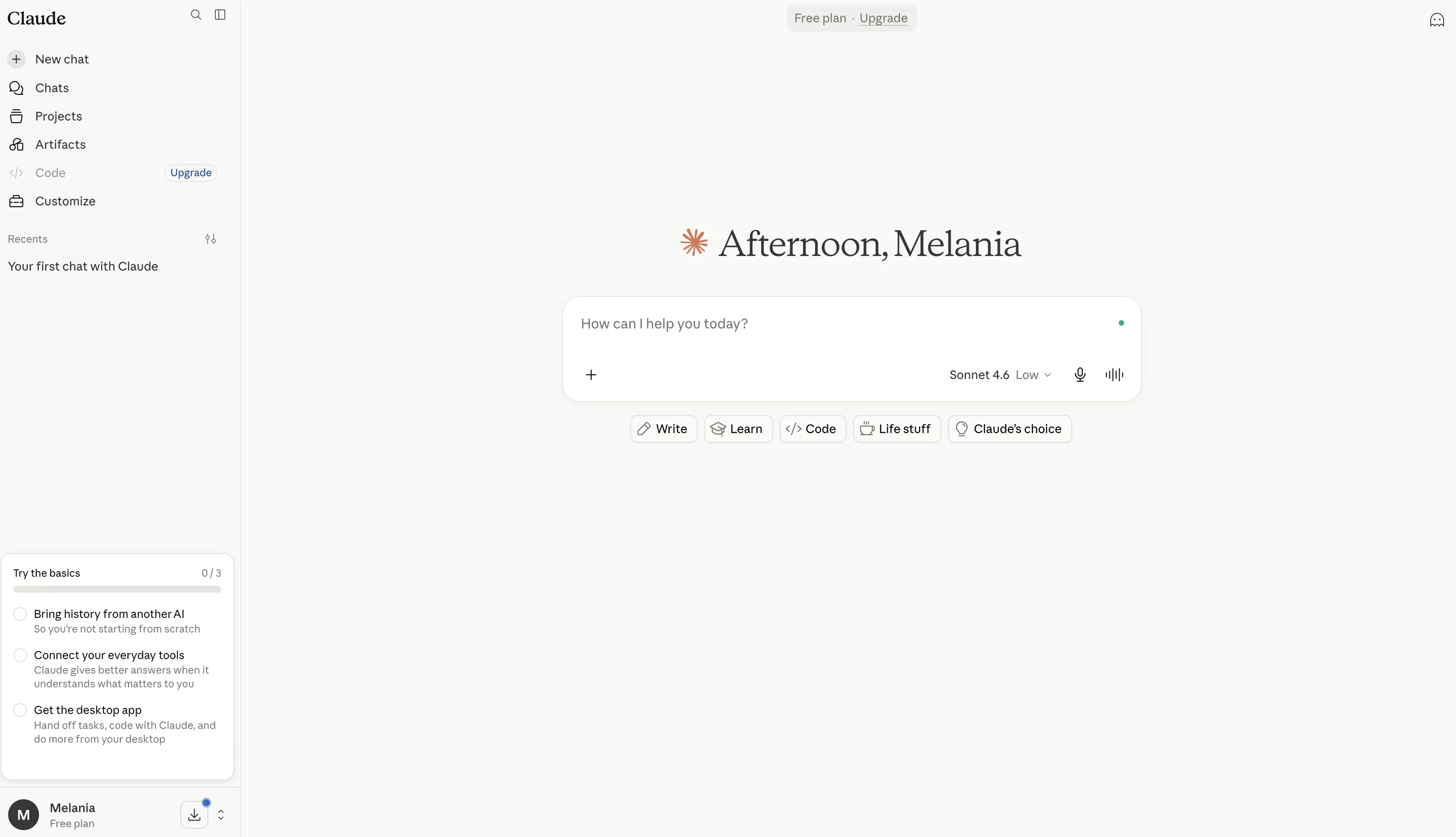
Il est particulièrement utile lorsque vous avez besoin de plus de détails, d'une meilleure structure ou d'un style d'écriture plus naturel. Claude est également performant sur les documents longs, les politiques, les articles de recherche, les rapports, les transcriptions et l'analyse stratégique.
Claude Code le rend utile pour les développeurs, tandis que Claude Pro et le plan Max s'adressent aux utilisateurs intensifs qui ont besoin de plus de capacité.
Avantages
- Excellent pour la rédaction, l'édition et la réécriture de textes longs, produisant souvent un contenu plus naturel et soigné que de nombreux autres chatbots IA.
- Gère exceptionnellement bien les documents longs grâce à sa grande fenêtre contextuelle, ce qui le rend utile pour les rapports, les articles de recherche, les contrats, les transcriptions et la documentation technique.
- Modèle de raisonnement robuste qui est performant pour l'analyse, la résolution de problèmes, la planification et les flux de travail complexes.
- Inclut Claude Code, l'un des assistants de codage IA les plus performants disponibles pour les développeurs.
- Comprend Claude Cowork, qui peut agir sur des fichiers et des outils connectés pour aider à automatiser le travail.
- Prend en charge la recherche web, les flux de travail de recherche, la visualisation de données, l'exécution de code et la création de fichiers.
- S'intègre avec Slack, Google Workspace, Microsoft 365, Outlook et des outils externes via les connecteurs MCP.
- Comprend des Projets pour organiser les conversations, les documents et le travail en cours dans un espace de travail structuré.
- Offre une mémoire à travers les conversations, aidant à maintenir le contexte au fil du temps.
- Fort accent sur la sécurité et la fiabilité de l'IA, ce qui en fait un choix populaire pour les cas d'utilisation professionnels et d'entreprise.
Inconvénients
- Les capacités de génération d'images sont plus limitées que celles de ChatGPT, Gemini ou des outils dédiés à la génération d'images.
- Les fonctionnalités avancées telles que la recherche, Claude Code, Claude Cowork et des limites d'utilisation plus élevées nécessitent des forfaits payants.
- Peut occasionnellement produire des réponses plus longues ou plus détaillées que nécessaire pour des questions simples.
- Moins de fonctionnalités axées sur le consommateur par rapport à ChatGPT, notamment pour la création de contenu multimédia.
- Les utilisateurs à volume élevé peuvent avoir besoin du forfait Max, ce qui peut devenir coûteux.
Tarification
Gratuit : 0 $
Un niveau gratuit solide pour les utilisateurs individuels qui explorent Claude.
- Disponible sur le web, ordinateur de bureau, iOS et Android
- Rédaction, édition et création de contenu
- Capacités de recherche web
- Mémoire à travers les conversations
- Génération de code et visualisation de données
- Création de fichiers et exécution de code
- Intégrations Slack et Google Workspace
- Prise en charge du connecteur MCP
- Mode de réflexion étendu pour les tâches complexes
Pro : 17 $/mois (facturation annuelle) ou 20 $/mois
Conçu pour les professionnels qui utilisent Claude régulièrement.
- Tout inclus dans la version gratuite
- Limites d'utilisation plus élevées
- Inclut Claude Code
- Inclut Claude Cowork
- Projets illimités
- Accès aux fonctionnalités de recherche
- Accès à des modèles Claude supplémentaires
- Intégration Microsoft 365
- Intégration Outlook
Max : À partir de 100 $/mois
Pour les utilisateurs avancés, les développeurs et les équipes qui dépendent fortement de Claude.
- Tout inclus dans la version Pro
- 5 à 20 fois plus d'utilisation que la version Pro
- Limites de sortie plus élevées
- Accès anticipé aux nouvelles fonctionnalités
- Accès prioritaire pendant les périodes de forte utilisation
Équipe et Entreprise : Tarification personnalisée
Conçu pour les organisations qui ont besoin de contrôles de collaboration, d'administration, de sécurité et de gouvernance.
- Espaces de travail d'équipe partagés
- Contrôles administratifs
- Fonctionnalités de sécurité d'entreprise
- Intégrations avancées
- Déploiement et support à l'échelle de l'organisation
Idéal pour
Claude est idéal pour les rédacteurs, les chercheurs, les analystes, les consultants, les développeurs et les professionnels qui travaillent régulièrement avec de longs documents, des tâches de raisonnement complexes, des recherches approfondies et la création de contenu structuré. Il se distingue pour les utilisateurs qui privilégient une écriture de haute qualité, une analyse réfléchie et la gestion de documents à grand contexte, plutôt que la génération d'images ou les fonctionnalités multimédias.
2. Google Gemini
Google Gemini est le choix naturel pour les personnes qui sont déjà immergées dans Google Workspace.
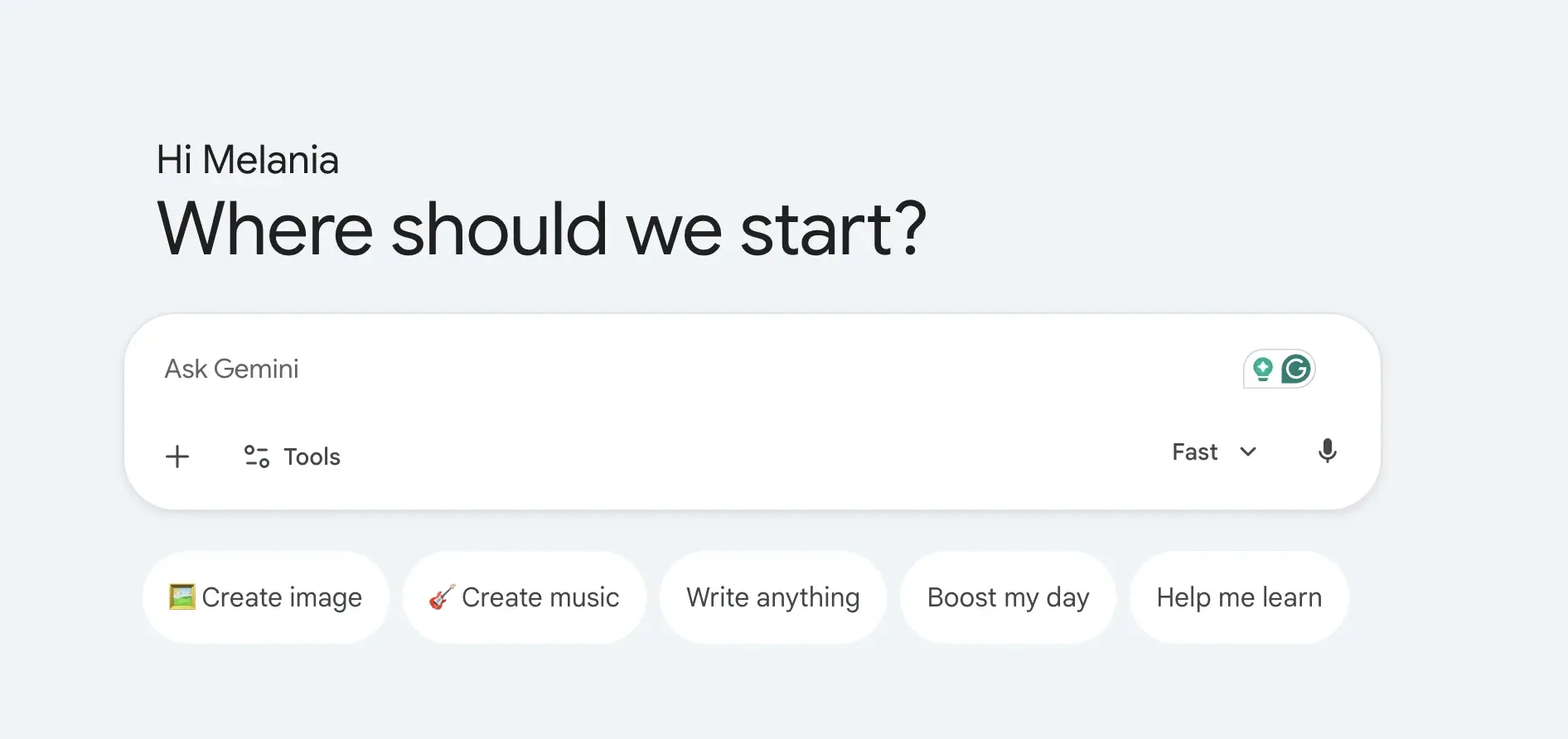
Son plus grand avantage est l'intégration. Gemini fonctionne naturellement avec Google Docs, Gmail, Google Drive, YouTube, Maps et d'autres outils Google. Il est également performant pour la recherche en temps réel, l'analyse d'images, le mode vocal et les tâches multimodales.
Gemini peut aider à rédiger dans Google Docs, à résumer des fichiers depuis Google Drive, à répondre à des questions avec un contexte actuel et à soutenir la création de contenu dans tout l'écosystème Google.
Avantages
- Profondément intégré à Google Workspace, permettant aux utilisateurs de travailler directement sur Google Docs, Gmail, Google Drive, Sheets, Slides et d'autres services Google.
- De solides capacités de recherche en temps réel, alimentées par l'infrastructure de recherche de Google, ce qui le rend utile pour l'actualité, la recherche et la vérification des faits.
- Prend en charge les flux de travail multimodaux, y compris le texte, les images, les conversations vocales, l'analyse d'images, la génération d'images et la création de vidéos.
- Inclut Deep Research, qui peut aider à recueillir des informations, à analyser des sources et à créer des rapports de recherche détaillés plus rapidement qu'une recherche web traditionnelle.
- Gemini Live permet des conversations naturelles en mode vocal, ce qui le fait ressembler davantage à un assistant IA personnel qu'à un chatbot traditionnel.
- Intègre Gemini dans Chrome, permettant aux utilisateurs d'interagir avec l'IA lors de la navigation sur des pages web et du contenu en ligne.
- Inclut Google Flow, le studio de création IA de Google pour générer des scènes cinématiques, des histoires, des vidéos et du contenu visuel.
- Offre l'intégration de NotebookLM, l'un des outils de recherche IA les plus puissants pour travailler avec des documents, des notes, des articles de recherche et des matériaux sources.
- Un avantage d'écosystème solide pour les utilisateurs travaillant déjà avec les produits et services Google.
- Une version gratuite généreuse qui inclut la génération d'images, Deep Research, Gemini Live, Gems et l'accès aux modèles Gemini.
Inconvénients
- Offre le plus de valeur au sein de l'écosystème Google et peut être moins attrayant pour les utilisateurs qui travaillent principalement avec Microsoft 365 ou d'autres plateformes.
- Certaines des fonctionnalités les plus avancées, des limites d'utilisation plus élevées, des outils de génération vidéo et des capacités d'agent sont réservées aux forfaits payants.
- Les réponses générées par l'IA peuvent parfois être moins détaillées que celles de Claude pour le raisonnement de longue haleine et l'analyse de documents.
- Les flux de travail d'entreprise nécessitent souvent l'adoption de Google Workspace pour bénéficier pleinement des intégrations de Gemini.
- Les fonctionnalités créatives et de développement avancées peuvent devenir coûteuses pour les utilisateurs intensifs.
Tarification
Gratuit : 0 $/mois
Une offre gratuite solide pour l'assistance IA et la productivité au quotidien.
- Accès à l'application Gemini
- Gemini 3.5 Flash
- Accès limité à Gemini 3.1 Pro
- Génération et édition d'images
- Recherche approfondie
- Gemini Live
- Canvas
- Gems
- Accès à Google Flow
- NotebookLM
- 15 Go de stockage dans le cloud sur Gmail, Drive et Photos
Google AI Plus : 4,99 $/mois
Conçu pour les utilisateurs qui souhaitent plus d'accès et de fonctionnalités de productivité.
- Tout ce qui est inclus dans l'offre Gratuite
- Limites d'utilisation doublées
- Fonctionnalités de génération vidéo
- Résumé quotidien
- 200 crédits Google Flow
- Accès accru à Nano Banana
- Gemini directement dans les applications Google
- Gemini dans Chrome (accès anticipé)
- 400 Go de stockage cloud
Google AI Pro : 19,99 $/mois
Idéal pour les professionnels, les créateurs, les chercheurs et les utilisateurs avancés.
- Tout ce qui est inclus dans AI Plus
- Limites d'utilisation 4 fois plus élevées
- Recherche approfondie
- Accès accru aux modèles Gemini Pro
- Capacités d'agent
- 1 000 crédits Google Flow
- Gemini dans Gmail, Docs, Drive et les applications Workspace
- Limites NotebookLM améliorées
- Accès à l'agent de codage Jules
- Gemini dans Chrome
- 5 To de stockage cloud
Google AI Ultra : À partir de 99,99 $/mois
Pour les utilisateurs avancés, les développeurs et les organisations qui ont besoin d'un accès maximal.
- Tout ce qui est inclus dans AI Pro
- Jusqu'à 20 fois les limites d'utilisation
- Accès anticipé aux modèles et fonctionnalités avancés
- Capacités de réflexion approfondie
- Accès maximal aux modèles Gemini
- 10 000 à 25 000 crédits Google Flow
- Limites NotebookLM les plus élevées
- Limites de capacités agentiques les plus élevées
- Accès à Project Genie
- Options de stockage cloud de 20 To et plus
- YouTube Premium inclus
Idéal pour
Google Gemini est idéal pour les utilisateurs de Google Workspace, les spécialistes du marketing, les chercheurs, les étudiants, les créateurs de contenu et les professionnels qui utilisent déjà intensivement Google Docs, Gmail, Google Drive et Search. Il excelle pour les utilisateurs qui recherchent une recherche en temps réel, des capacités d'IA multimodales, des flux de travail de recherche approfondie (Deep Research), des interactions en mode vocal et une intégration transparente au sein de l'écosystème Google.
3. Microsoft Copilot
Microsoft Copilot est la meilleure alternative si votre travail se déroule au sein de Microsoft 365.
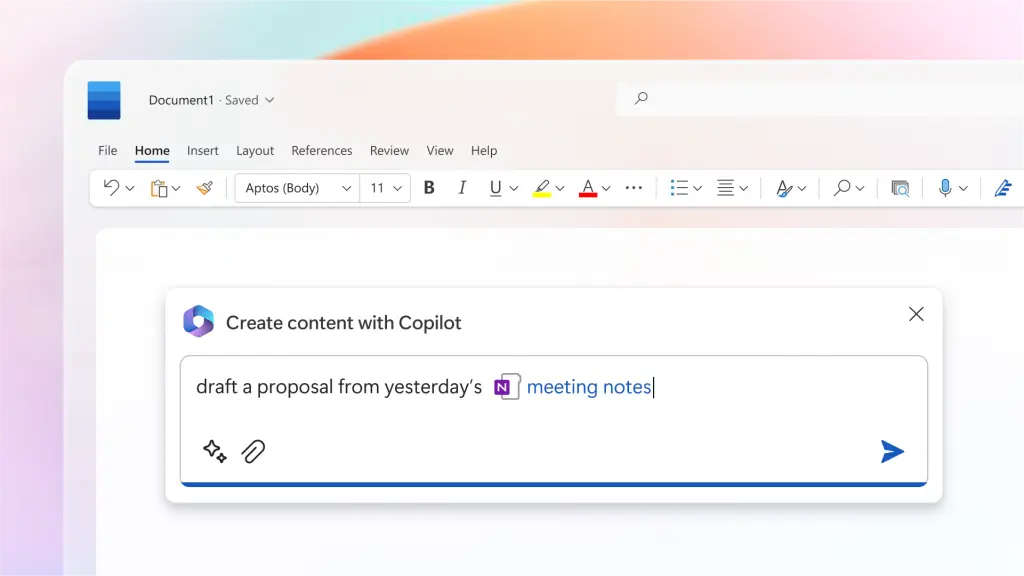
Il fonctionne avec Word, Excel, PowerPoint, Outlook et Microsoft Teams. Pour les entreprises qui utilisent déjà les outils Microsoft, Copilot peut résumer des réunions, rédiger des documents, analyser des feuilles de calcul, créer des présentations et extraire des informations des fichiers de travail.
Il présente également l'avantage d'offrir une sécurité, une conformité et des contrôles d'administration de niveau entreprise.
Avantages
- Profondément intégré à l'ensemble de l'écosystème Microsoft, y compris Word, Excel, PowerPoint, Outlook, OneNote, OneDrive, Teams et Microsoft Designer.
- Aide les utilisateurs à rédiger des documents, à résumer des e-mails, à créer des présentations, à analyser des feuilles de calcul et à générer des rapports sans quitter les applications Microsoft 365.
- Particulièrement efficace pour l'analyse de données dans Excel, où il peut aider à identifier les tendances, créer des visualisations, expliquer des formules et résumer des ensembles de données.
- Peut accéder au contexte organisationnel via Microsoft 365, rendant les réponses plus pertinentes pour les flux de travail et les documents commerciaux.
- Intégré à Microsoft Teams, permettant aux utilisateurs de résumer des réunions, de générer des éléments d'action et de rattraper les discussions manquées.
- Comprend des agents IA capables d'effectuer des tâches plus complexes telles que la création de rapports de recherche avec citations et la réalisation d'analyses avancées.
- La sécurité, la conformité, les contrôles de confidentialité et la gouvernance de niveau entreprise le rendent attrayant pour les grandes organisations.
- Copilot Studio permet aux entreprises de créer des agents IA personnalisés et d'automatiser les flux de travail internes.
- Fonctionne particulièrement bien pour les équipes qui utilisent déjà Microsoft 365 comme plateforme de productivité principale.
- Offre une expérience familière puisque les fonctionnalités d'IA sont intégrées directement dans les outils que les employés utilisent déjà quotidiennement.
Inconvénients
- Plus utile pour les organisations déjà investies dans Microsoft 365 et l'écosystème Microsoft.
- De nombreuses fonctionnalités avancées de Copilot nécessitent des abonnements séparés ou des forfaits Microsoft 365 éligibles.
- Moins flexible que ChatGPT ou Claude pour l'écriture créative, le brainstorming ouvert et le raisonnement approfondi.
- Certaines fonctionnalités varient considérablement entre les forfaits personnels, professionnels et d'entreprise.
- Peut devenir coûteux pour les grandes organisations lorsqu'il est déployé auprès de centaines d'utilisateurs.
Tarification
Microsoft 365 Personnel : 9,99 $/mois
Idéal pour les utilisateurs individuels qui souhaitent intégrer Copilot à leurs outils de productivité personnels.
- Microsoft Copilot dans les applications Microsoft 365
- Applications de bureau Word, Excel, PowerPoint et Outlook
- Limites d'utilisation de Copilot plus élevées que l'accès gratuit
- Création et édition d'images par IA
- Assistance visuelle par IA
- Intégration Teams
- 1 To de stockage cloud
- Disponible sur PC, Mac, téléphone et tablette
Microsoft 365 Famille : 12,99 $/mois
Conçu pour les foyers et les familles.
- Tout ce qui est inclus dans Personnel
- Prend en charge jusqu'à 6 utilisateurs
- Jusqu'à 6 To de stockage cloud
- Accès multi-appareils pour chaque membre de la famille
- Avantages partagés de l'écosystème Microsoft 365
Microsoft 365 Premium : 19,99 $/mois
Pour les utilisateurs avancés qui ont besoin de capacités d'IA avancées.
- Tout ce qui est inclus dans Famille
- Agents IA pour les tâches complexes
- Rapports de recherche avec sources citées
- Analyse et visualisation avancées des données
- Limites d'utilisation étendues de Copilot
- Génération et retouche d'images améliorées
- Accès anticipé aux fonctionnalités avancées de Copilot
Microsoft 365 Copilot Business : 25,20 $/utilisateur/mois
Conçu pour les petites et moyennes entreprises.
- Nécessite un abonnement éligible à Microsoft 365
- Chat IA optimisé par Work IQ
- Copilot dans Teams, Outlook, Word, PowerPoint et Excel
- Accès à Copilot Studio
- Agents personnalisés et automatisation des flux de travail
- Sécurité et conformité de niveau entreprise
- Prend en charge les organisations jusqu'à 300 utilisateurs
Microsoft 365 Copilot : 30 $/utilisateur/mois
Pour les grandes organisations et les déploiements en entreprise.
- Nécessite un abonnement Microsoft 365 éligible
- Chat IA basé sur les données de l'entreprise
- Intégration complète des applications Microsoft 365
- Compréhension avancée du contexte métier
- Prise en charge de Copilot Studio
- Gouvernance, confidentialité et conformité de niveau entreprise
- Capacités de déploiement à l'échelle de l'organisation
Idéal pour
Microsoft Copilot est idéal pour les équipes d'entreprise, les équipes opérationnelles, les professionnels de la finance, les analystes, les chefs de projet et les organisations qui utilisent déjà intensivement Microsoft 365. Il est inégalable en matière de productivité au travail, d'analyse de données, de création de documents, de gestion de réunions et d'automatisation des processus métier, en particulier pour les entreprises qui passent la majeure partie de leur journée sur Word, Excel, Outlook et Microsoft Teams.
4. MeetGeek
MeetGeek est une excellente option si votre principal flux de travail IA commence lors des réunions.
%20(2).webp)
ChatGPT peut résumer une transcription après que vous l'ayez téléchargée. MeetGeek va plus loin en rejoignant automatiquement les appels Zoom, Google Meet et Microsoft Teams, en enregistrant la conversation, en générant des notes IA, en extrayant les éléments d'action, en détectant les décisions et en transformant les réunions en une base de connaissances consultable.
C'est important car une grande partie des connaissances commerciales n'atteint jamais les documents. Elles restent cachées dans les appels de vente, les entretiens clients, les appels d'intégration, les réunions d'équipe, les démonstrations et les synchronisations internes.
Avec MeetGeek, vous pouvez poser des questions sur les réunions passées, extraire des informations des appels précédents, générer des e-mails de suivi, identifier les préoccupations des clients, examiner les éléments d'action et synchroniser les notes avec des outils comme Slack, HubSpot, Notion, Google Drive, Trello, Asana, ClickUp et Zapier.
MeetGeek inclut également des agents vocaux IA qui peuvent gérer les flux de travail répétitifs des réunions tels que les appels de découverte, les entretiens de présélection, les appels de qualification et les conversations de conformité. Au lieu d'utiliser l'IA uniquement après un appel, les équipes peuvent l'utiliser pour capturer, structurer et automatiser le processus de réunion lui-même.
Avantages
- Enregistre, transcrit et résume automatiquement les réunions sur Zoom, Google Meet, Microsoft Teams, ainsi que les fichiers audio ou vidéo téléchargés.
- Crée des archives de réunions consultables, facilitant la récupération des décisions, des éléments d'action, des retours clients et des points de discussion des mois plus tard.
- Génère Notes de réunion IA, des synthèses, des points saillants et des e-mails de suivi automatiquement.
- Comprend des fonctionnalités d'intelligence de réunion telles que l'analyse des conversations, le suivi des sentiments, les ratios temps de parole/temps d'écoute et des informations sur la performance de l'équipe.
- S'intègre aux outils professionnels populaires, notamment HubSpot, Slack, Notion, Google Drive, ClickUp, Trello, Asana, Zapier, Make et n8n.
- Prend en charge les flux de travail et les agents vocaux alimentés par l'IA qui peuvent automatiser les appels de découverte, les entretiens, les appels de qualification et les processus de suivi répétitifs.
- Permet aux utilisateurs d'interroger les réunions passées en utilisant le langage naturel pour extraire instantanément des informations sans avoir à revoir les enregistrements complets.
- Propose un forfait gratuit généreux avec des synthèses IA illimitées, une recherche universelle, un chat IA, des applications mobiles et un accès API.
Inconvénients
- N'est pas conçu pour remplacer ChatGPT pour la rédaction générale, le codage, la génération d'images, l'analyse d'images ou la recherche web étendue.
- La plupart des fonctionnalités avancées d'automatisation, de flux de travail, d'analyse et de collaboration nécessitent un forfait payant.
- Apporte le plus de valeur aux équipes qui passent beaucoup de temps en réunion plutôt qu'aux utilisateurs recherchant un chatbot IA autonome.
Tarifs
Basique : Gratuit
Idéal pour les réunions occasionnelles et les utilisateurs individuels.
- Gratuit à vie
- 3 heures de transcription par mois
- Stockage des transcriptions pendant 3 mois
- Stockage audio pendant 1 mois
- Résumés IA illimités
- Analyses de réunion
- Recherche globale et chat IA
- Applications mobiles et enregistrement via navigateur
- Accès API et MCP
Pro : 15,99 $/utilisateur/mois
Conçu pour les professionnels qui participent régulièrement à des réunions.
- 20 heures de transcription par mois
- Stockage des transcriptions pendant 1 an
- Modèles de réunion
- Détection automatique du type de réunion
- Intégrations illimitées
- Prise en charge de Zapier, Make et n8n
- Chat IA avec outils
- Agents IA et flux de travail
- Analyses personnelles
- Téléchargements et exportations
Business : 27 $/utilisateur/mois
Idéal pour les équipes ayant des réunions fréquentes et des flux de travail collaboratifs.
- Transcription illimitée
- Stockage illimité des transcriptions
- Espaces de travail d'équipe
- Analyses des réunions d'équipe
- Commentaires de réunion
- Chat IA illimité avec outils
- Flux de travail agentiques illimités
- Résumés et image de marque personnalisés
- Contrôles avancés de partage et de confidentialité
Entreprise : Tarification personnalisée
Conçu pour les grandes organisations qui exigent gouvernance, sécurité et évolutivité.
- Transcription et stockage illimités
- SSO et SCIM
- Agents vocaux personnalisés
- Politiques personnalisées de conservation des données
- Options de stockage sur site
- Intégration et gestion de compte dédiées
- Accès anticipé aux nouveaux modèles d'IA
À qui s'adresse MeetGeek ?
MeetGeek est idéal pour les équipes de vente, les recruteurs, les consultants, les équipes de succès client, les agences, les managers, les fondateurs et les organisations à distance qui passent une part significative de leur journée de travail en réunion. Contrairement aux chatbots IA traditionnels, il se concentre sur la capture, l'organisation, l'analyse et l'automatisation des conversations, ce qui le rend particulièrement précieux pour les équipes qui s'appuient sur l'intelligence des réunions comme élément central de leur flux de travail.
5. Perplexity AI
Perplexity AI est l'un des meilleurs outils d'IA pour la recherche web, la recherche en IA, la recherche universitaire et les réponses étayées par des sources.
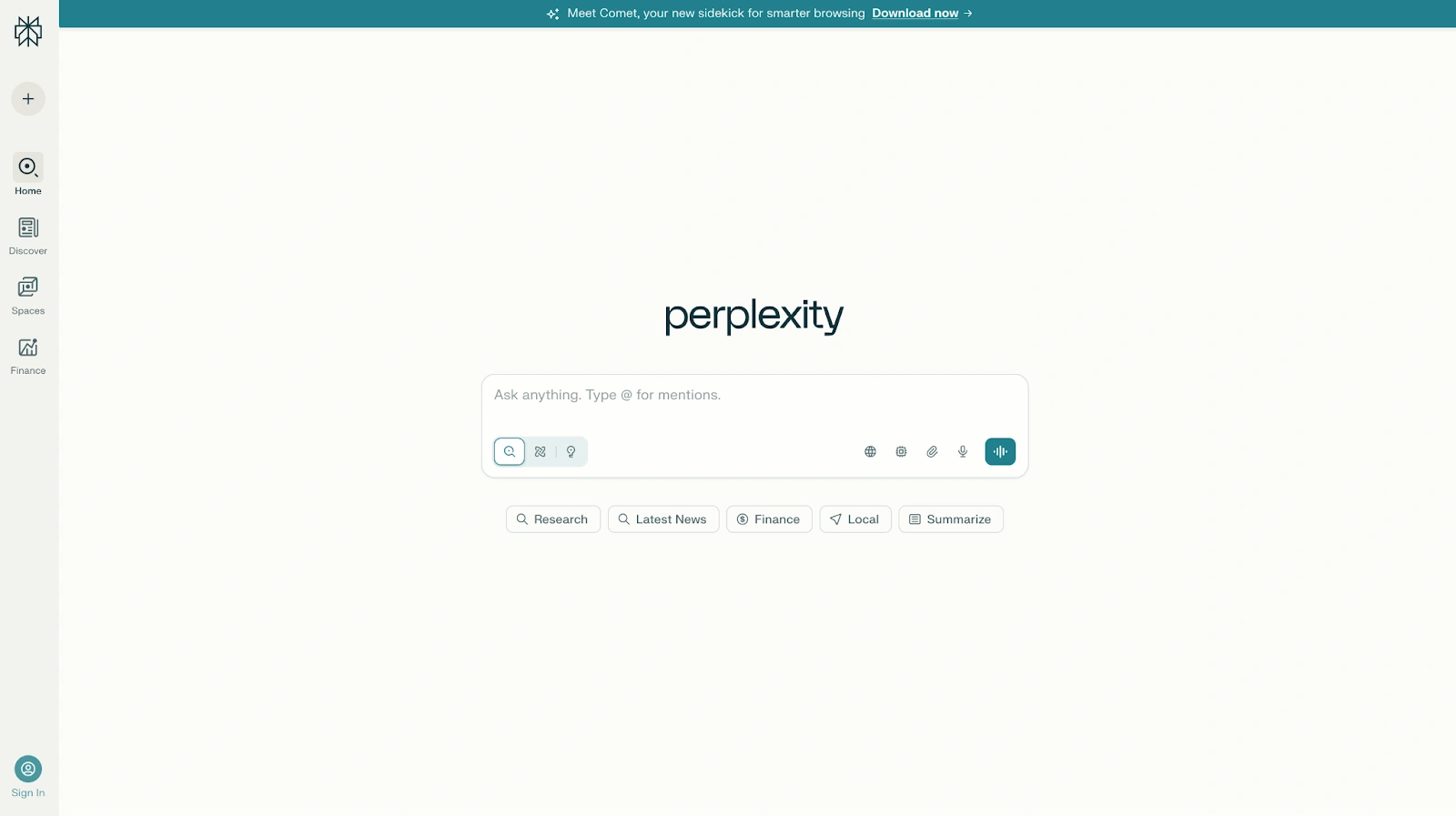
Contrairement à de nombreux chatbots IA, Perplexity est basé sur les citations. Il peut rechercher des pages web, des articles universitaires, des sources sociales et d'autres contenus en ligne. Il prend également en charge les flux de travail de recherche approfondie, les recherches professionnelles et la sélection de modèles, y compris l'accès à des modèles tels que Claude, Gemini et son propre modèle Sonar, selon le plan.
Avantages
- L'un des meilleurs outils d'IA pour la recherche web, la recherche en temps réel, la recherche universitaire, l'analyse de marché et la recherche d'informations.
- Fournit des citations pour les réponses, ce qui facilite la vérification des informations et l'exploration des sources originales.
- Combine les réponses générées par l'IA avec des données web en direct, aidant les utilisateurs à accéder à des informations plus récentes que les modèles de langage étendus traditionnels principalement entraînés sur des données historiques.
- Prend en charge des flux de travail de recherche approfondie capables d'analyser des dizaines, voire des centaines de sources pour créer des rapports complets.
- Offre un accès à plusieurs modèles d'IA de pointe, y compris Gemini, Claude, Sonar et d'autres modèles de raisonnement, via une interface unique.
- Particulièrement efficace pour résumer des articles de recherche, des articles universitaires, des rapports financiers, les tendances du secteur et des documents techniques.
- Des partenariats de données premium donnent accès à des informations financières, scientifiques et commerciales propriétaires provenant de sources telles que PitchBook, Wiley, Statista et d'autres.
- Perplexity Computer peut automatiser des tâches complexes et exécuter des flux de travail de recherche en plusieurs étapes.
- Des réponses rapides et une interface épurée facilitent le passage rapide d'une question à une réponse bien sourcée.
- Excellent pour comparer des informations provenant de plusieurs sources sans ouvrir manuellement des dizaines de pages web.
Inconvénients
- Moins naturel que ChatGPT ou Claude pour l'écriture créative, la narration et les tâches conversationnelles.
- L'expérience axée sur la recherche peut donner l'impression d'être davantage un outil de recherche qu'un assistant IA traditionnel.
- Certaines des fonctionnalités de recherche approfondie les plus puissantes, les modèles de raisonnement avancés et les fonctions d'automatisation nécessitent des forfaits payants.
- La qualité des sources dépend toujours des informations disponibles en ligne, les utilisateurs doivent donc vérifier les résultats importants.
- Moins adapté à la création de contenu, au brainstorming et aux flux de travail marketing que des outils comme ChatGPT, Claude ou Jasper.
Tarifs
Gratuit
Une offre gratuite robuste pour la recherche quotidienne et la recherche sur le web.
- Recherche web en temps réel
- Citations de sources
- Réponses générées par l'IA
- Capacités de recherche de base
- Accès à l'expérience de recherche principale de Perplexity
Perplexity Pro : 20 $/mois
Conçu pour les professionnels, les chercheurs et les utilisateurs avancés.
- Tout ce qui est inclus dans l'offre Gratuite
- Accès à Perplexity Computer
- Accès aux derniers modèles d'IA
- Choisissez entre Gemini 3.1 Pro, Sonar 2, Claude Sonnet 4.6, et plus encore
- Meilleures performances pour les questions complexes
- Génération améliorée de rapports, de documents et d'applications
- Recherche plus approfondie à partir de l'index de Perplexity
- Accès à des ensembles de données financières et scientifiques propriétaires
- Limites d'utilisation plus élevées
Plan d'utilisation maximal : 200 $/mois
Conçu pour les utilisateurs qui exécutent des flux de travail de recherche intensifs.
- Tout ce qui est inclus dans l'offre Pro
- 10 000 crédits mensuels et 35 000 crédits bonus pour Perplexity Computer
- Accès aux modèles de raisonnement les plus avancés
- Enquêtes de recherche approfondies à grande échelle
- Prise en charge des ensembles de données et fichiers massifs
- Perplexity Model Council pour comparer les réponses de plusieurs modèles d'IA
- Accès prioritaire aux nouvelles fonctionnalités
Entreprise Pro : 40 $ par utilisateur et par mois
Conçu pour les organisations nécessitant une recherche sécurisée et collaborative.
- Tout ce qui est inclus dans Perplexity Pro
- Garantie de non-entraînement sur les données de l'entreprise
- Recherche sur le contenu web, les fichiers d'équipe et les applications de travail
- Citations premium provenant de sources telles que PitchBook et Statista
- Authentification unique (SSO) et provisionnement SCIM
- Gestion des utilisateurs et des autorisations
- Support entreprise dédié
- Limites de téléversement de fichiers doublées
- Conformité SOC 2 Type II, HIPAA, GDPR et PCI DSS
Entreprise Max : 325 $ par utilisateur et par mois
Conçu pour les organisations menant des recherches et analyses à grande échelle.
- Tout ce qui est inclus dans Enterprise Pro
- Accès aux modèles de raisonnement les plus avancés, y compris les modèles de classe Claude Opus
- Recherche approfondie à l'échelle de l'entreprise
- Prise en charge de jeux de données et de fichiers plus volumineux
- Limites de téléversement plus élevées
- Comparaisons de réponses multi-modèles
- Journaux d'audit et aperçus d'équipe
- Politiques de rétention des données configurables
- Contrôles de conformité et de gouvernance de niveau entreprise
Idéal pour
Perplexity AI est idéal pour les chercheurs, les analystes, les consultants, les journalistes, les étudiants, les investisseurs et les professionnels qui ont besoin de réponses sourcées plutôt que d'une IA conversationnelle. C'est le choix privilégié pour la recherche universitaire, l'analyse de marché, la veille concurrentielle, la vérification des faits et les flux de travail de recherche approfondie où les citations, la recherche web et la précision de l'information sont plus importantes que l'écriture créative ou la génération de contenu.
6. Meta AI
Meta AI est une option gratuite pour les utilisateurs occasionnels, les flux de travail sur les réseaux sociaux et la génération d'images.
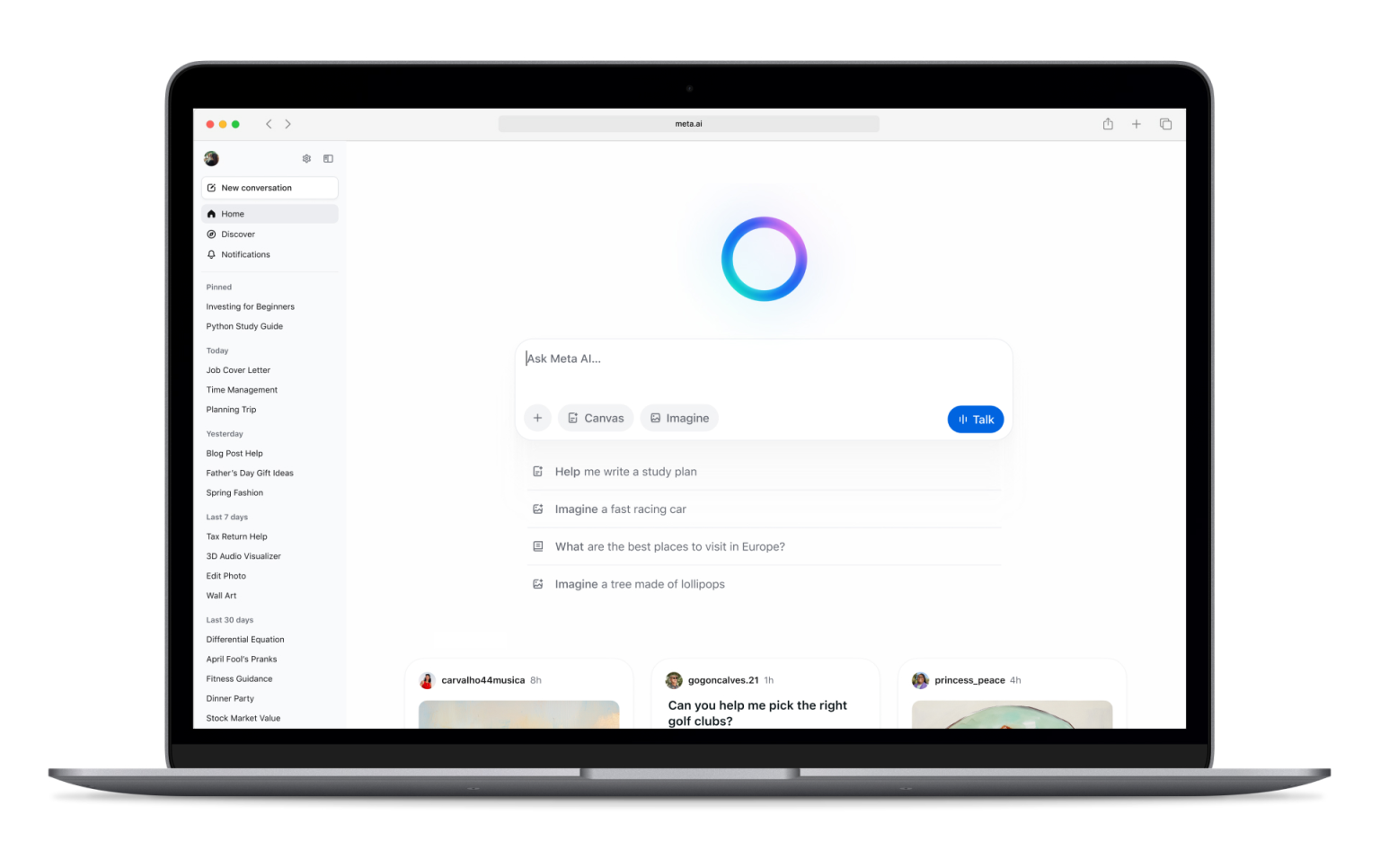
Il fonctionne au sein de l'écosystème de Meta, y compris Facebook, Instagram, WhatsApp, Messenger et l'application Meta AI. Il peut répondre à des questions, générer des images, modifier des images et prendre en charge la création de contenu léger.
Avantages
- Entièrement gratuit, ce qui en fait l'un des outils d'IA les plus accessibles disponibles.
- Intégré directement à Facebook, Instagram, Messenger et WhatsApp, permettant aux utilisateurs d'accéder à l'IA sans installer d'outils supplémentaires.
- Prend en charge la génération et l'édition d'images directement au sein de l'écosystème de Meta.
- Utile pour créer des publications sur les réseaux sociaux, des légendes, des idées de contenu et du contenu créatif occasionnel.
- Peut répondre aux questions, résumer des informations, générer des idées et aider aux tâches quotidiennes.
- Disponible sur mobile et ordinateur, ce qui le rend facile à utiliser partout où les gens passent déjà du temps en ligne.
- Inclut des interactions vocales et des fonctionnalités conversationnelles qui lui donnent l'impression d'être un assistant IA personnel.
- Particulièrement pratique pour les créateurs, les influenceurs et les petites entreprises qui gèrent déjà des audiences sur les plateformes Meta.
- Utilise des informations en temps réel dans de nombreux scénarios, ce qui permet de fournir des réponses plus actuelles que les modèles linguistiques traditionnels avec des données d'entraînement statiques.
- Aucun abonnement séparé n'est requis pour accéder aux fonctionnalités principales.
Inconvénients
- Les préoccupations en matière de confidentialité restent une considération courante car Meta AI est profondément intégré à l'écosystème et aux plateformes sociales de Meta.
- Moins performant que Claude, ChatGPT ou Perplexity AI pour la recherche approfondie, la recherche universitaire et l'analyse professionnelle.
- Fonctionnalités axées sur les entreprises limitées par rapport aux outils d'IA d'entreprise.
- Moins de flux de travail de productivité avancés que Google Gemini ou Microsoft Copilot.
- Non idéal pour la gestion de documents longs, l'analyse de données complexes ou les projets de recherche à grande échelle.
- Moins personnalisable que certains outils d'IA concurrents.
- Les équipes professionnelles pourraient trouver qu'il manque les intégrations et les contrôles de gouvernance nécessaires pour les flux de travail critiques pour l'entreprise.
Tarification
Gratuit : 0 $
Meta AI est actuellement disponible sans coût supplémentaire.
- Accès via Facebook
- Accès via Instagram
- Accès via Messenger
- Accès via WhatsApp
- Chat IA et réponses aux questions
- Génération et édition d'images
- Interactions vocales
- Aide à la création de contenu
- Support pour les réseaux sociaux
Meta continue d'étendre les fonctionnalités de son écosystème, mais au moment de la rédaction, aucun abonnement payant distinct n'est requis pour la plupart des utilisateurs afin d'accéder à Meta AI.
Idéal pour
Meta AI est idéal pour les utilisateurs occasionnels, les créateurs de contenu sur les réseaux sociaux, les influenceurs, les propriétaires de petites entreprises et les personnes qui passent déjà la majeure partie de leur temps sur Facebook, Instagram, WhatsApp ou Messenger. Il est efficace pour créer du contenu pour les réseaux sociaux, générer des images, répondre aux questions quotidiennes et obtenir une assistance IA directement dans les applications que les gens utilisent déjà quotidiennement. Il est moins adapté à la recherche approfondie, à la rédaction professionnelle, à l'analyse de marché ou aux flux de travail de productivité en entreprise.
7. Jasper
Jasper est un assistant IA axé sur le marketing, conçu pour la voix de marque, les campagnes et la création de contenu évolutive.
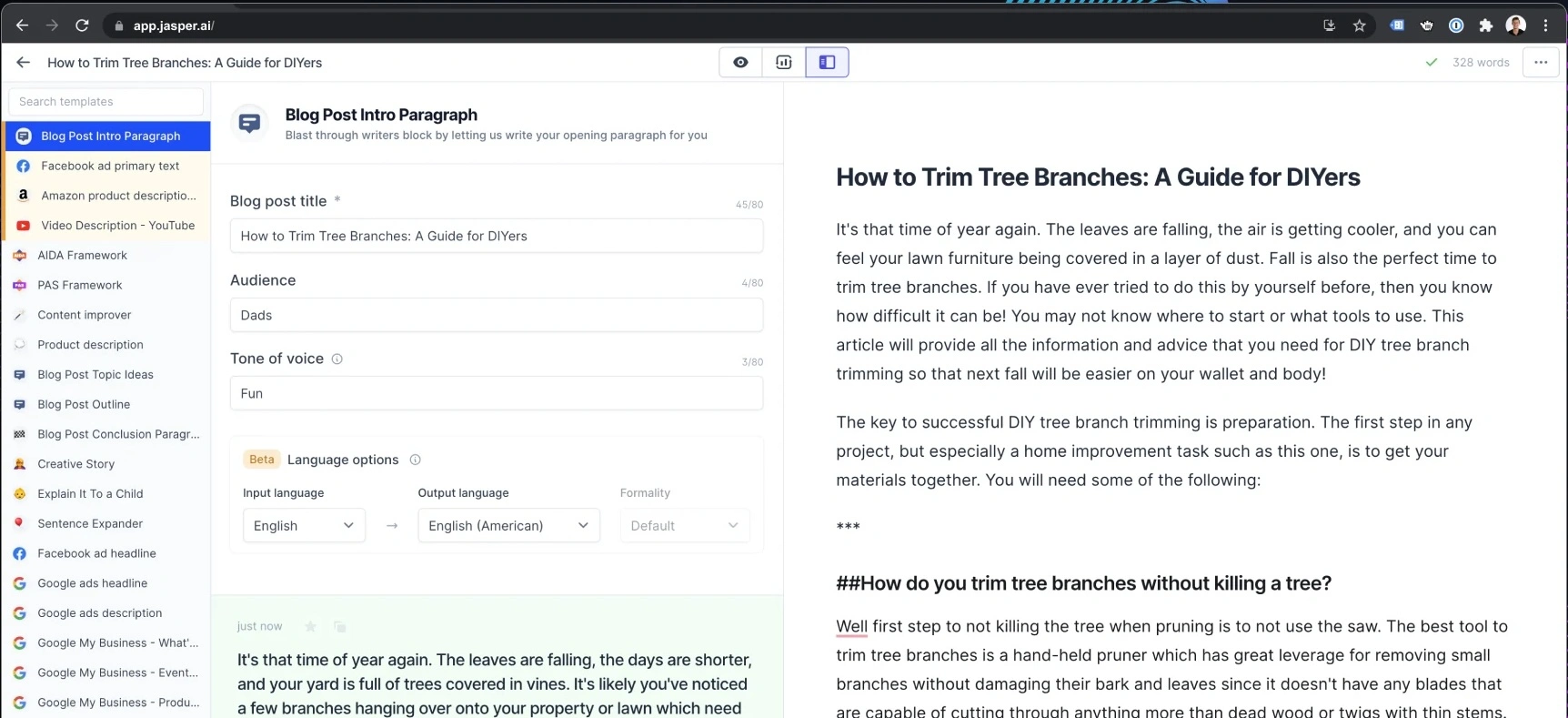
Il n'essaie pas de tout faire. Au lieu de cela, il se concentre sur les équipes marketing qui ont besoin d'une rédaction cohérente pour les publicités, les pages de destination, les e-mails, les publications sur les réseaux sociaux et les campagnes.
Avantages
- Conçu spécifiquement pour les équipes marketing plutôt que pour une utilisation générale de l'IA, ce qui le rend très efficace pour la création de contenu et l'exécution de campagnes.
- Des contrôles robustes de la voix de marque aident à maintenir la cohérence entre les articles de blog, les publicités, les e-mails, les pages de destination et le contenu des médias sociaux.
- Comprend des agents IA axés sur le marketing qui peuvent aider avec les flux de travail courants tels que la planification de campagnes, la production de contenu et l'optimisation.
- Canvas offre un espace de travail collaboratif pour créer, modifier et affiner du contenu avec l'aide de l'IA.
- Prend en charge la messagerie spécifique à l'audience, permettant aux équipes d'adapter le contenu à différents segments de clientèle.
- Les actifs de connaissances aident Jasper à assimiler les informations sur l'entreprise, les détails des produits, les directives de messagerie et la documentation interne.
- Les fonctionnalités de collaboration le rendent adapté aux agences et aux grandes équipes marketing gérant plusieurs parties prenantes.
- Jasper Grid permet une production de contenu à grande échelle pour les grandes campagnes et les bibliothèques de contenu.
- Comprend l'accès API et des fonctionnalités de gouvernance d'entreprise pour les organisations qui souhaitent intégrer l'IA dans des opérations marketing plus larges.
- Conçu pour réduire le temps passé à créer des actifs marketing tout en améliorant la cohérence de la marque.
Inconvénients
- Sensiblement plus cher que de nombreux chatbots IA à usage général.
- Moins utile pour la recherche approfondie, le codage, l'analyse de données ou les tâches de raisonnement général par rapport à ChatGPT, Claude ou Perplexity AI.
- La majeure partie de sa valeur provient des flux de travail spécifiques au marketing, ce qui le rend plus difficile à justifier pour les équipes non marketing.
- Nécessite une certaine configuration pour tirer pleinement parti des voix de marque, des actifs de connaissances et de la personnalisation de l'audience.
- Pas de plan gratuit au-delà de la période d'essai limitée.
- Les petites entreprises peuvent trouver le prix difficile à justifier par rapport à des outils d'IA plus généraux.
Tarification
Pro : 69 $/utilisateur/mois
Conçu pour les marketeurs individuels, les freelances et les petites équipes marketing.
- Comprend 1 utilisateur
- Plateforme de création de contenu Canvas
- Agents IA essentiels pour les flux de travail marketing
- 2 voix de marque
- 5 actifs de connaissance
- 3 profils d'audience
- Génération de contenu cohérent avec la marque
- Essai gratuit de 7 jours disponible
Entreprise : Tarification personnalisée
Conçu pour les grandes équipes et les organisations marketing d'entreprise.
- Tout ce qui est inclus dans Pro
- Agents IA avancés pour l'orchestration de campagnes
- Générateur d'applications IA sans code
- Agents IA personnalisés
- Jasper Grid pour l'exécution de contenu à grande échelle
- Voix de marque illimitées
- Ressources de connaissance illimitées
- Profils d'audience illimités
- Accès API
- Contrôles d'administration et outils de gouvernance
- Gestion de compte dédiée
- Support prioritaire
- Options de déploiement pour entreprises
Idéal pour
Jasper est idéal pour les équipes marketing, les équipes de contenu, les agences et les organisations axées sur la marque qui ont besoin de produire de grands volumes de contenu cohérent sur plusieurs canaux. Il excelle dans la création de contenu, la gestion de campagnes, la cohérence de la voix de marque et les opérations marketing, mais il est moins adapté à la recherche, au codage, à l'analyse de données ou à l'assistance IA généraliste.
8. Writesonic
Writesonic est un autre outil de création de contenu axé sur la rédaction SEO, le copywriting marketing et les flux de publication rapides.
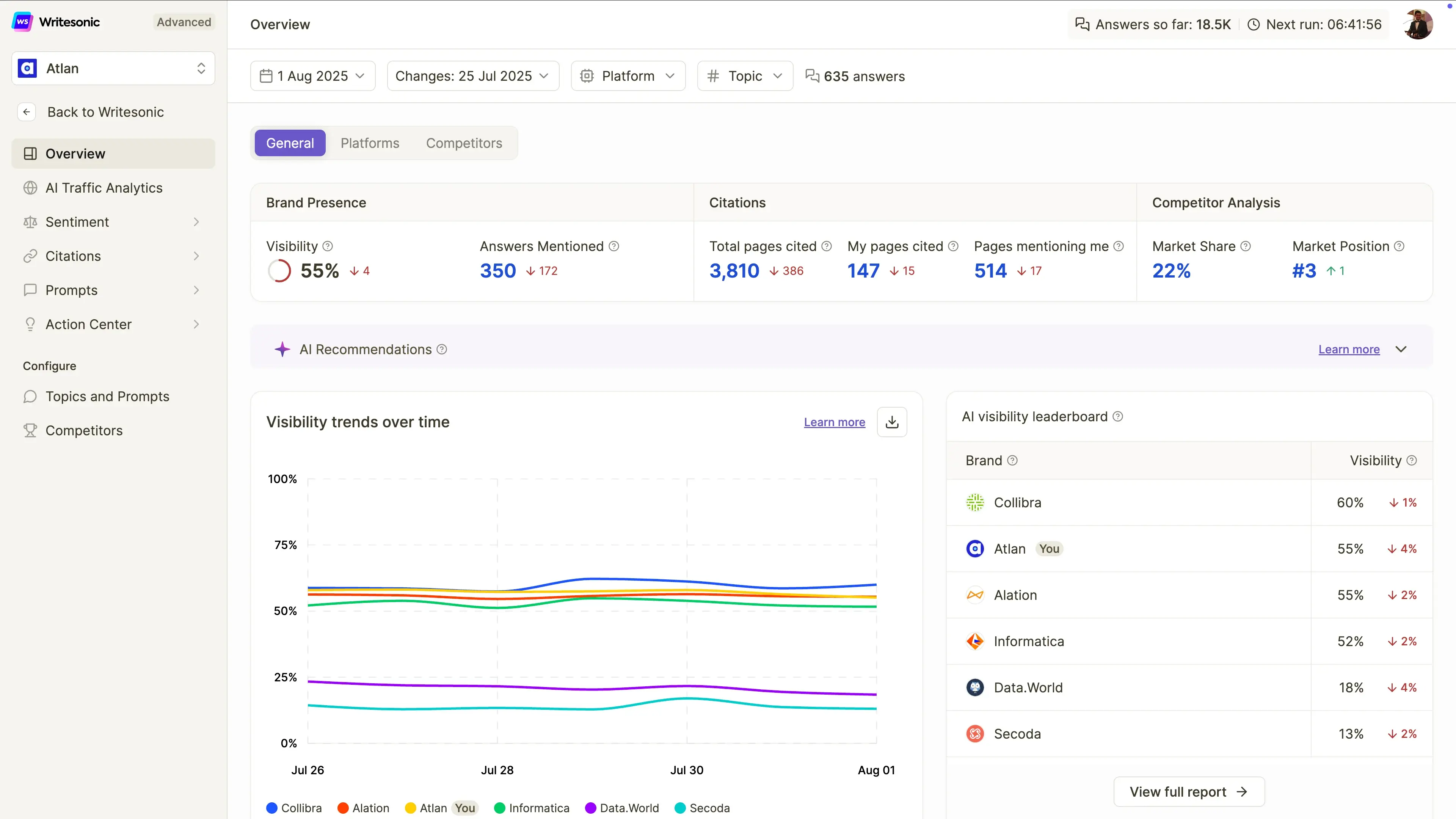
Il peut aider à rédiger des articles de blog, des pages de destination, des publicités et des publications sur les réseaux sociaux. Comparé à ChatGPT, il offre aux utilisateurs davantage de modèles guidés et de flux de travail spécifiques au marketing.
Avantages
- Conçu spécifiquement pour la création de contenu SEO, facilitant la création d'articles conçus pour se classer à la fois dans les moteurs de recherche traditionnels et les plateformes de recherche basées sur l'IA.
- Intègre la génération d'articles assistée par l'IA qui aide les spécialistes du marketing à créer des brouillons plus rapidement qu'en partant de zéro.
- Suit la visibilité de la marque sur ChatGPT, Google Gemini et Google AI Overviews, ce qui devient de plus en plus important à mesure que la recherche par IA se développe.
- Propose des audits de site qui aident à identifier les problèmes techniques et de contenu affectant la visibilité dans les moteurs de recherche.
- Offre un suivi de la visibilité dans la recherche par IA, permettant aux équipes de surveiller la fréquence d'apparition de leur marque dans les réponses générées par l'IA.
- Comprend l'analyse des sentiments et le suivi de la visibilité pour aider les marques à comprendre comment elles sont représentées par les systèmes d'IA.
- Prend en charge les flux de travail agentiques qui peuvent automatiser des parties de l'analyse et de l'optimisation SEO.
- Interface conviviale pour les débutants comparée à des plateformes SEO plus complexes.
- Utile pour les spécialistes du marketing de contenu qui souhaitent le SEO, le GEO (Generative Engine Optimization), la création de contenu et le suivi de la visibilité IA sur une seule plateforme.
- Idéal pour les organisations axées sur la croissance du trafic organique et la visibilité dans la recherche par IA.
Inconvénients
- Le contenu nécessite toujours une édition humaine, une vérification des faits et un affinement avant publication.
- Moins performant que ChatGPT, Claude ou Perplexity AI pour la recherche approfondie, le raisonnement complexe et l'analyse longue.
- Principalement axé sur le SEO et le marketing de contenu plutôt que sur des cas d'utilisation plus larges d'assistants IA.
- Sensiblement plus cher que de nombreux outils de rédaction IA généralistes.
- Les fonctionnalités avancées de suivi de la visibilité et d'optimisation sont destinées aux équipes marketing professionnelles plutôt qu'aux utilisateurs occasionnels.
- Les capacités de flux de travail agentiques restent limitées sur les forfaits de niveau inférieur.
Tarification
Essentiel : 99 $/mois
Conçu pour les particuliers et les petites entreprises qui débutent avec la visibilité de recherche IA.
- Suivi de la visibilité dans ChatGPT
- 50 invites et 50 réponses suivies quotidiennement
- 15 articles générés par IA par mois
- 10 audits de site (100 pages chacun)
- Flux de travail agentiques limités
- 1 utilisateur
- 1 projet
- Assistance par e-mail standard
Basique : 249 $/mois
Pour les équipes de contenu et de SEO en croissance.
- Suivi de la visibilité sur ChatGPT, Gemini et les aperçus IA de Google
- 100 invites et 300 réponses suivies quotidiennement
- 25 articles générés par IA par mois
- 20 audits de site (1 200 pages chacun)
- Automatisation des flux de travail étendue
- 2 utilisateurs
- 1 projet
- Assistance par e-mail standard
Growth : 499 $/mois
Idéal pour les entreprises qui optimisent activement leur visibilité dans les recherches IA.
- Suivi de ChatGPT, Gemini et Google AI Overviews
- 200 invites et 600 réponses suivies quotidiennement
- 50 articles générés par l'IA par mois
- 50 audits de site (2 500 pages chacun)
- Analyse des sentiments incluse
- Accès au Centre d'action
- Flux de travail agentiques étendus
- 3 utilisateurs
- 2 projets
- Assistance par e-mail prioritaire
Enterprise : Tarification personnalisée
Pour les grandes organisations gérant le SEO et la visibilité IA à grande échelle.
- Limites d'utilisation personnalisées
- Fonctionnalités de gouvernance avancées
- Support entreprise
- Rapports et flux de travail personnalisés
- Gestion d'équipe étendue
- Surveillance de la visibilité IA à grande échelle
Idéal pour
Writesonic est idéal pour les blogueurs, les équipes SEO, les freelances, les spécialistes du marketing de contenu et les équipes marketing de petite à moyenne taille qui souhaitent améliorer leur visibilité à la fois dans les moteurs de recherche traditionnels et dans les expériences de recherche basées sur l'IA. C'est un excellent choix pour la création de contenu axée sur le SEO, l'optimisation de la recherche IA et le suivi de la visibilité de la marque, mais il est moins adapté à la recherche approfondie, au codage, à l'analyse de données ou à l'assistance IA à usage général.
9. DeepSeek
DeepSeek est une alternative populaire pour le raisonnement, le codage, les mathématiques et l'utilisation d'API à faible coût.
Son plus grand avantage est le coût. Pour les développeurs et les équipes techniques, DeepSeek peut être utile lorsque le prix de l'API est un facteur important et que la charge de travail implique un raisonnement structuré, du débogage ou de l'expérimentation.
Avantages
- L'un des modèles d'IA les plus abordables disponibles pour les développeurs grâce à un prix d'API extrêmement bas.
- Des capacités de raisonnement solides qui le rendent efficace pour la résolution de problèmes techniques, les mathématiques, le codage et les tâches analytiques.
- DeepSeek-R1 est particulièrement performant pour les flux de travail à forte logique, rivalisant souvent avec des modèles de raisonnement beaucoup plus coûteux.
- L'API compatible OpenAI permet aux développeurs de l'intégrer relativement facilement dans les applications et flux de travail existants.
- Intègre des capacités de recherche web dans l'interface de chat, aidant les utilisateurs à accéder à des informations plus récentes en cas de besoin.
- Utile pour l'assistance au codage, le débogage, le développement logiciel et la documentation technique.
- La tarification à l'usage permet aux équipes d'adapter leur utilisation sans s'engager dans des abonnements mensuels coûteux.
- Option attrayante pour les startups et les développeurs qui créent des produits basés sur l'IA avec un budget limité.
- L'accès gratuit au chat facilite le test de la plateforme avant de s'engager dans l'utilisation de l'API.
- Excellent équilibre entre performance et coût par rapport à de nombreux modèles de langage étendus concurrents.
Inconvénients
- Moins d'intégrations axées sur les entreprises que des outils comme Microsoft Copilot, Google Gemini ou MeetGeek.
- Les entreprises peuvent avoir des préoccupations en matière de gouvernance des données, de conformité ou de confidentialité en fonction de leurs politiques internes et des réglementations régionales.
- L'expérience utilisateur est moins soignée que celle de certains chatbots IA grand public.
- Écosystème limité par rapport aux produits Google, Microsoft ou OpenAI.
- Moins de fonctionnalités de collaboration et de gestion de flux de travail pour les équipes non techniques.
- Moins adapté à la création de contenu, aux flux de travail marketing et à la productivité en entreprise que les alternatives spécialisées.
Tarification
Chat gratuit : 0 $/mois
Conçu pour un usage personnel et l'expérimentation.
- Accès illimité au chat
- Accès à DeepSeek-V3
- Accès à DeepSeek-R1
- Capacité de recherche web
- Historique de chat sauvegardé
Accès API : Tarification basée sur l'utilisation
Conçu pour les développeurs et les équipes techniques.
DeepSeek-V3
- 0,14 $ par million de jetons d'entrée
- 0,28 $ par million de jetons de sortie
DeepSeek-R1
- 0,55 $ par million de jetons d'entrée
- 2,19 $ par million de jetons de sortie
Fonctionnalités supplémentaires :
- Tarification à l'usage
- API compatible OpenAI
- Aucun abonnement mensuel requis
- S'adapte en fonction de l'utilisation
Entreprise : Tarification personnalisée
Pour les organisations ayant des charges de travail IA plus importantes.
- Remises sur volume
- Support dédié
- Accords de niveau de service (SLA) personnalisés
- Accès prioritaire
- Options de déploiement d'entreprise
Idéal pour
DeepSeek est idéal pour les développeurs, les startups, les chercheurs, les ingénieurs et les équipes techniques soucieuses des coûts, qui recherchent de solides capacités de raisonnement et de codage sans les coûts élevés associés à de nombreux modèles d'IA premium. Il convient parfaitement aux applications basées sur des API, au développement de logiciels, à la recherche technique et à l'expérimentation d'IA à grande échelle où la performance par dollar compte plus que les intégrations d'entreprise ou les flux de travail commerciaux sophistiqués.
10. Grok
Grok est l'assistant IA de xAI et est étroitement lié à X.
Il est souvent axé sur les informations en temps réel, les tendances et un ton plus affirmé ou orienté vers la recherche de la vérité. Il peut être utile pour la veille sociale, les actualités et les conversations évoluant rapidement.
Avantages
- Accès solide aux informations en temps réel via la recherche web et X (anciennement Twitter), ce qui le rend utile pour suivre les actualités de dernière minute, les tendances et les événements actuels.
- Particulièrement efficace pour les utilisateurs qui passent beaucoup de temps sur X et souhaitent une assistance IA basée sur les conversations en cours sur la plateforme.
- Présente un style plus conversationnel et affirmé que de nombreux chatbots IA traditionnels.
- Prend en charge le mode vocal pour des interactions naturelles et une utilisation mains libres.
- Comprend des capacités de génération d'images dans les forfaits payants.
- Prend en charge la génération de vidéos dans les forfaits de niveau supérieur, aidant les créateurs à produire du contenu multimédia.
- Les connecteurs permettent aux utilisateurs de relier Grok à des outils externes et à des sources d'information.
- Fournit des réponses rapides lors de la recherche sur les sujets tendances, les discussions publiques et le sentiment social.
- Efficace pour découvrir les tendances émergentes, surveiller les conversations de l'industrie et suivre les actualités évoluant rapidement.
- Fréquemment mis à jour avec accès aux nouveaux modèles et capacités xAI.
Inconvénients
- Moins efficace que Perplexity AI pour la recherche universitaire, les citations et l'analyse basée sur des sources.
- Non idéal pour les documents longs, la rédaction professionnelle, la documentation commerciale ou les flux de travail de rapports structurés.
- Intégrations de productivité limitées par rapport à Google Gemini, Microsoft Copilot ou MeetGeek.
- Peut privilégier l'engagement conversationnel par rapport à l'analyse détaillée dans certaines situations.
- Les fonctionnalités de collaboration d'entreprise et d'équipe sont moins matures que celles de nombreux outils d'IA axés sur les entreprises.
- Particulièrement utile pour les utilisateurs déjà actifs au sein de l'écosystème X.
Tarifs
Gratuit : 0 $/mois
Une offre gratuite généreuse pour explorer les capacités de Grok.
- Recherche web en temps réel
- Recherche X en temps réel
- Mode vocal
- Connecteurs
- Conformité SOC 2 Type I et Type II
- Accès à Grok dans les limites d'utilisation gratuite
SuperGrok : 30 $/mois
Conçu pour les utilisateurs qui souhaitent accéder aux modèles et fonctionnalités les plus avancés de Grok.
- Accès à Grok 4
- Limites de débit plus élevées
- Connecteurs
- Mode expert
- Génération d'images
- Génération de vidéos
- Conformité SOC 2 de type I et de type II
- Accès prioritaire aux fonctionnalités avancées
Idéal pour
Grok est idéal pour les utilisateurs de X, les créateurs de contenu, les spécialistes du marketing, les journalistes, les observateurs de tendances et les professionnels qui ont besoin d'une connaissance en temps réel des événements actuels et des conversations en ligne. Il est conçu pour suivre les tendances, surveiller le sentiment social, suivre les dernières nouvelles et explorer les conversations sur X, mais il est moins adapté à la recherche approfondie, aux flux de travail commerciaux structurés, à l'analyse académique ou au travail sur des documents longs.
Quelle alternative à ChatGPT choisir ?
Le bon outil dépend de votre flux de travail.
- Choisissez Claude si vous avez besoin d'analyse de documents longs, de rédaction, de codage ou de raisonnement précis.
- Choisissez Google Gemini si vous travaillez avec Google Workspace.
- Choisissez Microsoft Copilot si votre équipe utilise Microsoft 365.
- Choisissez MeetGeek si vos informations les plus précieuses proviennent de réunions.
- Choisissez Perplexity AI si vous avez besoin de recherche web, de citations, d'articles de recherche et d'analyse de marché.
- Choisissez Meta AI si vous voulez un assistant IA gratuit pour une utilisation occasionnelle, des images et des applications sociales.
- Choisissez Jasper ou Writesonic si vous avez principalement besoin de contenu marketing.
- Choisissez DeepSeek si vous vous souciez du raisonnement à faible coût et de l'expérimentation d'API.
- Choisissez Grok si vous souhaitez une recherche en temps réel et une analyse des tendances natives de X.
Réflexions finales
ChatGPT est toujours l'un des meilleurs chatbots IA, mais ce n'est plus la seule option sérieuse.
Les meilleures alternatives ne sont pas de simples « autres IA ». Ce sont des outils conçus autour de flux de travail spécifiques : réunions, recherche, codage, rédaction, contenu social, génération d'images, Google Workspace, Microsoft 365 et automatisation.
Pour les équipes qui passent des heures chaque semaine en appel, MeetGeek est l'une des options les plus pratiques car il transforme les conversations en notes, résumés, éléments d'action, connaissances consultables et flux de travail automatisés.
Au lieu de demander à l'IA ce qui s'est passé après coup, MeetGeek capture la conversation au fur et à mesure qu'elle se déroule et aide votre équipe à agir en conséquence.
Foire aux questions
Quelle est la meilleure alternative à ChatGPT ?
La meilleure alternative à ChatGPT dépend de votre cas d'utilisation. Claude est le meilleur pour les documents longs et le raisonnement, Gemini est le meilleur pour Google Workspace, Copilot est le meilleur pour Microsoft 365, MeetGeek est le meilleur pour les réunions et les suivis, et Perplexity AI est le meilleur pour la recherche web et la recherche.
Quelle est la meilleure alternative gratuite à ChatGPT ?
Parmi les meilleures alternatives gratuites à ChatGPT figurent Google Gemini, Microsoft Copilot Chat, Perplexity AI, Meta AI et le plan gratuit de MeetGeek. Le bon choix dépend de vos besoins en matière de rédaction, de recherche, de réunions, d'images ou d'intégrations professionnelles.
Quel outil d'IA est le meilleur pour la recherche ?
Perplexity AI est l'une des meilleures options pour la recherche en IA car il fournit des réponses citées, une recherche web, une recherche d'articles académiques et des fonctionnalités de recherche approfondie. Claude est également performant pour l'analyse de longs documents de recherche.
Quel est le meilleur outil d'IA pour les réunions ?
MeetGeek est la meilleure option pour les réunions car il enregistre, transcrit, résume et organise automatiquement le contenu des réunions. Il permet également aux équipes de rechercher d'anciens appels, d'extraire des éléments d'action et de synchroniser les informations avec des outils tiers.
ChatGPT est-il toujours meilleur que les autres chatbots IA ?
ChatGPT reste l'un des meilleurs outils d'IA généralistes. Cependant, d'autres chatbots IA peuvent être plus performants pour des tâches spécifiques, telles que l'intelligence de réunion, la recherche universitaire, les flux de travail Google Workspace, l'automatisation Microsoft 365, le codage ou la création de contenu marketing.







.avif)