


- Circleback est un assistant de réunion IA efficace, qui aide les équipes à capturer leurs échanges et à automatiser le travail qui suit.
- Les avis récents sur Circleback saluent ses résumés, sa prise en charge de plusieurs langues et sa configuration simple, mais pointent des faiblesses sur le support client, la fiabilité, la capture des réunions en présentiel et l’audio peu audible.
- tl;dv se distingue par ses analyses sur plusieurs réunions et son coaching commercial, tandis que Tactiq convient le mieux à la transcription sans bot pendant la réunion.
- MeetGeek associe les notes de réunion IA à la recherche sur plusieurs réunions, aux analyses, à la collaboration en équipe, à l’automatisation des workflows et à l’intelligence commerciale.
- Sembly est utile pour structurer la connaissance issue des réunions, et Fireflies est un bon choix pour la transcription multilingue et les bibliothèques de réunions consultables.
Circleback est un assistant de réunion IA qui enregistre automatiquement vos réunions et transforme les échanges en notes et suivis exploitables. Son offre gratuite permanente, lancée en août 2026, en a fait une option plus compétitive. Les avis des utilisateurs suggèrent toutefois qu’il reste une marge de progression, notamment en matière de fiabilité et de support client.
Si ces limites comptent pour vous, nous avons sélectionné les meilleures alternatives à Circleback en 2026. Certaines proposent une analyse plus poussée portant sur plusieurs réunions, un coaching commercial plus solide, la transcription en temps réel, des notes de réunion générées par IA, davantage d’analyses d’équipe ou d’autres approches de l’automatisation des workflows.
En bref : Circleback vaut-il le coup ?
Circleback AI mérite d’être envisagé si vous voulez des notes de réunion simples générées par IA, une bonne prise en charge multilingue, l’enregistrement automatique des réunions et des automatisations qui se déclenchent après la réunion. Sa nouvelle offre gratuite permet aussi de le tester bien plus facilement qu’avant août 2026.
Un autre outil peut toutefois mieux vous convenir si vous avez besoin d’analyses plus approfondies sur l’ensemble de vos réunions ou de workflows plus avancés.
Voici les options les plus solides :
| Outil | Idéal pour | Accès gratuit | Offres payantes dès | Point fort |
|---|---|---|---|---|
| Circleback | Notes de réunion simples et automatiques | Offre gratuite | 15 $/utilisateur/mois | Réunions illimitées dans l’offre gratuite, enregistrement en présentiel |
| tl;dv | Équipes commerciales et insights sur plusieurs réunions | Offre gratuite | 29 $/utilisateur/mois | IA multi-réunions, rapports programmés, coaching commercial |
| Tactiq | Transcription en direct, sans bot | Offre gratuite | 12 $/utilisateur/mois | Transcription pendant la réunion via Chrome |
| MeetGeek | Intelligence des réunions, automatisation et workflows d’équipe | Offre gratuite | 15,99 $/utilisateur/mois | Résumés IA, analyses, workflows, intelligence commerciale |
| Sembly | Connaissances structurées issues des réunions et IA multi-réunions | Essai gratuit | 17 $/mois | Tâches, échéances, collections, chat multi-réunions |
| Fireflies.ai | Recherche, transcription multilingue et analyse des conversations | Offre gratuite | 18 $/utilisateur/mois | Plus de 100 langues, recherche intelligente, intelligence conversationnelle |
Les prix ci-dessus correspondent à une facturation mensuelle.
Qu’est-ce que Circleback AI ?
Circleback AI est un assistant IA de prise de notes et de réunion qui enregistre, transcrit, résume et organise les conversations.
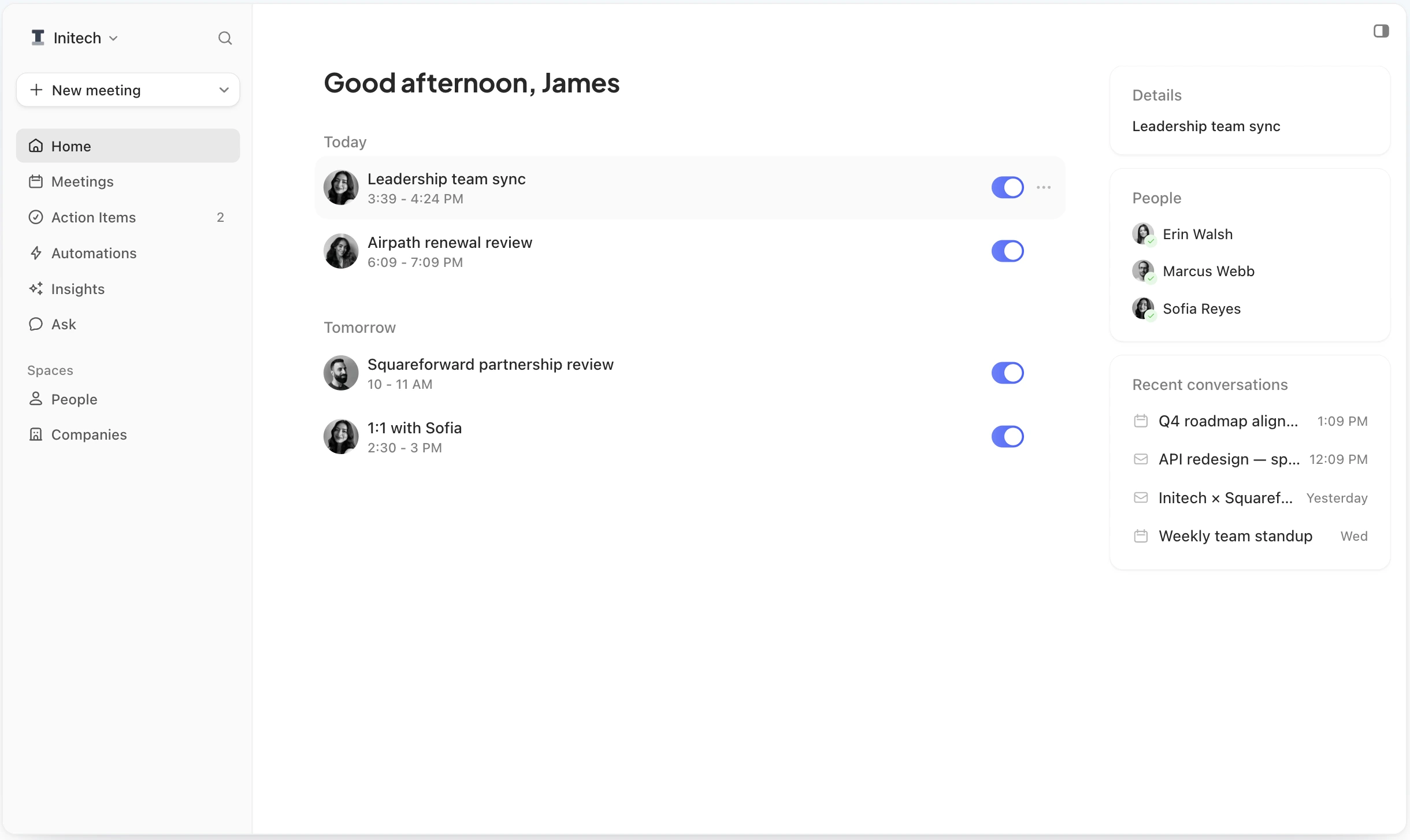
Il se connecte à votre agenda pour repérer les réunions à venir et rejoindre automatiquement les appels sur les plateformes prises en charge. Pour les réunions en ligne, vous pouvez utiliser son bot de réunion ou son application de bureau sans bot. Circleback propose aussi des applications mobile et Apple Watch pour enregistrer les échanges en présentiel.
Après une réunion, Circleback génère des notes de réunion IA, des actions à mener, une transcription avec identification des intervenants et un enregistrement. Ask Circleback joue le rôle d’assistant IA pour vous aider à retrouver et à exploiter les informations issues de vos réunions.
Ses principales fonctionnalités :
- Notes, actions à mener et résumés générés par IA
- Transcriptions avec identification des intervenants et reconnaissance automatique des locuteurs
- Enregistrement des réunions en ligne et en présentiel
- Participation automatique à partir de l’agenda
- Étiquetage et partage automatiques
- Ask Circleback pour les questions et les suivis
- Consultation et rédaction d’e-mails
- Intégrations et automatisations de workflows sur les offres payantes
- Insights IA personnalisés
- Accès API, serveur MCP et CLI
L’offre Free conserve l’historique des réunions et des enregistrements pendant 30 jours. Pro conserve l’historique des réunions sans limite de durée et stocke les enregistrements pendant un an, tandis que Business offre deux ans de stockage des enregistrements. Enterprise ajoute le stockage illimité, le SSO, le SCIM, la conformité HIPAA et un support prioritaire.
Quels sont les points forts de Circleback ?
Le principal atout de Circleback est de rendre la prise de notes en réunion presque invisible. Une fois votre agenda connecté, il peut gérer l’enregistrement et la transcription des réunions sans que vous ayez à penser à lancer un enregistreur à chaque appel.
C’est particulièrement utile si vous enchaînez les appels Google Meet, Zoom ou Microsoft Teams et ne voulez pas que la prise de notes vous détourne de la conversation.
1. Les notes de réunion IA comptent parmi ses meilleures fonctionnalités
Un utilisateur de G2 a récemment présenté les résumés et les actions à mener de Circleback comme le principal point fort de l’outil :
« Circleback est le meilleur outil de prise de notes IA que j’ai utilisé. Sa façon de résumer les notes et d’inclure les actions à mener avec une ou deux phrases de contexte est fantastique. »
Carter, consultant principal, avis G2.
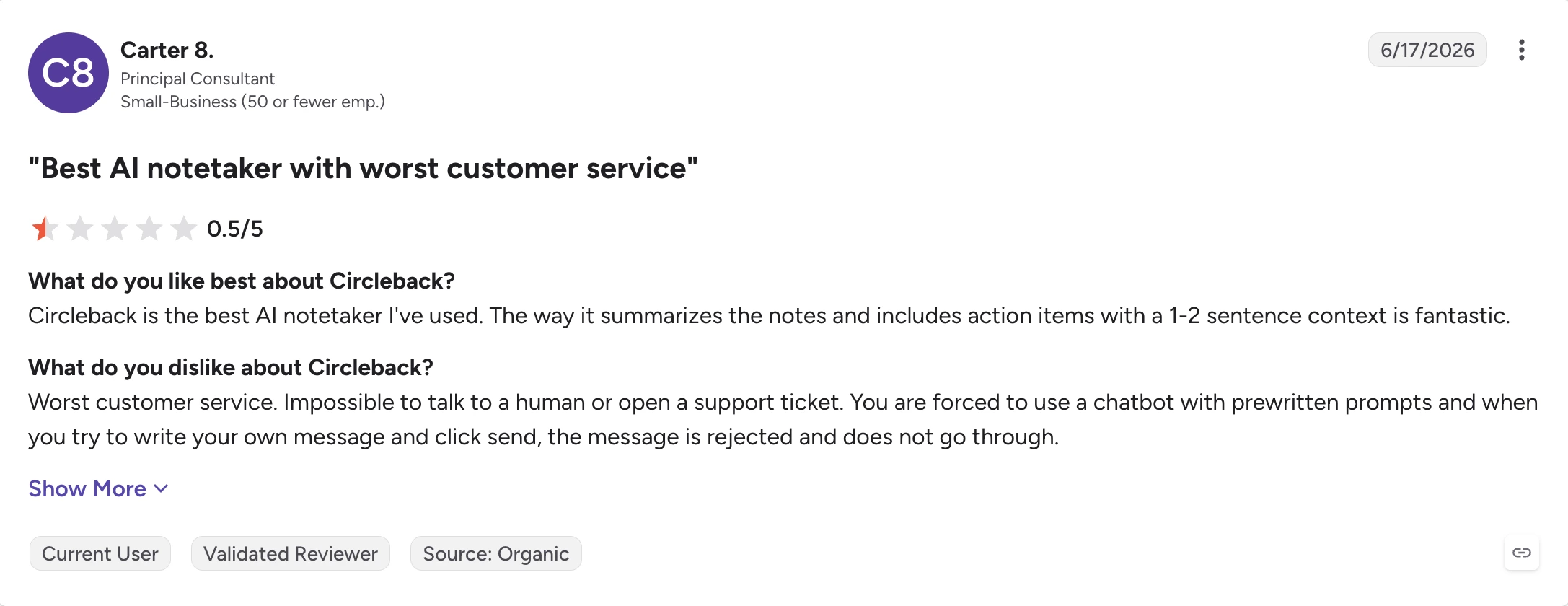
Au lieu de vous fournir une simple transcription brute, Circleback cherche à extraire le contexte des échanges et à l’organiser en informations plus utiles. Il devient ainsi plus facile de comprendre ce qui s’est passé sans réécouter tout l’audio de la réunion.
2. L’enregistrement automatique des réunions demande très peu de configuration
Anthony W., utilisateur professionnel, a salué en particulier la façon dont Circleback gère son agenda et ses réunions :
« Circleback m’est vraiment utile parce qu’il transcrit les réunions automatiquement, donc je n’ai pas à me soucier de prendre des notes. Il sait aussi bien repérer les réunions que j’ai à venir et rejoint automatiquement les sessions Teams ou Zoom, même si je ne suis pas l’organisateur de la réunion. Cette fonctionnalité est plutôt sympa, et mieux faite que dans certains autres outils que j’ai vus, comme la transcription IA de Microsoft Copilot. J’ai aussi trouvé la configuration super simple. Je l’ai simplement connecté à mon agenda, et il a fonctionné tout de suite. »
Anthony W., fondateur, avis G2.
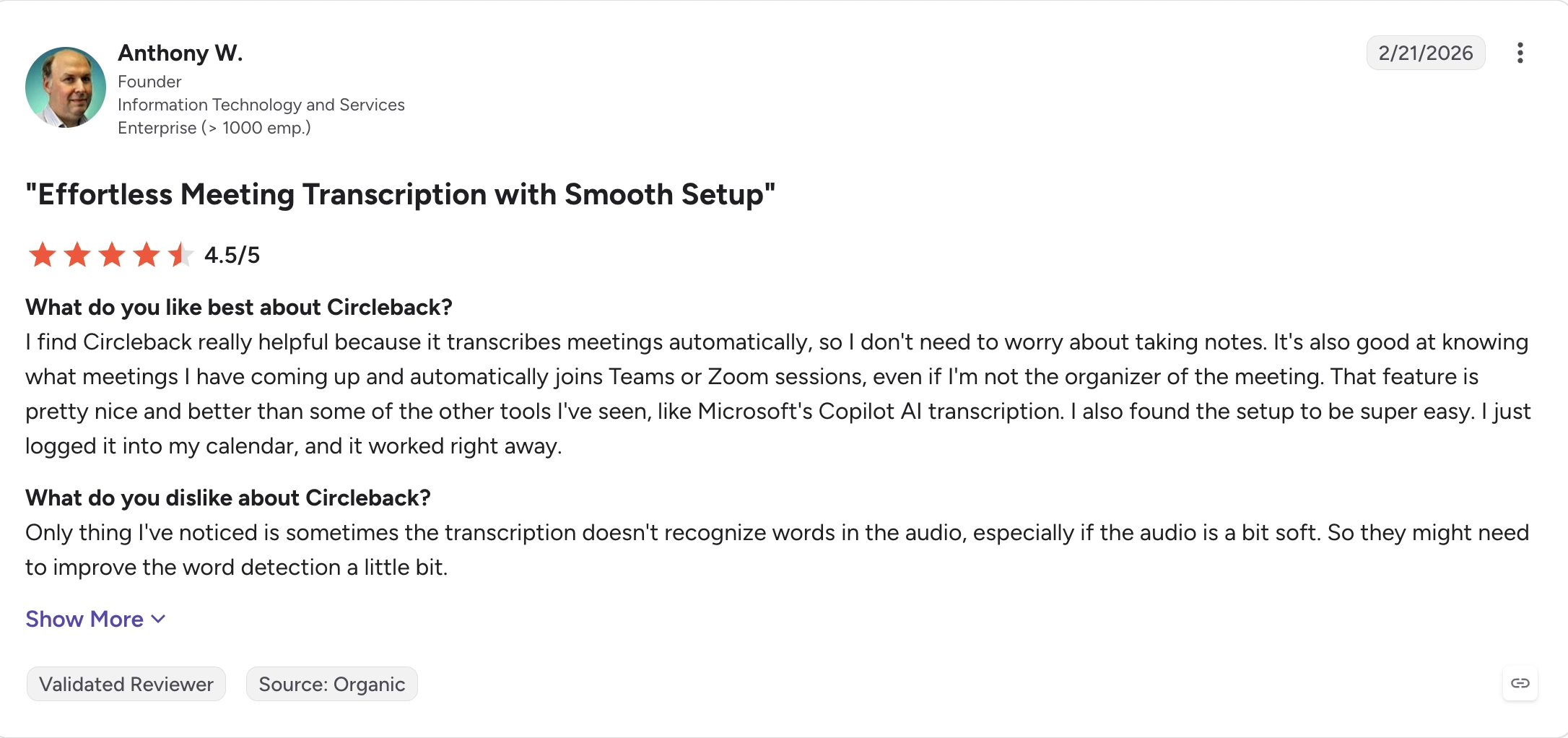
Ce fonctionnement est utile pour toute personne qui passe une grande partie de sa journée en réunions planifiées. Plutôt que de consulter votre Google Calendar avant chaque appel et d’activer manuellement un enregistreur, vous laissez l’assistant se charger de l’enregistrement.
3. Les réunions multilingues sont un autre point fort
Circleback est aussi utile pour les équipes internationales dont les participants ne s’en tiennent pas forcément à une seule langue pendant toute la conversation.
Un utilisateur a justement souligné ce point :
« La fonctionnalité qui permet de comprendre plusieurs langues au sein d’une même réunion est très utile. »
Utilisateur vérifié, architecture et urbanisme, avis G2.
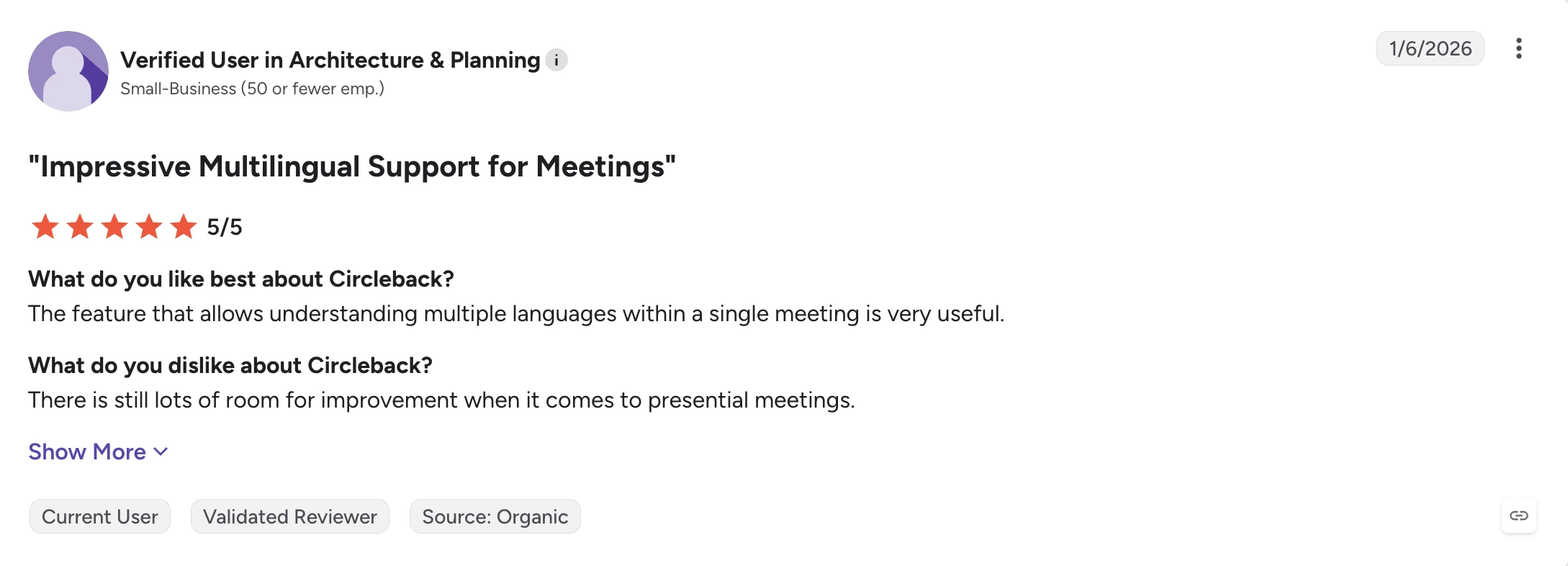
Pour les équipes multilingues, pouvoir transcrire plusieurs langues au cours d’une même conversation compte davantage qu’une longue liste de langues prises en charge.
Quelles sont les limites de Circleback ?
Les principales raisons de chercher des alternatives à Circleback AI ne tiennent pas à un manque de fonctionnalités de base de prise de notes IA. Ses points faibles apparaissent lorsque la fiabilité, le support ou une intelligence des réunions plus avancée deviennent importants.
1. Le support client fait l’objet de critiques récurrentes
Carter, tout en décrivant Circleback comme le meilleur outil de prise de notes IA qu’il ait utilisé, lui a attribué une note de 0,5/5 à cause du support :
« Le pire service client que j’aie connu. Impossible de parler à un humain ou d’ouvrir un ticket de support. On est obligé de passer par un chatbot avec des messages prédéfinis, et quand on essaie d’écrire son propre message et de cliquer sur Envoyer, le message est refusé et ne part pas. »
Un autre utilisateur fait état d’une expérience similaire après des problèmes de fiabilité :
« Chez moi, il ne fonctionne plus depuis plusieurs semaines. J’ai essayé de contacter le support à plusieurs reprises, mais les délais de réponse sont très longs et l’aide que j’ai reçue n’a abouti à rien. »
Utilisateur vérifié, logiciels informatiques, avis G2.
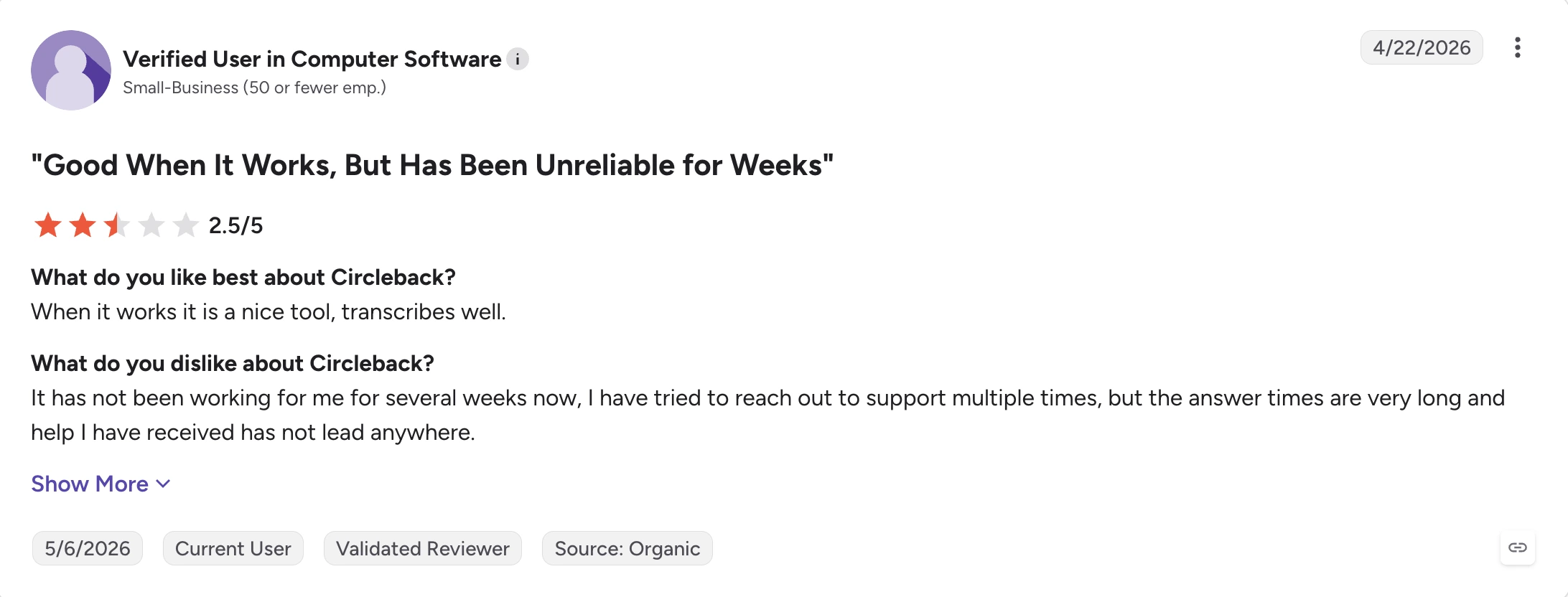
Cela peut compter davantage pour une entreprise ou une équipe importante que pour une personne qui teste l’outil seule. Dès qu’un outil de prise de notes IA intervient dans les appels clients, les entretiens, les réunions internes ou les appels commerciaux, une panne peut faire perdre des comptes rendus.
2. La transcription reste tributaire de la qualité audio
Le même utilisateur professionnel qui saluait la configuration de Circleback a aussi relevé une limite de la transcription :
« La seule chose que j’ai remarquée, c’est que la transcription ne reconnaît parfois pas certains mots de l’audio, surtout quand le son est un peu faible. Ils auraient donc peut-être besoin d’améliorer un peu la détection des mots. »
C’est important, car la précision des notes de réunion dépend de la transcription sur laquelle elles reposent. Un micro trop faible, du bruit de fond, des accents ou des intervenants qui parlent en même temps peuvent influer sur ce dont l’IA dispose pour créer le résumé.
L’identification automatique des intervenants peut aider à organiser une transcription, mais elle ne corrige pas un audio source de mauvaise qualité.
3. Les réunions en présentiel restent perfectibles
Circleback est un outil de prise de notes IA pour les réunions en présentiel grâce à ses applications de bureau, mobile et Apple Watch, mais un utilisateur multilingue a nuancé :
« Il reste encore beaucoup de marge de progression pour les réunions en présentiel. »
Si vous travaillez souvent en salle de réunion, menez des entretiens sur le terrain ou avez d’autres échanges hors ligne, il est utile de comparer la façon dont les différents outils enregistrent l’audio des réunions en dehors des appels vidéo classiques.
4. Certaines alternatives vont plus loin en matière d’intelligence des réunions
Circleback propose des insights IA personnalisés et un assistant IA, mais certaines alternatives sont pensées plus explicitement pour répondre à des questions comme :
- Quelles objections reviennent dans des dizaines d’appels commerciaux ?
- Quels sujets ont évolué au fil de plusieurs réunions passées ?
- Quels commerciaux ont des difficultés aux mêmes étapes d’un entretien de vente ?
- Quelles décisions ou quels risques reviennent régulièrement au sein de l’équipe ?
- Quels moments précis d’une réunion un manager devrait-il examiner ?
- L’IA peut-elle générer des rapports programmés à partir de plusieurs réunions ?
Pour les responsables commerciaux, les managers et les équipes customer success, ces tendances observées d’une réunion à l’autre peuvent compter davantage qu’un résumé précis d’un seul appel.
Combien coûte Circleback ?
Circleback a revu la structure de ses tarifs fin août 2026 et propose désormais quatre offres.
| Offre | Prix (facturation mensuelle) | Principales fonctionnalités |
|---|---|---|
| Free | 0 $/utilisateur/mois | Réunions illimitées, notes IA, actions à mener, Ask Circleback, transcriptions, historique de 30 jours, automatisations limitées |
| Pro | 15 $/utilisateur/mois | Historique des réunions illimité, un an de stockage des enregistrements, toutes les intégrations et automatisations, insights IA personnalisés |
| Business | 25 $/utilisateur/mois | Rôles d’administrateur, nombre illimité d’utilisateurs en lecture seule, durée de conservation personnalisée, tableau de bord d’utilisation, deux ans de stockage des enregistrements |
| Enterprise | 35 $/utilisateur/mois | SSO, SCIM, paiement sur facture, stockage illimité des enregistrements, support prioritaire, conformité HIPAA |
La nouvelle offre gratuite rend Circleback bien plus compétitif pour les utilisateurs individuels qui ont simplement besoin de meilleures notes de réunion. Le choix se complique dès qu’une équipe a besoin d’analyses, d’intelligence commerciale, d’une collaboration plus élaborée ou de workflows automatisés sur l’ensemble de sa bibliothèque de réunions.
Quelles sont les meilleures alternatives à Circleback en 2026 ?
Les meilleures alternatives à Circleback répondent à des problèmes différents : le bon choix dépend donc des raisons pour lesquelles vous envisagez de quitter Circleback.
1. tl;dv : idéal pour les insights multi-réunions et le coaching commercial
tl;dv est une alternative à Circleback utile pour les équipes qui veulent analyser les tendances sur de nombreuses réunions au lieu de traiter chaque appel séparément.
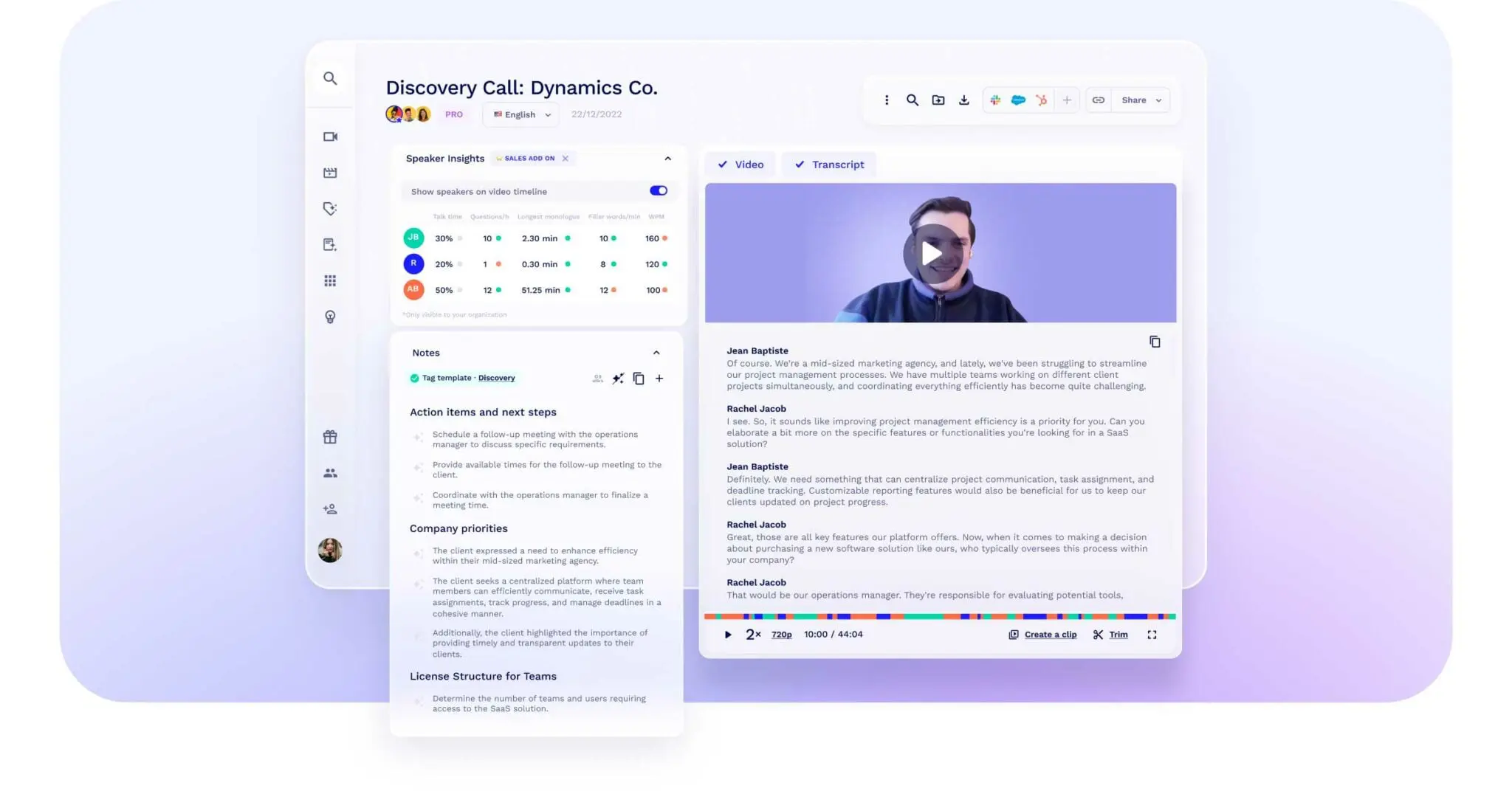
Il couvre le workflow classique d’une réunion assistée par IA : enregistrement, transcription, notes de réunion, résumés, actions à mener et rédaction des suivis. La vraie différence tient à ce qu’il permet de faire une fois qu’une équipe a accumulé des dizaines ou des centaines de conversations.
L’offre Business de tl;dv peut analyser plusieurs réunions, générer des rapports IA programmés, suivre l’application des playbooks, repérer les objections récurrentes et proposer un coaching par IA. Il est donc particulièrement pertinent pour les équipes commerciales et les organisations en contact avec la clientèle.
Par exemple, un responsable commercial peut s’appuyer sur les insights de nombreux appels pour repérer les points sur lesquels les prospects émettent régulièrement des réserves, puis examiner les moments précis où les commerciaux ont traité ces objections.
Pour une vue d’ensemble de tl;dv et de ses fonctionnalités, consultez notre avis complet sur tl;dv.
Fonctionnalités clés de tl;dv
- Enregistrements et transcription des réunions illimités sur l’offre gratuite
- Requêtes IA sur une réunion ou sur plusieurs réunions
- Clips partageables et moments clés des réunions
- Recherche globale dans les transcriptions des réunions passées
- Rapports IA programmés
- Suivi des playbooks commerciaux, coaching par IA et traitement des objections
Points forts de tl;dv
✅ Son offre gratuite est particulièrement généreuse pour l’enregistrement et la transcription, qui sont tous deux illimités.
✅ Son intelligence multi-réunions permet aux managers d’analyser les tendances d’un appel à l’autre au lieu de parcourir manuellement chaque transcription.
✅ Il propose de solides fonctionnalités de coaching commercial, avec le suivi des playbooks et le traitement des objections pour les utilisateurs Business.
Points faibles de tl;dv
❌ L’offre gratuite limite les notes IA et l’utilisation d’Ask AI : toutes les fonctionnalités IA ne sont donc pas illimitées.
❌ Il prend en charge moins de langues de transcription que des outils comme MeetGeek ou Fireflies, ce qui peut pénaliser les équipes multilingues.
Tarifs de tl;dv
Free, Pro 29 $ et Business 39 $ par utilisateur/mois (facturation mensuelle), Enterprise sur devis.
2. Tactiq : idéal pour la transcription en temps réel sans bot
Tactiq est idéal pour les utilisateurs qui veulent voir la transcription pendant la réunion sans ajouter un bot IA parmi les participants.
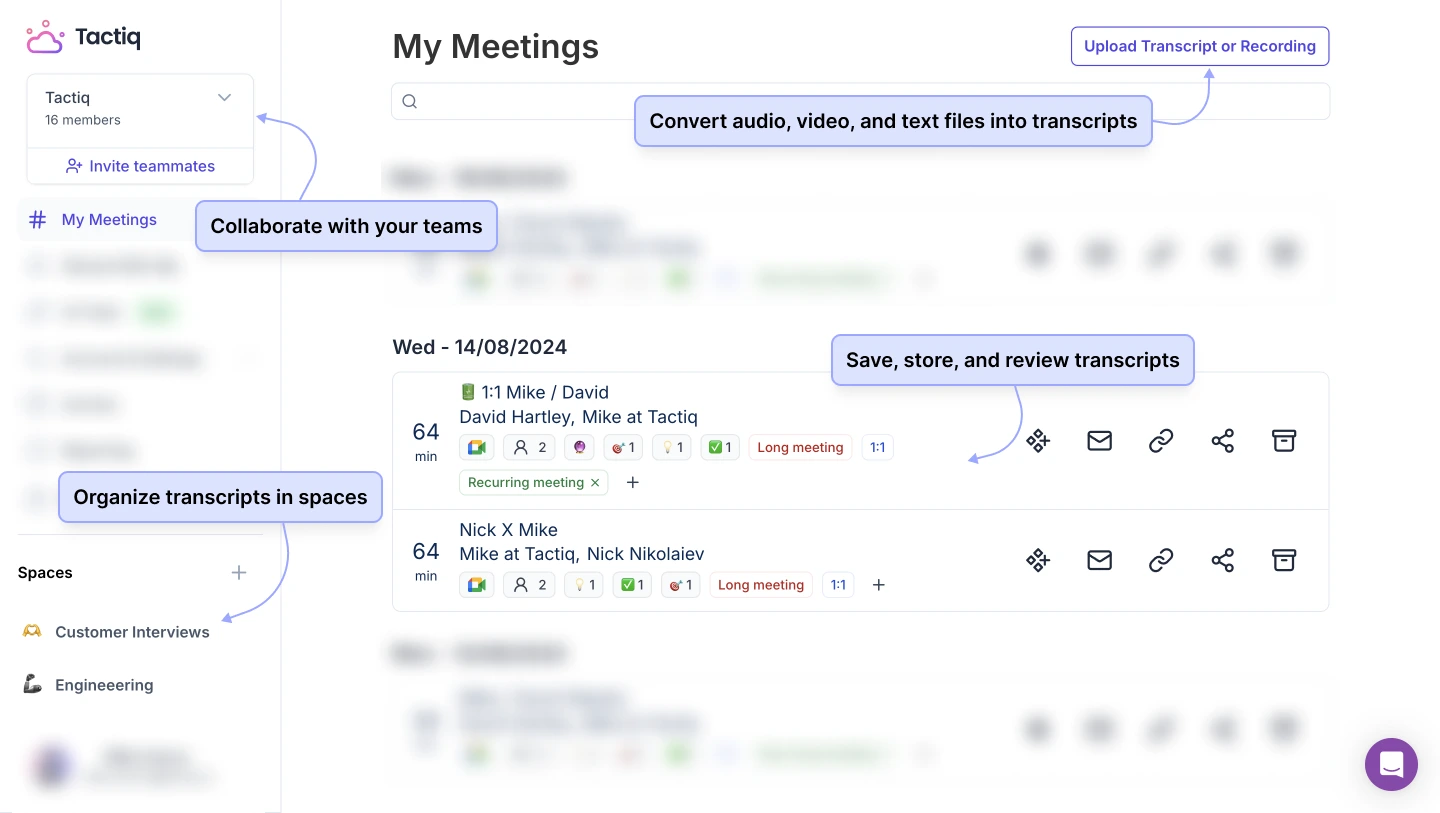
Plutôt que d’envoyer un assistant de prise de notes visible dans l’appel, Tactiq fonctionne via une extension Chrome. Ses transcriptions en temps réel s’affichent pendant la conversation, ce qui aide à marquer les décisions, à revoir ce qui vient d’être dit et à générer des contenus IA avant la fin de l’appel.
Tactiq se distingue ainsi du fonctionnement plus automatique de Circleback, piloté par l’agenda.
Fonctionnalités clés de Tactiq
- Transcription des réunions en temps réel, sans bot
- Identification des intervenants
- Résumés et actions à mener générés par IA
- Prompts enregistrés et workflows IA réutilisables
- Transcriptions consultables et partageables
- Intégrations avec des outils de collaboration et des outils métier
Points forts de Tactiq
✅ Tactiq vous permet d’interagir avec la transcription pendant l’appel au lieu d’attendre le traitement après la réunion.
✅ Il évite d’ajouter un bot de réunion supplémentaire, ce qui peut être utile pour les équipes en contact avec la clientèle qui veulent des réunions moins encombrées.
Points faibles de Tactiq
❌ Son fonctionnement via Chrome est moins adapté aux organisations qui s’appuient beaucoup sur les applications de bureau de visioconférence ou sur d’autres navigateurs que ceux qu’il prend en charge.
Tarifs de Tactiq
Free, Pro 12 $, Team 20 $ et Business 40 $ par utilisateur/mois (facturation mensuelle), Enterprise sur devis.
Découvrez comment Tactiq se positionne face à ses concurrents dans notre comparatif MeetGeek vs Tactiq !
3. MeetGeek : idéal pour l’intelligence des réunions et l’automatisation
MeetGeek est une alternative solide à Circleback pour les équipes qui ont besoin de notes de réunion IA ainsi que d’analyses plus poussées, d’une recherche sur plusieurs réunions, de l’automatisation des workflows et d’intelligence commerciale sur une même plateforme.
%20(2).webp)
Comme Circleback, MeetGeek peut enregistrer automatiquement les réunions grâce à ses intégrations Zoom et Google Meet ou à son intégration Microsoft Teams, reconnaître les intervenants, générer des résumés et des prochaines étapes, puis rendre les conversations consultables.
La différence se voit surtout après la réunion. MeetGeek associe la prise de notes à l’intelligence conversationnelle, ce qui permet d’analyser la tonalité, l’engagement, le ratio temps de parole/écoute, la performance des réunions, les signaux commerciaux et les tendances sur plusieurs réunions.
Vous pouvez aussi utiliser AI Chat pour obtenir des réponses à partir de vos conversations précédentes. Par exemple, après avoir utilisé l’intégration Zoom pour enregistrer une réunion d’équipe, au lieu de parcourir manuellement les enregistrements, vous pouvez interroger l’outil sur les objections des clients, les tâches attribuées, les décisions, des citations ou d’autres insights IA tirés de votre historique de réunions.
Pour les équipes qui veulent que leurs réunions déclenchent des actions ailleurs, MeetGeek peut aussi créer des tâches, envoyer des alertes, mettre à jour les outils métier, générer des e-mails de suivi et alimenter des workflows automatisés.
Fonctionnalités clés de MeetGeek
- Enregistrement automatique grâce aux intégrations Zoom et Microsoft Teams, à l’intégration Google Meet et, pour les autres plateformes, à l’extension Chrome
- Options d’enregistrement avec ou sans bot
- Transcription des réunions dans plus de 100 langues
- Reconnaissance automatique des intervenants
- Enregistrement audio et vidéo
- Import de fichiers audio et vidéo
- Résumés IA illimités sur toutes les offres
- Prochaines étapes et moments clés générés par IA
- Recherche globale dans les réunions et AI Chat
- Recherche sur plusieurs réunions
- Modèles de réunion personnalisés
- Analyse des réunions
- Analyse du sentiment
- Sales Mode AI pour les objections, les concurrents, les signaux d’affaires gagnées ou perdues, la réceptivité au coaching et les insights sur le pipeline
- Analyses de coaching commercial
- Espaces d’équipe, commentaires et partage automatique
- Agents IA et automatisation des workflows
- Intégrations illimitées sur les offres payantes
Points forts de MeetGeek
✅ MeetGeek offre une intelligence des réunions plus large que les seuls résumés IA, ce qui aide les équipes à repérer les tendances sur l’ensemble de leur historique de réunions.
✅ Sa prise en charge de plus de 100 langues en fait une option solide pour les équipes internationales.
✅ Les équipes commerciales bénéficient de la détection des objections et des concurrents, de signaux d’affaires gagnées ou perdues, de scores de réceptivité au coaching, de mises à jour du CRM et d’autres insights pour un coaching continu.
Points faibles de MeetGeek
❌ L’offre gratuite comprend trois heures de transcription par mois : les équipes qui ont des appels fréquents ou longs devront donc passer à une offre payante.
❌ L’enregistrement vidéo HD et certaines fonctionnalités de collaboration à l’échelle de l’équipe sont réservés aux offres Business et supérieures.
Tarifs de MeetGeek
Basic gratuit, Pro 15,99 $ et Business 27 $ par utilisateur/mois (facturation mensuelle), Enterprise sur devis.
4. Sembly : idéal pour structurer les connaissances issues des réunions
Sembly est une bonne alternative à Circleback AI pour les équipes qui veulent transformer leurs réunions en tâches structurées, en documents, en collections consultables et en connaissances multi-réunions.
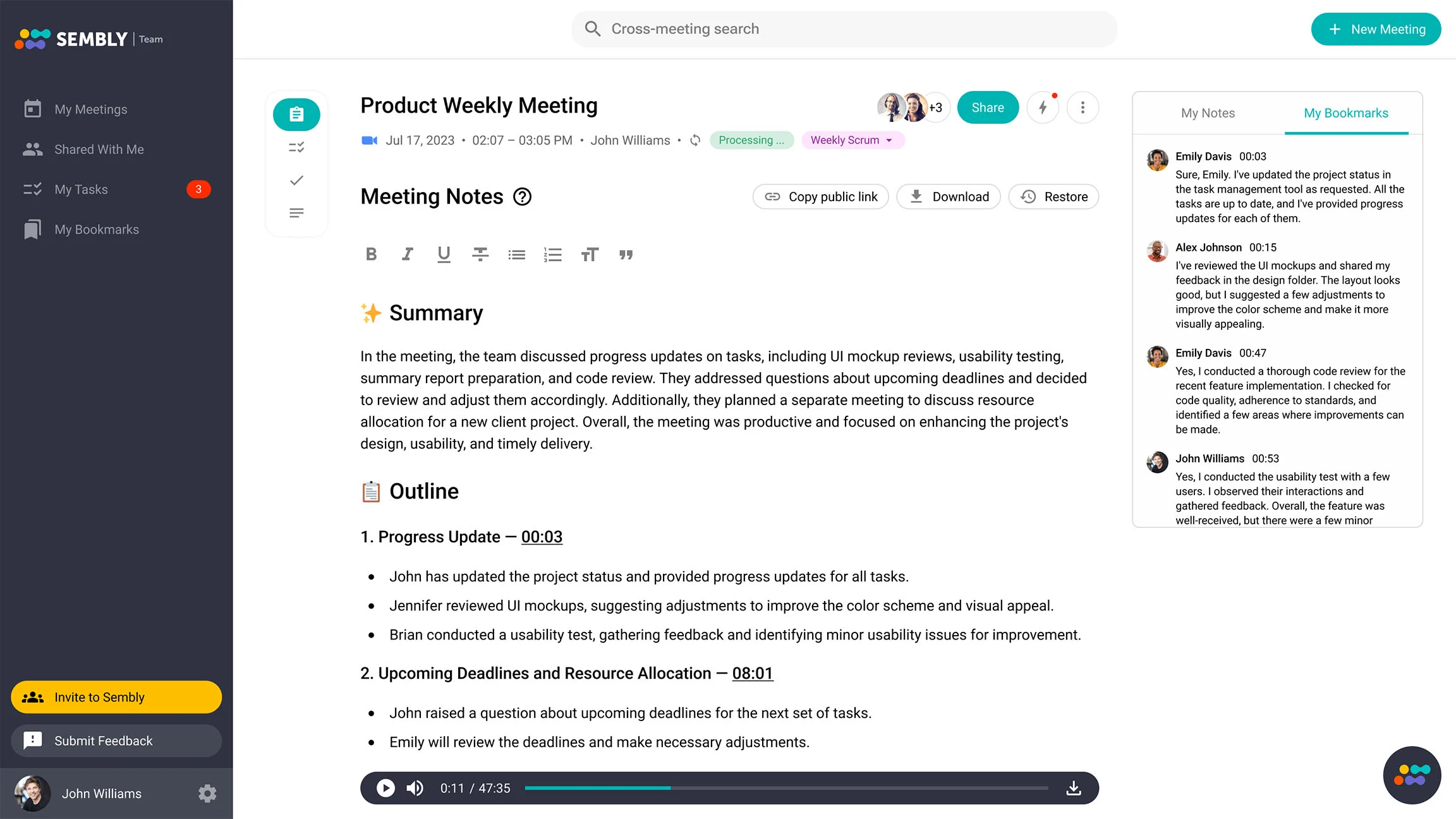
Il enregistre et transcrit les réunions, crée des résumés, détecte les tâches et peut identifier qui fait quoi et pour quand à partir des conversations.
Il devient plus intéressant avec l’offre Pro. Sembly ajoute alors le chat IA multi-réunions, la recherche avancée dans les transcriptions, les collections de réunions, la détection des risques et des problèmes, des modèles de notes de réunion personnalisés, des analyses et des automatisations de l’espace de travail.
Il est donc utile lorsqu’une équipe veut organiser ses réunions passées par projet, par client ou par processus métier récurrent plutôt que de simplement conserver une liste chronologique de transcriptions.
Fonctionnalités clés de Sembly
- Enregistrement illimité des réunions sur les offres payantes
- Détection des tâches et des échéances
- Chat IA multi-réunions sur l’offre Pro
- Recherche avancée dans les transcriptions et collections de réunions
- Prise en charge des réunions multilingues dans plus de 45 langues
- Détection du sentiment, des risques et des événements notables
Points forts de Sembly
✅ Ses collections de réunions et ses fonctionnalités multi-réunions aident les équipes à transformer les conversations en base de connaissances sur le long terme.
✅ La détection automatique des tâches réduit le risque que les engagements pris en réunion soient oubliés ensuite.
Points faibles de Sembly
❌ Contrairement à Circleback, tl;dv, Tactiq, MeetGeek et Fireflies, Sembly propose un essai gratuit plutôt qu’une offre gratuite complète et permanente.
❌ Certaines fonctionnalités de production et d’IA consomment des crédits mensuels : les équipes doivent donc vérifier que ces limites correspondent à l’usage prévu.
Tarifs de Sembly
Basic 17 $, Pro 29 $ et MAX 39 $ par utilisateur/mois (facturation mensuelle), Enterprise sur devis.
5. Fireflies.ai : idéal pour la recherche et les équipes multilingues
Fireflies.ai est une alternative solide à Circleback pour les organisations qui veulent une large prise en charge des langues, des transcriptions de réunion consultables et l’analyse des conversations.
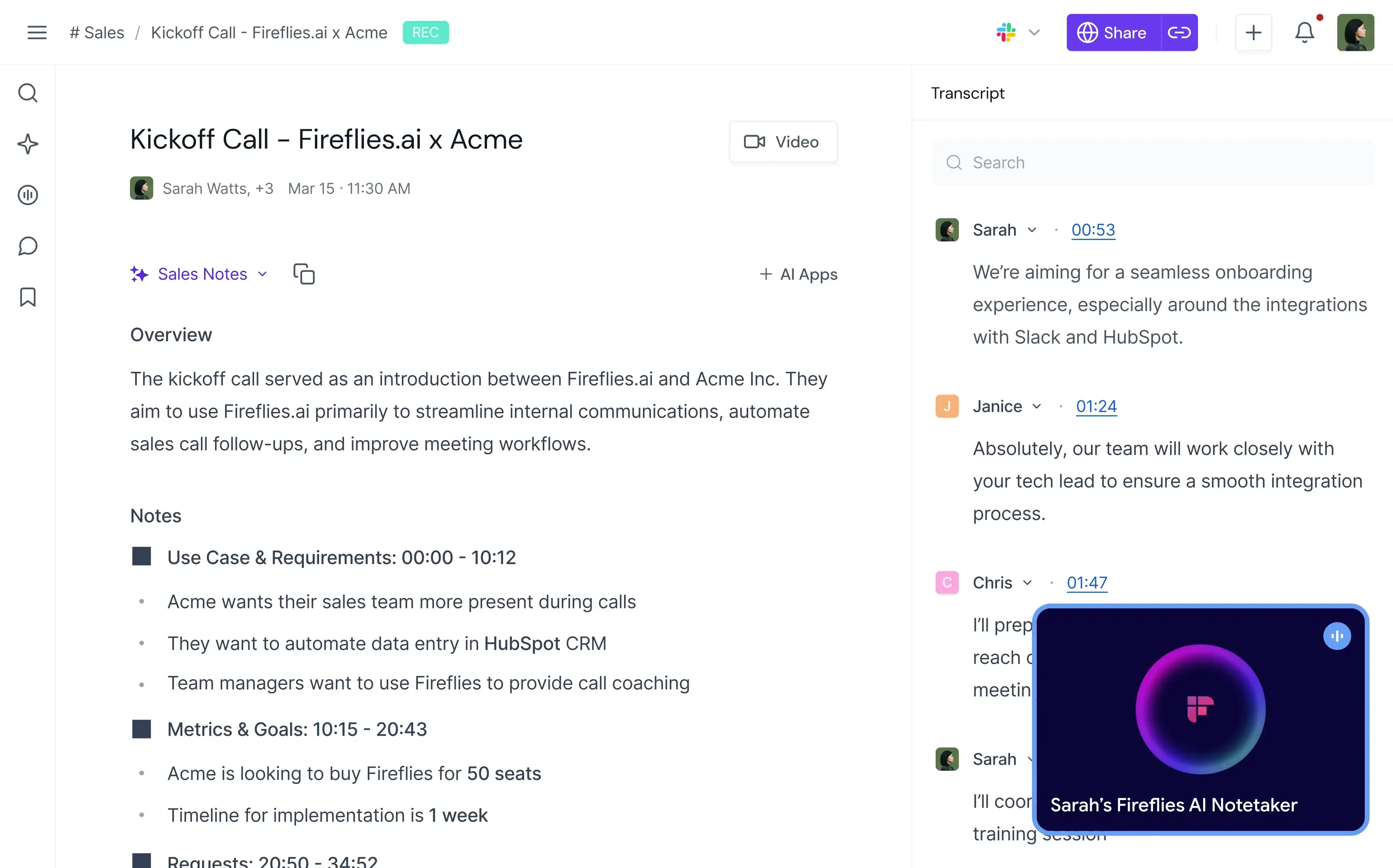
Fireflies enregistre et transcrit automatiquement les réunions sur les principales plateformes de visioconférence. Il prend en charge plus de 100 langues et propose des notes en direct, la recherche dans les réunions, l’import de fichiers, un assistant IA appelé AskFred ainsi que des applications mobile et de bureau.
Ses filtres intelligents et sa recherche globale sont particulièrement utiles lorsqu’une équipe accumule une grande bibliothèque d’enregistrements. Au lieu de réécouter les réunions, les utilisateurs peuvent rechercher des sujets, des tâches, des questions ou d’autres moments importants.
Les utilisateurs Business bénéficient aussi de l’intelligence conversationnelle et d’analyses d’équipe, notamment le sentiment, le temps de parole de chaque intervenant, la détection des questions et le suivi des sujets.
Fonctionnalités clés de Fireflies.ai
- Transcription illimitée
- Prise en charge de plus de 100 langues
- Notes en temps réel et transcription en direct
- Recherche dans les transcriptions de réunion avec AskFred
- Intelligence conversationnelle et analyse du sentiment
- Suivi de sujets pour repérer les points importants abordés en réunion
Points forts de Fireflies.ai
✅ Fireflies associe les comptes rendus de réunion à des fonctions de recherche et d’analyse solides, ce qui facilite la consultation d’une grande bibliothèque de réunions.
✅ L’offre Business ajoute le mode multilingue, le stockage illimité et l’intelligence conversationnelle à l’échelle de l’équipe.
Points faibles de Fireflies.ai
❌ Certaines fonctionnalités IA avancées consomment des crédits IA, notamment AskFred, AI Skills, les résumés personnalisés et Magic Soundbites.
❌ L’enregistrement vidéo n’est pas disponible sur l’offre Free.
Tarifs de Fireflies.ai
Free, Pro 18 $ et Business 29 $ par utilisateur/mois (facturation mensuelle), Enterprise 39 $ par utilisateur/mois (facturation annuelle).
Vous vous demandez comment Fireflies.ai se positionne ? Consultez notre analyse comparative détaillée MeetGeek vs Fireflies.ai !
Quelle alternative à Circleback choisir ?
Le bon outil dépend de ce que vous voulez améliorer.
Si votre principal enjeu est d’analyser plusieurs réunions, des thématiques clients récurrentes ou des appels commerciaux, tl;dv est l’une des options les plus solides, car son offre Business est pensée pour le reporting multi-réunions, le traitement des objections et le coaching par IA.
Si vous voulez une transcription en temps réel sans bot de réunion, Tactiq est la solution la plus simple.
Si vous avez besoin de meilleures notes de réunion ainsi que d’analyses, d’automatisation, d’intelligence multi-réunions, de collaboration et d’insights commerciaux sur une seule plateforme, MeetGeek offre la combinaison la plus complète de ces fonctionnalités.
Sembly est pertinent pour les équipes qui veulent des collections de réunions structurées, des tâches, un suivi des risques et une base de connaissances consultable, tandis que Fireflies.ai est particulièrement utile pour les organisations multilingues qui recherchent une large prise en charge de la transcription et une recherche performante dans les transcriptions.
La distinction importante est la suivante : tout outil moderne de prise de notes IA peut produire une forme de résumé. La vraie question est de savoir ce qui se passe une fois ce résumé obtenu. Une plateforme de réunion IA utile doit aider votre équipe à retrouver les informations importantes, à collaborer autour d’elles, à passer à l’action et à tirer des enseignements de tendances qui resteraient sinon enfouies dans les enregistrements.
Rendez vos réunions utiles après la fin de l’appel
Circleback est devenu un produit plus solide en 2026. Ses fonctionnalités en font un choix crédible pour les utilisateurs individuels et les équipes qui veulent un assistant de réunion simple à adopter.
Les raisons d’envisager une alternative aujourd’hui tiennent moins à la transcription de base qu’à ce dont vous avez besoin au-delà.
Si votre équipe a besoin d’intelligence multi-réunions, de connaissances internes consultables, d’analyse des conversations, d’automatisation des workflows ou de coaching commercial, MeetGeek réunit ces fonctionnalités avec l’enregistrement automatique et des notes précises sur vos réunions.
Au lieu de vous arrêter à une transcription ou à un résumé, vous pouvez transformer les informations de vos réunions en suivis, en tâches, en analyses, en insights de coaching et en workflows pour le reste de votre entreprise.
Questions fréquentes
Quelle est la meilleure alternative gratuite à Circleback ?
tl;dv, MeetGeek, Tactiq et Fireflies proposent tous une offre gratuite permanente. La meilleure option dépend de votre priorité : transcription illimitée, résumés IA, notes en temps réel, analyses ou prise en charge multilingue.
Quelle est la meilleure alternative à Circleback pour les équipes commerciales ?
tl;dv et MeetGeek sont les options les plus solides pour les équipes commerciales. tl;dv met fortement l’accent sur le suivi des playbooks, le traitement des objections et le coaching IA multi-réunions, tandis que MeetGeek ajoute la détection des objections, les signaux sur les concurrents, les scores de réceptivité au coaching, l’intelligence du pipeline, les mises à jour du CRM et des analyses de réunion plus complètes.
Quelle alternative à Circleback choisir pour les équipes multilingues ?
MeetGeek et Fireflies prennent tous deux en charge la transcription dans plus de 100 langues, ce qui en fait des options solides pour les équipes multilingues et internationales. tl;dv et Sembly prennent aussi en charge des workflows multilingues, mais pour un nombre de langues plus réduit.
Les alternatives à Circleback fonctionnent-elles avec Google Meet et Microsoft Teams ?
Oui. Les cinq alternatives présentées ici prennent en charge les principales plateformes de réunion en ligne, dont Google Meet et Microsoft Teams, même si la méthode d’enregistrement varie : bots, extensions de navigateur ou applications de bureau.
Que faut-il rechercher dans un assistant de réunion IA ?
Ne vous arrêtez pas aux notes de réunion IA de base. Le meilleur outil pour votre équipe doit aussi offrir une transcription fiable, l’identification des intervenants, des résumés utiles, la recherche dans les réunions passées, un partage simple, des intégrations avec d’autres applications et le niveau d’analyse, d’automatisation ou de coaching dont votre workflow a réellement besoin.






.avif)