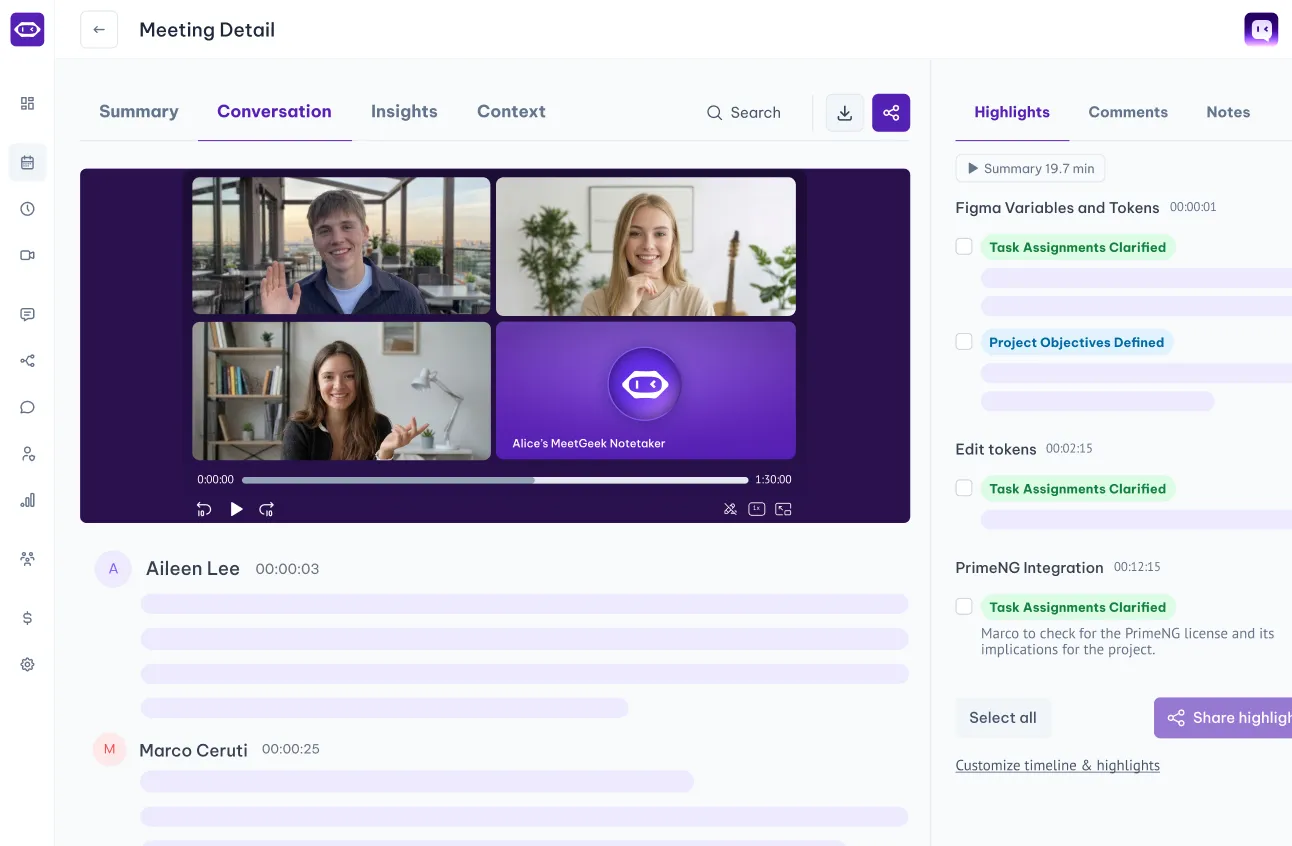
Explore Zoom use cases
With automated meeting recording and note-taking, you free up your day to focus on what matters most.
.avif)

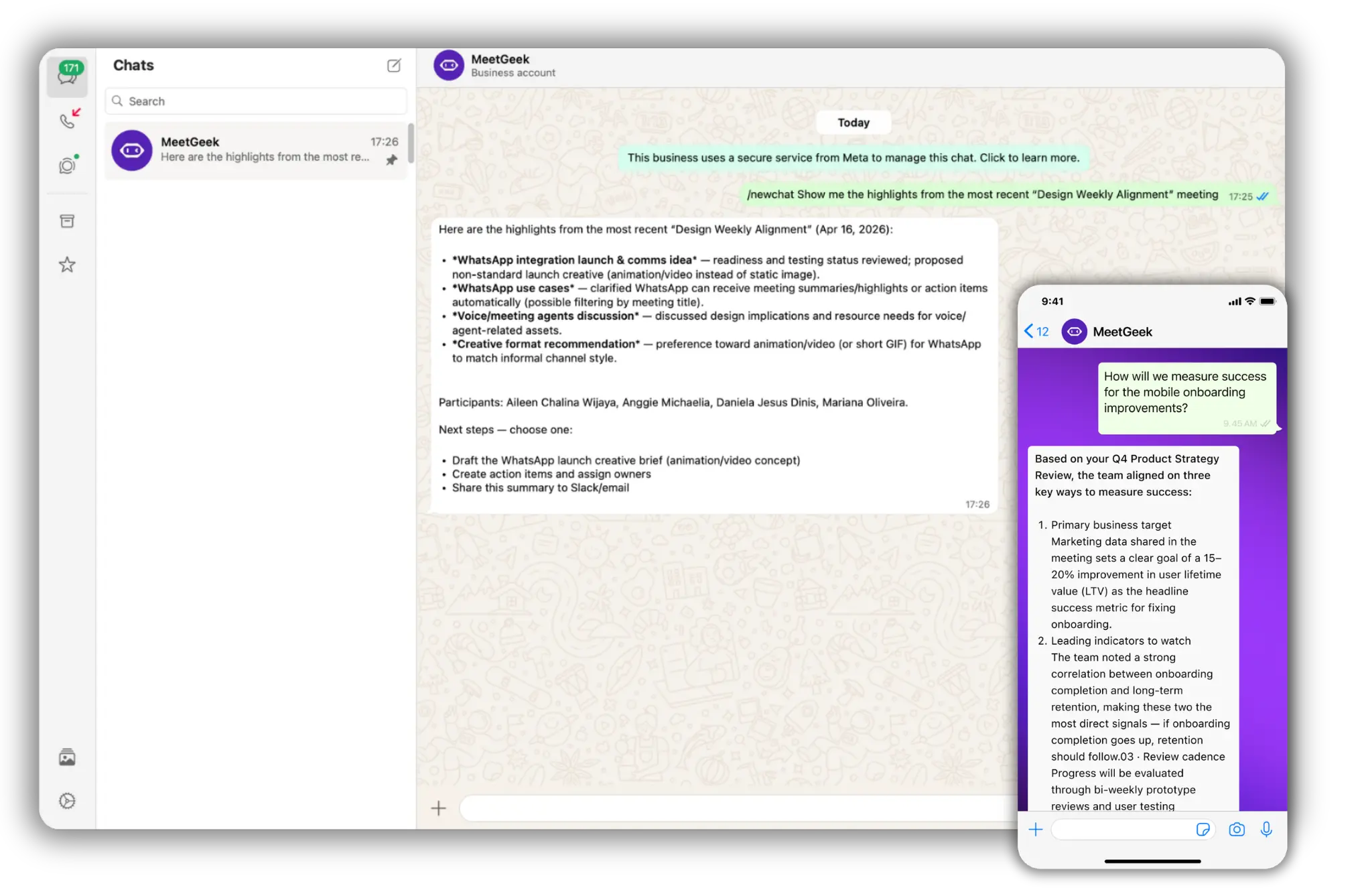

The MeetGeek + WhatsApp integration turns WhatsApp into a mobile command center for your meetings, delivering insights and letting you take action right from your chat.
✅ Instantly receive detailed meeting summaries on WhatsApp, so you stay updated even when you're away from your desk.
✅ Chat directly with MeetGeek to ask questions about past meetings, like "What did the client say about pricing?" or "Summarize my last sales call."
✅ Retrieve key action items, decisions, and takeaways across your meeting history with a quick message.
✅ Trigger actions in your connected tools — create tasks in Notion, add action items to Asana, or send summaries to Slack, all via WhatsApp.
✅ Filter which meetings get sent to WhatsApp using custom workflows, so you only receive the summaries that matter to you.
✅ Save hours on follow-ups and meeting recaps by accessing precise summaries and insights straight from your phone.
Overall, the integration brings your meeting data to the app you already use every day, making insights instantly accessible and actionable without ever opening your laptop.
MeetGeek doesn't replace Zoom; it works alongside the video conference platform. Watch our video to see how you can record a Zoom meeting even if you're not the host.
Unlock true meeting notes automation by integrating Notion with MeetGeek and up-level your productivity. See how to use these tools to keep your meeting documentation organized and actionable.
.png)
Connect WhatsApp
Connect your WhatsApp to MeetGeek using our 1-click integration.

Run meeting
Run your online meeting on Zoom, Google Meet, or Microsoft Teams with MeetGeek AI Notetaker.
Stay on top of meetings
Get summaries on WhatsApp as soon as the call ends, then ask questions or trigger actions from the chat.
With automated meeting recording and note-taking, you free up your day to focus on what matters most.
SharePoint
MeetGeek files every meeting into the SharePoint site and library your team already works in.
OneNote
Send meeting summaries and highlights straight to your OneNote notebooks.

Confluence
Turn meeting summaries and highlights into Confluence pages, automatically.
Dropbox
Auto-sync meeting notes, summaries, and transcripts to your Dropbox folders.

Microsoft OneDrive
Auto-sync meeting notes, summaries, and transcripts to your OneDrive folders.

Jira
Create tasks from meeting highlights and share them with your Jira projects

Monday.com
Sync MeetGeek meeting recordings, transcripts, highlights and tasks to Monday.com

ClickUp
Sync MeetGeek meeting recordings, transcripts, highlights and tasks to ClickUp

Asana
Sync meeting recordings, transcripts, highlights and tasks to Asana

Notion
Sync meeting recordings, summaries and highlights to Notion
Slack
Send meeting recordings, notes and highlights to Slack channels

Google Drive
Automatically sync meeting notes & transcripts in Google Docs
.svg)
AI Note Taker for Microsoft Teams
MeetGeek joins your Teams meetings, takes the notes, and sends them out — automatically.

AI Note Taker for Zoom
Scheduled or ad-hoc, host or guest — MeetGeek joins, records, and writes the notes.
.svg)
AI Note Taker for Google Meet
Scheduled or ad-hoc — MeetGeek joins, records, and writes the notes.
Enterprise-level data security for every user.

256-bit AES and 256-bit SSL/TLS encryption
Security logging, uptime monitoring, and system availability metrics
Coding practices based on the OWASP Top Ten
Penetration tests by security experts
Regular impact assessments

Service Organization Control Report

Business Associate Agreement for HIPAA Compliance

General Data Protection Regulation

California Consumer Privacy Act
You have questions? We have answers!
Two-minute setup. Free forever foundation. Enterprise-grade from day one. Turn meetings into a positive and rewarding experience


.png)

.png)