


Otter AI has four plans. Basic is free, Pro costs $16.99 per user per month ($8.33 if you pay annually), Business costs $30 per user per month ($19.99 annually), and Enterprise is priced on request.
The gap between the plans is less about price and more about limits. What you are really paying for is transcription minutes, how long a single meeting can run, how many files you can import and how many people fit in one workspace.
Below you will find the plans side by side, what each one adds, four issues users raise in recent reviews, and how Otter compares with other AI note-takers.
Otter AI Pricing Plans
Every paid Otter plan is billed per user. Otter lists annual billing as 51% cheaper than monthly on Pro and 33% cheaper on Business.
| Plan | Monthly billing | Annual billing | Workspace size | Key limits |
|---|---|---|---|---|
| Basic | Free | Free | Up to 5 members | 300 min/month, 30 min per meeting, 3 lifetime file imports |
| Pro | $16.99/user/month | $8.33/user/month | Up to 5 billed users | 1,200 min/month, 90 min per meeting, 10 file imports/month |
| Business | $30/user/month | $19.99/user/month | Up to 25 billed users | Unlimited meetings, 4 h per meeting, 3 concurrent meetings |
| Enterprise | Custom | Custom | Unlimited | Adds Sales Notetaker, API and webhooks, SSO/SCIM |
Table last updated: September 30, 2026.
Otter AI Basic Plan
Basic is free with no time limit. It covers live transcription and notes for Zoom, Microsoft Teams and Google Meet, AI Chat, speaker identification, the iOS and Android apps and Otter's MCP server.
The limits are what matter: 300 transcription minutes a month, a 30-minute cap per conversation and three file imports for the lifetime of the account. Only your 25 most recent conversations stay in your history, and AI Chat allows 20 questions a month.
In practice, Basic fits a handful of short calls. A single one-hour meeting is already twice the per-conversation cap.
Otter AI Pro Plan
Pro costs $16.99 per user per month, or $8.33 billed annually. It raises the allowance to 1,200 minutes a month, allows meetings of up to 90 minutes and gives you 10 file imports per month. Live meetings and imports draw from the same pool of minutes, and unused minutes do not roll over.
On top of Basic, Pro adds:
- Unlimited conversation history and storage;
- Advanced AI workflows and meeting templates;
- Team vocabulary and taggable speakers;
- Advanced search, faster playback and PDF, DOCX and SRT exports;
- Salesforce, HubSpot and Zapier integrations, with a user limit on the CRM sync.
Pro is the step up once 300 minutes a month is not enough or your meetings regularly pass 30 minutes. A Pro workspace tops out at five billed users.
Otter AI Business Plan
Business costs $30 per user per month, or $19.99 billed annually. At the time of writing, Otter also advertises 20% off monthly Business billing ($24 per user) for a commitment of three months or more, which is an offer rather than the list price.
It removes the monthly cap on live meetings and in-app recordings, raises the meeting length to 4 hours and lets Otter join three meetings at the same time. File imports are unlimited in number, up to 6,000 imported minutes per user each month.
Business also adds:
- Custom AI workflows;
- Admin features such as activity logs and usage analytics;
- Bulk export and a larger custom vocabulary;
- Prioritized support.
Workspaces go up to 25 billed users, so larger teams need Enterprise.
Otter AI Enterprise Plan
Enterprise is priced after a demo and includes everything in Business, plus:
- Otter Sales Notetaker;
- Otter API and Webhooks;
- Custom CRM and dialer integrations;
- SSO, SCIM and domain capture, with SSO and SCIM requiring at least 100 licenses;
- Enterprise security controls and custom data retention;
- HIPAA compliance as a paid add-on;
- Video replay for Zoom and Google Meet;
- A Customer Success Program.
Otter also lists AI Chat connections to Gmail, Google Drive, Notion and Jira for this plan.
Where Each Otter Plan Starts to Make Sense
Which plan you need comes down to a few limits:
- Stay on Basic while you record a few calls a month and none of them runs past 30 minutes;
- Move to Pro when you need more than 300 minutes, meetings of up to 90 minutes, or more than three file imports in total;
- Move to Business when meetings run longer than 90 minutes, Otter has to cover parallel meetings, you import recordings every week, or an admin needs usage reports;
- Talk to sales about Enterprise if you need the Sales Notetaker, API access, SSO/SCIM or HIPAA.
Check the per-user math before you pay. Five people on Business cost $150 a month on monthly billing, or just under $100 a month billed annually.
What Is Otter AI?
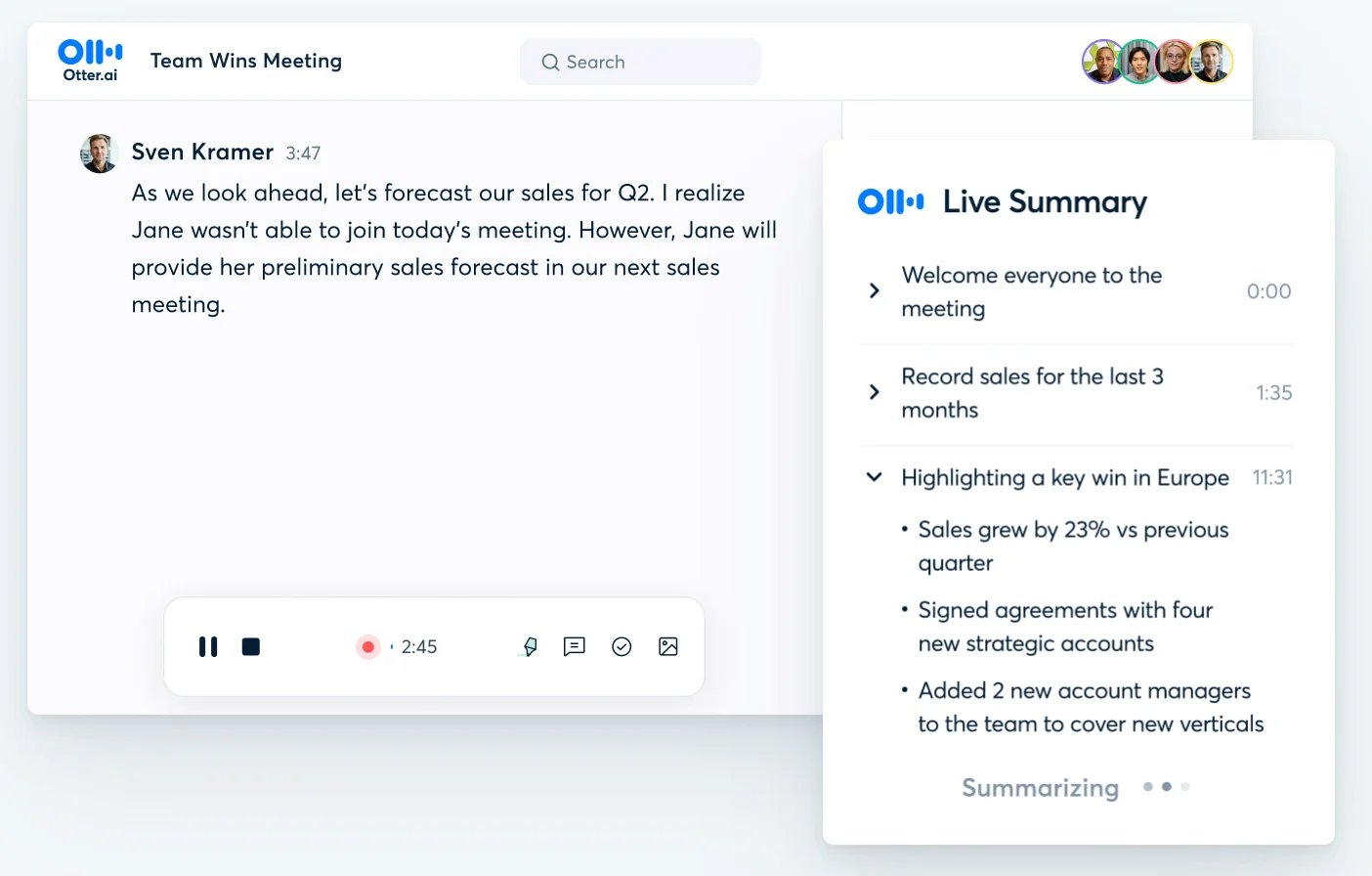
Otter AI is an AI meeting assistant that joins your virtual meetings on Zoom, Microsoft Teams and Google Meet, transcribes them live and writes a summary with action items afterward. It also records in-person conversations through its web and mobile apps.
4 Things to Know Before Paying for Otter AI
Otter's pricing page tells you the limits. It doesn't tell you how the tool behaves in real meetings, so we went through recent user reviews to see what paying customers praise and what they keep flagging. The four points below come from those reviews and from Otter's own plan details.
1. It Works Best When Your Meetings Have Clean Audio
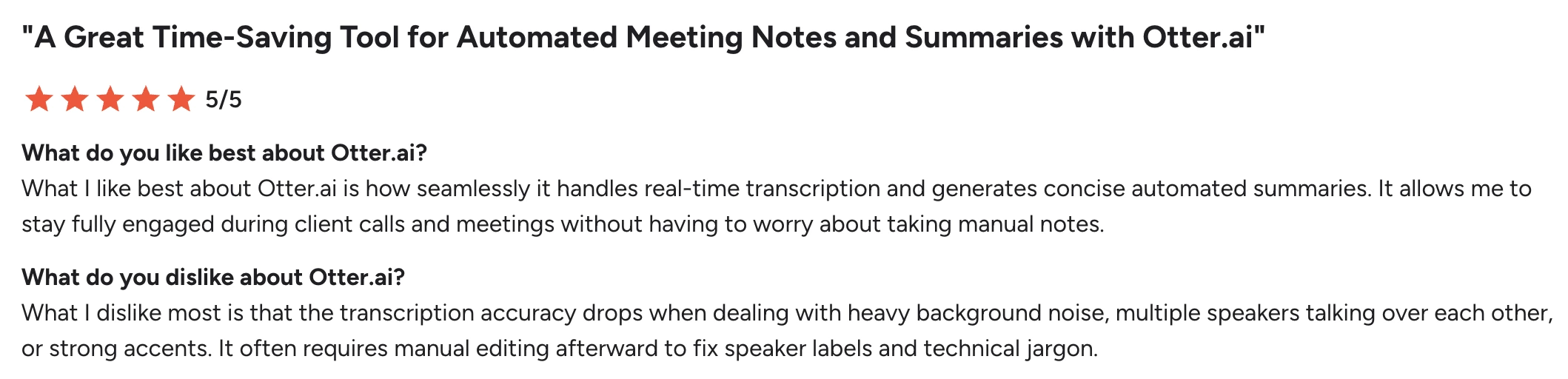
Reviewers like that Otter lets them follow the conversation instead of typing notes, and they often praise the live transcript, search and summaries.
The complaints are about meeting conditions, not features. Across dozens of recent G2 reviews, the same situations come up: several people talking at once, background noise, weak microphones and strong accents. In those calls, accuracy drops and speaker labels get mixed up.
Reviewers report fewer issues on one-to-one calls with clear audio, and more on large calls, in noisy rooms and with international teams.
2. Jargon and Product Names Need a Custom Vocabulary
The second pattern has nothing to do with audio. Reviewers who work with technical language report that product names, API names, acronyms and industry jargon come out wrong, even when the recording itself is clean.
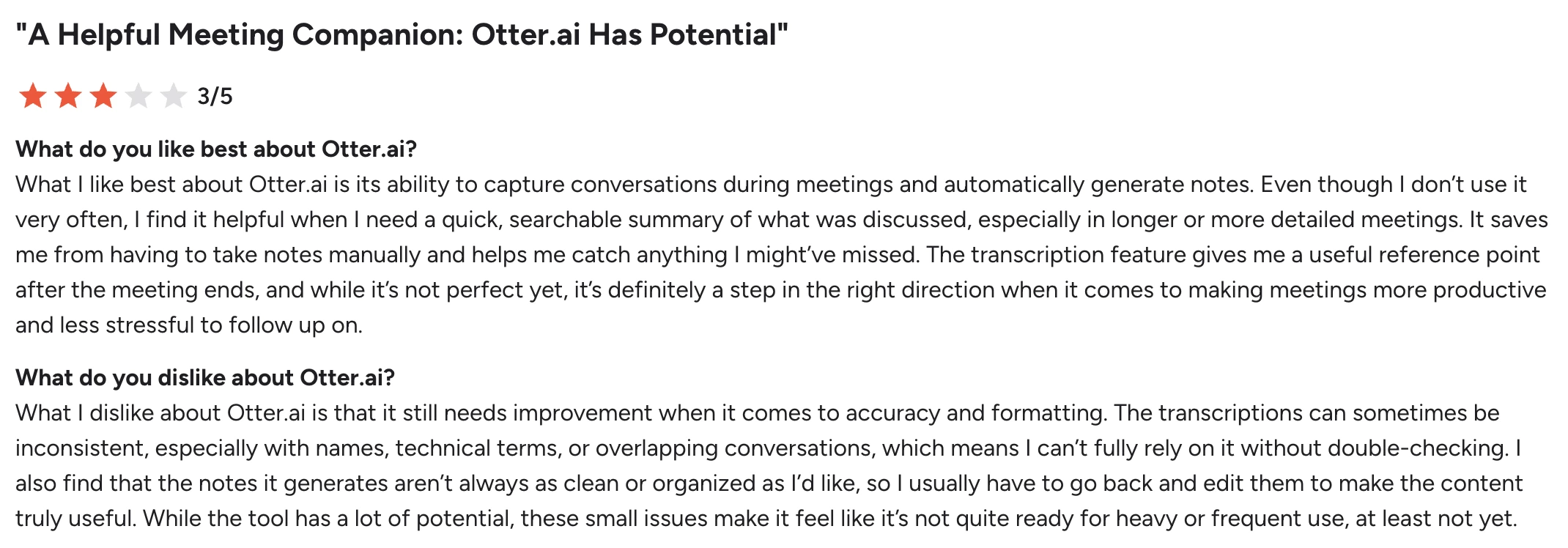
Otter offers custom vocabulary to reduce this problem, and how many terms you can add depends on the plan: 5 terms on Basic, 100 names plus 100 other terms per user on Pro, and up to 800 names plus 800 terms per team on Business. If your meetings rely on a long list of internal terms, test Otter on a real recording and count how many terms you would need to add before you pick a plan.
3. The Best Sales Features Require Enterprise
Some sales features are available below Enterprise. Pro already syncs notes to Salesforce and HubSpot, although the sync is limited to a set number of users.
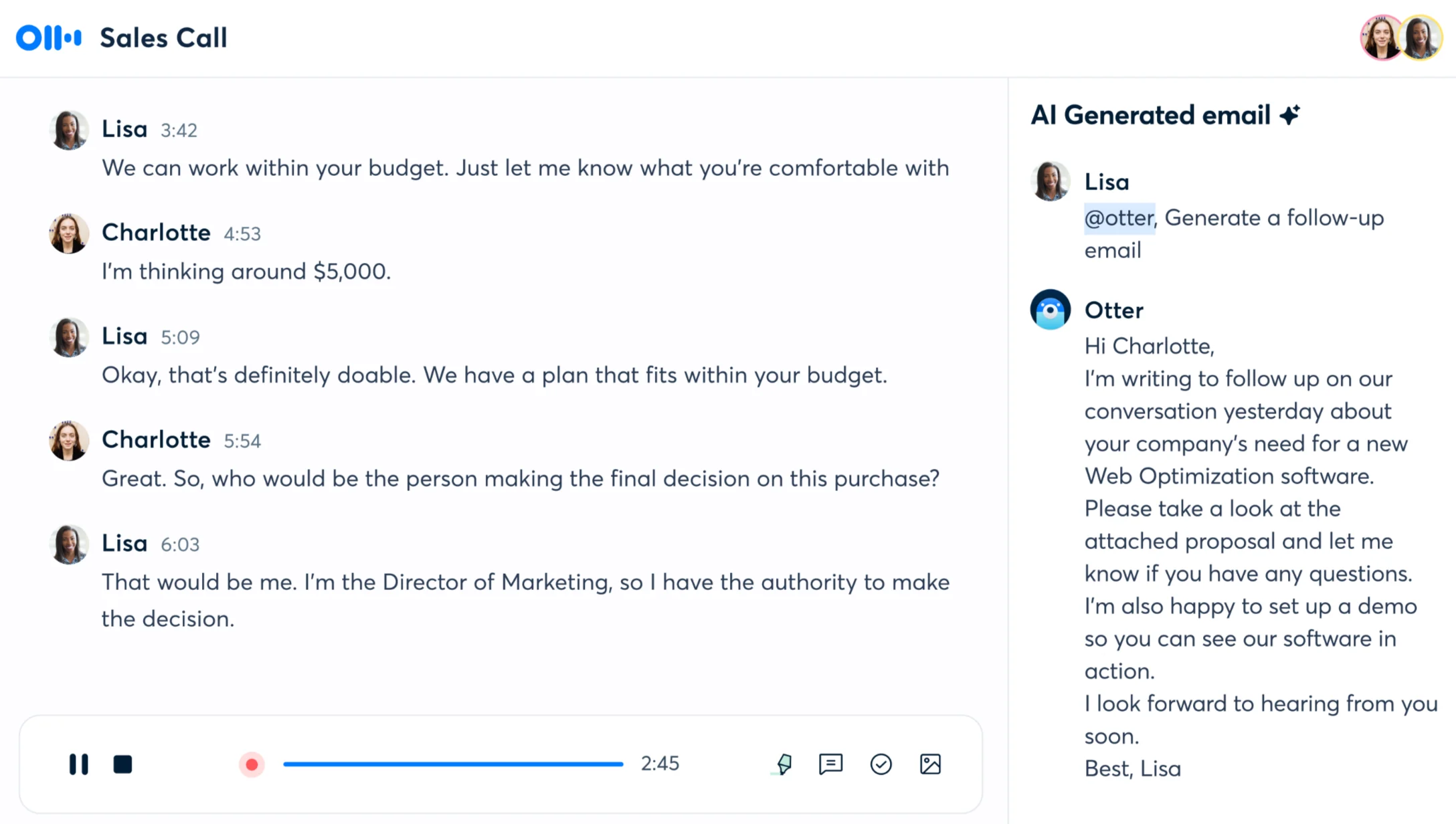
Several of Otter's more advanced sales features sit on Enterprise: the Otter Sales Notetaker, custom CRM and dialer integrations, and the Otter API. For a small sales team, the self-serve plans cover note-taking and CRM sync, and the features above require an Enterprise quote.
4. Language Support Still Lags Behind Many Competitors
Otter transcribes six languages: English, Spanish, French, German, Japanese and Chinese (Simplified). Many AI note-takers now cover dozens of languages, so for international teams this can matter more than the price.
You also set the language yourself, because Otter doesn't detect it automatically, and its help center doesn't document support for meetings that switch languages mid-call. Otter's AI Chat can translate a conversation afterward, which helps with reading it, not with capturing it.
Looking for a Better Otter AI Alternative?
If Otter's language list, minute caps or Enterprise-only features are the sticking point, MeetGeek, the tool we build, is another option. It records and transcribes meetings on Zoom, Google Meet and Microsoft Teams, with or without a bot. For a wider comparison, see our roundup of Otter AI alternatives.

Where it differs from Otter:
- Automation after the call: AI agents and workflows send summaries, action items and meeting data to your CRM, project tools or Slack, through native integrations plus 10,000+ connected apps via Zapier, Make and n8n;
- Meeting-specific notes: MeetGeek detects the meeting type and applies the right AI meeting notes template, so a sales call and a one-to-one get different summaries;
- 100+ languages with automatic detection: nobody has to choose the language before the call;
- More on the free plan: unlimited AI summaries, meeting analytics, AI Chat across all your meetings, and API and MCP access.
On price, the free plan includes 3 hours of transcription a month. Pro costs $15.99 per user per month ($9.99 billed annually) for 20 hours, and Business costs $27 ($17 annually) with unlimited transcription. Integrations and workflows start on Pro.
MeetGeek vs Otter AI: Feature Comparison
Here's how the two compare, plan by plan.
| Feature | MeetGeek | Otter AI |
|---|---|---|
| Starting paid plan | $15.99/user/month ($9.99 billed annually) | $16.99/user/month ($8.33 billed annually) |
| Free plan transcription | 3 hours/month | 300 minutes/month |
| Paid transcription | 20 hours (Pro), unlimited (Business+) | 1,200 minutes (Pro), unlimited meetings (Business+) |
| Max meeting length | 2 h (Basic, Pro), 3 h (Business), 4 h (Enterprise) | 30 min (Basic), 90 min (Pro), 4 h (Business+) |
| Transcription languages | 100+ | 6 |
| Automatic language detection | ✅ | ❌ |
| AI meeting summaries | ✅ All plans | ✅ All plans |
| AI Chat | ✅ All plans | ✅ All plans, with monthly query limits |
| Meeting templates | ✅ Pro+, applied by meeting type | ✅ Pro+ |
| AI agents and workflows | ✅ Pro+ | ✅ Pro+ (custom workflows on Business) |
| Meeting analytics | ✅ Free plan | ✅ Business+ |
| Engagement and sentiment analytics | ✅ All plans | Enterprise only |
| Zapier, Make and n8n | ✅ Pro+, all three | Zapier only, from Pro |
| CRM integrations | ✅ Pro+ | ✅ Pro+, with user limits |
| API and webhooks | ✅ All plans | Enterprise only |
| Data storage region | EU or US, every plan | US |
| SSO and SCIM | Enterprise | Enterprise, 100-license minimum |
Table last updated: September 30, 2026.
If you want a more detailed look at Otter AI and MeetGeek, see our MeetGeek vs Otter comparison.
Key Takeaways
- Otter costs $0, $16.99, $30 or a custom price per user per month, and annual billing brings Pro down to $8.33 and Business to $19.99;
- Basic works for occasional calls under 30 minutes. Past 300 minutes a month, or with longer meetings, you are looking at Pro;
- Business is about volume: 4-hour meetings, three parallel meetings, no monthly meeting cap and admin reporting;
- The Sales Notetaker, API, SSO/SCIM and HIPAA are Enterprise-only;
- Otter transcribes six languages and you pick the language yourself, which can matter more than price for multilingual teams.
Wrap-Up: Otter AI Pricing in 2026
Otter's pricing is easy to read once you know which limit you will hit first: the 30-minute cap on Basic, the 90-minute cap on Pro, or the per-user cost once a whole team moves to Business.
If you need more languages, follow-up that lands in your other tools automatically, or API access without an Enterprise contract, you can test all three on your own meetings with MeetGeek before you pay for anything.
Frequently Asked Questions
How Much Does Otter AI Cost?
Otter AI costs $16.99 per user per month for Pro and $30 for Business on monthly billing, or $8.33 and $19.99 per user per month billed annually. Basic is free, and Enterprise is quoted after a demo.
Is Otter AI Free?
Yes. The Basic plan is free with no time limit, and you can sign up with an email address or a Google or Microsoft account. It includes 300 transcription minutes a month, conversations of up to 30 minutes and three file imports for the life of the account.
Does Otter AI Charge per User?
Yes, all paid plans are priced per user. Pro workspaces go up to 5 billed users, Business up to 25, and Enterprise has no workspace limit.
Do Unused Otter Minutes Roll Over?
No. Otter's transcription allowance is monthly with no rollover, and on Basic and Pro your live meetings and imported files draw from the same pool of minutes.
Is Otter AI Worth the Cost?
Otter can make sense if your meetings run in one of its six languages, mostly stay under 90 minutes, and one person or a small team needs the notes. If you work across more languages, or want notes pushed into your other tools without an Enterprise plan, compare it with alternatives such as MeetGeek before you subscribe.






.avif)