.avif)

Jogos para jogar no Zoom: 20 ideias para formação de equipes (e risadas reais)
Uma lista prática de jogos Zoom que ajudam equipes remotas a se conectarem, aumentarem a energia e tornarem as reuniões virtuais mais envolventes e interativas.


✅ Free meeting recording & transcription
💬 Automated sharing of insights to other tools.
O trabalho virtual veio para ficar, assim como as reuniões on-line que o acompanham. O problema é que uma reunião do Zoom pode facilmente se transformar em uma grade silenciosa de câmeras, microfones silenciosos e conversas paralelas acontecendo em outro lugar.
É por isso que os jogos para jogar no Zoom funcionam tão bem. Um jogo interativo bem escolhido transforma uma videochamada de rotina em uma forma divertida de fazer com que as pessoas conversem, se notem e criem conexões reais, especialmente para equipes remotas e virtuais que raramente compartilham a mesma sala.
E o momento é importante. A Gallup relatou que apenas 28% dos funcionários totalmente remotos concordam fortemente que se sentem conectados à missão/propósito de sua organização. Quando sua conexão cai, a comunicação fica mais difícil, a colaboração fica mais lenta e até mesmo boas equipes podem se sentir “desorientadas”.
Um pequeno jogo dentro de uma teleconferência virtual não resolverá tudo, mas criará momentos de atenção, confiança e energia compartilhada que serão transferidos para o trabalho real.
Uma nota rápida do MeetGeek antes de começarmos (para que sua próxima sessão seja mais fácil)
Se você está organizando reuniões de equipe que incluem jogos, geralmente você vai querer duas coisas depois:
- uma recapitulação simples (o que aconteceu, quem ganhou, o que o grupo decidiu), e
- as partes úteis que aparecem acidentalmente durante o jogo (ideias da equipe, pontos de atrito, momentos engraçados que valem a pena compartilhar).
É exatamente onde MeetGeek ajuda.
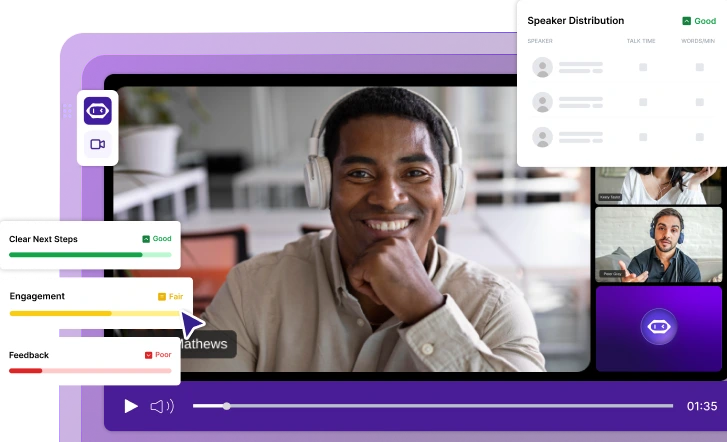
Com o MeetGeek conectado ao Zoom, você pode capturar automaticamente a chamada do Zoom (gravação + transcrição) e, em seguida, obter um resumo da IA com pontos-chave e itens de ação, sem que alguém “se voluntarie” para fazer anotações em vez de se juntar à diversão. Também é útil para colegas de equipe assíncronos: eles podem ler os destaques, pesquisar a transcrição e ainda se sentirem parte da sessão virtual, mesmo que não possam comparecer ao vivo.
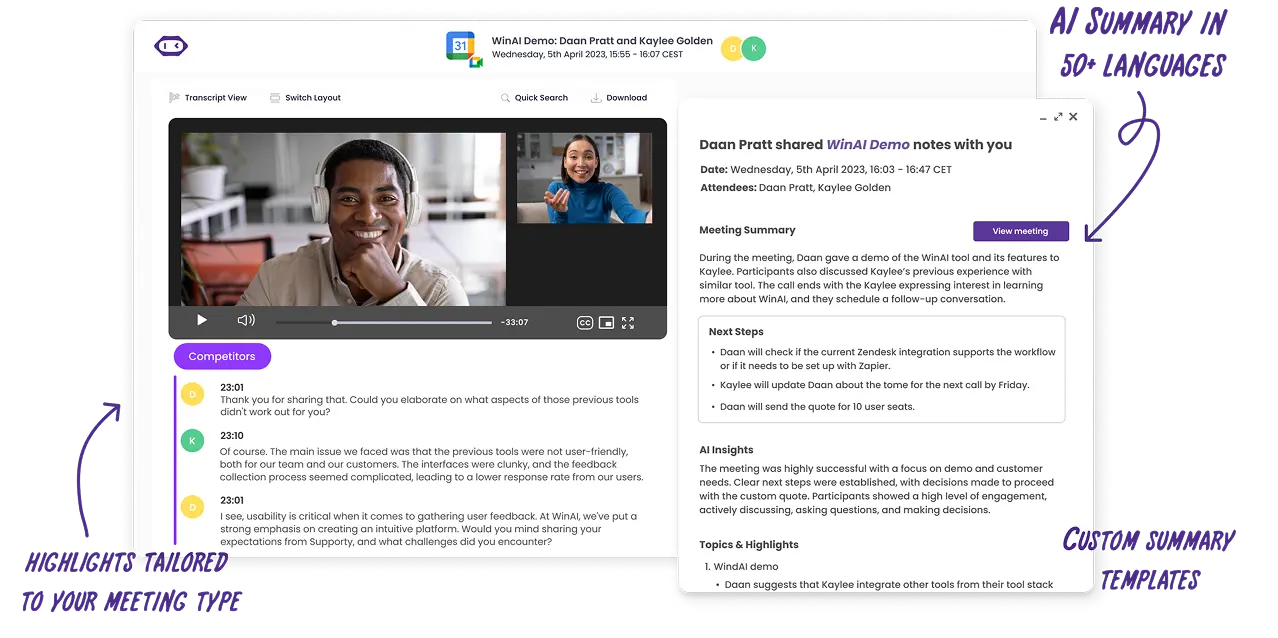
E se você estiver executando jogos como parte de uma integração, workshops ou uma conferência virtual, as transcrições pesquisáveis do MeetGeek facilitam a localização do momento em que alguém compartilhou uma ótima ideia, um bloqueador ou uma “curiosidade” surpreendentemente útil que pertence à cultura da equipe.
O que conta como “jogos de zoom”?
Os jogos Zoom são jogos virtuais que você pode executar dentro de um Reunião Zoom usando recursos que você já tem, como compartilhamento de tela, bate-papo com Zoom, reações, enquetes e salas de discussão. As salas de reunião são especialmente úteis porque permitem que você se divida em pequenas equipes para uma colaboração rápida e, em seguida, traga todos de volta quando estiver pronto.
Como escolher o jogo certo (rápido)
Use esses três filtros quando quiser ter certeza de jogar jogos que sejam úteis para sua meta de reunião com o Zoom:
- Hora: 5 a 10 minutos (energizador), 15 a 25 minutos (união), 30 a 60 minutos (atividade completa)
- Tamanho do grupo: grupo inteiro, pequenos grupos ou duas equipes competindo
- Objetivo: risos, união de equipe, habilidades de comunicação, pensamento crítico, resolução de problemas ou pensamento criativo
20 jogos para jogar no Zoom com detalhes, configuração e metas
1) Caça ao tesouro de relâmpagos
Hora: 5 a 10 minutos
Tamanho do grupo: Grupo inteiro ou equipes pequenas
Objetivo: Energia, raciocínio rápido, atividades divertidas
Lightning scavenger hunt é um dos jogos mais eficazes para jogar no Zoom quando você precisa de um aumento instantâneo de energia. Como tira as pessoas de suas cadeiras, funciona especialmente bem para equipes remotas que passaram por longas reuniões on-line ou chamadas consecutivas do Zoom. Este jogo adiciona movimento e urgência a uma reunião virtual, o que ajuda a redefinir a atenção e reduzir a fadiga da tela.
O jogo é simples, flexível e funciona tão bem em uma pequena sessão de zoom quanto em uma grande teleconferência virtual. Também é uma ótima opção para grupos de antiguidade mista, já que todos jogam no mesmo nível.
Como funciona:
- O anfitrião chama um item ou categoria, como algo vermelho, sua caneca favorita ou um objeto que represente trabalho remoto
- Os participantes correm para encontrar o item e voltar para a câmera
- A primeira pessoa a voltar ganha um ponto, ou o grupo pode usar as reações para votar em grupo
- Acompanhamentos opcionais convidam histórias curtas ou ideias pessoais
2) Bingo por teleconferência
Hora: Durante toda a reunião
Tamanho do grupo: Grupo inteiro
Objetivo: Foco, engajamento, competição leve
O bingo por teleconferência é um jogo clássico do Zoom projetado para reuniões virtuais mais longas ou conferências on-line, onde a atenção tende a diminuir. Em vez de afastar as pessoas da agenda, este jogo funciona silenciosamente em paralelo e mantém os participantes ouvindo ativamente.
Como não exige falar ou interromper, funciona bem para grandes equipes virtuais e reuniões de liderança. Também se encaixa perfeitamente em reuniões de equipe recorrentes, nas quais já existem piadas e padrões compartilhados.
Como funciona:
- Compartilhe cartões de bingo digital antes da sessão de Zoom
- Os quadrados incluem momentos comuns, como “você está no mudo” compartilhamento de tela problemas ou aparecimento de animais de estimação
- Os participantes marcam quadrados à medida que os eventos acontecem
- A primeira pessoa a completar uma linha digita BINGO no Zoom chat
3) Torneio de curiosidades Zoom
Hora: 15 a 30 minutos
Tamanho do grupo: Grupo inteiro ou duas equipes
Objetivo: Competição amistosa, união de equipes
Um jogo de perguntas e respostas é um dos melhores jogos online para trabalhar porque equilibra estrutura e diversão. Funciona bem para ambientes de trabalho remotos, sessões de integração e reuniões sociais do Zoom, nas quais você deseja participar sem pressão.
As curiosidades também se adaptam facilmente a grupos de diferentes tamanhos e podem ser jogadas individualmente ou divididas em duas equipes para uma competição amistosa. É especialmente eficaz para melhorar o engajamento em equipes virtuais que não interagem diariamente.
Como funciona:
- O anfitrião prepara de 10 a 15 perguntas triviais
- Os participantes respondem usando chat, enquetes ou salas de discussão
- Os pontos são rastreados durante todo o jogo
- Os vencedores são anunciados no final
4) Duas verdades e uma mentira
Hora: 10 a 15 minutos
Tamanho do grupo: Grupo inteiro
Objetivo: Confiança, conexão pessoal, vínculo de equipe
Duas verdades e uma mentira é um jogo simples que cria uma conexão rapidamente sem colocar as pessoas em perigo. É especialmente útil para novas contratações, equipes virtuais multifuncionais ou qualquer grupo que precise de uma maneira fácil de aprender uns sobre os outros.
Como o jogo é baseado em uma história, ele naturalmente leva a perguntas complementares e conversas on-line informais.
Como funciona:
- Cada participante compartilha três declarações sobre si mesmo
- Duas afirmações são verdadeiras e uma é falsa
- O grupo envia suposições no chat
- O palestrante revela a mentira e responde a uma pergunta complementar
5) Pictionary usando compartilhamento de tela
Hora: 15 a 20 minutos
Tamanho do grupo: Duas equipes ou grupo inteiro
Objetivo: Criatividade, habilidades de comunicação
Pictionary é um jogo clássico que se traduz extremamente bem em uma versão online usando ferramentas de compartilhamento de tela e quadro branco. É um dos jogos Zoom mais confiáveis para fazer as pessoas rirem e, ao mesmo tempo, praticar uma comunicação clara.
Este jogo funciona bem para equipes pequenas ou grupos maiores divididos em salas de descanso e incentiva a participação de membros mais silenciosos da equipe que podem preferir a expressão visual.
Como funciona:
- Um participante recebe uma palavra ou frase de forma privada
- Eles o desenham usando um quadro branco compartilhado ou uma ferramenta de desenho
- Sua equipe adivinha em tempo real usando o Zoom Chat
- Cada rodada dura cerca de 60 segundos antes de alternar os papéis
6) Guess Who (edição de hábitos de trabalho)
Hora: 15 minutos
Tamanho do grupo: Grupo inteiro
Objetivo: Dinâmica de grupo, escuta, conscientização
Esta versão do Guess Who se concentra nos hábitos e preferências de trabalho em vez da aparência, tornando-a adequada para reuniões virtuais profissionais e equipes remotas. Incentiva a curiosidade e a escuta ativa sem ultrapassar os limites pessoais.
Também ajuda as equipes a refletirem sobre o quão bem elas realmente se conhecem além dos cargos.
Como funciona:
- Um participante é selecionado secretamente
- Os jogadores fazem perguntas sim ou não sobre hábitos ou estilo de trabalho
- Participantes que não coincidem desligam suas câmeras
- A última pessoa visível é a resposta
7) Leia meus lábios
Hora: 10 minutos
Tamanho do grupo: Grupo inteiro
Objetivo: Comunicação não verbal, atenção
Read my lips é um pequeno jogo interativo que destaca o papel da linguagem corporal nas videochamadas. Funciona bem como um energizador no meio de uma reunião quando a atenção começa a se desviar.
Por se basear em dicas visuais, incentiva os participantes a se concentrarem na tela em vez de realizar várias tarefas.
Como funciona:
- Um participante silencia seu microfone
- Eles falam silenciosamente uma palavra ou frase
- O grupo envia suposições no chat
- O primeiro palpite correto vence
8) O jogo de contagem
Hora: 5 a 10 minutos
Tamanho do grupo: Grupos pequenos a médios
Objetivo: Habilidades de comunicação, coordenação
O jogo de contagem é aparentemente simples e muito eficaz para destacar como as equipes se comunicam em situações de incerteza. Funciona melhor com câmeras ligadas e com o mínimo de distrações.
Este jogo é frequentemente usado com equipes remotas para criar foco e ritmo compartilhado.
Como funciona:
- O grupo deve contar de 1 a 20
- Nenhuma ordem de fala foi atribuída
- Se duas pessoas falarem ao mesmo tempo, o grupo recomeça
9) Algo em comum
Hora: 10 a 15 minutos
Tamanho do grupo: Pequenos grupos
Objetivo: Vínculo de equipe, conexão
Algo em comum é uma das atividades mais fortes de formação de equipes para equipes virtuais que não se conhecem bem. Ele cria conexões significativas sem depender de quebra-gelos forçados.
Como funciona:
- Os participantes são divididos em salas de descanso de quatro a seis pessoas
- Cada grupo encontra uma coisa inesperada que todos compartilham
- As equipes retornam à sala principal para apresentar sua resposta
10) Você prefere
Hora: 5 a 10 minutos
Tamanho do grupo: Grupo inteiro
Objetivo: Engajamento, conversa on-line
O Que Você Prefere é um jogo online leve que funciona bem no início ou no final de uma reunião do Zoom. Não requer quase nenhuma configuração e é fácil de se adaptar a grupos de diferentes tamanhos.
Como funciona:
- O host faz uma pergunta baseada em escolhas
- Os participantes votam usando enquetes ou reações
- Alguns voluntários explicam seu raciocínio
11) Batalha de colchetes
Hora: 10 a 15 minutos
Tamanho do grupo: Grupo inteiro
Objetivo: Competição amigável, tomada de decisão, engajamento
Bracket battle é um jogo Zoom simples, mas altamente envolvente, que funciona bem durante reuniões de equipe ou sessões virtuais mais leves. Este jogo é especialmente eficaz quando as equipes precisam de uma pausa no trabalho estruturado, mas ainda querem um senso de propósito.
Você pode adaptar o suporte a praticamente qualquer tema, como melhor lanche, melhor filme, melhor ferramenta de produtividade ou melhor tradição de equipe. Como depende da votação, funciona bem para grandes equipes virtuais e equipes remotas.
Como funciona:
- O anfitrião compartilha um colchete usando o compartilhamento de tela
- Duas opções competem em cada rodada
- Os participantes votam usando enquetes ou reações
- Os vencedores avançam até restar uma escolha final
12) Proponha o produto ridículo
Hora: 20 minutos
Tamanho do grupo: Equipes pequenas
Objetivo: Pensamento criativo, colaboração, habilidades de comunicação
Pitch the ridiculous product é um jogo divertido que combina imaginação com trabalho em equipe. Funciona particularmente bem em ambientes em que as equipes raramente acessam ideia súbita juntos livremente. O jogo incentiva o pensamento lúdico e, ao mesmo tempo, pratica habilidades reais, como persuasão e apresentação.
Como usa salas de reunião, é ideal para equipes pequenas em uma reunião maior.
Como funciona:
- Os participantes são divididos em salas de descanso
- Cada equipe inventa um produto fictício
- As equipes definem um nome, propósito e três recursos
- As equipes retornam à sala principal para jogar em 60 segundos
- O grupo vota no melhor campo
13) Salas de fuga virtuais
Hora: 30 a 60 minutos
Tamanho do grupo: Equipes pequenas
Objetivo: Resolução de problemas, pensamento crítico, colaboração
As salas de escape virtuais estão entre os melhores jogos virtuais para equipes que gostam de desafios estruturados. Eles são especialmente populares para eventos de formação de equipes, sessões de integração e conferências virtuais mais longas.
As salas de escape incentivam a comunicação clara, a tomada de decisões compartilhada e o pensamento lógico. Eles são adequados para equipes que desejam uma experiência colaborativa mais profunda do que quebra-gelos curtos.
Como funciona:
- O anfitrião seleciona uma sala de fuga online ou uma experiência de quebra-cabeça
- O quebra-cabeça é compartilhado usando o compartilhamento de tela
- As equipes colaboram em salas de reunião para resolver desafios
- As equipes relatam o progresso na sala principal
14) Adivinhe a mesa
Hora: 15 minutos
Tamanho do grupo: Grupo inteiro
Objetivo: Percepções pessoais, conexão, união de equipe
Guess the desk é um jogo descontraído que ajuda a humanizar o trabalho remoto ao compartilhar pequenos vislumbres do ambiente diário das pessoas. Funciona melhor para equipes que já têm algum nível de confiança e desejam aprofundar a conexão pessoal sem compartilhar demais.
Este jogo é particularmente eficaz durante reuniões casuais ou eventos sociais internos da equipe.
Como funciona:
- Os participantes enviam fotos de suas mesas com antecedência
- O anfitrião compartilha uma imagem por vez usando o compartilhamento de tela
- O grupo envia suposições no chat
- O proprietário é revelado e pode compartilhar uma história curta
15) Tabu
Hora: 15 a 20 minutos
Tamanho do grupo: Duas equipes
Objetivo: Habilidades de comunicação, raciocínio rápido
Taboo é um jogo rápido que desafia os jogadores a explicar ideias com clareza, sem depender de palavras óbvias. É um dos jogos mais eficazes para melhorar a comunicação verbal e o pensamento no local.
Como as regras são simples, elas funcionam bem para níveis de experiência mistos e tamanhos de equipe diferentes.
Como funciona:
- Um jogador recebe uma palavra e uma lista de palavras proibidas por mensagem privada
- Sua equipe deve adivinhar a palavra em 60 segundos
- Se uma palavra proibida for usada, a rodada termina
- Equipes alternam funções
16) Dispersão
Hora: 15 minutos
Tamanho do grupo: Grupo inteiro
Objetivo: Pensamento rápido, pensamento criativo
Scattergories é um jogo online baseado em palavras que funciona bem no bate-papo do Zoom e requer configuração mínima. É ideal para energizar um grupo sem precisar de compartilhamento de tela ou salas de descanso.
Este jogo atrai participantes que gostam de linguagem, criatividade e estratégia leve.
Como funciona:
- O anfitrião compartilha uma carta e várias categorias
- Os participantes têm dois minutos para pensar
- Todos enviam respostas ao mesmo tempo no chat
- Respostas exclusivas marcam pontos
17) De quem é essa história
Hora: 15 minutos
Tamanho do grupo: Grupo inteiro
Objetivo: Vínculo de equipe, empatia
De quem é essa história? é um jogo baseado em contar histórias que ajuda as equipes a se conectarem em um nível mais pessoal. Funciona bem para equipes virtuais que desejam ir além da interação superficial.
O jogo incentiva a escuta, a curiosidade e a discussão respeitosa.
Como funciona:
- Os participantes enviam histórias curtas anonimamente antes da reunião
- O anfitrião lê uma história em voz alta
- O grupo adivinha quem o escreveu usando o chat
- O autor é revelado somente se eles se sentirem confortáveis
18) Jogos de festa multijogador
Hora: 20 a 30 minutos
Tamanho do grupo: Grupo inteiro
Objetivo: Conexão social, diversão
Os jogos multijogador para festas são mais adequados para chamadas casuais do Zoom, como um happy hour virtual ou uma celebração em equipe. Esses jogos multijogador se concentram no riso e na experiência compartilhada, e não no desempenho.
Eles são especialmente úteis quando o objetivo é relaxar e socializar.
Como funciona:
- O anfitrião compartilha a tela do jogo
- Os participantes ingressam usando um telefone ou navegador
- O grupo joga várias rodadas curtas.
19) Aposte na multidão
Hora: 10 a 15 minutos
Tamanho do grupo: Grupo inteiro
Objetivo: Visão, discussão e engajamento do grupo
Bet on the crowd é um jogo Zoom baseado em previsões que destaca a opinião do grupo em vez do desempenho individual. Funciona bem para grandes equipes virtuais e evita colocar um único participante no local.
Como funciona:
- O anfitrião lança uma pergunta de enquete
- Os participantes adivinham qual resposta será mais popular
- Os resultados são revelados
- Os pontos são concedidos por previsões corretas
20) Descubra a diferença
Hora: 10 a 15 minutos
Tamanho do grupo: Duas equipes
Objetivo: Observação, atenção, comunicação
Descubra a diferença é um jogo visual interativo que funciona bem em videochamadas. Isso incentiva os participantes a prestarem muita atenção uns aos outros, o que geralmente é esquecido em reuniões virtuais.
Como funciona:
- A equipe A desliga suas câmeras e muda três coisas
- As câmeras ligam novamente
- A equipe B adivinha as mudanças no chat
- As equipes trocam de funções
Dicas para rodar jogos do Zoom sem constrangimento
- Use salas de descanso quando o jogo precisar de tempo de antena para todos.
- Estabeleça um ritmo claro: explique as regras, faça uma rodada de treinos e comece a marcar.
- Incentive o bate-papo: o Zoom chat é seu melhor amigo para respostas simultâneas, suposições em grupo e evitar interrupções.
- Use o compartilhamento de tela para qualquer coisa visual (bingo, colchetes, slides de curiosidades).
- Termine com uma rápida recapitulação e uma imagem final: faça uma captura de tela da pose vencedora ou do melhor momento.
E se você quiser que a sessão seja divertida e útil depois, o MeetGeek pode capturar a gravação, a transcrição e os destaques para que ninguém precise reproduzir toda a chamada do Zoom para lembrar o que aconteceu.
Torne os jogos parte da cultura da reunião (não uma única vez)
Os melhores jogos para jogar no Zoom não parecem “diversão forçada”. Eles parecem uma reinicialização rápida que melhora a maneira como as pessoas falam, ouvem e colaboram em reuniões on-line.
Escolha uma ideia acima para sua próxima reunião do Zoom, execute-a por 8 a 12 minutos e alterne o formato semanalmente. Com o tempo, você notará uma energia melhor, relacionamentos mais fortes e uma comunicação mais suave no trabalho remoto.
Experimente o MeetGeek gratuitamente e mantenha o ritmo antes, durante e depois de cada reunião.
Perguntas frequentes sobre jogos para jogar no Zoom
Quais são os melhores jogos para jogar no Zoom para equipes remotas?
Os melhores jogos para jogar no Zoom para equipes remotas são simples, interativos e fáceis de participar sem ferramentas extras. Jogos como caça ao tesouro, jogos de perguntas e respostas, Pictionary e Would You Pather funcionam especialmente bem porque se encaixam naturalmente em uma reunião do Zoom e mantêm todos envolvidos.
Como os jogos Zoom ajudam na formação de equipes e na comunicação?
Os jogos Zoom apoiam a formação de equipes criando experiências compartilhadas durante uma reunião virtual que vão além das tarefas de trabalho. Muitos jogos virtuais incentivam a escuta ativa, o raciocínio rápido e a participação de todos os membros da equipe, o que ajuda a melhorar as habilidades de comunicação ao longo do tempo.
Por quanto tempo você deve jogar durante uma reunião do Zoom?
A maioria dos jogos do Zoom funciona melhor quando duram entre 5 e 20 minutos, dependendo do objetivo da reunião. Jogos curtos são ideais como estimulantes no início de reuniões on-line, enquanto jogos mais longos, como torneios de perguntas e respostas ou salas de fuga virtuais, se encaixam melhor em sessões de equipe dedicadas ou em um happy hour virtual.
Manter os jogos dentro do cronograma garante que eles se divirtam e não o distraiam do objetivo principal da chamada do Zoom.

Como Agendar uma Reunião no Google Meet: Guia Passo a Passo 2026
Três métodos para desktop, dois fluxos para celular e uma dica para tornar cada chamada agendada mais produtiva.

Planos de Fundo de Zoom Engraçados Para Cada Tipo de Reunião
Descubra os melhores planos de fundo engraçados do Zoom para chamadas de trabalho e reuniões virtuais, incluindo memes, cenas de TV, escritórios falsos e ideias geradas por IA.
O Modelo de Reunião Retrospectiva Agile: 5 Formatos Que Funcionam
Cinco formatos retrô (Start/Stop/Continue, 4Ls, Mad/Sad/Glad, Sailboat, DAKI), quando usar cada um e a etapa de compromisso que transforma a conversa em mudança.

Ferramentas de Transcrição de Reuniões Compatíveis com a HIPAA: Um Guia de Verificação
O que a HIPAA realmente exige das ferramentas de transcrição, por que a maioria dos anotadores de IA não se qualifica e uma lista de verificação de 10 itens para equipes de operações clínicas.

Reunião de Teste no Zoom: Guia passo a passo para testar sua configuração antes de qualquer chamada
Saiba como realizar uma reunião de teste do Zoom, corrigir problemas de microfone e câmera e garantir que sua configuração esteja pronta antes de qualquer chamada importante.
Manual da reunião inicial do projeto (+ modelo)
A agenda de 7 partes, o modelo e a lista de verificação de acompanhamento de 24 horas que transformam o início do projeto nos 60 minutos mais valiosos de todo o projeto.

O que é uma Assembleia Geral Anual (AGM)? Um guia completo
Entenda as reuniões gerais anuais, o que incluir em uma agenda de AGM e como realizar reuniões estruturadas e compatíveis que orientam as decisões.
É ilegal gravar alguém sem sua permissão?
Gravar uma conversa pode ser legal em algumas situações e ilegal em outras. Este guia explica quando é permitido gravar alguém sem permissão nos EUA e na UE, como as leis de consentimento funcionam e como evitar problemas legais.
Jogos para jogar no Zoom: 20 ideias para formação de equipes (e risadas reais)
Uma lista prática de jogos Zoom que ajudam equipes remotas a se conectarem, aumentarem a energia e tornarem as reuniões virtuais mais envolventes e interativas.

Como automatizar reuniões com segurança em ambientes regulamentados e de alto risco
Saiba como automatizar reuniões em ambientes regulamentados sem comprometer a segurança, a privacidade ou a conformidade.
As melhores alternativas ao tl;dv para agilizar suas reuniões
Descubra as principais alternativas ao tl; dv e explore e compare seus recursos para escolher a ferramenta de reunião de IA certa para sua organização.

Agentes de reuniões de IA: como a IA autônoma está transformando o futuro do trabalho
Descubra como os agentes de reuniões com inteligência artificial estão redefinindo o futuro do trabalho, gerenciando agendamentos, acompanhamentos e até mesmo falando em seu nome para economizar tempo e transformar cada reunião em ação real.

Alternativas do Granola AI Notes: as melhores opções para experimentar em 2026
Explore as melhores alternativas do Granola AI Notes para 2026 com ferramentas mais inteligentes que vão além da transcrição, oferecendo automação, insights e colaboração.

E-mail de follow-up após a entrevista: como escrevê-lo, quando enviá-lo e o que dizer
Descubra como escrever um e-mail de acompanhamento eficaz após uma entrevista. Do tempo e dos modelos ao tom e à estrutura, este guia aborda tudo o que você precisa para se destacar e se manter memorável.

Análise de preços da Tactiq 2026: planos, limites e a melhor alternativa
Explore os planos de preços mais recentes da Tactiq e descubra como eles se comparam ao assistente de reuniões tudo-em-um do MeetGeek.

Significado da reunião ad hoc e como organizá-la
Descubra o verdadeiro significado de uma reunião ad hoc e aprenda como tornar as discussões espontâneas mais focadas e eficazes. Descubra quando mantê-los e gerenciá-los.

Etiqueta de reunião virtual: 15 regras essenciais para videochamadas profissionais
Descubra 15 regras e dicas essenciais de etiqueta para reuniões virtuais que mantêm as conversas focadas, profissionais e envolventes.

Como ver seu histórico do Google Meet e encontrar gravações (4 métodos fáceis)
Este artigo explora várias maneiras de ver seu histórico do Google Meet, recuperar e compartilhar gravações e descreve os requisitos para acessar esses dados.

Preços do Fireflies | Análise e coisas que eu gostaria de saber antes de comprar (2026)
Explore os preços e os recursos do Fireflies 2026. Saiba por que os usuários mudam dessa plataforma e escolhem alternativas para resumos e insights de reuniões de IA.

Como escolher os modelos de atas de reunião certos para diferentes tipos de reuniões
Entender os diferentes tipos de reuniões e suas necessidades de documentação é o primeiro passo para escolher o modelo certo. Neste artigo, aprenderemos como fazer isso.

Como acessar e revisar seu histórico de reuniões do Zoom: um guia completo
Neste artigo, explicaremos como acessar e revisar seu histórico de reuniões do Zoom: usando as ferramentas integradas do Zoom e com a ajuda de um assistente de reuniões com IA.

Anotadores de IA para reuniões presenciais: 5 melhores aplicativos móveis para Android e iOS em 2026
Os melhores aplicativos móveis agora gravam suas reuniões presenciais, transcrevem discursos e estruturam notas. Testamos as principais opções para iPhone e Android neste artigo.

Como gravar uma chamada do Discord: um guia passo a passo (2026)
Este guia passo a passo mostrará como gravar uma chamada do Discord usando recursos simples e integrados do dispositivo e ferramentas poderosas de terceiros.

Como usar a extensão Zoom Chrome e as 9 melhores extensões para reuniões
Este guia mostrará exatamente como usar a extensão Zoom Chrome e algumas outras ferramentas para simplificar seu processo de reunião.

Como gravar reuniões Webex: um guia passo a passo [2 métodos]
Grave no Webex usando o recurso de gravação integrado ou aprimore a gravação com ferramentas de terceiros, como a extensão MeetGeek AI Chrome.

A sobrecarga de reuniões não é o problema real - é um design ruim de reuniões
Quando a sobrecarga de reuniões se torna óbvia, há algumas pequenas mudanças que podem transformar toda a sua cultura de reuniões.

Como gravar videoconferências: um guia para recursos integrados e ferramentas de IA
Grave videoconferências usando ferramentas de plataforma integradas ou serviços de transcrição de IA para criar ativos duradouros. Use ferramentas como o MeetGeek para automatizar a colaboração e melhorar a produtividade.

Notas de reunião de IA: seu guia para documentação automatizada de reuniões em 2026
Vamos examinar mais de perto tudo o que você precisa saber sobre as opções gratuitas de anotações de reuniões de IA.

4 melhores softwares de transcrição gratuitos para 2026 | Testado pessoalmente
Neste artigo, compartilhamos os 4 melhores softwares de transcrição que encontramos com base em testes pessoais para 2026.

Análise do Read AI: Por que tantas pessoas estão abandonando Read AI? (2026)
Orientaremos você sobre os principais recursos, preços, prós e contras e daremos algumas dicas sobre por que os usuários estão migrando desse assistente de reuniões de IA.

Preços do Otter AI | 4 coisas que eu gostaria de saber antes de comprar (2026)
“A IA do Otter vale a pena?” É uma boa pergunta, e muitos de vocês fizeram. Saiba o que descobrimos sobre os preços e recursos do Otter AI e quais outras opções você tem.

Preços do Gong em 2026 | Isso economizará +$30.000
Se você considerou o Gong, provavelmente fez a pergunta: “Quanto custa o Gong?”. Descubra quanto os clientes da Gong pagam e quais outras opções você tem.

Como entrar no Zoom com alternativas de ID de reunião +
Descubra como participar de uma reunião do Zoom usando um ID de reunião e explore métodos alternativos para se conectar perfeitamente.
6 melhores aplicativos de notas de reuniões em 2026 | #1 é um divisor de águas
Não reunimos apenas os principais assistentes de reunião de IA neste artigo, mas também os melhores aplicativos para anotações manuais quando se trata de anotações de reuniões.

Testamos e encontramos as 5 melhores alternativas de Fathom para 2026
Depois de mergulhar profundamente na experiência dos usuários com esse assistente de reuniões de IA, descobrimos quais são as melhores alternativas do Fathom para você.

6 melhores alternativas de Gong após mais de 2 anos de testes (2026)
Investimos mais de 300 horas neste projeto para descobrir as melhores alternativas de Gong. Vamos nos aprofundar nos melhores.

Quando e como organizar uma reunião presencial em 2026
Planeje reuniões presenciais mais inteligentes! Saiba quando se reunir, como se organizar de forma eficaz e tornar cada reunião produtiva e envolvente.
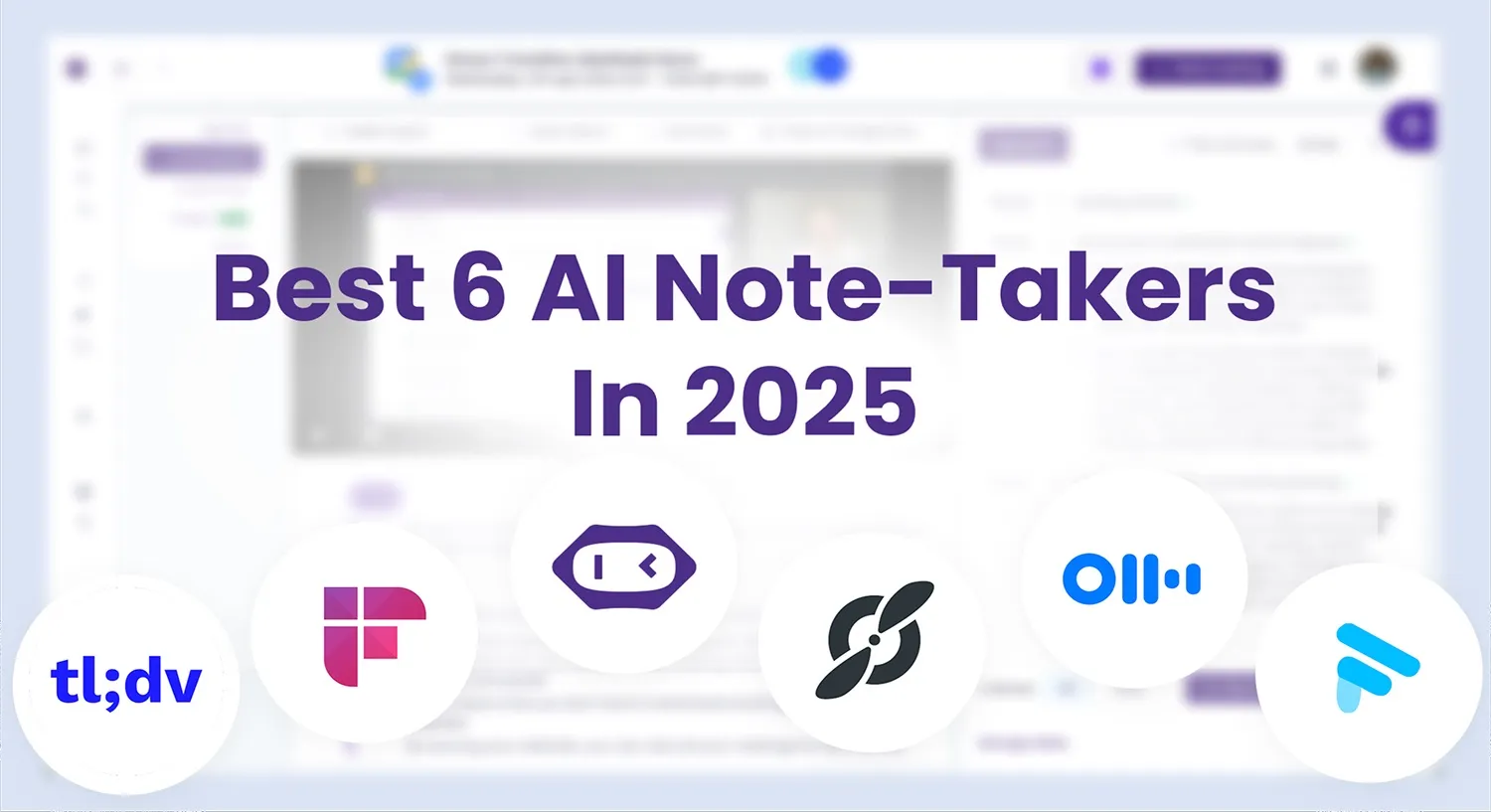
Os 6 melhores anotadores de IA em 2026 | Mais de 15 ferramentas testadas
Eu tentei +15 anotadores de IA para encontrar os melhores. Este artigo revela o melhor tomador de notas de IA com base em recursos e preços.

Como ter uma reunião eficaz de pontos de contato: estratégias para gerentes
Quer conduzir reuniões de ponto de contato bem-sucedidas? Aprenda dicas e estratégias práticas para promover a colaboração, acompanhar o progresso e inspirar sua equipe a fazer mais.

Como Planejar e Realizar Reuniões de Vendas Produtivas [+Agenda de Reuniões de Vendas Gratuita]
Aprenda estratégias eficazes para tornar suas reuniões de vendas mais impactantes e produtivas. Descubra dicas para impulsionar o engajamento e os resultados!

Como Realizar uma Reunião de Descoberta Eficaz
Saiba como realizar uma reunião de descoberta eficaz com dicas e estratégias práticas que garantem o sucesso.

Como Dominar Reuniões Scrum: Melhores Práticas e Modelos
Aprenda a realizar reuniões Scrum eficazes com dicas e modelos práticos. Simplifique seu fluxo de trabalho, aumente a colaboração em equipe e aproveite ao máximo cada reunião!

O Que é Reunião Virtual e o que Esperar em 2026: Uma Visão do Futuro
Descubra o futuro das reuniões virtuais em 2026 e algumas dicas fora do tempo com este artigo esclarecedor.
.webp)
As 10 melhores alternativas do Vowel.ai para suas reuniões
Clique aqui para ver 7 das principais alternativas ao Vowel para sua próxima reunião.

Como Transcrever Reuniões do Zoom para o Google Docs Sem Permissões Adicionais
Aprenda a transcrever com eficiência suas reuniões do Zoom para o Google Docs com essas etapas simples. Aumente a produtividade e consulte facilmente discussões anteriores.

As 8 principais plataformas de reuniões virtuais on-line para organizações em crescimento
Com cada vez mais plataformas de reuniões virtuais disponíveis no mercado, escolher a certa para sua empresa pode ser bastante confuso e desafiador.

6 dicas para escrever uma agenda de reunião bem-sucedida com exemplos
Quer escrever a agenda definitiva de reuniões e alcançar a produtividade de todos os tempos nas reuniões de sua equipe? Siga estas 6 dicas profissionais para saber como e confira nossos modelos gratuitos para começar.

Como “compartilhar tela” no Zoom [PC/celular] + Dicas profissionais
Aprenda a compartilhar sua tela durante as reuniões do Zoom no PC e em dispositivos móveis com nossas dicas de especialistas!
.jpeg)
Como configurar uma reunião no Zoom e dicas incríveis para aumentar o engajamento
Domine a configuração do Zoom com nosso guia passo a passo fácil. Do agendamento à hospedagem, saiba como se conectar e se envolver no mundo digital.
Como organizar uma reunião de equipes: um guia passo a passo para iniciantes
Aprenda a organizar uma reunião de equipes sem esforço com nosso guia para iniciantes. Do agendamento ao convite, cobrimos todas as etapas!

Como gravar sessões do Google Meet sem permissões especiais em 2026
Descubra como gravar facilmente um Google Meet em nosso guia abrangente. Leia este artigo para nunca mais se preocupar em perder informações importantes!

Como organizar a melhor reunião individual
Descubra como organizar reuniões individuais que melhorem a comunicação, promovam o engajamento e construam relacionamentos mais fortes em sua equipe lendo este artigo!

Encontre seu modelo de notas de reunião perfeito
As reuniões fazem parte da sua vida profissional, mas você não tem ideia do que elas devem conter ou mesmo parecer? Leia este artigo para obter seu modelo de notas de reunião!

Os 10 Segredos para uma Gestão Eficaz de Reuniões
Descubra os segredos para uma gestão eficaz de reuniões! Descubra 10 estratégias revolucionárias para reuniões produtivas.

Como escolher a cadência certa de reunião: o manual do gerente
Descubra os segredos para definir a cadência perfeita de reuniões para otimizar a produtividade da equipe com este guia para gerentes.
.jpeg)
Como participar de uma reunião do Zoom usando qualquer dispositivo em 2026
Entre em 2026 com facilidade: aprenda a participar de reuniões do Zoom de qualquer dispositivo com este guia simples e fácil de usar para conexões virtuais perfeitas.

20 Ideias Inovadoras para Reuniões de Equipe
Energize e envolva sua equipe com uma dessas 20 ideias inovadoras para reuniões de equipe.

O poder de um blog: como as reuniões podem ser transformadas em conteúdo envolvente
Neste artigo, revelaremos seis estratégias criativas para aproveitar as transcrições de reuniões para aprimorar seus esforços de marketing.

Como Escrever um Email de Convite de Reunião Eficaz
Já se perguntou qual é a receita para um e-mail de convite de reunião bem-sucedido? Leia este artigo para saber todas as nossas dicas e ideias!

Por que você precisa definir metas de reunião e como fazer isso
O primeiro passo para uma reunião bem-sucedida é definir as metas da reunião. Leia este artigo para saber como equipes de alto desempenho fazem isso!

Como Gravar uma Reunião do Zoom se Você Não for Um Anfitrião
Descubra como gravar reuniões do Zoom sem privilégios de hospedagem em qualquer dispositivo para uma experiência de reunião simplificada!
.jpg)
Como facilitar reuniões inclusivas e colaborativas
Um bom planejamento e facilitação de reuniões são o que torna as reuniões de equipe inclusivas, colaborativas e eficazes, levando à resolução de problemas e à geração de novas ideias.

Google Meet x Zoom: Qual Escolher em 2026
Descubra o confronto definitivo entre o Google Meet e o Zoom em 2026! Descubra qual ferramenta de videoconferência ganha em recursos e valor.
.webp)
A revisão definitiva de fim de ano: um guia para gerentes
Domine a arte das avaliações de fim de ano com nosso guia abrangente para gerentes. Aprenda estratégias comprovadas para avaliar o desempenho e definir metas para o sucesso no próximo ano.

Visualização de dados eficaz para insights de reuniões
A visualização torna a transmissão de dados complexos mais compreensível. Vamos descobrir como melhorar sua próxima reunião com recursos visuais.

Como Alterar o Zoom Host + Como Adicionar um Host Alternativo no Zoom
Aprenda as etapas rápidas e fáceis para mudar de anfitrião nas reuniões do Zoom com este guia abrangente e para iniciantes.

Como ter uma reunião de negócios bem-sucedida em 2024
Domine a arte de reuniões de negócios bem-sucedidas este ano com nossas principais dicas para planejar, engajar e alcançar resultados no ambiente de trabalho moderno.
.jpeg)
Como realizar uma sessão de brainstorming eficaz
Prepare-se para liberar a criatividade da sua equipe. Não perca este guia para realizar uma sessão de brainstorming eficaz que dará vida a ideias inovadoras.

Os 10 melhores softwares de agendamento de reuniões para 2026
As melhores ferramentas de agendamento de reuniões oferecem uma experiência sem atritos para todos os participantes. Aqui estão 10 opções que economizarão horas do seu tempo!

Formatos de reunião inovadores: explorando alternativas às reuniões de negócios tradicionais para aumentar a criatividade
Explore alguns formatos alternativos de reunião que podem revolucionar a forma como sua equipe colabora e gera ideias.

10 maneiras pelas quais um assistente de reuniões com IA pode ajudar em suas reuniões e entrevistas
Sem as ferramentas certas, as reuniões podem ser um processo doloroso. Leia este artigo para explorar os 10 melhores casos de uso de ter um assistente de reuniões com IA!

10 Dicas para Escrever uma Recapitulação Eficaz da Reunião
Descubra 10 dicas práticas para escrever resumos de reuniões claros e eficazes que mantenham sua equipe informada e no caminho certo. Melhore a comunicação e a produtividade com essas etapas fáceis.

Os 5 melhores tipos de perguntas de check-in para reuniões
Você é gerente e está tentando encontrar as melhores perguntas de check-in para reuniões? Leia isso antes de sua próxima reunião!

15 exemplos gratuitos de agenda de reuniões
Você ainda está tentando encontrar os exemplos perfeitos de pauta de reuniões para usar como inspiração antes da próxima reunião? Confira nossos 15 modelos gratuitos!

15 tipos de reuniões: o que as torna diferentes e dicas
Você é um gerente que quer dominar a arte de organizar reuniões? Aprenda a abordar esses 15 tipos de reuniões de forma eficaz com nossas dicas exclusivas!

10 Tipos de Perguntas de Triagem de RH a Serem Feitas se Você for um Gerente de Contratação
Você está tentando encontrar o melhor candidato para um anúncio de emprego na sua empresa? Leia este artigo para descobrir os melhores tipos de perguntas de triagem de RH!