

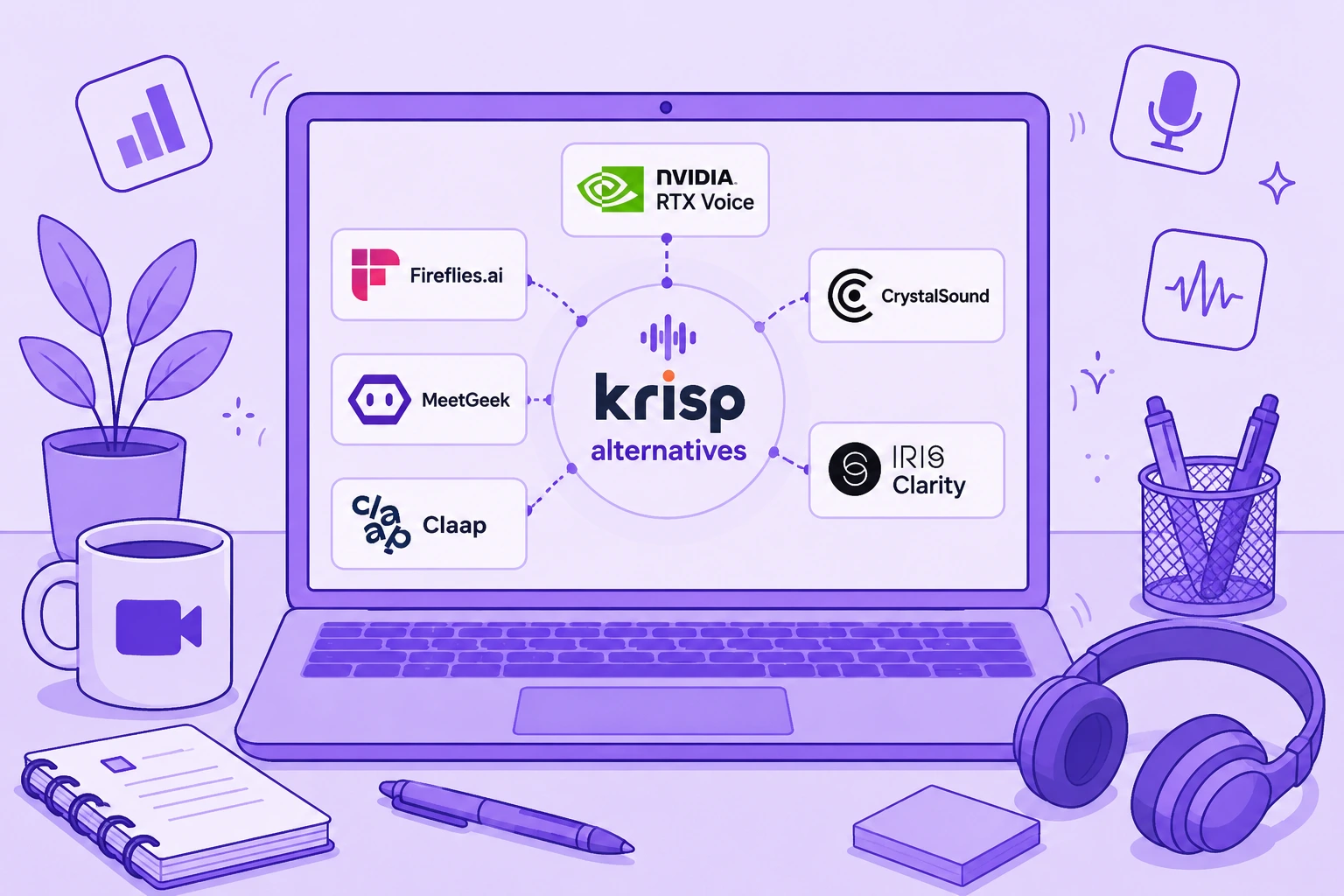

Krisp is still one of the strongest tools for real-time AI noise cancellation. It can reduce background noise from your microphone and incoming audio, works across popular communication tools, and now combines noise suppression with transcription, recording, AI meeting notes, accent conversion, and meeting summaries.
Because Krisp now does several jobs at once, no single alternative replaces all of it.
If your priority is removing background noise during live meetings, NVIDIA RTX Voice or CrystalSound may be the closer fit. If you are primarily using Krisp as an AI meeting assistant, Fireflies.ai, MeetGeek, and Claap go further into meeting notes, conversation intelligence, collaboration, and workflow automation.
This guide compares six of the best Krisp alternatives based on what they actually replace, their key features, limitations, and current pricing.
TL;DR: What are the best Krisp alternatives?
| Krisp alternative | Best for | Starting price |
|---|---|---|
| NVIDIA RTX Voice | Free real-time noise suppression for people with compatible NVIDIA GPUs | Free |
| Fireflies.ai | Meeting intelligence, search, and CRM-connected workflows | Free |
| MeetGeek | AI meeting notes, automation, analytics, and 10,000+ integrations | Free |
| CrystalSound | Dedicated noise cancellation and audio enhancement | $12/user/month |
| Claap | Video-first meeting collaboration and revenue workflows | Free |
| IRIS Clarity | Bidirectional noise cancellation for customer-facing teams and call centers | £9.50/seat/month |
The important distinction is what you want to replace in Krisp.
What is Krisp AI?
Krisp AI started with real-time noise cancellation and remains particularly strong at reducing distracting sounds during video calls and phone calls.
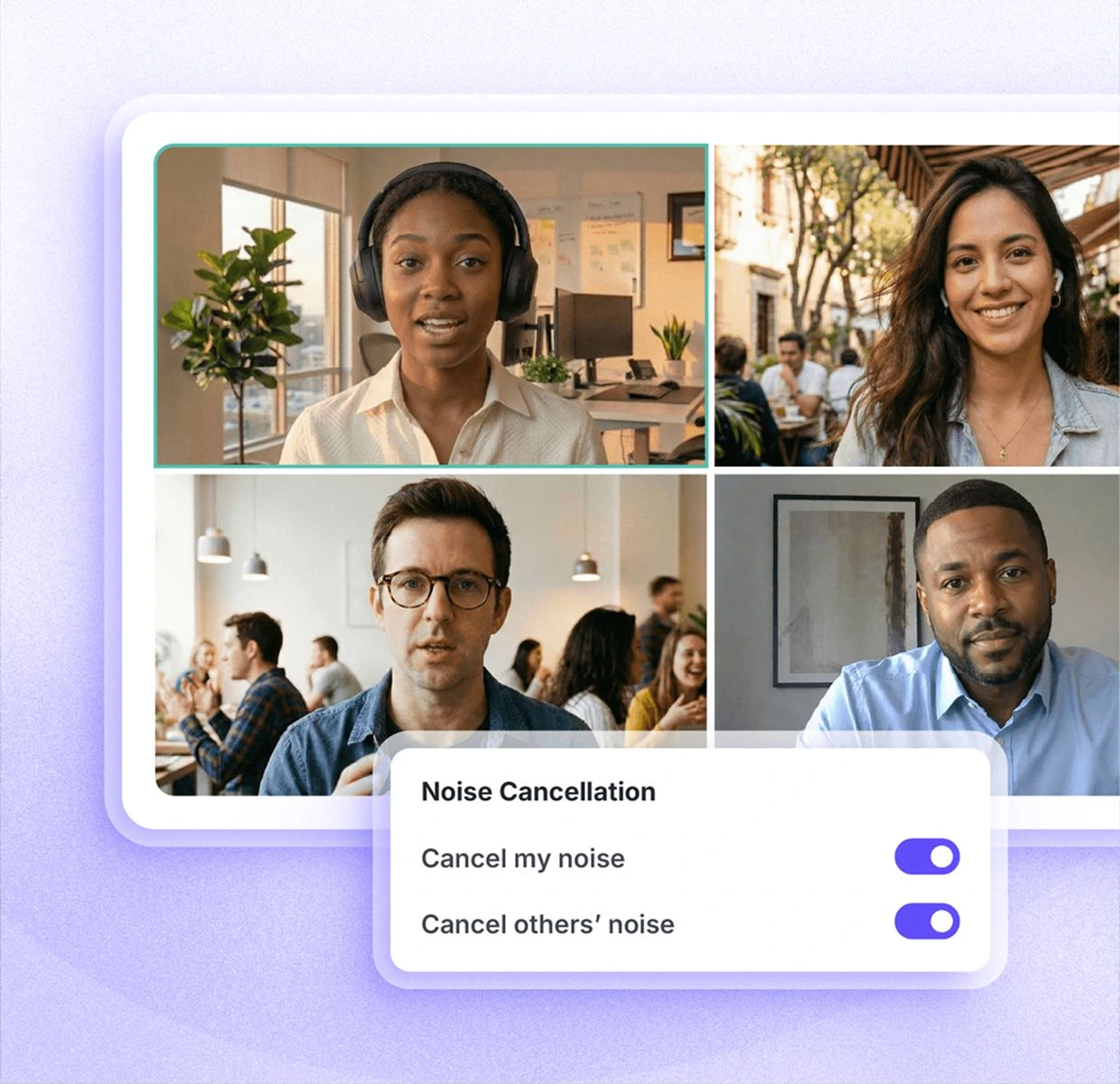
Instead of being built into one communication app, Krisp creates a virtual microphone and speaker that can sit between your physical audio devices and platforms such as Zoom, Microsoft Teams, and Google Meet. That lets it process your mic input and, depending on the configuration, incoming audio as well.
Its current feature set goes well beyond basic noise suppression.
Krisp includes:
- Unlimited noise cancellation on paid plans
- AI-powered background noise and echo removal
- Transcription and audio recording
- Video recording
- AI summaries and action items
- AI Chat
- Multilingual transcripts and summaries in 16+ languages
- Accent conversion
- In-person meeting support
- Meeting folders and tags
- Custom vocabulary
- Integrations with tools such as Slack, Notion, Zapier, Teams, HubSpot, Pipedrive, Salesforce, and ConnectWise
- API and MCP integrations
- Team administration and security controls
Krisp currently offers a seven-day free trial with access to unlimited transcription, unlimited noise cancellation, audio and video recording, and AI notes.
After that, Core costs $16 per user per month, while Advanced costs $30 per user per month, both billed monthly. Enterprise pricing is customized.
For someone working from home with fan noise, barking dogs, renovation sounds, or other ambient sounds around them, Krisp can be extremely useful. Its ability to remove unwanted noise in real time is still the reason many people choose it in the first place.
Why might you need a Krisp alternative?
There is a difference between saying Krisp has limitations and saying Krisp is a bad product.
The latter would not be accurate.
Krisp has a 4.7/5 G2 rating, and its noise cancellation solves a very real problem for remote workers, customer-facing teams, and call centers. If audio clarity during live conversations is your main concern, switching away from it may not make sense at all.
However, there are a few situations where users may want to compare Krisp AI alternatives.
1. You want a free or less expensive option
Krisp no longer has the kind of ongoing free version some long-term users originally signed up for. It currently provides a seven-day free trial before paid plans begin at $16 per user per month.
That pricing change has frustrated some users.
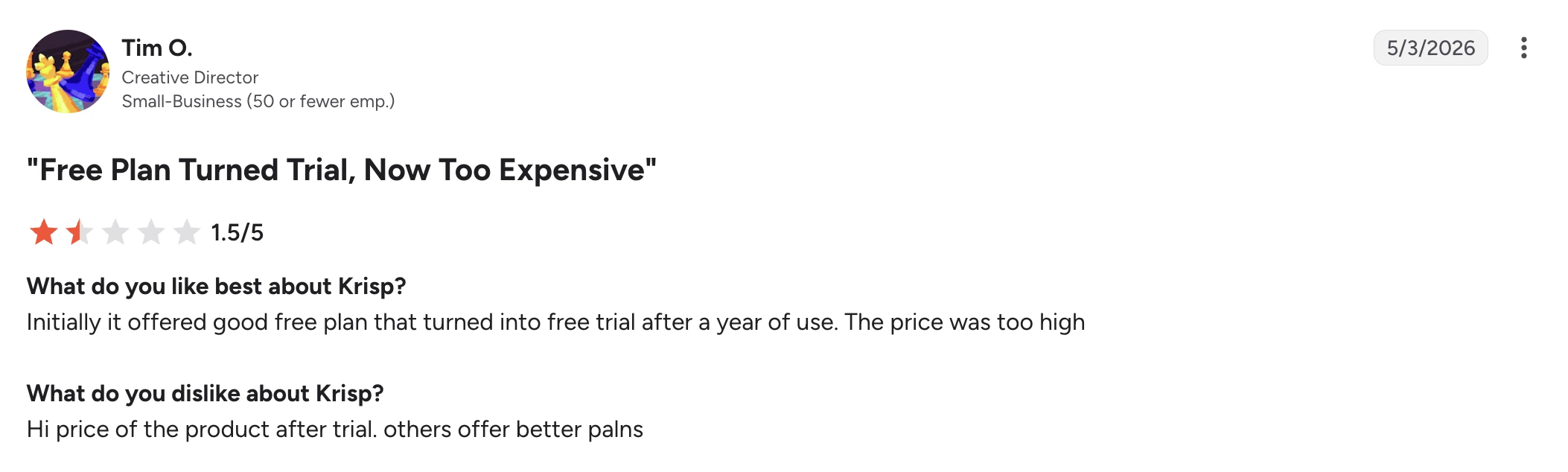
In a May 2026 G2 review, Tim O., a Creative Director at a small business, gave Krisp 1.5/5. He said he initially liked its free plan, but that it eventually became a trial and he considered the resulting price too high.
That does not necessarily make Krisp expensive compared with every alternative. However, if you only need basic noise suppression, paying for a broader AI meeting package may be unnecessary.
2. Reliability matters more than the feature list
An AI meeting assistant is only useful if the meeting actually appears in your history afterward.
Some users report problems with missing meetings or failed transcription.
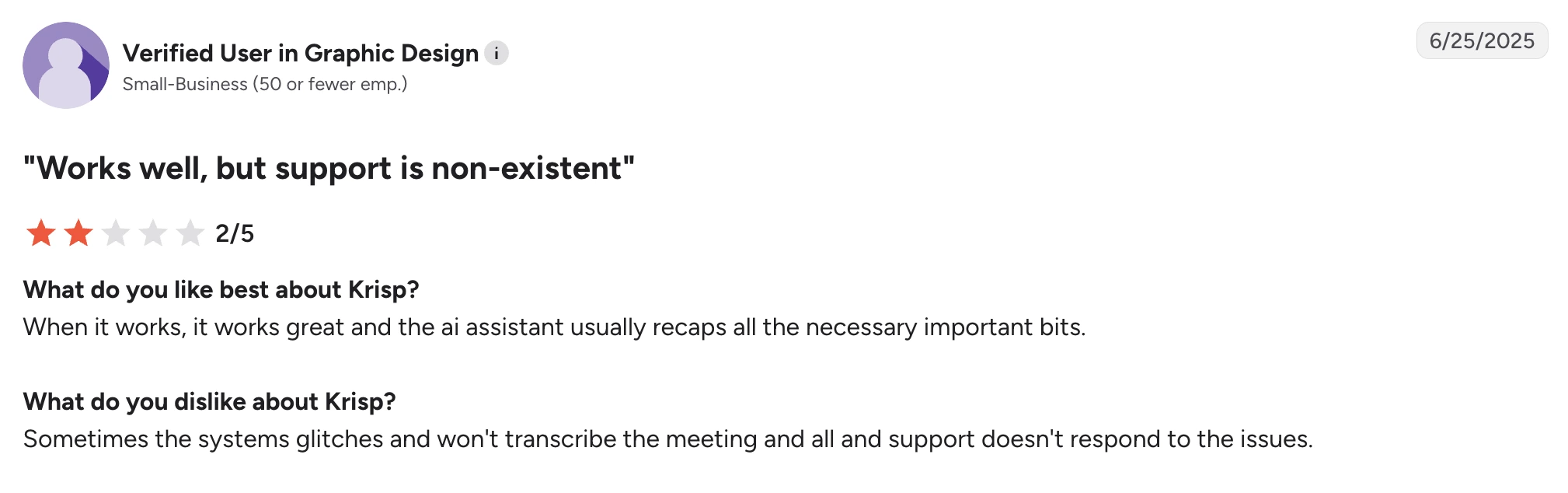
A verified small-business user in graphic design wrote in a June 2025 G2 review that Krisp works well when it works and that the AI assistant generally captures the important parts. Their frustration was that the system occasionally failed to transcribe a meeting and they struggled to get help from support.
Another verified small-business user in computer software reported a similar problem in an April 2025 G2 review. They liked the transcription itself, but said some meetings that appeared to have been recorded later disappeared from the meeting history.
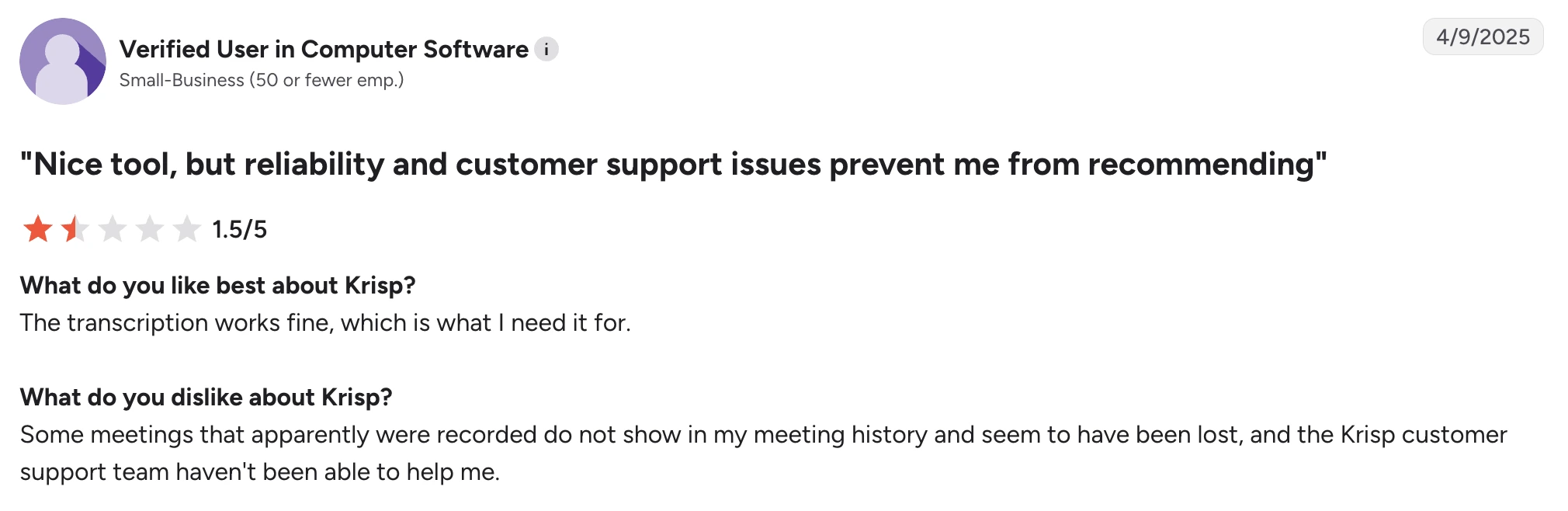
These are individual user reports rather than evidence that the problem affects everyone, but they matter if reliable meeting records are a non-negotiable part of your workflow.
3. You need broader meeting intelligence
Krisp now offers much more than noise removal, including AI-generated meeting notes, summaries, action items, AI Chat, and integrations.
However, some alternatives go substantially deeper into the meeting-intelligence side.
If your priorities include searching across past meetings, analyzing entire teams, tracking sales signals, automatically pushing insights into your CRM, creating workflows from meeting content, or asking questions across a centralized meeting searchable knowledge base, a purpose-built meeting intelligence platform may be a better fit.
This is especially relevant if you rarely work in noisy environments. In that case, real-time noise cancellation may simply not be the feature that should determine which meeting tool you pay for.
4. You need broader language coverage
Krisp currently lists transcripts and summaries in 16+ languages.
That is enough for many teams, but companies working across several countries may need substantially more.
Fireflies supports transcription in 100+ languages. MeetGeek also supports 100+ languages and includes automatic language detection.
Language coverage becomes particularly important when one platform is expected to handle sales calls, interviews, customer meetings, and internal conversations across multiple regions.
5. Noise cancellation behaves differently with different setups
AI noise cancellation always involves a tradeoff: the software has to decide which sound belongs to the speaker and which sound should be removed.
That gets harder when speech overlaps with sudden loud noises.
In a May 2026 G2 review, V K. praised Krisp for cancelling nearby renovation noise and described the initial setup as easy. Their complaint was much narrower: while using headphones, they sometimes experienced sound cutting out.
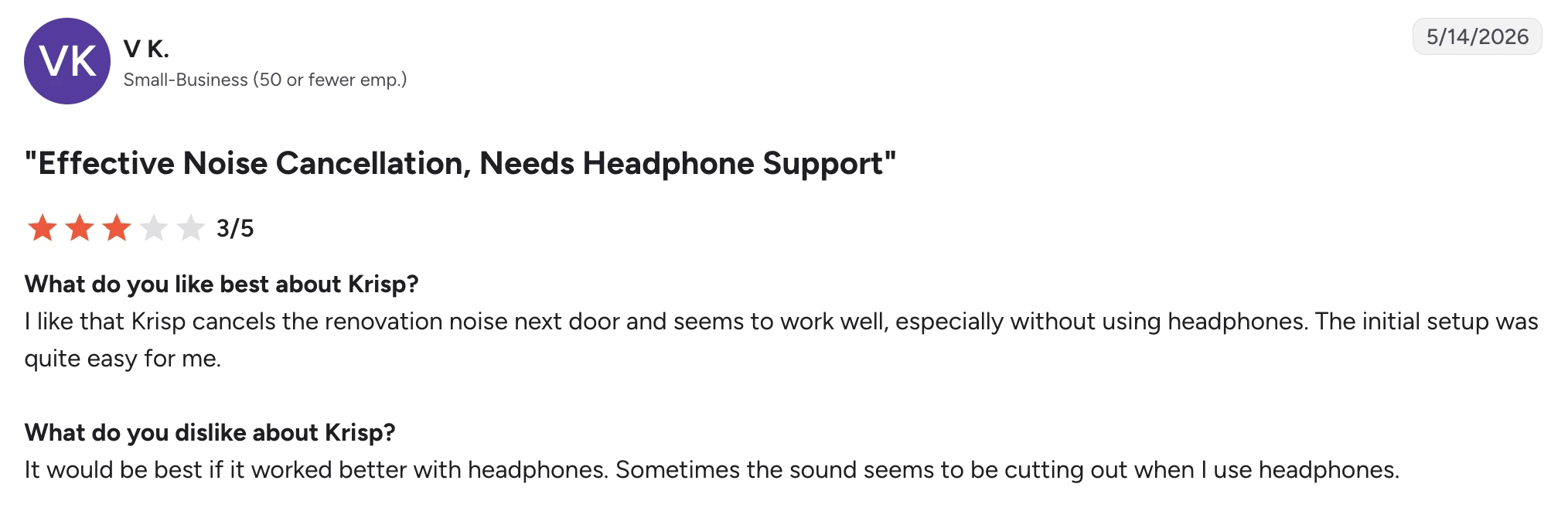
Again, that is a good example of why the choice is not simply “Krisp good” or “Krisp bad.” The same reviewer considered its noise cancellation effective.
Your microphone, headphones, CPU usage, noise suppression settings, room acoustics, and the type of background noise all influence the result.
Steady fan noise is easier for many noise filters to identify than sudden noises that overlap with speech. If voice clarity is especially important, test a few tools using your actual headset and work environment rather than assuming the strongest noise reduction level will automatically give you the best audio quality.
The 6 best Krisp alternatives
1. NVIDIA RTX Voice: Best free Krisp alternative for noise suppression
NVIDIA RTX Voice is one of the closest alternatives to Krisp if the feature you actually want to replace is real-time noise cancellation.
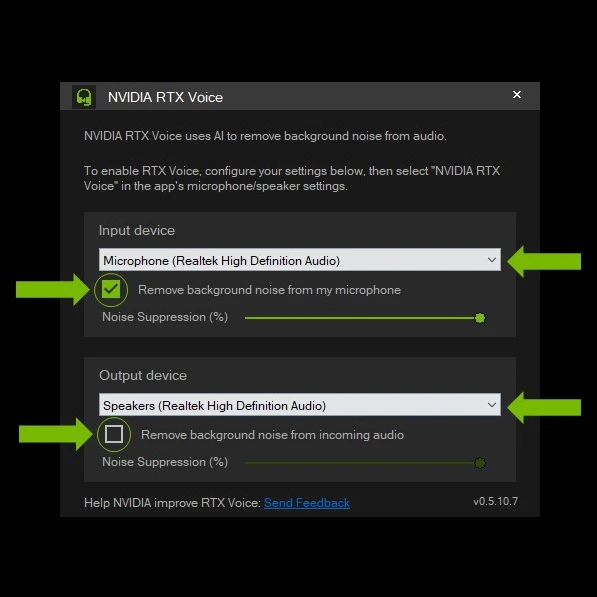
It is not an AI meeting assistant. You will not get meeting notes, summaries, action items, cross-meeting search, or conversation intelligence.
What you do get is AI-powered noise suppression for both your microphone and incoming audio, without paying a monthly software subscription.
That makes RTX Voice particularly attractive to remote workers, streamers, gamers, and professionals who already own an NVIDIA graphics card and do not need the rest of Krisp's meeting-management features.
How does NVIDIA RTX Voice compare with Krisp?
NVIDIA RTX Voice is the closest alternative here if you use Krisp primarily for noise cancellation, but the tradeoff is that it replaces only that part of Krisp.
Both tools can remove background noise from your mic input and incoming audio in real time, so they can help with distractions such as keyboard sounds, fan noise, or other ambient sounds during calls. Both also work across communication apps rather than tying noise suppression to a single video conferencing platform.
The biggest difference is hardware and scope. Krisp is a standalone software solution that combines noise cancellation with transcription, recording, AI meeting notes, summaries, and accent conversion. RTX Voice uses a compatible NVIDIA GPU for audio processing and does not provide any of those meeting-assistant features.
Cost is where RTX Voice has the advantage. The software itself is free, making it a much cheaper way to enable noise cancellation if you already own compatible NVIDIA hardware. On newer RTX GPUs, NVIDIA Broadcast expands on RTX Voice with Noise Removal, room echo removal, and video features such as virtual backgrounds.
Choose NVIDIA RTX Voice over Krisp if you already have a compatible NVIDIA GPU and only need real-time noise suppression. Choose Krisp if you want noise cancellation and an AI meeting assistant in the same product.
NVIDIA RTX Voice pros
- Free software with no recurring subscription
- Real-time AI noise suppression
- Filters microphone and incoming audio
- Strong option for reducing background noise during live meetings
- Works across multiple video conferencing platforms
- Integrates with NVIDIA Broadcast
- NVIDIA Broadcast adds room echo removal and video effects
- Useful for calls, streaming, gaming, and content creation
NVIDIA RTX Voice cons
- Requires a compatible NVIDIA GTX or RTX graphics card
- Windows-focused and not a practical option for most Mac users
- Does not produce AI meeting notes, transcripts, or meeting summaries
- GPU-based processing means the experience depends heavily on your hardware
- Not suitable if your main reason for replacing Krisp is meeting intelligence rather than noise suppression
NVIDIA RTX Voice pricing
NVIDIA RTX Voice is free to download and use, but requires a compatible NVIDIA graphics card.
2. Fireflies.ai: Best for searchable meeting intelligence
Fireflies is a strong Krisp alternative when noise cancellation is no longer the main problem you are trying to solve.
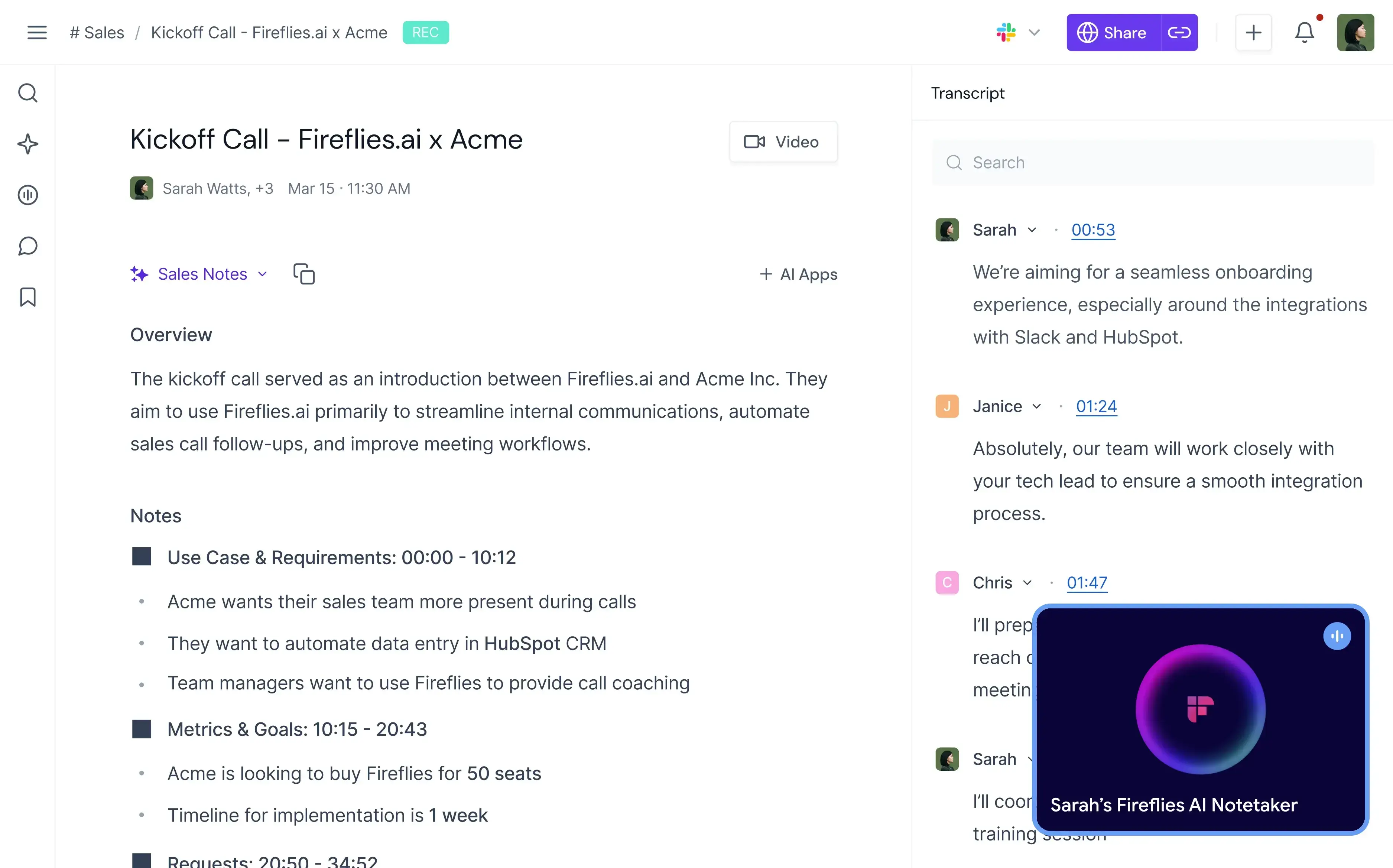
Krisp improves what people hear during the meeting. Fireflies focuses much more heavily on what your organization can do with the conversation afterward.
It records and transcribes meetings, produces unlimited AI summaries, lets users search conversations, detects topics and tasks, and offers conversation intelligence and team analytics on higher plans.
That makes it especially useful for sales, recruiting, customer success, and other teams that need to turn live meetings into structured information.
How does Fireflies compare with Krisp?
Fireflies and Krisp overlap on transcription, recording, AI summaries, meeting search, and integrations, but their priorities are quite different.
Krisp has the clear advantage when audio quality during the live call matters. Its real-time noise cancellation can remove background noise while you speak and filter incoming audio, something Fireflies is not designed to replace. Krisp also offers accent conversion, another feature aimed at improving the live conversation itself.
Fireflies goes further once you start analyzing what was said. It supports transcription in 100+ languages compared with Krisp's 16+, and its Business plan adds conversation intelligence and team analytics. Teams can track topics, tasks, questions, sentiment, and speaker talk time rather than simply keeping a transcript and summary of each meeting.
There is also a difference in how the two products fit into business workflows. Both support integrations and API access, but Fireflies is more heavily oriented toward turning conversations into searchable data for sales and other customer-facing teams.
Pricing is close at the entry level: Krisp Core costs $16/user/month, while Fireflies Pro costs $18/user/month when billed monthly. Fireflies pricing also has an ongoing free plan, whereas Krisp currently offers a seven-day free trial.
Fireflies makes more sense than Krisp when conversation intelligence, broader language support, and searchable meeting data matter more than noise cancellation. Krisp is still the better pick if improving the sound of live calls is one of your main requirements.
Fireflies.ai pros
- Unlimited transcription and AI summaries
- Supports 100+ languages
- Automatic language detection
- Real-time transcription
- Searchable meeting history
- Conversation intelligence on Business
- Sentiment, topic, question, and speaker analytics
- Desktop and mobile apps
- Bot and Chrome-extension recording options
- Audio and video file uploads
- API access
- Extensive integrations on paid plans
Fireflies.ai cons
- It does not replace Krisp's real-time AI noise cancellation
- Some of the most useful analytics require the Business plan
- Storage is limited on Free and Pro
- AI features use a credit system alongside the underlying plan
- Teams primarily looking for better audio quality may be paying for features they do not need
Fireflies.ai pricing
When billed monthly:
- Free: $0
- Pro: $18/user/month
- Business: $29/user/month
- Enterprise: $39/user/month, billed annually only
Want to learn more about Fireflies.ai? Read our MeetGeek vs Fireflies.ai comparison!
3. MeetGeek: Best for meeting automation and team intelligence
MeetGeek is a good Krisp alternative when you like the meeting-assistant direction Krisp has taken but want a platform built more extensively around capturing, analyzing, organizing, and automating meetings.
%20(2).webp)
It is not a direct replacement for Krisp's noise cancellation.
Instead, MeetGeek replaces the note-taking and meeting-management part of the stack. It automatically records and transcribes live meetings, generates AI summaries and action items, organizes past meetings into a searchable knowledge base, analyzes conversations, and can trigger workflows in the tools your team already uses.
How does MeetGeek compare with Krisp?
MeetGeek and Krisp both cover recording, transcription, AI-generated meeting notes, summaries, AI Chat, in-person meetings, and integrations. The main difference is that Krisp puts live audio enhancement alongside its meeting assistant, while MeetGeek goes considerably further into meeting intelligence and automation.
Krisp is the better choice if reducing background noise is part of the problem you need the software to solve. MeetGeek does not provide Krisp-style real-time noise cancellation or accent conversion.
MeetGeek has the advantage when the meeting itself needs to become useful business data. It supports 100+ transcription languages compared with Krisp's 16+, offers bot and bot-free recording, and provides individual and team meeting analytics, sentiment and engagement analysis, custom summaries, sales signals, and AI Chat across past meetings.
The integration difference is also significant. Krisp supports integrations with major tools such as HubSpot, Slack, Notion, Zapier, Teams, Salesforce, and Pipedrive, plus API and MCP integrations.
MeetGeek connects meeting data with 10,000+ integrations and supports Zapier, Make, n8n, API, and MCP. Its AI Voice Agents and workflows can handle meetings and then use what happened to trigger subsequent work, such as updating systems or sharing relevant information with another team.
MeetGeek also has an ongoing free plan, while Krisp offers a seven-day trial. Their first paid plans are similarly priced when billed monthly: MeetGeek Pro costs $15.99/user/month and Krisp Core costs $16/user/month.
MeetGeek is the stronger option if you want deeper meeting analytics, automation, broader language coverage, and more ways to connect meeting outcomes to the rest of your workflow. Stay with Krisp if you also need real-time noise cancellation or accent conversion built into the same app.
If you want a more comprehensive look, check out our MeetGeek vs Krisp comparison article!
MeetGeek pros
- Transcription in 100+ languages
- Automatic language detection
- Unlimited AI summaries
- Bot-free recording options
- Mobile support for in-person meetings
- AI Chat and cross-meeting search
- Detailed meeting analytics
- Conversation intelligence
- Custom meeting templates
- Sales Mode for customer-facing conversations
- AI workflow automation
- 10,000+ integrations
- API and MCP access
- Free plan available
MeetGeek cons
- Does not provide Krisp-style real-time noise cancellation
- The Free plan is limited to three transcription hours per month
- HD video recording requires Business
- Some team collaboration and analytics features require Business
- Enterprise capabilities such as SSO and SCIM are not available on lower tiers
MeetGeek pricing
When billed monthly:
- Basic: Free
- Pro: $15.99/user/month
- Business: $27/user/month
- Enterprise: Custom pricing
4. CrystalSound: Best Krisp alternative for dedicated noise cancellation
CrystalSound is the most direct Krisp alternative on this list for users whose main concern is still audio quality.
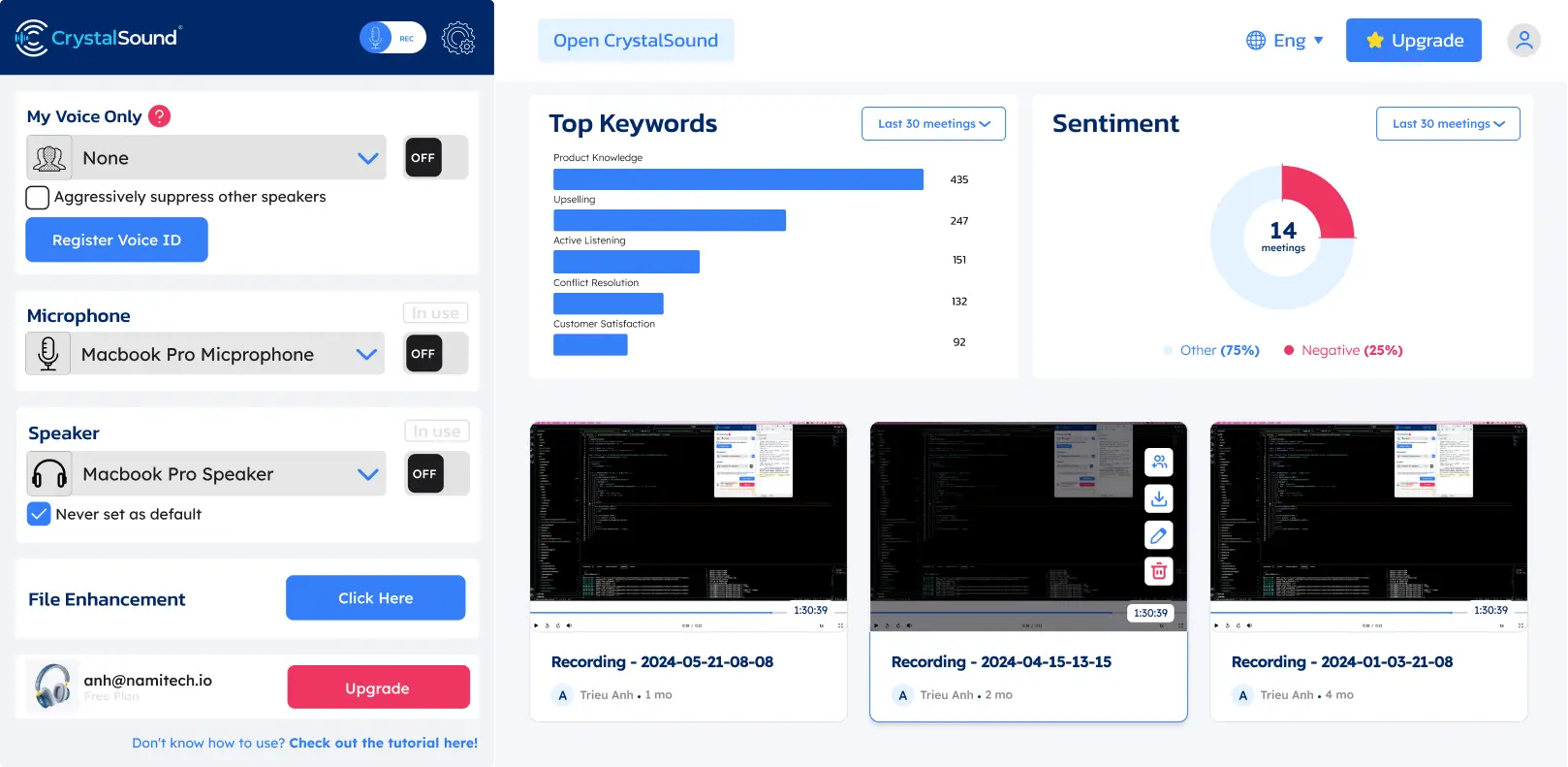
Like Krisp, it is designed around real-time AI noise cancellation rather than treating noise suppression as a small feature inside a video conferencing platform.
CrystalSound works on both sides of the call, reducing noise from your microphone and from the person speaking to you, which can be useful when you cannot control the environment on the other end. What separates it from Krisp is the depth of its audio controls rather than the fact that it filters in both directions.
How does CrystalSound compare with Krisp?
CrystalSound competes much more directly with Krisp on noise reduction than Fireflies, MeetGeek, or Claap do.
Both products offer unlimited noise cancellation on their paid plans and can process noise from both sides of a conversation. CrystalSound specifically offers bidirectional noise cancellation, My Voice Only processing, acoustic echo suppression, room echo removal, residual noise removal, and an adjustable noise reduction level. Krisp similarly focuses on removing background noise from live conversations and also provides echo cancellation.
The difference is how far each product extends beyond audio processing.
Krisp has developed into a much broader AI meeting assistant. Its paid plans include transcription, audio and video recording, AI summaries and action items, AI Chat, meeting organization, integrations, and support for in-person meetings. CrystalSound remains much more focused on improving voice clarity and recorded audio. Its smart meeting minutes, automatic titles, keyword analysis, and sentiment analysis are currently listed as unavailable, while cloud call recording is still in preview.
CrystalSound is cheaper if those additional meeting features are unnecessary. Premium costs $12/user/month compared with $16/user/month for Krisp Core when billed monthly.
CrystalSound costs less per month and fits if you mainly want dedicated noise reduction and audio enhancement. Krisp is worth the difference if you want noise cancellation combined with a more developed AI meeting assistant.
CrystalSound pros
- Unlimited noise cancellation
- Bidirectional noise cancellation
- My Voice Only mode
- Adjustable noise reduction level
- Room echo removal
- Acoustic echo suppression
- High-definition stereo voice
- Audio file enhancement
- Microphone volume boosting
- Power-efficient processing mode
- Team license management
- Strong option for noisy environments
CrystalSound cons
- Less mature as an AI meeting assistant than Krisp, Fireflies, MeetGeek, or Claap
- Smart meeting minutes are currently unavailable
- Keyword and sentiment analysis are currently unavailable
- Cloud call recording is still marked as preview
- You may still need another tool for AI-generated meeting notes, searchable meeting history, or workflow automation
CrystalSound pricing
When billed monthly:
- Premium: $12/user/month
- Elite: $29/user/month, coming soon
- Enterprise: Custom pricing
A 7-day free trial is available for the Premium plan.
5. Claap: Best for video-first meeting collaboration
Claap is a good Krisp alternative for teams that care less about real-time noise removal and more about turning meetings and recorded video into collaborative work.
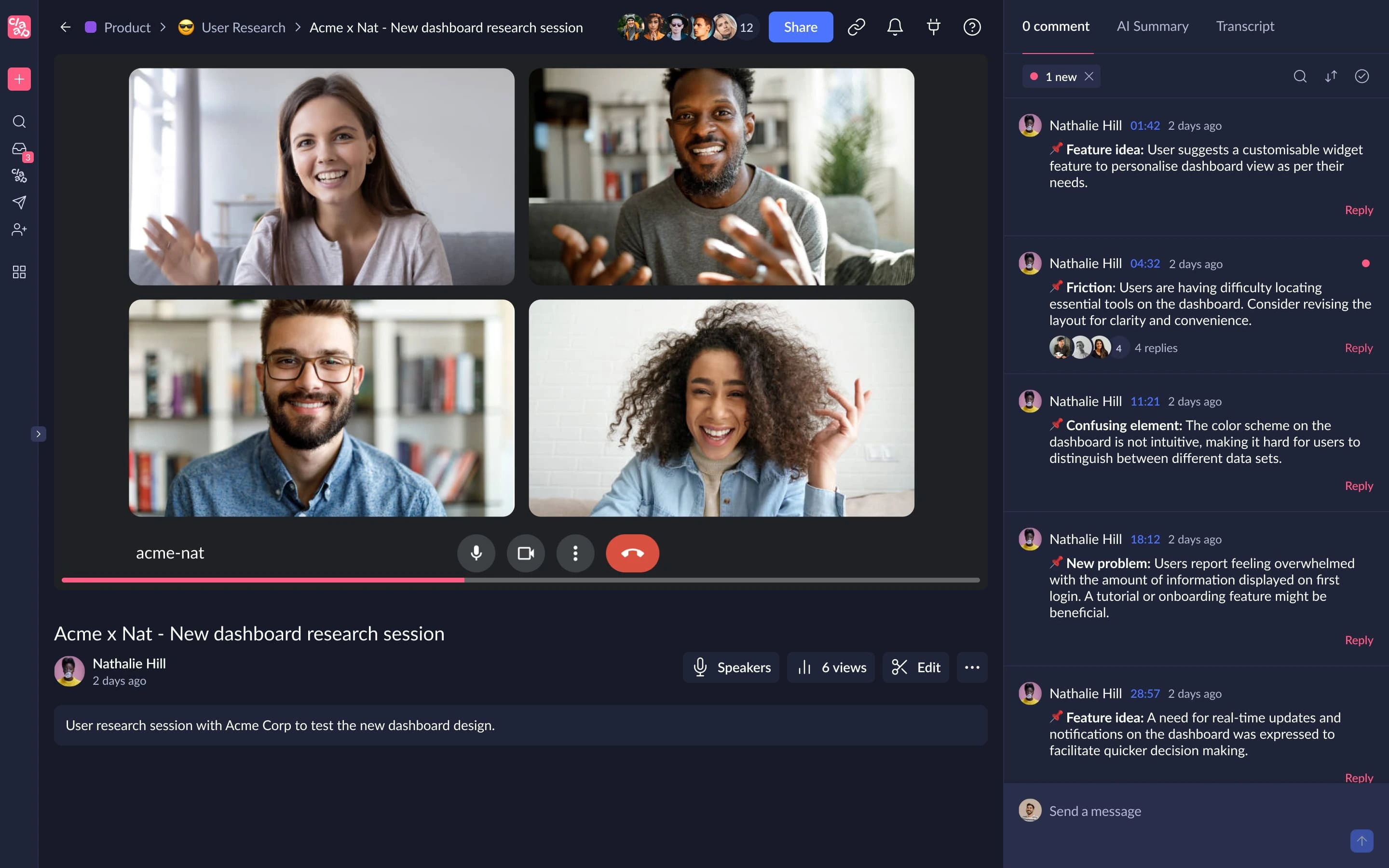
It combines meeting recording with transcription, AI summaries, video editing, comments, shared workspaces, AI coaching, and CRM workflows.
Compared with Krisp, the difference is easy to summarize: Krisp starts with audio processing, while Claap starts with recorded conversations and video collaboration.
How does Claap compare with Krisp?
Claap and Krisp both record meetings, transcribe conversations, generate AI summaries, and provide tools for organizing and sharing what happened afterward. Where they separate is live audio versus video collaboration and meeting intelligence.
Krisp improves the meeting while it is happening. Its noise cancellation, echo removal, and accent conversion are designed to improve voice clarity during calls. Claap does not provide an equivalent real-time noise cancellation layer.
Claap instead goes further with the recorded meeting itself. It combines meeting capture with screen and camera recording, AI-powered video editing, video stitching, annotations, comments, video replies, collaborative notes, and shared workspaces. That makes it better suited to teams that use recorded video for asynchronous communication as well as live meetings.
Language coverage is another difference. Claap supports transcripts in 99 languages, compared with 16+ for Krisp. Its higher tiers also add AI coaching, CRM auto-enrichment, deal insights, AI-generated emails, and the ability to ask questions across multiple meetings.
The tradeoff is price. Krisp Core costs $16/user/month, while Claap Pro costs €30/license/month when billed monthly. Claap therefore makes more sense when its additional collaboration and video capabilities will actually be used.
Claap fits better than Krisp when recorded meetings are part of a wider video collaboration, sales, or asynchronous communication workflow. Krisp remains the better choice if you care more about improving audio during live calls and want meeting notes as an additional feature rather than the center of the platform.
Claap pros
- 99-language transcription
- Calendar and conference call sync
- AI summaries and custom templates
- Screen and camera recording
- AI-powered video editing
- Collaborative video annotations and comments
- Multi-meeting AI on Business
- CRM enrichment
- AI-generated emails
- AI coaching
- Deal insights
- API and MCP access
- Zapier, Make, and n8n support
- Free plan available
Claap cons
- Does not replace Krisp's real-time noise cancellation
- Free plan is capped at 10 videos and 300 total recording minutes
- Pro includes only 1,000 transcription and recording minutes per month
- Business costs considerably more than Krisp Core
- Its feature set may be excessive if you only need a cleaner microphone for calls
Claap pricing
When billed monthly:
- Basic: Free
- Pro: €30/license/month
- Business: €60/license/month
- Enterprise: Custom pricing
6. IRIS Clarity: Best for teams that need noise cancellation on both sides of the call
IRIS Clarity is one of the closest Krisp alternatives if noise cancellation itself is your priority, particularly when background noise is coming from both sides of a conversation.
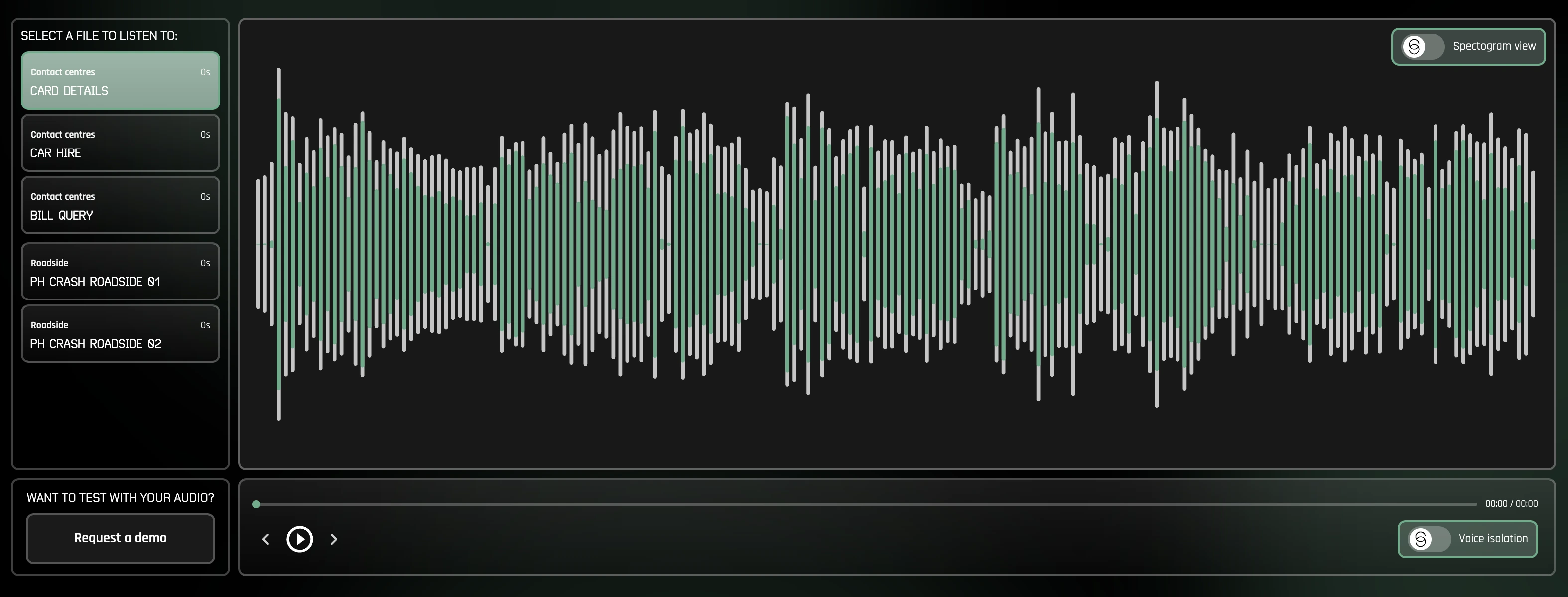
Its main feature is unlimited, bidirectional noise cancellation. Instead of only removing background noise around your own microphone, IRIS Clarity isolates voices in both your outgoing and incoming audio. This makes it particularly relevant for customer-facing teams and call centers where an employee may be working in a controlled environment, but the customer is calling from somewhere noisy.
Unlike Krisp, IRIS Clarity stays focused on voice isolation rather than trying to double as an AI meeting assistant. It does not compete with Krisp's transcription, AI meeting notes, summaries, recording, or accent conversion features. What it offers instead is a more specialized noise reduction product with team management, analytics, and enterprise deployment features.
How does IRIS Clarity compare with Krisp?
IRIS Clarity and Krisp both provide real-time, bidirectional noise cancellation, so either can help remove distractions from your microphone and incoming audio. Both also work as standalone applications rather than limiting noise suppression to one communication platform.
The main difference is their scope.
Krisp combines noise cancellation with a growing collection of meeting features, including transcription, AI summaries, action items, audio and video recording, AI Chat, accent conversion, and integrations. IRIS Clarity is much more narrowly focused on making voices easier to hear.
That narrower focus comes with features aimed specifically at organizations managing audio across larger teams. IRIS Clarity provides session and user/station analytics, CSV data exports, IT-managed app profiles, ringtone detection, diagnostic call recording, SSO, and automatic user provisioning. Its Enterprise plan also supports concurrent licensing and managed onboarding.
IRIS Clarity also supports both Windows and Mac, so unlike NVIDIA RTX Voice, it does not require a compatible NVIDIA GPU.
IRIS Clarity is the one to go for if you want a specialized voice-isolation tool, particularly for customer-facing teams or call centers that need to remove noise from both sides of conversations. Krisp makes more sense if you want noise cancellation alongside transcription, AI meeting notes, recording, and other meeting-assistant features.
IRIS Clarity pros
- Unlimited bidirectional noise cancellation
- Removes noise from both outgoing and incoming audio
- Latest voice isolation models included
- Windows and Mac applications
- Team management features
- Session and user/station analytics
- Analytics CSV exports
- IT-managed app profiles
- SSO and automatic user provisioning
- No specialized NVIDIA hardware required
IRIS Clarity cons
- Does not provide AI-generated meeting notes or summaries
- Does not offer Krisp-style transcription or accent conversion
- More specialized than tools that combine noise suppression with meeting productivity features
- Enterprise requires at least 100 seats and an annual commitment
IRIS Clarity pricing
When billed monthly:
- Professional: £9.50/seat/month
- Enterprise: Custom pricing, minimum 100 seats and annual commitment required
A 14-day free trial is available for the Professional plan.
How do the best Krisp alternatives compare?
No alternative in this list replaces every Krisp feature.
| Tool | Real-time noise cancellation | AI meeting notes | Language support | Best use |
|---|---|---|---|---|
| Krisp AI | Yes | Yes | 16+ | Noise cancellation plus meeting assistance |
| NVIDIA RTX Voice | Yes | No | N/A | Hardware-powered real-time noise suppression |
| Fireflies.ai | No | Yes | 100+ | Searchable meeting intelligence |
| MeetGeek | No | Yes | 100+ | Meeting management automation, analytics, and workflows |
| CrystalSound | Yes | Limited | Not published | Dedicated bidirectional noise reduction |
| Claap | No | Yes | 99 | Video-first meeting collaboration |
| IRIS Clarity | Yes | No | N/A | Bidirectional voice isolation for teams and call centers |
If you want the closest match to Krisp's core audio functionality, start with NVIDIA RTX Voice, IRIS Clarity, or CrystalSound.
If the AI meeting assistant has become more important to you than noise suppression, compare Fireflies, MeetGeek, and Claap instead.
The best Krisp alternative depends on what you want to replace
Krisp is difficult to replace with one product because it now covers several jobs.
For real-time AI noise cancellation, NVIDIA RTX Voice gives compatible Windows users a strong free option, while CrystalSound offers dedicated noise reduction software with bidirectional filtering, room echo removal, and advanced audio controls.
For meeting intelligence, the comparison changes.
Fireflies is strong for searchable conversations and revenue workflows. Claap combines meeting capture with asynchronous video collaboration. MeetGeek focuses on turning live meetings into transcripts, AI summaries, analytics, searchable knowledge, and automated workflows across 10,000+ integrations.
The right choice, therefore, depends less on finding a tool with the longest feature list and more on identifying where Krisp no longer fits your workflow.
If better post-meeting workflows are the reason you are exploring Krisp AI alternatives, try MeetGeek for free to automatically record, transcribe, summarize, analyze, and connect your meetings to the rest of your work.
Key takeaways
- Krisp is still a strong choice for real-time noise cancellation, especially if you also want transcription, AI notes, recording, and accent conversion in the same tool.
- NVIDIA RTX Voice is the best fit if you only need noise suppression and already have a compatible NVIDIA GPU, since the software is free.
- Fireflies.ai is better suited to teams that prioritize conversation intelligence, searchable transcripts, and CRM-connected meeting workflows.
- MeetGeek is a stronger alternative for teams that want to turn meetings into actionable work through AI summaries, analytics, cross-meeting search, automation, and 10,000+ integrations.
- CrystalSound is the closest alternative for dedicated audio enhancement, with bidirectional noise cancellation, echo removal, and adjustable noise reduction.
- Claap makes more sense when meeting recordings are part of a broader video collaboration workflow, with editing, comments, AI coaching, and CRM features.
- IRIS Clarity is a specialized option for customer-facing teams and call centers that need unlimited bidirectional noise cancellation, team management, and audio-focused analytics.
- The right alternative depends on what you want to replace: live audio improvement or post-meeting intelligence and automation.
Frequently asked questions
1. What is the best free Krisp alternative?
NVIDIA RTX Voice is one of the best free Krisp alternatives for real-time noise suppression if your computer has a compatible NVIDIA graphics card. For AI meeting notes rather than noise cancellation, Fireflies and MeetGeek both offer free plans.
2. Is there an alternative to Krisp for removing background noise?
Yes. NVIDIA RTX Voice and CrystalSound both provide real-time AI noise cancellation. You can also use the built-in noise suppression available in Microsoft Teams, Zoom, and other video conferencing platforms if you do not need system-wide noise filtering.
3. Is Krisp AI better than NVIDIA Broadcast?
They solve similar audio problems but have different requirements. Krisp works as standalone noise reduction software without requiring an NVIDIA GPU, while NVIDIA Broadcast uses compatible NVIDIA hardware and combines noise removal with video features such as virtual backgrounds. NVIDIA Broadcast can be of better value if you already have supported hardware.
4. Which Krisp alternative is best for AI meeting notes?
MeetGeek, Fireflies, and Claap are stronger options when AI meeting notes are more important than noise cancellation. MeetGeek is particularly suited to teams that also need meeting analytics, cross-meeting AI, workflow automation, and integrations, while Fireflies is strong in conversation intelligence, and Claap combines notes with video collaboration.
5. Can I use a Krisp alternative for Google Meet and Microsoft Teams?
Yes. NVIDIA RTX Voice can work as a virtual microphone across supported communication apps, including Microsoft Teams. Fireflies and MeetGeek both record and transcribe Google Meet and Microsoft Teams meetings, while CrystalSound is designed to provide noise cancellation across communication tools rather than being limited to a single conferencing platform.






.avif)