
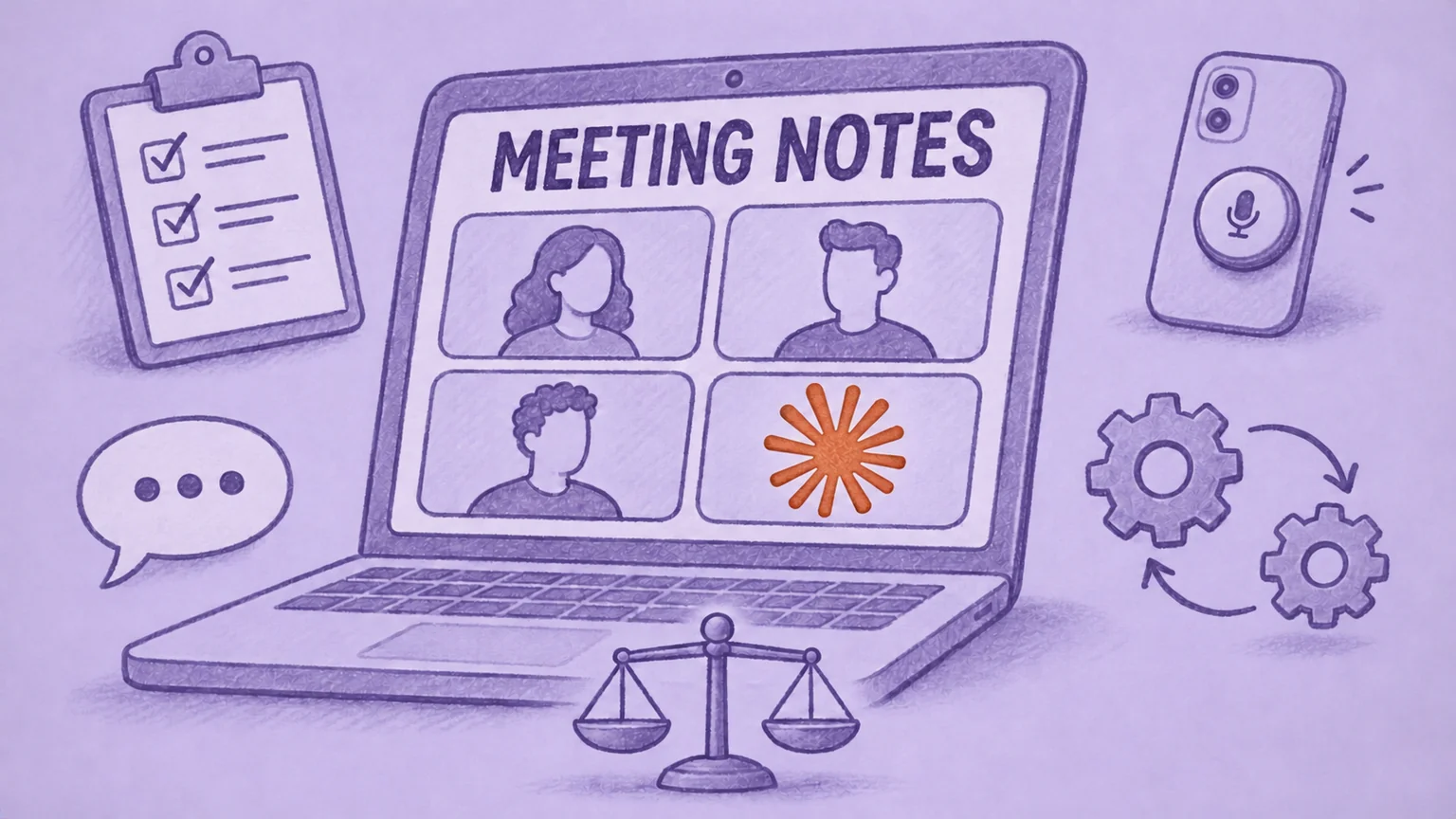

If your team already works in Claude and meets on Google Meet, you can bring Claude into the call. Claude Meetings is Anthropic's beta feature that adds Claude as a visible participant: it takes notes, answers questions on internal calls and drafts documents or whiteboards while the team talks.
It's only available on Team and Enterprise plans, where it's included at no extra cost. Free, Pro and Max plans don't get it. It also only works in Google Meet and keeps a transcript but not the audio.
If you're on another plan or need more, such as recordings to replay, notes by meeting type or follow-up sent to your CRM, a meeting intelligence and automation platform like MeetGeek covers it. It connects to Claude through its Claude integration on any plan.
Need recordings, notes by meeting type and automatic follow-up? MeetGeek captures online, in-person and phone meetings and sends the results to the tools your team already uses.
Try MeetGeek
What Is Claude Meetings?
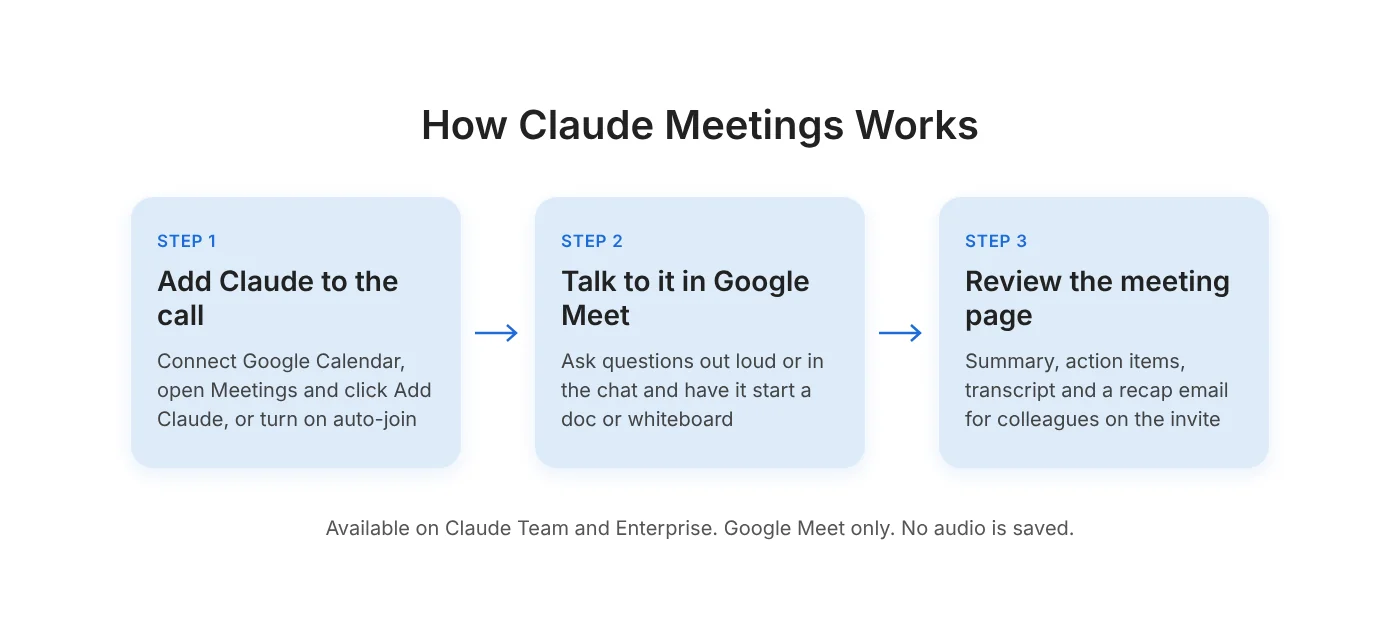
It's a beta feature that brings Claude into Google Meet calls as a participant you can talk to. Once an owner enables Google Calendar for your organization, connect your calendar in Claude. Open Meetings, select a call and click Add Claude. You can also turn on auto-join for all your meetings or for all except one-on-ones.
On an internal call, you can ask Claude a question out loud or type it in the Meet chat. By default, Claude replies there in writing. Ask it to "make a doc" or "make a whiteboard" and it starts one that teammates on the invite can edit while the meeting goes on. With each person's permission, it can also use their connected tools, for example to send a Slack message. Claude can stay in a call for up to 8 hours.
After the call, each meeting has its own page in Claude with the summary, action items, transcript and anything Claude built. Colleagues on the invite get a recap email. Later, you can ask Claude about past meetings from a normal chat.
How Much Does Claude Meetings Cost?
There's no separate price: it's included in Claude Team and Enterprise plans during the beta. Team requires at least two members. In the US, a Standard seat costs $20 per month with annual billing or $25 with monthly billing. Enterprise costs $20 per seat per month billed annually, with a 20-seat minimum, plus a charge for how much Claude is used at Anthropic's API rates. Either seat pays for all of Claude, not only meetings.
Inside those plans, meeting notes, transcripts and answers that don't use connected tools cost nothing extra. Requests that use a connected tool count toward your usage and can incur charges. Anthropic says documents, whiteboards and other artifacts created in a meeting are free through February 10, 2027.
What Are the Limits of Claude Meetings?
It can't capture meetings outside Google Meet, keep the audio or share its notes with people outside your organization. According to Anthropic's Help Center, the main limits are:
- No Zoom or Microsoft Teams calls. Claude only joins Google Meet.
- No in-person meetings or phone calls. Without a Google Meet call, there is nothing for Claude to join.
- No audio. It saves a transcript, a summary and descriptions of shared screens, so there is no recording to replay or clip.
- Limited use with outside guests. Team plans allow them by default. On Enterprise, an owner must approve it, or Claude leaves when someone from outside joins. Guests never get the meeting page or the recap email.
- Not for every organization. It isn't available to organizations with zero data retention, a HIPAA-ready setup or their own encryption keys.
These limits matter most for customer calls, interviews and partner meetings, where the notes often need to reach the other side.
Alternatives for What Claude Meetings Doesn't Cover
If your meetings are internal Google Meet calls and you already pay for Claude Team or Enterprise, Claude Meetings may be enough. For everything else, you need a meeting platform that works with Claude. MeetGeek, which publishes this article, is one of them. Other meeting tools are also listed in Claude's connector directory.
The table shows what MeetGeek adds for each gap. The sections below it give the details.
| Gap | How MeetGeek covers it |
|---|---|
| Follow-up in your tools | Templates by meeting type, Meeting Skills and CRM sync from Pro |
| Replaying the recording | Audio on every plan. HD video from Business |
| Zoom, Teams, in-person and phone meetings | Bot or bot-free capture, mobile app and Wave One recorder |
| Calls with clients and candidates | Guest view and sharing rules. Consent requests on Business and Enterprise |
| Healthcare and data rules | BAA on annually billed Pro, Business and Enterprise. Zero retention on Enterprise |
Table last updated: November 19, 2026.
What Happens After the Call
MeetGeek detects the meeting type and applies a matching template, so a discovery call and a one-on-one get different notes. Meeting Skills are automated tasks you can set to run after every call, on a schedule, when a topic comes up or when you ask. One example from the Skills page: "When 'cancellation' is mentioned, flag the account as at-risk and ping the CSM" (the customer success manager). From Pro, MeetGeek syncs notes to HubSpot, Salesforce or Pipedrive. It also connects to 10,000+ apps through Zapier, Make and n8n.

How MeetGeek Captures Meetings
MeetGeek's AI Meeting Agent joins Zoom, Google Meet and Microsoft Teams calls from your calendar. If you prefer no bot in the call, the Chrome extension and the desktop recorder capture the same calls without one. Away from a laptop, the mobile apps record meetings in the room. For phone calls, attach MeetGeek Wave One to the back of your phone with its magnetic case and switch it to Call mode to record both sides. You can also upload older recordings. Everything lands in one searchable meeting library.

Guests, Consent and Compliance
The guest view controls what external participants see. You also decide who receives follow-up emails. On Business and Enterprise, you can enable consent requests before a meeting. Participants receive an email asking for approval. You're notified when they accept or decline. Admins can also stop more than one MeetGeek agent from their company joining the same meeting and set rules to skip meetings automatically.
MeetGeek offers healthcare customers a Business Associate Agreement (BAA) on annually billed Pro, Business and Enterprise plans. On Enterprise, it offers zero or custom data retention.
What MeetGeek Costs
MeetGeek Basic includes 3 hours of transcription per month for free. Pro includes 20 hours per month and costs $9.99 per user per month billed annually, or $15.99 billed monthly. Additional Pro hours cost $0.50 each. Business includes unlimited transcription for $17 per user per month billed annually, or $27 billed monthly. Free and paid seats can sit in the same workspace, so not everyone on the team needs a paid plan.
How to Use Claude Meetings and MeetGeek Together
MeetGeek captures the customer calls and interviews, wherever they happen. Before an internal planning session, you ask Claude something like "What did customers say about pricing in this week's calls?" and have it draft the agenda from MeetGeek's notes. Claude Meetings then joins the Google Meet planning call and builds the plan with the team, starting from that agenda.
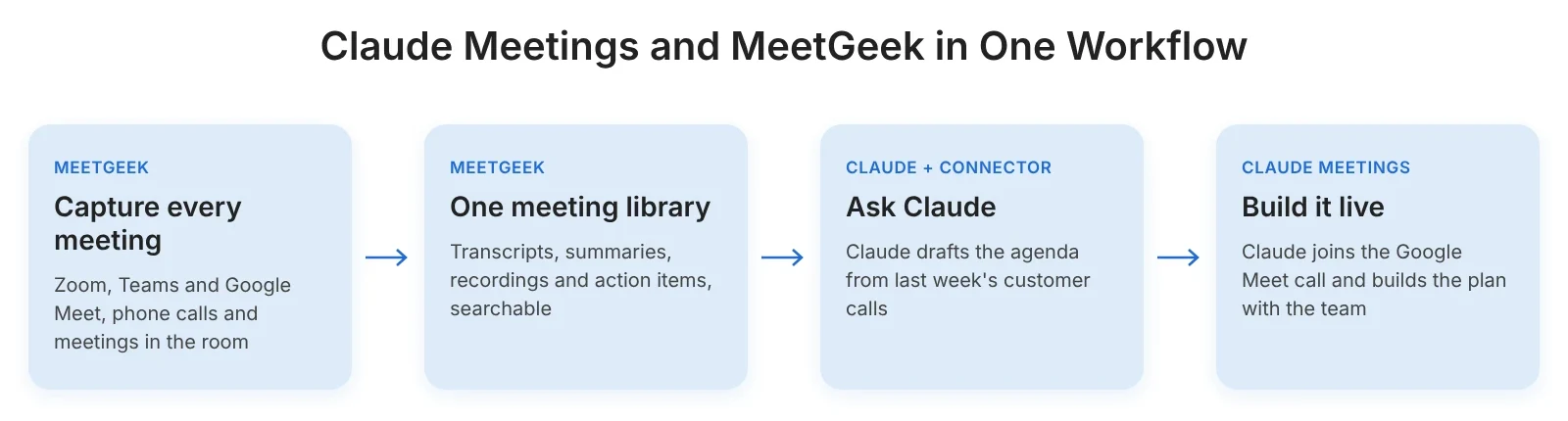
MeetGeek is listed in Claude's connector directory as a verified connector made by MeetGeek.ai. You can use the MeetGeek connector on any Claude plan, including Free. To have Claude join a Google Meet call, you need Team or Enterprise.

Our guide to meeting notes in Claude walks through the setup and the documents Claude can build from your meeting history. If your team also uses ChatGPT, the same MeetGeek data works there. We compared OpenAI's own recorder in ChatGPT Record Mode vs MeetGeek.
Try the free plan to record a call and review the summary. If you want meeting notes sent to your CRM automatically, compare MeetGeek's plans.
Key Takeaways
- Claude Meetings adds Claude to Google Meet calls to take notes and build docs or whiteboards live. It's included in Claude Team and Enterprise and isn't offered on Free, Pro or Max.
- It doesn't cover Zoom, Teams, in-person or phone meetings, keeps no audio and doesn't share notes with outside guests.
- A meeting platform such as MeetGeek adds replayable recordings, notes by meeting type and automatic follow-up. Its Claude connector brings those meetings into Claude on any plan.
Frequently Asked Questions
Can Claude Record Meetings?
Claude can transcribe Google Meet calls through Claude Meetings, but it doesn't save the audio. To record Zoom, Teams, phone or in-person meetings and use them in Claude, connect a meeting platform such as MeetGeek.
Can Claude Transcribe Audio Files?
Anthropic's file upload guide doesn't list audio files as supported attachments in Claude chat. To turn a recording into a transcript Claude can use, upload it to MeetGeek, which accepts audio and video files on every plan, then ask Claude about it through the connector.
Does Claude Meetings Work With Zoom or Microsoft Teams?
No, it only joins Google Meet calls. MeetGeek's AI Meeting Agent joins Zoom, Google Meet and Teams. The connector then makes those meetings available in Claude.
Is Claude Meetings Free?
No. It's only included in paid Claude Team and Enterprise plans and has no separate price. See the cost section above for seat prices.