


Many people choose speaking over typing, for both accuracy and time-saving. However, when you end up with a long recorded voice memo, it can be difficult to go back and find the key points without listening repeatedly. That’s where voice memo transcriptions come in. By turning voice notes into written content, you can quickly review information, share insights, and save time.
Thanks to advanced speech-to-text technology, you can now automatically transcribe audio into accurate transcripts without doing everything manually. Whether you’re using an iPhone, Mac, or Android device, the right transcription tool will help you easily convert voice memos into editable text.
This article covers the most effective ways to transcribe voice memos into text, including manual methods, apps, AI transcription, and professional services.
What are the best methods to transcribe voice memos?
The best method to transcribe audio depends on your goals, the complexity of the voice recording, and the audio formats you’re working with.
Here are three main options to transcribe a voice memo:
- Manual transcription – typing out the words you hear from the voice memo file.
- Using a transcription app or tool – letting technology do the heavy lifting.
- Hiring a transcription service – relying on human experts for maximum accuracy.
Each method has pros and cons. Let’s go step by step through each one.
How to manually transcribe a voice memo
Manual transcription is the oldest method of turning a voice recording into text. It takes more effort, but it can be highly accurate if you have good listening skills.
Steps to manually transcribe a voice memo:
- Play the file – Open the voice memos app on your iPhone or other device.
- Listen carefully – Use headphones to hear the audio clearly.
- Type with a keyboard – Write down what you hear in a document.
- Pause and rewind – Stop the recording as needed to catch difficult words.
- Review and edit – Go back through the transcribed text to correct mistakes.
How to transcribe voice memos with an app or tool
If your memo is long or you need to save time, a more advanced transcription process may be better.
If you’re short on time, the easiest way to convert voice memos into text is by using a transcription app or tool. These solutions rely on AI transcription and built-in dictation features to turn a voice memo file into written content within minutes.
While there are many apps out there, MeetGeek is one of the most reliable options for both personal and professional use. Unlike basic apps, MeetGeek doesn’t just transcribe the audio content, it also adds advanced features that make your transcripts more useful for everyday work.
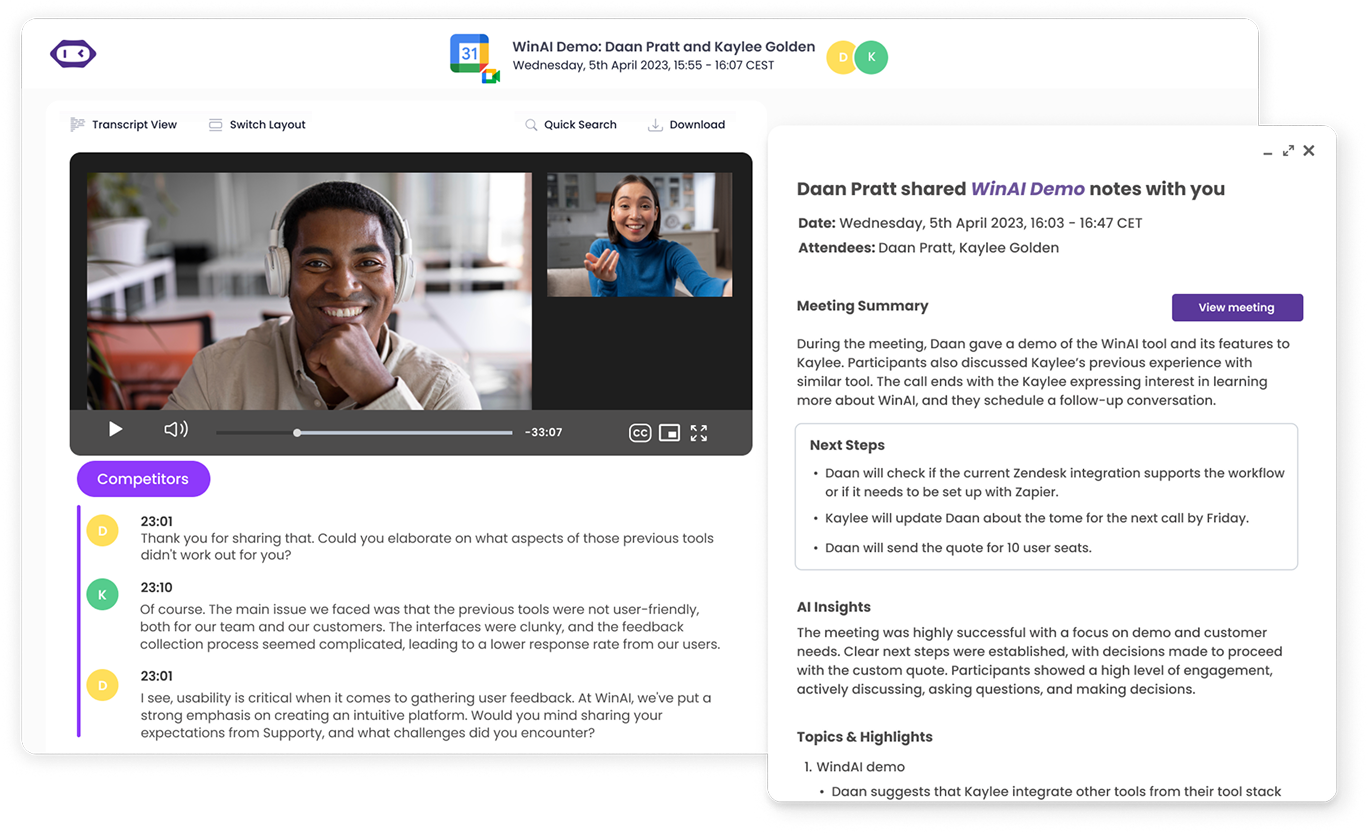
Here's a step-by-step guide for transcribing voice memos automatically:
- Choose the best AI transcription tool
- Record and upload your voice memo file
- Start transcribing your voice memo
- Review and edit the transcript
- Download, export, and share
Step 1: Choose the best AI transcription tool
Start by selecting a reliable tool that fits your needs. Important features to look for include:
- High accuracy, even with different accents or noisy recordings
- Support for multiple languages
- Flexible pricing options, including a free plan
- Privacy and compliance standards, such as SOC 2 or HIPAA
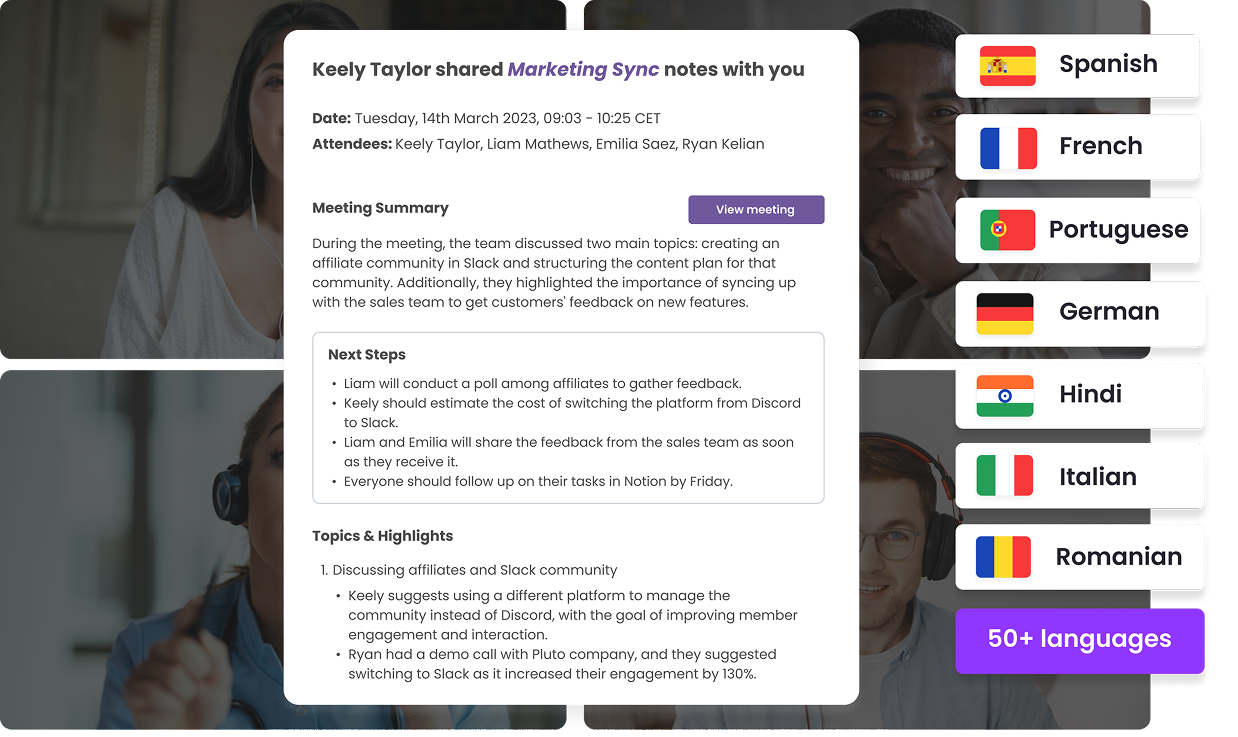
MeetGeek is a good option in this case. It works for both personal and professional use because it supports more than 100 languages, has timestamps and speaker identification, and complies with SOC 2 and HIPAA regulations.
Step 2: Record and upload your voice memo file
Better audio files lead to more accurate transcripts. Before uploading, try to:
- Avoid background noise while recording
- Keep your voice at a consistent volume
- Ensure clear speech throughout the voice recording
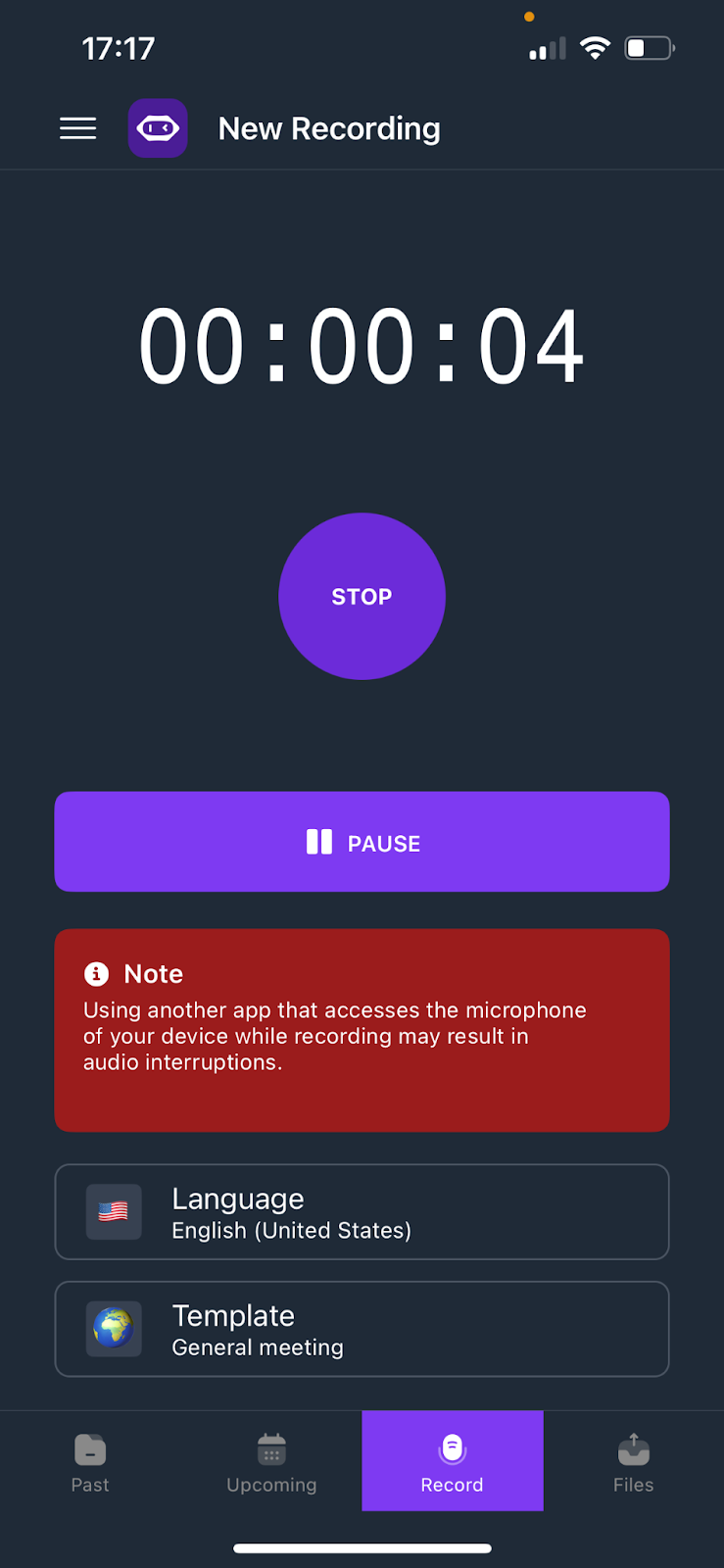
If you’re recording directly on your phone, you can use the MeetGeek mobile app on Apple or Android. It allows you to record and automatically transcribe your voice notes without any extra steps.
Step 3: Start transcribing your voice memo
Once your voice memo file is ready, upload it to your AI transcription tool. MeetGeek supports common audio formats like MP3, WAV, and M4A.
When you start the transcription process, you can choose:
- The language of your recording
- The file format for your transcript (TXT, DOCX, or SRT for subtitles)
- Extra options, such as meeting summaries or cleaned transcripts
Step 4: Review and edit the transcript
AI transcription is fast and highly accurate, but reviewing your transcribed text is always important.
With MeetGeek’s built-in editor, you can:
- Fix small errors
- Adjust names or technical terms
- Highlight key points for future reference
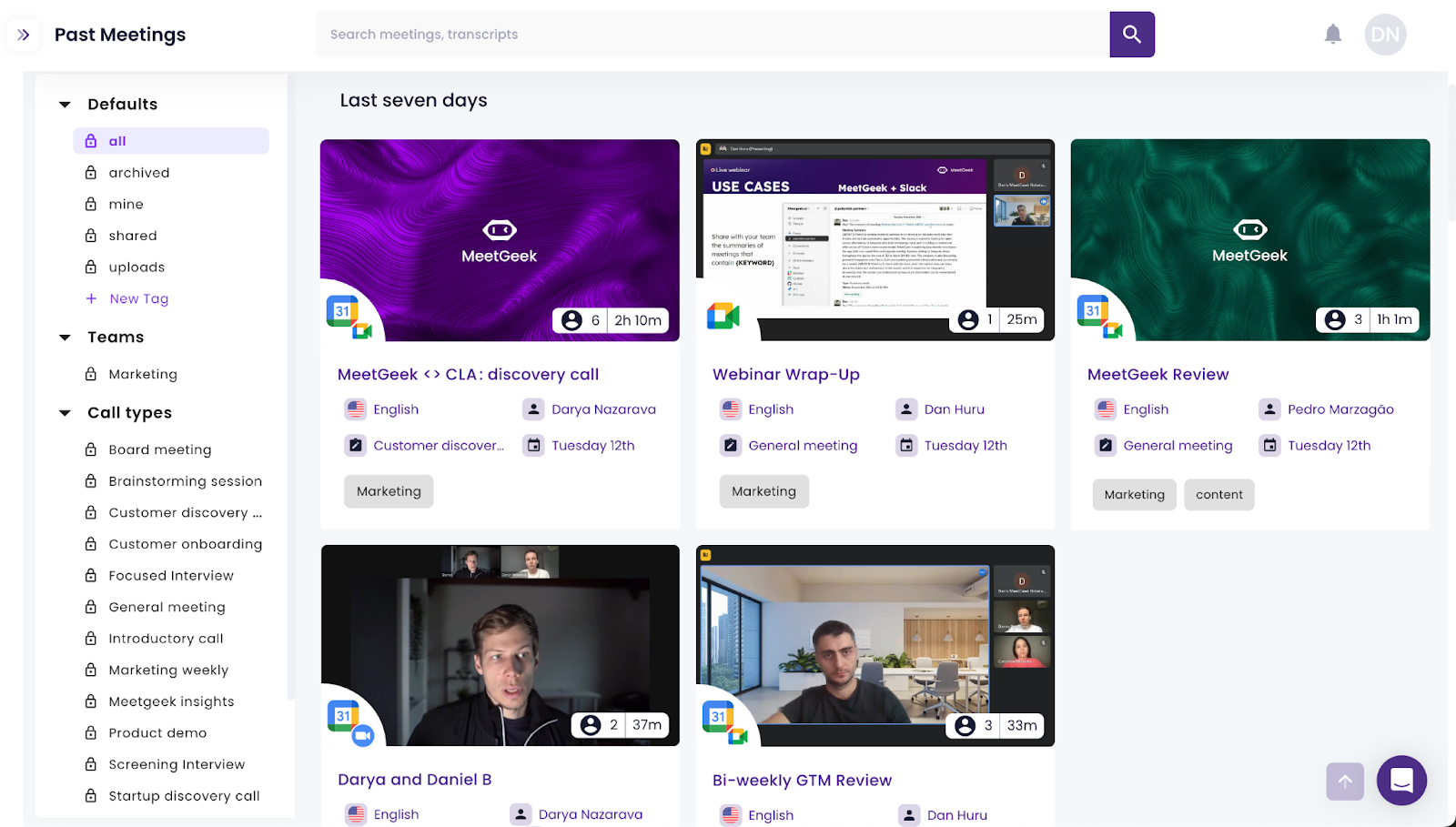
The transcripts can be revisited anytime with MeetGeek, thanks to its recording library.
Step 5: Download, export, and share
After reviewing, you can download your transcript in different formats, or export it directly to connected apps like Google Drive, Slack, or your CRM. This helps you keep your documents organized and accessible across your workflow.
PRO TIP: Because MeetGeek integrates with more than 10,000 apps, transcripts can be automatically sent to task boards and cloud storage, or wherever else you need them.
How to use a transcription service for voice memos
For longer or more complex voice recordings, a professional transcription service may be the best option. These services often rely on trained human transcribers, providing highly accurate transcripts even when the audio includes multiple speakers, strong accents, or technical terms.
Steps to use a transcription service:
- Choose a provider – Select a service that supports your audio formats (MP3, WAV, M4A) and check pricing, turnaround time, and confidentiality options.
- Upload your voice memo file – Ensure the recorded voice memo is clear, with minimal background noise, to help accuracy.
- Set preferences – Decide whether you want verbatim text, cleaned transcripts, timestamps, or subtitles for a video file.
- Wait for processing – Depending on file length, transcription may take a few hours to a few days.
- Review the transcript – Proofread for names, numbers, or specific terms that might need correction.
- Export and save – Download the transcribed text in your preferred format (TXT, DOCX, SRT) and store it in your notes app or workspace.
The main drawback is cost, since most providers charge by the minute or hour of audio, but this method is helpful when you need the highest level of accuracy.
How to choose the right audio transcription method
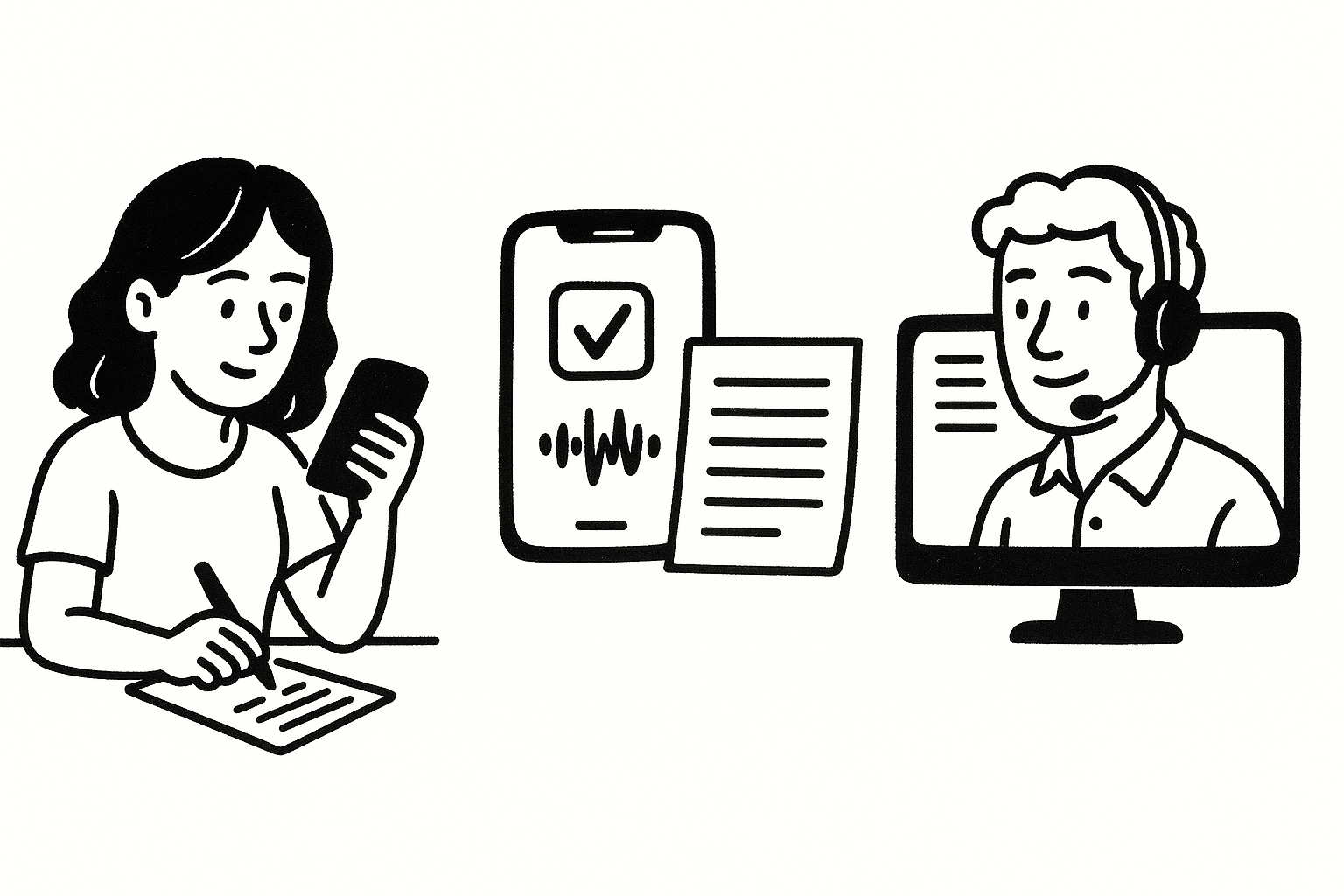
Not every voice memo requires the same approach. The best method depends on factors like file length, clarity, budget, and urgency. Use these points to decide:
- Memo length – For short and simple voice notes, manual transcription may be enough. If you regularly deal with longer voice memo files, an AI transcription tool like MeetGeek will save significant time.
- Audio quality – If your audio recording is clear with minimal background noise, a transcription app or tool will usually deliver a good transcript. If the recording has overlapping speakers, heavy accents, or poor quality, a professional transcription service is more reliable.
- Budget – Manual transcription costs nothing but takes more effort. AI tools offer affordable plans and often include a free option. Professional services usually charge by the minute or hour of audio recording, making them the most expensive choice.
- Time constraints – If you need results quickly, choose an AI transcription solution like MeetGeek. It can automatically transcribe and generate an accurate transcript in minutes, compared to hours or days with manual or professional methods.
- Intended use – If you need a polished document for work, a transcription service may be worth the cost. For personal notes, quick summaries, or searchable records, AI transcription tools are more efficient.
Tips for better voice memo transcriptions
To ensure the process is smooth and efficient, follow these tips:
- Record in a quiet environment – Clear audio leads to better results.
- Use a reliable app or tool – Choose one that supports your language and audio formats.
- Upload high-quality files – Avoid compressed recordings that lower the quality.
- Edit after transcription – Proofread for names, numbers, or technical terms.
- Export and save – Keep your transcript in multiple formats for easy sharing.
Using a tool like MeetGeek ensures you spend less time re-listening and more time working with clear written content.
The smartest way to transcribe voice memos
Knowing how to transcribe voice memos gives you a real productivity boost. From manual transcription to AI transcription and transcription services, there are plenty of ways to get from voice to word.
But if you want to automatically transcribe with speed and accuracy, MeetGeek is the best choice. It helps you record, upload, and convert voice memos into accurate transcripts instantly. You can download, export, and even add captions to a video file.
Whether you’re on iOS, Mac, or another device, MeetGeek makes the process simple and time-saving. Start using MeetGeek today and turn every voice memo file into clear, actionable notes.
Frequently asked questions
1. How to convert a voice memo from iPhone to text?
You can use the built-in Voice Memos app on your iPhone to record, then upload the voice memo file to a transcription tool like MeetGeek. Simply export the recording in a supported format (such as M4A, MP3, or WAV), upload it to the tool, and let the AI transcription process convert it into an accurate transcript. You can then edit, save, and export the text to your notes app or preferred workspace.
2. Can ChatGPT transcribe an audio recording?
ChatGPT itself cannot directly transcribe audio files, but you can use a dedicated transcription tool like MeetGeek to generate the written content first. Once you have the transcribed text, you can paste it into ChatGPT to summarize, edit, or reformat it into meeting notes, articles, or reports.
3. How to transcribe voice memos for free?
You have a few options:
- Manual transcription – Play the voice recording, listen carefully, and type it out yourself.
- Free AI transcription tools – Some platforms, including MeetGeek’s free plan, allow you to upload audio files and receive transcripts at no cost.
- Trial versions of transcription apps – Many apps offer limited free credits to test their services.\
4. What audio formats can I use for transcription?
Most transcription tools support common audio formats, including MP3, WAV, and M4A. Some also accept AAC, MP4, or MOV if your voice memo is part of a video file.
5. How long does it take to transcribe a voice memo?
The time depends on the method you choose. Manual transcription can take hours, while professional services may take a few days. With AI transcription tools like MeetGeek, most voice memo transcriptions are ready in just a few minutes, making them the fastest option.






.avif)