



An AI meeting note-taking app transcribes conversations and generates summaries with decisions and action items. Some tools also save audio or video recordings and sync notes with other work apps.
This guide compares eight options for teams by how they capture meetings, free-plan limits, paid prices, integrations and G2 ratings. For apps you mainly use to write notes yourself, such as Notion and OneNote, see our guide to meeting notes apps.
MeetGeek offers recording, transcription and summaries on its free plan, with integrations available from Pro. You can compare it with the other seven tools below.
The 8 Best AI Meeting Note-Taking Apps for Teams
These are the eight apps, in the order they appear below:
- MeetGeek
- Otter
- Fireflies
- Happy Scribe
- ClickUp
- Krisp
- Fellow
- Tactiq
Each app was compared on how it captures calls (with a bot that joins or without one), what the free plan allows, what the paid plans cost, how it connects to the tools teams already use, and how it handles security.
MeetGeek publishes this comparison and is one of the eight apps in it. Prices and plan limits come from each vendor's own pricing or help pages. Ratings come from G2 and cover each product as a whole, not only its meeting-note features.
| App | Best for | Capture without a bot | Free plan | Paid from | G2 rating |
|---|---|---|---|---|---|
| MeetGeek | Meeting summaries and action items, with integrations from Pro | Yes, desktop app and Chrome extension, on every plan | 3 hours of transcription a month, up to 2 hours per meeting | $9.99 per user per month, billed annually | 4.6 (491 reviews) |
| Otter | Live transcripts during English meetings | Yes, desktop app for Zoom and Google Meet | 300 minutes a month, up to 30 minutes per recording | $8.33 per user per month, billed annually | 4.4 (505 reviews) |
| Fireflies | Sending call data to CRM and project tools | Yes, desktop app for Zoom, Teams and Google Meet (transcript and summary, no audio or video file) | 400 minutes of storage per team, 20 AI credits, up to 2 hours per recording | $10 per seat per month, billed annually | 4.7 (753 reviews) |
| Happy Scribe | Transcripts and subtitles in many languages | Not stated | Unlimited recordings of up to 45 minutes; AI transcription limited to a 10-minute trial | $8.50 per month, billed annually (1 seat) | 4.6 (118 reviews) |
| ClickUp | Meeting notes linked to project tasks | No, the AI Notetaker joins as an attendee | Free plan; the AI Notetaker is sold separately, with a limited-time offer of 5 free hours per admin, pooled across admins and not renewed | AI Notetaker sold as an add-on or in the Everything AI bundle | 4.6 (14,855 reviews) |
| Krisp | Noise cancellation plus meeting notes | Yes | No free plan, 7-day trial | $8 per user per month, billed annually | 4.7 (1,609 reviews) |
| Fellow | Shared agendas and action item tracking | Yes, desktop app (audio only); Zoom Native Capture on paid Fellow and Zoom plans | 5 AI recordings per user in total, not per month | $7 per user per month, billed annually | 4.7 (2,440 reviews) |
| Tactiq | Quick transcripts of Google Meet, Zoom and Teams calls | Yes: the browser extension transcribes from the meeting's captions, and a Mac app supports desktop Zoom calls | 10 transcripts and 5 AI credits a month | $8 per user per month, billed annually | 4.2 (17 reviews) |
Table last updated: October 12, 2026.
1. MeetGeek: Best for Meeting Notes and CRM Integrations
Decisions from a call can end up in one person's notes or inside the meeting app, and the CRM or task board may not get updated. MeetGeek records, transcribes and summarizes your meetings and, on Pro and above, can send the summary, action items and follow-ups to tools such as your CRM and task board.
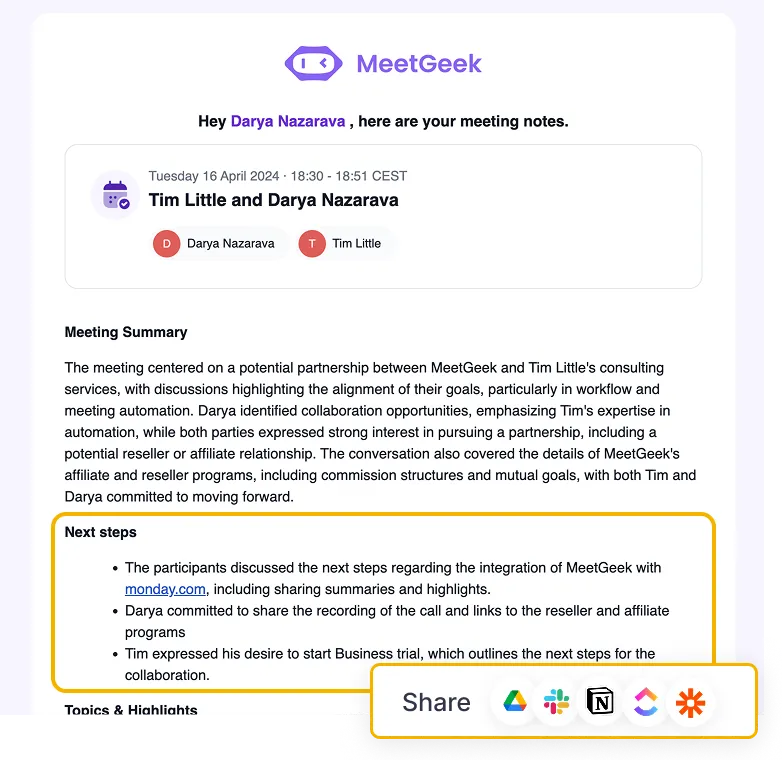
Its meeting recording and transcription covers Zoom, Microsoft Teams and Google Meet calls in 100+ languages, either with a notetaker that joins the call or without a bot, through the desktop app or with the Chrome extension. Recording with or without a bot is available on every plan. The Chrome extension also works with other meeting platforms that run in the browser, so you can record WebEx meetings and other browser calls, including Discord calls.
MeetGeek's automatic meeting features include:
- Recording and transcribing meetings;
- Writing structured AI meeting minutes;
- Extracting action items and follow-up tasks;
- Listing the key decisions;
- Keeping a searchable archive of past meetings.
That makes it useful for customer success, sales, leadership syncs and recurring project meetings, where someone has to follow up on what was agreed.
Online and In-Person Meetings
For meetings in a room, the mobile app records the conversation through your phone's microphone and transcribes it in 100+ languages, which helps at workshops, interviews and brainstorming sessions. If most of your meetings are in person, our guide to AI note takers for in-person meetings compares the options.
Key Features
- AI summaries split into key topics, action items, next steps and decisions, on every plan;
- AI Chat and search across your stored meetings, on every plan;
- Meeting templates and automatic meeting type detection, from Pro;
- Native integrations with CRM and task tools such as HubSpot, Salesforce, Notion, Asana and Slack, from Pro;
- Meeting analytics on talk time, sentiment and participation;
- API and MCP access on every plan, to connect your meeting history to tools like Claude and ChatGPT;
- Voice Agents that can attend certain meetings for you, on Enterprise;
- GDPR-compliant data handling.
Pricing
The free plan includes 3 hours of transcription a month, up to 2 hours per meeting, and 3 months of transcript storage. Pro costs $15.99 per user per month, or $9.99 per user per month billed annually, with 20 hours of transcription a month and integrations. Business costs $27 per user per month, or $17 per user per month billed annually, with unlimited transcription and up to 3 hours per meeting. Full details are on the MeetGeek pricing page.
Pros
- Records with or without a bot, and in person through the mobile app;
- Summaries already split into action items, decisions and next steps;
- Can sync notes and tasks with CRM and project tools on Pro and above;
- Keyword search and AI Chat across stored meetings.
Cons
- The free plan and Pro cap each recording at 2 hours;
- Video storage is only available on Business and Enterprise.
G2 Rating
4.6 out of 5, from 491 reviews.
Best For
Teams that need meeting summaries, action items and integrations with CRM and project management tools.
“MeetGeek saves a lot of time by automatically recording, transcribing, and structuring meetings. It’s very convenient to quickly find the needed moments using keywords and share snippets with colleagues. Integration with other tools is seamless, and the interface is intuitive even for new users.” Lidia N., Senior Talent Acquisition Manager
2. Otter: Best for Live Transcripts During English Meetings
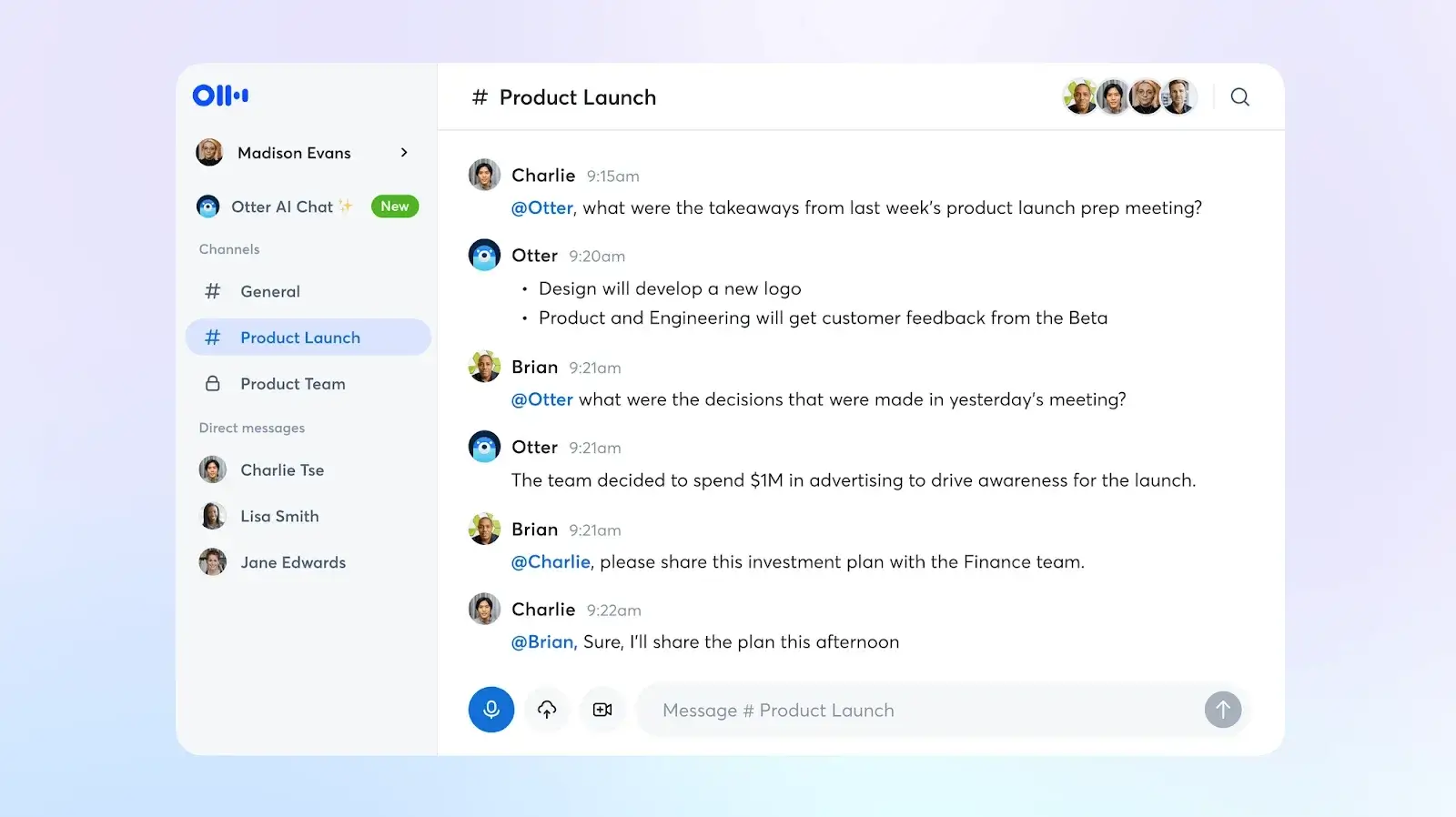
Otter is an AI transcription service known for live meeting transcripts that several people can follow, highlight and comment on during the call. It works with Zoom, Google Meet and Microsoft Teams through a notetaker that joins the call, and its desktop app records Zoom and Google Meet calls without one. You can also ask questions about a meeting in Otter AI Chat.
Key Features
- Live transcription with speaker identification;
- Comments, highlights and action items during or after the call;
- Otter AI Chat, with 20 queries a month on the free plan;
- Mobile and web apps for in-person conversations and access on the go.
Pricing
The free plan includes 300 minutes per month and limits each recording to 30 minutes. Pro costs $16.99 per user per month, or $8.33 per user per month billed annually, and Business $30 per user per month, or $19.99 per user per month billed annually.
Pros
- Live transcript you can follow and highlight during the call;
- Desktop app records Zoom and Google Meet calls without a bot joining;
- AI Chat on every plan, including the free one.
Cons
- Transcribes only six languages: English, Spanish, French, German, Japanese and Chinese;
- The free plan limits each recording to 30 minutes and exports only mp3 and txt files.
G2 Rating
4.4 out of 5, from 505 reviews.
Best For
English-speaking teams that want to follow and annotate the transcript live, across devices.
Want a closer look? See our MeetGeek vs. Otter comparison.
3. Fireflies: Best for Sending Call Data to CRM and Project Tools
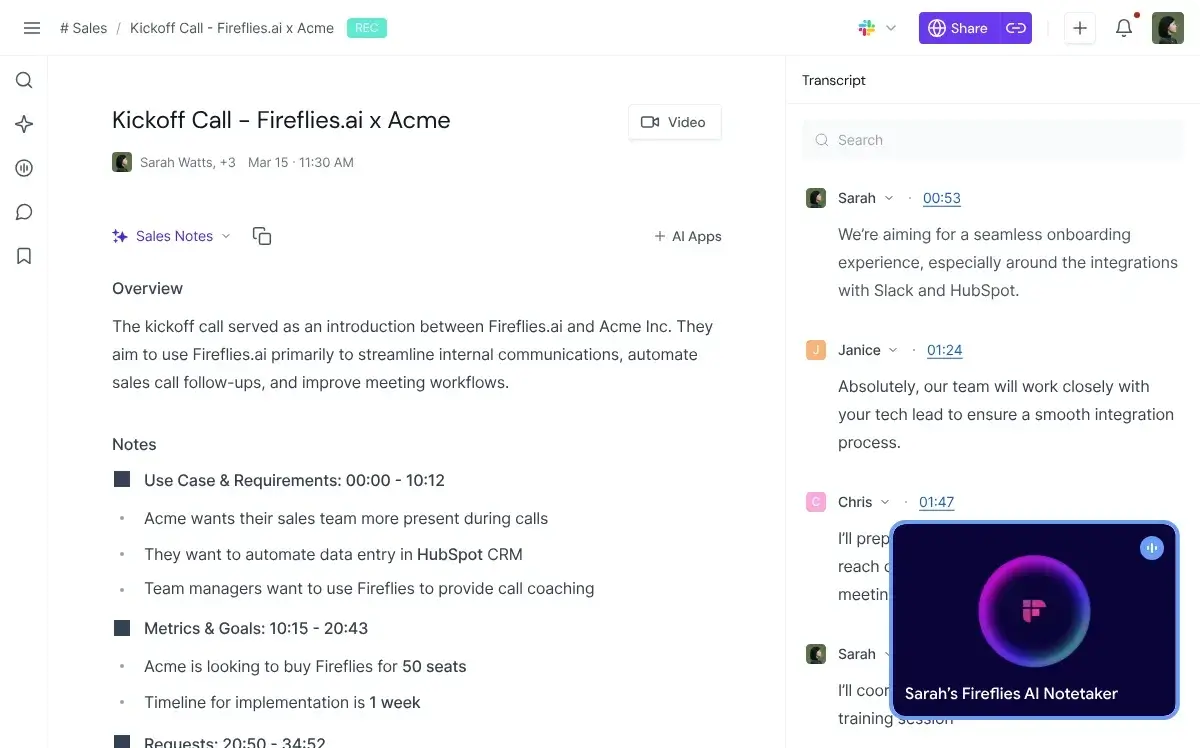
Fireflies is an AI assistant that captures, transcribes and analyzes calls, then connects that data to CRM systems, project management tools and other business apps. It transcribes 100+ languages.
Key Features
- AI search across transcripts;
- Integrations with Salesforce, HubSpot, Slack, Zapier and project management tools;
- Meeting analytics dashboard;
- A desktop app for Windows and Mac that takes notes from Zoom, Microsoft Teams and Google Meet without a bot, using your computer's audio.
Pricing
The free plan includes 400 minutes of storage per team, 20 AI credits and recordings of up to 2 hours. Pro costs $10 per seat per month billed annually, and Business $19 per seat per month billed annually.
Pros
- Integrations with Salesforce, HubSpot and project management tools;
- Searchable transcripts and meeting analytics;
- 100+ transcription languages.
Cons
- Without a bot, the desktop app saves a transcript and summary but no audio or video file, and labels speakers as Speaker 1, Speaker 2;
- Storage on the free plan is shared by the whole team.
G2 Rating
4.7 out of 5, from 753 reviews.
Best For
Sales and project teams that want meeting notes sent to their CRM and project tools.
Want a closer look? See our MeetGeek vs. Fireflies comparison.
4. Happy Scribe: Best for Transcripts and Subtitles in Many Languages
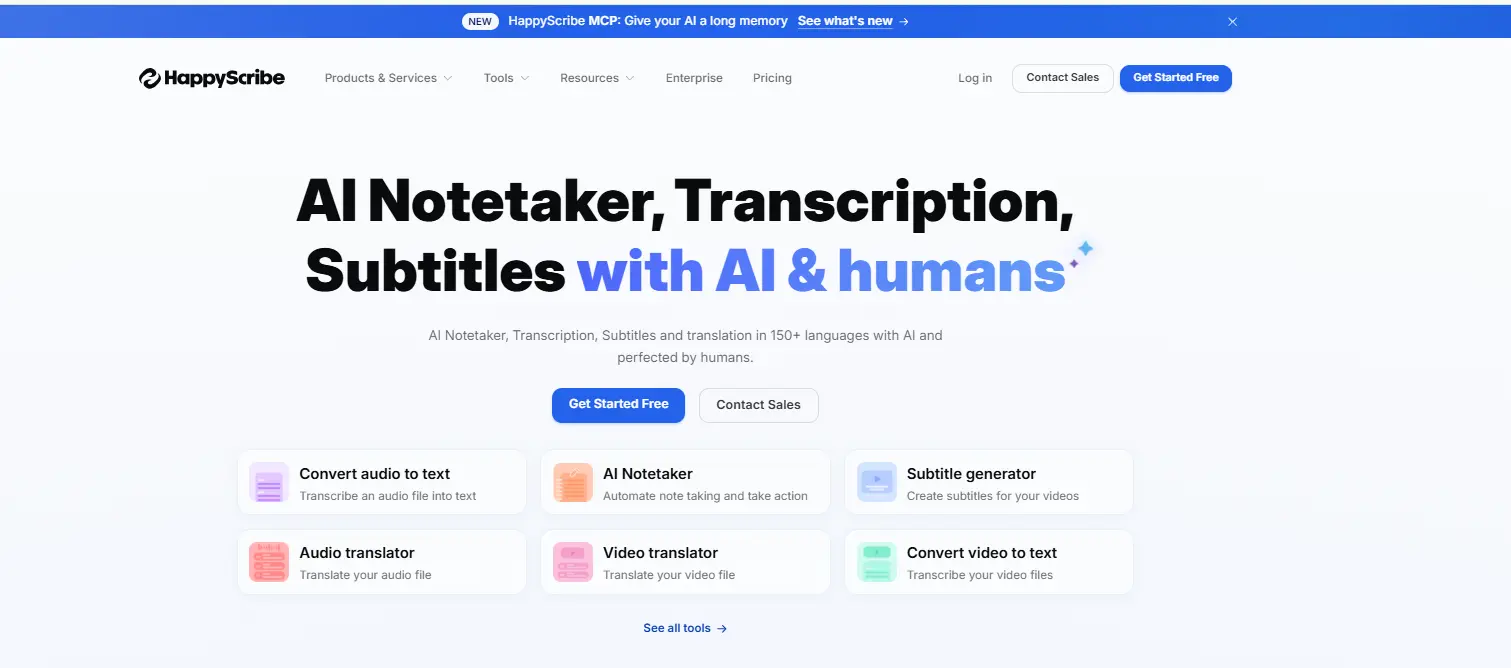
Happy Scribe is an AI transcription and subtitle platform for multilingual meetings and content. It records Zoom, Google Meet and Microsoft Teams meetings, transcribes in 150+ languages and translates into 80+ languages.
Key Features
- AI transcription with speaker identification;
- 150+ transcription languages and subtitle exports;
- Collaborative editing and transcript sharing;
- AI Chat to analyze uploaded files.
Pricing
The free plan records an unlimited number of meetings of up to 45 minutes each, but AI transcription on the free plan is limited to a 10-minute trial. Basic costs $17 per month, or $8.50 per month billed annually, with 1 user seat, and Pro $29 per month, or $19 per month billed annually, with 3 seats.
Pros
- The widest language coverage in this list;
- Editing and export options for subtitles and transcripts;
- Works for meetings, interviews and content teams alike.
Cons
- AI transcription on the free plan is limited to a 10-minute trial;
- Free subtitle exports carry a watermark.
G2 Rating
4.6 out of 5, from 118 reviews.
Best For
Global or content-focused teams that need meeting transcripts and subtitles in many languages.
5. ClickUp: Best for Meeting Notes Linked to Project Tasks
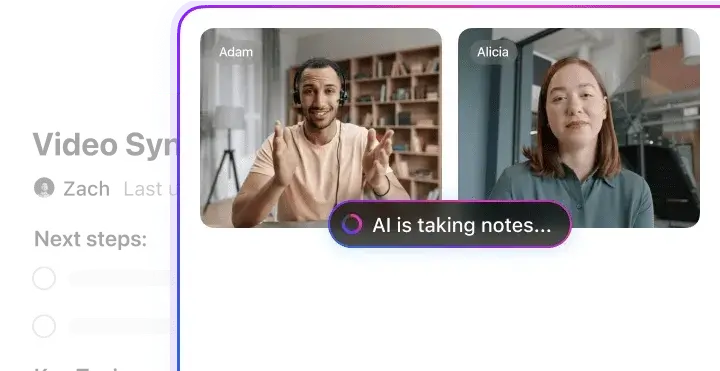
ClickUp is a project management platform with an AI Notetaker built in. The AI Notetaker joins Zoom, Google Meet and Microsoft Teams calls as an attendee and saves the notes in a ClickUp Doc, with the action items as a checklist next to your tasks and projects.
Key Features
- Meeting notes saved in the same workspace as tasks and projects;
- Action items as a "Next Steps" checklist in the notes Doc;
- Customizable note templates;
- Works with scheduled meetings from Google or Outlook calendars, and with ad hoc calls.
Pricing
ClickUp has a free plan, but the AI Notetaker is sold separately: as a standalone add-on on any plan, or in the Everything AI bundle on paid plans. For a limited time, each admin adds 5 free hours of AI Notetaker use to a pool shared by all the workspace's admins, so 3 admins share 15 hours. The hours do not renew, and members and guests cannot use them.
Pros
- Notes are saved next to the related tasks;
- Note templates you can customize.
Cons
- The AI Notetaker is part of a broader project management platform, so it may be more than you need if you only want meeting notes;
- Video recording is in beta, and calls over one hour are saved as audio only.
G2 Rating
4.6 out of 5, from 14,855 reviews.
Best For
Teams that already run their projects in ClickUp and want meeting decisions to become tasks there.
6. Krisp: Best for Noise Cancellation Plus Meeting Notes
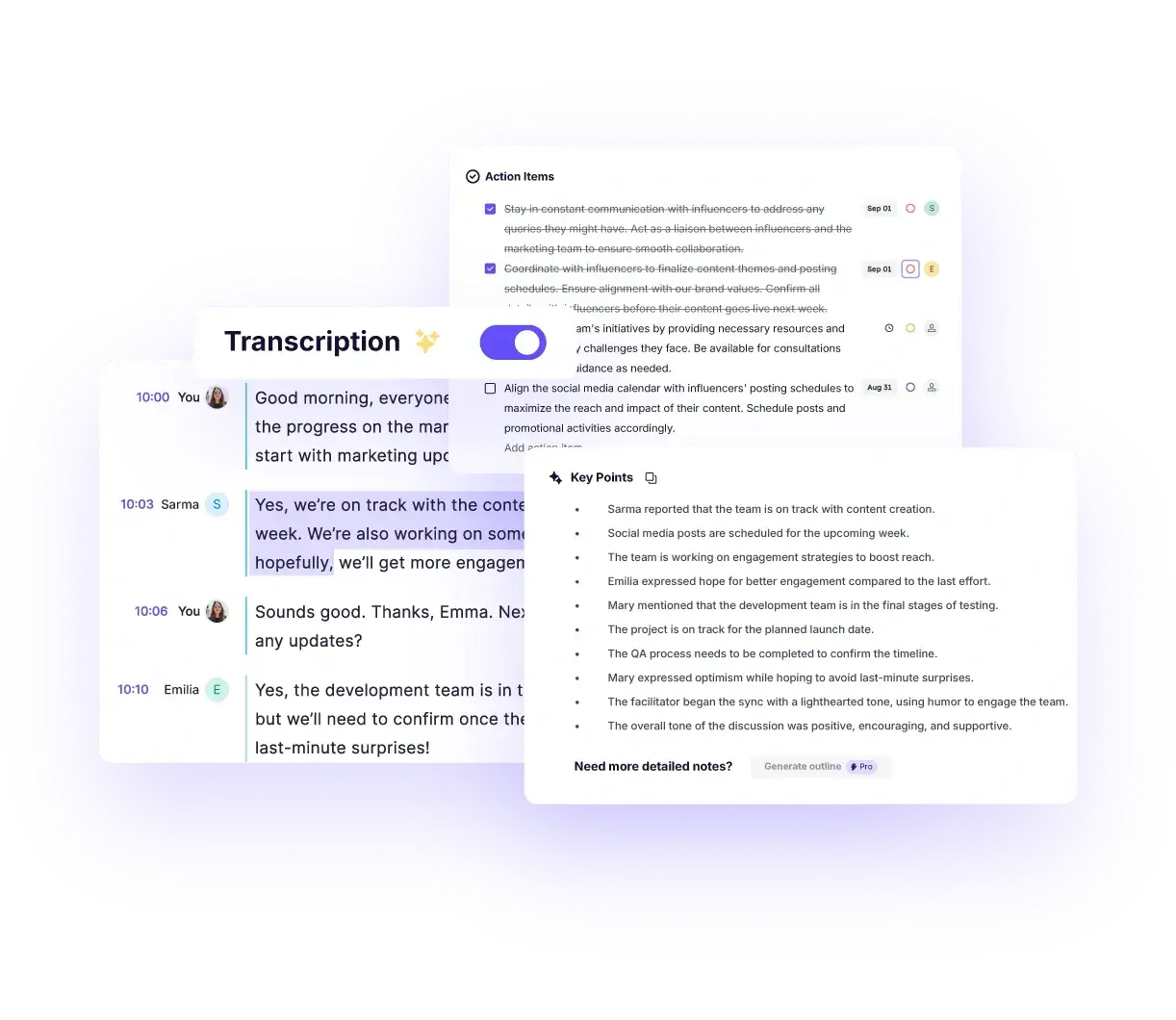
Krisp is known for its AI noise cancellation, and it also transcribes meetings and writes AI notes. It records without a bot, so nothing extra appears in the participant list.
Key Features
- AI noise cancellation;
- Unlimited transcription and AI notes on paid plans;
- Bot-free recording, with an option to record with a bot.
Pricing
There is no free plan, only a 7-day free trial. Core costs $16 per user per month, or $8 per user per month billed annually, and Advanced $30 per user per month, or $15 per user per month billed annually.
Pros
- Noise cancellation to reduce background noise during calls;
- Records without a bot.
Cons
- No free plan after the trial;
- Transcripts and summaries in 16+ languages, fewer than the 100+ that MeetGeek, Fireflies and Fellow support.
G2 Rating
4.7 out of 5, from 1,609 reviews.
Best For
Remote workers who take calls from noisy places and want notes without a bot in the call.
Want a closer look? See our MeetGeek vs. Krisp comparison.
7. Fellow: Best for Shared Agendas and Action Item Tracking
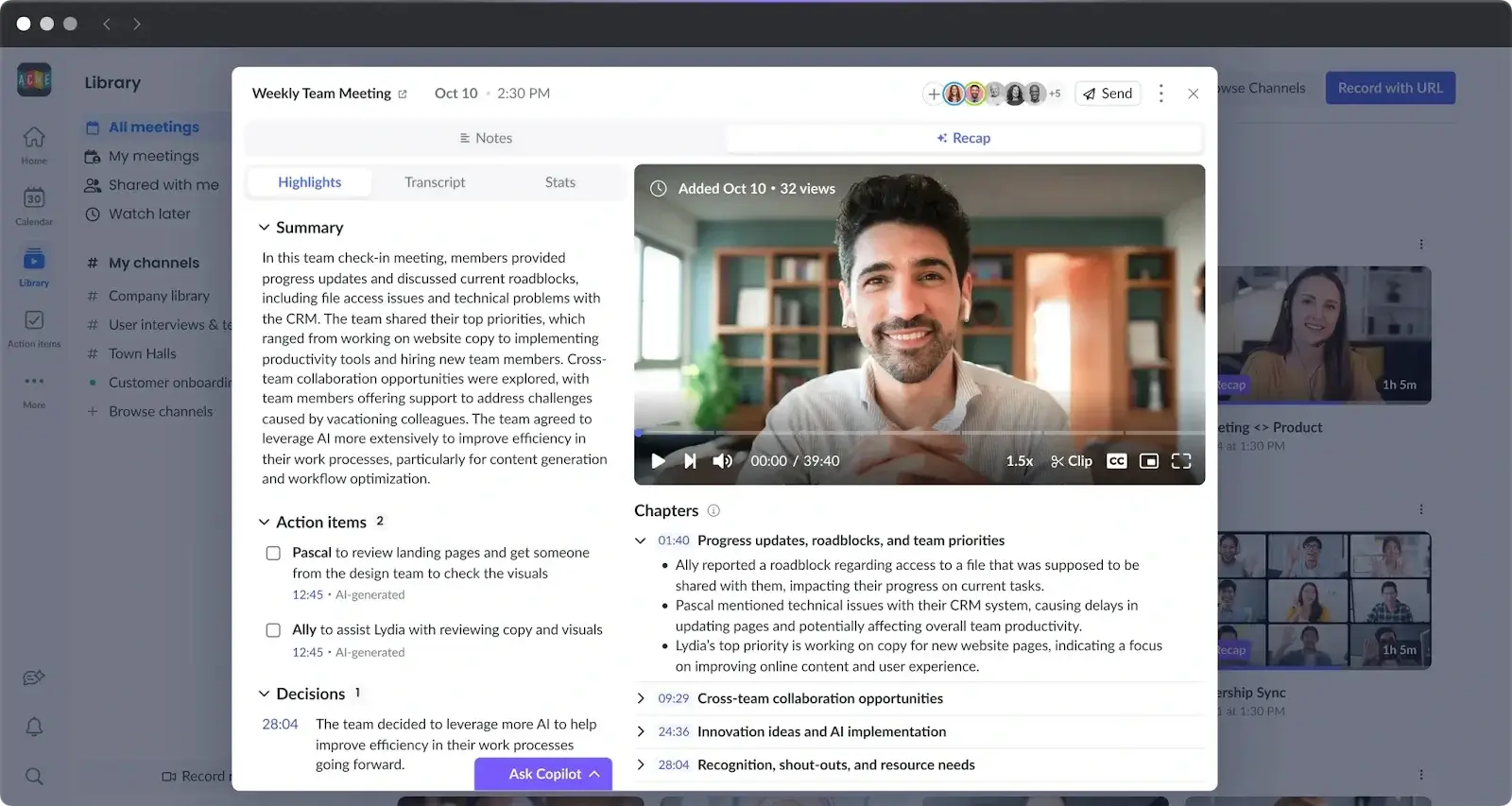
Fellow combines shared agendas, collaborative notes and action item tracking across recurring meetings. It also records and transcribes meetings with AI, in 100+ languages.
Key Features
- Shared agendas and collaborative notes;
- Action item tracking across recurring meetings;
- AI recording and transcription in 100+ languages;
- Bot-free recording through the desktop app, which captures audio only, or through Zoom Native Capture on paid Fellow and Zoom plans.
Pricing
The free plan includes 5 AI recordings per user in total, for teams of up to 10 people. Team costs $11 per user per month, or $7 per user per month billed annually, and Business $23 per user per month, or $15 per user per month billed annually.
Pros
- Agenda templates to structure your meetings;
- Shared agendas let the whole team add topics before the meeting and see follow-ups after it;
- Action items stay visible from one meeting to the next.
Cons
- The free plan's 5 AI recordings do not renew each month;
- It works best when the whole team uses the shared agendas.
G2 Rating
4.7 out of 5, from 2,440 reviews.
Best For
Teams that run structured, recurring meetings and want agendas, notes and action items in one place.
Want a closer look? See our MeetGeek vs. Fellow comparison.
8. Tactiq: Best for Quick Transcripts of Google Meet, Zoom and Teams Calls
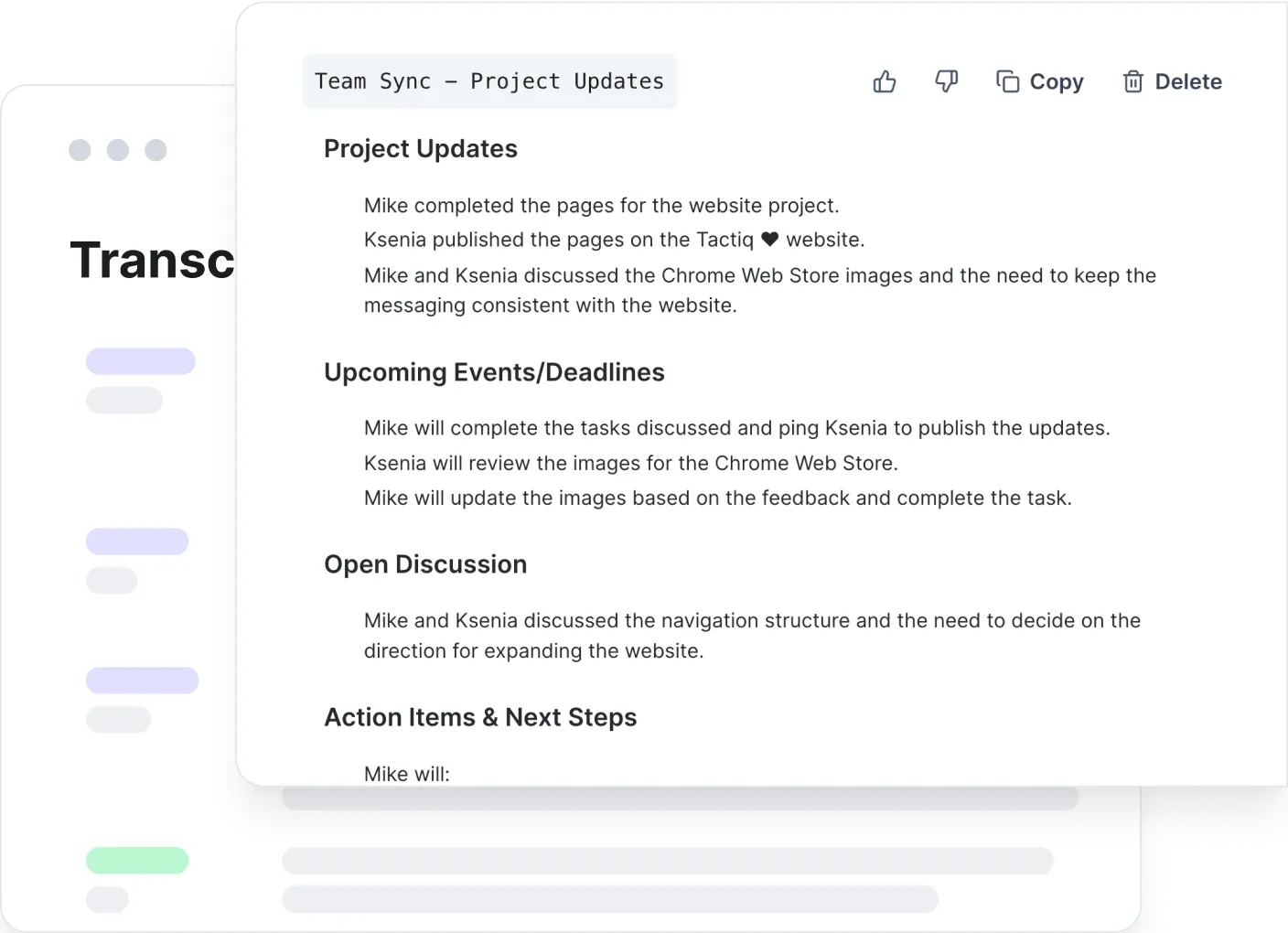
Tactiq's Chrome and Edge extension transcribes Google Meet, Zoom and Microsoft Teams calls that run in the browser. It builds the transcript from the meeting platform's captions, so no bot joins the call. A Mac app supports desktop Zoom calls, and Tactiq can also transcribe uploaded audio or video files and export notes to Google Docs.
Key Features
- Live transcripts in the browser for Google Meet, Zoom and Teams;
- Highlights and keyword search;
- AI summaries using monthly AI credits;
- Export to Google Docs for easy sharing.
Pricing
The free plan includes 10 transcripts and 5 AI credits a month. All paid prices listed are per user per month, billed annually. Pro costs $8 for one user, Team $16.67 for 1 to 20 users and Business $29.17 for 20 to 200 users.
Pros
- Simple setup, with no bot in the call;
- Transcribes Google Meet calls in the browser and exports notes to Google Docs.
Cons
- The browser extension needs the meeting's captions turned on and works only with calls running in a browser tab;
- No mobile app or in-person transcription.
G2 Rating
4.2 out of 5, from 17 reviews.
Best For
Google Workspace teams that want a quick, bot-free transcript of browser calls.
Want a closer look? See our MeetGeek vs. Tactiq comparison.
How to Choose the Right AI Meeting Notetaker for Your Team
Start with the features your team needs, then compare capture methods and free-plan limits.
Which App Fits Which Job
| If you need to | Look at |
|---|---|
| Ask questions about past meetings | MeetGeek (AI Chat, every plan), Otter (AI Chat) |
| Send notes to the contact record in your CRM | MeetGeek (HubSpot, Salesforce, from Pro), Fireflies (Salesforce, HubSpot) |
| Track action items across recurring meetings | Fellow |
| Turn meeting decisions into project tasks | ClickUp, MeetGeek (Asana, Notion, from Pro) |
| Capture calls in the Microsoft Teams desktop app without a bot | MeetGeek (desktop app), Fireflies (desktop app, transcript and summary only), Fellow (desktop app, audio only) |
| Transcribe meetings in many languages | Happy Scribe (150+), MeetGeek, Fireflies and Fellow (100+) |
| Reduce background noise on calls | Krisp |
| Record in-person meetings | MeetGeek and Otter (mobile apps) |
| Get a quick transcript of browser calls | Tactiq |
Table last updated: October 12, 2026.
Bot or No Bot
Most of these apps can send a notetaker that joins the call as a participant. A bot can capture the meeting independently of the device you use to join, provided it is admitted. Some companies restrict meeting bots, and some participants prefer a call without an additional attendee. Bot-free options work from your computer instead, and they differ in what they keep:
- MeetGeek's desktop app and Chrome extension record without a bot on every plan;
- Otter's desktop app records Zoom and Google Meet calls;
- Fireflies' desktop app captures Zoom, Teams and Google Meet calls, and keeps a transcript and summary but no audio or video file;
- Fellow's desktop app records audio only;
- Krisp records without a bot, with an optional bot mode;
- Tactiq's browser extension builds a transcript from the meeting's captions rather than recording the call.
Even without a bot, you still need to tell participants you are recording and follow the consent rules where you work.
Check the Limits on the Free Plan
Free plans may limit recording length, transcription minutes, storage or the number of AI summaries. Some allowances renew every month, while others are a one-time trial or a lifetime total:
- MeetGeek: 3 hours of transcription a month, up to 2 hours per meeting;
- Otter: 300 minutes a month, up to 30 minutes per recording;
- Happy Scribe: unlimited recordings of up to 45 minutes, but AI transcription only as a 10-minute trial;
- Fellow: 5 AI recordings per user in total, not per month;
- Krisp: a 7-day trial instead of a free plan.
Our list of free AI meeting note takers compares the free plans in more detail.
Did you know? In meetings recorded by MeetGeek in the first half of 2026, 22.2% lasted an hour or longer.
Security and Where the Notes End Up
When comparing security and privacy, check what each tool stores, where it stores the data and who can access it. Review the provider's data protection terms and retention settings.
For integrations, confirm which tools are supported and whether your chosen plan includes them. MeetGeek lists its native integrations by category. Most apps offer a free plan or trial for evaluating transcription and summaries.
You can test MeetGeek's recording, transcription and summaries on the free plan. Integrations with other work tools are available from Pro.
Key Takeaways
- Bot-free capture does not save the same things in every app: Fireflies' desktop app saves a transcript and summary without an audio or video file, Fellow's desktop app records audio only, and Tactiq's extension builds the transcript from the meeting's captions;
- ClickUp's AI Notetaker always joins as an attendee, and it is sold separately from ClickUp's free plan;
- Free plans are limited in different ways: monthly hours on MeetGeek and Otter, a lifetime total of 5 recordings on Fellow, a 10-minute transcription trial on Happy Scribe and a 7-day trial on Krisp;
- MeetGeek records, transcribes and summarizes meetings on its free plan, and integrations with CRM and project tools start on Pro.
Frequently Asked Questions
What Is the Best App to Record Meeting Notes?
MeetGeek is a suitable option for teams that need automatic meeting notes and integrations with other work tools. It records Zoom, Microsoft Teams and Google Meet calls with or without a bot and summarizes them in 100+ languages on every plan, including the free one. Integrations that send notes and tasks to tools like HubSpot, Notion and Slack start on Pro.
Otter suits English-speaking teams that want a live transcript, and Fellow suits teams that run meetings from shared agendas.
Can ChatGPT Take Notes During a Meeting?
Yes. ChatGPT Record can transcribe and summarize meeting audio in the macOS desktop app on Plus, Pro, Business, Enterprise and Edu plans. You start recording manually; it captures microphone and system audio without joining the call as a participant. Sessions can last up to 4 hours.
The separate Meetings beta is available in the Mac app for Pro and Business users. You can also paste a transcript and ask ChatGPT to summarize meeting notes.
A dedicated AI notetaker like MeetGeek records Zoom, Microsoft Teams and Google Meet calls on every plan, including the free one, with a bot or from your computer. Integrations for sending summaries and action items to other work tools are available from Pro.
What Are the Best Apps for Linking Meeting Notes?
Notion, Evernote and ClickUp work well if you want to link notes between meetings and topics. On Pro and above, MeetGeek can send each meeting summary to Notion through its native integration.
Do Meeting Note Apps Help Create To-Do Lists?
Yes, most AI meeting note apps turn the discussion into action items. MeetGeek lists them in every summary and, on Pro and above, can send them to project management tools such as Asana. ClickUp adds them as a checklist in the meeting Doc, and Fellow keeps them visible from one meeting to the next.
Can I Use a Regular Note App for Meetings?
Yes. You can type notes in a regular app like Google Keep or Microsoft OneNote during a meeting.
Their capabilities vary: OneNote, for example, can record audio and video notes on Windows. For automatic meeting summaries and action items, compare the specific features and subscription requirements of each tool. An AI meeting notetaker like MeetGeek writes the summary and lists the action items from every recorded call, without anyone taking notes by hand.







.avif)