
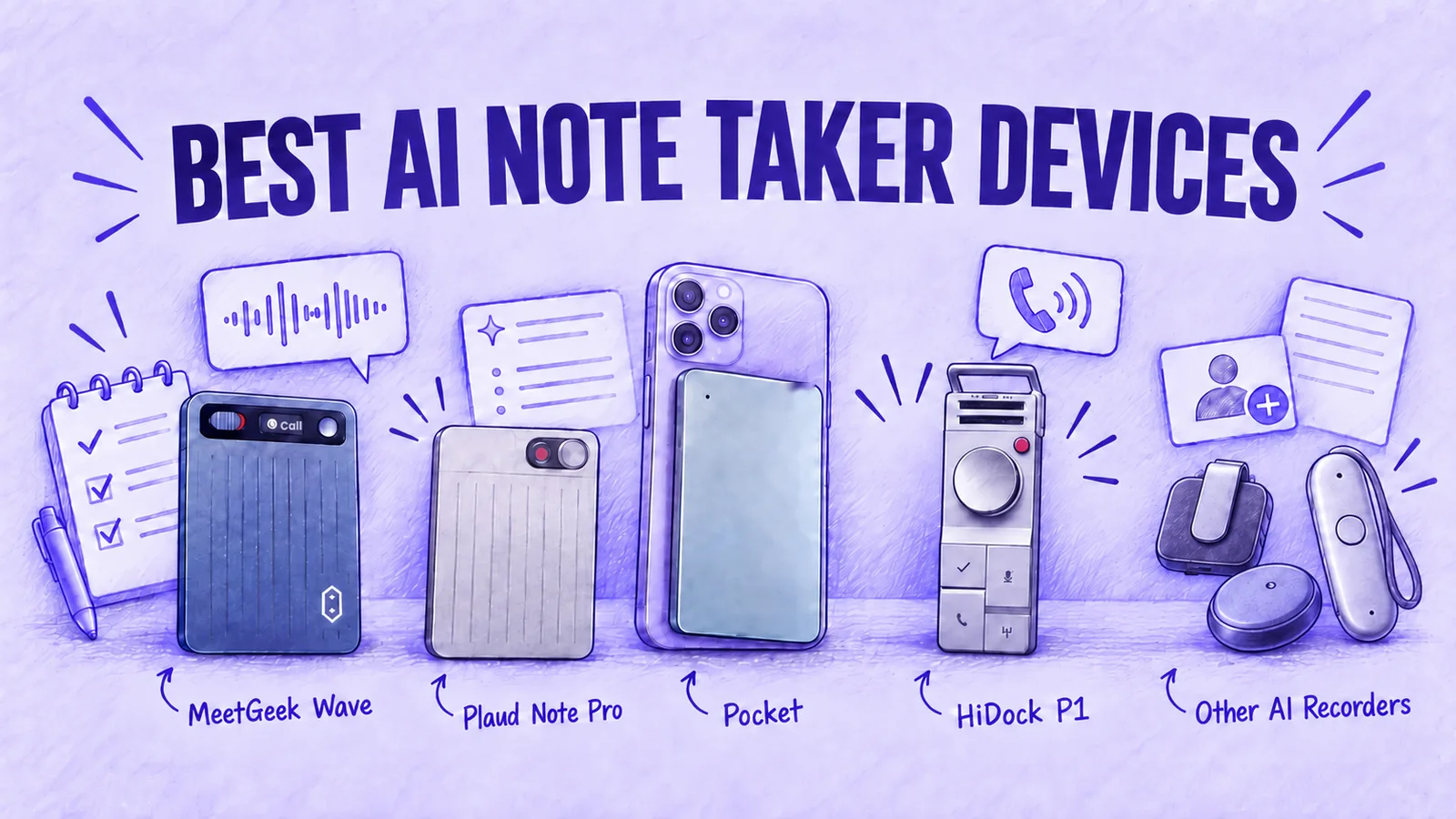

An AI note taker device, often sold as an AI voice recorder, is a small recorder or wearable that captures phone calls or meetings in a room and sends the audio to an app that transcribes and summarizes it.
The eight here split into recorders with phone-call support (MeetGeek Wave, Plaud Note Pro, Pocket and HiDock P1) and wearables (Plaud NotePin S, soundcore Work, Omi and Bee). The main differences are how they capture audio, what their apps provide and which features require a subscription.
In short: MeetGeek Wave if your calls should sit with your online meetings, Pocket or HiDock P1 for unlimited free transcription.
The Best AI Note Taker Devices in 2026
MeetGeek publishes this comparison and makes Wave, one of the devices in it. Every figure was checked on each brand's own US website and the devices are compared on the criteria explained below the list.
| Device | Price | Phone Calls | Free Plan | Paid Plan | Type |
|---|---|---|---|---|---|
| MeetGeek Wave | $129 | Yes, Call Mode | 3h a month | $120/year | Card |
| Plaud Note Pro | $189 | Yes | 300 min a month | From $99.99/year | Card with screen |
| $129 | Yes, contact mic | Unlimited transcription | $239.88/year | Card | |
| HiDock P1 | $199 | Yes, via USB-C | Unlimited | Optional, $199/year | Pocket recorder |
| Plaud NotePin S | $179 | No | 300 min a month | From $99.99/year | Wearable pin |
| soundcore Work | $159.99 | Not documented | 300 min a month | From $99.99/year | Wearable |
| Omi | $169 | Not documented | Unlimited on phone, 300 cloud min | $269/year | Pendant |
| Bee Frontier | $74.99 | Not documented | Summaries, 14 days of memory | $11.99/month | Wristband or clip |
Table last updated: October 29, 2026.
Yearly prices assume annual billing. Plans at a similar price do not include the same features. Omi transcribes on your phone at no cost and limits cloud transcription to 300 minutes a month.
1. MeetGeek Wave
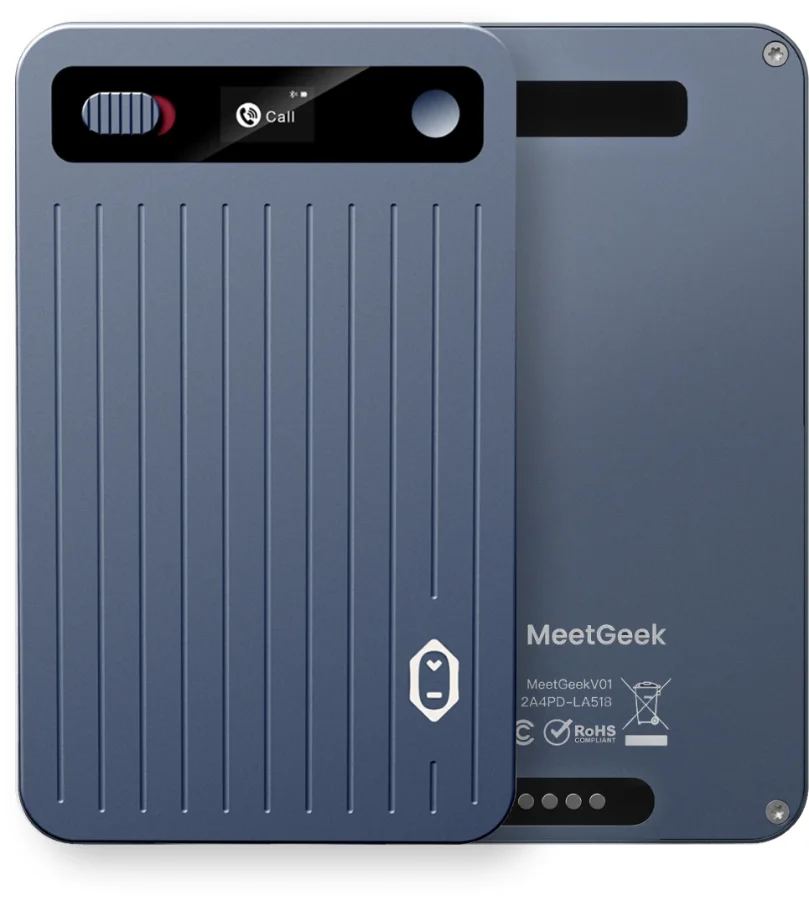
MeetGeek Wave is a pocket-sized AI voice recorder for phone calls, calls on apps like WhatsApp and conversations in a room. Wave records the audio and syncs it to MeetGeek for transcription, summaries and follow-up tasks.
After the Bluetooth sync, MeetGeek produces a summary, a speaker-labeled transcript and action items. From there:
- AI Chat answers questions across all your meetings
- Meeting Skills score the call or update your CRM
- Integrations send notes to HubSpot, Salesforce, Notion, Slack and 10,000+ other apps through Zapier, Make and n8n
- MCP server lets Claude or ChatGPT work with your meetings, if you use them
A phone call, a client lunch and a Teams meeting end up in the same library and the same search.
Wave has two modes, set with one switch. In Call Mode, the included magnetic case holds Wave against the back of your phone. You press the button to start recording.
It records both sides of a regular call or a WhatsApp, FaceTime, Messenger, Telegram or Signal call, with the phone at your ear or on speaker. There is no app integration and no number to dial in.
In Note Mode, Wave records in-person conversations. MeetGeek then detects the language and labels speakers in the transcript.
Pricing:
- Wave + Pro: $129, including 3 months of MeetGeek Pro. An annual Pro subscription after that adds another 12 months at $120 per user ($9.99 a month billed yearly).
- Wave + Business: $149, including 3 months of Business. After that, Business costs $204 per user a year ($17 a month billed yearly).
- If you already pay for Pro or Business: the device on its own is $129 and your plan stays.
- Without a paid plan: Wave works on free MeetGeek Basic, which includes 3 hours of transcription a month.
Specs:
- 28 g, 87 × 53 × 3.1 mm, aluminum alloy
- Up to 40 hours of recording per charge, about 90 minutes to charge
- 64 GB of storage; no internet connection of its own, only Bluetooth to the MeetGeek app
- 100+ languages
Limits to know:
- Wave starts recording when you press the button, not automatically.
- When the call runs through AirPods or other Bluetooth earbuds, Wave captures only your own voice.
- Free MeetGeek Basic includes 3 hours of transcription a month.
Not the best fit if: you want unlimited transcription without a paid plan, or you take most calls on earbuds.
It is aimed at sales reps, consultants, founders, recruiters and customer success teams who want notes from a phone call to land in the same CRM and project tools as notes from a Zoom meeting.
2. Plaud Note Pro
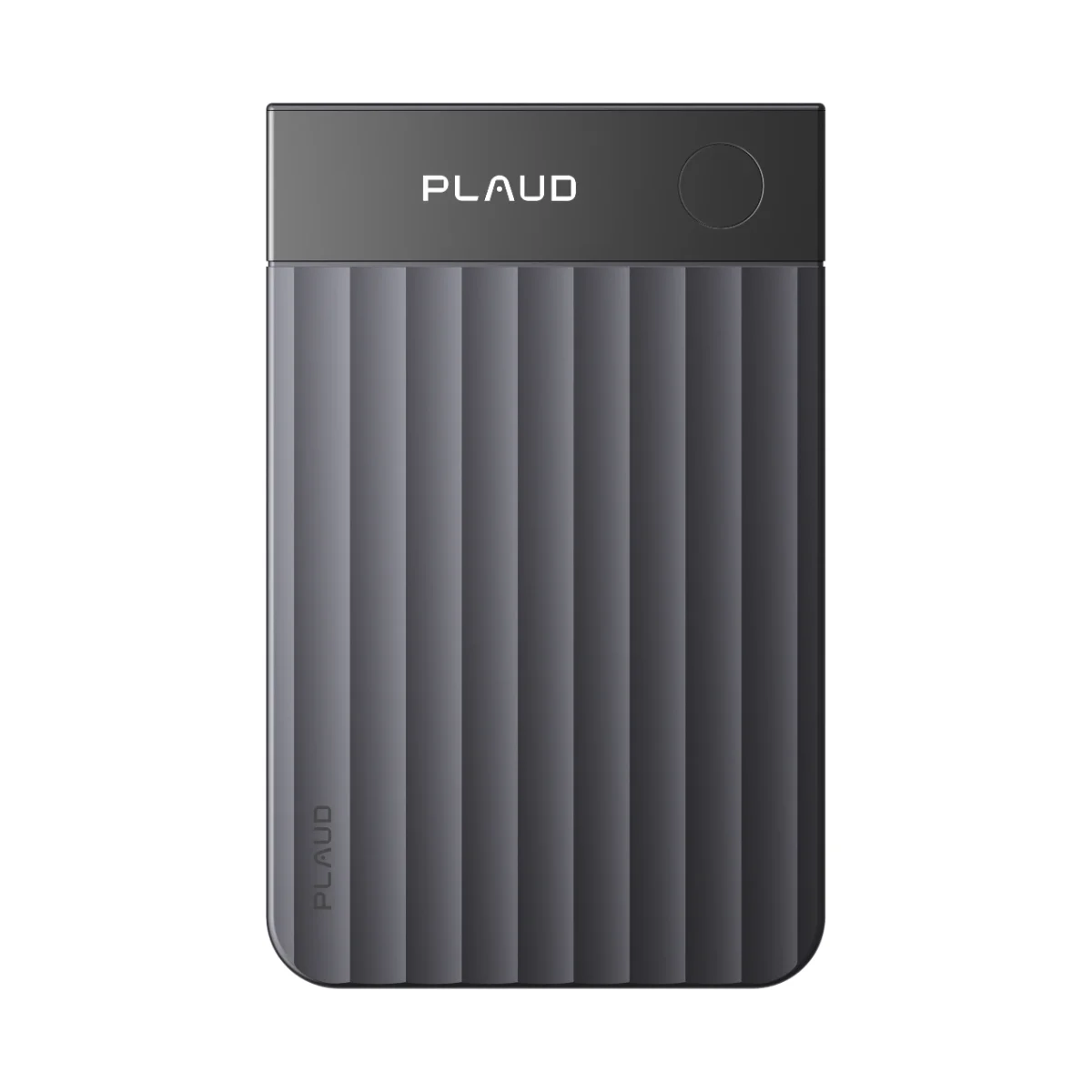
The Plaud Note Pro is a credit-card-size recorder with a 0.95-inch AMOLED screen. For calls it records from the back of the phone. Plaud says its dual-mode recording switches between in-person and phone calls on its own, so you do not flip a switch first. Transcription covers 112 languages with speaker labels.
- Price: $189
- Amazon rating: 4.5 out of 5 from 3,084 ratings
- Starter: free, with 300 minutes a month
- Pro: $99.99 a year ($8.33 a month billed yearly) for 1,200 minutes a month, or $17.99 billed monthly
- Unlimited: $239.99 a year ($20 a month billed yearly), or $29.99 billed monthly
- Battery: up to 50 hours in Endurance mode, 30 hours in Enhance mode
- Hardware: 1.06 oz, 0.12 inch thick, 4 MEMS microphones plus a VPU, 16.4 ft pickup in Enhance mode, 64 GB
The screen and the 50-hour Endurance mode make it a good match for long in-person sessions, such as workshops or lectures, where you want to see at a glance that it is still recording.
Our Plaud Note Pro vs MeetGeek Wave comparison puts the two side by side.
3. Pocket
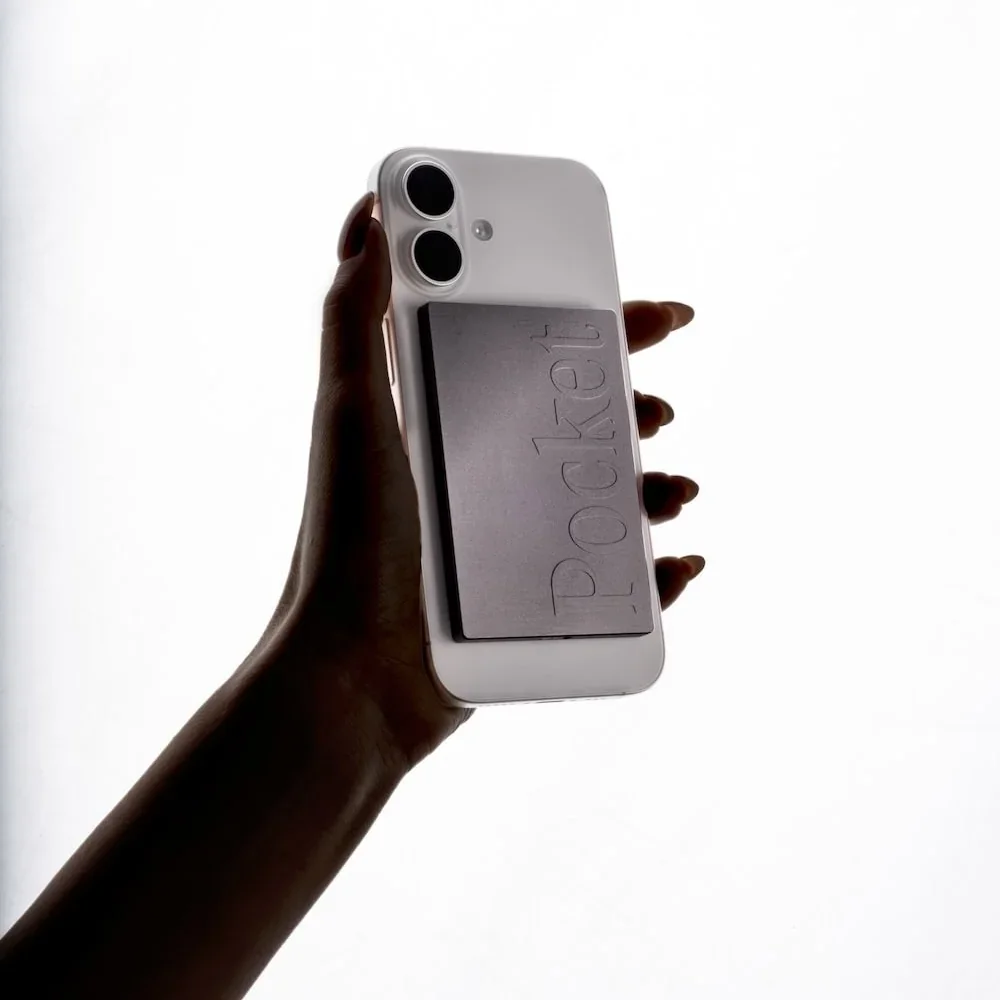
Pocket is a card-style recorder at 52 g and 0.2 inch, with 2 studio mics and 1 contact mic. The contact mic sits against the back of your phone, attached with MagSafe or an optional adhesive mount. Pocket says it captures phone calls without speakerphone.
- Price: $129 on Pocket's site on October 29, 2026, against a $199 list price
- Amazon rating: 4.6 out of 5 from 289 ratings
- Free plan: unlimited standard-accuracy transcription, summaries saved for 30 days, 3 Ask Pocket chats a day (up to 3 messages each)
- Pro: $19.99 a month billed yearly ($239.88), adding Pocket's highest-accuracy transcription, automatic speaker names and summaries saved forever
- Hardware: 64 GB plus cloud storage, 4 days of active use, 1.5 hours to charge, 120+ languages
Pocket makes sense if you record a lot of calls and care more about unlimited transcription than about keeping summaries past 30 days.
Our Pocket AI vs MeetGeek Wave comparison covers plans, storage and calls in detail.
4. HiDock P1
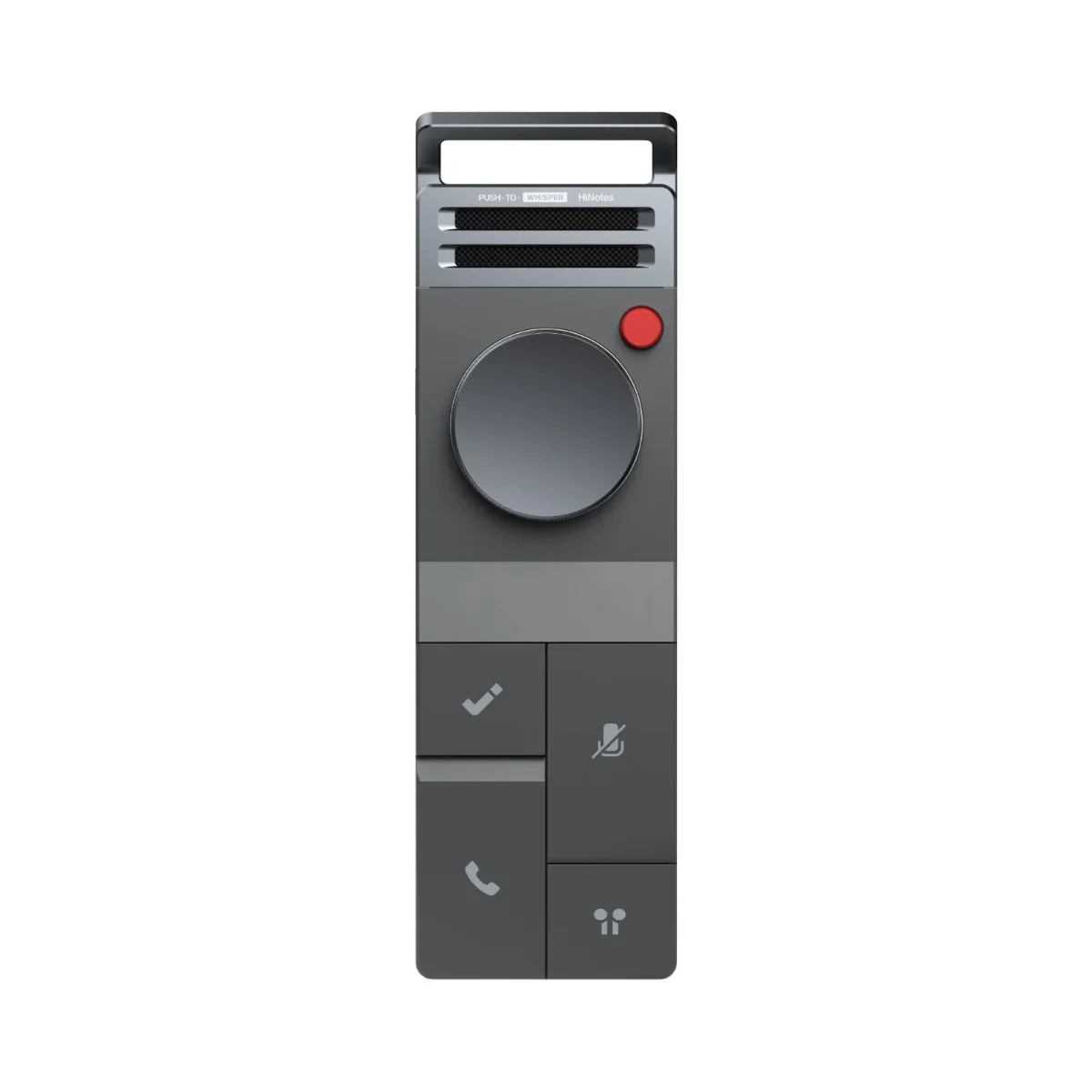
The HiDock P1 records calls through a cable rather than from the back of the phone. A USB-C cable links it to the phone or laptop you are calling from and the call is routed through it, while its BlueCatch feature links your Bluetooth earphones to the P1 rather than to the phone. You keep talking on earbuds and the recorder hears both sides, on the phone or in Teams, Zoom, Google Meet or Webex, without a bot joining. Without earbuds, HiDock recommends speakerphone and its Room Mode.
- Price: $199
- Amazon rating: 4.1 out of 5 from 138 ratings
- Free: unlimited transcription in 75 languages, no subscription required
- Paid extras in HiNotes: speaker identification, summary templates and translation, from Pro quota packs ($12.99 for 1,200 minutes or $99.99 for 12,000) or included in Unlimited at $199 a year
- Hardware and phones: 72 g, room for up to 1,000 hours of recordings; iPhone 15 or later and Android phones with OTG support
If most of your calls happen on AirPods or other earbuds, this is the device in the list designed around that habit.
5. Plaud NotePin S
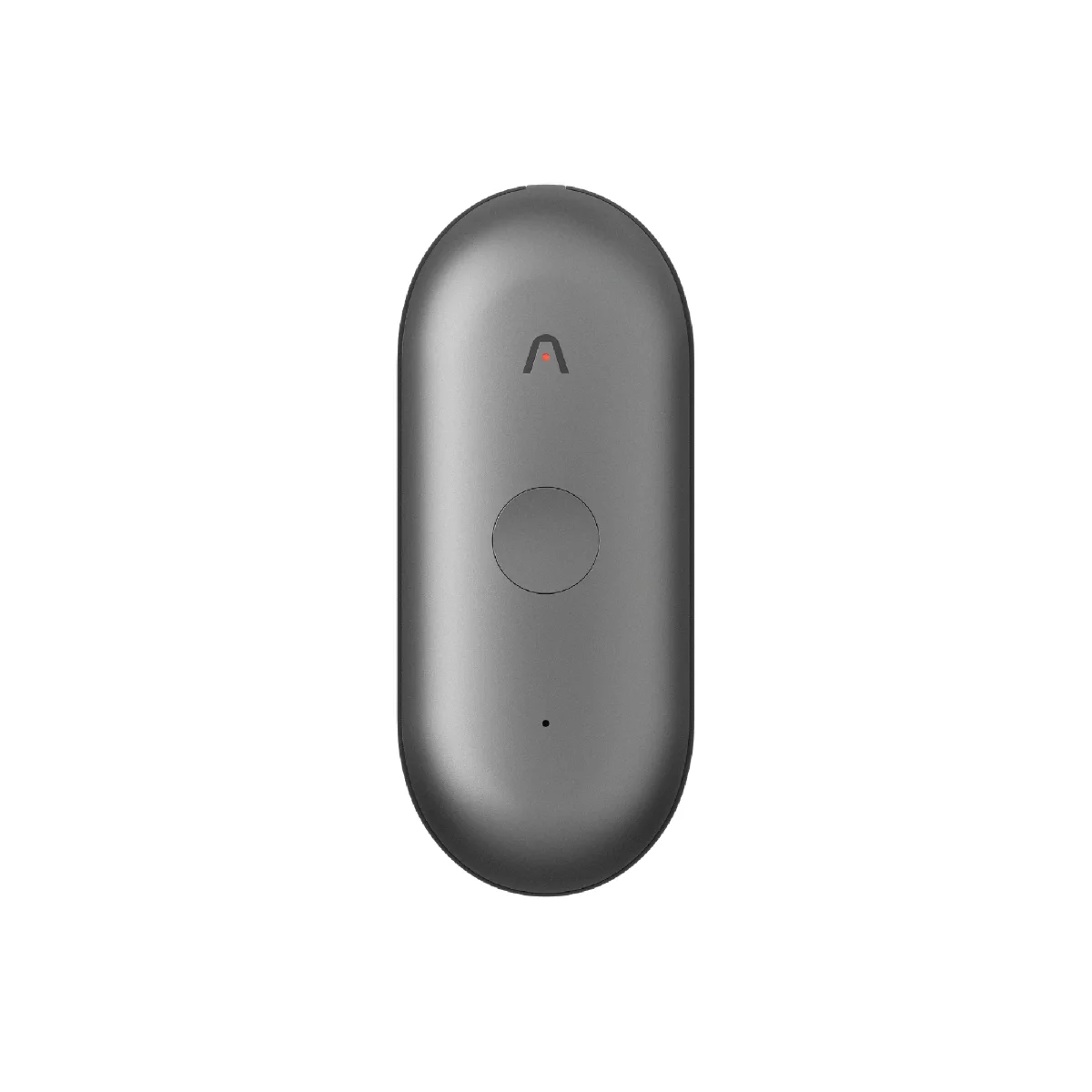
The Plaud NotePin S is Plaud's wearable: 0.61 oz, $179, worn as a necklace, wristband, clip or magnetic pin, with all 4 accessories in the box. It records for up to 20 hours, stores 64 GB and uses the same 112-language transcription and the same Starter, Pro and Unlimited plans as the Plaud Note Pro. On Amazon US it holds 4.4 out of 5 from 1,254 ratings.
Plaud's product page says the NotePin S has no vibration conduction sensor and does not support phone call recording. The original Plaud NotePin ($159, 0.59 oz) has the same limit.
Clipped to a shirt or worn on the wrist, it keeps your hands free for site visits, interviews on the move or a day of back-to-back meetings.
If Plaud is your starting point, our guide to the best Plaud alternatives compares seven recorders.
6. soundcore Work
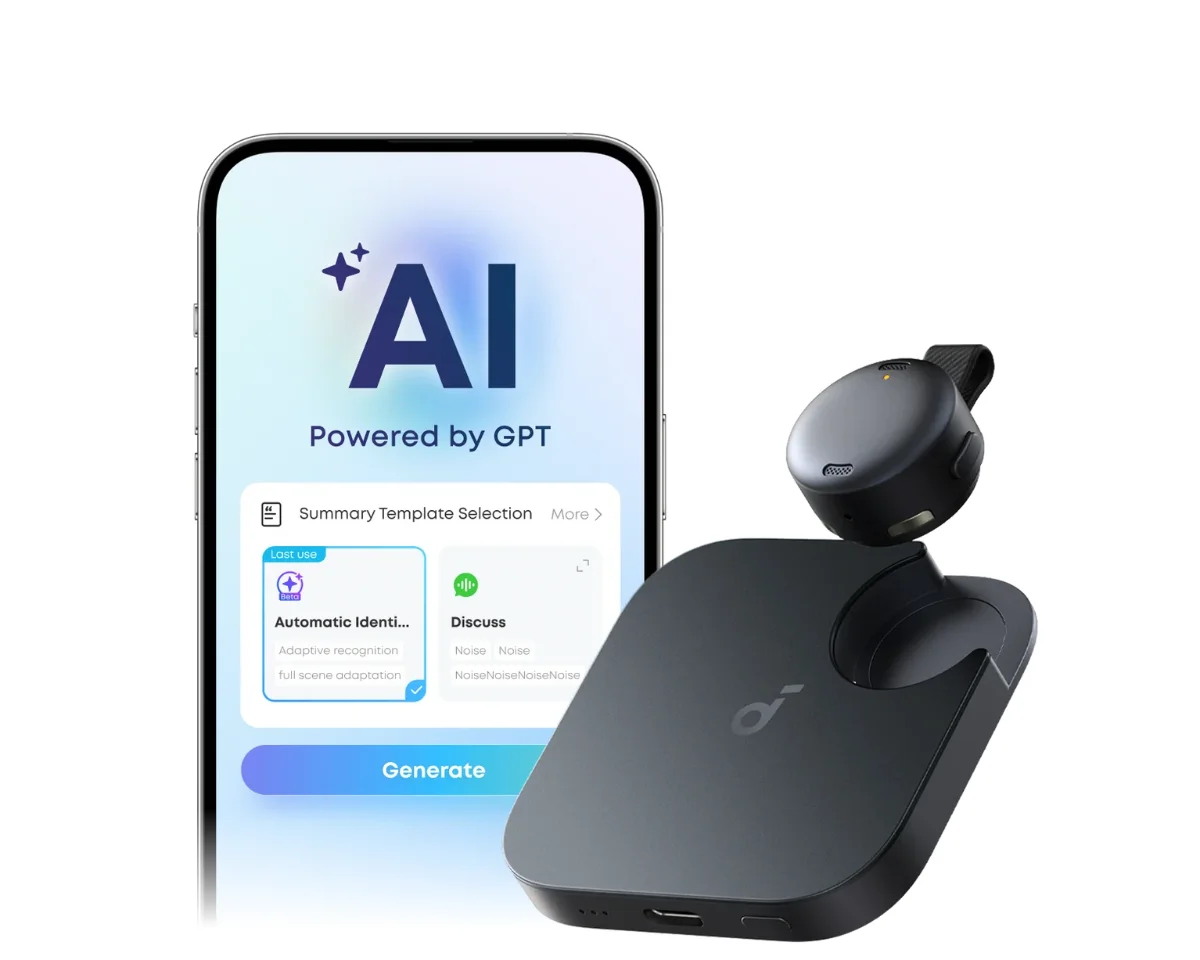
Anker's soundcore Work is a coin-sized recorder that comes with a charging case, at $159.99. You can wear it as a pin or a necklace, or attach its charging case to your phone with the included magnetic ring. The recorder runs for up to 8 hours per charge. With recharges from the case, soundcore lists up to 32 hours in total. It transcribes 150+ languages.
- Free tier: 300 minutes of transcription a month
- Pro: $15.99 a month or $99.99 a year
- Unlimited: $239.99 a year
- Amazon rating: 4.1 out of 5 from 457 ratings
The case is what stretches it through a full day of in-person meetings. The product page does not document phone call recording, so check with soundcore first if calls are the main reason you are buying.
7. Omi

Omi is a pendant you wear as a necklace or clip on, listed at $229 with a $60 discount applied at checkout, which brings it to $169. The company describes it as always on and hands-free; it records offline and syncs when you are back online. Its battery lasts 10 to 14 hours.
- Free plan: unlimited on-phone transcription plus 300 cloud minutes a month
- Pro: $269 a year
- Languages: 25+
- For developers: open-source code, an API and an MCP server
Phone call capture is not documented for the pendant.
It suits someone who wants all-day capture of in-person conversations and wants to build custom integrations using its API.
8. Bee
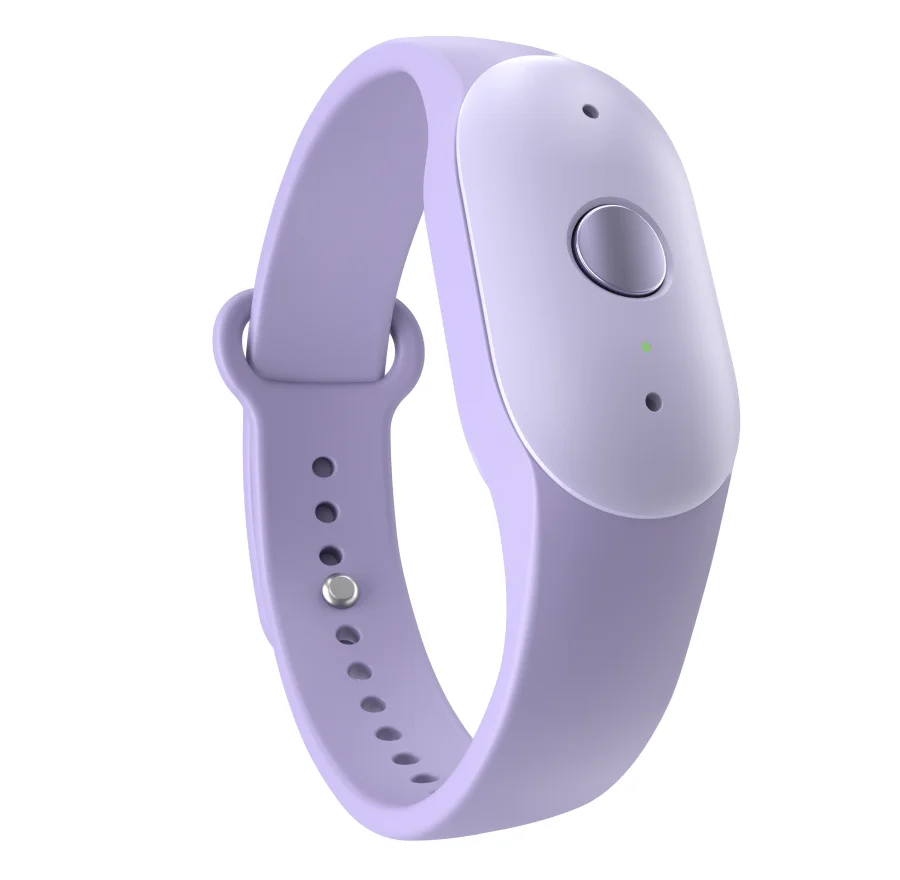
Bee is Amazon's wearable. On October 15, 2026, Amazon introduced Bee Frontier, the next generation of the device, at $74.99 on Amazon.com. You wear it on the wrist or clipped to clothing. A microphone button controls when it processes audio and a light shows when it is on. Amazon lists up to 7 days of battery.
Bee processes audio and deletes it after processing; it is not designed to keep audio files for later playback.
The free plan includes conversation summaries, recaps and 14 days of memory. Bee Pro costs $11.99 a month and adds more features, with 30 days free for new customers.
At that price it works as a personal memory aid. Amazon does not document call recording or team workflows for Frontier, so it fits personal use better than client work. Bee Eclipse, a card-sized model that attaches to the back of a phone, is listed as coming soon.
How to Choose an AI Note Taker Device by Use Case
Start from the job: phone calls, meetings in a room or all-day wear. Each job rules some devices out before price comes into it.
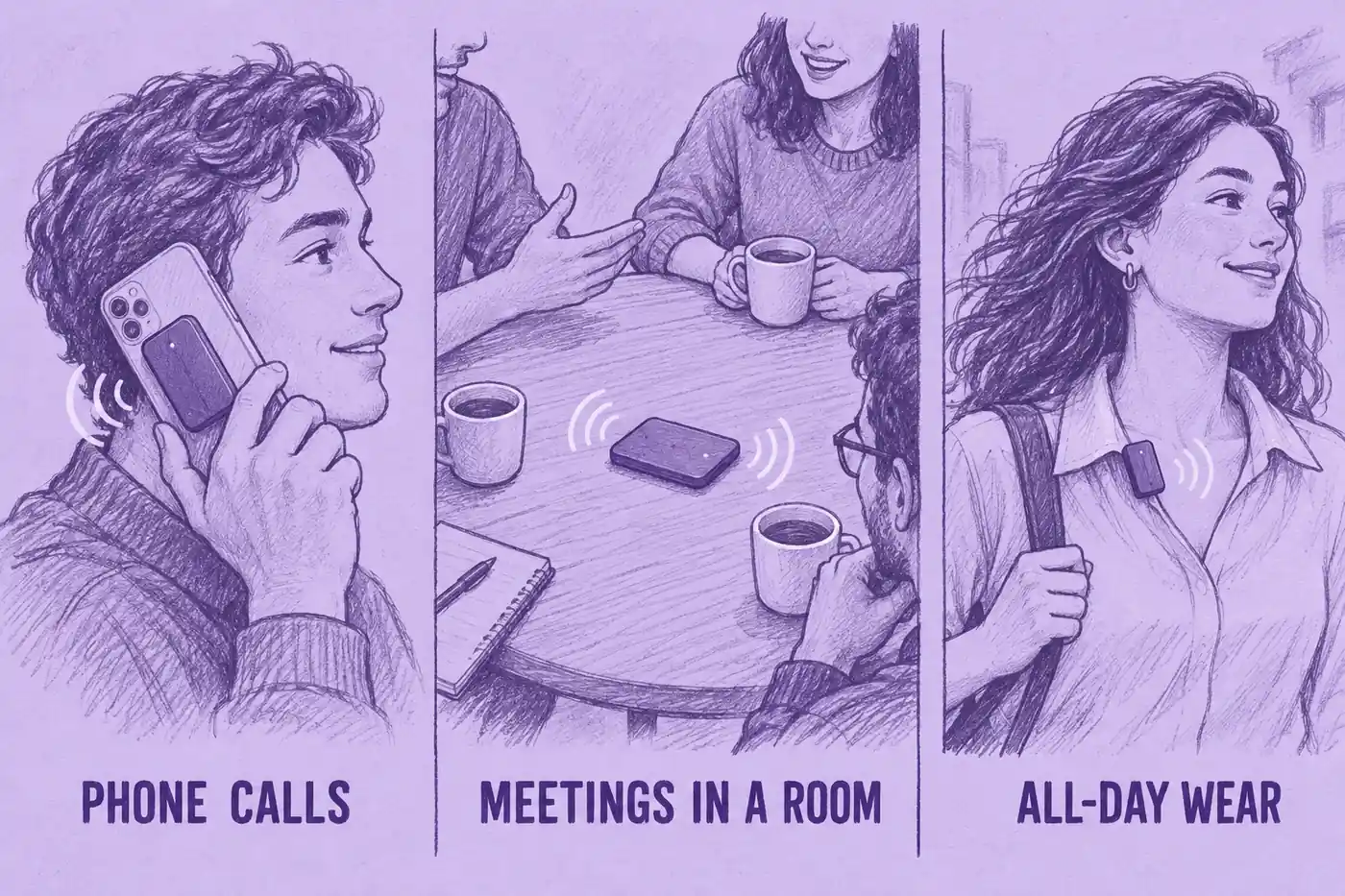
Which AI Recorder Works for Phone Calls?
Four of the eight record phone calls: MeetGeek Wave, Plaud Note Pro, Pocket and HiDock P1. They hear the other person in two ways:
- On the back of the phone: MeetGeek Wave (Call Mode with its magnetic case), Plaud Note Pro (switches to call mode on its own, per Plaud) and Pocket (contact mic) pick up the call from the phone itself, so they work with the regular dialer. Wave and Pocket also name apps like WhatsApp.
- Through your earbuds: HiDock P1 sits between the phone and your Bluetooth earphones, as described in its entry above.
Plaud explicitly rules out phone-call recording on NotePin S. For soundcore Work, Omi's pendant and Bee Frontier, device-based call recording is not documented in the sources reviewed.
With earbuds in, back-of-phone recorders hear only your side. That goes for MeetGeek Wave, the Plaud Note Pro (per Plaud's help center) and Pocket (per answers in its community). On the handset or on speaker, all three record both sides, so the choice comes down to the software.
For calls on a computer, you may not need a device at all: our guide on how to record WhatsApp calls covers the desktop and screen-recording routes.
Which AI Recorder Works for In-Person Meetings?
MeetGeek Wave in Note Mode, Plaud Note Pro and Pocket are built for meetings in a room: they sit on the table and pick up several voices. Plaud lists a pickup range of 16.4 ft for the Note Pro in Enhance mode and Pocket lists up to 49 ft. These are manufacturer figures, measured in different conditions, not results of a side-by-side test.
Speaker labels matter more here than on a call, because four people in a room produce a transcript that is hard to read without them. Wave and Plaud label speakers. Pocket's Pro plan detects speaker names automatically and HiDock includes speaker identification in its paid HiNotes plans.
Which Wearable AI Note Taker Fits an All-Day Schedule?
For a day of meetings you start and stop yourself, the Plaud NotePin S or soundcore Work. For capture running in the background, Omi. For a low-cost personal option, Bee Frontier at $74.99, which has a microphone button. None of the four is a documented option for recording phone calls on the device.
Check the battery against your longest day. Omi lists 10 to 14 hours and the NotePin S 20 hours, while soundcore Work needs its case to go past 8 hours.
Which AI Recorder Covers Calls, Rooms and Video Meetings?
MeetGeek Wave, Plaud Note Pro and Pocket all cover the three: the device records calls and in-person conversations while a desktop app or meeting bot records video meetings. The difference is where the notes end up. With MeetGeek, Wave recordings sit next to your Zoom, Google Meet and Teams meetings, as described in the Wave entry above.
What to Look for in an AI Recording Device
Four questions help narrow the list to the devices that fit your use case.
What Happens After the Recording
A transcript is the starting point. Look at what the app produces from it (summary, action items, speaker labels), whether you can search across all your recordings or only one at a time and where the notes can go next: your CRM, your task manager, Slack. If you also record online meetings with a separate tool, ask whether the device's app can hold those too, or whether you will now search two places.
Will You Need to Pay Every Year?
You may need a paid plan for more transcription time, longer storage or features such as speaker identification and integrations. You pay for the device once; a plan is a recurring cost.
- A few hours a month: a free tier can be enough. MeetGeek Basic includes 3 hours a month, Plaud and soundcore 300 minutes, while Pocket and HiDock have no monthly limit.
- Around 20 hours a month: MeetGeek Pro and Plaud Pro both include 20 hours (1,200 minutes), at $120 and $99.99 a year. Wave comes with the first 3 months of Pro.
- No monthly limit: MeetGeek Business is $204 a year (Wave + Business is $149 with the first 3 months included), Plaud Unlimited and soundcore Unlimited $239.99 each and Omi Pro $269.
Pocket Pro ($239.88 a year) adds higher accuracy, automatic speaker names and summaries saved forever. HiDock Unlimited ($199 a year) adds speaker identification, summary templates and translation. Bee Pro costs $11.99 a month. Prices as listed on October 13, 2026; Bee, Omi and Pocket on October 29, 2026.
Privacy and Where Your Audio Goes
Check whether transcription happens on your phone or in the cloud and whether the service stores the original audio. Before you buy, also check three things on the brand's privacy or security page:
- Does the device go online by itself, or only through its app?
- Which country are the recordings stored in?
- Does the brand use your recordings to train its AI?
For work recordings, also check for SOC 2 Type II (an independent security audit) and GDPR compliance. If your organization is subject to HIPAA and the service handles protected health information on its behalf, check that an appropriate BAA is in place.
With MeetGeek, Wave goes online only through the MeetGeek app. You choose EU or US storage. Your recordings are never used to train AI. Data is encrypted with AES-256 and SSL/TLS. MeetGeek has SOC 2 Type II, complies with GDPR and CCPA and offers a HIPAA BAA.
Consent Before You Press Record
Ask for permission before you record and check the rules that apply where you and the other people are. In the US, federal law (18 U.S.C. § 2511) generally allows recording with one party's consent, but some states require everyone's consent. Other countries have their own rules. This is general information, not legal advice. For state-by-state rules, see our guide to whether it is illegal to record someone without permission.
AI Recorder vs AI Meeting Note Taker: Do You Need Hardware?
Not necessarily. A dedicated recorder can help with phone calls and in-person meetings, but a phone app may be enough for some uses. An AI recorder, AI voice recorder or AI note taker device is hardware: it captures audio away from your computer and hands it to an app. An AI meeting note taker is software: it joins or records your Zoom, Google Meet or Microsoft Teams call from your calendar, your browser or your desktop. Some products, MeetGeek included, do both, with the hardware feeding the same app as the meeting bot.
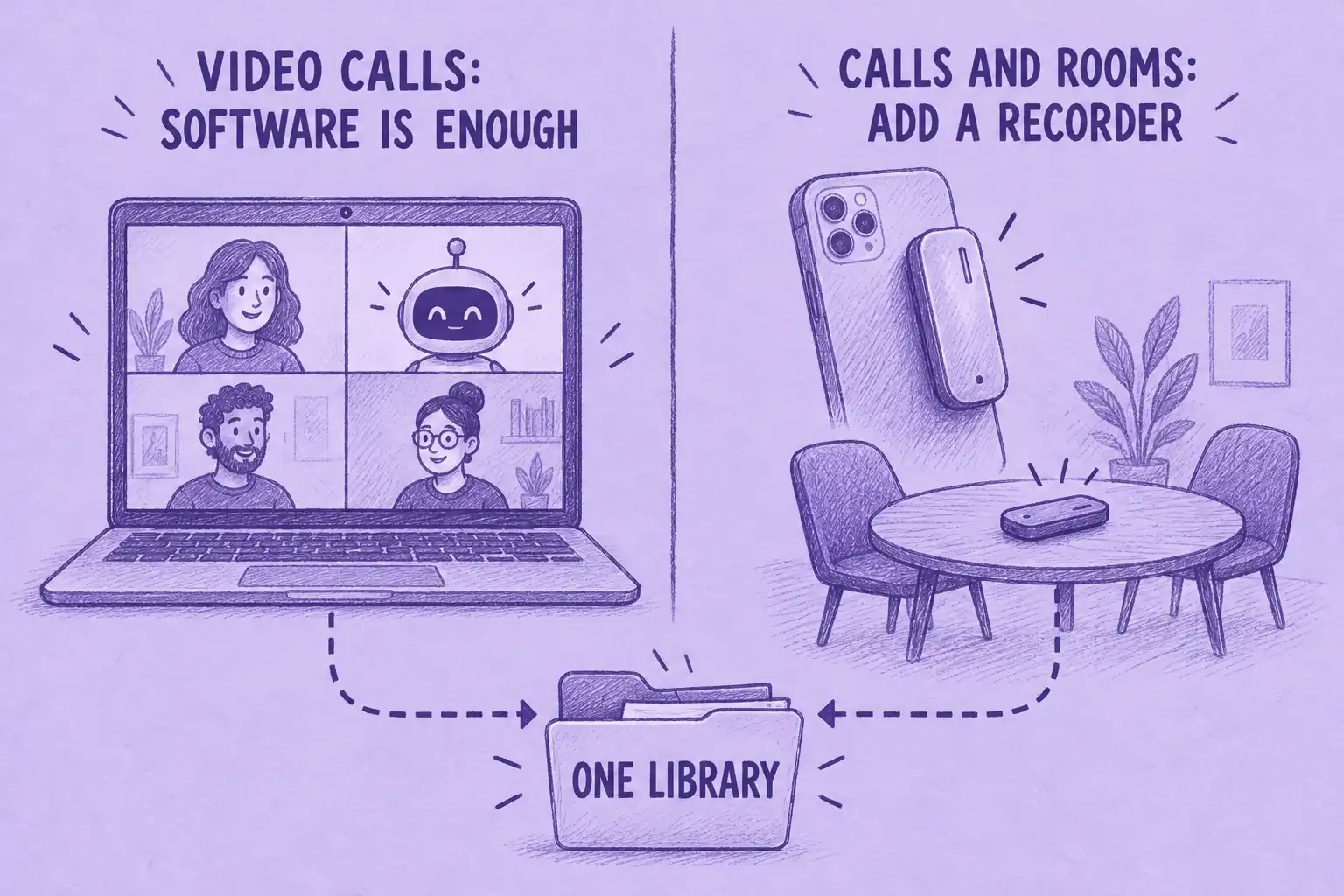
If all your meetings are on Zoom, Google Meet or Teams, you probably do not need a device. Our comparison of the best AI note taker apps covers that software. If budget is the constraint, a free AI note taker plan is the place to start.
Your phone can also record a meeting in a room. Our round-up of AI note takers for in-person meetings compares the phone apps and notepads that do this without extra hardware.
Hardware makes sense in two situations. The first is phone calls, because recording a call on the phone itself depends on your device, carrier and region. The second is meetings where taking out your phone feels wrong or the phone is busy with something else.
How We Chose These Devices
Amazon ratings quoted in each entry were read on Amazon US on September 30, 2026. We included devices listed on the brand's own US site and that turn a recording into a transcript and a summary. We compared them on seven criteria:
- Phone-call capture: whether the device records calls and how.
- In-person capture: how it handles a meeting in a room, including speaker labels.
- What happens after the recording: summaries, action items, search and AI chat across recordings.
- Free transcription allowance: what you get without paying for a plan.
- Recurring cost: what you pay each year for the hours you record.
- Integrations and workflows: whether notes reach a CRM, task manager or chat tool.
- Fit by use case: calls, in-person meetings, or all-day wear.
Wave covers phone calls and in-person meetings and sends them to the MeetGeek platform. Plaud and Pocket also capture online meetings through their desktop apps, so the difference is the platform, not the capture alone. Wave does not lead on every criterion: Pocket and HiDock P1 offer unlimited free transcription. HiDock P1 is the one built for earbud calls.
One device you may have seen elsewhere is not in the list: Limitless says it stopped selling its Pendant on December 5, 2025.
Key Takeaways
- Check call support first. MeetGeek Wave, Plaud Note Pro and Pocket record calls from the back of the phone. HiDock P1 records them through a USB-C link to the phone, with your Bluetooth earbuds paired to it. Plaud rules out call recording on NotePin S; soundcore Work, Omi and Bee Frontier do not document device-based call recording.
- Earbud calls are the exception. MeetGeek Wave and the Plaud Note Pro capture only your side with earbuds in; HiDock P1's cable-and-BlueCatch setup is the one designed for AirPods calls.
- Budget by how much you record. Unlimited transcription is free with some devices. Paid plans may add features or storage, so compare what is included as well as the minute allowance.
- MeetGeek Wave fits if you want calls, in-person meetings and video meetings in one place. Wave + Pro is $129 with 3 months of MeetGeek Pro.
Frequently Asked Questions
What Is an AI Note Taker Device?
An AI note taker device is a small hardware recorder or wearable that captures phone calls or in-person conversations and syncs the audio to an app. The app transcribes it and produces a summary, action items and a searchable transcript. Examples include MeetGeek Wave, Plaud Note Pro, Pocket and HiDock P1.
Which AI Recorder Works with AirPods?
HiDock P1. It plugs into your phone by USB-C (iPhone 15 or later, or an OTG-capable Android). BlueCatch pairs your AirPods with the recorder so both voices pass through it. With MeetGeek Wave or the Plaud Note Pro, take the call on the handset or on speaker instead: with earbuds in, they capture only your side.
Do AI Voice Recorders Require a Subscription?
No. All eight work on a free tier. You pay only if you need more hours, higher accuracy or extra features. MeetGeek Wave is sold as a bundle, $129 with 3 months of MeetGeek Pro included.
Which AI Recorder Is Best for In-Person Meetings?
A card recorder on the table: MeetGeek Wave in Note Mode, the Plaud Note Pro or Pocket. If you are moving around rather than sitting down, a wearable such as the Plaud NotePin S or soundcore Work is easier to carry.
Is It Legal to Record a Call with an AI Voice Recorder?
Yes, if you follow the consent rules where you and the other people are. In the US, federal law generally permits one-party consent, but some states require all parties to consent. Other countries have their own rules. Ask participants for permission before you record. This is general information, not legal advice.
Ready to add calls to your meeting library? Get MeetGeek Wave.