By clicking “Accept All Cookies”, you agree to the storing of cookies on your device to enhance site navigation, analyze site usage, and assist in our marketing efforts. View our Privacy Policy for more information.
MeetGeekBlog12 Best Remote Collaboration Tools for 2026
Back to Blog

12 Best Remote Collaboration Tools for 2026

Productivity
Productivity

Compare 12 of the best remote collaboration tools for 2026 and find the right options for communication, projects, meetings, and async work.

Melania Ciocianu
August 18, 2026
/
5 min read
Table of content
Get started with MeetGeek AI Meeting Assistant:
📝 AI-powered Meeting Note taker
✅ Free meeting recording & transcription
💬 Automated sharing of insights to other tools.
Sign Up for Free
Share the knowledge with your circle
Copied

Remote work becomes difficult when conversations, tasks, files, decisions, and updates end up scattered across too many places.

The best remote collaboration tools solve specific parts of that problem. Some keep communication moving, others organize projects, make documents easier to edit together, or preserve knowledge that would otherwise disappear after a meeting.

TL;DR

  • The best collaborative tools for remote working cover different needs, including communication, project management, meetings, documents, and knowledge sharing.
  • Slack is a strong choice for team chat, Asana for structured project management, and Google Workspace for collaborative document editing.
  • Most remote teams need a small, connected stack with as little overlap as possible.
  • Free versions can work well for small teams, but growing organizations should pay attention to storage, integrations, security, automation, and access controls.
  • The right tools should reduce coordination work, not give your team more apps to check.

What are remote collaboration tools?

Remote collaboration tools are digital tools that help people work together when they are not in the same location.

The category covers much more than video conferencing software. A remote team might use collaboration software to communicate in real time, share files, create tasks, edit documents, track project status, brainstorm ideas, schedule virtual meetings, and preserve company knowledge.

For distributed teams, these tools effectively replace parts of the physical space people once shared. Instead of walking over to someone's desk, checking a project board, or discussing an idea in a conference room, remote employees need digital ways to do the same things.

That does not mean adding an app for every possible activity. In fact, according to research from Asana’s Work Innovation Lab, workers lose 57 minutes every day just switching between collaboration tools, plus another 30 minutes deciding which tool to use for a task.

When one decision is in Slack, another is buried in a meeting recording, the project timeline is in a project management app, and the latest document is somewhere in Google Drive, staying on the same page becomes a job in itself.

Why remote teams need more than one collaboration tool

There is no single "collaboration" problem.

Remote teams need to communicate quickly, manage projects, hold meetings, work on documents, share knowledge, and keep track of responsibilities. Those activities require different collaboration features.

  • A team chat app may be excellent for real-time communication but poor at organizing tasks over a three-month project.
  • A project management platform can track progress and project timelines but is rarely the best place for a spontaneous discussion.
  • Virtual meeting platforms make complex conversations easier but can leave people who missed the meeting without context.

The answer is to choose the right tools for the jobs your team actually does and make sure information can move between them.

The 12 best remote collaboration tools in 2026

There is no universal best collaboration software, so we selected tools based on the job they solve particularly well.

Tool Best for Free version Key strength
Slack Team communication Yes Channels and messaging
Asana Project management Yes Structured work management
Google Workspace Document collaboration Limited/free consumer apps Real-time document editing
MeetGeek Meeting collaboration Yes AI meeting knowledge
Microsoft Teams Microsoft-based organizations Yes Microsoft 365 collaboration
ClickUp All-in-one work management Yes Customizable project management
Trello Simple task management Yes Visual boards
Notion Documentation and knowledge Yes Flexible team workspace
Miro Visual collaboration Yes Whiteboards and brainstorming
Zoom Video conferencing Yes Virtual meetings
Loom Async video Yes Recorded video updates
Confluence Structured knowledge Yes Team documentation

1. Slack: Best for team communication

Best for: Remote teams that need fast, organized communication.
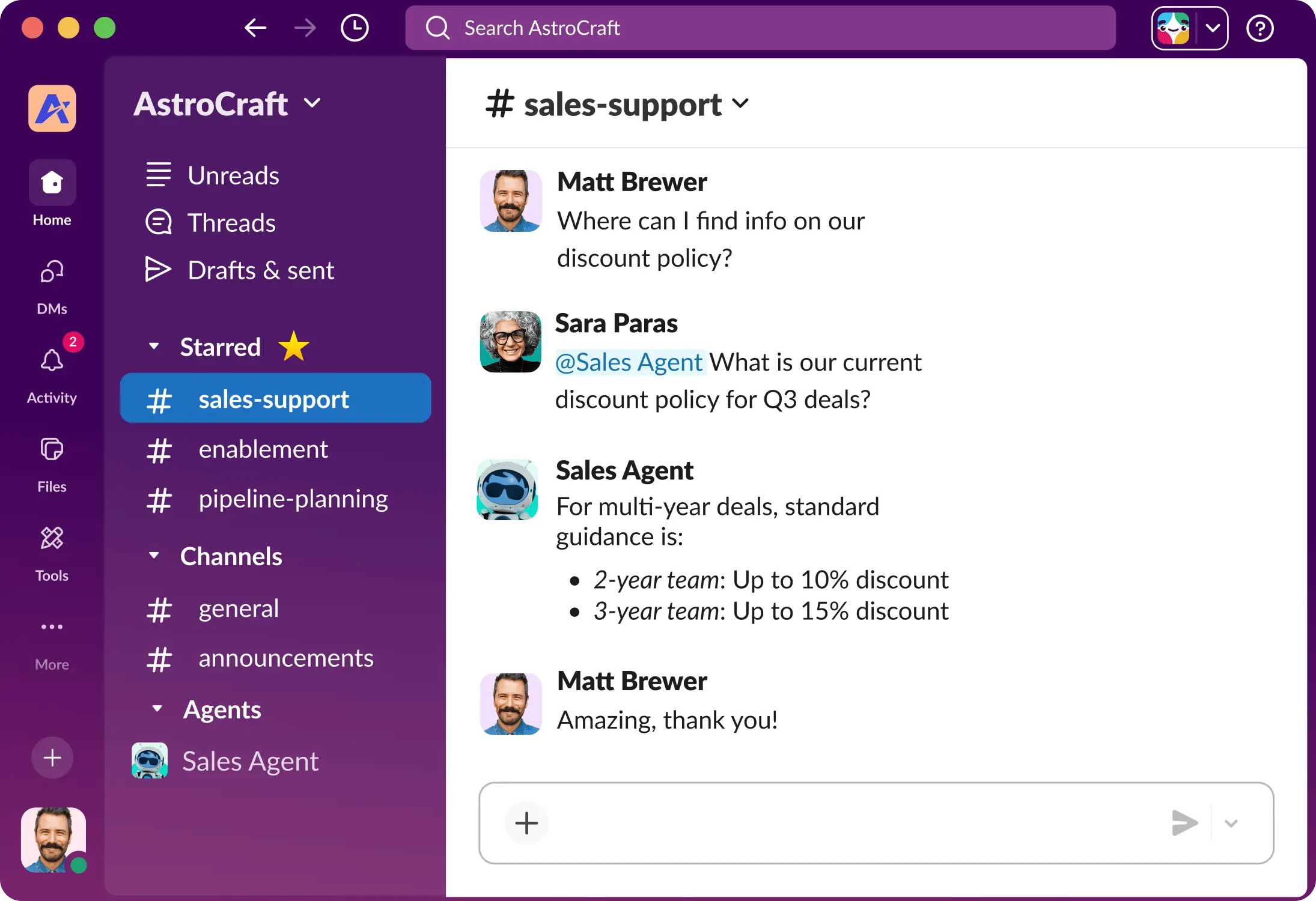
Slack interface showing channel named #sales-support with conversation between two people and a Sales Agent

Slack remains one of the best team collaboration tools for replacing the constant stream of internal email.

Teams can create channels around departments, clients, projects, or specific topics, while direct messages handle conversations that do not need a wider audience. Threads, search, file sharing, huddles, and integrations with third-party apps make it useful as a communication layer across a remote work stack.

Its biggest strength can also become its weakness. When every update happens in team chat, important decisions quickly disappear beneath newer messages. Remote teams need clear rules about what belongs in Slack and what should be moved into project management software or an internal knowledge base.

Pros: 

  • Excellent real-time communication
  • Lots of tools have a Slack integration
  • Organized channels

Cons: 

  • High message volume can become distracting
  • Important information can get buried.

Pricing: Slack offers a free version, and paid plans start at €8.25/user/month paid monthly.

2. Asana: Best for structured project management

Best for: Teams managing projects with multiple owners, deadlines, and dependencies.
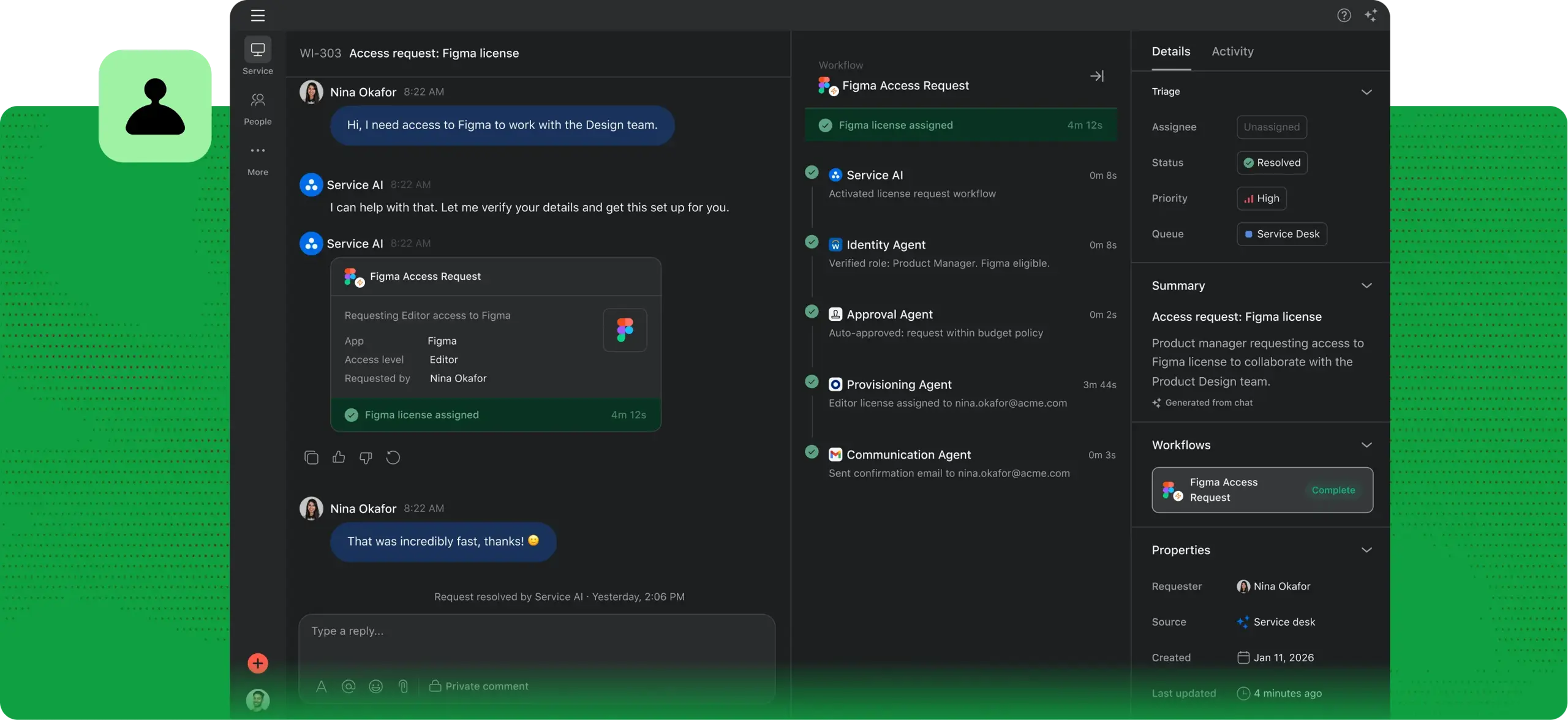
Asana Service page showing conversation with Service AI for Access Request

Asana moves collaboration away from "Who was supposed to do that?" and toward clearly assigned work.

Teams can create tasks, assign owners, establish deadlines, organize projects, monitor project status, and visualize work using lists, boards, calendars, and timelines. These project management features make it particularly useful when work needs to move through a defined process.

Unlike a basic to-do list app, Asana gives managers and team members visibility into how individual tasks connect with larger projects.

The tradeoff is setup. Small teams with very simple workflows may find that they spend more time organizing tasks than necessary.

Pros: 

  • Strong task management
  • Multiple project views
  • Dependencies
  • Automation
  • Lots of apps have an Asana integration.

Cons: 

  • Can feel overly structured for teams with simple projects.

Pricing: A free version is available for basic needs, and paid plans start at €13.49/user/month paid monthly.

3. Google Workspace: Best for collaborative document editing

Best for: Teams that frequently work together on documents, spreadsheets, presentations, and files.
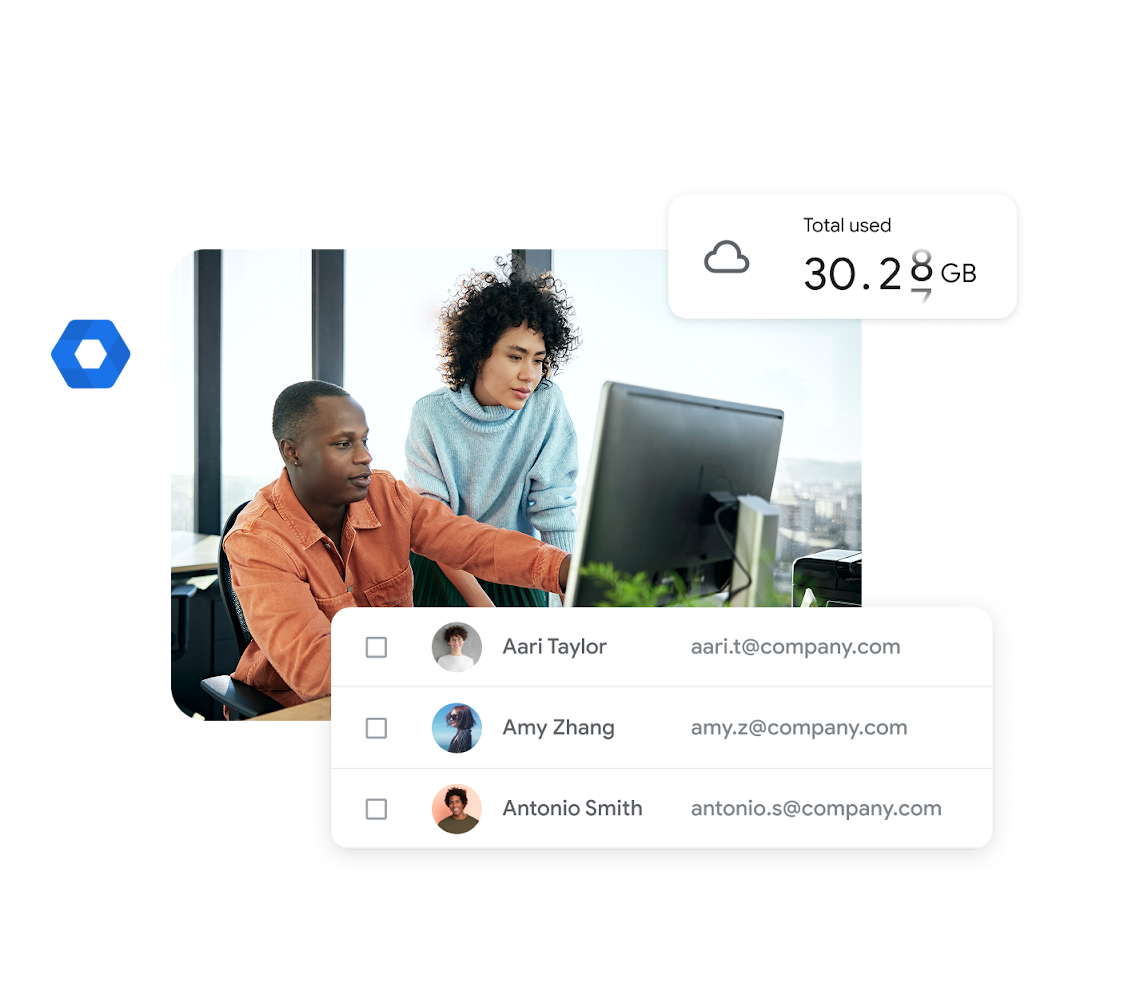
Two people watching a screen showing used space in Google Workspace and email addresses of contacts

Google Workspace solves one of the most basic remote collaboration problems exceptionally well: several people need to work on the same thing without creating Final_v7_ACTUALLY_FINAL.docx.

Google Docs, Sheets, and Slides support real-time collaborative document editing, with comments, suggestions, version history, and sharing controls. Google Drive provides the file-sharing and storage layer around those apps.

Its familiarity is another advantage. Most team members can start using Google Docs or Google Drive with little training, which reduces friction when working with clients, contractors, or other external collaborators.

Google Workspace is less suited to task management and complex project timelines, so teams commonly combine it with dedicated project management tools.

Pros: 

  • Simple user interface
  • Excellent real-time editing
  • Easy file sharing
  • Strong cross-platform compatibility.

Cons: 

  • Limited project and task management features.

Pricing: Individual Google apps have free consumer versions, while businesses can choose from paid Google Workspace plans starting at $8.40/user/month paid monthly.

4. MeetGeek: Best for meeting collaboration

Best for: Remote teams that want meetings to remain useful after the call ends.

MeetGeek meeting transcription with meeting notes and summary

Meetings contain a huge amount of remote team knowledge, from customer feedback and project decisions to commitments that need to become tasks.

MeetGeek automatically joins meetings thanks to its Zoom, Google Meet, and Microsoft Teams integrations, allowing it to record, transcribe, and summarize conversations. Instead of relying on someone to manually take notes, teams receive structured summaries with highlights, decisions, topics, and action items.

The bigger advantage for remote team collaboration is what happens afterward. Atlassian’s 2025 State of Teams report found that teams spend a quarter of their time simply searching for answers, and MeetGeek fixes that.

MeetGeek turns previous conversations into a searchable knowledge base. Team members can search meetings by keyword, participant, date, team, or meeting type, ask AI questions about past calls, and jump back to the exact part of a recording where something was discussed.

Past meeting repository of meetings recorded with MeetGeek showing language, host, type of meeting, and date

For distributed teams working across time zones, this supports asynchronous collaboration too. Someone who could not attend can review the summary, transcript, or relevant recording section rather than scheduling another call to catch up.

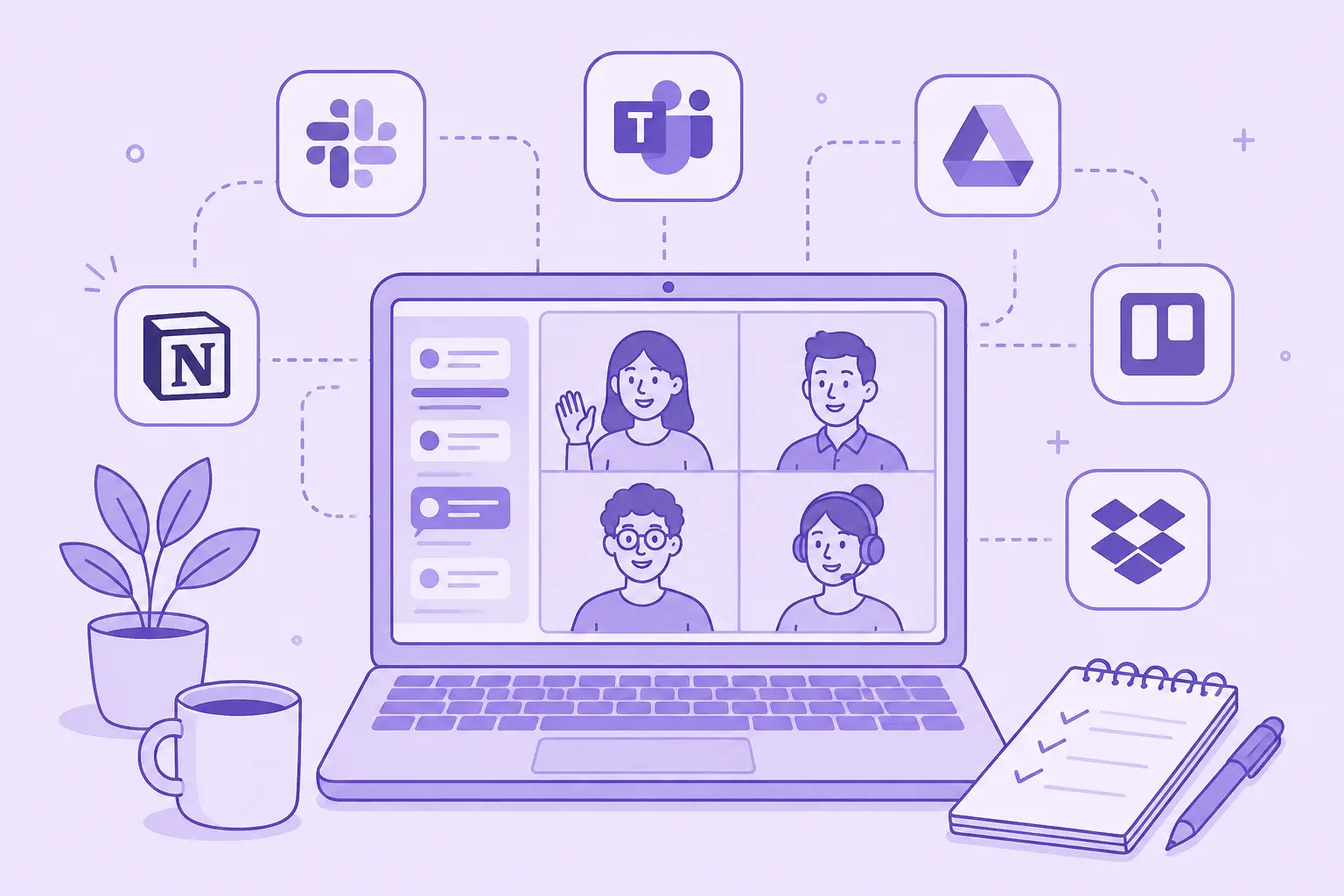
MeetGeek can also sync meeting insights and action items with other collaboration apps, including Slack, Notion, Trello, Asana, ClickUp, Google Drive, HubSpot, and 10,000+ apps through automation integrations.

MeetGeek list of integrations

Pros: 

  • Automated meeting notes
  • Searchable meeting history
  • Action item extraction
  • AI summaries, analytics
  • Integrations with the rest of your remote work stack

Cons: 

  • It complements rather than replaces a dedicated team chat or project management platform.

Pricing: MeetGeek offers a free plan as well as paid plans starting at $15.99/user/month paid monthly.

5. Microsoft Teams: Best for Microsoft 365 users

Best for: Organizations already working inside the Microsoft ecosystem.
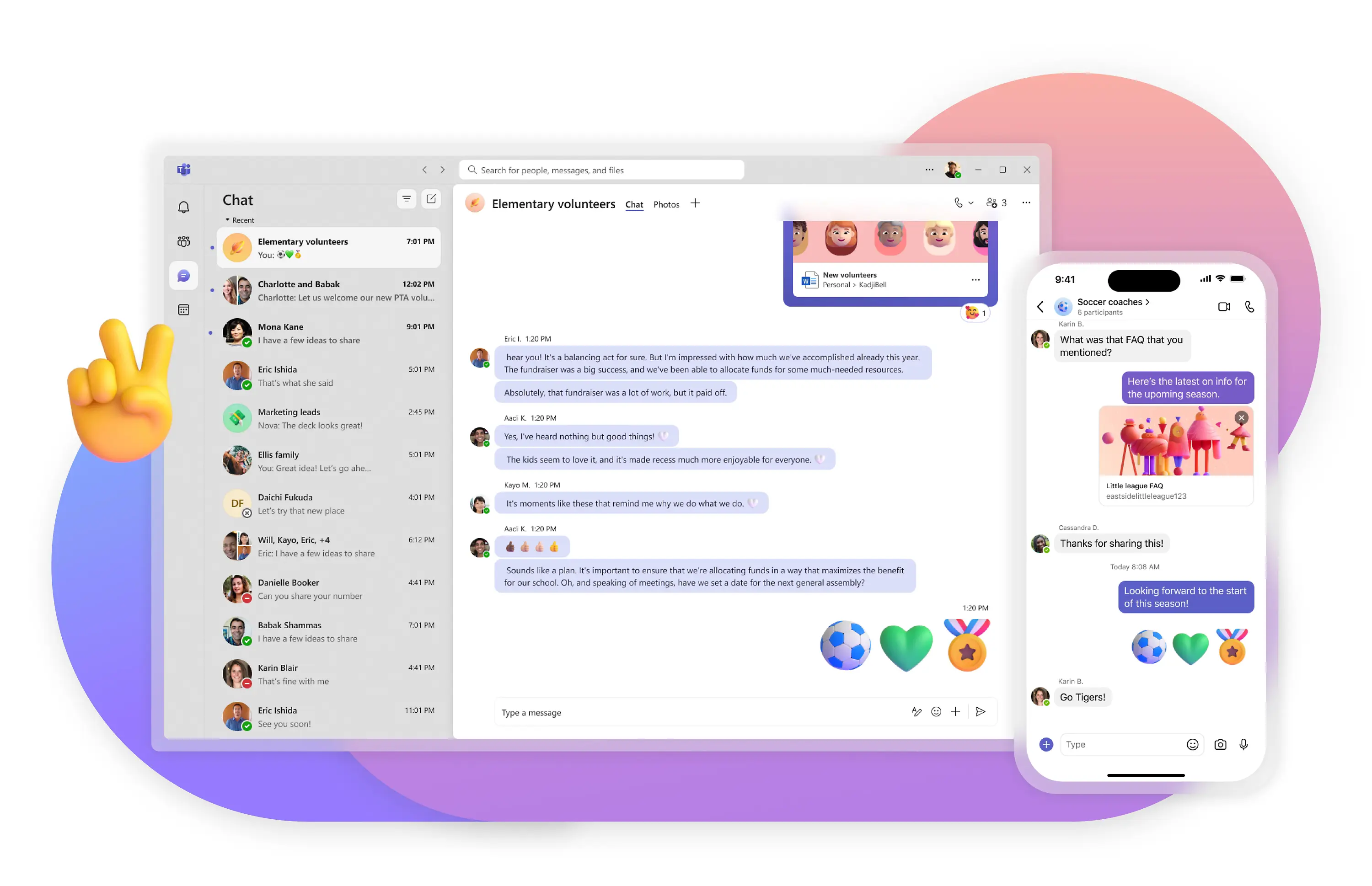
Microsoft Teams chat on desktop and mobile

Microsoft Teams combines team chat, video conferencing, meetings, channels, file sharing, and collaboration around Microsoft 365.

Microsoft found that the average employee spends 57% of their time communicating in meetings, email, and chat, while 68% say they do not get enough uninterrupted focus time. Their tool is meant to lower these numbers by making meeting more efficient.

For companies already using Outlook, OneDrive, SharePoint, Word, Excel, and PowerPoint, that integration is the main attraction. Employees can move between conversations, meetings, documents, and calendars without introducing an entirely separate collaboration environment.

Teams can create channels for departments and projects, schedule meetings, share files, and collaborate on Microsoft documents.

For smaller teams outside the Microsoft ecosystem, however, Teams can feel heavier than simpler messaging apps.

Pros: 

  • Deep Microsoft 365 integration
  • Chat, meetings, file collaboration
  • Enterprise capabilities.

Cons: 

  • The user interface and breadth of features can feel complex for smaller teams.

Pricing: A free version is available, with paid plans starting at $8.40/user/month paid monthly.

6. ClickUp: Best all-in-one project management tool

Best for: Teams that want to consolidate several productivity tools.
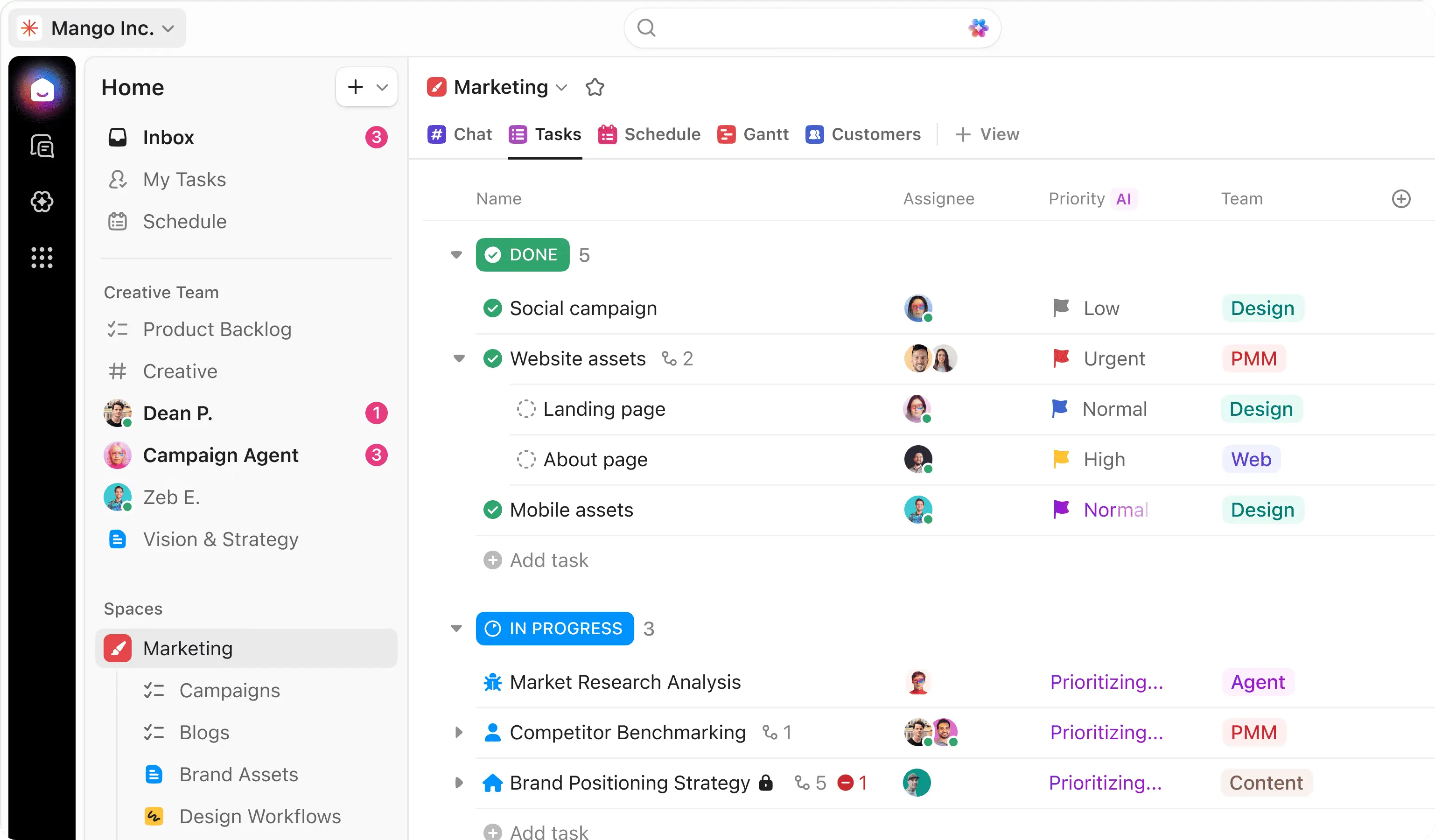
List of Marketing tasks on Clickup marked Done or In Progress

ClickUp takes a broad approach to project management. Tasks, docs, goals, dashboards, calendars, time management, whiteboards, and automation can all live inside the same project management platform, or you can use a ClickUp integration inside your other collaboration tools.

That makes it appealing to remote teams trying to reduce the number of other apps they use.

Teams can create tasks, assign work, build custom workflows, track progress, and switch between different project views. The high level of customization is useful for organizations with several departments or different ways of working.

The downside is that flexibility creates complexity. Teams usually need to spend time configuring ClickUp before it becomes genuinely useful.

Pros: 

  • Extensive project management features
  • Customizable workflows
  • Multiple views, automation
  • Built-in collaboration tools

Cons: 

  • Can feel overwhelming compared with simpler task managers.

Pricing: ClickUp provides a free version and several paid plans starting at $10/user/month paid monthly.

7. Trello: Best for simple visual task management

Best for: Small teams that want an easy way to organize work.
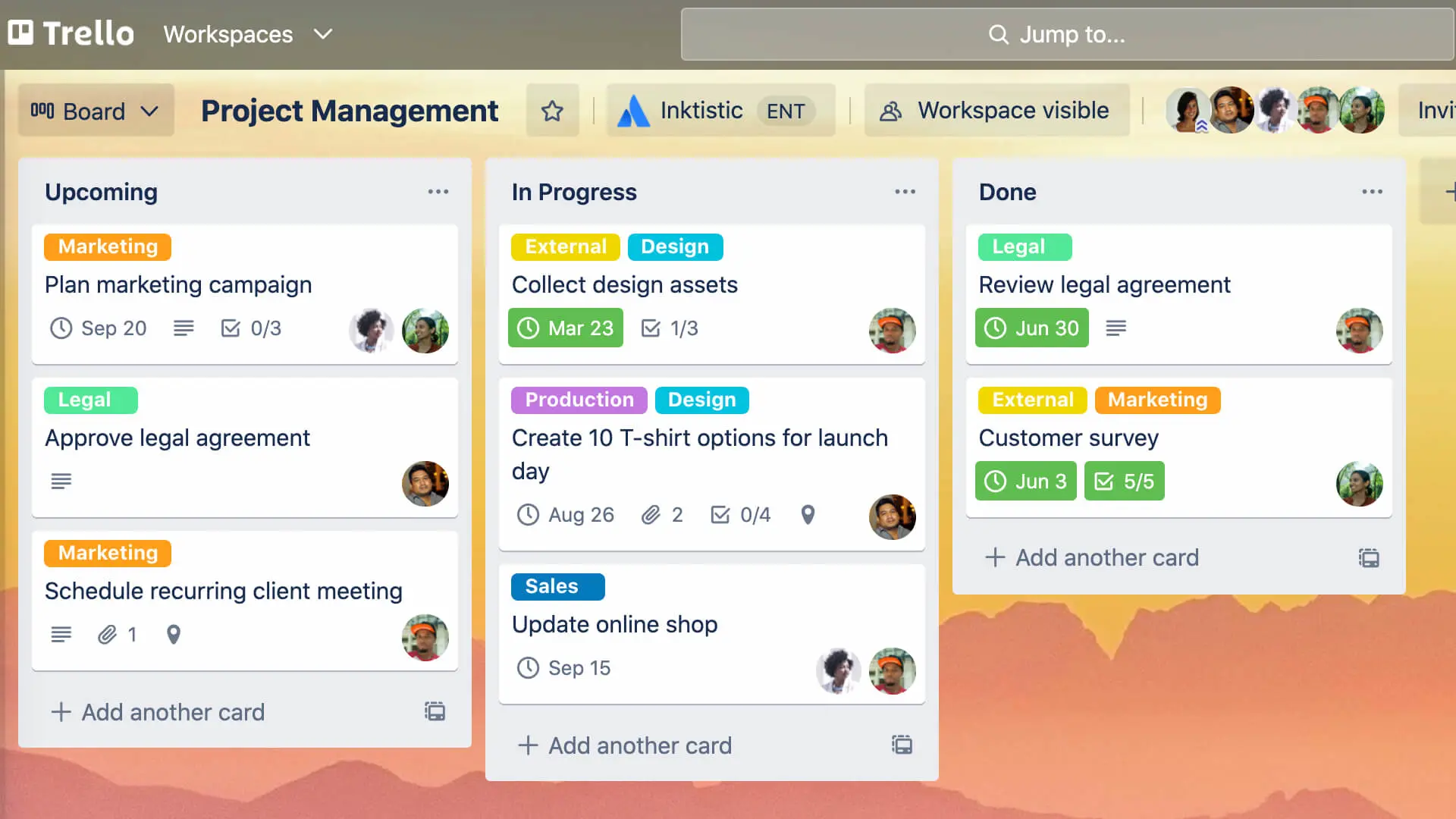
Trello Workspace showing three columns with cards that are Upcoming, In Progress, and Done

Trello is built around boards, lists, and cards.

A card can represent a task and move through stages such as To do, In progress, and Done, giving the entire team a quick visual overview of project status.

That simplicity makes Trello particularly useful for content calendars, straightforward workflows, small projects, and teams moving beyond a basic to-do list app for the first time.

It becomes less effective when projects require sophisticated dependencies, resource management, or complex reporting.

Pros: 

  • Easy to learn
  • Visual task management
  • Flexible boards
  • Useful automation
  • Connections with tools that allow Trello integration

Cons: 

  • Limited for complex project management.

Pricing: Trello offers a free version with paid plans starting at $6/user/month paid monthly.

8. Notion: Best for documentation and team knowledge

Best for: Teams that want a flexible internal knowledge base.
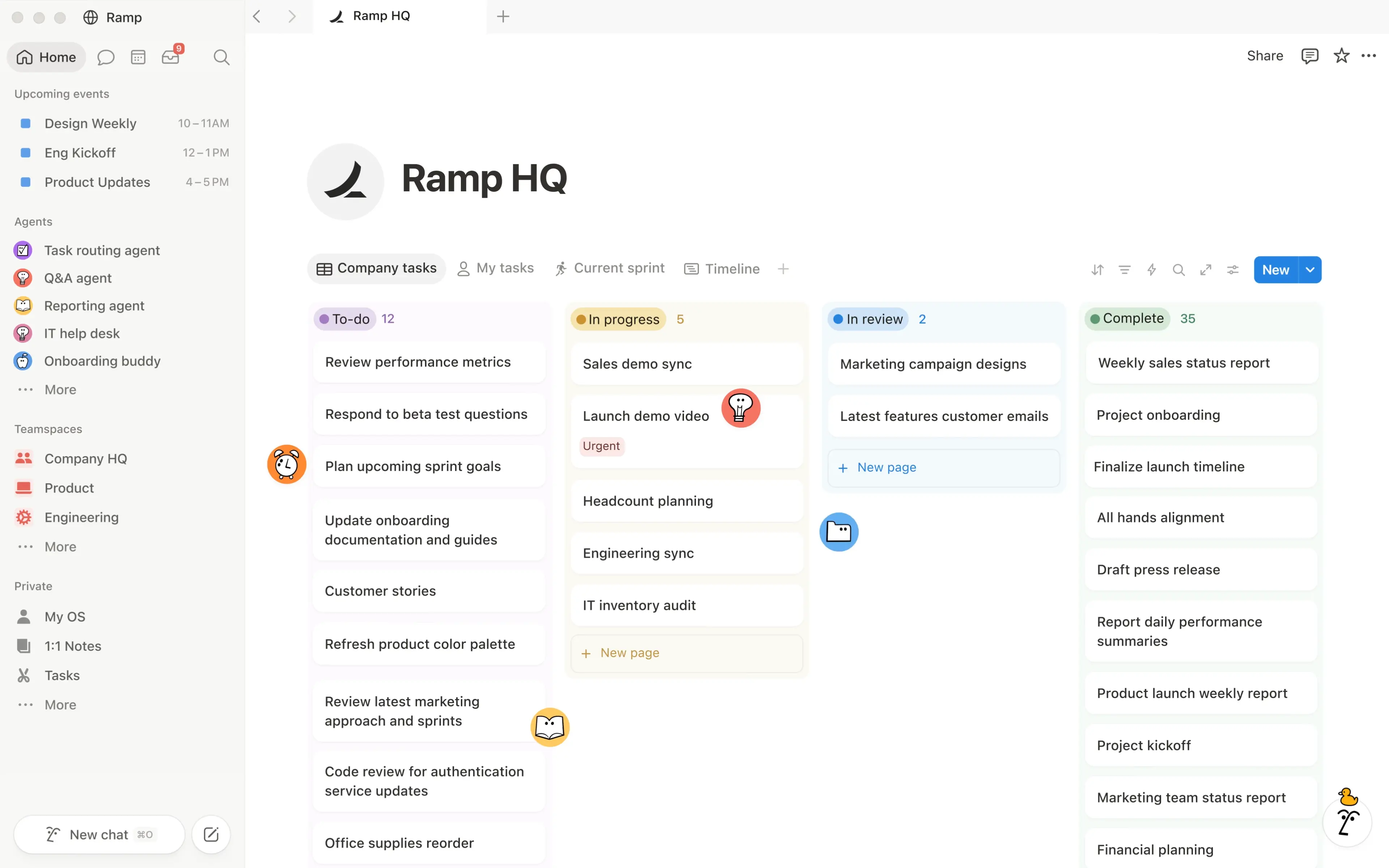
Notion page of Ramp HQ showing tasks in columns that are To-do, In progress, In review, and Complete

A Notion integration into your workflow can function as a wiki, documentation platform, lightweight task manager, project workspace, or a combination of all four.

Remote teams can create company wikis, process documentation, project pages, meeting resources, onboarding materials, and shared databases in one workspace.

Its flexibility is the biggest reason teams choose it, but also the reason Notion can become messy. Without clear ownership and structure, an internal knowledge base can quickly turn into hundreds of pages nobody knows how to navigate.

Pros: 

  • Flexible documentation
  • Databases
  • Templates
  • Collaborative editing
  • AI tools

Cons: 

  • Requires good information architecture as the workspace grows.

Pricing: Notion has a free version as well as paid plans starting at €11.50/member/month paid monthly.

9. Miro: Best for visual collaboration

Best for: Remote teams that brainstorm, plan, and map ideas visually.
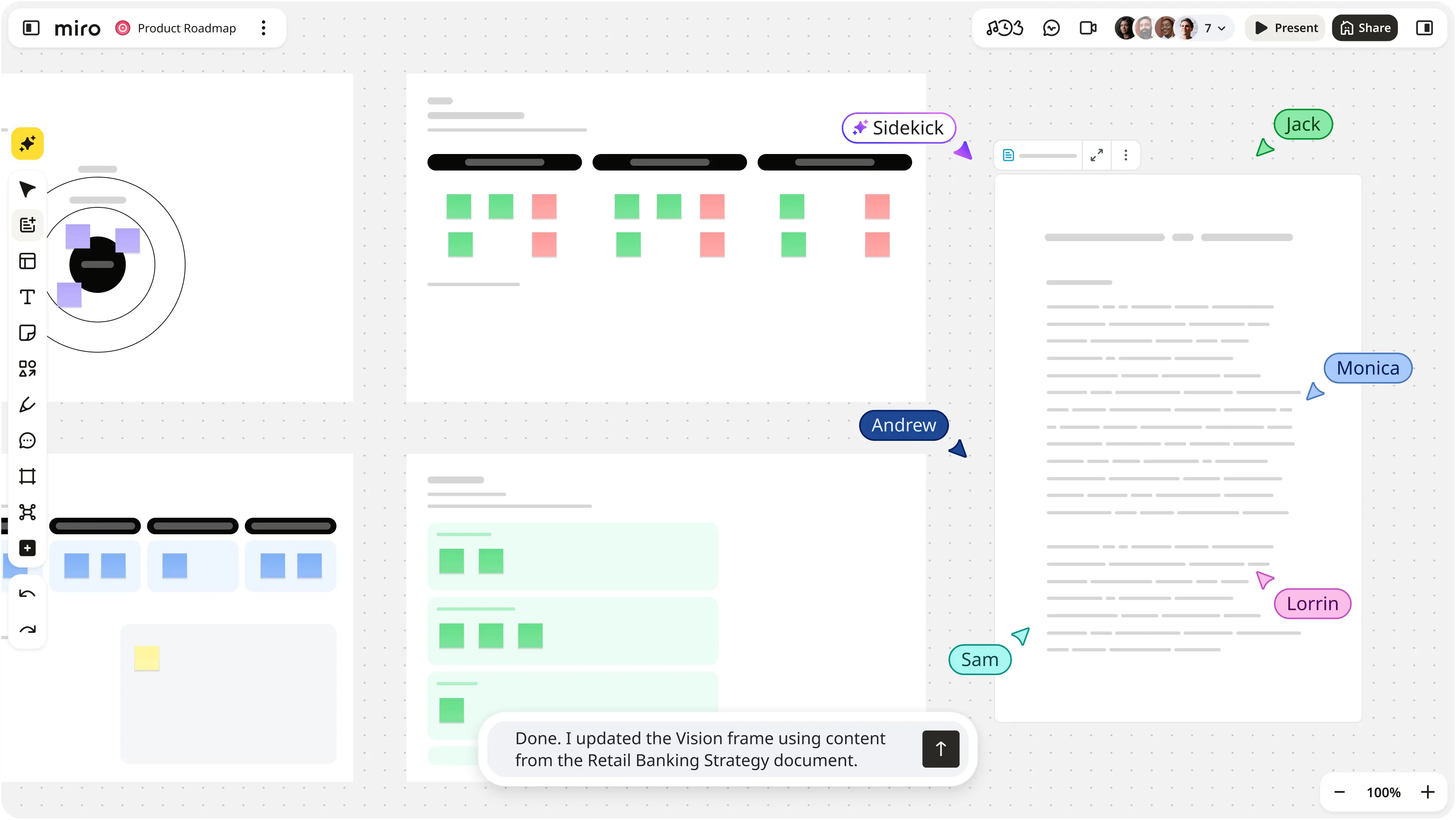
Miro Product Roadmap Interface

Miro gives distributed teams a shared digital canvas for work that is difficult to communicate through messages or documents alone.

Teams can use its online whiteboards for brainstorming, workshops, diagrams, user journeys, planning sessions, and other virtual team-building activities. Multiple team members can contribute in real time, making it particularly useful for product, design, and strategy work.

Miro is less useful as a permanent home for tasks or documentation, so it works best alongside other collaboration tools rather than replacing them.

Pros: 

  • Flexible whiteboards
  • Real-time collaboration
  • Templates
  • Integrations

Cons: 

  • Large boards can become difficult to navigate and require some organization.

Pricing: Miro offers a free version and paid plans starting at €10/member/month, paid monthly.

10. Zoom: Best for video conferencing

Best for: Teams that need reliable virtual meetings.
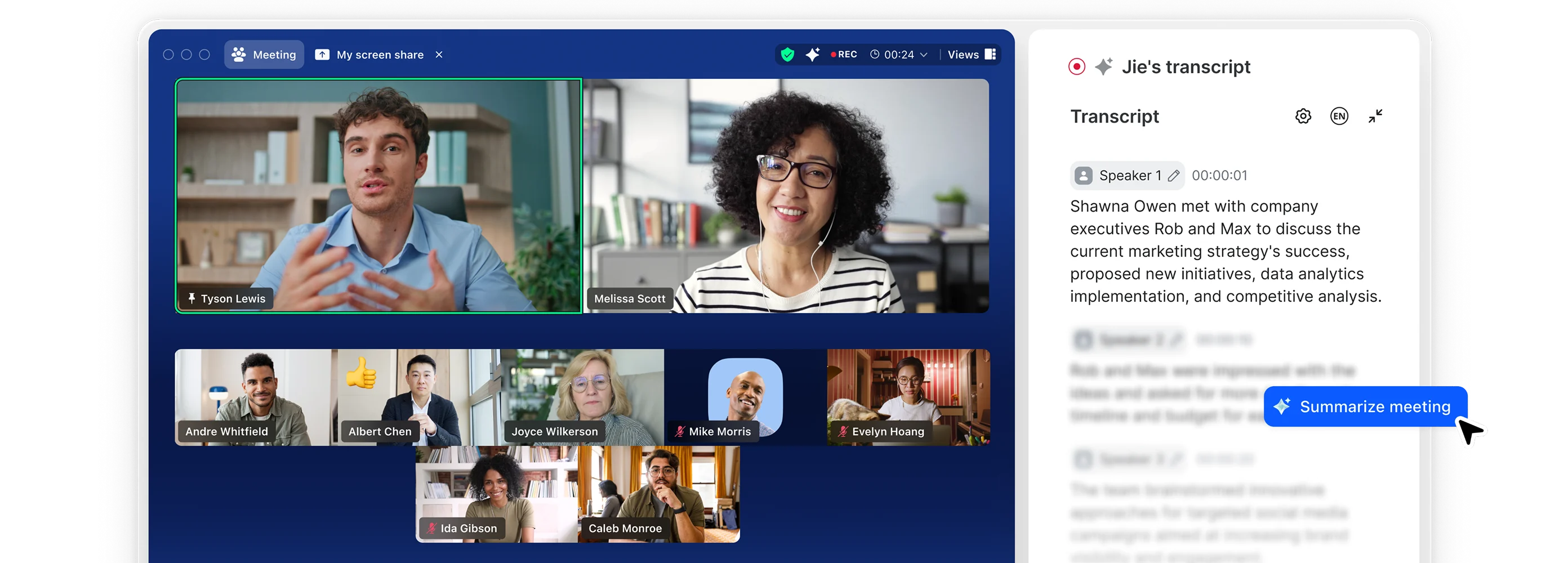
Zoom video call with live transcript

Zoom remains one of the most recognizable video conferencing tools for remote work.

Teams can use it for one-on-ones, group meetings, client calls, webinars, and larger company sessions. Features such as screen sharing, breakout rooms, chat, and meeting scheduling cover most everyday video collaboration needs.

But video conferencing alone does not create seamless collaboration. Meetings still need clear outcomes, and information from them needs somewhere to go afterward. That is why a Zoom integration is often most useful when connected with project management, documentation, and meeting productivity tools.

Pros: 

  • Familiar interface
  • Reliable video conferencing
  • Screen sharing
  • Breakout rooms
  • Broad device support

Cons: 

  • Frequent video meetings can contribute to meeting overload if teams use calls where asynchronous communication would work better.

Pricing: Zoom has a free version with meeting limitations and several paid plans.

11. Loom: Best for asynchronous video

Best for: Distributed teams that want to replace unnecessary meetings.
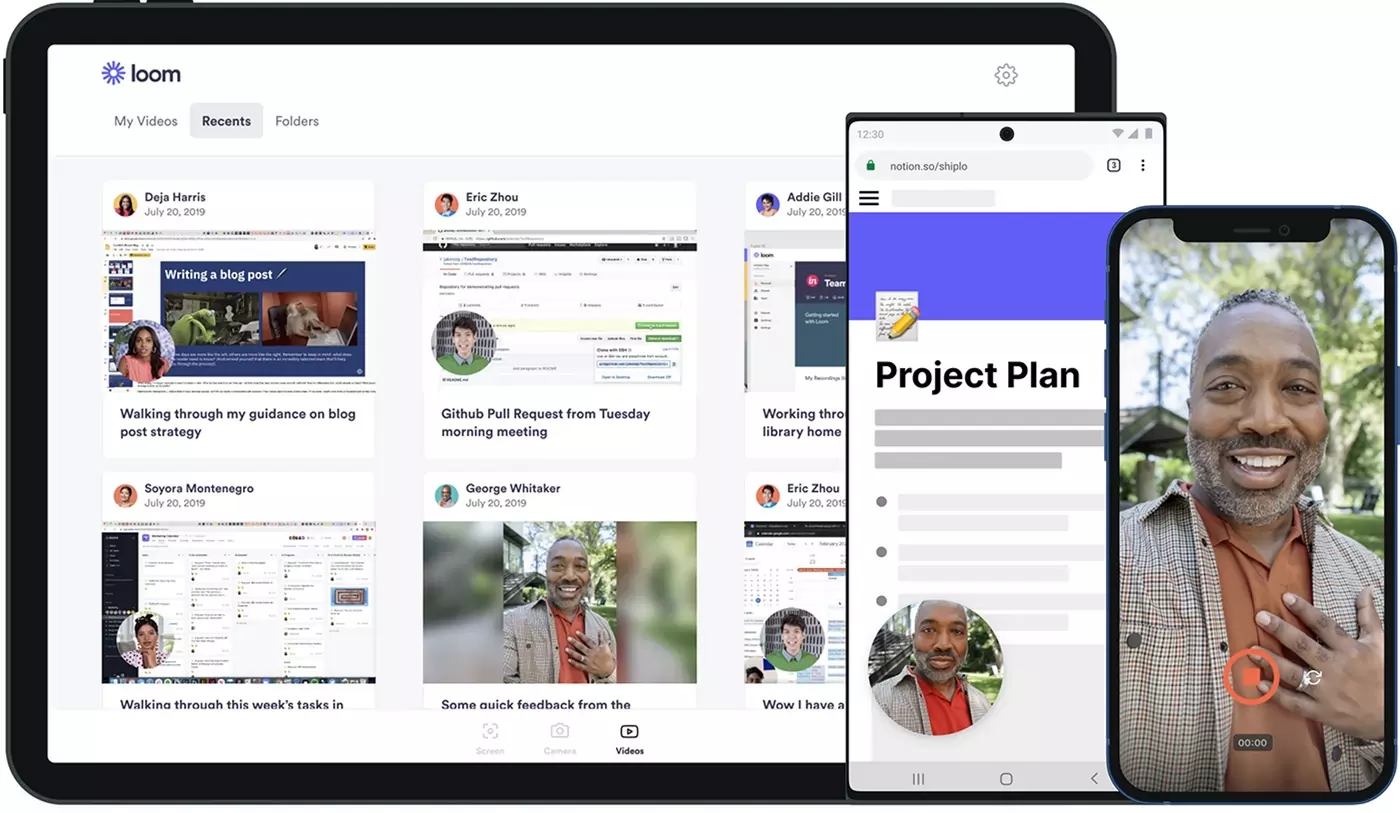
Loom interface on desktop and mobile

Not every explanation needs another calendar invitation.

Loom lets team members record their screen, camera, and voice and share the resulting video through a link. That makes it useful for product walkthroughs, design feedback, project updates, training, and explaining something that would take too long to type in a team chat.

For remote teams working across time zones, recorded video also allows people to consume updates when their schedules overlap poorly.

Pros: 

  • Quick recording and sharing
  • Screen capture
  • Comments and useful asynchronous workflows.

Cons: 

  • Recorded videos are not ideal for discussions that require immediate decisions or back-and-forth conversation.

Pricing: Loom offers a free version alongside paid plans starting at $18/user/month, billed monthly.

12. Confluence: Best for structured team knowledge

Best for: Larger teams that need organized, long-term documentation.
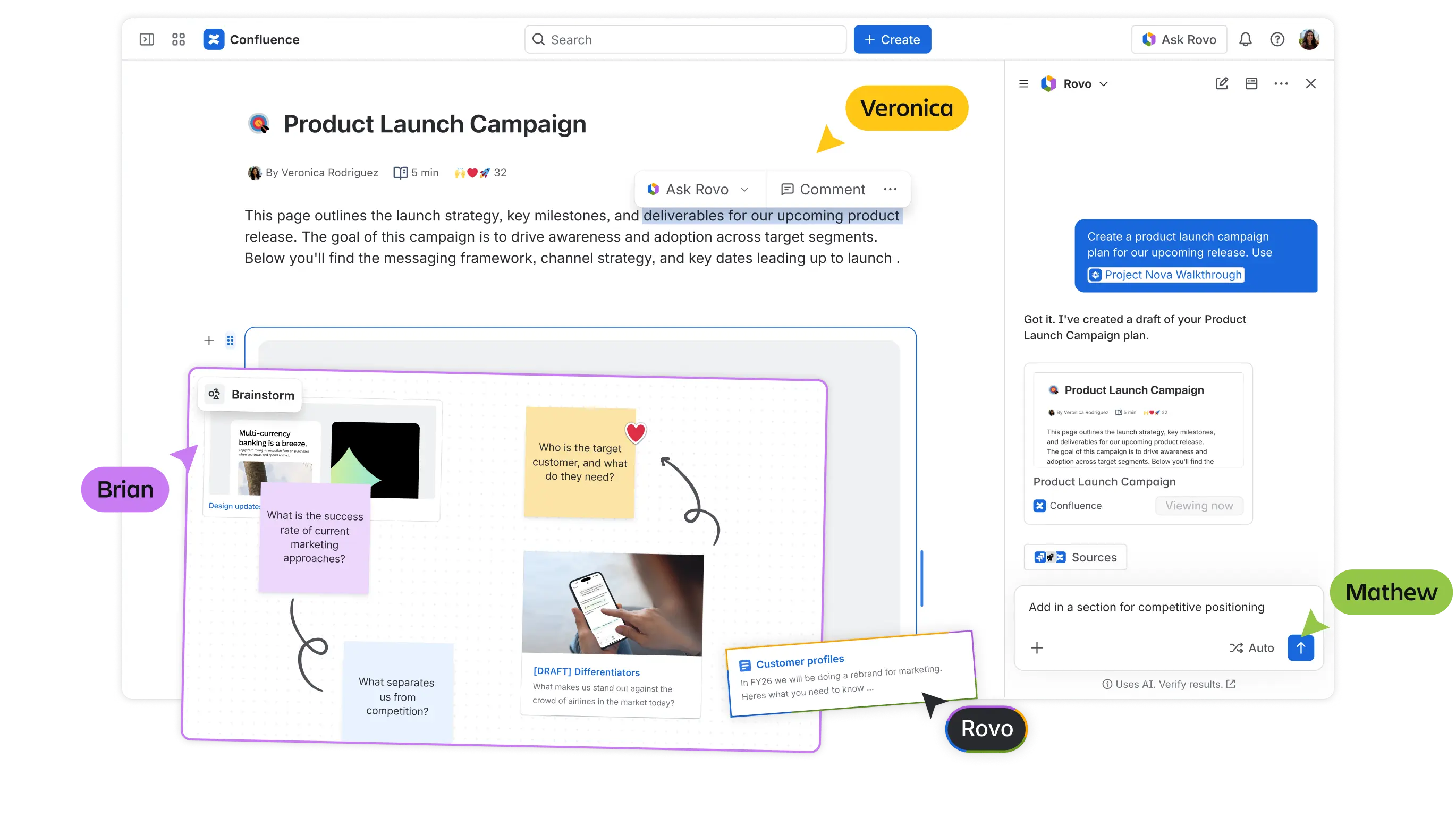
Confluence interface showing a Product Launch Campaign, with an open chat with Rovo on the right

Confluence gives teams a centralized place to document processes, decisions, project information, policies, technical knowledge, and other resources that should not live permanently in team chat.

It is particularly useful for organizations already using other Atlassian tools, where documentation can sit alongside project and development workflows.

Compared with Notion, Confluence generally lends itself to more structured organizational knowledge. That can be an advantage for larger companies, although smaller teams may prefer a lighter collaborative app rather than Confluence integration.

Pros: 

  • Strong knowledge management
  • Structured documentation
  • Permission options
  • Templates and integrations

Cons: 

  • Can feel heavy for small teams with limited documentation needs.

Pricing: Confluence has a free version for small teams as well as paid plans starting at $5.42/user/month, billed monthly.

What does a good remote collaboration stack look like?

Most teams do not need all 12 tools on this list.

A small remote company, for example, might combine Slack for communication, Google Workspace for files and collaborative editing, Trello for organizing tasks, and MeetGeek for meeting knowledge.

A company already invested in Microsoft 365 might use Microsoft Teams for communication and video meetings, Microsoft 365 for documents, MeetGeek for meeting capture and asynchronous catch-up, and Asana or ClickUp for more advanced project management.

An async-first distributed team could instead combine Slack, Notion, Loom, MeetGeek, and Asana, reducing the number of conversations that require everyone to be available simultaneously.

The specific apps matter less than giving each one a clear purpose.

How to choose remote collaboration tools

Before adding another app to your stack, run through these questions:

  • Where is work getting lost? In chat, meetings, task handoffs, shared files, or documentation?
  • Does this need to happen live? Not every update needs a call or real-time conversation.
  • Will it work with what you already use? Check integrations with your calendar, project management platform, file storage, and team chat.
  • Can the right people access the right things? Look at guest permissions, admin controls, authentication, and data security.
  • Are you already paying for this functionality elsewhere? Overlapping tools create more places for people to check.
  • Will people actually use it? A powerful platform that takes weeks to learn may be a worse choice than a simpler tool that fits how your team already works.

Build a remote stack that reduces work, not adds to it

The best remote collaboration tools make it easier to see what is happening, what needs to happen next, and where to find the information you need to do your job.

Pay particular attention to what happens after conversations. Meetings often contain decisions, customer insights, feedback, and commitments that are difficult to recover later.

MeetGeek automatically captures and organizes that information across Zoom, Microsoft Teams, and Google Meet, turning meetings into searchable transcripts, summaries, decisions, and action items your remote team can use asynchronously.

Try MeetGeek for free and make your team's meetings part of your collaboration system, rather than another place where information gets lost.

Key takeaways

  • Give every collaboration app a defined role, so employees know where conversations, tasks, files, and permanent knowledge belong.
  • Async communication becomes increasingly valuable as teams spread across locations and time zones.
  • Integrations matter because collaboration breaks down when employees have to manually move information between tools.
  • Evaluate software based on your existing workflow before comparing feature counts or paid plans.

Frequently Asked Questions

What are the best collaboration tools for remote teams?

The best option depends on what you need to improve. Slack is strong for team chat, Asana and ClickUp for project management, Google Workspace for collaborative documents, MeetGeek for meeting collaboration, Miro for visual work, and Loom for asynchronous video.

Most remote teams will benefit more from combining a few complementary tools than choosing a single platform.

What are the best free remote collaboration tools?

Many leading collaboration apps offer free versions, including Slack, Asana, Trello, MeetGeek, Notion, Miro, Zoom, and others. The best free option depends on whether you need communication, task management, meetings, documentation, or another specific capability.

Always check the current limits before committing your team to a free plan.

What is the most secure remote collaboration software?

There is no single most secure platform for every organization. Look for encryption, access controls, authentication options, compliance certifications, administrative permissions, and clear data-handling policies.

Security requirements should also reflect the information your team handles. A small internal project and a regulated enterprise workflow may require very different controls.

How many collaboration tools should a remote team use?

There is no ideal number. Use enough tools to cover your core workflows without creating unnecessary overlap.

A practical stack often includes communication, project or task management, document collaboration, and meeting or knowledge management. Add another platform only when it solves a clear problem that cannot be handled properly by the existing stack

Article updated on 
August 18, 2026
Share the knowledge with your circle
Copied
Related posts

12 Best Remote Collaboration Tools for 2026

Compare 12 of the best remote collaboration tools for 2026 and find the right options for communication, projects, meetings, and async work.

This is some text inside of a div block.

Best AI Note Taker for Google Meet in 2026

How each tool captures a Meet call, whether Gemini already covers you, and what your Workspace tier and admin actually allow.

This is some text inside of a div block.

Staff Meeting Agenda Template: Free Examples

Use these free staff meeting agenda templates and examples to keep team meetings focused, assign action items, and make every meeting more productive.

This is some text inside of a div block.

Recruitment Automation Tools: 7 Platforms to Try

We compared 7 platforms that automate sourcing, screening, scheduling, and interview documentation, and where each one fits.

This is some text inside of a div block.

Best AI Note Taker for Zoom: 8 Tools Tested (2026)

How 8 AI note takers actually connect to Zoom, and what each one does when you are not the meeting host.

This is some text inside of a div block.

7 Best Free AI Meeting Note Takers in 2026 (Tested)

A hands-on look at seven free plans, including how many meeting hours you actually get before the paywall starts.

This is some text inside of a div block.

Best Applicant Tracking Systems for Growing Teams

Explore the best applicant tracking systems, see who each ATS is best for, and learn how to choose the right one for your hiring process.

This is some text inside of a div block.

Executive Team: Roles, Structure, and Best Practices

Discover the roles, responsibilities, and traits of successful executive teams, plus practical strategies for building stronger leadership.

This is some text inside of a div block.

How to Record on Phone: iPhone and Android Guide

Discover how to record phone calls, voice notes, and screen activity on Android and iPhone, with tools, tips, and legal guidance.

This is some text inside of a div block.

What Is a Summary Report? Examples, Templates & Tips

A summary report helps turn complex information into clear insights. Learn the different types, essential sections, examples, and best practices for creating reports that save time and support better decision-making.

This is some text inside of a div block.

Meeting Notes in Claude: What You Can Build and How to Connect

Connect your meeting notes to Claude and turn past calls into answers, finished documents, and multi-step work.

This is some text inside of a div block.

The 6 Best Airgram Alternatives in 2026

Compare the best Airgram alternatives for 2026, including MeetGeek, Fireflies, Otter, tl;dv, Fellow, and Sembly AI.

This is some text inside of a div block.

Meeting Notes in ChatGPT: Benefits, Uses, and Setup

Connect your meeting notes to ChatGPT and turn past calls into instant answers, drafts, and automations, in plain language.

This is some text inside of a div block.

How To Type Faster: 15 Typing Hacks That Work

Want to type faster and make fewer mistakes? Discover practical typing hacks, keyboard shortcuts, and tools that help you work smarter.

This is some text inside of a div block.

10 Best ChatGPT Alternatives For Work In 2026

Looking for a ChatGPT alternative? Compare the top AI tools for research, meetings, writing, coding, search, and productivity in 2026.

This is some text inside of a div block.

9 Best Calendly Alternatives in 2026 (Tested + Compared)

Cal.com, Acuity, Chili Piper, and more — the best Calendly alternatives in 2026, tested and ranked by use case.

This is some text inside of a div block.

8 Best Google Meet Extensions in 2026 (Tested for Productivity)

From AI notes to noise cancellation, here are 8 Chrome extensions that fix what Google Meet doesn’t do natively.

This is some text inside of a div block.

AI Productivity Tools We Actually Use in Sales and Marketing

A practical look at the AI productivity tools we use daily for meetings, content, automation, sales workflows, and teamwork.

This is some text inside of a div block.

Gemini vs. Google Assistant: Full Comparison Guide

Confused about Gemini vs Google Assistant? Learn the key differences, what Google is changing, and which assistant fits you best.

This is some text inside of a div block.

Managing Hybrid Teams in 2026: Common Challenges and How to Overcome Them

Communication gaps, time-zone friction, culture drift — the four challenges every hybrid manager faces, and how to solve them.

This is some text inside of a div block.

MeetGeek vs tl;dv: Which AI Meeting Tool Is Right for Your Team in 2026?

Features, pricing, accuracy, integrations on a side-by-side comparison with a clear verdict for sales, CS, and ops teams.

This is some text inside of a div block.

How to Convert MP4 to Transcript (Fast & Accurate)

Learn how to convert MP4 files into accurate transcripts, subtitles, and captions with AI tools for meetings, webinars, and interviews.

This is some text inside of a div block.

Google Transcription Service in 2026: Honest Review and Best Alternative

Google Meet, Cloud Speech-to-Text, Docs, Recorder — what each does, where each falls short, and the better alternative.

This is some text inside of a div block.

AI Sales Coaching: How Modern Sales Teams Use AI to Close More Deals

How AI sales coaching analyzes every call (not just the 3% a manager samples) and surfaces coachable moments by rep, stage, and objection type.

This is some text inside of a div block.

Can ChatGPT Transcribe Audio? What Works in 2026

Three ways to get a transcript out of ChatGPT, and the one most people reach for is the one OpenAI documents least.

This is some text inside of a div block.

AI for Customer Success: The 2026 Playbook

Where AI plugs into the CSM day (Renewals, Risk, References, Reviews) plus a maturity model and a 10-item checklist for choosing tools.

This is some text inside of a div block.

A Complete Guide to the MEDDIC Sales Methodology

Discover MEDDIC sales, how it helps qualify leads, understand decision processes, and improve win rates across complex B2B sales cycles.

This is some text inside of a div block.

How To Write an Out of Office Message

Learn how to write a clear out of office message, what to include, and use ready-to-copy examples for any situation.

This is some text inside of a div block.

How To Cancel Your Zoom Subscription in 2026

Need to cancel your Zoom subscription? This guide explains exactly how to do it on the Zoom website, Apple App Store, or Google Play, what happens after cancellation, and how to avoid extra billing charges.

This is some text inside of a div block.

MeetGeek vs Fellow: Comparing Meeting Notes, Agendas, and Automation

Comparing MeetGeek vs Fellow? See how their AI meeting notes, agendas, recordings, and automation features differ to find the best fit for your team.

This is some text inside of a div block.

How to Screen Record on Mac (With Audio, System Sound & Pro Tips)

Learn how to screen record on Mac using built-in tools, capture audio correctly, and see when MeetGeek is the smarter option.

This is some text inside of a div block.

MeetGeek vs Krisp: Which AI Meeting Assistant Is Right for Your Team?

MeetGeek vs Krisp compared: AI notes, noise cancellation, pricing, integrations, and recording features explained clearly.

This is some text inside of a div block.

Video Conference Tips for Running Successful Virtual Meetings

Learn practical video conference tips that improve audio quality, engagement, and follow-through, and help teams stay aligned after virtual meetings.

This is some text inside of a div block.

Webex vs Zoom: Which Video Conferencing Platform Fits Your Meetings Best?

A clear comparison of Webex vs Zoom, from features and pricing to security and integrations.

This is some text inside of a div block.

How to Raise Hand in Zoom on Any Device

A device-by-device guide to Zoom's raise hand feature, including keyboard shortcuts and what to do when the button goes missing.

This is some text inside of a div block.

Good Questions to Ask in an Interview That Help You Make the Right Choice

Learn which questions to ask, when to ask them, and how to use interviews to decide if a role, team, and company are truly right for you.

This is some text inside of a div block.

What is Companion Mode in Google Meet? Everything You Need to Know

Read on for a practical guide to using Companion Mode in Google Meet for clearer, more balanced hybrid meetings.

This is some text inside of a div block.

What Is a Skip-Level Meeting? How Leaders Use Skip-Levels to Improve Communication

An in-depth look at skip-level meetings and how they help leaders connect with teams and gain real insight.

This is some text inside of a div block.

What Is an AI Voice Agent? A Practical Guide to How Voice AI Really Works

This guide explains what an AI voice agent is, how it works, the benefits it offers, and where it fits best alongside human teams.

This is some text inside of a div block.

Stand-Up Meeting Guide: What They Are and How to Run Them

Discover what makes a stand-up meeting actually useful. This guide explains how to run daily stand-ups that stay short, surface blockers, and keep teams aligned.

This is some text inside of a div block.

Everything About Microsoft Teams AI Interpreter + How to Go Beyond Translation

Find out how Microsoft Teams AI Interpreter works, where it falls short, and how to go beyond translation.

This is some text inside of a div block.

Best Lecture Recording App in 2026: 5 Tools Students Actually Use

Let’s take an in-depth look at what students are using nowadays to record and organize their lectures, both online and offline.

This is some text inside of a div block.

Read AI Pricing Explained for 2026: Is It Worth It for Meeting Notes

Explore Read AI’s 2026 pricing, its core features, and how it handles meeting notes, transcription, and insights to support modern teams.

This is some text inside of a div block.

What Is a Searchable Knowledge Base and How Does It Work?

Explore how searchable knowledge bases improve access to information and see how MeetGeek turns your meetings into a fast, reliable knowledge hub.

This is some text inside of a div block.

How to Blur Background in Google Meet (Simple Guide for All Devices)

Discover how to blur your background in Google Meet on desktop and mobile, use visual effects, and get a cleaner, more focused look in every call.

This is some text inside of a div block.

How to Join Teams Meeting With Code: A Complete Step-by-Step Guide

Find out how to join Microsoft Teams meetings using a meeting code, as well as other options like a link or invite. This guide explains every method in a clear, step-by-step way.

This is some text inside of a div block.

5 Best NoteGPT Alternatives in 2026

Explore the top 5 NoteGPT alternatives that help you capture key insights, transcribe content, and boost productivity across learning and professional workflows.

This is some text inside of a div block.

What Is Perplexity AI? A Guide to the AI-Powered Search Engine Transforming How We Find Information

In this article we’ll take a close look at Perplexity AI, what it can do for you compared to traditional search engines, and some of its pros and cons.

This is some text inside of a div block.

Top tl;dv Alternatives to Streamline Your Meetings

Discover the top tl;dv alternatives and explore and compare their features to choose the right AI meeting tool for your organization.

This is some text inside of a div block.

ChatGPT Record Mode vs MeetGeek: Here's Everything You Need to Know

Curious how the ChatGPT recorder compares to MeetGeek? We looked at features, integration, and data security for recording meetings.

This is some text inside of a div block.

Fathom AI Pricing 2026: Is It Still Worth It for Modern Teams?

Explore Fathom AI pricing for 2026, including features, limits, and plan comparisons, plus how MeetGeek offers more flexibility for teams.

This is some text inside of a div block.

AI Meeting Agents: How Autonomous AI Is Transforming the Future of Work

Discover how AI meeting agents are redefining the future of work—handling scheduling, follow-ups, and even speaking on your behalf to save time and turn every meeting into real action.

This is some text inside of a div block.

Notta AI Review: Is This AI Transcription Tool Worth It in 2026?

Read this in-depth Notta AI review to see how well it transcribes meetings, handles multiple languages, and delivers AI summaries, plus where it falls short compared to smarter meeting assistants.

This is some text inside of a div block.

These 5 AI Tools for Nonprofits Will Make Every Hour Count

Make your nonprofit more efficient with AI tools that cut admin time, improve collaboration, and maximize every hour of impact.

This is some text inside of a div block.

Granola AI Alternatives: The 5 Best Note Takers in 2026

Prices, plan limits and language counts checked against each vendor's own pricing page and our comparison data in July 2026.

This is some text inside of a div block.

Follow-Up Email After Interview: How to Write It, When to Send It, and What to Say

Discover how to write an effective follow-up email after an interview. From timing and templates to tone and structure, this guide covers everything you need to stand out and stay memorable.

This is some text inside of a div block.

Tactiq Pricing 2026: Is It Worth It? Plans & Costs

A clear look at every Tactiq plan, what AI credits really limit, and how the costs add up for solo users and teams.

This is some text inside of a div block.

Ad Hoc Meeting Meaning and How to Run One

Discover the true ad hoc meeting meaning and learn how to make spontaneous discussions more focused and effective. Find out when to hold and manage them.

This is some text inside of a div block.

Virtual Meeting Etiquette: 15 Essential Rules for Professional Video Calls

Discover 15 essential virtual meeting etiquette rules and tips that keep conversations focused, professional, and engaging.

This is some text inside of a div block.

How to Blur Background in Zoom: Step-by-Step Guide

Discover how to use Zoom’s blur background feature for privacy and focus, plus tips, fixes, and when to switch to virtual backgrounds.

This is some text inside of a div block.

How to Share Screen on Google Meet on Any Device

A step-by-step guide to presenting a tab, window, or full screen on Google Meet, with audio, on desktop and mobile.

This is some text inside of a div block.

MeetGeek’s MCP Server Explained: How It Enables AI Assistants to Transform Meetings

See how MeetGeek’s MCP Server helps AI assistants turn your meetings into smart, actionable insights, all from your local machine.

This is some text inside of a div block.

How to Change Your Name on Zoom (Before and During a Call)

A step-by-step guide for desktop, web, and mobile, including how to rename yourself mid-call and stop your name from reverting.

This is some text inside of a div block.

Note-Taking AI for Students: The Best Tools to Study Smarter in 2026

A guide to the best AI note-taking tools for students in 2026, with features, pros, and cons to help you choose the right app for learning.

This is some text inside of a div block.

Descript Pricing Review 2026: What It Offers, Where It Falls Short, and a Better Alternative

A closer look at Descript’s pricing tiers, their trade-offs, and why MeetGeek stands out as a smarter choice for creators.

This is some text inside of a div block.

Google Meet Time Limit: Free vs Paid Plans (2026)

Google publishes a different meeting length for free accounts, Workspace editions and Google One. Here is each one.

This is some text inside of a div block.

How To Transcribe Voice Memos To Text (3 Different Ways)

In this article, you’ll learn how to transcribe voice memos in three different ways, weighing the pros and cons of each option.

This is some text inside of a div block.

Best ClickUp Alternatives for AI Note Taking

Learn about the best 5 ClickUp alternatives if you want to go beyond simple AI note-taking and find a comprehensive meeting assistant.

This is some text inside of a div block.

What Is an Objective Summary? Definition, Examples & Tips

Objective summaries are a must when you need key information from lengthy meetings. We’ll discuss all about them in this article!

This is some text inside of a div block.

How to Record a Google Meet, With or Without the Host

Google Meet limits recording to paid plans and hosts by default. Here is every way around that, including on Android.

This is some text inside of a div block.

8 Best Meeting Note-Taking Apps in 2026

Looking for the best meeting note-taking app for your team? We break down the features, pros, and cons of the 8 best ones right now.

This is some text inside of a div block.

How to Record a Zoom Webinar as a Host or Participant (2 Methods)

In this article, we will review how to record a Zoom webinar as host or participant using Zoom’s built-in recording and third-party tool with AI transcription.

This is some text inside of a div block.

7 Best Chrome Extensions for Salespeople and AMs

In this article, we will explore the best Chrome extensions for sales reps, focusing on tools that improve meeting intelligence, integrate with CRMs, and optimize productivity.

This is some text inside of a div block.

Best Chrome Audio Capture & Recorder Extensions (2026)

Compare the top Chrome extensions and tools for recording tab audio in 2026, from free recorders to full AI meeting assistants.

This is some text inside of a div block.

7 Best Speech to Text Chrome Extensions: Comparison & Features

This guide breaks down the top 8 speech-to-text Chrome extensions for 2025, reviewing their key features, pricing, and ideal use cases to help you make an informed decision.

This is some text inside of a div block.

Meeting Overload Isn’t the Real Problem - Bad Meeting Design Is

When meeting overload becomes obvious, there are soma small changes that can transform your entire meeting culture.

This is some text inside of a div block.

Best Conversation Intelligence Software in 2026

By leveraging AI, these conversational intelligence platforms provide the analysis needed to refine sales or investor pitches, improve coaching, and influence revenue.

This is some text inside of a div block.

How to Add Meeting Notes to Google Docs [3 Easy Ways]

Let's explore 3 ways of how to add your meeting notes to Google Docs - manually or automatically.

This is some text inside of a div block.

Find the Best Zoom Alternative in 2026

Looking for a Zoom alternative? Check out the best options for 2026 and find the perfect fit for your meetings!

This is some text inside of a div block.

How to Extend the Zoom Time Limit: Paid & Free Solutions

Need more time for your Zoom meeting? Learn how to easily extend your session with this simple guide.

This is some text inside of a div block.

Microsoft Teams for Mac: How to Download, Install & Use It (2026)

Setting up Microsoft Teams on Mac is easy! Follow our quick guide to start collaborating seamlessly.

This is some text inside of a div block.

How to Record WhatsApp Calls on Any Device (2026)

Discover the easiest way to record WhatsApp calls with our clear, step-by-step instructions.

This is some text inside of a div block.

Top 5 Integrations for AI Meeting Assistants in 2026

Looking to boost your meeting productivity? Explore the top AI meeting assistant integrations of 2026 that seamlessly connect with your favorite tools and apps.

This is some text inside of a div block.

7 Ways AI Meeting Assistants Save Time for Sales Teams in 2026

Learn how AI meeting assistants transform sales productivity in 2026 by eliminating manual tasks, streamlining workflows, and enabling reps to focus on selling.

This is some text inside of a div block.

Zoom Pricing in 2026: Plans, Add-Ons and Real Costs

A plain-English breakdown of every Zoom Workplace plan, add-on and hidden cost, with the real yearly price for teams of each size.

This is some text inside of a div block.

Does Microsoft Teams Notify Screenshots? What It Detects

Teams stays silent when you screenshot, but since November 2025 organizers can block captures outright.

This is some text inside of a div block.

Google Meet Pricing in 2026: Free vs. Paid Plans Compared

Find the right Google Meet plan for your team with our clear breakdown and smart cost-saving tips.

This is some text inside of a div block.

Where Are Teams Recordings Stored? All Locations, Explained

Wondering where your Microsoft Teams recordings end up? Here’s every storage option clearly explained.

This is some text inside of a div block.

The 4-Day Workweek: How Companies Are Winning the Talent War

Why working less might be the smartest move for companies chasing productivity, innovation, and talent retention.

This is some text inside of a div block.

Find the Best Speech to Text App for Work in 2026 (Free & Paid)

Looking for a speech to text app in 2026? We’ve rounded up top picks to boost productivity and save time at work.

This is some text inside of a div block.

Managing Security and Compliance Risks Related to AI Note-Takers

Keep your AI-powered meetings secure and compliant! Learn how to manage security and compliance risks, protect sensitive data, and ensure privacy in your virtual meetings.

This is some text inside of a div block.

How to Write a Business Meeting Follow-Up Email + Templates & ChatGPT Prompts

Learn how to write clear, professional business meeting follow-ups with templates and ChatGPT prompts to save time and boost responses.

This is some text inside of a div block.

Microsoft Teams AI: How to Use Copilot in Meetings

A step-by-step guide to Teams Copilot for meetings, plus how MeetGeek adds recording, 100+ languages and follow-ups across platforms.

This is some text inside of a div block.

How to Take Minutes for a Meeting Like a Pro [+ Free Customizable Template]

Take flawless meeting minutes every time! Learn expert tips to capture key points, track action items, and impress your team with professional note-taking skills.

This is some text inside of a div block.

The 5 A's of Effective Communication: A Startup Guide to Better Team Collaboration

Startup success isn’t just about great ideas—it’s about how well your team communicates. Discover the 5 A’s framework to improve collaboration, reduce friction, and turn conversations into action.

This is some text inside of a div block.

Teams Meeting Attendance Report: What It Is & How to Use It

Demystify the Teams Meeting Attendance Report! Learn how to access, interpret, and leverage it to track engagement and improve your virtual meetings effortlessly.

This is some text inside of a div block.

How to Create & Use Google Meet Breakout Rooms

Master Google Meet breakout rooms! Learn how to create, manage, and use them to foster collaboration and engagement in your virtual meetings.

This is some text inside of a div block.

How to Record Yourself on Zoom, Step by Step

A step-by-step guide to recording yourself on Zoom, on your own or while presenting slides, locally or to the cloud.

This is some text inside of a div block.

30+ Sales KPIs to Track in 2026

Unlock the secrets to sales success in 2026 with this guide to over 30 essential sales KPIs. Learn what to track to drive your team’s performance and revenue growth.

This is some text inside of a div block.

How to Create a Zoom Transcript: 3 Ways

Discover how to effortlessly create Zoom transcripts with our guide on three simple methods, perfect for capturing every key discussion point.

This is some text inside of a div block.
Join 50,000+ teams across 100+ countries

Upgrade your meetings now.

Two-minute setup. Free forever foundation. Enterprise-grade from day one. Turn meetings into a positive and rewarding experience

Sign up for free