MeetGeek vs Fellow: Comparing Meeting Notes, Agendas, and Automation
Comparing MeetGeek vs Fellow? See how their AI meeting notes, agendas, recordings, and automation features differ to find the best fit for your team.

✅ Free meeting recording & transcription
💬 Automated sharing of insights to other tools.

If you're looking for a MeetGeek and Fellow app review, you're likely trying to make meetings easier to manage.
Both tools position themselves as an AI meeting assistant that helps remote and hybrid teams stay organized during video calls on Google Meet, Microsoft Teams, and other major platforms. They can generate meeting notes, real-time transcription, meeting summaries, and action items so teams don’t have to rely entirely on manual note-taking.
But they approach meetings differently.
The Fellow AI meeting assistant focuses on meeting management and collaborative agendas, helping teams prepare discussion topics, track talking points, and structure recurring meetings.
MeetGeek focuses more on automatically recording meetings, generating searchable transcripts, and organizing meeting recordings and meeting data so teams can quickly review what was discussed and automate follow-ups after the meeting ends.
In this comparison, I'll break down the key features, integrations, pricing, and meeting workflows to help you decide whether Fellow or MeetGeek is the better fit for your team.
Quick overview: MeetGeek vs Fellow
MeetGeek and the Fellow app both aim to improve how teams handle meetings, but they focus on different parts of the meeting process.
MeetGeek is a secure AI meeting assistant designed to record meetings, generate meeting notes, create summaries, and organize meeting recordings and transcripts in one place. It works with Google Meet, MS Teams, Zoom, and other major platforms, helping teams keep track of conversations, action items, and follow-ups.
MeetGeek also includes advanced AI capabilities such as AI meeting summaries, searchable transcripts, and AI Voice Agents that can run certain routine meetings and collect information automatically.
The Fellow AI-powered meeting assistant focuses more on meeting management and preparation. It helps teams build meeting agendas, organize talking points, collaborate on notes, and manage recurring meetings in a centralized hub. A Fellow account also includes real-time transcription, AI-generated summaries, and Ask Fellow, an AI chatbot for searching past meetings.
1. Core focus: meeting management vs meeting intelligence
The biggest difference between the Fellow app and MeetGeek comes down to what part of the meeting process they are designed to improve.
Fellow: built for meeting management and preparation
Fellow started as a meeting management tool, helping teams plan and structure future meetings.

How Fellow AI works is that it revolves around shared meeting agendas, discussion topics, and shared notes, making it easier for teams to prepare for conversations and keep meetings organized. Users can create meeting agendas, add talking points, assign action items, and document decisions during the discussion.
This structure works well for teams running recurring meetings, such as:
- weekly team syncs
- one-on-one meetings
- leadership meetings
- project check-ins
- town halls
Fellow also integrates with Google Workspace and calendar tools, so agendas and notes are linked directly to upcoming meetings. Team members can review pre-meeting briefs, add discussion topics ahead of time, and arrive prepared.
During the meeting, the Fellow AI meeting assistant can generate real-time transcription, AI meeting summaries, and follow-ups, helping teams keep track of what was discussed.
For many organizations, the goal of Fellow is simple: create a centralized hub for meeting agendas, notes, and tasks for more structured and productive meetings.
MeetGeek: built for capturing and analyzing meetings
MeetGeek approaches meetings from a different angle. Instead of focusing primarily on preparation, it's an AI meeting assistant built for capturing meeting data automatically and turning conversations into insights.
-1%202.webp)
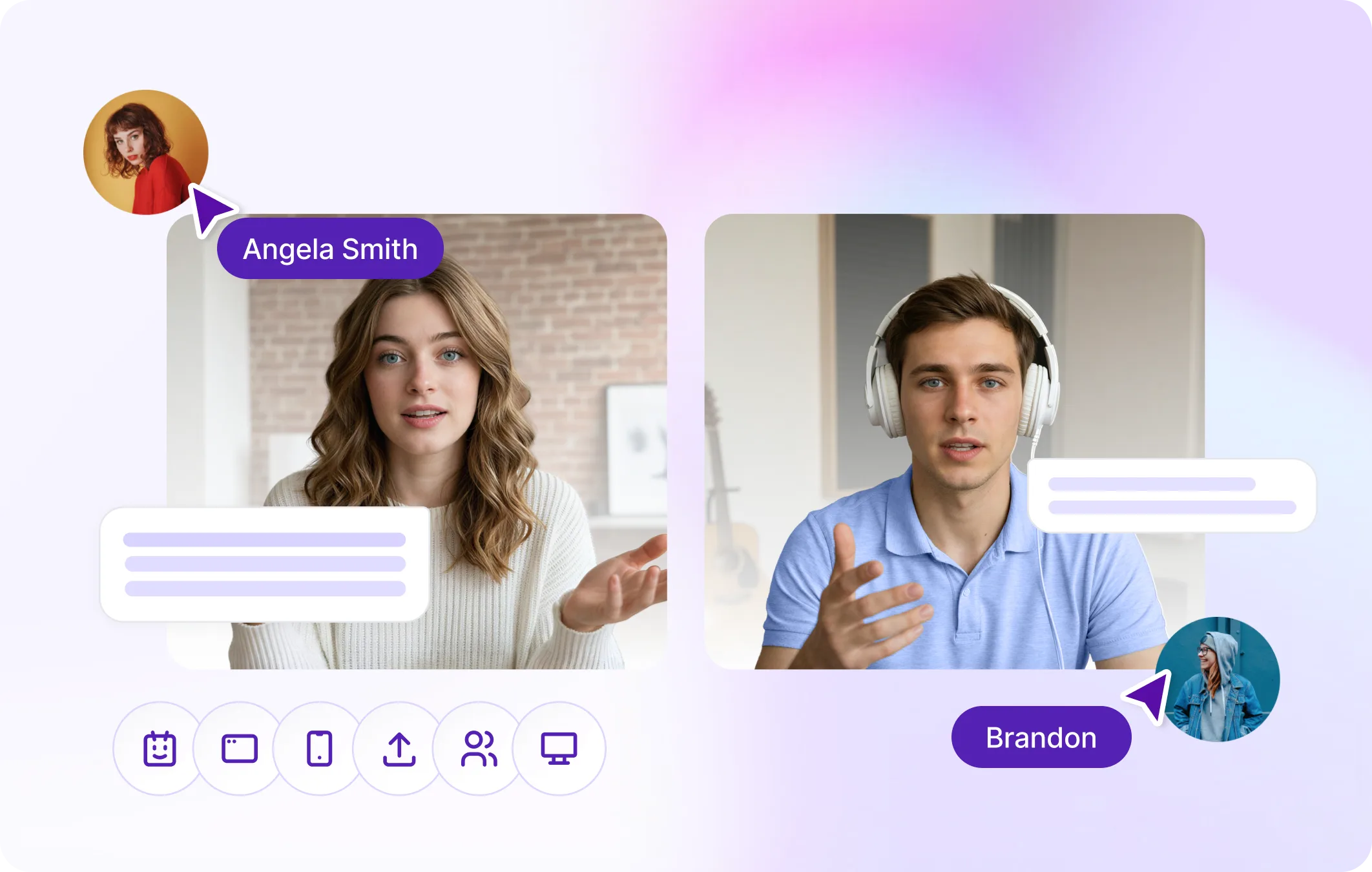
MeetGeek joins video calls on Google Meet, Microsoft Teams, Zoom, and other platforms, where it can:
- record meetings
- generate real-time transcription
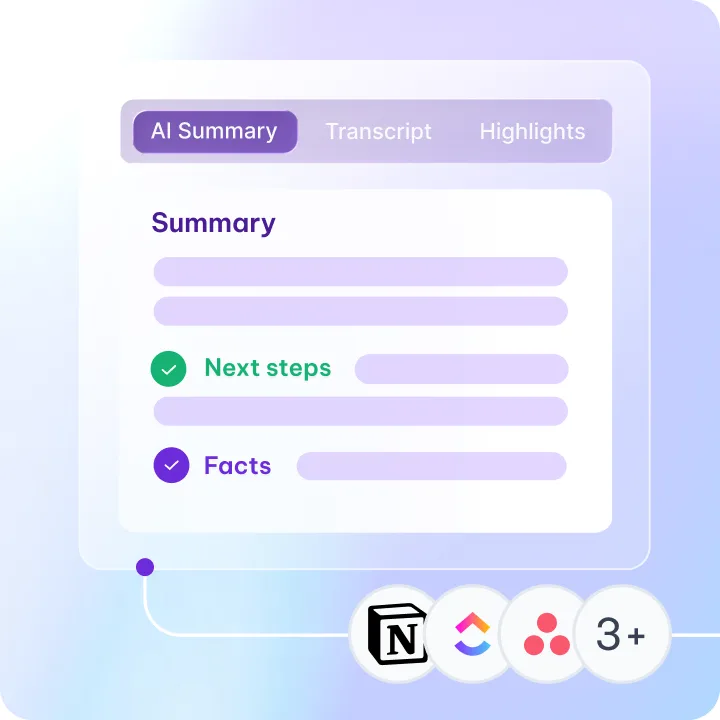
- produce AI meeting summaries
- extract action items and next steps for meeting attendees
- store previous meetings and transcripts in a searchable workspace
The idea is to remove the need for manual note-taking during internal and external meetings. Once the meeting ends, the platform automatically generates structured outputs such as summaries, key points, and follow-ups.
MeetGeek also supports AI Voice Agents, which can run certain routine meetings (such as screening interviews or qualification calls), collect information, and generate notes automatically.
For teams dealing with back-to-back meetings, this approach helps ensure that conversations don’t get lost and that important meeting insights remain accessible across the entire organization.
2. AI meeting notes and transcription
Both MeetGeek and the Fellow AI meeting assistant include AI features designed to reduce manual note-taking during meetings. They can generate meeting transcripts, summaries, and action items, but they approach this slightly differently.
Fellow AI note taker
The Fellow AI note taker captures conversations and generates summaries once the meeting ends.
It supports real-time transcription in 99 languages and automatically produces AI-generated summaries, meeting notes, and action items based on what was discussed during the call.

Some of the AI capabilities in Fellow include:
- AI meeting transcription
- AI meeting summaries
- AI action items and follow-ups
- Keyword tracking for important discussion topics
- Ask Fellow, an AI chatbot that helps users search past meetings and transcripts
These features help teams quickly review meeting transcripts and key points without reading the entire conversation. Users can revisit past meetings, search discussions, and identify what was discussed, decided, or assigned during a call.
For teams that already rely on meeting agendas and collaborative notes, Fellow’s AI mainly helps summarize the conversation after the meeting ends.
MeetGeek AI note taker
MeetGeek approaches AI meeting notes as a more automated system built around capturing and organizing meeting data.

When MeetGeek joins a meeting, it automatically:
- records the meeting
- generates real-time transcription
- identifies speakers with speaker identification
- creates AI meeting summaries
- extracts action items and next steps
The platform also highlights key moments from conversations, making it easier for teams to review important parts of the meeting without watching the entire recording.
All meeting recordings, transcripts, summaries, and notes are stored in a searchable workspace, so teams can quickly search past meetings, find key points, and review decisions.
For teams running frequent video calls across departments, this approach helps turn meetings into structured knowledge that can be revisited long after the conversation ends.
3. Recording meetings and meeting capture
Both tools can record meetings and generate transcripts, but they differ in how flexible the recording process is.
Fellow meeting recordings
Fellow can record meetings across major platforms such as Google Meet, Microsoft Teams, and Zoom. When the meeting starts, the Fellow AI meeting assistant joins the call and captures the conversation.
Once the meeting ends, Fellow generates meeting transcripts, summaries, and action items. These recordings are stored in a recording library where users can review past meetings, search transcripts, and revisit key moments from discussions.
Fellow also allows users to upload audio or video files for transcription and analysis. This can be useful when teams want to document conversations that happened outside of scheduled video calls.
For teams already using Fellow to manage meeting agendas and collaborative notes, this feature helps connect the discussion with the final notes and follow ups.
MeetGeek meeting recordings
MeetGeek is designed to capture and organize meeting recordings automatically.
It works across Google Meet, Microsoft Teams, Zoom, and other major platforms, where it can record meetings, generate transcripts, and produce summaries without requiring manual note-taking.
.webp)
One advantage is recording flexibility. MeetGeek supports both bot-based recording and bot-free meetings through its browser extension or desktop tools. This allows teams to record calls even when a visible meeting assistant cannot join the call.
MeetGeek also supports recording in-person conversations through its mobile app, as well as uploading audio or video files for transcription.
All meeting recordings, transcripts, and summaries are stored in a centralized hub where teams can search past meetings, revisit conversations, and quickly find what was discussed.
4. Meeting agendas and meeting management
Another major difference between the Fellow app and MeetGeek is how they handle meeting preparation and agendas.
Fellow collaborative agendas
Meeting agendas are a central part of how the Fellow app works.
Before a meeting starts, users can create a meeting agenda, add discussion topics, and outline talking points. Team members can contribute to the agenda, add notes, and prepare questions ahead of time so the meeting runs more smoothly.

Fellow also supports collaborative agendas for recurring meetings. For example, teams can reuse agenda templates for weekly check-ins, project updates, or leadership meetings. Participants can add notes during the discussion and assign action items directly inside the agenda.
This structure helps teams stay focused during conversations and ensures important topics are covered. For organizations that want a clear framework for running meetings, this type of meeting management can be valuable.
Fellow also connects agendas with calendars and meeting history, making it easier to track discussion topics and follow-ups across recurring meetings.
MeetGeek meeting organization
MeetGeek takes a lighter approach to meeting agendas and focuses more on organizing meeting outcomes.
Instead of relying on manual agenda creation, MeetGeek automatically captures the conversation and generates summaries, key points, and next steps after the meeting ends.
Teams can still plan meetings using their Google Calendar or other tools, but MeetGeek’s main role is to document what happened during the meeting and turn it into structured meeting notes.
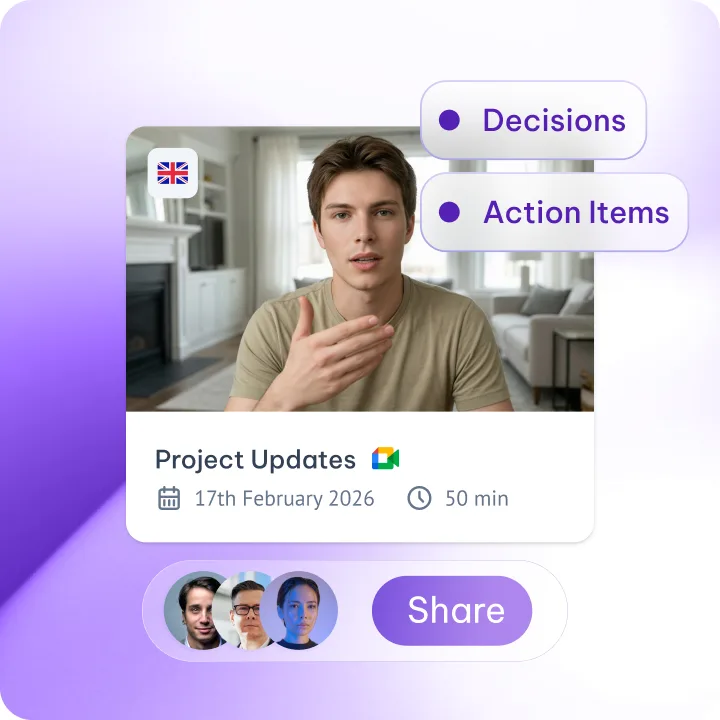
For example, after a meeting finishes, MeetGeek automatically provides:
- a meeting summary
- key moments from the discussion
- action items and follow-ups
- a searchable transcript
This makes it easier for teams to review what was discussed and share updates with stakeholders who couldn’t attend the meeting.
5. Integrations and workflow automation
Both MeetGeek and the Fellow app integrate with common workplace tools, but they differ in how meeting data flows into the rest of your workflow.
Fellow integrations
Fellow integrates with several tools that teams already use for collaboration and project management.
These include:
- Google Workspace
- Slack
- Notion
- HubSpot
- Salesforce
- various project management tools
Fellow also supports multi-calendar sync, allowing users to connect their calendars and automatically attach agendas and notes to scheduled meetings.
After a meeting ends, notes and summaries can be shared with the team or exported to other tools. For many teams, this helps keep meeting discussions connected to documents, tasks, and project updates.
The goal of these integrations is to make meeting management part of the team’s existing workflow.
MeetGeek integrations and automation
MeetGeek focuses more heavily on automation.
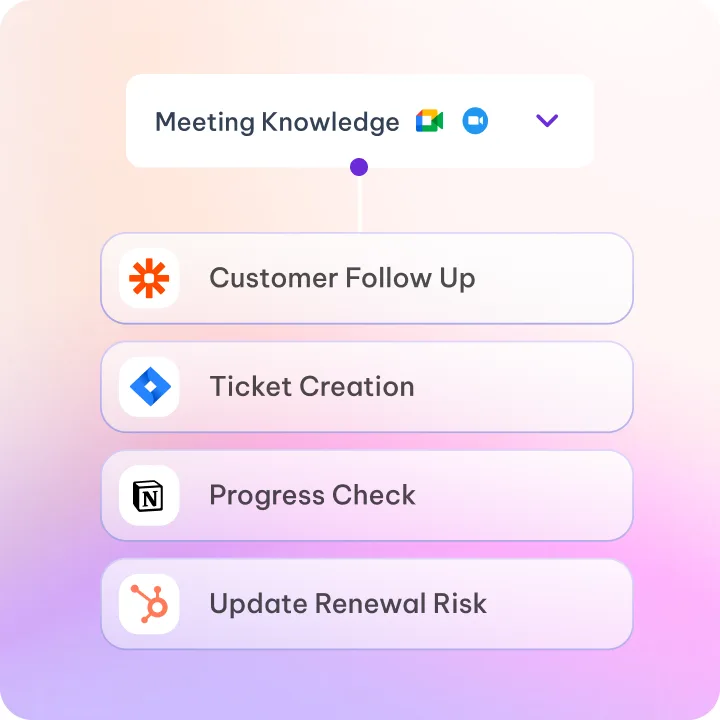
The platform integrates directly with tools like Slack, Notion, HubSpot, and ClickUp, and it can connect to thousands of additional apps through automation platforms such as Zapier, Make, and n8n.

This allows teams to automatically send meeting summaries, create tasks, update CRM records, or share meeting notes with stakeholders after the call ends.
MeetGeek can also sync meeting data, transcripts, and summaries with the tools teams already use, turning conversations into actionable updates across the organization.
For teams that run a large number of meetings, this level of automation can significantly reduce manual follow-up work.
6. Pricing comparison
MeetGeek and the Fellow app both offer a free plan and several paid tiers, but the structure and limits are different.
Fellow pricing
Fellow offers four plans that scale mainly with usage limits and team capabilities.
Even the free plan includes AI meeting summaries, transcription, and action items, but usage is limited. The Team plan increases the number of AI notes and recordings and adds integrations with tools like Notion and Confluence, along with meeting automations and API access.
The Business plan removes most limits and adds features like CRM integrations, keyword tracking, and organization-wide meeting templates. Enterprise adds governance features such as domain control, transcript redaction, and advanced recording permissions.
MeetGeek pricing
MeetGeek also offers four plans, with pricing based mostly on transcription limits and advanced AI capabilities.
The free plan includes core features such as meeting recording, transcription in 100+ languages, AI summaries, meeting analytics, and global search.
The paid plans, starting with the Pro, increase transcription limits and add meeting templates, meeting type detection, AI agents and workflows, integrations with automation tools like Zapier, and personal analytics.
Business removes transcription limits entirely and adds team features such as shared workspaces, HD video recording, team analytics, branded summaries, and advanced sharing controls.
Enterprise plans add organization-level governance, including SSO, SCIM, custom data retention policies, on-premise storage, and custom voice agents.
Who should choose Fellow?
Fellow is a strong option for teams that want more structure around meeting preparation and collaboration.
Because the platform focuses heavily on meeting agendas, talking points, and collaborative notes, it works well for teams that want to plan discussions before meetings start and keep conversations organized during the call.
Fellow can be a good fit for:
- teams that rely on structured meeting agendas
- organizations running many recurring meetings
- teams that want collaborative note-taking during meetings with the right people
- managers running regular 1:1 meetings or team check-ins for updates and feedback
- teams that want a centralized place for discussion topics and follow-ups
If your biggest challenge is making sure meetings stay organized and participants arrive prepared, the Fellow app can help bring more structure to the meeting process.
Who should choose MeetGeek?
MeetGeek is better suited for teams that want meetings to be captured, summarized, and searchable automatically.
Instead of focusing primarily on meeting preparation, MeetGeek focuses on documenting conversations and turning them into usable information. The platform records meetings, generates summaries, extracts action items, and stores transcripts so teams can quickly review what was discussed.
MeetGeek is particularly useful for:
- remote and hybrid teams running frequent video calls
- teams dealing with back-to-back meetings with colleagues and customers
- organizations that want centralized meeting recordings and transcripts
- teams that want to reduce manual note-taking
- companies that want to automate follow-ups and workflows after meetings
- teams that need legal reviews for regulated industries.
Features like AI summaries, searchable transcripts, and automation make it easier for teams to keep track of decisions, tasks, and clear next steps across many meetings.
MeetGeek can also automate certain routine calls using AI voice agents, allowing teams to delegate repetitive conversations such as screening interviews or qualification calls.
Final verdict: MeetGeek vs Fellow
Both MeetGeek and the Fellow app help teams run more organized meetings, but they focus on different parts of the workflow.
Fellow focuses on meeting management and preparation. Its strength lies in collaborative agendas, discussion topics, and helping teams structure recurring meetings before they begin. If your team values detailed meeting agendas and shared notes during conversations, the platform can bring more structure to the meeting process.
MeetGeek focuses more on capturing and organizing meeting data automatically. It records meetings, generates summaries, extracts action items, and stores transcripts so teams can easily search past conversations and follow up on what was discussed.
For teams mainly looking for agenda-driven meeting management, Fellow can be a good fit. But if you want a more automated system for recording meetings, generating insights, and keeping a searchable record of conversations, MeetGeek is a strong Fellow alternative.
If you'd like to see how automated meeting notes, summaries, and searchable transcripts work in practice, you can try MeetGeek for free and start capturing insights from your next meeting.
Frequently asked questions
What is the best AI meeting assistant?
The best AI meeting assistant depends on what you want to improve in your meetings. Tools like MeetGeek and the Fellow app can automatically generate meeting notes, transcripts, summaries, and action items during video calls on platforms like Google Meet and Microsoft Teams. If your goal is to automatically record meetings and keep searchable transcripts and summaries, many teams choose MeetGeek because it captures meeting data and organizes conversations in one place.
Does Fellow AI use a bot?
Yes, the Fellow AI meeting assistant typically joins meetings as a bot to record the conversation and generate transcripts, meeting notes, and summaries. After the meeting ends, the recording is processed to produce AI-generated notes, action items, and summaries that users can review in their Fellow workspace.
Is Fellow AI safe?
Fellow includes several security and privacy features designed for business use. The platform supports SOC 2 Type II and GDPR compliance, along with administrative controls that allow organizations to manage user access and meeting data. Enterprise plans also include features such as transcript redaction, domain control, and additional security and legal review options.
Is MeetGeek safe?
Yes, MeetGeek is designed with security and privacy in mind for teams and businesses. The platform supports SOC 2 compliance and GDPR standards, along with enterprise-level controls such as SSO, SCIM, and custom data retention policies.
Organizations can also manage recording permissions, storage settings, and access controls to ensure meeting data is handled securely. For companies with stricter requirements, MeetGeek offers additional options like on-premise storage and advanced governance features on enterprise plans.
Is MeetGeek free?
Yes, MeetGeek offers a free plan. The free tier includes meeting recording, transcription, AI summaries, and searchable transcripts, with up to 3 hours of transcription per month. This allows individuals and small teams to try the AI meeting assistant without paying before upgrading to plans with higher transcription limits and additional features.
Does MeetGeek work for in-person meetings?
Yes. In addition to recording online meetings on platforms like Google Meet and Microsoft Teams, MeetGeek also works for in-person meetings. Teams can record conversations using the mobile app or upload audio files afterward to generate transcripts, summaries, and action items automatically.
.avif)


.webp)