

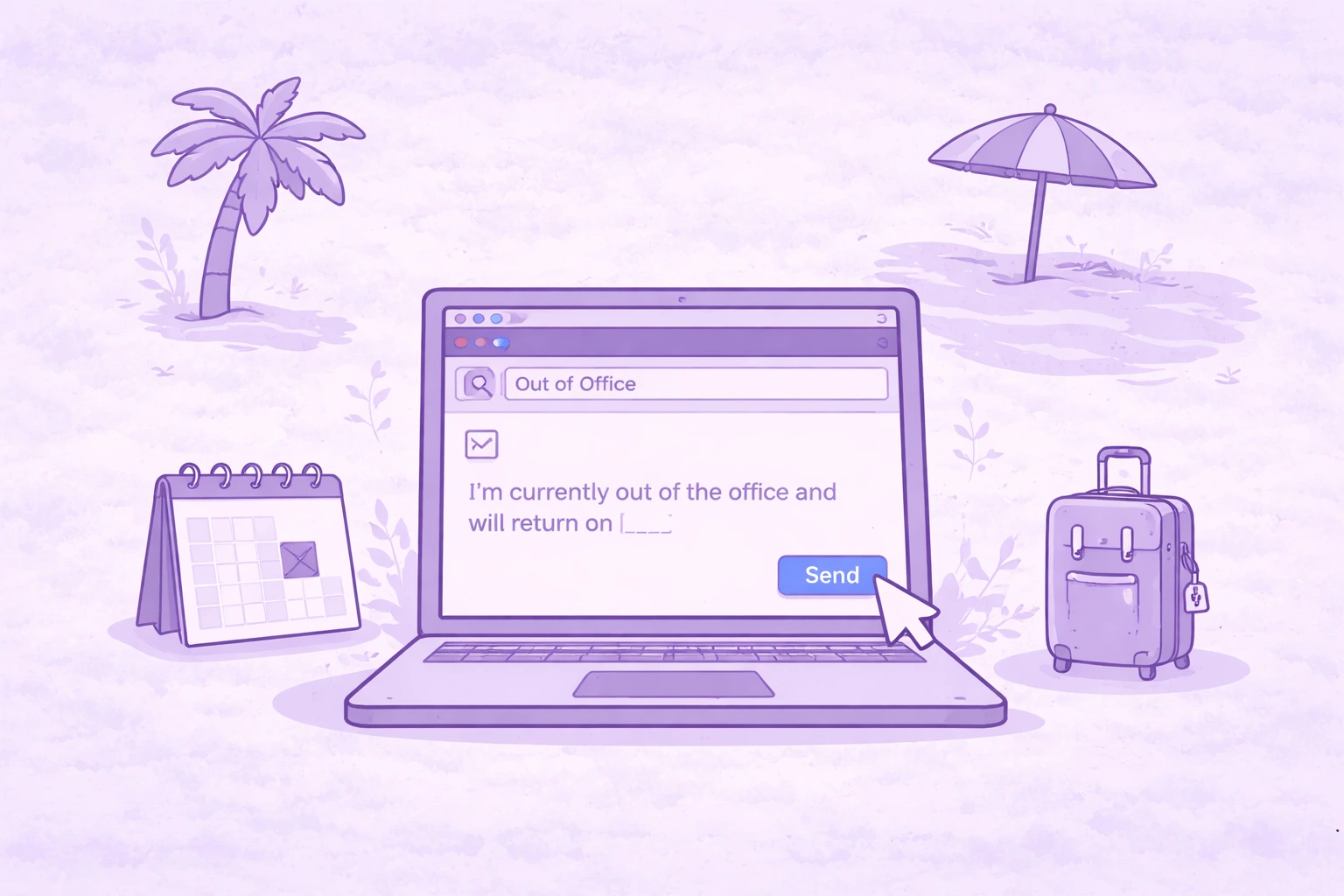

La plupart des gens considèrent un message d'absence comme une case à cocher rapide avant de partir. Ils collent quelque chose de générique, cliquent sur Enregistrer et l'oublient.
Mais une bonne réponse hors du bureau fait bien plus que simplement dire « Je suis absent ». Il permet de faire avancer le travail et de s'assurer que les questions urgentes ne passent pas entre les mailles du filet pendant votre absence.
S'il vous est déjà arrivé de revenir après un congé dans une boîte de réception remplie de courriels « juste d'enregistrement », il est probable que votre message OOO n'ait pas fait son travail.
Voici comment en écrire un qui fonctionne réellement.
Pourquoi votre message d'absence est plus important que vous ne le pensez
Un message d'absence du bureau est essentiellement votre remplaçant lorsque vous n'êtes pas au bureau. Chaque message entrant reçoit une réponse automatique. C'est donc l'occasion pour vous de guider les gens sur la marche à suivre.
Un message de bureau fort définit des attentes claires. Il indique aux gens si vous avez accès à votre courrier électronique, quand vous reviendrez et qui ils doivent contacter si quelque chose nécessite une attention immédiate.
Sans cette clarté, les gens hésitent. Ils renvoient des e-mails, intensifient les choses inutilement ou attendent quand ils ne le devraient pas.
Une réponse bien rédigée à l'extérieur du bureau supprime complètement cette friction.
Qu'est-ce qui rend un message d'absence du bureau réellement efficace
Vous n'avez pas besoin d'un format strict, mais chaque message professionnel absent du bureau doit cocher quelques cases essentielles.
Si vous ne savez pas si votre message OOO fonctionne, utilisez-le comme liste de contrôle rapide avant de cliquer sur Enregistrer :
- Indiquez clairement tout de suite que vous n'êtes pas en poste. Votre objet et votre première phrase doivent le dire directement. Par exemple, « Absent du bureau jusqu'au 12 juillet » ou « Je suis actuellement absent du bureau ».
- Incluez une date de retour ou une plage de dates spécifique. Évitez les phrases vagues comme « bientôt de retour ». Dites exactement quand vous serez de retour pour que les gens sachent à quoi s'attendre.
- Définissez vos attentes quant à votre disponibilité. Si vous avez un accès limité au courrier électronique, dites-le. Si vous ne voulez pas du tout vérifier les messages, indiquez-le clairement. Cela permet d'éviter les suivis.
- Ajoutez un autre contact fiable pour les questions urgentes. Indiquez un nom et vos coordonnées afin que les demandes urgentes ne soient pas bloquées. Par exemple, « Pour une assistance immédiate, veuillez contacter Sarah à l'adresse sarah@company.com ».
- Faites en sorte que le message soit court et facile à scanner. Les gens ne liront pas les longues réponses automatiques, alors concentrez-vous uniquement sur ce qui compte.
- Mentionnez une brève raison si cela peut vous aider. Vous pouvez dire que vous êtes en congé annuel, que vous participez à une conférence ou que vous êtes en voyage d'affaires, mais restez simple.
- Évitez de partager des informations personnelles. Il n'est pas nécessaire d'inclure des informations de contact personnelles ou trop de contexte. Des limites claires rendent le message plus professionnel.
Si votre message aborde ces points, il fait son travail.
Une meilleure façon de gérer les réunions pendant que vous êtes en déplacement avec MeetGeek
Même avec un message d'absence clair, les réunions ne s'arrêtent pas. Les appels continuent de se produire, les pistes arrivent toujours et des décisions doivent encore être prises.
MeetGeek vous aide à gérer cela sans être là.
Au-delà de l'enregistrement et de la transcription des réunions, MeetGeek vous permet de les déléguer entièrement en utilisant Agents vocaux IA. Vous pouvez créer un agent pour des types de réunions spécifiques, tels que les appels de découverte des ventes, les entretiens de sélection ou les discussions de partenariat, et le désigner pour qu'il participe à votre place.
L'agent dirige la conversation, pose des questions, recueille les réponses et génère automatiquement des notes structurées. Aucun suivi manuel n'est nécessaire.
Cela est particulièrement utile pour les réunions répétitives. Au lieu de passer des heures à des entretiens de première série ou à des appels de qualification, l'agent vocal les gère de manière cohérente et transmet les informations clés.
Vous pouvez même organiser plusieurs réunions en même temps, ce qui n'est pas possible manuellement. Tout est résumé, stocké et synchronisé avec vos outils. Ainsi, lorsque vous revenez, vous bénéficiez d'une visibilité complète sans avoir à rechercher les mises à jour.
Exemples et modèles de messages en cas d'absence du bureau
Il est parfois plus facile de partir d'un modèle et de l'ajuster. Ils couvrent les scénarios les plus courants. Vous pouvez donc les copier, les modifier et cliquer sur Enregistrer.
Message d'absence du bureau simple
Objet : Absent jusqu'au [date de retour]
Bonjour,
Je suis actuellement absent et je serai de retour le [date de retour]. Je regarderai ton message dès mon retour.
Si quelque chose ne peut pas attendre, veuillez contacter [nom] à [e-mail].
Meilleur,
[Votre nom]
Message relatif aux vacances ou aux congés annuels
Objet : ConGÉ jusqu'au [date de retour]
Bonjour,
Je suis actuellement en congé et je reviendrai le [date de retour]. Je ne consulterai pas mes e-mails pendant cette période.
Pour toute urgence, vous pouvez contacter [nom] à [coordonnées]. Je répondrai à mon retour.
Merci,
[Votre nom]
Message de vacances ou de fermeture de bureau
Sujet : Partir pour les fêtes | Retour le [date de retour]
Bonjour,
Je suis actuellement absent pour la période des fêtes et je serai de retour le [date de retour].
Si vous avez besoin d'aide d'ici là, veuillez contacter [nom] à [coordonnées]. Je ferai un suivi à mon retour.
Meilleur,
[Votre nom]
Pas d'accès au message électronique
Objet : Hors ligne jusqu'au [date de retour]
Bonjour,
Je suis absent du bureau jusqu'au [date de retour] et je ne consulterai pas mes e-mails pendant cette période.
Si votre message est urgent, [nom] est disponible à l'adresse [coordonnées]. Je répondrai à mon retour.
Merci,
[Votre nom]
Accès limité au message électronique
Objet : Disponibilité limitée jusqu'au [date de retour]
Bonjour,
Je suis actuellement absent et j'aurai un accès limité à mes e-mails jusqu'au [date de retour]. Les réponses peuvent donc prendre un peu plus de temps.
Si quelque chose nécessite une attention rapide, veuillez contacter [nom] à [coordonnées].
Merci de votre patience,
[Votre nom]
Message à plusieurs contacts
Objet : Absence du bureau : à qui m'adresser en mon absence
Bonjour,
Je suis absent jusqu'au [date de retour]. Pendant mon absence, vous pouvez joindre l'équipe directement :
- Ventes : [Nom] — [e-mail]
- Assistance : [Nom] — [e-mail]
- Facturation : [Nom] — [e-mail]
Si vous ne savez pas qui contacter, [nom général du contact] peut vous indiquer la bonne direction à l'adresse [e-mail].
Meilleur,
[Votre nom]
Message relatif à un congé de maladie ou à un congé médical
Objet : Actuellement absent du bureau
Bonjour,
Je ne suis pas au bureau pour cause de maladie et il se peut que je ne sois pas en mesure de répondre immédiatement. Je pense revenir le [date].
En cas d'urgence, veuillez contacter [nom] à [coordonnées].
Merci de votre compréhension,
[Votre nom]
Message relatif au congé parental
Objet : En congé jusqu'au [date de retour]
Bonjour,
Je suis actuellement en congé parental et je serai absent jusqu'au [date de retour].
Pour tout ce qui nécessite une attention particulière entre-temps, veuillez contacter [nom] à [coordonnées].
Meilleur,
[Votre nom]
Message de conférence
Sujet : À [nom de la conférence] | Réponses plus lentes
Bonjour,
Je participe à [nom de la conférence] entre [date de début] et [date de fin], il se peut donc que je sois plus lent à répondre que d'habitude.
Si quelque chose est urgent, veuillez contacter [nom] à [coordonnées].
Cordialement,
[Votre nom]
Message relatif aux voyages d'affaires
Objet : Voyager jusqu'au [date de retour]
Bonjour,
Je voyage actuellement pour le travail et je serai de retour le [date de retour]. Je consulterai mes e-mails dès que possible, mais les réponses peuvent être retardées.
Pour les demandes urgentes, veuillez contacter [nom] à [coordonnées].
Meilleur,
[Votre nom]
Message interne d'absence du bureau
Objet : À paraître jusqu'au [date de retour]
Hé,
Je suis absent du [date de début] au [date de retour]. Si quelque chose d'urgent se présente, [nom] s'occupe des choses pendant mon absence.
Je reprendrai tout le temps à mon retour.
Merci,
[Votre nom]
Erreurs courantes qui rendent les messages OOO inefficaces
Techniquement, il existe de nombreux messages envoyés en dehors du bureau, mais ils n'aident personne.
L'un des principaux problèmes est d'être trop vague. Dire que vous répondrez « dès que possible » ou que vous êtes « absent pour un moment » ne donne rien à quoi les gens peuvent travailler. Des attentes claires sont importantes.
Une autre erreur courante consiste à ignorer le contact alternatif ou à s'assurer que le message est automatiquement transféré. Sans contact de secours, chaque problème urgent devient un obstacle.
Certaines personnes partagent également trop. Le fait d'inclure trop de détails personnels ou de longues explications rend le message plus difficile à scanner et, dans certains cas, soulève des problèmes de confidentialité. Une brève raison suffit amplement.
Et puis il y a le ton. Un peu d'humour peut fonctionner dans les messages internes, mais pour les contacts externes, il est généralement plus sûr de garder un ton professionnel.
Comment configurer votre message d'absence du bureau
La configuration de vos réponses automatiques ne prend qu'une minute, mais il est facile de les rater si vous ne savez pas où chercher.
Dans Gmail, accédez au menu des paramètres, accédez à la section Répondeur de vacances dans l'onglet général et activez-la. Ajoutez votre objet, votre message et votre plage de dates, puis cliquez sur Enregistrer.
Dans Perspectives ou Exchange Server, vous le trouverez dans les réponses automatiques. Sélectionnez votre plage de dates, rédigez votre message dans la zone de texte et confirmez.
La plupart des outils vous permettent également de créer un message distinct pour les collègues internes et les contacts externes, ce qui peut être utile si vous souhaitez partager plus de contexte en interne.
Réflexions finales
Un bon message d'absence du bureau fait quelque chose de bien : il élimine l'incertitude.
Lorsque quelqu'un vous envoie un e-mail, il ne devrait pas avoir à deviner si vous êtes disponible, quand vous allez répondre ou quoi faire ensuite. Si votre message répond clairement à ces questions, il fait son travail.
Rien que cela fait une grande différence à votre retour. Moins de suivis, moins de courriels de « simple enregistrement » et moins de problèmes qui se sont aggravés simplement parce que personne ne savait qui contacter.
Les choses tombent généralement en panne autour des réunions. Ils ne font pas de pause juste parce que vous êtes absent, et c'est souvent la chose la plus difficile à rattraper.
C'est là que MeetGeek s'inscrit naturellement. Il enregistre les réunions, crée des résumés et capture les décisions et les mesures à prendre afin que vous n'ayez pas à vous fier à des notes éparses ou à des mises à jour de seconde main. Et si vous souhaitez aller plus loin, les agents vocaux IA peuvent participer aux appels à votre place, mener la conversation et obtenir des résultats structurés.
Si vous prévoyez un congé et souhaitez revenir sans rattraper votre retard, ou si vous souhaitez simplement améliorer la productivité de vos réunions d'équipe à distance, essayez MeetGeek gratuitement.
Questions fréquemment posées
Qu'est-ce qu'un bon message d'absence du bureau ?
Un bon message d'absence du bureau indique clairement que vous n'êtes pas disponible, inclut votre date de retour, explique votre niveau d'accès au courrier électronique et fournit un autre contact pour les questions urgentes. Il doit être court, facile à comprendre et indiquer clairement à l'expéditeur les prochaines étapes.
Comment dites-vous professionnellement que vous serez absent de vos fonctions ?
Pour le dire de manière professionnelle, restez direct et neutre. Par exemple : « Je suis actuellement absent du bureau et je reviendrai le [date]. Je répondrai à ton message dès mon retour. » Cela permet de conserver un ton professionnel sans ajouter de détails inutiles.
Comment écrivez-vous un message d'absence du bureau sans date de retour ?
Si vous n'avez pas de date de retour, indiquez-la clairement et concentrez-vous sur les prochaines étapes. Par exemple : « Je suis actuellement absent du bureau et aucune date de retour n'a été confirmée. J'ai un accès limité au courrier électronique. Pour les demandes urgentes, veuillez contacter [nom] à [coordonnées]. » Cela définit les attentes même sans calendrier précis.







.avif)