



Ao clicar “Aceitar todos os cookies”, você concorda com o armazenamento de cookies em seu dispositivo para melhorar a navegação no site, analisar o uso do site e auxiliar em nossos esforços de marketing. Veja nosso Política de privacidade para obter mais informações.
MeetGeekBlogAvoma Review 2026: Pricing, Features and Alternatives Testing
Back to Blog

Avoma Review 2026: Pricing, Features and Alternatives Testing

Produtividade
Produtividade
Reuniões
Reuniões

Avoma pairs a sales-focused meeting assistant with optional intelligence modules, so cost depends on which parts you need.

João Fins
August 31, 2026
/
5 min read
Table of content
Comece a usar o MeetGeek, o assistente de reuniões com IA
📝 AI-powered Meeting Note taker
✅ Free meeting recording & transcription
💬 Automated sharing of insights to other tools.
Cadastre-se gratuitamente
Share the knowledge with your circle
Copied

Avoma is an AI meeting assistant built around sales conversations, combining recording and transcription with scheduling, CRM sync and conversation intelligence. It also connects to sales dialers as well as video calls, which makes it particularly relevant for revenue teams.

Its pricing is modular. Each plan covers the meeting assistant, while deeper coaching and revenue features are sold as separate per-seat modules. That flexibility works well if only some people need them, but the cost can rise as more of the team uses the advanced features.

Avoma is a strong option if you need a dedicated revenue workflow around calls. But teams looking for a broader AI meeting platform, with automated workflows, integrations, meeting intelligence and AI agents that can act on what happens in meetings, may find other options more flexible.

What Is Avoma?

Avoma records, transcribes and summarizes meetings across Zoom, Google Meet and Microsoft Teams, then layers sales analysis on top.

Two things separate it from a general note taker. First, it connects to sales dialers including RingCentral, Zoom Phone and Aircall, so phone calls are captured alongside video meetings. Second, scheduling is built in, so one-to-one booking links sit next to the recordings.

It integrates natively with Salesforce, HubSpot, Zoho, Pipedrive and Copper, plus Slack, ClickUp and Zapier. Auto-saving notes to a CRM record is on every plan.

Avoma suits a revenue team that wants calls, coaching and pipeline review in one tool. It is heavier than most teams need if all they want is a record of what was said.

Avoma Pricing in 2026

Avoma charges per recorder seat, meaning anyone who records and transcribes their own meetings. People who only watch recordings, read transcripts or leave comments are free, and that applies from the entry plan up.

PlanAnnualMonthlyPaid seats
Startup$19/seat$29/seatUp to 25
Organization$29/seat$39/seatUp to 100
Enterprise$39/seatBilled annually onlyMinimum 10

Table last updated: August 31, 2026.

There is no free plan. Avoma offers an unrestricted 14-day trial of the Organization plan with all add-ons enabled and no credit card required.

What Each Plan Covers

  • Startup is a complete meeting assistant, not a stripped-back tier. It includes unlimited real-time transcription, unlimited AI summary notes, automatic video recording, unlimited one-to-one scheduling, AI email follow-ups, Ask Avoma for a Meeting, auto-save notes to CRM records, and dialer integration. It also gives you unlimited free view-only seats alongside your 25 paid ones.
  • Organization adds custom AI topics and templates, group and round-robin scheduling, limited Conversation Intelligence, smart playlists and AI automations, transcript and note translation, custom AI email templates, API access and webhooks, and a customer success manager.
  • Enterprise adds Global Ask Avoma, a designated success manager, concierge onboarding, quarterly business reviews, unlimited usage intelligence, team-specific access controls, signed DPAs, SSO through SAML or OIDC, data retention policies and HIPAA compliance.

The Conversation Intelligence Module

Organization already includes limited Conversation Intelligence. Avoma sells its more advanced capabilities as a separate module at $29 per seat per month on annual billing, or $35 monthly. That module covers AI coaching recommendations, AI call scoring, smart trackers and Global Ask Avoma, among other features.

Two other modules work the same way. Revenue Intelligence is $29 per seat annually or $35 monthly, and it is where two-way CRM field updates live. Lead Router is $19 annually or $25 monthly.

Modules can be assigned to individual users rather than the whole team, so a manager who needs call scoring can have it while the rest of the team does not. Avoma also discounts bundles, 10% for any two modules and 15% for all three.

Worked through, a Startup recorder seat with Avoma's full Conversation Intelligence module comes to $48 per month on annual billing. On Organization, the same combination is $58 per recorder seat per month.

Seat Limits and Compliance

Startup covers up to 25 paid seats and Organization up to 100, so headcount can prompt a plan change on its own. Enterprise starts at a 10-seat minimum, which is worth knowing if you are a small team that needs one Enterprise feature.

HIPAA compliance and SSO through SAML or OIDC are Enterprise features.

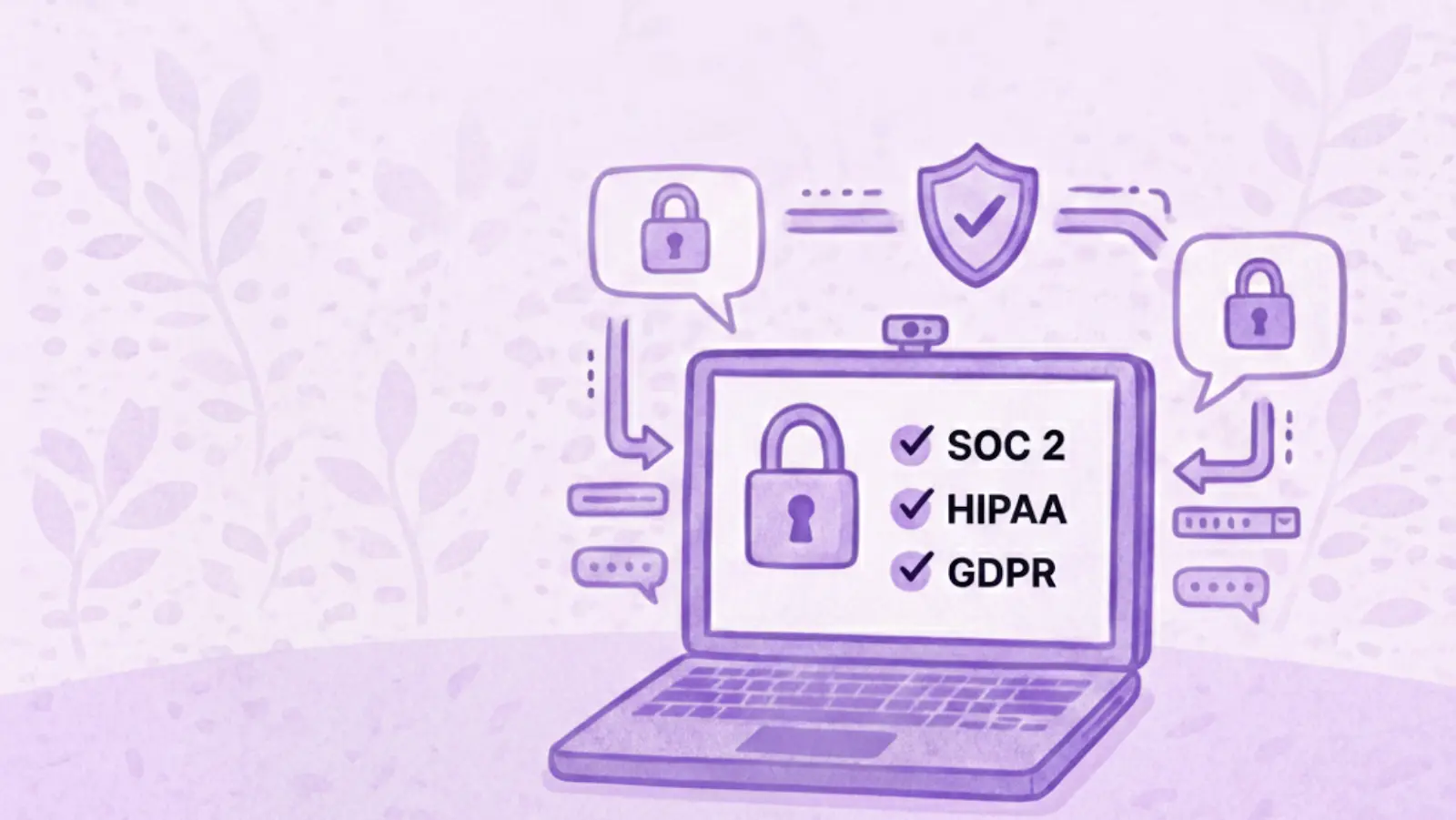
The security page says Avoma's design, security and operations have been evaluated and certified for SOC 2 Type II compliance, and that the company is certified to ISO/IEC 42001:2023, the standard for AI management systems. It also supports GDPR compliance, and all customer data is encrypted at rest and in transit.

On storage location, Avoma says all data is hosted on AWS infrastructure in the United States, inside its own Virtual Private Cloud, and that organizations requiring EU data residency can discuss options with its enterprise team. If a specific region is a requirement for you, raise it during the sales conversation rather than assuming the default.

What Avoma Does Well

Avoma has a strong feature set for revenue teams:

  • Dialer coverage. Native integrations with RingCentral, Zoom Phone and Aircall mean phone calls get the same treatment as video meetings.
  • CRM depth. Native Salesforce, HubSpot, Zoho, Pipedrive and Copper integrations, with notes auto-saved to records on every plan.
  • Scheduling built in. Booking links and round-robin routing live in the same tool as the recordings.
  • Free view-only seats. Managers and colleagues who only watch or comment do not need a paid seat, on any plan.
  • Coaching workflow. Smart playlists, AI call scoring and coaching recommendations support structured call review.
  • Modular assignment. Paying for intelligence features only for the people who use them is genuinely useful for a mixed team.
  • Automation and developer access. Rule-based automations fire when a meeting is added to the calendar or when a transcript or notes become available, and can set a meeting purpose or outcome with AI, log it to the CRM, create a follow-up task or turn recording on and off. API access and webhooks sit on the same plan, Zapier is supported, and Avoma also publishes an MCP server so AI assistants can pull meeting data directly.

Where Avoma Might Not Fit

If you want coaching and call scoring for the whole team rather than a few people, the modules apply per seat, so the cost grows with how many people use them. The 25 and 100-seat limits can also prompt a plan change for reasons that have nothing to do with features.

There is no free tier to fall back on either. Free view-only seats cover people who just watch, but anyone recording their own calls needs a paid seat, so the 14-day trial is the only way to test Avoma at no cost.

What Avoma Users Say

Avoma holds 4.6 out of 5 across roughly 1,360 reviews on G2. Two recent five-star ones show both sides of the AI layer, and neither comes from a seller.

A solution engineer at a mid-market company, reviewing Avoma on G2 in March 2026, pointed at what it takes off your plate. Avoma is most helpful for "capturing meeting notes, summaries, and action items automatically, which saves time".

A people and talent leader at a small business, writing in April 2026, uses it across sales calls, recruiting and internal meetings and rates Ask Avoma highly for surfacing context from past conversations. The same review still flags a limit: "Sometimes Ask Avoma has a hard time pulling all the data I need", with several prompts sometimes needed before the answer comes back right.

Between them, that is a reasonable picture of the AI layer. It can save real time, and some answers may still need a quick human check.

Avoma Alternatives Worth Comparing

Avoma suits organizations built around structured revenue workflows, particularly when dialer calls, scheduling and formal coaching sit at the centre of how the team sells. Other platforms optimize for different things, so the right alternative depends on what you want your conversations to feed into elsewhere in the business.

MeetGeek

Avoma is a revenue stack. Dialers, scheduling, coaching and revenue intelligence are built around how a sales organization runs its calls. MeetGeek is meeting intelligence and automation with dedicated sales capabilities inside it, so customer calls sit in the same workspace as interviews, product discovery and internal reviews without the whole platform revolving around revenue operations.

Most of the difference shows up in what happens after the call. AI Chat answers questions across your meeting history and connected apps, drafts the follow-up and updates a deal record, while workflows and AI agents do the same on a trigger instead of a question, pushing action items into a CRM or Slack across 10,000+ connected apps. Sales signals such as objection and competitor detection sit in the ordinary plans rather than in a module you buy separately.

Avoma is the stronger fit when dialer calls, built-in scheduling, formal coaching and specialized revenue intelligence are central to how you sell. MeetGeek makes more sense when meeting intelligence has to serve more than the revenue team, when sales insights are still needed alongside that, and when simpler pricing helps: a free Basic plan that does not expire, Pro at $9.99 per user per month, Business at $17.

If it is the analysis layer you are weighing against Avoma's modules, meeting insights and analytics is the place to start.

Gong

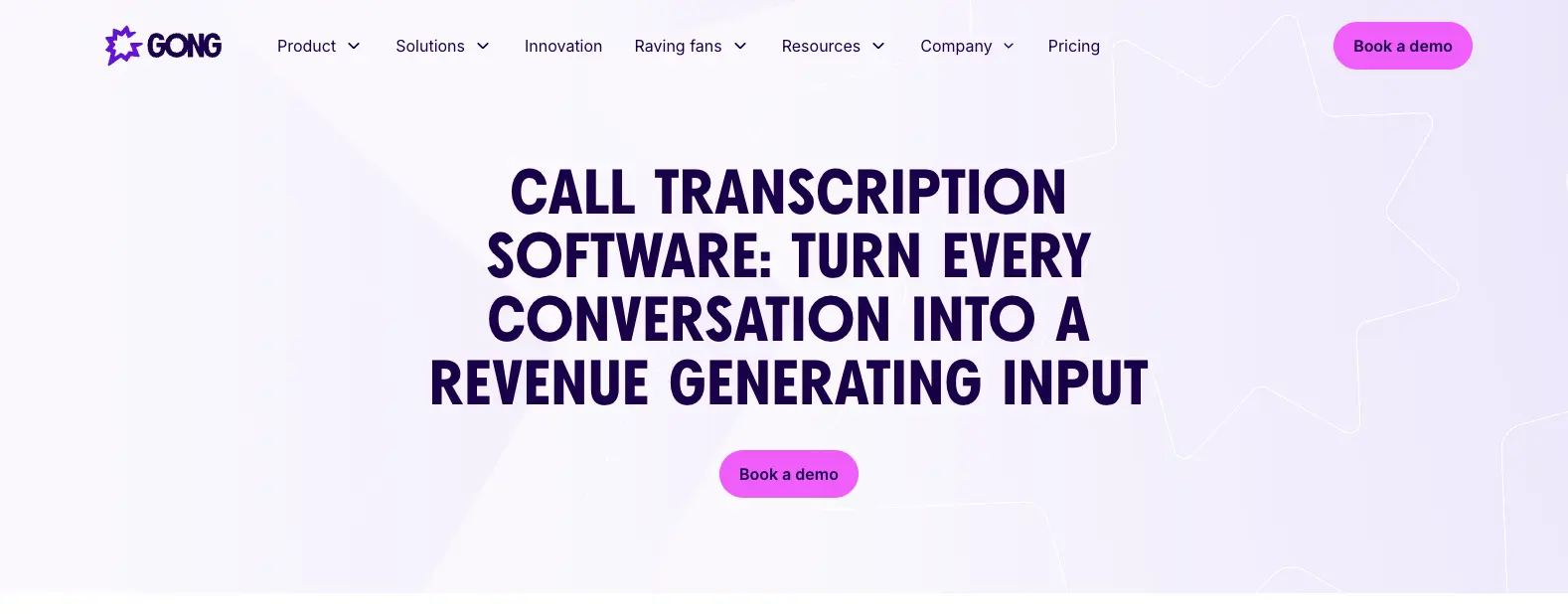
Gong comes up for much the same reason Avoma does, and approaches it from the enterprise end. Its centre of gravity is revenue intelligence: forecasting, deal and pipeline inspection, and coaching run across a large volume of calls, with the output written to be read by leadership rather than only by the rep who was on the call. That depth earns its place once forecasting accuracy is a problem in its own right. The trade-off is scale, since it is aimed at larger revenue organizations. Our round-up of the best Gong alternatives covers where each option lands, and the MeetGeek and Gong comparison goes head to head.

Fireflies

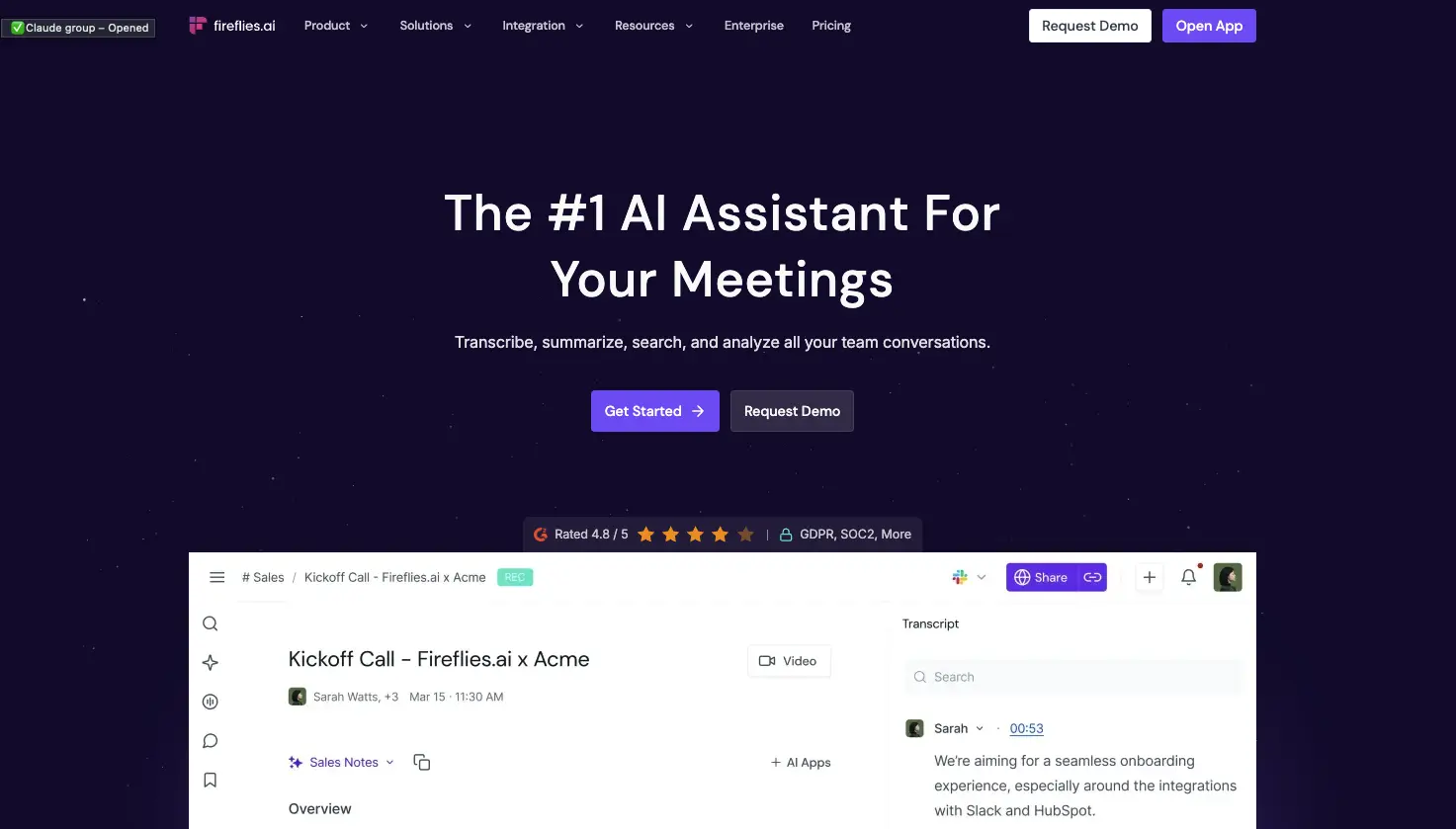
Fireflies is the lighter of the three. It works as a general meeting assistant first, recording and transcribing across the usual video platforms, with CRM-oriented workflows attached so notes, action items and call details end up in Salesforce or HubSpot instead of a separate library. That fits a team whose actual requirement is meeting output reaching the sales system, without buying the coaching platform around it. What you give up is Avoma's specialized layer: built-in scheduling, and the structured coaching and revenue intelligence used to review calls. If you are weighing up the category rather than one tool, our guide to conversational intelligence software compares the options side by side.

Avoma vs MeetGeek at a Glance

MeetGeek publishes this comparison and MeetGeek is our own product, so we would encourage you to check both vendors' documentation before deciding. Every figure below was verified against each vendor's own pricing and documentation pages on August 31, 2026. Prices use annual billing.

FeatureAvomaMeetGeek
Free planNone, 14-day trialFree Basic, 3 hours/month
Entry paid planStartup, $19/seat/monthPro, $9.99/user/month
Conversation intelligenceLimited on Organization, advanced module $29/seatSales analysis listed from Pro
Two-way CRM field updatesRevenue Intelligence module, $29/seatListed from Pro
Paid seat limits25 on Startup, 100 on OrganizationMix free and paid licenses
Free non-recording usersUnlimited free view-only seatsUnlimited free Basic licenses
Dialer integrationsRingCentral, Zoom Phone, AircallAircall available via Make
Built-in schedulingGroup and round-robinNot offered
Automation and AI workflowsRule-based automations, API and webhooks from Organization, plus an MCP server for AI assistantsAutomated post-meeting workflows and AI Chat across connected apps, plus an open API and MCP
Data residencyUS by default, EU options through EnterpriseChoice of EU or US

Table last updated: August 31, 2026.

Avoma may make more sense when dialer calls, scheduling, structured coaching and revenue intelligence are central to how your organization sells. MeetGeek may make more sense when you want conversations across different teams and meeting types to become searchable knowledge, insights and automated work, with dedicated sales capabilities still available inside it. Price is a real difference between them, but it is the second question rather than the first.

Who Should Use Avoma?

Avoma is a strong fit for revenue teams that want meeting recording, scheduling, CRM workflows, call coaching and pipeline intelligence in one platform, especially when dialer calls are an important part of the sales process. Free view-only seats also make it easy to bring managers into call reviews without buying them licenses.

Other tools may suit you better if:

  • you want a free plan rather than a 14-day trial;
  • you want meeting intelligence, searchable knowledge and automated workflows across several teams rather than a platform built primarily around revenue operations;
  • your headcount sits awkwardly against the 25 or 100 paid-seat limits;
  • or you need HIPAA or SSO but have fewer than 10 users.

For a wider view of the options, see our guide to apps for taking meeting minutes.

Key Takeaways

  • Avoma is a sales-focused meeting assistant with dialer integrations, CRM sync and built-in scheduling.
  • Plans are $19, $29 and $39 per recorder seat per month on annual billing, and there is no free tier, only a 14-day trial.
  • Organization includes limited Conversation Intelligence, and the advanced module costs $29 per seat per month on annual billing.
  • Modules can be assigned to individual users, which keeps costs down for a mixed team and raises them when everyone needs the features.
  • Startup covers up to 25 paid seats and Organization up to 100, so headcount alone can trigger a plan change.
  • Free view-only seats are unlimited on every plan.
  • Avoma publishes SOC 2 Type II and ISO/IEC 42001:2023 certification, hosts in the US by default, and says EU data residency can be discussed with its enterprise team.

How We Reviewed Avoma

This review is based on Avoma's current pricing page and module structure, checked against screenshots of both billing toggles, its published features and limitations, how it compares with the other meeting platforms we track, and recent third-party reviews from verified users.

Frequently Asked Questions

Is Avoma Free?

No. Avoma has no free plan, though free view-only seats are unlimited on every paid plan. To test it, Avoma offers an unrestricted 14-day trial of the Organization plan with all modules enabled and no credit card required.

How Much Does Avoma Cost?

On annual billing, Startup is $19 per recorder seat per month, Organization is $29 and Enterprise is $39. Monthly billing is $29 for Startup and $39 for Organization, and Enterprise is billed annually only. The Conversation Intelligence and Revenue Intelligence modules are $29 per seat each on annual billing, and Lead Router is $19.

What Is a Recorder Seat in Avoma?

A recorder seat is any user who records and transcribes their own meetings and calls, and those are the seats you pay for. Anyone who only watches recordings, reads transcripts or comments on colleagues' meetings has a free view-only seat, and those are unlimited.

Does Avoma Include Conversation Intelligence?

The Organization plan includes limited Conversation Intelligence. Avoma's advanced capabilities, including AI coaching recommendations, AI call scoring, smart trackers and Global Ask Avoma, come as a separate module at $29 per seat per month on annual billing, which you can assign to individual users.

What Is Avoma Used For?

Teams use Avoma to record, transcribe and summarize sales calls and meetings, then review them for coaching and pipeline health. It also handles meeting scheduling and pushes notes and fields into a CRM.

What Is the Best Avoma Alternative?

That depends on what you need. MeetGeek is worth comparing if you want a broader meeting intelligence and automation platform: one that captures conversations across different teams, turns them into searchable knowledge and connects the results to automated workflows, with dedicated sales intelligence included rather than a dialer, scheduling and revenue-management stack built around it. Avoma itself is hard to replace if those are central to how you sell. Gong goes further into enterprise revenue workflows, and Fireflies works as a lighter meeting assistant connected to a CRM.

Article updated on 
August 31, 2026
Share the knowledge with your circle
Copied
Related posts

Avoma Review 2026: Pricing, Features and Alternatives Testing

Avoma pairs a sales-focused meeting assistant with optional intelligence modules, so cost depends on which parts you need.

This is some text inside of a div block.

Avoma: Análise Completa, Preços e Alternativas 2026

O Avoma junta um assistente de reuniões voltado a vendas com módulos de inteligência opcionais, então o custo depende das partes que você precisa.

This is some text inside of a div block.

Tactiq: Como Funciona, Preços e 5 Alternativas em 2026

O Tactiq transcreve ao vivo sem bot, mas guarda o texto e não a gravação, e é isso que define para quem ele serve.

This is some text inside of a div block.

Krisp AI: As 6 Melhores Alternativas para Reuniões (2026)
Compare as melhores alternativas ao Krisp para cancelamento de ruído, anotações de reunião com IA, transcrição e automação.

This is some text inside of a div block.

Preços do Microsoft Teams: Quanto Custa Realmente em 2026

Descubra quanto o Microsoft Teams realmente custa, desde planos empresariais e Copilot até o Teams Phone e outros complementos.

This is some text inside of a div block.

Melhores Softwares de Transcrição de Entrevistas: 5 Ferramentas Comparadas

Encontre o melhor software de transcrição de entrevistas para o seu fluxo de trabalho. Compare cinco ferramentas de topo para transcrição, resumos, edição, colaboração e análise de entrevistas.

This is some text inside of a div block.

As 12 Melhores Ferramentas de Colaboração Remota para 2026

Compare 12 das melhores ferramentas de colaboração remota para 2026 e encontre as opções ideais para comunicação, projetos, reuniões e trabalho assíncrono.

This is some text inside of a div block.

Transcrição no Google Meet: As 7 Melhores IAs em 2026

Como cada ferramenta captura a chamada, se o Gemini já resolve o seu caso e o que o seu plano do Workspace realmente permite.

This is some text inside of a div block.

Pauta de Reunião de Equipe: Modelos e Exemplos

Modelos gratuitos de pauta de reunião de equipe, com tempo por tópico, responsáveis e itens de ação prontos para usar.

This is some text inside of a div block.

O Microsoft Teams Tem Limite de Tempo?

Veja se o Microsoft Teams tem limite de tempo e compare a duração das reuniões, os participantes e as gravações nos planos grátis e pagos.

This is some text inside of a div block.

Software de Recrutamento: 7 Ferramentas de Automação para Testar

Descubra as melhores ferramentas de automação de recrutamento para reduzir trabalho manual e contratar mais rápido.

This is some text inside of a div block.

IA para Reuniões no Zoom: 8 Ferramentas Testadas (2026)

Como 8 ferramentas de IA para reuniões se conectam de verdade ao Zoom e o que cada uma faz quando você não é o anfitrião.

This is some text inside of a div block.

IA para Fazer Ata de Reunião Gratuito: 7 Ferramentas

Uma análise prática de sete IA gratuitas para fazer ata de reunião, incluindo quantas horas de reunião você realmente ganha antes de esbarrar no paywall.

This is some text inside of a div block.

Melhores Softwares de Recrutamento e Seleção em 2026

Compare os melhores softwares de recrutamento e seleção (ATS), veja para quem cada um serve e escolha o que combina com o seu processo seletivo.

This is some text inside of a div block.

Cargos Executivos: Funções, Estrutura e Equipe de Liderança

Conheça os cargos, as responsabilidades e as características de equipes executivas de sucesso, além de estratégias práticas para uma liderança mais forte.

This is some text inside of a div block.

Como Gravar no Celular: Tela, Áudio e Chamadas

Veja como gravar a tela, o áudio e as ligações no celular Android e iPhone, com apps, dicas de qualidade e o que diz a lei.

This is some text inside of a div block.

Como Fazer um Relatório: Tipos, Estrutura e Exemplo

Um relatório transforma informação complexa em conclusões claras. Veja os tipos, as seções essenciais, um exemplo e boas práticas para criar relatórios que poupam tempo.

This is some text inside of a div block.

Notas de Reunião no Claude: O Que Você Pode Criar e Como Conectar

Conecte suas notas de reunião ao Claude e transforme chamadas passadas em respostas, documentos finalizados e trabalho em várias etapas.

This is some text inside of a div block.

As 6 Melhores Alternativas ao Airgram em 2026

Compare as melhores alternativas ao Airgram para 2026, incluindo MeetGeek, Fireflies, Otter, tl;dv, Fellow e Sembly AI.

This is some text inside of a div block.

Ata de Reunião no ChatGPT: Benefícios, Usos e Configuração

Conecte as suas notas de reunião ao ChatGPT e transforme chamadas passadas em atas, respostas e automações instantâneas, em linguagem simples.

This is some text inside of a div block.

Como Digitar Mais Rápido: 15 Truques Que Funcionam

Quer digitar mais rápido e cometer menos erros? Descubra truques práticos de digitação, atalhos de teclado e ferramentas que o ajudam a trabalhar de forma mais inteligente.

This is some text inside of a div block.

As 10 Melhores Alternativas ao ChatGPT Para o Trabalho em 2026

Procurando uma alternativa ao ChatGPT? Compare as principais ferramentas de IA para pesquisa, reuniões, escrita, codificação, busca e produtividade em 2026.

This is some text inside of a div block.

9 Melhores Alternativas ao Calendly em 2026 (Testadas + Comparadas)

Cal.com, Acuity, Chili Piper e mais — as melhores alternativas ao Calendly em 2026, testadas e classificadas por caso de uso.

This is some text inside of a div block.

8 Melhores Extensões do Google Meet em 2026 (Testadas para Produtividade)

De notas de IA a cancelamento de ruído, aqui estão 8 extensões do Chrome que corrigem o que o Google Meet não faz nativamente.

This is some text inside of a div block.

Ferramentas de Produtividade de IA Que Realmente Usamos em Vendas e Marketing

Uma visão prática das ferramentas de produtividade de IA que usamos diariamente para reuniões, conteúdo, automação, fluxos de trabalho de vendas e trabalho em equipe.

This is some text inside of a div block.

Como Agendar uma Reunião no Google Meet: Guia Passo a Passo 2026

Três métodos para desktop, dois fluxos para celular e uma dica para tornar cada chamada agendada mais produtiva.

This is some text inside of a div block.

Gemini vs. Google Assistant: Guia Completo de Comparação

Confuso sobre Gemini vs Google Assistant? Descubra as principais diferenças, o que o Google está mudando e qual assistente se adapta melhor a você.

This is some text inside of a div block.

Gerenciando Equipes Híbridas em 2026: Desafios Comuns e Como Superá-los

Lacunas na comunicação, atrito de fuso horário, deriva cultural — os quatro desafios que todo gestor híbrido enfrenta, e como resolvê-los.

This is some text inside of a div block.

MeetGeek vs tl;dv: Qual ferramenta de reunião de IA é ideal para sua equipe em 2026?

Características, preços, precisão e integrações em uma comparação lado a lado com um veredicto claro para as equipes de vendas, CS e operações.

This is some text inside of a div block.

Planos de Fundo de Zoom Engraçados Para Cada Tipo de Reunião

Descubra os melhores planos de fundo engraçados do Zoom para chamadas de trabalho e reuniões virtuais, incluindo memes, cenas de TV, escritórios falsos e ideias geradas por IA.

This is some text inside of a div block.

Como Converter MP4 em Transcrição (Rápido & Preciso)

Aprenda a converter arquivos MP4 em transcrições, legendas e legendas precisas com ferramentas de IA para reuniões, webinars e entrevistas.

This is some text inside of a div block.

Serviço de Transcrição do Google em 2026: Análise Honesta e Melhor Alternativa

Google Meet, Cloud Speech-to-Text, Docs, Recorder — o que cada um faz, onde cada um falha e a melhor alternativa.

This is some text inside of a div block.

O Modelo de Reunião Retrospectiva Agile: 5 Formatos Que Funcionam

Cinco formatos retrô (Start/Stop/Continue, 4Ls, Mad/Sad/Glad, Sailboat, DAKI), quando usar cada um e a etapa de compromisso que transforma a conversa em mudança.

This is some text inside of a div block.

Coaching de Vendas com IA: Como as Equipes de Vendas Modernas Usam a IA para Fechar Mais Negócios

How AI sales coaching analyzes every call (not just the 3% a manager samples) and surfaces coachable moments by rep, stage, and objection type.

This is some text inside of a div block.

Ferramentas de Transcrição de Reuniões Compatíveis com a HIPAA: Um Guia de Verificação

O que a HIPAA realmente exige das ferramentas de transcrição, por que a maioria dos anotadores de IA não se qualifica e uma lista de verificação de 10 itens para equipes de operações clínicas.

This is some text inside of a div block.

O ChatGPT Consegue Transcrever Áudio? Guia de 2026

Três formas de tirar uma transcrição do ChatGPT, e a que quase todo mundo tenta primeiro é a que a OpenAI menos documenta.

This is some text inside of a div block.

Reunião de Teste no Zoom: Guia passo a passo para testar sua configuração antes de qualquer chamada

Saiba como realizar uma reunião de teste do Zoom, corrigir problemas de microfone e câmera e garantir que sua configuração esteja pronta antes de qualquer chamada importante.

This is some text inside of a div block.

IA para Customer Success: O Guia Prático de 2026

Onde a IA se encaixa no dia a dia do CSM: os Quatro Rs, modelo de maturidade, ferramentas e as métricas que provam o ROI para o CFO.

This is some text inside of a div block.

Manual da reunião inicial do projeto (+ modelo)

A agenda de 7 partes, o modelo e a lista de verificação de acompanhamento de 24 horas que transformam o início do projeto nos 60 minutos mais valiosos de todo o projeto.

This is some text inside of a div block.

O que é uma Assembleia Geral Anual (AGM)? Um guia completo

Entenda as reuniões gerais anuais, o que incluir em uma agenda de AGM e como realizar reuniões estruturadas e compatíveis que orientam as decisões.

This is some text inside of a div block.

Um guia completo da metodologia de vendas do MEDDIC

Descubra as vendas da MEDDIC, como elas ajudam a qualificar leads, entender os processos de decisão e melhorar as taxas de vitória em ciclos complexos de vendas B2B.

This is some text inside of a div block.

Como escrever uma mensagem de ausência temporária

Aprenda a escrever uma mensagem clara de ausência temporária, o que incluir e a usar exemplos prontos para copiar em qualquer situação.

This is some text inside of a div block.

É ilegal gravar alguém sem sua permissão?

Gravar uma conversa pode ser legal em algumas situações e ilegal em outras. Este guia explica quando é permitido gravar alguém sem permissão nos EUA e na UE, como as leis de consentimento funcionam e como evitar problemas legais.

This is some text inside of a div block.

Como cancelar sua assinatura do Zoom em 2026

Precisa cancelar sua assinatura do Zoom? Este guia explica exatamente como fazer isso no site da Zoom, na Apple App Store ou no Google Play, o que acontece após o cancelamento e como evitar cobranças extras.

This is some text inside of a div block.

MeetGeek vs Fellow: Comparação de notas de reuniões, agendas e automação

Comparando MeetGeek com Fellow? Veja como suas notas de reuniões, agendas, gravações e recursos de automação de IA diferem para encontrar a melhor opção para sua equipe.

This is some text inside of a div block.

Como gravar tela no Mac (com áudio, som do sistema e dicas profissionais)

Aprenda a gravar a tela no Mac usando ferramentas integradas, capturar áudio corretamente e ver quando o MeetGeek é a opção mais inteligente.

This is some text inside of a div block.

MeetGeek vs Krisp: Qual assistente de reunião de IA é ideal para sua equipe?

Comparação entre MeetGeek e Krisp: notas de IA, cancelamento de ruído, preços, integrações e recursos de gravação explicados com clareza.

This is some text inside of a div block.

Dicas de videoconferência para realizar reuniões virtuais bem-sucedidas

Aprenda dicas práticas de videoconferência que melhoram a qualidade, o engajamento e o acompanhamento do áudio e ajudam as equipes a se manterem alinhadas após as reuniões virtuais.

This is some text inside of a div block.

Webex vs Zoom: Qual plataforma de videoconferência se adapta melhor às suas reuniões?

Uma comparação clara entre Webex e Zoom, desde recursos e preços até segurança e integrações.

This is some text inside of a div block.

Jogos para jogar no Zoom: 20 ideias para formação de equipes (e risadas reais)

Uma lista prática de jogos Zoom que ajudam equipes remotas a se conectarem, aumentarem a energia e tornarem as reuniões virtuais mais envolventes e interativas.

This is some text inside of a div block.

Como automatizar reuniões com segurança em ambientes regulamentados e de alto risco

Saiba como automatizar reuniões em ambientes regulamentados sem comprometer a segurança, a privacidade ou a conformidade.

This is some text inside of a div block.

Como Levantar a Mão no Zoom em Qualquer Dispositivo

Veja como levantar a mão no Zoom pelo PC, celular, navegador ou telefone, com atalhos de teclado e por que o botão às vezes some.

This is some text inside of a div block.

Boas perguntas para fazer em uma entrevista que ajudam você a fazer a escolha certa

Saiba quais perguntas fazer, quando fazê-las e como usar entrevistas para decidir se uma função, uma equipe e uma empresa são realmente adequadas para você.

This is some text inside of a div block.

O que é o Modo Companion no Google Meet? Tudo o que você precisa saber

Continue lendo para obter um guia prático sobre como usar o Modo Companion no Google Meet para reuniões híbridas mais claras e equilibradas.

This is some text inside of a div block.

O que é uma reunião skip level? Como os líderes usam o pular de nível para melhorar a comunicação

Uma análise aprofundada das reuniões presenciais e de como elas ajudam os líderes a se conectarem com as equipes e obterem uma visão real.

This is some text inside of a div block.

O Que é um Agente de Voz de IA? Um Guia Prático de Como a IA de Voz Funciona

Este guia explica o que é um agente de voz de IA, como ele funciona, os benefícios que ele oferece e onde ele se encaixa melhor com equipes humanas.

This is some text inside of a div block.

Guia de reuniões stand-up: o que são e como administrá-las

Descubra o que torna uma reunião presencial realmente útil. Este guia explica como fazer stand-ups diários que permaneçam curtos, bloqueiem a superfície e mantenham as equipes alinhadas.

This is some text inside of a div block.

Tudo sobre o Microsoft Teams AI Interpreter + Como ir além da tradução

Descubra como o Microsoft Teams AI Interpreter funciona, onde ele é insuficiente e como ir além da tradução.

This is some text inside of a div block.

Melhor aplicativo de gravação de palestras em 2026:5 ferramentas que os alunos realmente usam

Vamos analisar em profundidade o que os alunos estão usando hoje em dia para gravar e organizar suas palestras, tanto online quanto offline.

This is some text inside of a div block.

Explicação do preço da Read AI para 2026: Valerá a pena para anotação de reuniões

Explore os preços de 2026 da Read AI, seus principais recursos e como ela lida com notas de reuniões, transcrições e insights para apoiar equipes modernas.

This is some text inside of a div block.

O que é uma base de conhecimento pesquisável e como ela funciona?

Explore como as bases de conhecimento pesquisáveis melhoram o acesso às informações e veja como o MeetGeek transforma suas reuniões em um centro de conhecimento rápido e confiável.

This is some text inside of a div block.

Como desfocar o fundo no Google Meet (guia simples para todos os dispositivos)

Descubra como desfocar seu plano de fundo no Google Meet em computadores e dispositivos móveis, usar efeitos visuais e obter uma aparência mais limpa e focada em cada chamada.

This is some text inside of a div block.

Como participar de reuniões do Teams com código: um guia passo a passo completo

Descubra como participar de reuniões do Microsoft Teams usando um código de reunião, além de outras opções, como um link ou convite. Este guia explica cada método de forma clara e passo a passo.

This is some text inside of a div block.

5 melhores alternativas do NoteGPT em 2026

Explore as 5 principais alternativas do NoteGPT que ajudam você a capturar insights importantes, transcrever conteúdo e aumentar a produtividade em fluxos de trabalho profissionais e de aprendizado.

This is some text inside of a div block.

O que é Perplexity AI? Um guia para o mecanismo de pesquisa baseado em IA que transforma a forma como encontramos informações

Neste artigo, examinaremos de perto o Perplexity AI, o que ele pode fazer por você em comparação com os mecanismos de pesquisa tradicionais e alguns de seus prós e contras.

This is some text inside of a div block.

tl;dv em 2026: É Seguro? Análise e 5 Alternativas

O que o tl;dv faz bem, o que a exposição de dados de 2026 realmente alcançou, e como isso muda a sua lista de opções.

This is some text inside of a div block.

Modo de gravação ChatGPT vs MeetGeek: aqui está tudo o que você precisa saber

Quer saber como o gravador ChatGPT se compara ao MeetGeek? Analisamos os recursos, a integração e a segurança de dados para gravar reuniões.

This is some text inside of a div block.

Preços da Fathom AI 2026: ainda vale a pena para equipes modernas?

Explore os preços da Fathom AI para 2026, incluindo recursos, limites e comparações de planos, além de como o MeetGeek oferece mais flexibilidade para equipes.

This is some text inside of a div block.

Agentes de reuniões de IA: como a IA autônoma está transformando o futuro do trabalho

Descubra como os agentes de reuniões com inteligência artificial estão redefinindo o futuro do trabalho, gerenciando agendamentos, acompanhamentos e até mesmo falando em seu nome para economizar tempo e transformar cada reunião em ação real.

This is some text inside of a div block.

Análise do Notta AI: Essa ferramenta de transcrição de IA vale a pena em 2026?

Leia esta análise aprofundada do Notta AI para ver se ele transcreve bem reuniões, lida com vários idiomas e fornece resumos de IA, além de onde é insuficiente em comparação com assistentes de reunião mais inteligentes.

This is some text inside of a div block.

Essas 4 ferramentas de IA para organizações sem fins lucrativos farão com que cada hora conte

Torne sua organização sem fins lucrativos mais eficiente com ferramentas de IA que reduzem o tempo administrativo, melhoram a colaboração e maximizam cada hora de impacto.

This is some text inside of a div block.

Alternativas ao Granola IA: As 5 Melhores Opções de 2026

Preços, limites de plano e número de idiomas conferidos na página oficial de cada fornecedor em julho de 2026.

This is some text inside of a div block.

E-mail de follow-up após a entrevista: como escrevê-lo, quando enviá-lo e o que dizer

Descubra como escrever um e-mail de acompanhamento eficaz após uma entrevista. Do tempo e dos modelos ao tom e à estrutura, este guia aborda tudo o que você precisa para se destacar e se manter memorável.

This is some text inside of a div block.

Preços da Tactiq 2026: Vale a Pena? Planos e Custos

Um olhar claro sobre cada plano da Tactiq, o que os créditos de IA realmente limitam e como os custos se somam para usuários individuais e equipes.

This is some text inside of a div block.

Ad hoc: significado, o que é e como funciona em reuniões

Ad hoc significa para isto: algo criado para um fim específico. Nas reuniões, 57% são calls ad hoc sem convite na agenda.

This is some text inside of a div block.

Etiqueta de reunião virtual: 15 regras essenciais para videochamadas profissionais

Descubra 15 regras e dicas essenciais de etiqueta para reuniões virtuais que mantêm as conversas focadas, profissionais e envolventes.

This is some text inside of a div block.

Como desfocar o fundo no Zoom: guia passo a passo

Descubra como usar o recurso de desfoque de fundo do Zoom para privacidade e foco, além de dicas, correções e quando mudar para planos de fundo virtuais.

This is some text inside of a div block.

Como Compartilhar Tela no Google Meet em Qualquer Aparelho

Aprenda o passo a passo para apresentar no computador e no celular, compartilhar uma guia com áudio e destravar o botão bloqueado.

This is some text inside of a div block.

Explicação do servidor MCP da MeetGeek: Como ele permite que assistentes de IA transformem reuniões

Veja como o servidor MCP da MeetGeek ajuda os assistentes de IA a transformar suas reuniões em insights inteligentes e acionáveis, tudo a partir de sua máquina local.

This is some text inside of a div block.

Como Mudar o Nome no Zoom no Computador, Celular e na Reunião

Atualize o nome de exibição que os outros participantes veem, de forma permanente no perfil ou apenas para uma única reunião.

This is some text inside of a div block.

IA para tomar notas para estudantes: as melhores ferramentas para estudar de forma mais inteligente em 2026

Um guia das melhores ferramentas de IA para fazer anotações para estudantes em 2026, com recursos, prós e contras para ajudar você a escolher o aplicativo certo para aprender.

This is some text inside of a div block.

Análise de preço do Descript em 2026: o que ela oferece, onde fica aquém e uma alternativa melhor

Uma análise mais detalhada dos níveis de preços do Descript, suas vantagens e desvantagens e por que o MeetGeek se destaca como uma escolha mais inteligente para criadores.

This is some text inside of a div block.

O Google Meet Tem Limite de Tempo? Duração por Plano

O Google publica uma duração diferente para contas gratuitas, edições Workspace e Google One. Veja cada uma delas.

This is some text inside of a div block.

Como transcrever memorandos de voz para texto (3 maneiras diferentes)

Neste artigo, você aprenderá a transcrever mensagens de voz de três maneiras diferentes, pesando os prós e os contras de cada opção.

This is some text inside of a div block.

Melhores alternativas de ClickUp para anotações com IA

Conheça as 5 melhores alternativas do ClickUp se quiser ir além da simples tomada de notas com IA e encontrar um assistente de reuniões abrangente.

This is some text inside of a div block.

O que é um resumo objetivo? Definição, exemplos e dicas

Resumos objetivos são essenciais quando você precisa de informações importantes de reuniões longas. Vamos discutir tudo sobre eles neste artigo!

This is some text inside of a div block.

Como Gravar Reunião no Google Meet: Todas as Opções

A gravação nativa do Google Meet exige plano pago e permissão de organizador. Veja todas as saídas, inclusive no Android.

This is some text inside of a div block.

Os 7 melhores aplicativos de anotações de reuniões em 2026

Procurando o melhor aplicativo de anotações de reuniões para a sua equipe? Analisamos os recursos, prós e contras dos 7 melhores no momento.

This is some text inside of a div block.

Como gravar um webinar do Zoom como anfitrião ou participante (2 métodos)

Neste artigo, analisaremos como gravar um webinar do Zoom como anfitrião ou participante usando a ferramenta integrada de gravação e de terceiros da Zoom com transcrição de IA.

This is some text inside of a div block.

Como ver seu histórico do Google Meet e encontrar gravações (4 métodos fáceis)

Este artigo explora várias maneiras de ver seu histórico do Google Meet, recuperar e compartilhar gravações e descreve os requisitos para acessar esses dados.

This is some text inside of a div block.

Preços do Fireflies | Análise e coisas que eu gostaria de saber antes de comprar (2026)

Explore os preços e os recursos do Fireflies 2026. Saiba por que os usuários mudam dessa plataforma e escolhem alternativas para resumos e insights de reuniões de IA.

This is some text inside of a div block.

Como escolher os modelos de atas de reunião certos para diferentes tipos de reuniões

Entender os diferentes tipos de reuniões e suas necessidades de documentação é o primeiro passo para escolher o modelo certo. Neste artigo, aprenderemos como fazer isso.

This is some text inside of a div block.

Histórico de Reuniões do Zoom: Como Ver Suas Reuniões

Onde fica cada parte do seu histórico de reuniões do Zoom em 2026, por quanto tempo o Zoom guarda esses dados e como extrair participantes, duração e o chat que a aba Anteriores não mostra.

This is some text inside of a div block.

7 melhores extensões do Chrome para vendedores

Neste artigo, exploraremos as melhores extensões do Chrome para representantes de vendas, com foco em ferramentas que melhoram a inteligência de reuniões, se integram aos CRMs e otimizam a produtividade.

This is some text inside of a div block.

Gravador de reunião com IA: os melhores apps para reuniões presenciais em 2026

Testamos apps de celular, blocos de notas com IA e gravadores dedicados para capturar conversas presenciais de verdade.

This is some text inside of a div block.

Como Gravar no Discord: 5 Métodos (2026)

Cinco formas de gravar uma chamada de voz ou vídeo no Discord no Windows, Mac, iPhone e Android, e como ter uma transcrição automática.

This is some text inside of a div block.

Chrome Audio Capture: As Melhores Extensões e Gravadores (2026)

Comparamos as melhores extensões e ferramentas do Chrome para gravar áudio em 2026, de gravadores gratuitos a assistentes de reunião com IA.

This is some text inside of a div block.

Como usar a extensão Zoom Chrome e as 9 melhores extensões para reuniões

Este guia mostrará exatamente como usar a extensão Zoom Chrome e algumas outras ferramentas para simplificar seu processo de reunião.

This is some text inside of a div block.

7 melhores extensões de fala para texto do Chrome: comparação e recursos

Este guia detalha as 8 principais extensões de fala para texto do Chrome para 2025, analisando seus principais recursos, preços e casos de uso ideais para ajudar você a tomar uma decisão informada.

This is some text inside of a div block.

Como gravar reuniões Webex: um guia passo a passo [2 métodos]

Grave no Webex usando o recurso de gravação integrado ou aprimore a gravação com ferramentas de terceiros, como a extensão MeetGeek AI Chrome.

This is some text inside of a div block.
Junte-se a mais de 50.000 equipes em mais de 100 países

Melhore suas reuniões agora.

Configuração em dois minutos. Plano gratuito para sempre. Qualidade empresarial desde o primeiro dia. Transforme reuniões em uma experiência positiva e gratificante

Inscreva-se gratuitamente

Avoma Review 2026: Pricing, Features and Alternatives Testing

Key takeaways [Quick answer/Benefits/etc]

nsdfsfsd

fsdfsff

fsdfsfsf

fsfsfaf

  • Google Meet has a free plan for basic meetings.
  • Paid Google Workspace plans start at $7/user/month.
  • Recording, admin controls and higher participant limits require paid plans.
  • Teams that need automatic notes, transcripts and action items can use MeetGeek with Google Meet.

Avoma is an AI meeting assistant built around sales conversations, combining recording and transcription with scheduling, CRM sync and conversation intelligence. It also connects to sales dialers as well as video calls, which makes it particularly relevant for revenue teams.

Its pricing is modular. Each plan covers the meeting assistant, while deeper coaching and revenue features are sold as separate per-seat modules. That flexibility works well if only some people need them, but the cost can rise as more of the team uses the advanced features.

Avoma is a strong option if you need a dedicated revenue workflow around calls. But teams looking for a broader AI meeting platform, with automated workflows, integrations, meeting intelligence and AI agents that can act on what happens in meetings, may find other options more flexible.

What Is Avoma?

Avoma records, transcribes and summarizes meetings across Zoom, Google Meet and Microsoft Teams, then layers sales analysis on top.

Two things separate it from a general note taker. First, it connects to sales dialers including RingCentral, Zoom Phone and Aircall, so phone calls are captured alongside video meetings. Second, scheduling is built in, so one-to-one booking links sit next to the recordings.

It integrates natively with Salesforce, HubSpot, Zoho, Pipedrive and Copper, plus Slack, ClickUp and Zapier. Auto-saving notes to a CRM record is on every plan.

Avoma suits a revenue team that wants calls, coaching and pipeline review in one tool. It is heavier than most teams need if all they want is a record of what was said.

Avoma Pricing in 2026

Avoma charges per recorder seat, meaning anyone who records and transcribes their own meetings. People who only watch recordings, read transcripts or leave comments are free, and that applies from the entry plan up.

PlanAnnualMonthlyPaid seats
Startup$19/seat$29/seatUp to 25
Organization$29/seat$39/seatUp to 100
Enterprise$39/seatBilled annually onlyMinimum 10

Table last updated: August 31, 2026.

There is no free plan. Avoma offers an unrestricted 14-day trial of the Organization plan with all add-ons enabled and no credit card required.

What Each Plan Covers

  • Startup is a complete meeting assistant, not a stripped-back tier. It includes unlimited real-time transcription, unlimited AI summary notes, automatic video recording, unlimited one-to-one scheduling, AI email follow-ups, Ask Avoma for a Meeting, auto-save notes to CRM records, and dialer integration. It also gives you unlimited free view-only seats alongside your 25 paid ones.
  • Organization adds custom AI topics and templates, group and round-robin scheduling, limited Conversation Intelligence, smart playlists and AI automations, transcript and note translation, custom AI email templates, API access and webhooks, and a customer success manager.
  • Enterprise adds Global Ask Avoma, a designated success manager, concierge onboarding, quarterly business reviews, unlimited usage intelligence, team-specific access controls, signed DPAs, SSO through SAML or OIDC, data retention policies and HIPAA compliance.

The Conversation Intelligence Module

Organization already includes limited Conversation Intelligence. Avoma sells its more advanced capabilities as a separate module at $29 per seat per month on annual billing, or $35 monthly. That module covers AI coaching recommendations, AI call scoring, smart trackers and Global Ask Avoma, among other features.

Two other modules work the same way. Revenue Intelligence is $29 per seat annually or $35 monthly, and it is where two-way CRM field updates live. Lead Router is $19 annually or $25 monthly.

Modules can be assigned to individual users rather than the whole team, so a manager who needs call scoring can have it while the rest of the team does not. Avoma also discounts bundles, 10% for any two modules and 15% for all three.

Worked through, a Startup recorder seat with Avoma's full Conversation Intelligence module comes to $48 per month on annual billing. On Organization, the same combination is $58 per recorder seat per month.

Seat Limits and Compliance

Startup covers up to 25 paid seats and Organization up to 100, so headcount can prompt a plan change on its own. Enterprise starts at a 10-seat minimum, which is worth knowing if you are a small team that needs one Enterprise feature.

HIPAA compliance and SSO through SAML or OIDC are Enterprise features.

The security page says Avoma's design, security and operations have been evaluated and certified for SOC 2 Type II compliance, and that the company is certified to ISO/IEC 42001:2023, the standard for AI management systems. It also supports GDPR compliance, and all customer data is encrypted at rest and in transit.

On storage location, Avoma says all data is hosted on AWS infrastructure in the United States, inside its own Virtual Private Cloud, and that organizations requiring EU data residency can discuss options with its enterprise team. If a specific region is a requirement for you, raise it during the sales conversation rather than assuming the default.

What Avoma Does Well

Avoma has a strong feature set for revenue teams:

  • Dialer coverage. Native integrations with RingCentral, Zoom Phone and Aircall mean phone calls get the same treatment as video meetings.
  • CRM depth. Native Salesforce, HubSpot, Zoho, Pipedrive and Copper integrations, with notes auto-saved to records on every plan.
  • Scheduling built in. Booking links and round-robin routing live in the same tool as the recordings.
  • Free view-only seats. Managers and colleagues who only watch or comment do not need a paid seat, on any plan.
  • Coaching workflow. Smart playlists, AI call scoring and coaching recommendations support structured call review.
  • Modular assignment. Paying for intelligence features only for the people who use them is genuinely useful for a mixed team.
  • Automation and developer access. Rule-based automations fire when a meeting is added to the calendar or when a transcript or notes become available, and can set a meeting purpose or outcome with AI, log it to the CRM, create a follow-up task or turn recording on and off. API access and webhooks sit on the same plan, Zapier is supported, and Avoma also publishes an MCP server so AI assistants can pull meeting data directly.

Where Avoma Might Not Fit

If you want coaching and call scoring for the whole team rather than a few people, the modules apply per seat, so the cost grows with how many people use them. The 25 and 100-seat limits can also prompt a plan change for reasons that have nothing to do with features.

There is no free tier to fall back on either. Free view-only seats cover people who just watch, but anyone recording their own calls needs a paid seat, so the 14-day trial is the only way to test Avoma at no cost.

What Avoma Users Say

Avoma holds 4.6 out of 5 across roughly 1,360 reviews on G2. Two recent five-star ones show both sides of the AI layer, and neither comes from a seller.

A solution engineer at a mid-market company, reviewing Avoma on G2 in March 2026, pointed at what it takes off your plate. Avoma is most helpful for "capturing meeting notes, summaries, and action items automatically, which saves time".

A people and talent leader at a small business, writing in April 2026, uses it across sales calls, recruiting and internal meetings and rates Ask Avoma highly for surfacing context from past conversations. The same review still flags a limit: "Sometimes Ask Avoma has a hard time pulling all the data I need", with several prompts sometimes needed before the answer comes back right.

Between them, that is a reasonable picture of the AI layer. It can save real time, and some answers may still need a quick human check.

Avoma Alternatives Worth Comparing

Avoma suits organizations built around structured revenue workflows, particularly when dialer calls, scheduling and formal coaching sit at the centre of how the team sells. Other platforms optimize for different things, so the right alternative depends on what you want your conversations to feed into elsewhere in the business.

MeetGeek
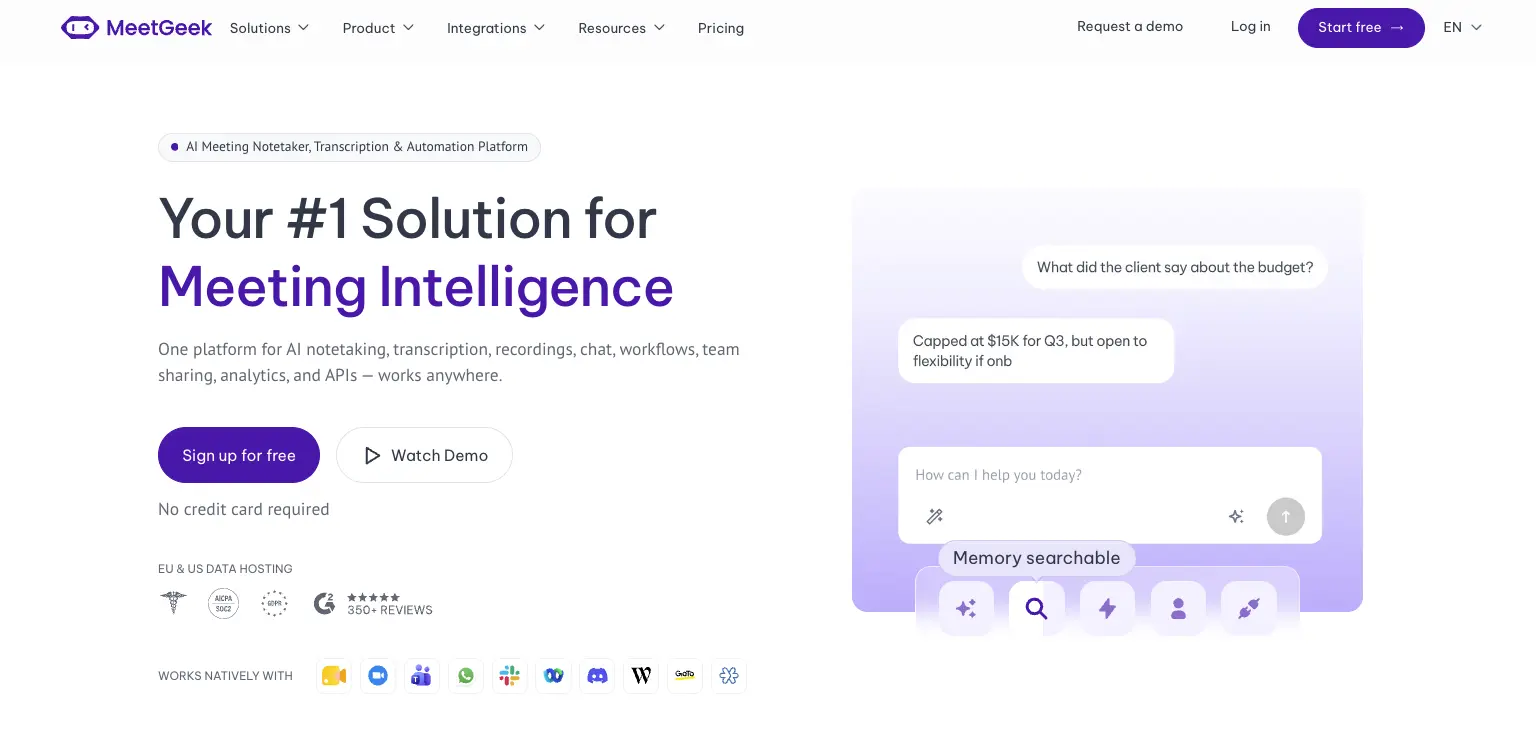
Avoma is a revenue stack. Dialers, scheduling, coaching and revenue intelligence are built around how a sales organization runs its calls. MeetGeek is meeting intelligence and automation with dedicated sales capabilities inside it, so customer calls sit in the same workspace as interviews, product discovery and internal reviews without the whole platform revolving around revenue operations.

Most of the difference shows up in what happens after the call. AI Chat answers questions across your meeting history and connected apps, drafts the follow-up and updates a deal record, while workflows and AI agents do the same on a trigger instead of a question, pushing action items into a CRM or Slack across 10,000+ connected apps. Sales signals such as objection and competitor detection sit in the ordinary plans rather than in a module you buy separately.

Avoma is the stronger fit when dialer calls, built-in scheduling, formal coaching and specialized revenue intelligence are central to how you sell. MeetGeek makes more sense when meeting intelligence has to serve more than the revenue team, when sales insights are still needed alongside that, and when simpler pricing helps: a free Basic plan that does not expire, Pro at $9.99 per user per month, Business at $17.

If it is the analysis layer you are weighing against Avoma's modules, meeting insights and analytics is the place to start.

Gong
Gong comes up for much the same reason Avoma does, and approaches it from the enterprise end. Its centre of gravity is revenue intelligence: forecasting, deal and pipeline inspection, and coaching run across a large volume of calls, with the output written to be read by leadership rather than only by the rep who was on the call. That depth earns its place once forecasting accuracy is a problem in its own right. The trade-off is scale, since it is aimed at larger revenue organizations. Our round-up of the best Gong alternatives covers where each option lands, and the MeetGeek and Gong comparison goes head to head.

Fireflies
Fireflies is the lighter of the three. It works as a general meeting assistant first, recording and transcribing across the usual video platforms, with CRM-oriented workflows attached so notes, action items and call details end up in Salesforce or HubSpot instead of a separate library. That fits a team whose actual requirement is meeting output reaching the sales system, without buying the coaching platform around it. What you give up is Avoma's specialized layer: built-in scheduling, and the structured coaching and revenue intelligence used to review calls. If you are weighing up the category rather than one tool, our guide to conversational intelligence software compares the options side by side.

Avoma vs MeetGeek at a Glance

MeetGeek publishes this comparison and MeetGeek is our own product, so we would encourage you to check both vendors' documentation before deciding. Every figure below was verified against each vendor's own pricing and documentation pages on August 31, 2026. Prices use annual billing.

FeatureAvomaMeetGeek
Free planNone, 14-day trialFree Basic, 3 hours/month
Entry paid planStartup, $19/seat/monthPro, $9.99/user/month
Conversation intelligenceLimited on Organization, advanced module $29/seatSales analysis listed from Pro
Two-way CRM field updatesRevenue Intelligence module, $29/seatListed from Pro
Paid seat limits25 on Startup, 100 on OrganizationMix free and paid licenses
Free non-recording usersUnlimited free view-only seatsUnlimited free Basic licenses
Dialer integrationsRingCentral, Zoom Phone, AircallAircall available via Make
Built-in schedulingGroup and round-robinNot offered
Automation and AI workflowsRule-based automations, API and webhooks from Organization, plus an MCP server for AI assistantsAutomated post-meeting workflows and AI Chat across connected apps, plus an open API and MCP
Data residencyUS by default, EU options through EnterpriseChoice of EU or US

Table last updated: August 31, 2026.

Avoma may make more sense when dialer calls, scheduling, structured coaching and revenue intelligence are central to how your organization sells. MeetGeek may make more sense when you want conversations across different teams and meeting types to become searchable knowledge, insights and automated work, with dedicated sales capabilities still available inside it. Price is a real difference between them, but it is the second question rather than the first.

Who Should Use Avoma?

Avoma is a strong fit for revenue teams that want meeting recording, scheduling, CRM workflows, call coaching and pipeline intelligence in one platform, especially when dialer calls are an important part of the sales process. Free view-only seats also make it easy to bring managers into call reviews without buying them licenses.

Other tools may suit you better if:

  • you want a free plan rather than a 14-day trial;
  • you want meeting intelligence, searchable knowledge and automated workflows across several teams rather than a platform built primarily around revenue operations;
  • your headcount sits awkwardly against the 25 or 100 paid-seat limits;
  • or you need HIPAA or SSO but have fewer than 10 users.

For a wider view of the options, see our guide to apps for taking meeting minutes.

Key Takeaways

  • Avoma is a sales-focused meeting assistant with dialer integrations, CRM sync and built-in scheduling.
  • Plans are $19, $29 and $39 per recorder seat per month on annual billing, and there is no free tier, only a 14-day trial.
  • Organization includes limited Conversation Intelligence, and the advanced module costs $29 per seat per month on annual billing.
  • Modules can be assigned to individual users, which keeps costs down for a mixed team and raises them when everyone needs the features.
  • Startup covers up to 25 paid seats and Organization up to 100, so headcount alone can trigger a plan change.
  • Free view-only seats are unlimited on every plan.
  • Avoma publishes SOC 2 Type II and ISO/IEC 42001:2023 certification, hosts in the US by default, and says EU data residency can be discussed with its enterprise team.

How We Reviewed Avoma

This review is based on Avoma's current pricing page and module structure, checked against screenshots of both billing toggles, its published features and limitations, how it compares with the other meeting platforms we track, and recent third-party reviews from verified users.

Frequently Asked Questions

Is Avoma Free?

No. Avoma has no free plan, though free view-only seats are unlimited on every paid plan. To test it, Avoma offers an unrestricted 14-day trial of the Organization plan with all modules enabled and no credit card required.

How Much Does Avoma Cost?

On annual billing, Startup is $19 per recorder seat per month, Organization is $29 and Enterprise is $39. Monthly billing is $29 for Startup and $39 for Organization, and Enterprise is billed annually only. The Conversation Intelligence and Revenue Intelligence modules are $29 per seat each on annual billing, and Lead Router is $19.

What Is a Recorder Seat in Avoma?

A recorder seat is any user who records and transcribes their own meetings and calls, and those are the seats you pay for. Anyone who only watches recordings, reads transcripts or comments on colleagues' meetings has a free view-only seat, and those are unlimited.

Does Avoma Include Conversation Intelligence?

The Organization plan includes limited Conversation Intelligence. Avoma's advanced capabilities, including AI coaching recommendations, AI call scoring, smart trackers and Global Ask Avoma, come as a separate module at $29 per seat per month on annual billing, which you can assign to individual users.

What Is Avoma Used For?

Teams use Avoma to record, transcribe and summarize sales calls and meetings, then review them for coaching and pipeline health. It also handles meeting scheduling and pushes notes and fields into a CRM.

What Is the Best Avoma Alternative?

That depends on what you need. MeetGeek is worth comparing if you want a broader meeting intelligence and automation platform: one that captures conversations across different teams, turns them into searchable knowledge and connects the results to automated workflows, with dedicated sales intelligence included rather than a dialer, scheduling and revenue-management stack built around it. Avoma itself is hard to replace if those are central to how you sell. Gong goes further into enterprise revenue workflows, and Fireflies works as a lighter meeting assistant connected to a CRM.

Using Google Meet? MeetGeek automatically records, transcribes and summarizes your meetings.

Try MeetGeek for free

Related Articles

See alternatives
Produtividade

Avoma Review 2026: Pricing, Features and Alternatives Testing

Avoma pairs a sales-focused meeting assistant with optional intelligence modules, so cost depends on which parts you need.
Produtividade

Avoma: Análise Completa, Preços e Alternativas 2026

O Avoma junta um assistente de reuniões voltado a vendas com módulos de inteligência opcionais, então o custo depende das partes que você precisa.
Produtividade

Tactiq: Como Funciona, Preços e 5 Alternativas em 2026

O Tactiq transcreve ao vivo sem bot, mas guarda o texto e não a gravação, e é isso que define para quem ele serve.
Ao clicar “Aceitar todos os cookies”, você concorda com o armazenamento de cookies em seu dispositivo para melhorar a navegação no site, analisar o uso do site e auxiliar em nossos esforços de marketing. Veja nosso Política de privacidade para obter mais informações.

Stay in the Loop

Get the latest insights on AI-powered meetings, productivity tips, and product updates delivered straight to your inbox.
Thank you! Your submission has been received!
Oops! Something went wrong while submitting the form.
Join 50,000+ teams already subscribed. Unsubscribe anytime.