


Haciendo clic «Aceptar todas las cookies», acepta el almacenamiento de cookies en su dispositivo para mejorar la navegación del sitio, analizar el uso del sitio y ayudar en nuestras iniciativas de marketing. Vea nuestro Política de privacidad para obtener más información.
MeetGeekBlogAvoma Review 2026: Pricing, Features and Alternatives Testing
Back to Blog

Avoma Review 2026: Pricing, Features and Alternatives Testing

Productividad
Productividad
Reuniones
Reuniones

Avoma pairs a sales-focused meeting assistant with optional intelligence modules, so cost depends on which parts you need.

João Fins
August 31, 2026
/
5 min read
Table of content
Comienza con MeetGeek, el asistente de reuniones con IA
📝 AI-powered Meeting Note taker
✅ Free meeting recording & transcription
💬 Automated sharing of insights to other tools.
Regístrate gratis
Share the knowledge with your circle
Copied

Avoma is an AI meeting assistant built around sales conversations, combining recording and transcription with scheduling, CRM sync and conversation intelligence. It also connects to sales dialers as well as video calls, which makes it particularly relevant for revenue teams.

Its pricing is modular. Each plan covers the meeting assistant, while deeper coaching and revenue features are sold as separate per-seat modules. That flexibility works well if only some people need them, but the cost can rise as more of the team uses the advanced features.

Avoma is a strong option if you need a dedicated revenue workflow around calls. But teams looking for a broader AI meeting platform, with automated workflows, integrations, meeting intelligence and AI agents that can act on what happens in meetings, may find other options more flexible.

What Is Avoma?

Avoma records, transcribes and summarizes meetings across Zoom, Google Meet and Microsoft Teams, then layers sales analysis on top.

Two things separate it from a general note taker. First, it connects to sales dialers including RingCentral, Zoom Phone and Aircall, so phone calls are captured alongside video meetings. Second, scheduling is built in, so one-to-one booking links sit next to the recordings.

It integrates natively with Salesforce, HubSpot, Zoho, Pipedrive and Copper, plus Slack, ClickUp and Zapier. Auto-saving notes to a CRM record is on every plan.

Avoma suits a revenue team that wants calls, coaching and pipeline review in one tool. It is heavier than most teams need if all they want is a record of what was said.

Avoma Pricing in 2026

Avoma charges per recorder seat, meaning anyone who records and transcribes their own meetings. People who only watch recordings, read transcripts or leave comments are free, and that applies from the entry plan up.

PlanAnnualMonthlyPaid seats
Startup$19/seat$29/seatUp to 25
Organization$29/seat$39/seatUp to 100
Enterprise$39/seatBilled annually onlyMinimum 10

Table last updated: August 31, 2026.

There is no free plan. Avoma offers an unrestricted 14-day trial of the Organization plan with all add-ons enabled and no credit card required.

What Each Plan Covers

  • Startup is a complete meeting assistant, not a stripped-back tier. It includes unlimited real-time transcription, unlimited AI summary notes, automatic video recording, unlimited one-to-one scheduling, AI email follow-ups, Ask Avoma for a Meeting, auto-save notes to CRM records, and dialer integration. It also gives you unlimited free view-only seats alongside your 25 paid ones.
  • Organization adds custom AI topics and templates, group and round-robin scheduling, limited Conversation Intelligence, smart playlists and AI automations, transcript and note translation, custom AI email templates, API access and webhooks, and a customer success manager.
  • Enterprise adds Global Ask Avoma, a designated success manager, concierge onboarding, quarterly business reviews, unlimited usage intelligence, team-specific access controls, signed DPAs, SSO through SAML or OIDC, data retention policies and HIPAA compliance.

The Conversation Intelligence Module

Organization already includes limited Conversation Intelligence. Avoma sells its more advanced capabilities as a separate module at $29 per seat per month on annual billing, or $35 monthly. That module covers AI coaching recommendations, AI call scoring, smart trackers and Global Ask Avoma, among other features.

Two other modules work the same way. Revenue Intelligence is $29 per seat annually or $35 monthly, and it is where two-way CRM field updates live. Lead Router is $19 annually or $25 monthly.

Modules can be assigned to individual users rather than the whole team, so a manager who needs call scoring can have it while the rest of the team does not. Avoma also discounts bundles, 10% for any two modules and 15% for all three.

Worked through, a Startup recorder seat with Avoma's full Conversation Intelligence module comes to $48 per month on annual billing. On Organization, the same combination is $58 per recorder seat per month.

Seat Limits and Compliance

Startup covers up to 25 paid seats and Organization up to 100, so headcount can prompt a plan change on its own. Enterprise starts at a 10-seat minimum, which is worth knowing if you are a small team that needs one Enterprise feature.

HIPAA compliance and SSO through SAML or OIDC are Enterprise features.

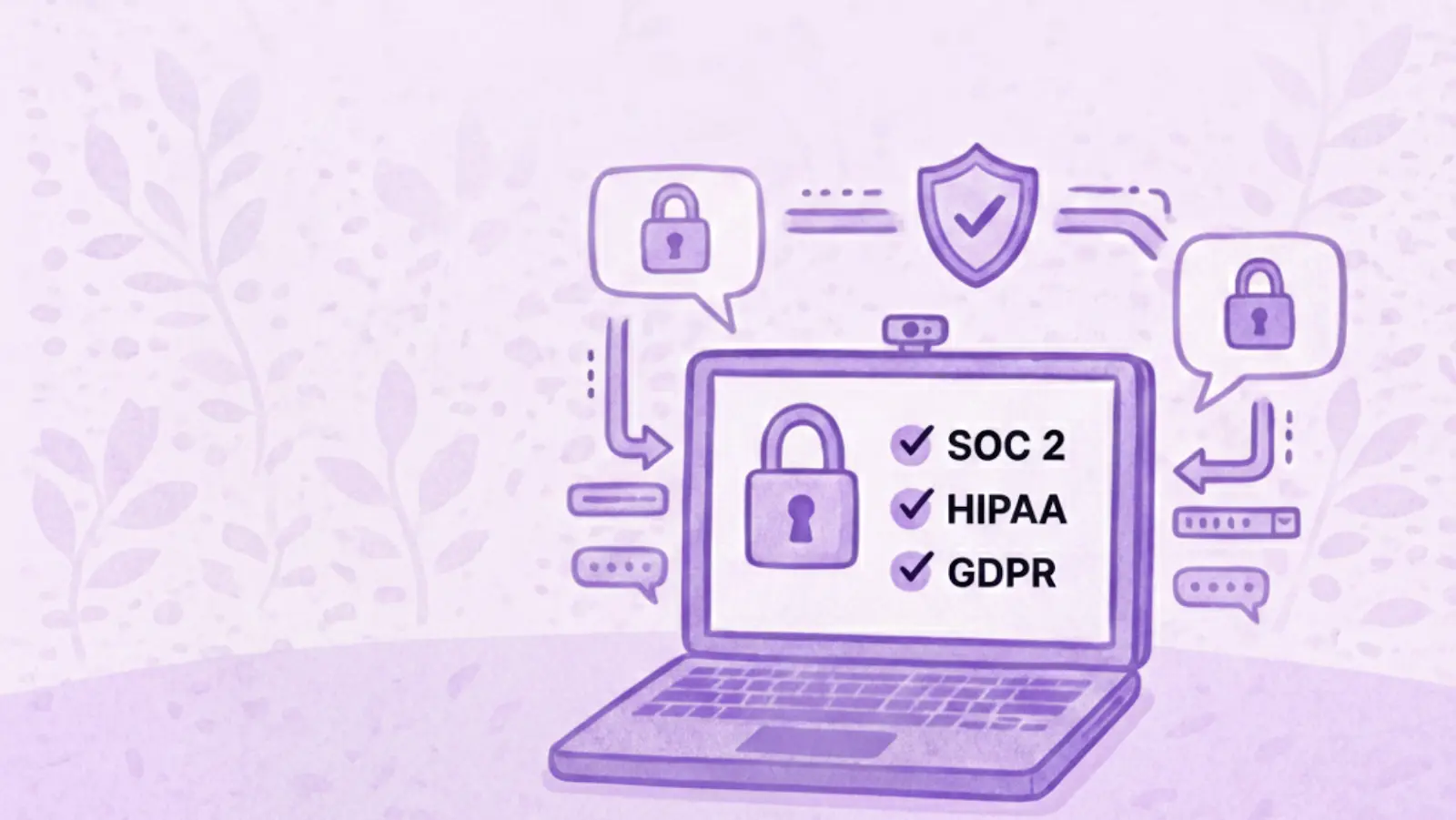
The security page says Avoma's design, security and operations have been evaluated and certified for SOC 2 Type II compliance, and that the company is certified to ISO/IEC 42001:2023, the standard for AI management systems. It also supports GDPR compliance, and all customer data is encrypted at rest and in transit.

On storage location, Avoma says all data is hosted on AWS infrastructure in the United States, inside its own Virtual Private Cloud, and that organizations requiring EU data residency can discuss options with its enterprise team. If a specific region is a requirement for you, raise it during the sales conversation rather than assuming the default.

What Avoma Does Well

Avoma has a strong feature set for revenue teams:

  • Dialer coverage. Native integrations with RingCentral, Zoom Phone and Aircall mean phone calls get the same treatment as video meetings.
  • CRM depth. Native Salesforce, HubSpot, Zoho, Pipedrive and Copper integrations, with notes auto-saved to records on every plan.
  • Scheduling built in. Booking links and round-robin routing live in the same tool as the recordings.
  • Free view-only seats. Managers and colleagues who only watch or comment do not need a paid seat, on any plan.
  • Coaching workflow. Smart playlists, AI call scoring and coaching recommendations support structured call review.
  • Modular assignment. Paying for intelligence features only for the people who use them is genuinely useful for a mixed team.
  • Automation and developer access. Rule-based automations fire when a meeting is added to the calendar or when a transcript or notes become available, and can set a meeting purpose or outcome with AI, log it to the CRM, create a follow-up task or turn recording on and off. API access and webhooks sit on the same plan, Zapier is supported, and Avoma also publishes an MCP server so AI assistants can pull meeting data directly.

Where Avoma Might Not Fit

If you want coaching and call scoring for the whole team rather than a few people, the modules apply per seat, so the cost grows with how many people use them. The 25 and 100-seat limits can also prompt a plan change for reasons that have nothing to do with features.

There is no free tier to fall back on either. Free view-only seats cover people who just watch, but anyone recording their own calls needs a paid seat, so the 14-day trial is the only way to test Avoma at no cost.

What Avoma Users Say

Avoma holds 4.6 out of 5 across roughly 1,360 reviews on G2. Two recent five-star ones show both sides of the AI layer, and neither comes from a seller.

A solution engineer at a mid-market company, reviewing Avoma on G2 in March 2026, pointed at what it takes off your plate. Avoma is most helpful for "capturing meeting notes, summaries, and action items automatically, which saves time".

A people and talent leader at a small business, writing in April 2026, uses it across sales calls, recruiting and internal meetings and rates Ask Avoma highly for surfacing context from past conversations. The same review still flags a limit: "Sometimes Ask Avoma has a hard time pulling all the data I need", with several prompts sometimes needed before the answer comes back right.

Between them, that is a reasonable picture of the AI layer. It can save real time, and some answers may still need a quick human check.

Avoma Alternatives Worth Comparing

Avoma suits organizations built around structured revenue workflows, particularly when dialer calls, scheduling and formal coaching sit at the centre of how the team sells. Other platforms optimize for different things, so the right alternative depends on what you want your conversations to feed into elsewhere in the business.

MeetGeek

Avoma is a revenue stack. Dialers, scheduling, coaching and revenue intelligence are built around how a sales organization runs its calls. MeetGeek is meeting intelligence and automation with dedicated sales capabilities inside it, so customer calls sit in the same workspace as interviews, product discovery and internal reviews without the whole platform revolving around revenue operations.

Most of the difference shows up in what happens after the call. AI Chat answers questions across your meeting history and connected apps, drafts the follow-up and updates a deal record, while workflows and AI agents do the same on a trigger instead of a question, pushing action items into a CRM or Slack across 10,000+ connected apps. Sales signals such as objection and competitor detection sit in the ordinary plans rather than in a module you buy separately.

Avoma is the stronger fit when dialer calls, built-in scheduling, formal coaching and specialized revenue intelligence are central to how you sell. MeetGeek makes more sense when meeting intelligence has to serve more than the revenue team, when sales insights are still needed alongside that, and when simpler pricing helps: a free Basic plan that does not expire, Pro at $9.99 per user per month, Business at $17.

If it is the analysis layer you are weighing against Avoma's modules, meeting insights and analytics is the place to start.

Gong

Gong comes up for much the same reason Avoma does, and approaches it from the enterprise end. Its centre of gravity is revenue intelligence: forecasting, deal and pipeline inspection, and coaching run across a large volume of calls, with the output written to be read by leadership rather than only by the rep who was on the call. That depth earns its place once forecasting accuracy is a problem in its own right. The trade-off is scale, since it is aimed at larger revenue organizations. Our round-up of the best Gong alternatives covers where each option lands, and the MeetGeek and Gong comparison goes head to head.

Fireflies

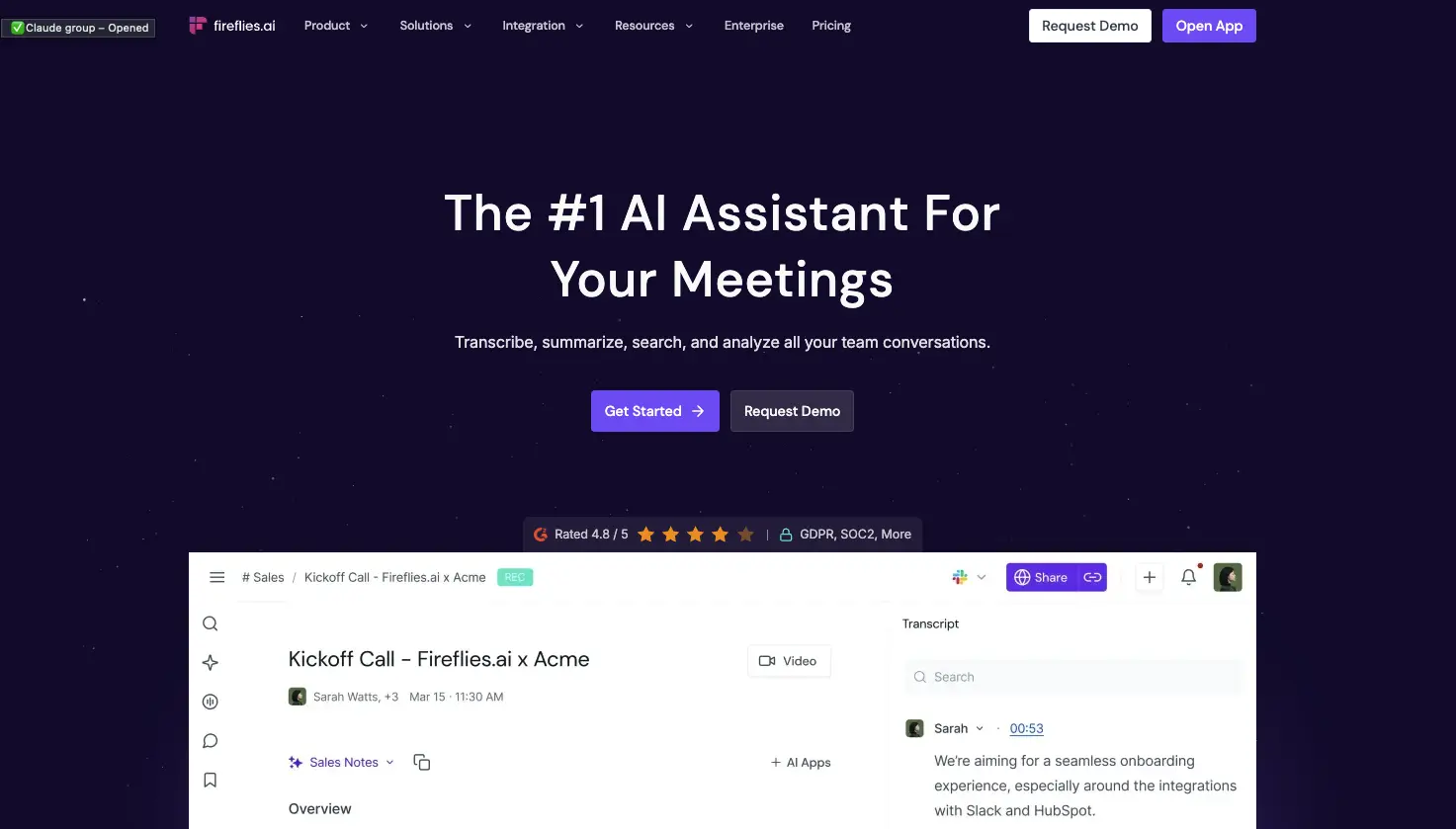
Fireflies is the lighter of the three. It works as a general meeting assistant first, recording and transcribing across the usual video platforms, with CRM-oriented workflows attached so notes, action items and call details end up in Salesforce or HubSpot instead of a separate library. That fits a team whose actual requirement is meeting output reaching the sales system, without buying the coaching platform around it. What you give up is Avoma's specialized layer: built-in scheduling, and the structured coaching and revenue intelligence used to review calls. If you are weighing up the category rather than one tool, our guide to conversational intelligence software compares the options side by side.

Avoma vs MeetGeek at a Glance

MeetGeek publishes this comparison and MeetGeek is our own product, so we would encourage you to check both vendors' documentation before deciding. Every figure below was verified against each vendor's own pricing and documentation pages on August 31, 2026. Prices use annual billing.

FeatureAvomaMeetGeek
Free planNone, 14-day trialFree Basic, 3 hours/month
Entry paid planStartup, $19/seat/monthPro, $9.99/user/month
Conversation intelligenceLimited on Organization, advanced module $29/seatSales analysis listed from Pro
Two-way CRM field updatesRevenue Intelligence module, $29/seatListed from Pro
Paid seat limits25 on Startup, 100 on OrganizationMix free and paid licenses
Free non-recording usersUnlimited free view-only seatsUnlimited free Basic licenses
Dialer integrationsRingCentral, Zoom Phone, AircallAircall available via Make
Built-in schedulingGroup and round-robinNot offered
Automation and AI workflowsRule-based automations, API and webhooks from Organization, plus an MCP server for AI assistantsAutomated post-meeting workflows and AI Chat across connected apps, plus an open API and MCP
Data residencyUS by default, EU options through EnterpriseChoice of EU or US

Table last updated: August 31, 2026.

Avoma may make more sense when dialer calls, scheduling, structured coaching and revenue intelligence are central to how your organization sells. MeetGeek may make more sense when you want conversations across different teams and meeting types to become searchable knowledge, insights and automated work, with dedicated sales capabilities still available inside it. Price is a real difference between them, but it is the second question rather than the first.

Who Should Use Avoma?

Avoma is a strong fit for revenue teams that want meeting recording, scheduling, CRM workflows, call coaching and pipeline intelligence in one platform, especially when dialer calls are an important part of the sales process. Free view-only seats also make it easy to bring managers into call reviews without buying them licenses.

Other tools may suit you better if:

  • you want a free plan rather than a 14-day trial;
  • you want meeting intelligence, searchable knowledge and automated workflows across several teams rather than a platform built primarily around revenue operations;
  • your headcount sits awkwardly against the 25 or 100 paid-seat limits;
  • or you need HIPAA or SSO but have fewer than 10 users.

For a wider view of the options, see our guide to apps for taking meeting minutes.

Key Takeaways

  • Avoma is a sales-focused meeting assistant with dialer integrations, CRM sync and built-in scheduling.
  • Plans are $19, $29 and $39 per recorder seat per month on annual billing, and there is no free tier, only a 14-day trial.
  • Organization includes limited Conversation Intelligence, and the advanced module costs $29 per seat per month on annual billing.
  • Modules can be assigned to individual users, which keeps costs down for a mixed team and raises them when everyone needs the features.
  • Startup covers up to 25 paid seats and Organization up to 100, so headcount alone can trigger a plan change.
  • Free view-only seats are unlimited on every plan.
  • Avoma publishes SOC 2 Type II and ISO/IEC 42001:2023 certification, hosts in the US by default, and says EU data residency can be discussed with its enterprise team.

How We Reviewed Avoma

This review is based on Avoma's current pricing page and module structure, checked against screenshots of both billing toggles, its published features and limitations, how it compares with the other meeting platforms we track, and recent third-party reviews from verified users.

Frequently Asked Questions

Is Avoma Free?

No. Avoma has no free plan, though free view-only seats are unlimited on every paid plan. To test it, Avoma offers an unrestricted 14-day trial of the Organization plan with all modules enabled and no credit card required.

How Much Does Avoma Cost?

On annual billing, Startup is $19 per recorder seat per month, Organization is $29 and Enterprise is $39. Monthly billing is $29 for Startup and $39 for Organization, and Enterprise is billed annually only. The Conversation Intelligence and Revenue Intelligence modules are $29 per seat each on annual billing, and Lead Router is $19.

What Is a Recorder Seat in Avoma?

A recorder seat is any user who records and transcribes their own meetings and calls, and those are the seats you pay for. Anyone who only watches recordings, reads transcripts or comments on colleagues' meetings has a free view-only seat, and those are unlimited.

Does Avoma Include Conversation Intelligence?

The Organization plan includes limited Conversation Intelligence. Avoma's advanced capabilities, including AI coaching recommendations, AI call scoring, smart trackers and Global Ask Avoma, come as a separate module at $29 per seat per month on annual billing, which you can assign to individual users.

What Is Avoma Used For?

Teams use Avoma to record, transcribe and summarize sales calls and meetings, then review them for coaching and pipeline health. It also handles meeting scheduling and pushes notes and fields into a CRM.

What Is the Best Avoma Alternative?

That depends on what you need. MeetGeek is worth comparing if you want a broader meeting intelligence and automation platform: one that captures conversations across different teams, turns them into searchable knowledge and connects the results to automated workflows, with dedicated sales intelligence included rather than a dialer, scheduling and revenue-management stack built around it. Avoma itself is hard to replace if those are central to how you sell. Gong goes further into enterprise revenue workflows, and Fireflies works as a lighter meeting assistant connected to a CRM.

Article updated on 
August 31, 2026
Share the knowledge with your circle
Copied
Related posts

Avoma Review 2026: Pricing, Features and Alternatives Testing

Avoma pairs a sales-focused meeting assistant with optional intelligence modules, so cost depends on which parts you need.

This is some text inside of a div block.

Avoma: Análisis, Precios y Alternativas en 2026

Avoma combina un asistente de reuniones orientado a ventas con módulos de inteligencia opcionales, así que el coste depende de las partes que necesites.

This is some text inside of a div block.

Tactiq: Qué Es, Precios y 5 Alternativas en 2026

Tactiq transcribe en directo sin bot, pero guarda el texto y no la grabación, y eso decide a quién le sirve.

This is some text inside of a div block.

Krisp AI: Las 6 Mejores Alternativas para Reuniones (2026)
Compara las mejores alternativas a Krisp para cancelación de ruido, notas de reunión con IA, transcripción y automatización.

This is some text inside of a div block.

Precios de Microsoft Teams: Cuánto Cuesta Realmente en 2026

Descubre cuánto cuesta realmente Microsoft Teams, desde los planes empresariales y Copilot hasta Teams Phone y otros complementos.

This is some text inside of a div block.

El Mejor Software de Transcripción de Entrevistas: Comparativa de 5 Herramientas

Encuentra el mejor software de transcripción de entrevistas para tu flujo de trabajo. Compara cinco herramientas líderes para transcripción, resúmenes, edición, colaboración y análisis de entrevistas.

This is some text inside of a div block.

Las 12 Mejores Herramientas de Colaboración Remota para 2026

Compara 12 de las mejores herramientas de colaboración remota para 2026 y encuentra las opciones ideales para comunicación, proyectos, reuniones y trabajo asíncrono.

This is some text inside of a div block.

Transcripción en Google Meet: Las 7 Mejores IAs de 2026

Cómo captura cada herramienta una llamada de Meet, si Gemini ya te basta y qué permiten de verdad tu plan y tu administrador.

This is some text inside of a div block.

Temas a Tratar en una Reunión de Equipo de Trabajo

Define los temas a tratar en tu reunión de equipo de trabajo con plantillas gratuitas de orden del día listas para usar.

This is some text inside of a div block.

¿Microsoft Teams Tiene Límite de Tiempo?

Descubre si Microsoft Teams tiene límite de tiempo y compara la duración de las reuniones en los planes gratis y de pago.

This is some text inside of a div block.

Software de Reclutamiento: 7 Herramientas de Automatización para Probar

Descubre las mejores herramientas de automatización de reclutamiento para reducir el trabajo manual y contratar más rápido.

This is some text inside of a div block.

IA para Reuniones en Zoom: 8 Herramientas Probadas (2026)

Cómo se conectan realmente a Zoom 8 herramientas de IA para reuniones y qué hace cada una cuando no eres el anfitrión.

This is some text inside of a div block.

IA para Tomar Notas de Reuniones Gratis: 7 Opciones

Analizamos siete planes gratuitos de verdad de IA para tomar notas de reuniones, y sobre todo cuántas horas obtienes antes de tener que pagar.

This is some text inside of a div block.

Mejor Software de Reclutamiento (ATS) en 2026

Comparamos los mejores software de reclutamiento y selección: para quién es cada ATS, cuánto cuesta y cómo elegir el adecuado.

This is some text inside of a div block.

Equipo Directivo: Funciones, Estructura y Buenas Prácticas

Descubre las funciones, las responsabilidades y los rasgos de los equipos directivos de éxito, además de estrategias prácticas para un liderazgo más fuerte.

This is some text inside of a div block.

Cómo Grabar en el Móvil: Llamadas, Pantalla y Audio

Descubre cómo grabar llamadas, la pantalla y el audio en el móvil Android e iPhone, con apps, consejos de calidad y qué dice la ley.

This is some text inside of a div block.

Cómo Hacer un Informe: Tipos, Estructura y Ejemplo

Un informe convierte información compleja en conclusiones claras. Descubre los tipos, las secciones esenciales, un ejemplo y buenas prácticas para crear informes que ahorran tiempo.

This is some text inside of a div block.

Notas de Reunión en Claude: Qué Puedes Crear y Cómo Conectarlo

Conecta tus notas de reunión a Claude y convierte las llamadas pasadas en respuestas, documentos terminados y trabajo de varios pasos.

This is some text inside of a div block.

Las 6 Mejores Alternativas a Airgram en 2026

Compara las mejores alternativas a Airgram para 2026, incluyendo MeetGeek, Fireflies, Otter, tl;dv, Fellow y Sembly AI.

This is some text inside of a div block.

Notas de Reunión en ChatGPT: Beneficios y Configuración

Conecta tus notas de reunión a ChatGPT y convierte llamadas pasadas en respuestas, borradores y automatizaciones instantáneas, en lenguaje natural.

This is some text inside of a div block.

Cómo escribir más rápido: 15 trucos de mecanografía que funcionan

¿Quieres escribir más rápido y cometer menos errores? Descubre trucos prácticos de escritura, atajos de teclado y herramientas que te ayudarán a trabajar de forma más inteligente.

This is some text inside of a div block.

Las 10 mejores alternativas a ChatGPT para el trabajo en 2026

¿Buscas una alternativa a ChatGPT? Compara las mejores herramientas de IA para investigación, reuniones, escritura, codificación, búsqueda y productividad en 2026.

This is some text inside of a div block.

Las 9 Mejores Alternativas a Calendly en 2026 (Probadas y Comparadas)

Cal.com, Acuity, Chili Piper y más: las mejores alternativas a Calendly en 2026, probadas y clasificadas por caso de uso.

This is some text inside of a div block.

Las 8 Mejores Extensiones de Google Meet en 2026 (Probadas para la Productividad)

Desde notas con IA hasta cancelación de ruido, aquí tienes 8 extensiones de Chrome que solucionan lo que Google Meet no hace de forma nativa.

This is some text inside of a div block.

Herramientas de Productividad con IA Que Usamos en Ventas y Marketing

Una mirada práctica a las herramientas de productividad con IA que usamos a diario para reuniones, contenido, automatización, flujos de trabajo de ventas y trabajo en equipo.

This is some text inside of a div block.

Cómo Programar una Reunión en Google Meet: Guía Paso a Paso 2026

Tres métodos de escritorio, dos flujos para móvil y un truco para que cada llamada programada sea más productiva.

This is some text inside of a div block.

Gemini vs. Google Assistant: Guía de comparación completa

¿Confundido con Gemini vs Google Assistant? Descubre las diferencias clave, qué está cambiando Google y qué asistente se adapta mejor a ti.

This is some text inside of a div block.

Gestión de Equipos Híbridos en 2026: Desafíos Comunes y Cómo Superarlos

Brechas de comunicación, fricción por zonas horarias, deriva cultural: los cuatro desafíos que enfrenta todo gerente híbrido y cómo resolverlos.

This is some text inside of a div block.

MeetGeek vs tl;dv: ¿Qué herramienta de reuniones con IA es la adecuada para su equipo en 2026?

Las características, los precios, la precisión y las integraciones se comparan en paralelo con un veredicto claro para los equipos de ventas, CS y operaciones.

This is some text inside of a div block.

Fondos de Zoom Divertidos Para Todo Tipo de Reuniones

Descubre los mejores fondos divertidos de Zoom para llamadas de trabajo y reuniones virtuales, incluidos memes, escenas de televisión, oficinas falsas e ideas generadas por IA.

This is some text inside of a div block.

Cómo Convertir MP4 a Transcripción (Rápido y Preciso)

Aprenda a convertir archivos MP4 en transcripciones, subtítulos y subtítulos precisos con herramientas de inteligencia artificial para reuniones, seminarios web y entrevistas.

This is some text inside of a div block.

Servicio de Transcripción de Google en 2026: Análisis Honesto y la Mejor Alternativa

Google Meet, Cloud Speech-to-Text, Docs, Recorder — qué hace cada uno, dónde se queda corto y la mejor alternativa.

This is some text inside of a div block.

La Plantilla Agile Para Reuniones Retrospectivas: 5 Formatos Que Funcionan

Cinco formatos retro (Start/Stop/Continue, 4Ls, Mad/Sad/Glad, Sailboat, DAKI), cuándo usar cada uno y el paso de compromiso que convierte las palabras en cambios.

This is some text inside of a div block.

Coaching de Ventas con IA: Cómo los Equipos de Ventas Modernos Utilizan la IA para Cerrar Más Negocios

Cómo el coaching de ventas de IA analiza cada llamada (no solo el 3% que toma como muestra un gerente) y muestra los momentos en los que se puede entrenar por representante, etapa y tipo de objeción.

This is some text inside of a div block.

Herramientas de Transcripción de Reuniones que Cumplen con la HIPAA: Una Guía de Selección

Qué es lo que realmente exige la HIPAA de las herramientas de transcripción, por qué la mayoría de las personas que toman notas con IA no reúnen los requisitos y una lista de verificación de 10 puntos para los equipos de operaciones clínicas.

This is some text inside of a div block.

¿ChatGPT Puede Transcribir Audio? Qué Funciona en 2026

Tres formas de sacar una transcripción de ChatGPT, y la que casi todos eligen primero es la que OpenAI menos documenta.

This is some text inside of a div block.

Reunión de prueba de Zoom: Guía paso a paso para probar la configuración antes de cualquier llamada

Aprenda a organizar una reunión de prueba de Zoom, solucionar problemas con el micrófono y la cámara y asegurarse de que su configuración esté lista antes de cualquier llamada importante.

This is some text inside of a div block.

IA para Customer Success: La Guía Práctica para CSM

Dónde encaja la IA en el día real de un CSM: las Cuatro R (Renovaciones, Riesgo, Referencias y Revisiones), un modelo de madurez, un checklist de herramientas y las métricas que demuestran el ROI.

This is some text inside of a div block.

El manual de estrategias para la reunión inicial del proyecto (+ plantilla)

La agenda de 7 partes, la plantilla y la lista de verificación de seguimiento de 24 horas que convierten el inicio de un proyecto en los 60 minutos más valiosos de todo el proyecto.

This is some text inside of a div block.

¿Qué es una junta general anual (AGM)? ¿Una guía completa

Comprenda las reuniones generales anuales, qué incluir en la agenda de una AGM y cómo organizar reuniones estructuradas y conformes con las normas que impulsen las decisiones.

This is some text inside of a div block.

Una guía completa de la metodología de ventas de MEDDIC

Descubra las ventas de MEDDIC y cómo ayuda a calificar a los clientes potenciales, comprender los procesos de decisión y mejorar las tasas de ganancias en ciclos de ventas B2B complejos.

This is some text inside of a div block.

Cómo escribir un mensaje fuera de la oficina

Aprenda a escribir un mensaje claro para salir de la oficina, qué incluir y utilice ejemplos listos para copiar en cualquier situación.

This is some text inside of a div block.

¿Es ilegal grabar a alguien sin su permiso?

Grabar una conversación puede ser legal en algunas situaciones e ilegal en otras. En esta guía se explica cuándo está permitido grabar a alguien sin permiso en EE. UU. y la UE, cómo funcionan las leyes de consentimiento y cómo evitar problemas legales.

This is some text inside of a div block.

Cómo cancelar su suscripción a Zoom en 2026

¿Necesitas cancelar tu suscripción a Zoom? Esta guía explica exactamente cómo hacerlo en el sitio web de Zoom, Apple App Store o Google Play, qué ocurre después de la cancelación y cómo evitar cargos de facturación adicionales.

This is some text inside of a div block.

MeetGeek vs. Fellow: comparación de las notas de las reuniones, las agendas y la automatización

¿Comparando MeetGeek con Fellow? Descubre en qué se diferencian sus notas de reuniones, agendas, grabaciones y funciones de automatización basadas en la IA para encontrar la que mejor se adapte a tu equipo.

This is some text inside of a div block.

Cómo grabar la pantalla en Mac (con audio, sonido del sistema y consejos profesionales)

Aprenda a grabar la pantalla en Mac con las herramientas integradas, a capturar el audio correctamente y a ver cuándo MeetGeek es la opción más inteligente.

This is some text inside of a div block.

MeetGeek vs Krisp: ¿Qué asistente de reuniones con IA es el adecuado para su equipo?

Comparación entre MeetGeek y Krisp: las notas de IA, la cancelación de ruido, los precios, las integraciones y las funciones de grabación se explican con claridad.

This is some text inside of a div block.

Consejos de videoconferencia para llevar a cabo reuniones virtuales exitosas

Obtenga consejos prácticos sobre videoconferencias que mejoran la calidad del audio, la participación y el seguimiento, y ayudan a los equipos a mantenerse alineados después de las reuniones virtuales.

This is some text inside of a div block.

Webex vs Zoom: ¿Qué plataforma de videoconferencia se adapta mejor a sus reuniones?

Una comparación clara entre Webex y Zoom, desde las funciones y los precios hasta la seguridad y las integraciones.

This is some text inside of a div block.

Juegos para jugar en Zoom: 20 ideas para formar equipos (y risas reales)

Una lista práctica de juegos de Zoom que ayudan a los equipos remotos a conectarse, aumentar la energía y hacer que las reuniones virtuales sean más atractivas e interactivas.

This is some text inside of a div block.

Cómo automatizar las reuniones de forma segura en entornos regulados y de alto riesgo

Aprenda a automatizar las reuniones en entornos regulados sin comprometer la seguridad, la privacidad o el cumplimiento.

This is some text inside of a div block.

Cómo Levantar la Mano en Zoom en Cualquier Dispositivo

Guía paso a paso para levantar la mano en Zoom en la computadora, el celular o el navegador, además del atajo de teclado.

This is some text inside of a div block.

Las Mejores Preguntas para Hacer en una Entrevista

Aprenda qué preguntas hacer, cuándo hacerlas y cómo utilizar las entrevistas para decidir si un puesto, un equipo y una empresa son realmente adecuados para usted.

This is some text inside of a div block.

¿Qué es el modo Companion en Google Meet? Todo lo que necesitas saber

Sigue leyendo para obtener una guía práctica sobre cómo usar el modo Companion en Google Meet para que las reuniones híbridas sean más claras y equilibradas.

This is some text inside of a div block.

¿Qué es una reunión skip level? ¿Cómo utilizan los líderes los niveles de salto para mejorar la comunicación

Un análisis detallado de las reuniones skip level y de cómo ayudan a los líderes a conectarse con los equipos y obtener información real.

This is some text inside of a div block.

¿Qué es un Agente de Voz de IA? Una Guía Práctica Sobre Cómo Funciona Realmente la IA de Voz

Esta guía explica qué es un agente de voz de IA, cómo funciona, los beneficios que ofrece y dónde encaja mejor con los equipos humanos.

This is some text inside of a div block.

Guía para reuniones de stand-up: qué son y cómo llevarlas a cabo

Descubra qué hace que una reunión presencial sea realmente útil. En esta guía se explica cómo organizar reuniones de pie a diario que son breves, sacan a la luz los obstáculos y mantienen a los equipos alineados.

This is some text inside of a div block.

Todo sobre Microsoft Teams AI Interpreter + Cómo ir más allá de la traducción

Descubra cómo funciona Microsoft Teams AI Interpreter, dónde se queda corto y cómo ir más allá de la traducción.

This is some text inside of a div block.

La mejor aplicación de grabación de conferencias en 2026:5 herramientas que los estudiantes realmente usan

Analicemos en profundidad lo que los estudiantes utilizan hoy en día para grabar y organizar sus clases, tanto en línea como fuera de línea.

This is some text inside of a div block.

Precios de Read AI explicados para 2026: ¿Vale la pena para notas de reuniones?

Explore los precios de Read AI para 2026, sus funciones principales y cómo gestiona las notas de las reuniones, la transcripción y la información para apoyar a los equipos modernos.

This is some text inside of a div block.

¿Qué es una base de conocimientos con capacidad de búsqueda y cómo funciona?

Explore cómo las bases de conocimiento con capacidad de búsqueda mejoran el acceso a la información y vea cómo MeetGeek convierte sus reuniones en un centro de conocimiento rápido y confiable.

This is some text inside of a div block.

Cómo difuminar el fondo en Google Meet (guía sencilla para todos los dispositivos)

Descubre cómo difuminar el fondo en Google Meet para ordenadores y dispositivos móviles, utilizar efectos visuales y conseguir un aspecto más nítido y centrado en cada llamada.

This is some text inside of a div block.

Cómo unirse a una reunión de Teams con código: una guía completa paso a paso

Descubra cómo unirse a las reuniones de Microsoft Teams mediante un código de reunión y otras opciones, como un enlace o una invitación. En esta guía, se explican todos los métodos de forma clara y paso a paso.

This is some text inside of a div block.

Las 5 mejores alternativas de NoteGPT en 2026

Explore las 5 principales alternativas de NoteGPT que lo ayudan a capturar información clave, transcribir contenido y aumentar la productividad en los flujos de trabajo profesionales y de aprendizaje.

This is some text inside of a div block.

¿Qué es Perplexity AI? Una guía sobre el motor de búsqueda impulsado por la inteligencia artificial que transforma la forma en que encontramos información

En este artículo analizaremos de cerca Perplexity AI, lo que puede hacer por ti en comparación con los motores de búsqueda tradicionales y algunas de sus ventajas y desventajas.

This is some text inside of a div block.

tl;dv en 2026: ¿Es Seguro? Reseña y 5 Alternativas

Qué hace bien tl;dv, qué alcanzó de verdad la exposición de datos de 2026, y cómo eso cambia tu lista de opciones.

This is some text inside of a div block.

Modo de grabación de ChatGPT vs MeetGeek: aquí tienes todo lo que necesitas saber

¿Quieres saber cómo se compara la grabadora ChatGPT con MeetGeek? Analizamos las funciones, la integración y la seguridad de los datos para grabar reuniones.

This is some text inside of a div block.

Precios de Fathom AI para 2026: ¿sigue valiendo la pena para los equipos modernos?

Explore los precios de Fathom AI para 2026, incluidas las funciones, los límites y las comparaciones de planes, además de cómo MeetGeek ofrece más flexibilidad a los equipos.

This is some text inside of a div block.

Agentes de reuniones con IA: cómo la IA autónoma está transformando el futuro del trabajo

Descubra cómo los agentes de reuniones con IA están redefiniendo el futuro del trabajo: gestionan la programación, los seguimientos e incluso hablan en su nombre para ahorrar tiempo y convertir cada reunión en una acción real.

This is some text inside of a div block.

Revisión de Notta AI: ¿Vale la pena esta herramienta de transcripción de IA en 2026?

Lea esta revisión exhaustiva de Notta AI para ver qué tan bien transcribe las reuniones, maneja varios idiomas y ofrece resúmenes de inteligencia artificial, además de dónde se queda corta en comparación con los asistentes de reuniones más inteligentes.

This is some text inside of a div block.

Estas 4 herramientas de inteligencia artificial para organizaciones sin fines de lucro harán que cada hora cuente

Haga que su organización sin fines de lucro sea más eficiente con herramientas de inteligencia artificial que reducen el tiempo de administración, mejoran la colaboración y maximizan cada hora de impacto.

This is some text inside of a div block.

Alternativas a Granola IA: Las 5 Mejores Apps de 2026

Precios, límites de plan y número de idiomas comprobados en la página oficial de cada proveedor en julio de 2026.

This is some text inside of a div block.

Email de seguimiento después de la entrevista: cómo escribirlo, cuándo enviarlo y qué decir

Descubre cómo escribir un correo electrónico de seguimiento eficaz después de una entrevista. Desde el calendario y las plantillas hasta el tono y la estructura, esta guía cubre todo lo que necesitas para destacar y ser memorable.

This is some text inside of a div block.

Precios de Tactiq 2026: ¿Merece la Pena? Planes y Costes

Una mirada clara a cada plan de Tactiq, qué limitan de verdad los créditos de IA y cómo se acumulan los costes para usuarios individuales y equipos.

This is some text inside of a div block.

Ad Hoc: Significado y Cómo Funciona una Reunión Ad Hoc

Ad hoc significa para esto: algo creado para un fin concreto. Según Microsoft, el 57 % de las reuniones son llamadas ad hoc sin invitación.

This is some text inside of a div block.

Etiqueta de reunión virtual: 15 reglas esenciales para videollamadas profesionales

Descubra 15 reglas y consejos esenciales de etiqueta en las reuniones virtuales que mantienen las conversaciones enfocadas, profesionales y atractivas.

This is some text inside of a div block.

Cómo desenfocar el fondo en Zoom: guía paso a paso

Descubra cómo usar la función de fondo borroso de Zoom para mantener la privacidad y el enfoque, además de consejos, soluciones y cuándo cambiar a fondos virtuales.

This is some text inside of a div block.

Cómo Compartir Pantalla en Google Meet en Cualquier Dispositivo

Comparte pantalla en Google Meet en segundos: presenta una pestaña, ventana o toda la pantalla desde la computadora o el celular.

This is some text inside of a div block.

Explicación del servidor MCP de MeetGeek: cómo permite a los asistentes de IA transformar las reuniones

Descubra cómo el servidor MCP de MeetGeek ayuda a los asistentes de inteligencia artificial a convertir sus reuniones en información útil e inteligente, todo ello desde su máquina local.

This is some text inside of a div block.

Cómo Cambiar el Nombre en Zoom

Actualiza tu nombre para mostrar de forma permanente en tu perfil o solo para una reunión, desde el portal web, la app de escritorio o el móvil.

This is some text inside of a div block.

IA para tomar notas para estudiantes: las mejores herramientas para estudiar de forma más inteligente en 2026

Una guía sobre las mejores herramientas de inteligencia artificial para tomar notas para estudiantes en 2026, con funciones, ventajas y desventajas que le ayudarán a elegir la aplicación adecuada para el aprendizaje.

This is some text inside of a div block.

Descript Pricing Review 2026: qué ofrece, dónde se queda corto y una mejor alternativa

Un análisis más detallado de los niveles de precios de Descript, sus ventajas y desventajas y por qué MeetGeek se destaca como una opción más inteligente para los creadores.

This is some text inside of a div block.

¿Google Meet Tiene Límite de Tiempo? Duración por Plan

Google publica una duración distinta para las cuentas gratuitas, las ediciones Workspace y Google One. Aquí está cada una.

This is some text inside of a div block.

Cómo transcribir notas de voz a texto (3 formas diferentes)

En este artículo, aprenderás a transcribir notas de voz de tres maneras diferentes, sopesando las ventajas y desventajas de cada opción.

This is some text inside of a div block.

Las mejores alternativas de ClickUp para la toma de notas con IA

Conozca las 5 mejores alternativas de ClickUp si quiere ir más allá de la simple toma de notas con IA y encontrar un asistente de reuniones integral.

This is some text inside of a div block.

Qué es un resumen objetivo y cómo escribir uno para sus reuniones

Los resúmenes objetivos son imprescindibles cuando se necesita información clave de reuniones prolongadas. ¡Discutiremos todo sobre ellos en este artículo!

This is some text inside of a div block.

Cómo Grabar en Google Meet, con o sin Anfitrión

Google Meet limita la grabación a planes pagos y anfitriones. Acá están todas las alternativas, incluida la de Android.

This is some text inside of a div block.

Las 7 mejores apps para tomar notas de reuniones en 2026

¿Buscas la mejor app para tomar notas de reuniones para tu equipo? Analizamos las funciones, pros y contras de las 7 mejores del momento.

This is some text inside of a div block.

Cómo grabar un seminario web de Zoom como anfitrión o participante (2 métodos)

En este artículo, analizaremos cómo grabar un seminario web de Zoom como anfitrión o participante utilizando la herramienta de grabación integrada y de terceros de Zoom con transcripción mediante IA.

This is some text inside of a div block.

Cómo ver tu historial de Google Meet y buscar grabaciones (4 métodos sencillos)

En este artículo se analizan varias formas de ver el historial de Google Meet, recuperar y compartir grabaciones, y se describen los requisitos para acceder a estos datos.

This is some text inside of a div block.

Precios de Fireflies AI | Reseña y cosas que desearía saber antes de comprar (2026)

Explora los precios y las funciones de Fireflies 2026. Descubra por qué los usuarios se cambian de esta plataforma y eligen alternativas para obtener información y resúmenes de reuniones basados en la IA.

This is some text inside of a div block.

Cómo elegir las plantillas de actas de reuniones adecuadas para diferentes tipos de reuniones

Comprender los diferentes tipos de reuniones y sus necesidades de documentación es el primer paso para elegir la plantilla adecuada. En este artículo, aprenderemos cómo hacerlo.

This is some text inside of a div block.

Historial de Reuniones de Zoom: Cómo Ver Tus Reuniones

Te mostramos dónde encontrar tus reuniones de Zoom anteriores, cuánto tiempo guarda Zoom cada registro y cómo obtener el chat, la asistencia y la duración que el portal no muestra.

This is some text inside of a div block.

Las 7 mejores extensiones de Chrome para vendedores

En este artículo, analizaremos las mejores extensiones de Chrome para representantes de ventas y nos centraremos en las herramientas que mejoran la inteligencia de las reuniones, se integran con los CRM y optimizan la productividad.

This is some text inside of a div block.

IA para reuniones presenciales: las mejores apps para grabar y transcribir en 2026

Probamos apps móviles, blocs de notas con IA y grabadoras dedicadas para capturar conversaciones presenciales de verdad.

This is some text inside of a div block.

Cómo Grabar una Llamada de Discord: 5 Métodos (2026)

Cinco formas de grabar una llamada de voz o vídeo de Discord en Windows, Mac, iPhone y Android, y cómo obtener una transcripción automática.

This is some text inside of a div block.

Chrome Audio Capture: Las Mejores Extensiones y Grabadoras (2026)

Comparamos las mejores extensiones y herramientas de Chrome para grabar audio en 2026, desde grabadoras gratuitas hasta asistentes de reunión con IA.

This is some text inside of a div block.

Cómo usar la extensión Zoom Chrome y las 9 mejores extensiones para reuniones

Esta guía le mostrará exactamente cómo usar la extensión Zoom para Chrome y algunas otras herramientas para simplificar el proceso de su reunión.

This is some text inside of a div block.

Las 7 mejores extensiones de voz a texto para Chrome: comparación y características

En esta guía se desglosan las 8 principales extensiones de voz a texto de Chrome para 2025 y se analizan sus funciones principales, sus precios y los casos de uso ideales para ayudarte a tomar una decisión informada.

This is some text inside of a div block.

Cómo grabar reuniones de Webex: una guía paso a paso [2 métodos]

Grabe en Webex mediante la función de grabación integrada o mejore la grabación con herramientas de terceros, como la extensión MeetGeek AI para Chrome.

This is some text inside of a div block.
Únete a más de 50,000 equipos en más de 100 países

Mejora tus reuniones ahora.

Configuración en dos minutos. Plan gratuito para siempre. Calidad empresarial desde el primer día. Convierte tus reuniones en una experiencia positiva y gratificante

Regístrate gratis

Avoma Review 2026: Pricing, Features and Alternatives Testing

Key takeaways [Quick answer/Benefits/etc]

nsdfsfsd

fsdfsff

fsdfsfsf

fsfsfaf

  • Google Meet has a free plan for basic meetings.
  • Paid Google Workspace plans start at $7/user/month.
  • Recording, admin controls and higher participant limits require paid plans.
  • Teams that need automatic notes, transcripts and action items can use MeetGeek with Google Meet.

Avoma is an AI meeting assistant built around sales conversations, combining recording and transcription with scheduling, CRM sync and conversation intelligence. It also connects to sales dialers as well as video calls, which makes it particularly relevant for revenue teams.

Its pricing is modular. Each plan covers the meeting assistant, while deeper coaching and revenue features are sold as separate per-seat modules. That flexibility works well if only some people need them, but the cost can rise as more of the team uses the advanced features.

Avoma is a strong option if you need a dedicated revenue workflow around calls. But teams looking for a broader AI meeting platform, with automated workflows, integrations, meeting intelligence and AI agents that can act on what happens in meetings, may find other options more flexible.

What Is Avoma?

Avoma records, transcribes and summarizes meetings across Zoom, Google Meet and Microsoft Teams, then layers sales analysis on top.

Two things separate it from a general note taker. First, it connects to sales dialers including RingCentral, Zoom Phone and Aircall, so phone calls are captured alongside video meetings. Second, scheduling is built in, so one-to-one booking links sit next to the recordings.

It integrates natively with Salesforce, HubSpot, Zoho, Pipedrive and Copper, plus Slack, ClickUp and Zapier. Auto-saving notes to a CRM record is on every plan.

Avoma suits a revenue team that wants calls, coaching and pipeline review in one tool. It is heavier than most teams need if all they want is a record of what was said.

Avoma Pricing in 2026

Avoma charges per recorder seat, meaning anyone who records and transcribes their own meetings. People who only watch recordings, read transcripts or leave comments are free, and that applies from the entry plan up.

PlanAnnualMonthlyPaid seats
Startup$19/seat$29/seatUp to 25
Organization$29/seat$39/seatUp to 100
Enterprise$39/seatBilled annually onlyMinimum 10

Table last updated: August 31, 2026.

There is no free plan. Avoma offers an unrestricted 14-day trial of the Organization plan with all add-ons enabled and no credit card required.

What Each Plan Covers

  • Startup is a complete meeting assistant, not a stripped-back tier. It includes unlimited real-time transcription, unlimited AI summary notes, automatic video recording, unlimited one-to-one scheduling, AI email follow-ups, Ask Avoma for a Meeting, auto-save notes to CRM records, and dialer integration. It also gives you unlimited free view-only seats alongside your 25 paid ones.
  • Organization adds custom AI topics and templates, group and round-robin scheduling, limited Conversation Intelligence, smart playlists and AI automations, transcript and note translation, custom AI email templates, API access and webhooks, and a customer success manager.
  • Enterprise adds Global Ask Avoma, a designated success manager, concierge onboarding, quarterly business reviews, unlimited usage intelligence, team-specific access controls, signed DPAs, SSO through SAML or OIDC, data retention policies and HIPAA compliance.

The Conversation Intelligence Module

Organization already includes limited Conversation Intelligence. Avoma sells its more advanced capabilities as a separate module at $29 per seat per month on annual billing, or $35 monthly. That module covers AI coaching recommendations, AI call scoring, smart trackers and Global Ask Avoma, among other features.

Two other modules work the same way. Revenue Intelligence is $29 per seat annually or $35 monthly, and it is where two-way CRM field updates live. Lead Router is $19 annually or $25 monthly.

Modules can be assigned to individual users rather than the whole team, so a manager who needs call scoring can have it while the rest of the team does not. Avoma also discounts bundles, 10% for any two modules and 15% for all three.

Worked through, a Startup recorder seat with Avoma's full Conversation Intelligence module comes to $48 per month on annual billing. On Organization, the same combination is $58 per recorder seat per month.

Seat Limits and Compliance

Startup covers up to 25 paid seats and Organization up to 100, so headcount can prompt a plan change on its own. Enterprise starts at a 10-seat minimum, which is worth knowing if you are a small team that needs one Enterprise feature.

HIPAA compliance and SSO through SAML or OIDC are Enterprise features.

The security page says Avoma's design, security and operations have been evaluated and certified for SOC 2 Type II compliance, and that the company is certified to ISO/IEC 42001:2023, the standard for AI management systems. It also supports GDPR compliance, and all customer data is encrypted at rest and in transit.

On storage location, Avoma says all data is hosted on AWS infrastructure in the United States, inside its own Virtual Private Cloud, and that organizations requiring EU data residency can discuss options with its enterprise team. If a specific region is a requirement for you, raise it during the sales conversation rather than assuming the default.

What Avoma Does Well

Avoma has a strong feature set for revenue teams:

  • Dialer coverage. Native integrations with RingCentral, Zoom Phone and Aircall mean phone calls get the same treatment as video meetings.
  • CRM depth. Native Salesforce, HubSpot, Zoho, Pipedrive and Copper integrations, with notes auto-saved to records on every plan.
  • Scheduling built in. Booking links and round-robin routing live in the same tool as the recordings.
  • Free view-only seats. Managers and colleagues who only watch or comment do not need a paid seat, on any plan.
  • Coaching workflow. Smart playlists, AI call scoring and coaching recommendations support structured call review.
  • Modular assignment. Paying for intelligence features only for the people who use them is genuinely useful for a mixed team.
  • Automation and developer access. Rule-based automations fire when a meeting is added to the calendar or when a transcript or notes become available, and can set a meeting purpose or outcome with AI, log it to the CRM, create a follow-up task or turn recording on and off. API access and webhooks sit on the same plan, Zapier is supported, and Avoma also publishes an MCP server so AI assistants can pull meeting data directly.

Where Avoma Might Not Fit

If you want coaching and call scoring for the whole team rather than a few people, the modules apply per seat, so the cost grows with how many people use them. The 25 and 100-seat limits can also prompt a plan change for reasons that have nothing to do with features.

There is no free tier to fall back on either. Free view-only seats cover people who just watch, but anyone recording their own calls needs a paid seat, so the 14-day trial is the only way to test Avoma at no cost.

What Avoma Users Say

Avoma holds 4.6 out of 5 across roughly 1,360 reviews on G2. Two recent five-star ones show both sides of the AI layer, and neither comes from a seller.

A solution engineer at a mid-market company, reviewing Avoma on G2 in March 2026, pointed at what it takes off your plate. Avoma is most helpful for "capturing meeting notes, summaries, and action items automatically, which saves time".

A people and talent leader at a small business, writing in April 2026, uses it across sales calls, recruiting and internal meetings and rates Ask Avoma highly for surfacing context from past conversations. The same review still flags a limit: "Sometimes Ask Avoma has a hard time pulling all the data I need", with several prompts sometimes needed before the answer comes back right.

Between them, that is a reasonable picture of the AI layer. It can save real time, and some answers may still need a quick human check.

Avoma Alternatives Worth Comparing

Avoma suits organizations built around structured revenue workflows, particularly when dialer calls, scheduling and formal coaching sit at the centre of how the team sells. Other platforms optimize for different things, so the right alternative depends on what you want your conversations to feed into elsewhere in the business.

MeetGeek
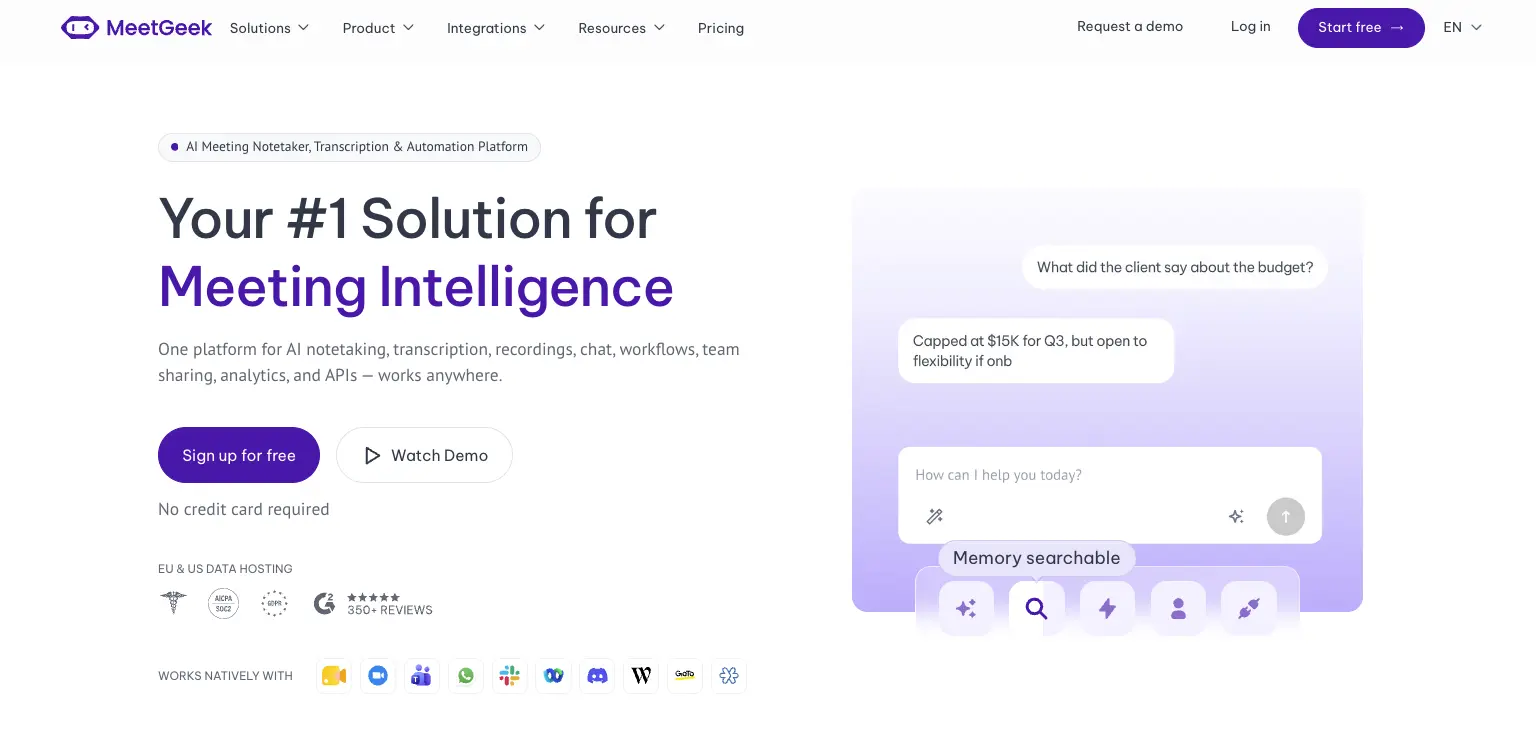
Avoma is a revenue stack. Dialers, scheduling, coaching and revenue intelligence are built around how a sales organization runs its calls. MeetGeek is meeting intelligence and automation with dedicated sales capabilities inside it, so customer calls sit in the same workspace as interviews, product discovery and internal reviews without the whole platform revolving around revenue operations.

Most of the difference shows up in what happens after the call. AI Chat answers questions across your meeting history and connected apps, drafts the follow-up and updates a deal record, while workflows and AI agents do the same on a trigger instead of a question, pushing action items into a CRM or Slack across 10,000+ connected apps. Sales signals such as objection and competitor detection sit in the ordinary plans rather than in a module you buy separately.

Avoma is the stronger fit when dialer calls, built-in scheduling, formal coaching and specialized revenue intelligence are central to how you sell. MeetGeek makes more sense when meeting intelligence has to serve more than the revenue team, when sales insights are still needed alongside that, and when simpler pricing helps: a free Basic plan that does not expire, Pro at $9.99 per user per month, Business at $17.

If it is the analysis layer you are weighing against Avoma's modules, meeting insights and analytics is the place to start.

Gong
Gong comes up for much the same reason Avoma does, and approaches it from the enterprise end. Its centre of gravity is revenue intelligence: forecasting, deal and pipeline inspection, and coaching run across a large volume of calls, with the output written to be read by leadership rather than only by the rep who was on the call. That depth earns its place once forecasting accuracy is a problem in its own right. The trade-off is scale, since it is aimed at larger revenue organizations. Our round-up of the best Gong alternatives covers where each option lands, and the MeetGeek and Gong comparison goes head to head.

Fireflies
Fireflies is the lighter of the three. It works as a general meeting assistant first, recording and transcribing across the usual video platforms, with CRM-oriented workflows attached so notes, action items and call details end up in Salesforce or HubSpot instead of a separate library. That fits a team whose actual requirement is meeting output reaching the sales system, without buying the coaching platform around it. What you give up is Avoma's specialized layer: built-in scheduling, and the structured coaching and revenue intelligence used to review calls. If you are weighing up the category rather than one tool, our guide to conversational intelligence software compares the options side by side.

Avoma vs MeetGeek at a Glance

MeetGeek publishes this comparison and MeetGeek is our own product, so we would encourage you to check both vendors' documentation before deciding. Every figure below was verified against each vendor's own pricing and documentation pages on August 31, 2026. Prices use annual billing.

FeatureAvomaMeetGeek
Free planNone, 14-day trialFree Basic, 3 hours/month
Entry paid planStartup, $19/seat/monthPro, $9.99/user/month
Conversation intelligenceLimited on Organization, advanced module $29/seatSales analysis listed from Pro
Two-way CRM field updatesRevenue Intelligence module, $29/seatListed from Pro
Paid seat limits25 on Startup, 100 on OrganizationMix free and paid licenses
Free non-recording usersUnlimited free view-only seatsUnlimited free Basic licenses
Dialer integrationsRingCentral, Zoom Phone, AircallAircall available via Make
Built-in schedulingGroup and round-robinNot offered
Automation and AI workflowsRule-based automations, API and webhooks from Organization, plus an MCP server for AI assistantsAutomated post-meeting workflows and AI Chat across connected apps, plus an open API and MCP
Data residencyUS by default, EU options through EnterpriseChoice of EU or US

Table last updated: August 31, 2026.

Avoma may make more sense when dialer calls, scheduling, structured coaching and revenue intelligence are central to how your organization sells. MeetGeek may make more sense when you want conversations across different teams and meeting types to become searchable knowledge, insights and automated work, with dedicated sales capabilities still available inside it. Price is a real difference between them, but it is the second question rather than the first.

Who Should Use Avoma?

Avoma is a strong fit for revenue teams that want meeting recording, scheduling, CRM workflows, call coaching and pipeline intelligence in one platform, especially when dialer calls are an important part of the sales process. Free view-only seats also make it easy to bring managers into call reviews without buying them licenses.

Other tools may suit you better if:

  • you want a free plan rather than a 14-day trial;
  • you want meeting intelligence, searchable knowledge and automated workflows across several teams rather than a platform built primarily around revenue operations;
  • your headcount sits awkwardly against the 25 or 100 paid-seat limits;
  • or you need HIPAA or SSO but have fewer than 10 users.

For a wider view of the options, see our guide to apps for taking meeting minutes.

Key Takeaways

  • Avoma is a sales-focused meeting assistant with dialer integrations, CRM sync and built-in scheduling.
  • Plans are $19, $29 and $39 per recorder seat per month on annual billing, and there is no free tier, only a 14-day trial.
  • Organization includes limited Conversation Intelligence, and the advanced module costs $29 per seat per month on annual billing.
  • Modules can be assigned to individual users, which keeps costs down for a mixed team and raises them when everyone needs the features.
  • Startup covers up to 25 paid seats and Organization up to 100, so headcount alone can trigger a plan change.
  • Free view-only seats are unlimited on every plan.
  • Avoma publishes SOC 2 Type II and ISO/IEC 42001:2023 certification, hosts in the US by default, and says EU data residency can be discussed with its enterprise team.

How We Reviewed Avoma

This review is based on Avoma's current pricing page and module structure, checked against screenshots of both billing toggles, its published features and limitations, how it compares with the other meeting platforms we track, and recent third-party reviews from verified users.

Frequently Asked Questions

Is Avoma Free?

No. Avoma has no free plan, though free view-only seats are unlimited on every paid plan. To test it, Avoma offers an unrestricted 14-day trial of the Organization plan with all modules enabled and no credit card required.

How Much Does Avoma Cost?

On annual billing, Startup is $19 per recorder seat per month, Organization is $29 and Enterprise is $39. Monthly billing is $29 for Startup and $39 for Organization, and Enterprise is billed annually only. The Conversation Intelligence and Revenue Intelligence modules are $29 per seat each on annual billing, and Lead Router is $19.

What Is a Recorder Seat in Avoma?

A recorder seat is any user who records and transcribes their own meetings and calls, and those are the seats you pay for. Anyone who only watches recordings, reads transcripts or comments on colleagues' meetings has a free view-only seat, and those are unlimited.

Does Avoma Include Conversation Intelligence?

The Organization plan includes limited Conversation Intelligence. Avoma's advanced capabilities, including AI coaching recommendations, AI call scoring, smart trackers and Global Ask Avoma, come as a separate module at $29 per seat per month on annual billing, which you can assign to individual users.

What Is Avoma Used For?

Teams use Avoma to record, transcribe and summarize sales calls and meetings, then review them for coaching and pipeline health. It also handles meeting scheduling and pushes notes and fields into a CRM.

What Is the Best Avoma Alternative?

That depends on what you need. MeetGeek is worth comparing if you want a broader meeting intelligence and automation platform: one that captures conversations across different teams, turns them into searchable knowledge and connects the results to automated workflows, with dedicated sales intelligence included rather than a dialer, scheduling and revenue-management stack built around it. Avoma itself is hard to replace if those are central to how you sell. Gong goes further into enterprise revenue workflows, and Fireflies works as a lighter meeting assistant connected to a CRM.

Using Google Meet? MeetGeek automatically records, transcribes and summarizes your meetings.

Try MeetGeek for free

Related Articles

See alternatives
Productividad

Avoma Review 2026: Pricing, Features and Alternatives Testing

Avoma pairs a sales-focused meeting assistant with optional intelligence modules, so cost depends on which parts you need.
Productividad

Avoma: Análisis, Precios y Alternativas en 2026

Avoma combina un asistente de reuniones orientado a ventas con módulos de inteligencia opcionales, así que el coste depende de las partes que necesites.
Productividad

Tactiq: Qué Es, Precios y 5 Alternativas en 2026

Tactiq transcribe en directo sin bot, pero guarda el texto y no la grabación, y eso decide a quién le sirve.
Haciendo clic «Aceptar todas las cookies», acepta el almacenamiento de cookies en su dispositivo para mejorar la navegación del sitio, analizar el uso del sitio y ayudar en nuestras iniciativas de marketing. Vea nuestro Política de privacidad para obtener más información.

Stay in the Loop

Get the latest insights on AI-powered meetings, productivity tips, and product updates delivered straight to your inbox.
Thank you! Your submission has been received!
Oops! Something went wrong while submitting the form.
Join 50,000+ teams already subscribed. Unsubscribe anytime.