




Durch Anklicken „Alle Cookies akzeptieren“, stimmen Sie der Speicherung von Cookies auf Ihrem Gerät zu, um die Seitennavigation zu verbessern, die Nutzung der Website zu analysieren und unsere Marketingaktivitäten zu unterstützen. Sehen Sie sich unsere an Datenschutzrichtlinie für weitere Informationen.
MeetGeekBlogAvoma Review 2026: Pricing, Features and Alternatives Testing
Back to Blog

Avoma Review 2026: Pricing, Features and Alternatives Testing

Produktivität
Produktivität
Tagungen
Tagungen

Avoma pairs a sales-focused meeting assistant with optional intelligence modules, so cost depends on which parts you need.

João Fins
August 31, 2026
/
5 min read
Table of content
Leg los mit MeetGeek, dem KI-Meeting-Assistenten
📝 AI-powered Meeting Note taker
✅ Free meeting recording & transcription
💬 Automated sharing of insights to other tools.
Kostenlos registrieren
Share the knowledge with your circle
Copied

Avoma is an AI meeting assistant built around sales conversations, combining recording and transcription with scheduling, CRM sync and conversation intelligence. It also connects to sales dialers as well as video calls, which makes it particularly relevant for revenue teams.

Its pricing is modular. Each plan covers the meeting assistant, while deeper coaching and revenue features are sold as separate per-seat modules. That flexibility works well if only some people need them, but the cost can rise as more of the team uses the advanced features.

Avoma is a strong option if you need a dedicated revenue workflow around calls. But teams looking for a broader AI meeting platform, with automated workflows, integrations, meeting intelligence and AI agents that can act on what happens in meetings, may find other options more flexible.

What Is Avoma?

Avoma records, transcribes and summarizes meetings across Zoom, Google Meet and Microsoft Teams, then layers sales analysis on top.

Two things separate it from a general note taker. First, it connects to sales dialers including RingCentral, Zoom Phone and Aircall, so phone calls are captured alongside video meetings. Second, scheduling is built in, so one-to-one booking links sit next to the recordings.

It integrates natively with Salesforce, HubSpot, Zoho, Pipedrive and Copper, plus Slack, ClickUp and Zapier. Auto-saving notes to a CRM record is on every plan.

Avoma suits a revenue team that wants calls, coaching and pipeline review in one tool. It is heavier than most teams need if all they want is a record of what was said.

Avoma Pricing in 2026

Avoma charges per recorder seat, meaning anyone who records and transcribes their own meetings. People who only watch recordings, read transcripts or leave comments are free, and that applies from the entry plan up.

PlanAnnualMonthlyPaid seats
Startup$19/seat$29/seatUp to 25
Organization$29/seat$39/seatUp to 100
Enterprise$39/seatBilled annually onlyMinimum 10

Table last updated: August 31, 2026.

There is no free plan. Avoma offers an unrestricted 14-day trial of the Organization plan with all add-ons enabled and no credit card required.

What Each Plan Covers

  • Startup is a complete meeting assistant, not a stripped-back tier. It includes unlimited real-time transcription, unlimited AI summary notes, automatic video recording, unlimited one-to-one scheduling, AI email follow-ups, Ask Avoma for a Meeting, auto-save notes to CRM records, and dialer integration. It also gives you unlimited free view-only seats alongside your 25 paid ones.
  • Organization adds custom AI topics and templates, group and round-robin scheduling, limited Conversation Intelligence, smart playlists and AI automations, transcript and note translation, custom AI email templates, API access and webhooks, and a customer success manager.
  • Enterprise adds Global Ask Avoma, a designated success manager, concierge onboarding, quarterly business reviews, unlimited usage intelligence, team-specific access controls, signed DPAs, SSO through SAML or OIDC, data retention policies and HIPAA compliance.

The Conversation Intelligence Module

Organization already includes limited Conversation Intelligence. Avoma sells its more advanced capabilities as a separate module at $29 per seat per month on annual billing, or $35 monthly. That module covers AI coaching recommendations, AI call scoring, smart trackers and Global Ask Avoma, among other features.

Two other modules work the same way. Revenue Intelligence is $29 per seat annually or $35 monthly, and it is where two-way CRM field updates live. Lead Router is $19 annually or $25 monthly.

Modules can be assigned to individual users rather than the whole team, so a manager who needs call scoring can have it while the rest of the team does not. Avoma also discounts bundles, 10% for any two modules and 15% for all three.

Worked through, a Startup recorder seat with Avoma's full Conversation Intelligence module comes to $48 per month on annual billing. On Organization, the same combination is $58 per recorder seat per month.

Seat Limits and Compliance

Startup covers up to 25 paid seats and Organization up to 100, so headcount can prompt a plan change on its own. Enterprise starts at a 10-seat minimum, which is worth knowing if you are a small team that needs one Enterprise feature.

HIPAA compliance and SSO through SAML or OIDC are Enterprise features.

The security page says Avoma's design, security and operations have been evaluated and certified for SOC 2 Type II compliance, and that the company is certified to ISO/IEC 42001:2023, the standard for AI management systems. It also supports GDPR compliance, and all customer data is encrypted at rest and in transit.

On storage location, Avoma says all data is hosted on AWS infrastructure in the United States, inside its own Virtual Private Cloud, and that organizations requiring EU data residency can discuss options with its enterprise team. If a specific region is a requirement for you, raise it during the sales conversation rather than assuming the default.

What Avoma Does Well

Avoma has a strong feature set for revenue teams:

  • Dialer coverage. Native integrations with RingCentral, Zoom Phone and Aircall mean phone calls get the same treatment as video meetings.
  • CRM depth. Native Salesforce, HubSpot, Zoho, Pipedrive and Copper integrations, with notes auto-saved to records on every plan.
  • Scheduling built in. Booking links and round-robin routing live in the same tool as the recordings.
  • Free view-only seats. Managers and colleagues who only watch or comment do not need a paid seat, on any plan.
  • Coaching workflow. Smart playlists, AI call scoring and coaching recommendations support structured call review.
  • Modular assignment. Paying for intelligence features only for the people who use them is genuinely useful for a mixed team.
  • Automation and developer access. Rule-based automations fire when a meeting is added to the calendar or when a transcript or notes become available, and can set a meeting purpose or outcome with AI, log it to the CRM, create a follow-up task or turn recording on and off. API access and webhooks sit on the same plan, Zapier is supported, and Avoma also publishes an MCP server so AI assistants can pull meeting data directly.

Where Avoma Might Not Fit

If you want coaching and call scoring for the whole team rather than a few people, the modules apply per seat, so the cost grows with how many people use them. The 25 and 100-seat limits can also prompt a plan change for reasons that have nothing to do with features.

There is no free tier to fall back on either. Free view-only seats cover people who just watch, but anyone recording their own calls needs a paid seat, so the 14-day trial is the only way to test Avoma at no cost.

What Avoma Users Say

Avoma holds 4.6 out of 5 across roughly 1,360 reviews on G2. Two recent five-star ones show both sides of the AI layer, and neither comes from a seller.

A solution engineer at a mid-market company, reviewing Avoma on G2 in March 2026, pointed at what it takes off your plate. Avoma is most helpful for "capturing meeting notes, summaries, and action items automatically, which saves time".

A people and talent leader at a small business, writing in April 2026, uses it across sales calls, recruiting and internal meetings and rates Ask Avoma highly for surfacing context from past conversations. The same review still flags a limit: "Sometimes Ask Avoma has a hard time pulling all the data I need", with several prompts sometimes needed before the answer comes back right.

Between them, that is a reasonable picture of the AI layer. It can save real time, and some answers may still need a quick human check.

Avoma Alternatives Worth Comparing

Avoma suits organizations built around structured revenue workflows, particularly when dialer calls, scheduling and formal coaching sit at the centre of how the team sells. Other platforms optimize for different things, so the right alternative depends on what you want your conversations to feed into elsewhere in the business.

MeetGeek

Avoma is a revenue stack. Dialers, scheduling, coaching and revenue intelligence are built around how a sales organization runs its calls. MeetGeek is meeting intelligence and automation with dedicated sales capabilities inside it, so customer calls sit in the same workspace as interviews, product discovery and internal reviews without the whole platform revolving around revenue operations.

Most of the difference shows up in what happens after the call. AI Chat answers questions across your meeting history and connected apps, drafts the follow-up and updates a deal record, while workflows and AI agents do the same on a trigger instead of a question, pushing action items into a CRM or Slack across 10,000+ connected apps. Sales signals such as objection and competitor detection sit in the ordinary plans rather than in a module you buy separately.

Avoma is the stronger fit when dialer calls, built-in scheduling, formal coaching and specialized revenue intelligence are central to how you sell. MeetGeek makes more sense when meeting intelligence has to serve more than the revenue team, when sales insights are still needed alongside that, and when simpler pricing helps: a free Basic plan that does not expire, Pro at $9.99 per user per month, Business at $17.

If it is the analysis layer you are weighing against Avoma's modules, meeting insights and analytics is the place to start.

Gong

Gong comes up for much the same reason Avoma does, and approaches it from the enterprise end. Its centre of gravity is revenue intelligence: forecasting, deal and pipeline inspection, and coaching run across a large volume of calls, with the output written to be read by leadership rather than only by the rep who was on the call. That depth earns its place once forecasting accuracy is a problem in its own right. The trade-off is scale, since it is aimed at larger revenue organizations. Our round-up of the best Gong alternatives covers where each option lands, and the MeetGeek and Gong comparison goes head to head.

Fireflies

Fireflies is the lighter of the three. It works as a general meeting assistant first, recording and transcribing across the usual video platforms, with CRM-oriented workflows attached so notes, action items and call details end up in Salesforce or HubSpot instead of a separate library. That fits a team whose actual requirement is meeting output reaching the sales system, without buying the coaching platform around it. What you give up is Avoma's specialized layer: built-in scheduling, and the structured coaching and revenue intelligence used to review calls. If you are weighing up the category rather than one tool, our guide to conversational intelligence software compares the options side by side.

Avoma vs MeetGeek at a Glance

MeetGeek publishes this comparison and MeetGeek is our own product, so we would encourage you to check both vendors' documentation before deciding. Every figure below was verified against each vendor's own pricing and documentation pages on August 31, 2026. Prices use annual billing.

FeatureAvomaMeetGeek
Free planNone, 14-day trialFree Basic, 3 hours/month
Entry paid planStartup, $19/seat/monthPro, $9.99/user/month
Conversation intelligenceLimited on Organization, advanced module $29/seatSales analysis listed from Pro
Two-way CRM field updatesRevenue Intelligence module, $29/seatListed from Pro
Paid seat limits25 on Startup, 100 on OrganizationMix free and paid licenses
Free non-recording usersUnlimited free view-only seatsUnlimited free Basic licenses
Dialer integrationsRingCentral, Zoom Phone, AircallAircall available via Make
Built-in schedulingGroup and round-robinNot offered
Automation and AI workflowsRule-based automations, API and webhooks from Organization, plus an MCP server for AI assistantsAutomated post-meeting workflows and AI Chat across connected apps, plus an open API and MCP
Data residencyUS by default, EU options through EnterpriseChoice of EU or US

Table last updated: August 31, 2026.

Avoma may make more sense when dialer calls, scheduling, structured coaching and revenue intelligence are central to how your organization sells. MeetGeek may make more sense when you want conversations across different teams and meeting types to become searchable knowledge, insights and automated work, with dedicated sales capabilities still available inside it. Price is a real difference between them, but it is the second question rather than the first.

Who Should Use Avoma?

Avoma is a strong fit for revenue teams that want meeting recording, scheduling, CRM workflows, call coaching and pipeline intelligence in one platform, especially when dialer calls are an important part of the sales process. Free view-only seats also make it easy to bring managers into call reviews without buying them licenses.

Other tools may suit you better if:

  • you want a free plan rather than a 14-day trial;
  • you want meeting intelligence, searchable knowledge and automated workflows across several teams rather than a platform built primarily around revenue operations;
  • your headcount sits awkwardly against the 25 or 100 paid-seat limits;
  • or you need HIPAA or SSO but have fewer than 10 users.

For a wider view of the options, see our guide to apps for taking meeting minutes.

Key Takeaways

  • Avoma is a sales-focused meeting assistant with dialer integrations, CRM sync and built-in scheduling.
  • Plans are $19, $29 and $39 per recorder seat per month on annual billing, and there is no free tier, only a 14-day trial.
  • Organization includes limited Conversation Intelligence, and the advanced module costs $29 per seat per month on annual billing.
  • Modules can be assigned to individual users, which keeps costs down for a mixed team and raises them when everyone needs the features.
  • Startup covers up to 25 paid seats and Organization up to 100, so headcount alone can trigger a plan change.
  • Free view-only seats are unlimited on every plan.
  • Avoma publishes SOC 2 Type II and ISO/IEC 42001:2023 certification, hosts in the US by default, and says EU data residency can be discussed with its enterprise team.

How We Reviewed Avoma

This review is based on Avoma's current pricing page and module structure, checked against screenshots of both billing toggles, its published features and limitations, how it compares with the other meeting platforms we track, and recent third-party reviews from verified users.

Frequently Asked Questions

Is Avoma Free?

No. Avoma has no free plan, though free view-only seats are unlimited on every paid plan. To test it, Avoma offers an unrestricted 14-day trial of the Organization plan with all modules enabled and no credit card required.

How Much Does Avoma Cost?

On annual billing, Startup is $19 per recorder seat per month, Organization is $29 and Enterprise is $39. Monthly billing is $29 for Startup and $39 for Organization, and Enterprise is billed annually only. The Conversation Intelligence and Revenue Intelligence modules are $29 per seat each on annual billing, and Lead Router is $19.

What Is a Recorder Seat in Avoma?

A recorder seat is any user who records and transcribes their own meetings and calls, and those are the seats you pay for. Anyone who only watches recordings, reads transcripts or comments on colleagues' meetings has a free view-only seat, and those are unlimited.

Does Avoma Include Conversation Intelligence?

The Organization plan includes limited Conversation Intelligence. Avoma's advanced capabilities, including AI coaching recommendations, AI call scoring, smart trackers and Global Ask Avoma, come as a separate module at $29 per seat per month on annual billing, which you can assign to individual users.

What Is Avoma Used For?

Teams use Avoma to record, transcribe and summarize sales calls and meetings, then review them for coaching and pipeline health. It also handles meeting scheduling and pushes notes and fields into a CRM.

What Is the Best Avoma Alternative?

That depends on what you need. MeetGeek is worth comparing if you want a broader meeting intelligence and automation platform: one that captures conversations across different teams, turns them into searchable knowledge and connects the results to automated workflows, with dedicated sales intelligence included rather than a dialer, scheduling and revenue-management stack built around it. Avoma itself is hard to replace if those are central to how you sell. Gong goes further into enterprise revenue workflows, and Fireflies works as a lighter meeting assistant connected to a CRM.

Article updated on 
August 31, 2026
Share the knowledge with your circle
Copied
Related posts

Avoma Review 2026: Pricing, Features and Alternatives Testing

Avoma pairs a sales-focused meeting assistant with optional intelligence modules, so cost depends on which parts you need.

This is some text inside of a div block.

Avoma im Test: Preise, Funktionen und Alternativen

Avoma verbindet einen vertriebsorientierten Meeting-Assistenten mit optionalen Intelligence-Modulen, die Kosten hängen also von den benötigten Teilen ab.

This is some text inside of a div block.

Tactiq: Funktionen, Preise und 5 Alternativen 2026

Tactiq transkribiert live ohne Bot, behält aber den Text und nicht die Aufzeichnung, und das entscheidet, zu wem es passt.

This is some text inside of a div block.

Krisp Alternative: Die 6 Besten Optionen für Meetings 2026

Vergleichen Sie die besten Krisp-Alternativen für Geräuschunterdrückung, KI-Meeting-Notizen, Transkription und Automatisierung.

This is some text inside of a div block.

Microsoft Teams-Preise: Was es 2026 Wirklich Kostet

Erfahren Sie, was Microsoft Teams wirklich kostet – von Business-Plänen und Copilot bis hin zu Teams Phone und weiteren Add-ons.

This is some text inside of a div block.

Die Beste Software für Interviewtranskription: 5 Tools im Vergleich

Finden Sie die beste Software für die Transkription von Interviews für Ihren Workflow. Vergleichen Sie fünf Top-Tools für Transkription, Zusammenfassungen, Bearbeitung, Zusammenarbeit und Interviewanalyse.

This is some text inside of a div block.

Die 12 Besten Remote-Kollaborationstools für 2026

Vergleichen Sie 12 der besten Tools für die Remote-Zusammenarbeit im Jahr 2026 und finden Sie die richtigen Optionen für Kommunikation, Projekte, Meetings und asynchrones Arbeiten.

This is some text inside of a div block.

Google Meet Transkription: Die 7 Besten KI-Tools 2026

Wie jedes Tool ein Meet Gespräch erfasst, ob Gemini bereits reicht und was Ihr Workspace Tarif und Ihr Admin wirklich erlauben.

This is some text inside of a div block.

Team-Meeting Agenda-Vorlage: Kostenlos und Nutzbar

So strukturieren Sie Ihre Team-Meetings: kostenlose Agenda-Vorlagen, Zeitrahmen, Verantwortliche und Aufgaben.

This is some text inside of a div block.

Hat Microsoft Teams ein Zeitlimit?

Erfahren Sie, ob Microsoft Teams ein Zeitlimit hat, und vergleichen Sie die Besprechungsdauer der kostenlosen und bezahlten Pläne.

This is some text inside of a div block.

Recruiting Software: die 7 besten Tools zur Automatisierung

Entdecken Sie die besten Recruiting Tools, um manuelle Arbeit zu reduzieren und schneller einzustellen.

This is some text inside of a div block.

Zoom Transkription mit KI: 8 Tools im Test (2026)
Wie 8 KI-Tools für die Zoom Transkription sich wirklich mit Zoom verbinden und was jedes davon tut, wenn Sie nicht der Host sind.

This is some text inside of a div block.

KI Meeting Protokoll Kostenlos: 7 Tools im Test

Sieben kostenlose Tools für Ihr KI Meeting Protokoll im Vergleich, und vor allem: wie viele Meeting-Stunden Sie bekommen, bevor Sie zahlen müssen.

This is some text inside of a div block.

Beste Recruiting Software und Bewerbermanagement 2026

Die besten Bewerbermanagementsysteme im Vergleich: für wen sich welches Tool eignet, was es kostet und wie Sie das richtige auswählen.

This is some text inside of a div block.

Die Geschäftsleitung: Rollen, Aufbau und Best Practices

Entdecken Sie die Rollen, Aufgaben und Merkmale erfolgreicher Geschäftsleitungen sowie praktische Strategien für eine stärkere Führung.

This is some text inside of a div block.

Am Handy Aufnehmen: Telefonat, Bildschirm und Sprache

So nehmen Sie am Handy ein Telefonat, den Bildschirm und Sprache auf, unter Android und iPhone, mit Apps, Qualitätstipps und Rechtslage.

This is some text inside of a div block.

Bericht Schreiben: Aufbau, Typen und Beispiel

Ein Bericht verwandelt komplexe Informationen in klare Erkenntnisse. Lernen Sie die Typen, die wichtigen Abschnitte, ein Beispiel und Best Practices kennen.

This is some text inside of a div block.

Meeting-Notizen in Claude: Was Sie Erstellen Können und Wie Sie Verbinden

Verbinden Sie Ihre Meeting-Notizen mit Claude und verwandeln Sie vergangene Gespräche in Antworten, fertige Dokumente und mehrstufige Arbeit.

This is some text inside of a div block.

Die 6 Besten Airgram-Alternativen für 2026

Vergleichen Sie die besten Airgram-Alternativen für 2026, darunter MeetGeek, Fireflies, Otter, tl;dv, Fellow und Sembly AI.

This is some text inside of a div block.

Meeting Notes in ChatGPT: Vorteile und Anwendungen

Verbinden Sie Ihre Meeting-Notizen mit ChatGPT und verwandeln Sie vergangene Calls in sofortige Antworten, Protokolle und Automatisierungen, in natürlicher Sprache.

This is some text inside of a div block.

Schneller tippen lernen: 15 Tipp-Tricks, die funktionieren

Möchten Sie schneller tippen und weniger Fehler machen? Entdecken Sie praktische Tipp-Tricks, Tastenkombinationen und Tools, die Ihnen helfen, intelligenter zu arbeiten.

This is some text inside of a div block.

Die 10 besten ChatGPT-Alternativen für die Arbeit 2026

Sie suchen eine ChatGPT-Alternative? Vergleichen Sie die besten KI-Tools für Recherche, Meetings, Schreiben, Programmierung, Suche und Produktivität im Jahr 2026.

This is some text inside of a div block.

Die 9 besten Calendly-Alternativen im Jahr 2026 (Getestet + Verglichen)

Cal.com, Acuity, Chili Piper und weitere – die besten Calendly-Alternativen im Jahr 2026, getestet und nach Anwendungsfall bewertet.

This is some text inside of a div block.

Die 8 besten Google Meet-Erweiterungen im Jahr 2026 (Auf Produktivität getestet)

Von KI-Notizen bis zur Geräuschunterdrückung: Hier sind 8 Chrome-Erweiterungen, die beheben, was Google Meet nativ nicht kann.

This is some text inside of a div block.

KI-Produktivitätstools, die wir tatsächlich im Vertrieb und Marketing nutzen

Ein praktischer Einblick in die KI-Produktivitätstools, die wir täglich für Meetings, Inhalte, Automatisierung, Vertriebs-Workflows und Teamarbeit nutzen.

This is some text inside of a div block.

So planen Sie ein Meeting in Google Meet: Schritt-für-Schritt-Anleitung 2026

Drei Desktop-Methoden, zwei mobile Abläufe und ein Trick, um jeden geplanten Anruf produktiver zu machen.

This is some text inside of a div block.

Gemini vs. Google Assistant: Umfassender Vergleichsleitfaden

Verwirrt über Gemini vs. Google Assistant? Erfahre die wichtigsten Unterschiede, was Google ändert und welcher Assistent am besten zu dir passt.

This is some text inside of a div block.

Management hybrider Teams 2026: Häufige Herausforderungen und wie man sie meistert

Kommunikationslücken, Zeitzonen-Reibung, Kulturdrift – die vier Herausforderungen, denen sich jede Führungskraft im Hybridmodell stellen muss, und wie man sie löst.

This is some text inside of a div block.

MeetGeek vs tl;dv: Welches KI-Meeting-Tool ist das Richtige für Ihr Team im Jahr 2026?

Funktionen, Preise, Genauigkeit und Integrationen im direkten Vergleich mit einem klaren Urteil für Vertriebs-, CS- und Betriebsteams.

This is some text inside of a div block.

Lustige Zoom-Hintergründe für jede Art von Meeting

Entdecken Sie die besten lustigen Zoom-Hintergründe für Arbeitsanrufe und virtuelle Besprechungen, darunter Memes, Fernsehszenen, gefälschte Büros und KI-generierte Ideen.

This is some text inside of a div block.

So konvertieren Sie MP4 in ein Transkript (schnell und genau)

Erfahren Sie, wie Sie MP4-Dateien mit KI-Tools für Besprechungen, Webinare und Interviews in genaue Transkripte, Untertitel und Bildunterschriften konvertieren.

This is some text inside of a div block.

Google Transkriptionsdienst 2026: Ehrliche Bewertung und beste Alternative

Google Meet, Cloud Speech-to-Text, Docs, Recorder — was jedes kann, wo jedes an seine Grenzen stößt und die bessere Alternative.

This is some text inside of a div block.

Die Vorlage für ein Agile-Retrospektiv-Meeting: 5 Formate, die funktionieren

Fünf Retro-Formate (Start/Stop/Continue, 4Ls, Mad/Sad/Glad, Sailboat, DAKI), wann man sie verwenden sollte und der Commitment-Schritt, der aus Reden Veränderung macht.

This is some text inside of a div block.

KI-Vertriebscoaching: Wie moderne Vertriebsteams KI nutzen, um mehr Geschäfte abzuschließen

Wie KI-Vertriebscoaching jeden Anruf analysiert (nicht nur die 3%, die ein Manager in die Stichprobe einnimmt) und anhand von Repräsentant, Phase und Art des Einwands die zu coachenden Momente herausarbeitet.

This is some text inside of a div block.

HIPAA-konforme Tools zur Transkription von Besprechungen: Ein Leitfaden zur Überprüfung

Was HIPAA tatsächlich von Transkriptionstools verlangt, warum sich die meisten KI-Notizer nicht qualifizieren und eine 10-teilige Checkliste für klinische Operationsteams.

This is some text inside of a div block.

Kann ChatGPT Audio Transkribieren? Stand 2026

Drei Wege zu einem Transkript aus ChatGPT, und ausgerechnet den meistgenutzten dokumentiert OpenAI am wenigsten.

This is some text inside of a div block.

Zoom-Testmeeting: Schrittweise Anleitung zum Testen Ihres Setups vor jedem Anruf

Erfahren Sie, wie Sie ein Zoom-Testmeeting durchführen, Mikrofon- und Kameraprobleme beheben und sicherstellen, dass Ihr Setup vor einem wichtigen Anruf bereit ist.

This is some text inside of a div block.

KI für Customer Success: Der Praxis-Leitfaden 2026

Wo KI in den CSM-Alltag eingreift: die vier Rs (Renewals, Risk, References, Reviews), ein Reifegradmodell von ad hoc zu agentisch, eine Tool-Checkliste und die Kennzahlen, die den ROI belegen.

This is some text inside of a div block.

Das Playbook zum Projektstart (+ Vorlage)

Die 7-teilige Agenda, die Vorlage und die 24-Stunden-Checkliste für die Nachbereitung, die aus einem Projektstart die wertvollsten 60 Minuten des gesamten Projekts machen.

This is some text inside of a div block.

Was ist eine Jahreshauptversammlung (AGM)? Ein vollständiger Leitfaden

Machen Sie sich mit Jahreshauptversammlungen vertraut, was in die Tagesordnung einer Hauptversammlung aufgenommen werden muss und wie Sie strukturierte, gesetzeskonforme Versammlungen abhalten, die Entscheidungen beeinflussen.

This is some text inside of a div block.

Ein vollständiger Leitfaden zur MEDDIC-Vertriebsmethodik

Erfahren Sie, wie MEDDIC Sales dabei hilft, Leads zu qualifizieren, Entscheidungsprozesse zu verstehen und die Gewinnraten in komplexen B2B-Verkaufszyklen zu verbessern.

This is some text inside of a div block.

So schreiben Sie eine Abwesenheitsnachricht

Erfahren Sie, wie Sie eine klare Abwesenheitsnachricht verfassen, was Sie einbeziehen sollten, und verwenden Sie kopierfertige Beispiele für jede Situation.

This is some text inside of a div block.

Ist es illegal, jemanden ohne dessen Erlaubnis aufzunehmen?

Das Aufzeichnen eines Gesprächs kann in einigen Situationen legal und in anderen illegal sein. In diesem Leitfaden wird erklärt, wann das Aufnehmen einer Person ohne Genehmigung in den USA und der EU zulässig ist, wie die Zustimmungsgesetze funktionieren und wie rechtliche Probleme vermieden werden können.

This is some text inside of a div block.

So kündigen Sie Ihr Zoom-Abonnement im Jahr 2026

Müssen Sie Ihr Zoom-Abonnement kündigen? In dieser Anleitung wird genau erklärt, wie Sie dies auf der Zoom-Website, im Apple App Store oder bei Google Play tun, was nach der Kündigung passiert und wie Sie zusätzliche Rechnungsgebühren vermeiden können.

This is some text inside of a div block.

MeetGeek vs Fellow: Vergleich von Besprechungsnotizen, Tagesordnungen und Automatisierung

Vergleich von MeetGeek gegen Fellow? Sieh dir an, wie sich die KI-Besprechungsnotizen, Tagesordnungen, Aufzeichnungen und Automatisierungsfunktionen der Anbieter unterscheiden, um die beste Lösung für dein Team zu finden.

This is some text inside of a div block.

So nehmen Sie auf dem Mac auf dem Bildschirm auf (mit Audio, Systemsound und Profi-Tipps)

Erfahren Sie, wie Sie mit den integrierten Tools auf dem Mac Bildschirmaufnahmen machen, Audio korrekt aufnehmen und herausfinden, wann MeetGeek die intelligentere Option ist.

This is some text inside of a div block.

MeetGeek gegen Krisp: Welcher KI-Meeting-Assistent ist der richtige für Ihr Team?

MeetGeek und Krisp im Vergleich: KI-Hinweise, Geräuschunterdrückung, Preisgestaltung, Integrationen und Aufnahmefunktionen klar erklärt.

This is some text inside of a div block.

Tipps für Videokonferenzen für erfolgreiche virtuelle Besprechungen

Erfahren Sie praktische Tipps für Videokonferenzen, die die Audioqualität, das Engagement und die Nachverfolgung verbessern und Teams helfen, auch nach virtuellen Besprechungen an einem Strang zu ziehen.

This is some text inside of a div block.

Webex vs Zoom: Welche Videokonferenzplattform passt am besten zu Ihren Meetings?

Ein klarer Vergleich von Webex und Zoom, von Funktionen und Preisen bis hin zu Sicherheit und Integrationen.

This is some text inside of a div block.

Spiele zum Spielen auf Zoom: 20 Ideen für Teambuilding (und echte Lacher)

Eine praktische Liste von Zoom-Spielen, die Remote-Teams dabei helfen, Kontakte zu knüpfen, Energie zu tanken und virtuelle Besprechungen ansprechender und interaktiver zu gestalten.

This is some text inside of a div block.

So automatisieren Sie Besprechungen sicher in regulierten und risikoreichen Umgebungen

Erfahren Sie, wie Sie Besprechungen in regulierten Umgebungen automatisieren können, ohne die Sicherheit, den Datenschutz oder die Einhaltung von Vorschriften zu gefährden.

This is some text inside of a div block.

Zoom Hand Heben: So Geht Es auf Jedem Gerät

Reaktionen, Tastenkürzel und die Handgeste im Überblick, plus was zu tun ist, wenn der Button in Zoom fehlt.

This is some text inside of a div block.

Gute Fragen, die Sie in einem Interview stellen sollten und die Ihnen helfen, die richtige Wahl zu treffen

Erfahren Sie, welche Fragen Sie stellen sollten, wann Sie sie stellen sollten und wie Sie Interviews nutzen können, um zu entscheiden, ob eine Rolle, ein Team und ein Unternehmen wirklich zu Ihnen passen.

This is some text inside of a div block.

Was ist der Companion Mode in Google Meet? Alles was du wissen musst

Lesen Sie weiter, um eine praktische Anleitung zur Verwendung des Begleitmodus in Google Meet für klarere, ausgewogenere Hybrid-Meetings zu erhalten.

This is some text inside of a div block.

Was ist ein Skip-Level-Meeting? Wie Führungskräfte Skip-Levels nutzen, um die Kommunikation zu verbessern

Ein detaillierter Einblick in Besprechungen auf Skip-Level-Ebene und wie sie Führungskräften helfen, mit Teams in Kontakt zu treten und echte Einblicke zu gewinnen.

This is some text inside of a div block.

Was ist ein AI-Sprachagent? Ein praktischer Leitfaden, wie Sprach-KI wirklich funktioniert

In diesem Leitfaden wird erklärt, was ein KI-Sprachagent ist, wie er funktioniert, welche Vorteile er bietet und wo er am besten zu menschlichen Teams passt.

This is some text inside of a div block.

Leitfaden für Stand-Up-Meetings: Was sie sind und wie man sie durchführt

Finden Sie heraus, was ein Stand-up-Meeting tatsächlich nützlich macht. In diesem Leitfaden wird erklärt, wie du tägliche Stand-Ups durchführst, die kurz bleiben, Blockaden zum Vorschein bringen und die Teams auf einer Linie halten.

This is some text inside of a div block.

Alles über Microsoft Teams AI Interpreter + So gehen Sie über die Übersetzung hinaus

Erfahren Sie, wie Microsoft Teams AI Interpreter funktioniert, wo er zu kurz kommt und wie Sie über die Übersetzung hinausgehen können.

This is some text inside of a div block.

Beste App zur Vorlesungsaufzeichnung im Jahr 2026:5 Tools, die Studierende tatsächlich verwenden

Schauen wir uns genauer an, was Studierende heutzutage verwenden, um ihre Vorlesungen sowohl online als auch offline aufzuzeichnen und zu organisieren.

This is some text inside of a div block.

Read AI-Preise erklärt für 2026: Lohnt es sich für Meeting-Notizen?

Erfahren Sie mehr über die Preisgestaltung für 2026 von Read AI, ihre Kernfunktionen und wie sie mit Besprechungsnotizen, Transkriptionen und Erkenntnissen umgeht, um moderne Teams zu unterstützen.

This is some text inside of a div block.

Was ist eine durchsuchbare Wissensdatenbank und wie funktioniert sie?

Erfahren Sie, wie durchsuchbare Wissensdatenbanken den Zugriff auf Informationen verbessern, und sehen Sie, wie MeetGeek Ihre Meetings in eine schnelle, zuverlässige Wissenszentrale verwandelt.

This is some text inside of a div block.

So verwischen Sie den Hintergrund in Google Meet (einfache Anleitung für alle Geräte)

Erfahren Sie, wie Sie Ihren Hintergrund in Google Meet auf Desktop und Handy verwischen, visuelle Effekte verwenden und bei jedem Anruf ein klareres, fokussierteres Aussehen erzielen.

This is some text inside of a div block.

So treten Sie Team-Meetings mit Code bei: Eine vollständige schrittweise Anleitung

Erfahren Sie, wie Sie mithilfe eines Besprechungscodes an Microsoft Teams-Besprechungen teilnehmen können, sowie über andere Optionen wie einen Link oder eine Einladung. In diesem Handbuch werden alle Methoden klar und Schritt für Schritt erklärt.

This is some text inside of a div block.

Die 5 besten NoteGPT-Alternativen im Jahr 2026

Entdecken Sie die 5 besten NoteGPT-Alternativen, mit denen Sie wichtige Erkenntnisse erfassen, Inhalte transkribieren und die Produktivität in Lern- und professionellen Arbeitsabläufen steigern können.

This is some text inside of a div block.

Was ist Perplexity AI? Ein Leitfaden für die KI-gestützte Suchmaschine, die die Art und Weise, wie wir Informationen finden, verändert

In diesem Artikel werfen wir einen genaueren Blick auf Perplexity AI, was sie im Vergleich zu herkömmlichen Suchmaschinen für Sie tun kann, und einige ihrer Vor- und Nachteile.

This is some text inside of a div block.

tl;dv 2026: Ist Es Sicher? Test und 5 Alternativen

Was tl;dv gut macht, was die Datenoffenlegung 2026 wirklich erreichte, und wie sich dadurch Ihre Auswahl ändert.

This is some text inside of a div block.

ChatGPT-Aufnahmemodus gegen MeetGeek: Hier finden Sie alles, was Sie wissen müssen

Neugierig, wie der ChatGPT-Rekorder im Vergleich zu MeetGeek abschneidet? Wir haben uns die Funktionen, die Integration und die Datensicherheit für die Aufzeichnung von Besprechungen angesehen.

This is some text inside of a div block.

Fathom AI Pricing 2026: Lohnt es sich für moderne Teams immer noch?

Erkunden Sie die Preise von Fathom AI für 2026, einschließlich Funktionen, Limits und Tarifvergleiche, und erfahren Sie, wie MeetGeek Teams mehr Flexibilität bietet.

This is some text inside of a div block.

KI-Tagenten: Wie autonome KI die Zukunft der Arbeit verändert

Erfahren Sie, wie KI-Besprechungsagenten die Zukunft der Arbeit neu definieren. Sie kümmern sich um die Planung, Nachbereitung und sprechen sogar in Ihrem Namen, um Zeit zu sparen und jedes Meeting in echte Aktionen umzusetzen.

This is some text inside of a div block.

Notta AI Review: Lohnt sich dieses KI-Transkriptionstool im Jahr 2026?

Lesen Sie diesen ausführlichen Testbericht über Notta AI, um zu erfahren, wie gut es Besprechungen transkribiert, mehrere Sprachen verarbeitet und KI-Zusammenfassungen liefert und wo es im Vergleich zu intelligenteren Besprechungsassistenten zu kurz kommt.

This is some text inside of a div block.

Mit diesen 4 KI-Tools für gemeinnützige Organisationen zählt jede Stunde

Machen Sie Ihre gemeinnützige Organisation effizienter mit KI-Tools, die den Verwaltungsaufwand verkürzen, die Zusammenarbeit verbessern und jede Stunde der Wirkung maximieren.

This is some text inside of a div block.

Granola KI Alternativen: Die 5 Besten Notiz-Tools 2026

Preise, Plan-Limits und Sprachanzahl geprüft auf der offiziellen Seite des jeweiligen Anbieters im Juli 2026.

This is some text inside of a div block.

Folge-E-Mail nach dem Interview: Wie man es schreibt, wann man es sendet und was man sagt

Erfahren Sie, wie Sie nach einem Interview eine effektive Folge-E-Mail schreiben. Von Zeitplan und Vorlagen bis hin zu Ton und Struktur behandelt dieser Leitfaden alles, was Sie brauchen, um sich abzuheben und unvergesslich zu bleiben.

This is some text inside of a div block.

Tactiq Preise 2026: Lohnt es sich? Pläne und Kosten

Ein klarer Blick auf jeden Tactiq-Tarif, was die KI-Credits wirklich einschränken und wie sich die Kosten für Einzelnutzer und Teams summieren.

This is some text inside of a div block.

Ad hoc: Bedeutung, Beispiele und Ad-hoc-Meetings

Ad hoc bedeutet: für einen konkreten Zweck. Laut Microsoft sind 57 % der Meetings Ad-hoc-Calls ohne Kalendereinladung.

This is some text inside of a div block.

Etikette für virtuelle Besprechungen: 15 grundlegende Regeln für professionelle Videoanrufe

Entdecken Sie 15 wichtige Regeln und Tipps zur Etikette virtueller Besprechungen, die dafür sorgen, dass Gespräche konzentriert, professionell und ansprechend bleiben.

This is some text inside of a div block.

So verwischen Sie den Hintergrund im Zoom: Schrittweise Anleitung

Erfahren Sie, wie Sie die Funktion zum Weichzeichnen des Hintergrunds von Zoom für mehr Privatsphäre und Fokus verwenden können, sowie Tipps, Korrekturen und wann Sie zu virtuellen Hintergründen wechseln sollten.

This is some text inside of a div block.

Google Meet Bildschirm Teilen auf Jedem Gerät

So teilst du deinen Bildschirm in Google Meet auf PC, Mac und Handy, mit Ton, und was hilft, wenn es nicht funktioniert.

This is some text inside of a div block.

Der MCP-Server von MeetGeek erklärt: Wie KI-Assistenten damit Besprechungen transformieren können

Erfahren Sie, wie der MCP Server von MeetGeek KI-Assistenten dabei unterstützt, Ihre Besprechungen in intelligente, umsetzbare Erkenntnisse zu verwandeln, und das alles von Ihrem lokalen Computer aus.

This is some text inside of a div block.

Zoom Namen Ändern: So Änderst du Deinen Anzeigenamen

Anzeigename dauerhaft im Profil oder nur für ein einzelnes Meeting ändern, auf Web, Desktop und Handy, in wenigen Schritten.

This is some text inside of a div block.

KI zum Notieren für Studierende: Die besten Tools, um 2026 intelligenter zu lernen

Ein Leitfaden zu den besten KI-Tools zum Notieren für Schüler im Jahr 2026 mit Funktionen, Vor- und Nachteilen, die Ihnen bei der Auswahl der richtigen App für das Lernen helfen.

This is some text inside of a div block.

Beschreibung des Preisüberblicks 2026: Was es bietet, wo es zu kurz kommt und eine bessere Alternative

Ein genauerer Blick auf die Preisstufen von Descript, ihre Kompromisse und warum MeetGeek als intelligentere Wahl für YouTuber hervorsticht.

This is some text inside of a div block.

Google Meet Zeitlimit: Kostenlos und Bezahlt

Google nennt eine andere Dauer für kostenlose Konten, Workspace-Editionen und Google One. Hier ist jede einzelne davon.

This is some text inside of a div block.

So transkribieren Sie Sprachnotizen in Text (3 verschiedene Möglichkeiten)

In diesem Artikel erfahren Sie, wie Sie Sprachnotizen auf drei verschiedene Arten transkribieren und dabei die Vor- und Nachteile der einzelnen Optionen abwägen.

This is some text inside of a div block.

Beste ClickUp-Alternativen für KI-Notizen

Erfahren Sie mehr über die 5 besten ClickUp-Alternativen, wenn Sie über das einfache Erstellen von KI-Notizen hinausgehen und einen umfassenden Besprechungsassistenten finden möchten.

This is some text inside of a div block.

Was ist eine objektive Zusammenfassung und wie schreibe ich eine für Ihre Besprechungen

Objektive Zusammenfassungen sind ein Muss, wenn Sie wichtige Informationen aus langen Besprechungen benötigen. Wir werden in diesem Artikel alles darüber besprechen!

This is some text inside of a div block.

Google Meet Aufzeichnen, mit oder ohne Host-Rechte

Google Meet erlaubt Aufzeichnungen nur in bezahlten Editionen und nur Hosts. Hier sind alle Wege daran vorbei, inklusive Android.

This is some text inside of a div block.

Die 7 besten Apps für Meeting-Notizen 2026

Sie suchen die beste App für Meeting-Notizen für Ihr Team? Wir vergleichen Funktionen, Vor- und Nachteile der 7 besten Apps des Moments.

This is some text inside of a div block.

So zeichnen Sie ein Zoom-Webinar als Gastgeber oder Teilnehmer auf (2 Methoden)

In diesem Artikel erfahren Sie, wie Sie ein Zoom-Webinar als Gastgeber oder Teilnehmer mithilfe des integrierten Aufzeichnungs- und Drittanbietertools mit KI-Transkription von Zoom aufzeichnen.

This is some text inside of a div block.

So sehen Sie Ihren Google Meet-Verlauf und finden Aufzeichnungen (4 einfache Methoden)

In diesem Artikel werden verschiedene Möglichkeiten zum Anzeigen Ihres Google Meet-Verlaufs sowie zum Wiederherstellen und Teilen von Aufzeichnungen beschrieben. Außerdem werden die Anforderungen für den Zugriff auf diese Daten beschrieben.

This is some text inside of a div block.

Fireflies AI Pricing | Testbericht und Dinge, von denen ich wünschte, ich wüsste sie vor dem Kauf (2026)

Entdecken Sie die Preise und Funktionen von Fireflies 2026. Erfahre, warum Nutzer von dieser Plattform wechseln, und wähle Alternativen für Zusammenfassungen und Einblicke in KI-Meetings.

This is some text inside of a div block.

So wählen Sie die richtigen Vorlagen für Sitzungsprotokolle für verschiedene Arten von Besprechungen aus

Der erste Schritt bei der Auswahl der richtigen Vorlage besteht darin, die verschiedenen Besprechungstypen und ihre Dokumentationsanforderungen zu verstehen. In diesem Artikel werden wir lernen, wie das geht.

This is some text inside of a div block.

Zoom Meeting Verlauf: Vergangene Meetings Anzeigen

Wo Zoom Ihre vergangenen Meetings speichert, wie lange, und wie Sie Teilnehmerliste, Dauer und Chatverlauf nachträglich abrufen, wenn das Web-Portal sie nicht zeigt.

This is some text inside of a div block.

Die 7 besten Chrome-Erweiterungen für Verkäufer und AMs

In diesem Artikel werden wir die besten Chrome-Erweiterungen für Vertriebsmitarbeiter untersuchen und uns dabei auf Tools konzentrieren, die die Intelligenz von Besprechungen verbessern, in CRMs integrieren und die Produktivität optimieren.

This is some text inside of a div block.

KI-Protokoll für Meetings vor Ort: die besten Apps zum Aufzeichnen und Transkribieren (2026)

Wir haben mobile Apps, KI-Notizblöcke und dedizierte Rekorder getestet, die Gespräche im Raum wirklich erfassen.

This is some text inside of a div block.

Discord Gespräch Aufnehmen: 5 Methoden (2026)

Fünf Wege, um ein Discord Sprach- oder Videogespräch auf Windows, Mac, iPhone und Android aufzunehmen, plus wie du ein automatisches Transkript bekommst.

This is some text inside of a div block.

Chrome Audio Capture: Die Besten Erweiterungen und Recorder (2026)

Wir vergleichen die besten Chrome-Erweiterungen und Tools zum Aufnehmen von Audio 2026, von kostenlosen Recordern bis zu KI-Meeting-Assistenten.

This is some text inside of a div block.

So verwenden Sie die Zoom Chrome-Erweiterung und die 9 besten Erweiterungen für Besprechungen

In diesem Handbuch erfahren Sie genau, wie Sie die Zoom Chrome-Erweiterung und einige andere Tools verwenden, um Ihren Besprechungsprozess zu vereinfachen.

This is some text inside of a div block.

Die 7 besten Speech-to-Text-Chrome-Erweiterungen: Vergleich und Funktionen

In diesem Leitfaden werden die 8 wichtigsten Chrome-Erweiterungen für Speech-to-Text für 2025 beschrieben. Dabei werden die wichtigsten Funktionen, Preise und idealen Anwendungsfälle beschrieben, damit Sie eine fundierte Entscheidung treffen können.

This is some text inside of a div block.

So zeichnen Sie Webex-Meetings auf: Eine schrittweise Anleitung [2 Methoden]

Nehmen Sie auf Webex auf, indem Sie die integrierte Aufnahmefunktion verwenden, oder verbessern Sie die Aufnahme mit Tools von Drittanbietern wie der MeetGeek AI Chrome-Erweiterung.

This is some text inside of a div block.
Schließen Sie sich über 50.000 Teams in mehr als 100 Ländern an

Optimieren Sie Ihre Meetings jetzt.

Zwei Minuten Einrichtung. Kostenlose Basisversion für immer. Vom ersten Tag an auf Unternehmensniveau. Machen Sie Meetings zu einer positiven und lohnenden Erfahrung

Kostenlos anmelden

Avoma Review 2026: Pricing, Features and Alternatives Testing

Key takeaways [Quick answer/Benefits/etc]

nsdfsfsd

fsdfsff

fsdfsfsf

fsfsfaf

  • Google Meet has a free plan for basic meetings.
  • Paid Google Workspace plans start at $7/user/month.
  • Recording, admin controls and higher participant limits require paid plans.
  • Teams that need automatic notes, transcripts and action items can use MeetGeek with Google Meet.

Avoma is an AI meeting assistant built around sales conversations, combining recording and transcription with scheduling, CRM sync and conversation intelligence. It also connects to sales dialers as well as video calls, which makes it particularly relevant for revenue teams.

Its pricing is modular. Each plan covers the meeting assistant, while deeper coaching and revenue features are sold as separate per-seat modules. That flexibility works well if only some people need them, but the cost can rise as more of the team uses the advanced features.

Avoma is a strong option if you need a dedicated revenue workflow around calls. But teams looking for a broader AI meeting platform, with automated workflows, integrations, meeting intelligence and AI agents that can act on what happens in meetings, may find other options more flexible.

What Is Avoma?

Avoma records, transcribes and summarizes meetings across Zoom, Google Meet and Microsoft Teams, then layers sales analysis on top.

Two things separate it from a general note taker. First, it connects to sales dialers including RingCentral, Zoom Phone and Aircall, so phone calls are captured alongside video meetings. Second, scheduling is built in, so one-to-one booking links sit next to the recordings.

It integrates natively with Salesforce, HubSpot, Zoho, Pipedrive and Copper, plus Slack, ClickUp and Zapier. Auto-saving notes to a CRM record is on every plan.

Avoma suits a revenue team that wants calls, coaching and pipeline review in one tool. It is heavier than most teams need if all they want is a record of what was said.

Avoma Pricing in 2026

Avoma charges per recorder seat, meaning anyone who records and transcribes their own meetings. People who only watch recordings, read transcripts or leave comments are free, and that applies from the entry plan up.

PlanAnnualMonthlyPaid seats
Startup$19/seat$29/seatUp to 25
Organization$29/seat$39/seatUp to 100
Enterprise$39/seatBilled annually onlyMinimum 10

Table last updated: August 31, 2026.

There is no free plan. Avoma offers an unrestricted 14-day trial of the Organization plan with all add-ons enabled and no credit card required.

What Each Plan Covers

  • Startup is a complete meeting assistant, not a stripped-back tier. It includes unlimited real-time transcription, unlimited AI summary notes, automatic video recording, unlimited one-to-one scheduling, AI email follow-ups, Ask Avoma for a Meeting, auto-save notes to CRM records, and dialer integration. It also gives you unlimited free view-only seats alongside your 25 paid ones.
  • Organization adds custom AI topics and templates, group and round-robin scheduling, limited Conversation Intelligence, smart playlists and AI automations, transcript and note translation, custom AI email templates, API access and webhooks, and a customer success manager.
  • Enterprise adds Global Ask Avoma, a designated success manager, concierge onboarding, quarterly business reviews, unlimited usage intelligence, team-specific access controls, signed DPAs, SSO through SAML or OIDC, data retention policies and HIPAA compliance.

The Conversation Intelligence Module

Organization already includes limited Conversation Intelligence. Avoma sells its more advanced capabilities as a separate module at $29 per seat per month on annual billing, or $35 monthly. That module covers AI coaching recommendations, AI call scoring, smart trackers and Global Ask Avoma, among other features.

Two other modules work the same way. Revenue Intelligence is $29 per seat annually or $35 monthly, and it is where two-way CRM field updates live. Lead Router is $19 annually or $25 monthly.

Modules can be assigned to individual users rather than the whole team, so a manager who needs call scoring can have it while the rest of the team does not. Avoma also discounts bundles, 10% for any two modules and 15% for all three.

Worked through, a Startup recorder seat with Avoma's full Conversation Intelligence module comes to $48 per month on annual billing. On Organization, the same combination is $58 per recorder seat per month.

Seat Limits and Compliance

Startup covers up to 25 paid seats and Organization up to 100, so headcount can prompt a plan change on its own. Enterprise starts at a 10-seat minimum, which is worth knowing if you are a small team that needs one Enterprise feature.

HIPAA compliance and SSO through SAML or OIDC are Enterprise features.

The security page says Avoma's design, security and operations have been evaluated and certified for SOC 2 Type II compliance, and that the company is certified to ISO/IEC 42001:2023, the standard for AI management systems. It also supports GDPR compliance, and all customer data is encrypted at rest and in transit.

On storage location, Avoma says all data is hosted on AWS infrastructure in the United States, inside its own Virtual Private Cloud, and that organizations requiring EU data residency can discuss options with its enterprise team. If a specific region is a requirement for you, raise it during the sales conversation rather than assuming the default.

What Avoma Does Well

Avoma has a strong feature set for revenue teams:

  • Dialer coverage. Native integrations with RingCentral, Zoom Phone and Aircall mean phone calls get the same treatment as video meetings.
  • CRM depth. Native Salesforce, HubSpot, Zoho, Pipedrive and Copper integrations, with notes auto-saved to records on every plan.
  • Scheduling built in. Booking links and round-robin routing live in the same tool as the recordings.
  • Free view-only seats. Managers and colleagues who only watch or comment do not need a paid seat, on any plan.
  • Coaching workflow. Smart playlists, AI call scoring and coaching recommendations support structured call review.
  • Modular assignment. Paying for intelligence features only for the people who use them is genuinely useful for a mixed team.
  • Automation and developer access. Rule-based automations fire when a meeting is added to the calendar or when a transcript or notes become available, and can set a meeting purpose or outcome with AI, log it to the CRM, create a follow-up task or turn recording on and off. API access and webhooks sit on the same plan, Zapier is supported, and Avoma also publishes an MCP server so AI assistants can pull meeting data directly.

Where Avoma Might Not Fit

If you want coaching and call scoring for the whole team rather than a few people, the modules apply per seat, so the cost grows with how many people use them. The 25 and 100-seat limits can also prompt a plan change for reasons that have nothing to do with features.

There is no free tier to fall back on either. Free view-only seats cover people who just watch, but anyone recording their own calls needs a paid seat, so the 14-day trial is the only way to test Avoma at no cost.

What Avoma Users Say

Avoma holds 4.6 out of 5 across roughly 1,360 reviews on G2. Two recent five-star ones show both sides of the AI layer, and neither comes from a seller.

A solution engineer at a mid-market company, reviewing Avoma on G2 in March 2026, pointed at what it takes off your plate. Avoma is most helpful for "capturing meeting notes, summaries, and action items automatically, which saves time".

A people and talent leader at a small business, writing in April 2026, uses it across sales calls, recruiting and internal meetings and rates Ask Avoma highly for surfacing context from past conversations. The same review still flags a limit: "Sometimes Ask Avoma has a hard time pulling all the data I need", with several prompts sometimes needed before the answer comes back right.

Between them, that is a reasonable picture of the AI layer. It can save real time, and some answers may still need a quick human check.

Avoma Alternatives Worth Comparing

Avoma suits organizations built around structured revenue workflows, particularly when dialer calls, scheduling and formal coaching sit at the centre of how the team sells. Other platforms optimize for different things, so the right alternative depends on what you want your conversations to feed into elsewhere in the business.

MeetGeek
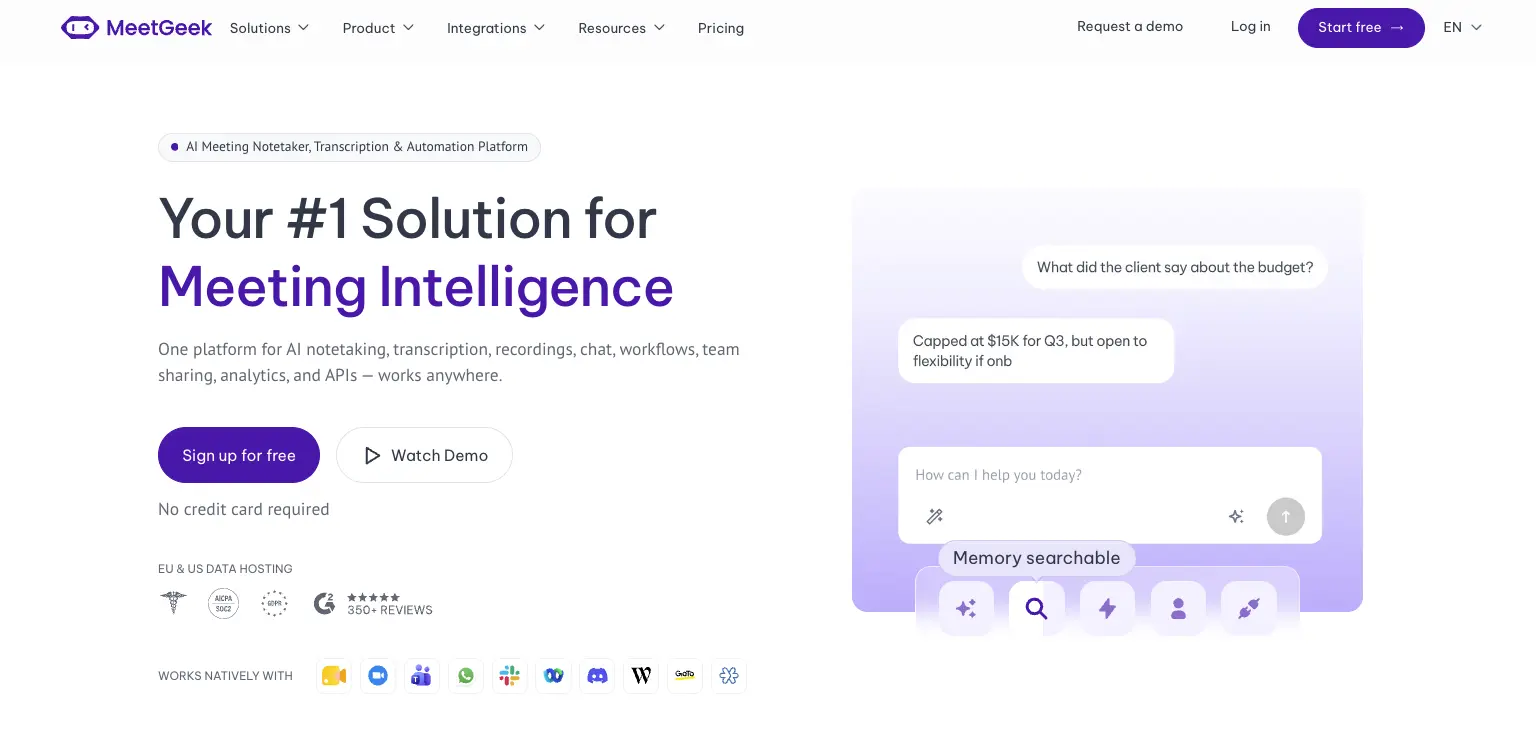
Avoma is a revenue stack. Dialers, scheduling, coaching and revenue intelligence are built around how a sales organization runs its calls. MeetGeek is meeting intelligence and automation with dedicated sales capabilities inside it, so customer calls sit in the same workspace as interviews, product discovery and internal reviews without the whole platform revolving around revenue operations.

Most of the difference shows up in what happens after the call. AI Chat answers questions across your meeting history and connected apps, drafts the follow-up and updates a deal record, while workflows and AI agents do the same on a trigger instead of a question, pushing action items into a CRM or Slack across 10,000+ connected apps. Sales signals such as objection and competitor detection sit in the ordinary plans rather than in a module you buy separately.

Avoma is the stronger fit when dialer calls, built-in scheduling, formal coaching and specialized revenue intelligence are central to how you sell. MeetGeek makes more sense when meeting intelligence has to serve more than the revenue team, when sales insights are still needed alongside that, and when simpler pricing helps: a free Basic plan that does not expire, Pro at $9.99 per user per month, Business at $17.

If it is the analysis layer you are weighing against Avoma's modules, meeting insights and analytics is the place to start.

Gong
Gong comes up for much the same reason Avoma does, and approaches it from the enterprise end. Its centre of gravity is revenue intelligence: forecasting, deal and pipeline inspection, and coaching run across a large volume of calls, with the output written to be read by leadership rather than only by the rep who was on the call. That depth earns its place once forecasting accuracy is a problem in its own right. The trade-off is scale, since it is aimed at larger revenue organizations. Our round-up of the best Gong alternatives covers where each option lands, and the MeetGeek and Gong comparison goes head to head.

Fireflies
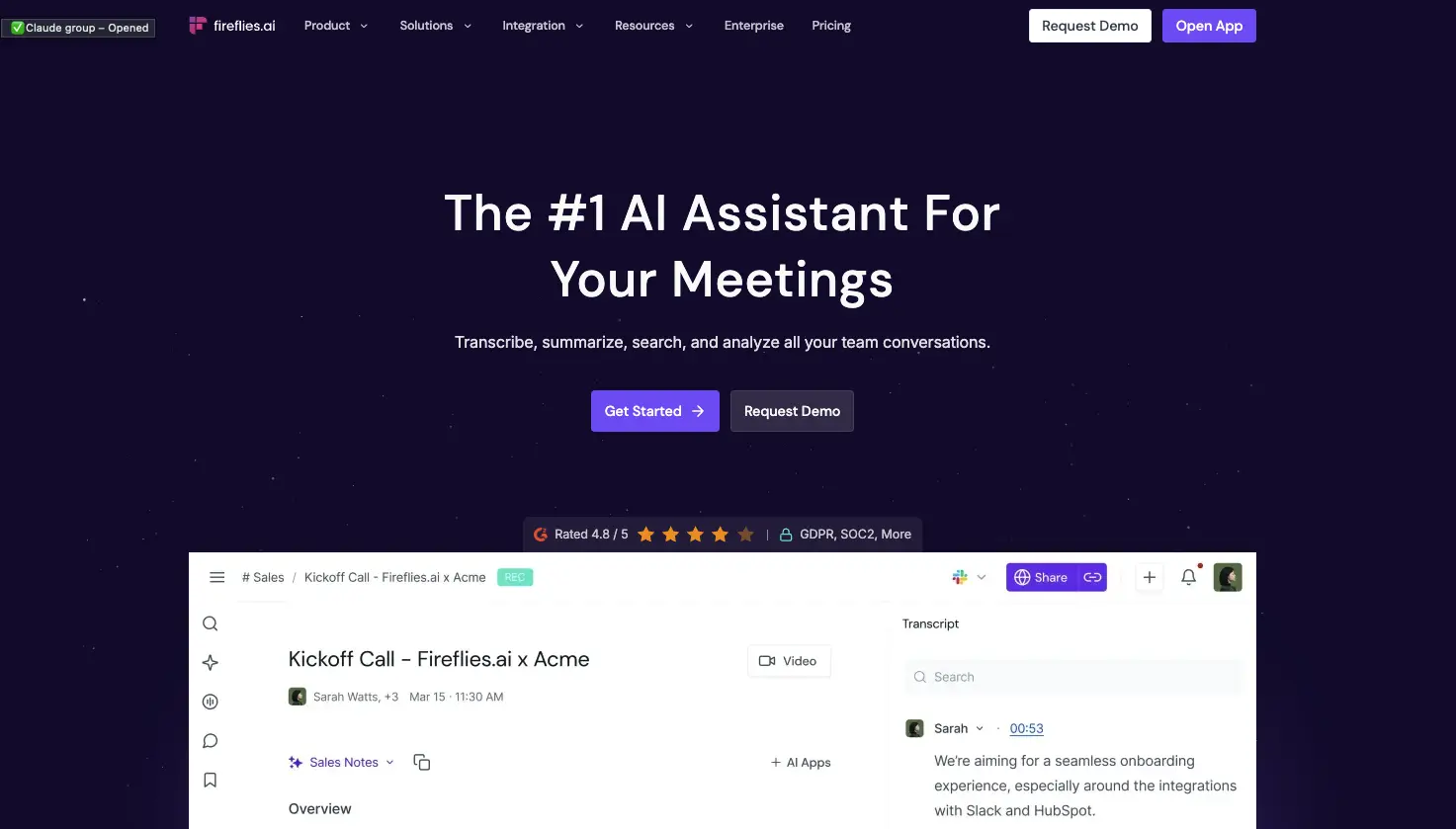
Fireflies is the lighter of the three. It works as a general meeting assistant first, recording and transcribing across the usual video platforms, with CRM-oriented workflows attached so notes, action items and call details end up in Salesforce or HubSpot instead of a separate library. That fits a team whose actual requirement is meeting output reaching the sales system, without buying the coaching platform around it. What you give up is Avoma's specialized layer: built-in scheduling, and the structured coaching and revenue intelligence used to review calls. If you are weighing up the category rather than one tool, our guide to conversational intelligence software compares the options side by side.

Avoma vs MeetGeek at a Glance

MeetGeek publishes this comparison and MeetGeek is our own product, so we would encourage you to check both vendors' documentation before deciding. Every figure below was verified against each vendor's own pricing and documentation pages on August 31, 2026. Prices use annual billing.

FeatureAvomaMeetGeek
Free planNone, 14-day trialFree Basic, 3 hours/month
Entry paid planStartup, $19/seat/monthPro, $9.99/user/month
Conversation intelligenceLimited on Organization, advanced module $29/seatSales analysis listed from Pro
Two-way CRM field updatesRevenue Intelligence module, $29/seatListed from Pro
Paid seat limits25 on Startup, 100 on OrganizationMix free and paid licenses
Free non-recording usersUnlimited free view-only seatsUnlimited free Basic licenses
Dialer integrationsRingCentral, Zoom Phone, AircallAircall available via Make
Built-in schedulingGroup and round-robinNot offered
Automation and AI workflowsRule-based automations, API and webhooks from Organization, plus an MCP server for AI assistantsAutomated post-meeting workflows and AI Chat across connected apps, plus an open API and MCP
Data residencyUS by default, EU options through EnterpriseChoice of EU or US

Table last updated: August 31, 2026.

Avoma may make more sense when dialer calls, scheduling, structured coaching and revenue intelligence are central to how your organization sells. MeetGeek may make more sense when you want conversations across different teams and meeting types to become searchable knowledge, insights and automated work, with dedicated sales capabilities still available inside it. Price is a real difference between them, but it is the second question rather than the first.

Who Should Use Avoma?

Avoma is a strong fit for revenue teams that want meeting recording, scheduling, CRM workflows, call coaching and pipeline intelligence in one platform, especially when dialer calls are an important part of the sales process. Free view-only seats also make it easy to bring managers into call reviews without buying them licenses.

Other tools may suit you better if:

  • you want a free plan rather than a 14-day trial;
  • you want meeting intelligence, searchable knowledge and automated workflows across several teams rather than a platform built primarily around revenue operations;
  • your headcount sits awkwardly against the 25 or 100 paid-seat limits;
  • or you need HIPAA or SSO but have fewer than 10 users.

For a wider view of the options, see our guide to apps for taking meeting minutes.

Key Takeaways

  • Avoma is a sales-focused meeting assistant with dialer integrations, CRM sync and built-in scheduling.
  • Plans are $19, $29 and $39 per recorder seat per month on annual billing, and there is no free tier, only a 14-day trial.
  • Organization includes limited Conversation Intelligence, and the advanced module costs $29 per seat per month on annual billing.
  • Modules can be assigned to individual users, which keeps costs down for a mixed team and raises them when everyone needs the features.
  • Startup covers up to 25 paid seats and Organization up to 100, so headcount alone can trigger a plan change.
  • Free view-only seats are unlimited on every plan.
  • Avoma publishes SOC 2 Type II and ISO/IEC 42001:2023 certification, hosts in the US by default, and says EU data residency can be discussed with its enterprise team.

How We Reviewed Avoma

This review is based on Avoma's current pricing page and module structure, checked against screenshots of both billing toggles, its published features and limitations, how it compares with the other meeting platforms we track, and recent third-party reviews from verified users.

Frequently Asked Questions

Is Avoma Free?

No. Avoma has no free plan, though free view-only seats are unlimited on every paid plan. To test it, Avoma offers an unrestricted 14-day trial of the Organization plan with all modules enabled and no credit card required.

How Much Does Avoma Cost?

On annual billing, Startup is $19 per recorder seat per month, Organization is $29 and Enterprise is $39. Monthly billing is $29 for Startup and $39 for Organization, and Enterprise is billed annually only. The Conversation Intelligence and Revenue Intelligence modules are $29 per seat each on annual billing, and Lead Router is $19.

What Is a Recorder Seat in Avoma?

A recorder seat is any user who records and transcribes their own meetings and calls, and those are the seats you pay for. Anyone who only watches recordings, reads transcripts or comments on colleagues' meetings has a free view-only seat, and those are unlimited.

Does Avoma Include Conversation Intelligence?

The Organization plan includes limited Conversation Intelligence. Avoma's advanced capabilities, including AI coaching recommendations, AI call scoring, smart trackers and Global Ask Avoma, come as a separate module at $29 per seat per month on annual billing, which you can assign to individual users.

What Is Avoma Used For?

Teams use Avoma to record, transcribe and summarize sales calls and meetings, then review them for coaching and pipeline health. It also handles meeting scheduling and pushes notes and fields into a CRM.

What Is the Best Avoma Alternative?

That depends on what you need. MeetGeek is worth comparing if you want a broader meeting intelligence and automation platform: one that captures conversations across different teams, turns them into searchable knowledge and connects the results to automated workflows, with dedicated sales intelligence included rather than a dialer, scheduling and revenue-management stack built around it. Avoma itself is hard to replace if those are central to how you sell. Gong goes further into enterprise revenue workflows, and Fireflies works as a lighter meeting assistant connected to a CRM.

Using Google Meet? MeetGeek automatically records, transcribes and summarizes your meetings.

Try MeetGeek for free

Related Articles

See alternatives
Produktivität

Avoma Review 2026: Pricing, Features and Alternatives Testing

Avoma pairs a sales-focused meeting assistant with optional intelligence modules, so cost depends on which parts you need.
Produktivität

Avoma im Test: Preise, Funktionen und Alternativen

Avoma verbindet einen vertriebsorientierten Meeting-Assistenten mit optionalen Intelligence-Modulen, die Kosten hängen also von den benötigten Teilen ab.
Produktivität

Tactiq: Funktionen, Preise und 5 Alternativen 2026

Tactiq transkribiert live ohne Bot, behält aber den Text und nicht die Aufzeichnung, und das entscheidet, zu wem es passt.
Durch Anklicken „Alle Cookies akzeptieren“, stimmen Sie der Speicherung von Cookies auf Ihrem Gerät zu, um die Seitennavigation zu verbessern, die Nutzung der Website zu analysieren und unsere Marketingaktivitäten zu unterstützen. Sehen Sie sich unsere an Datenschutzrichtlinie für weitere Informationen.

Stay in the Loop

Get the latest insights on AI-powered meetings, productivity tips, and product updates delivered straight to your inbox.
Thank you! Your submission has been received!
Oops! Something went wrong while submitting the form.
Join 50,000+ teams already subscribed. Unsubscribe anytime.