


Gong is a powerful revenue platform. It records and analyzes customer conversations, then adds forecasting, coaching and outreach on top. For a sales organization that runs the full stack, that breadth is the point, because pipeline reviews, rep coaching and forecast calls all work off the same data.
Not every team evaluating Gong needs the forecasting layer. Some mainly want every meeting captured, the knowledge in it searchable months later, and follow-up work created automatically, across support, product and hiring as well as sales. That is where tools like MeetGeek fit differently.
The 6 Gong alternatives below are ranked by the job each one does best, with what you gain and what you give up against Gong spelled out for each. MeetGeek publishes this comparison, so we have a stake in the outcome, and we still say clearly where Gong and the other tools are stronger. If meeting intelligence and automated follow-up are what you need, you can test MeetGeek on real meetings for free.
How We Compared These Gong Alternatives
We compared the 6 tools against the same 5 criteria:
- Capture. How the tool gets into a call, whether it can record without a bot, and whether it handles in-person conversations and uploads;
- What happens after the call. Summaries, action items, search across the archive, and whether any of that reaches the tools your team already uses;
- Versatility. Platform coverage, language coverage, and whether the tool works outside the sales team;
- Conversation intelligence. What the analytics measure, and which plan they start on;
- Pricing. Published rates, monthly against annual, seat minimums, and what the free plan includes.
Every figure in this article has a source on file. Where a vendor's own pages contradict each other, we say so rather than picking the flattering number.
Which Type of Gong Alternative Do You Need?
"Gong competitor" covers two quite different kinds of product. Comparing across the two is where shortlists usually go wrong:
- Meeting intelligence platforms capture conversations across the company, make them searchable, and push follow-up work into other tools. MeetGeek, Fireflies, Fellow, Otter and tl;dv sit here;
- Revenue intelligence platforms do all of that, then add deal boards, pipeline inspection and forecasting. Gong, Avoma, Clari and Chorus sit here.
Within each group, individual tools differentiate further on specific workflows, such as live coaching or meeting management.
Settle which of the two you are buying before you compare features. It decides most of the rest.
Every price, plan limit and product detail in the table was checked against the vendor's own pricing page or help center in August 2026. Gong's row is the baseline rather than a ranked entry.
Table last updated: August 19, 2026.
tl;dv showed its prices in euros when we checked from a US connection, so confirm the currency at checkout.
The 6 Best Gong Alternatives and Competitors, Reviewed
1. MeetGeek
MeetGeek is a meeting intelligence platform rather than a revenue platform, and scope is the main difference. One is built around the revenue organization; the other is built around meetings, whoever is in them.
That means one workspace covers a discovery call, a customer check-in, a candidate interview and a Monday standup. If meeting knowledge is leaking across the company and not only in sales, that is what matters. MeetGeek reports 50,000+ teams across 100+ countries using it.
Capture is flexible, which matters in companies where a bot in the participant list is a problem:
- Bot or bot-free capture, so recording does not depend on a bot joining;
- Desktop, mobile and browser recording, plus the Meeting Agent bot for Zoom, Google Meet and Microsoft Teams;
- Transcription in 100+ languages with automatic language detection;
- Existing audio and video files can be uploaded and processed the same way.
After the call, meetings land in a searchable repository of meeting notes, and AI Chat answers questions across one meeting or the whole archive.
Follow-up work gets pushed into other tools through native integrations, a public API and 10,000+ apps reachable via Zapier, Make and n8n. Meeting Analytics is available from the free plan.
Pricing:
- Free: 3 hours of transcription a month, 3 months of transcript storage;
- Pro: $15.99 per user per month, or $9.99 billed annually. 20 hours a month;
- Business: $27 per user per month, or $17 billed annually. Unlimited transcription, HD video and team analytics;
- Enterprise: custom pricing, with single sign-on, automated user provisioning and custom retention.
You can also mix Free, Pro, Business and Enterprise seats inside one workspace, so a support lead who only reads summaries does not need the same seat as an account executive.
Where Gong is stronger. If your team submits a forecast off conversation data, runs pipeline inspection in deal boards, or sequences outbound tied to call content, the Forecast and Engage applications do things MeetGeek does not attempt. MeetGeek is not a forecasting product.
The full breakdown is in MeetGeek and Gong compared plan by plan.
Want to see how this works on your own calls? The free plan runs on real meetings, so you can compare the output against what you use Gong for today.
2. Avoma
Avoma is the closest match to Gong among the 6 tools here if forecasting is essential. Its revenue layer covers AI deal risks, a sales methodology tracker, win/loss analysis and forecasting, and its conversation intelligence layer adds call scoring, coaching recommendations and smart trackers. Transcription runs in 60+ languages.
The catch is how it is packaged. You buy a base plan, then pay separately for each intelligence layer, so a Startup seat that needs both lands near $99 a month. Every paid recorder also has to sit on the same base plan, which rules out giving a manager a lighter seat than a rep.
Pricing:
- Startup: $29 per user per month, or $19 billed annually, up to 25 paid recorder seats;
- Organization: $39 monthly, or $24 annually, up to 100 seats;
- Enterprise: $39 per user per month billed annually, 10-seat minimum;
- Add-ons: Conversation Intelligence and Revenue Intelligence at $35 per seat monthly, or $29 annually, each.
There is no free recording plan. A 14-day trial of the Organization plan runs with every add-on switched on, and when it ends the account drops to a view-only role.
3. Fireflies
Fireflies covers a lot of ground for the price. It joins Zoom, Google Meet, Microsoft Teams and Webex, transcribes and summarizes in 100+ languages, and does not cap how many meetings it transcribes on the free plan. Transcripts come speaker-tagged and can be clipped into soundbites, which makes evidence easy to share around a team.
The limit on the free plan is storage rather than transcription. Fireflies caps how much meeting history a free account can keep, and its help center tells free users to delete older files once they hit the limit. Downloading transcripts also requires a paid plan.
That makes it a good fit when ongoing free transcription volume matters more than keeping a long searchable record.
Pricing:
- Free: unlimited transcription, capped storage, no transcript downloads;
- Pro: $18 per seat per month, or $10 billed annually;
- Business: $29 monthly, or $19 annually. Conversation intelligence and team analytics start here;
- Enterprise: $39 per seat per month, billed annually only.
If you are comparing this pair directly, Fireflies against Gong feature by feature is the head-to-head.
4. Fellow
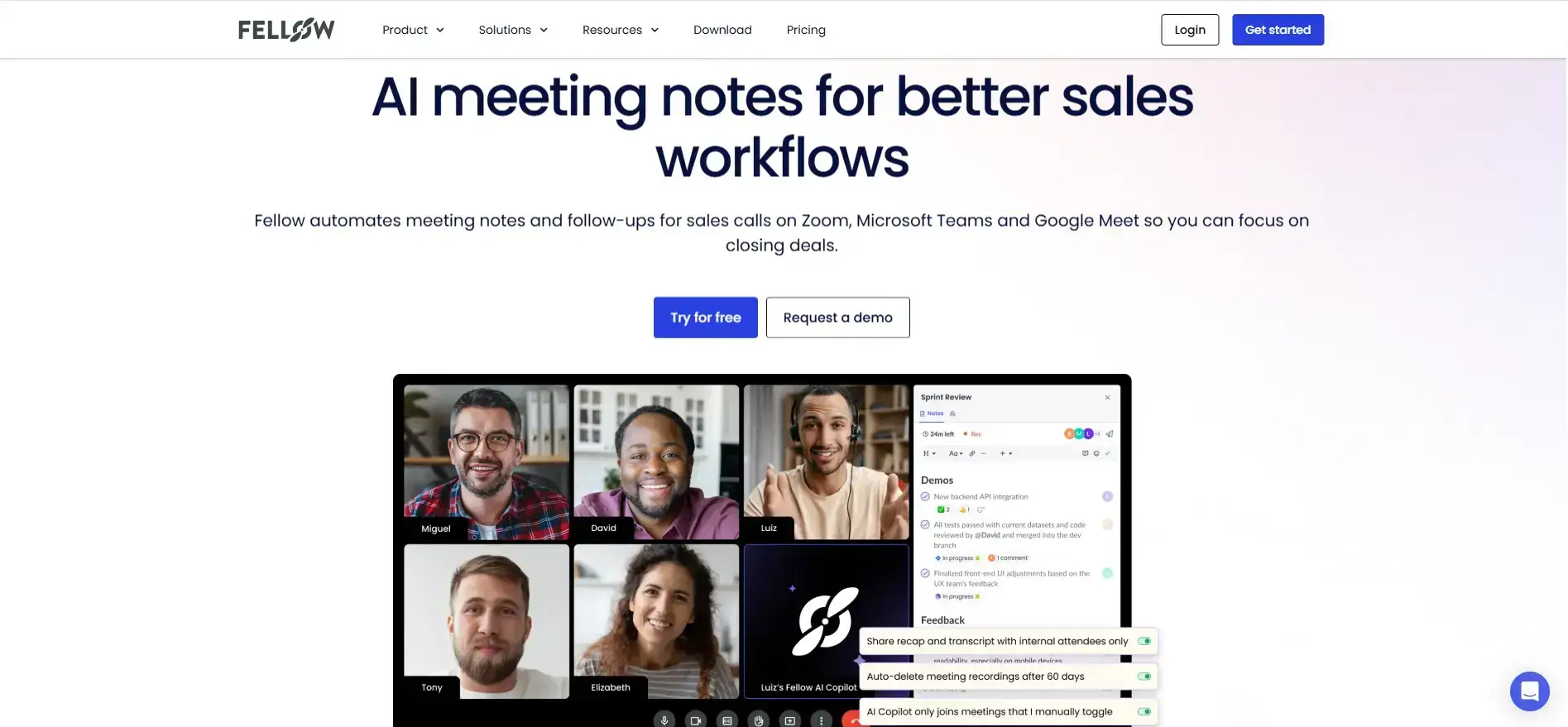
Fellow started as meeting management software and added recording later, so agendas, shared notes, action items and follow-ups are still central to the product rather than attached to a transcript. That suits a manager whose problem is how meetings are run, not only how well they are remembered.
It is also the cheapest paid seat in this comparison at $7 per user billed annually.
The free plan is the catch. You get 5 AI notes and 5 recordings per user for the lifetime of the account, not per month, and free accounts can only open notes from the last 14 days.
Sales features such as CRM field updates, keyword tracking and Salesforce or HubSpot sync start at Business or Enterprise.
Pricing:
- Free: 5 AI notes and 5 recordings per user, lifetime, with a 14-day window on notes;
- Team: $11 per user per month, or $7 billed annually, up to 20 seats;
- Business: $23 monthly, or $15 annually, up to 50 seats;
- Enterprise: $25 per user per month billed annually, from 10 users.
5. Otter
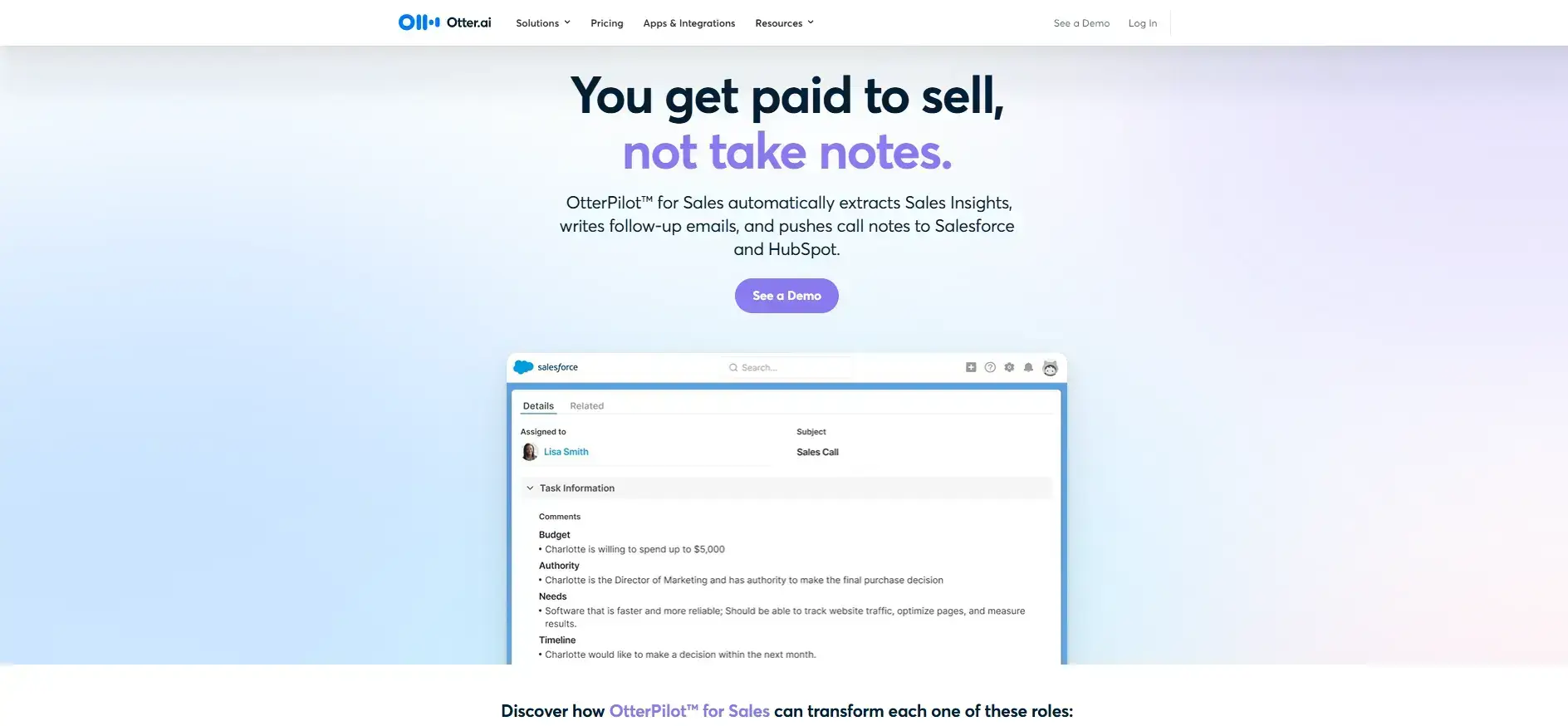
Otter stands out for live coaching. Live Assist, which shipped in July 2026, surfaces call objectives and coaching prompts while the conversation is happening rather than after it. If real-time coaching during calls matters to your team, Otter deserves a place on the shortlist.
Two things shape that recommendation. Live Assist and the sales notetaker are Enterprise features, behind a demo, with no published price. And Otter transcribes 6 languages: English, Spanish, French, German, Japanese and Chinese (Simplified), which can be restrictive for multilingual teams.
For everyday use the free plan is reasonable, with 300 transcription minutes a month that renew and a 30-minute cap per conversation. Call notes link themselves to Salesforce and HubSpot after each call.
Pricing:
- Free: 300 minutes a month, 30 minutes per conversation;
- Pro: $16.99 per user per month, or $8.33 billed annually;
- Business: $30 monthly, or $19.99 billed annually. A promotional $24 monthly rate runs for 3 months for first-time subscribers;
- Enterprise: custom pricing. Live Assist sits here.
For the row-by-row version of this pair, see MeetGeek and Otter.ai on features.
6. tl;dv
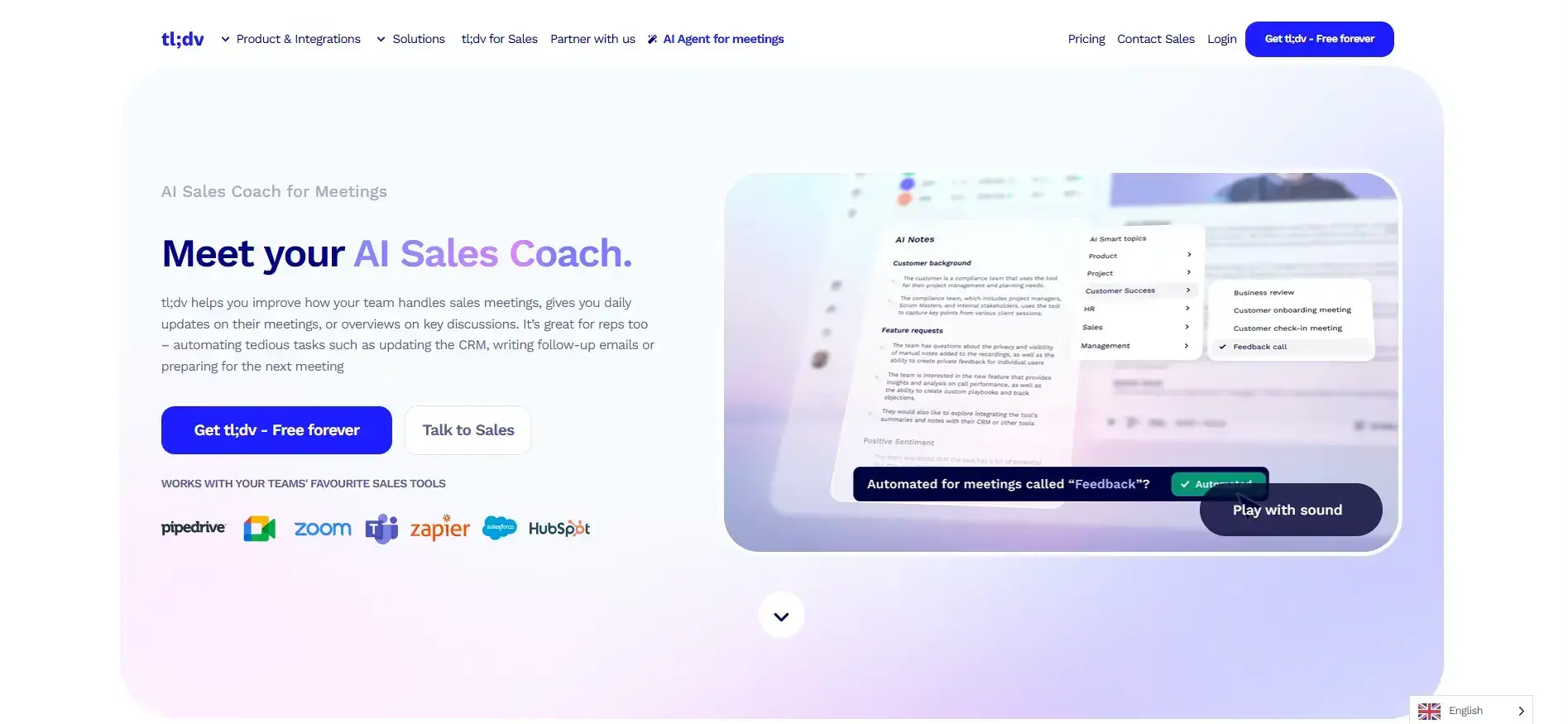
tl;dv is strongest for individual sellers and small teams that record often and share clips rather than reports.
Recording is unlimited on every plan including the free one, and pulling a 90-second moment out of a call and sending it to a colleague takes seconds. The desktop app runs on Mac and Windows, so capture does not depend on a bot being admitted.
The free plan needs reading carefully, because its AI limits are lifetime rather than monthly and tl;dv only says so in its help center. You get 10 meetings with AI notes, 10 AI prompts and 10 AI reports for the life of the account.
Free recordings also archive after 3 days, take up to 90 minutes to become watchable again, and can never be downloaded.
We publish a separate tl;dv review covering its features, pricing and the security questions raised in 2026, which is worth reading if tl;dv is heading into procurement.
Pricing:
- Free: unlimited recording, AI notes on 10 meetings, 3-day archiving, no downloads;
- Pro: €29 per seat per month, or €18 billed annually;
- Business: €39 monthly, or €29 annually. Playbook monitoring, objection handling and speaker insights start here;
- Enterprise: custom pricing.
There is no seat minimum, and free members can share a workspace with paid ones.
Gong Competitors at the Revenue Platform End
If you need a revenue operating system rather than a meeting tool, the shortlist is different. These 4 products are closer to Gong in scope and enterprise positioning, so they are not necessarily cheaper alternatives.
Table last updated: August 19, 2026.
Most of these vendors do not publish pricing, so budgeting usually requires speaking to sales. Salesforce is the exception, and even there the published figure is the Sales Cloud edition price rather than a price for the conversation insights feature. Its processing entitlement is documented on Salesforce's own Einstein Conversation Insights considerations page.
How Gong Packages and Prices Its Platform
Gong does not publish a self-serve price. Its pricing page is a quote request, and it states three things about the model.
Licenses are priced per user. A platform fee applies on top, sized by the number of users supported. Integrating your existing tech stack is free.
The platform fee is worth noting, because it scales with headcount and sits outside the per-seat cost. A number modeled from a per-user figure alone will not match the contract.
Gong's own help center documents the packaging more usefully. A plan is a core license for the Gong Foundation platform, plus whichever specialized applications you add on top:
- Enable Essentials for AI-based coaching;
- Forecast Essentials and Gong Forecast for pipeline visibility and forecasting;
- Gong Engage for outreach;
- Data Cloud for exporting Gong-enriched data to BI tools.
Contracts renewed before March 2025 sit on Gong's previous plan model, so two companies can both be on Gong and describe different products.
Gong does not offer a public free plan you can sign up for. Inside a paying account, a team member with no seat assignment is a Collaborator, with limited access to Gong capabilities and no charge for the seat. That is free access for colleagues of paying users rather than a free product tier.
For how the licenses, platform fee and applications add up in practice, see Gong pricing in 2026.
How to Choose the Right Gong Alternative
Do you need a revenue platform or meeting intelligence?
If forecasting, pipeline inspection and rep enablement are the point, stay with Gong or look at Avoma. If the problem is meeting knowledge lost across sales, support, product and hiring, a meeting intelligence platform fits better.
How many languages do you need?
MeetGeek and Fireflies publish 100+. Fellow publishes 99 or 100 depending which of its pages you read. Avoma publishes 60+, tl;dv 30+, and Otter 6.
Do you need bot-free recording?
MeetGeek records through a desktop app, a browser extension and mobile as well as a bot. tl;dv runs a desktop app on Mac and Windows. In regulated environments this can be a deciding factor.
What does the free plan actually include?
Otter gives 300 minutes a month and MeetGeek 180 minutes, both renewing. Fireflies does not cap transcription but caps stored history. Fellow's 5 recordings and the 10 meetings tl;dv gives AI notes to are lifetime limits. Avoma has no free recording plan.
When Gong Is Still the Right Call
Gong remains the better choice when the revenue team genuinely uses the wider platform. That usually means:
- Forecasting is built on conversation data;
- Pipeline inspection happens inside deal boards;
- Enablement runs on real recorded calls;
- Outreach is sequenced through Gong Engage.
In those cases, switching costs capability that nothing in this article replaces.
Moving away makes more sense when the picture looks different:
- Gong is mainly used for recordings, transcripts and summaries;
- The company does not need the full revenue platform;
- Meeting knowledge is spread across sales, support, product, hiring and internal teams;
- The goal is a searchable record and automatic follow-up across departments.
MeetGeek is built for that second case. Meetings from any team get captured, transcribed in 100+ languages, summarized and made searchable, and the follow-up work gets pushed into the tools people already use. Meeting Analytics is available from the free plan.
Run a week of your own calls through the free plan and compare the output against what you use Gong for today.
Key Takeaways
- The category matters more than the feature list. Gong and Avoma are revenue platforms; MeetGeek, Fireflies, Fellow, Otter and tl;dv are meeting intelligence platforms. Comparing across the two is where evaluations go wrong;
- Gong publishes no self-serve price, only that licenses are per user with a platform fee on top, so budgeting means talking to sales;
- Free plans are not comparable at face value. Some limit monthly transcription, some limit stored history, and some are lifetime caps rather than monthly allowances;
- MeetGeek fits when meeting knowledge matters company-wide, and Gong or Avoma fit when forecasting is the reason you are buying.
Frequently Asked Questions
What Is the Best Gong Alternative?
It depends on the job. For meeting intelligence and automated follow-up across a whole company, MeetGeek is the strongest fit and publishes its price. For forecasting and revenue workflows, Avoma is the closest replacement on the revenue platform side. For free transcription volume, Fireflies processes the most meetings.
How Much Does Gong Cost?
Gong does not publish a self-serve price. Its pricing page states only that licenses are priced per user, that a platform fee applies based on user count, and that integrating your tech stack is free.
Specialized applications such as Enable Essentials, Gong Forecast, Gong Engage and Data Cloud are added to the core Gong Foundation license.
Who Are Gong's Main Competitors?
At the revenue platform end, Avoma, Chorus by ZoomInfo, Clari Copilot, Jiminny and Salesforce Einstein Conversation Insights sit closest to Gong. Among meeting intelligence platforms, the common alternatives are MeetGeek, Fireflies, Fellow, Otter and tl;dv. Which group to compare depends on whether you are replacing a revenue platform or a meeting layer.
Is There a Free Gong Alternative?
Yes, and the free plans work differently. MeetGeek gives 180 minutes of transcription a month and Otter gives 300 minutes, both renewing.
Fireflies does not cap transcription but caps stored history. Fellow gives 5 recordings and tl;dv gives AI notes on 10 meetings, both for the lifetime of the account. Avoma has no free recording plan.
Does Gong Have a Free Plan?
Not one you can sign up for. Inside a paying Gong account, a team member without a seat assignment is a Collaborator, which Gong documents as limited access at no charge for the seat.
Is Gong Worth It?
For a revenue organization that uses the deal boards, forecasting, enablement and outreach applications, yes. Switching away usually costs more capability than it saves. For a team using Gong mainly as a call recorder with good summaries, the same job is done by tools that publish their price and start free.








.avif)