


Fathom is a good AI meeting assistant, but it may not be the best fit for everyone. So, we ranked the best Fathom alternatives for 2026, based on why people actually look for something else.
Below, you will find the five tools that come closest to fixing what Fathom does not do, whether that is file uploads, mobile recording, or a different free-plan offering. If MeetGeek is already on your shortlist, our MeetGeek vs Fathom comparison goes through the two tools feature by feature.
Let's dive in!
Why Are People Switching from Fathom?
Fathom is a well-reviewed tool, with a 5-star rating on G2 from thousands of users, but that doesn't mean it fits every team. These are some of the main reasons people look for a Fathom alternative:
Fathom Does Not Support File Uploads for Transcription
If you also need to transcribe existing recordings or audio and video files, Fathom currently only transcribes meetings it captures itself; you can't upload an existing file for transcription.
So we focused on alternatives that can transcribe uploaded files as well besides online meetings.
Some of Fathom's Collaboration Features Require a Team Plan
Fathom does support team collaboration, but features such as shared call libraries, folders, comments, mentions, and keyword alerts are part of its Team and Business plans rather than its individual plans.
Because of this, we also considered the collaboration features of each AI meeting assistant when testing and ranking the best Fathom alternatives.
Some Advanced AI Features Are Limited on Fathom's Free Plan
Fathom's Free plan covers unlimited meeting recording and transcription, so it is not limited to basic functions. Some AI features are more restricted on Free: advanced summaries are limited, and Account-Wide Ask Fathom can only search the previous two weeks of calls. Our Fathom pricing breakdown covers what each paid tier adds.
We understand some of you want to use more advanced features or access key integrations even if you are using the free plan. So, we also compared what each alternative's free plan includes and which features require a paid plan.
Fathom Doesn't Currently Have a Native Mobile App
Fathom doesn't currently have a native mobile app, so you can't record or transcribe in-person meetings directly from your phone yet. Fathom has an iOS app in the works (currently a waitlist), but if you need native phone-based capture today, an alternative that already supports it is the safer choice.
As a result, we also considered whether the possible Fathom alternatives have a mobile version.
A Quick Look at the Best Fathom Alternatives in 2026
Based on these limitations, these are the best five Fathom alternatives we found for 2026:
| Fathom Alternatives | Key Features | Pricing | Mobile App |
|---|---|---|---|
| MeetGeek | Transcription, Recording, AI summary File uploads, Templates Individual & Team analytics Workflows, Collaboration tools | Basic plan: Free Pro plan: $9.99/user/month (billed annually) Business plan: $17/user/month (billed annually) Enterprise plan: Custom pricing | Available |
| Fireflies AI | Transcription, Recording, Advanced searching AI summaries, File uploads Conversation intelligence, Collaboration tools | Free plan: available Pro plan: $10 per user/month (billed annually) Business plan: $19 per user/month (billed annually) Enterprise plan: $39 per user/month (billed annually) | Available |
| tl;dv | Transcription, Recording AI summary, File uploads | Free plan: available Pro plan: $18/user/month (billed annually) Business plan: $29/user/month (billed annually) Enterprise plan: Custom pricing | Available |
| Otter AI | Transcription, Audio recording, Post meeting recaps File uploads, Otter AI chat Collaboration tools | Free plan: available Pro plan: $8.33/user/month (billed annually) Business plan: $19.99/user/month (billed annually) Enterprise plan: Contact for pricing | Available |
| Grain | Transcription, Recording, Meeting notes File uploads, Conversation Intelligence Collaboration tools | Free plan: available Starter plan: $15/user/month (billed annually) Business plan: $29/user/month (billed annually) Enterprise plan: Contact for pricing | Not available |
Table last updated: September 17, 2026.
Best Fathom Alternatives in 2026
Let's dive into the list of best Fathom alternatives in 2026!
MeetGeek
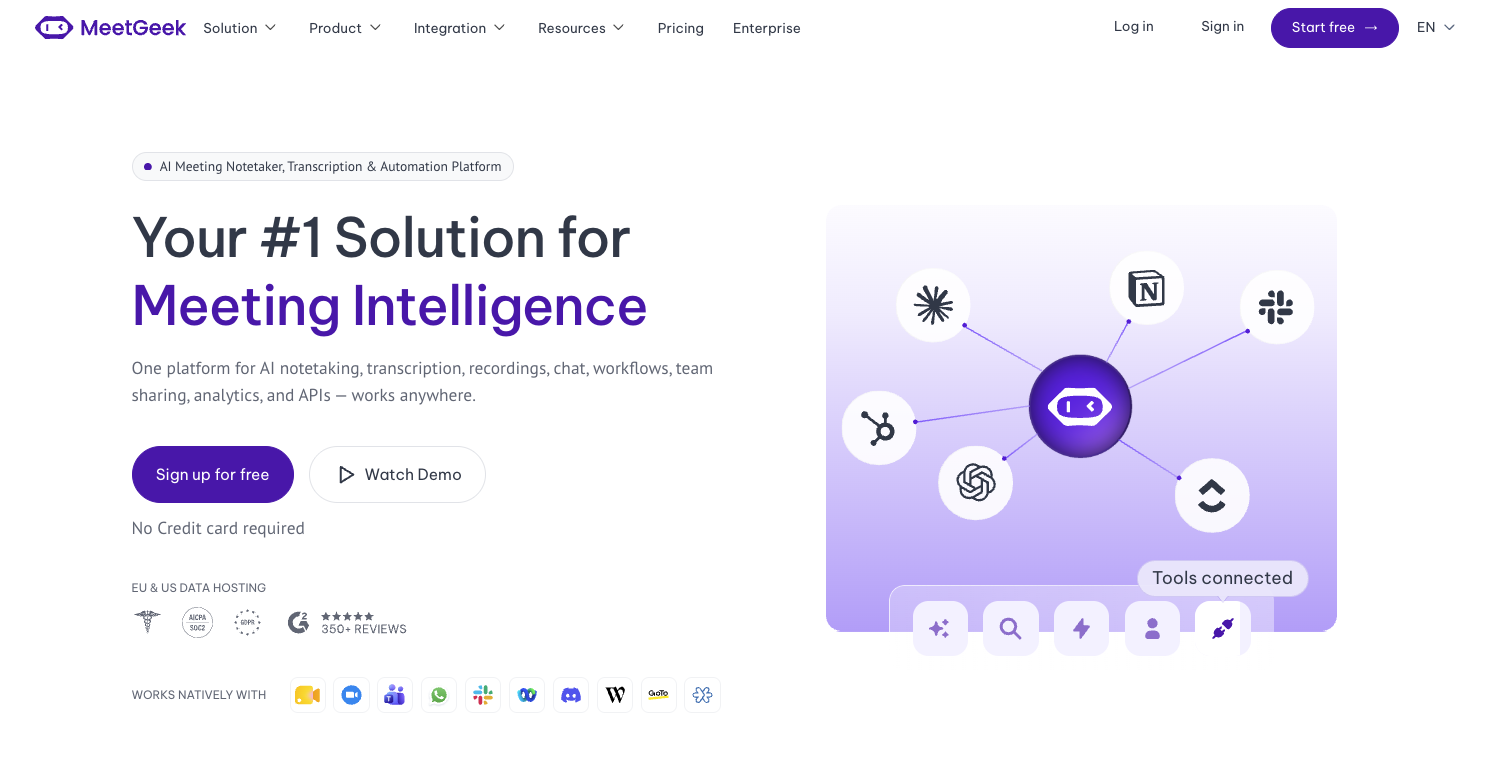
MeetGeek is our top pick because it does not stop at the transcript. It records, transcribes, and summarizes calls on Zoom, Microsoft Teams, and Google Meet, in-person conversations through its mobile app, and uploaded audio or video files, in over 100 languages.
Where it pulls ahead is the work that comes after the call. With Meeting Skills, you tell MeetGeek what to do for each type of meeting: sync customer insights to your CRM when a sales call ends, send a Slack alert when churn signals come up in a customer success call, or turn bugs mentioned in a standup into Jira tickets. A Skill can run after every call, on a schedule, when a topic is detected, or on demand, and it can read patterns across many meetings, not just the one that just ended.
MeetGeek's Key Features
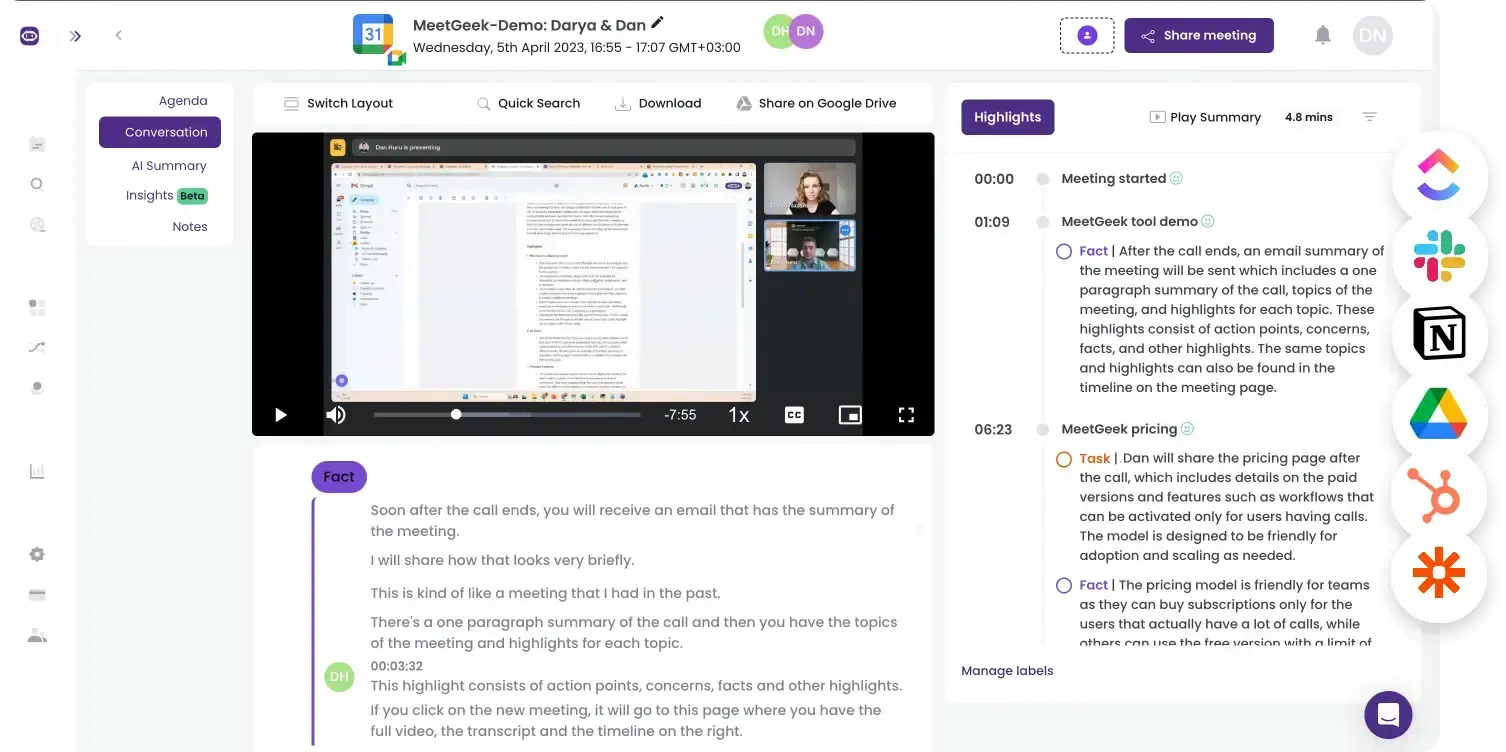
- Meeting Skills and workflows: MeetGeek turns meetings into triggers for follow-up work, such as updating CRM records, creating tasks in Notion or Jira, drafting follow-ups, and sending weekly digests built from the week's calls, so the output of a meeting reaches your tools without anyone copying it over.
- Free-plan differences: MeetGeek's Basic plan includes capabilities Fathom currently doesn't offer in its free individual workflow, such as file uploads and mobile recording, plus analytics features. Fathom, however, offers more generous meeting recording and transcription on its Free plan.
- Meeting notes: MeetGeek generates structured AI-powered meeting summaries that break down each part of the meeting into action items, next steps, concerns, facts, and decisions. These AI-generated summaries save time and help streamline your workflows.
- Meeting transcripts and recordings: Besides call recording, MeetGeek uses advanced AI algorithms to deliver accurate meeting transcriptions and summarize key moments from your conversations in over 100 languages.
- File upload: MeetGeek can transcribe and summarize uploaded video and audio files, and you can access this feature in the free plan.
- Collaboration tools: MeetGeek is built for teams as well. It allows team members to create and share meeting snippets, enabling collaborative note-taking and helping them turn insights into action. With advanced AI analysis, MeetGeek provides valuable meeting insights like talk-to-listen ratios, key discussion topics, and engagement levels. While these insights are essential for sales teams, they also help internal teams improve performance and productivity in future meetings.
- Templates: MeetGeek automatically detects your meeting type, for example whether it's a sales call or a weekly team meeting, and creates personalized AI notes tailored to fit that specific call.
- Searchable meeting library: MeetGeek offers a searchable library where all your meetings are stored, making it easy to find and revisit important conversations. All your meetings are stored in folders, filtered by teams, call type, or custom tags. This way, you can easily filter and review sales calls, all your customer interactions, and internal meetings in one place.
- Integrations: MeetGeek integrates with tools such as Pipedrive, HubSpot, Salesforce, Notion, Jira, Slack and Microsoft Outlook, and connects to 10,000+ apps through Zapier, Make, and n8n, with integration and automation options varying by plan. Through the MeetGeek MCP and public API, you can also bring meeting context into tools like Claude or ChatGPT.
- Mobile apps: In addition to recording online meetings, MeetGeek also offers mobile apps for Android and iOS that let you record and transcribe offline conversations, perfect for events, in-office meetings, and more.
MeetGeek's Pricing
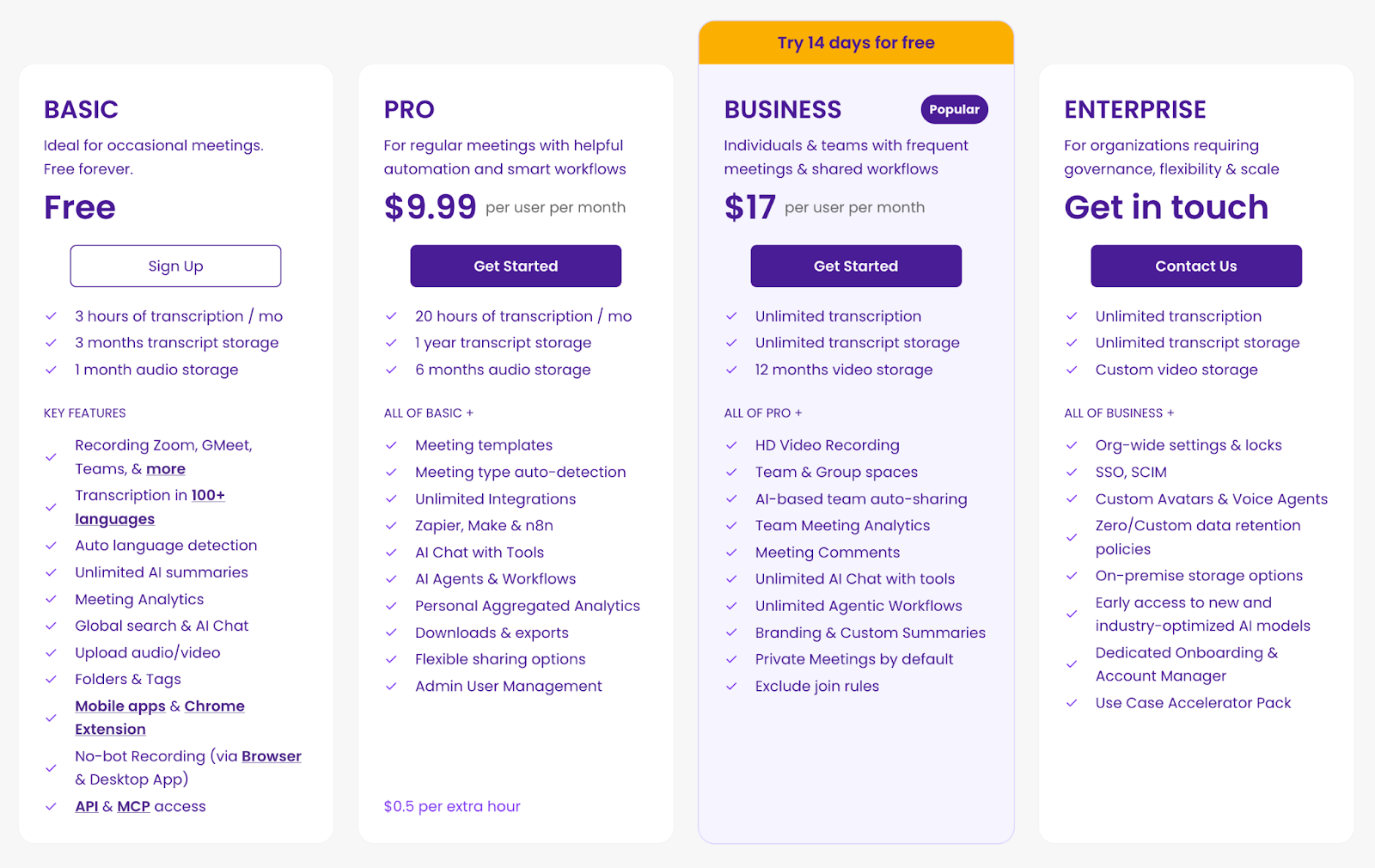
MeetGeek offers a free plan and three paid plans.
The Basic (free) plan covers 3 hours of transcription per month, 3 months of transcript storage, and 1 month of audio storage. It also includes unlimited AI summaries, Meeting Skills, meeting analytics, global search with AI Chat, file uploads, and the mobile apps.
MeetGeek's Pro plan is built for professionals and small teams who want their meetings to feed their tools: 20 hours of transcription per month, meeting templates with type auto-detection, unlimited integrations including Zapier, Make, and n8n, and AI Agents & Workflows. You can get the Pro plan for $9.99 per user per month when billed annually.
The Business plan was designed for teams and individual professionals who want the full MeetGeek experience with unlimited transcript storage and unlimited transcription. With this subscription, you will access team spaces, team meeting analytics, unlimited agentic workflows, and branding and custom summaries for $17 per user per month when billed annually.
Lastly, MeetGeek offers an Enterprise plan for larger businesses. This subscription adds branded emails, organization-wide settings, custom data retention, a dedicated account manager, and more.
MeetGeek's User Interface
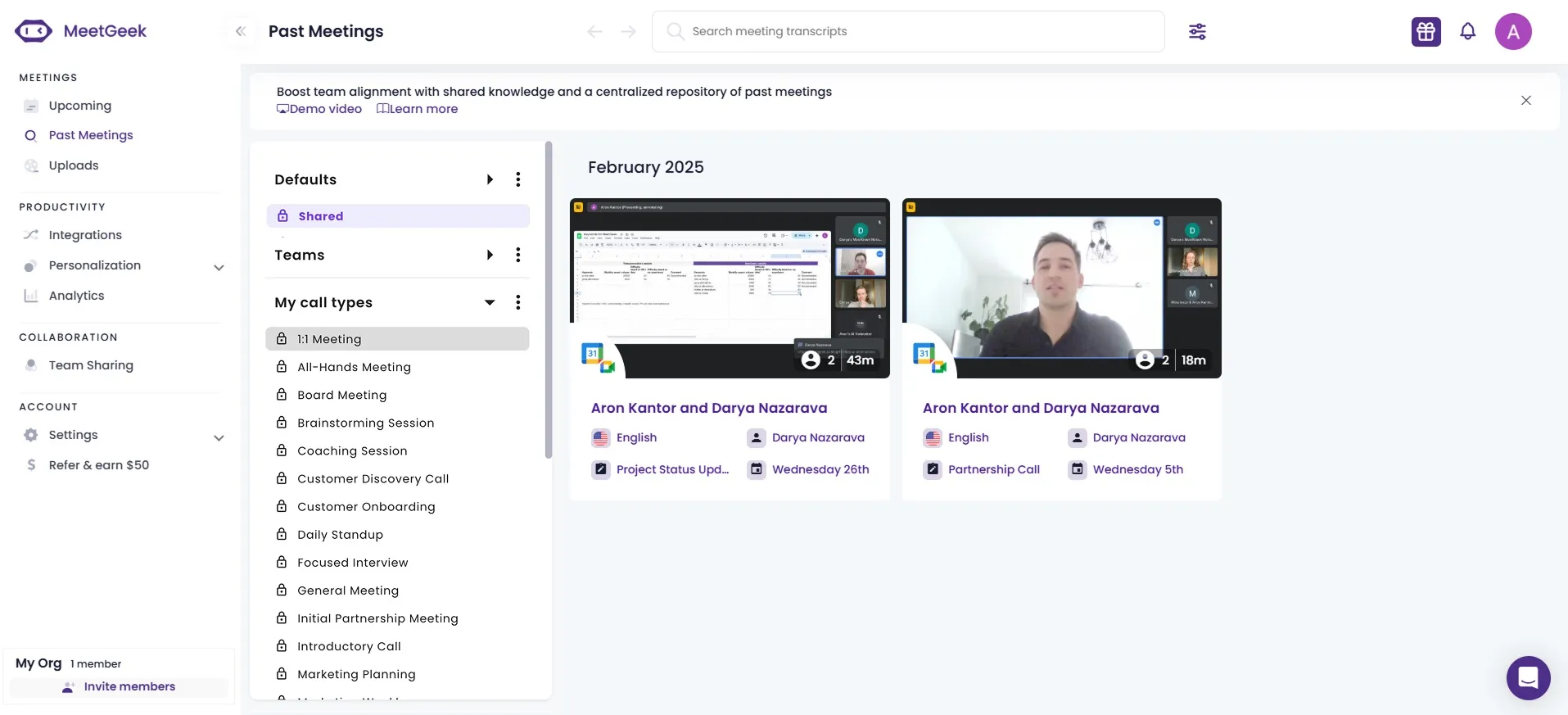
MeetGeek has an intuitive layout, and you can easily find all the features you need to increase productivity when it comes to online meetings. Whenever you enter the app, you will find the key features on the left sidebar.
Pros and Cons of MeetGeek
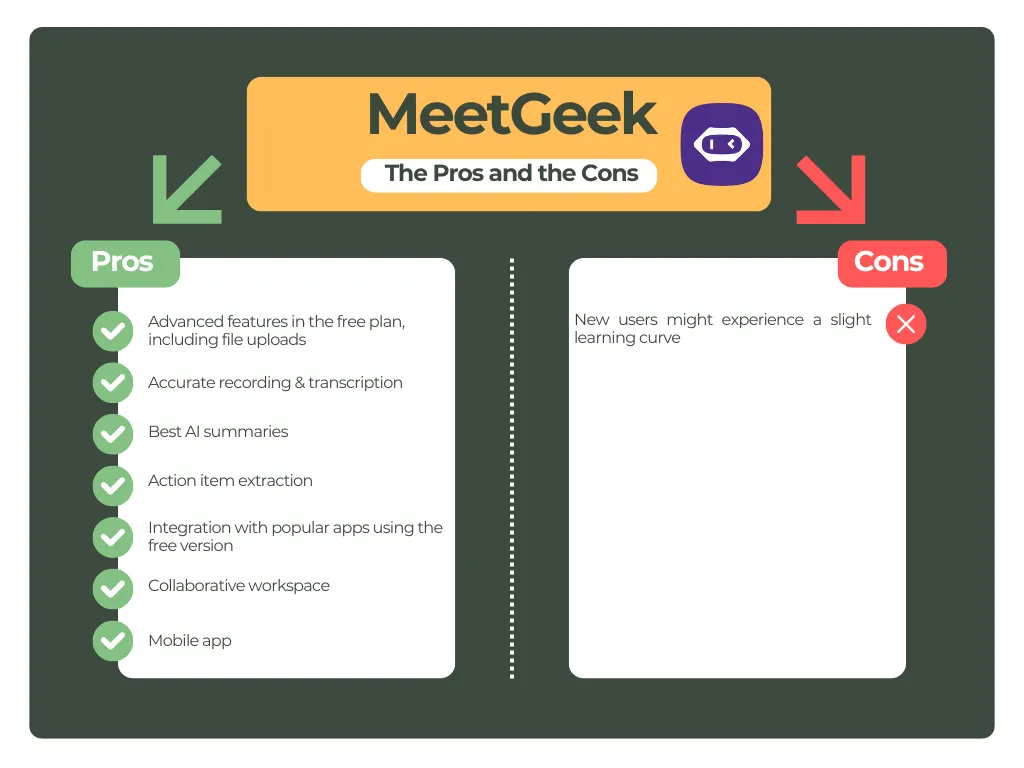
Why Is MeetGeek the Best Fathom Alternative in 2026?
MeetGeek addresses several of Fathom's specific gaps: file uploads, mobile recording, and meeting analytics, all available on its free plan.
Fathom also connects to CRMs, Slack, and Zapier, so both tools can move notes into other apps. The difference is how much of the follow-up MeetGeek does on its own: Meeting Skills turn each meeting type into a repeatable automation that runs after the call, on a schedule, or when a topic comes up, across native integrations and 10,000+ connected apps. Teams rate it 4.6 stars on G2.
If your meetings keep ending with someone copying notes into a CRM, a task board, or a Slack channel, that is the work MeetGeek takes off your plate, and you can try it on the free plan before deciding.
Let MeetGeek do the work after your meetings
Notes and summaries for every call, plus Meeting Skills that update your CRM, create tasks, and send alerts automatically. No credit card required.
Fireflies AI
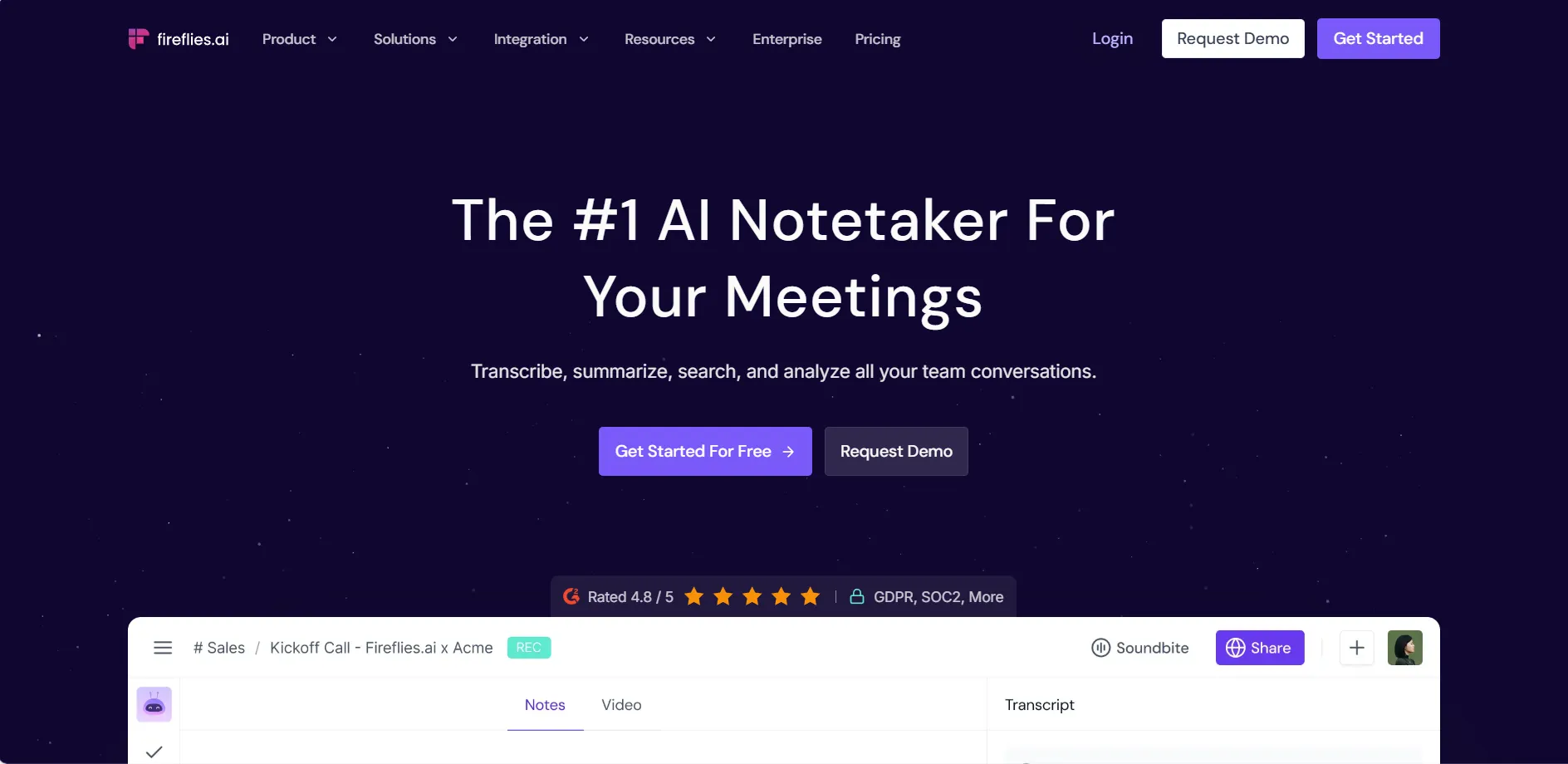
Fireflies AI is a popular Fathom alternative that automates note-taking for meetings on Zoom, Microsoft Teams, Google Meet, and other meeting platforms.
- Meeting notes: After your calls, Fireflies AI sends you summaries of the key points discussed. You can also customize the structure of your meeting summaries to fit your calls.
- Meeting transcripts and recordings: Fireflies AI supports transcription in 100+ languages. It uses speaker recognition technology and assigns IDs to meeting participants, so you can clearly see who said what. You can use the transcript to jump to specific moments, add comments or bookmarks, create soundbites, and copy relevant sections.
- File upload: Fireflies AI's Free plan supports audio and video uploads, subject to its Free-plan storage limits. Uploading beyond those limits requires a paid plan.
- Collaboration tools: With Fireflies AI, you can leave comments and bookmarks at different parts of your video calls. Also, you can share your meeting summaries and transcripts with a few clicks with your team members. Speaker talk-time analytics, question detection, and topic trackers start on the Pro plan, while conversation intelligence and team insights for admins are tied to the Business tier.
- Integrations: Fireflies AI offers seamless integration with project management tools, some major CRM systems, calendar apps, and various other tools on the paid plans.
- Mobile apps: This AI meeting assistant's mobile version is available for iOS and Android users.
Fireflies AI's Pricing
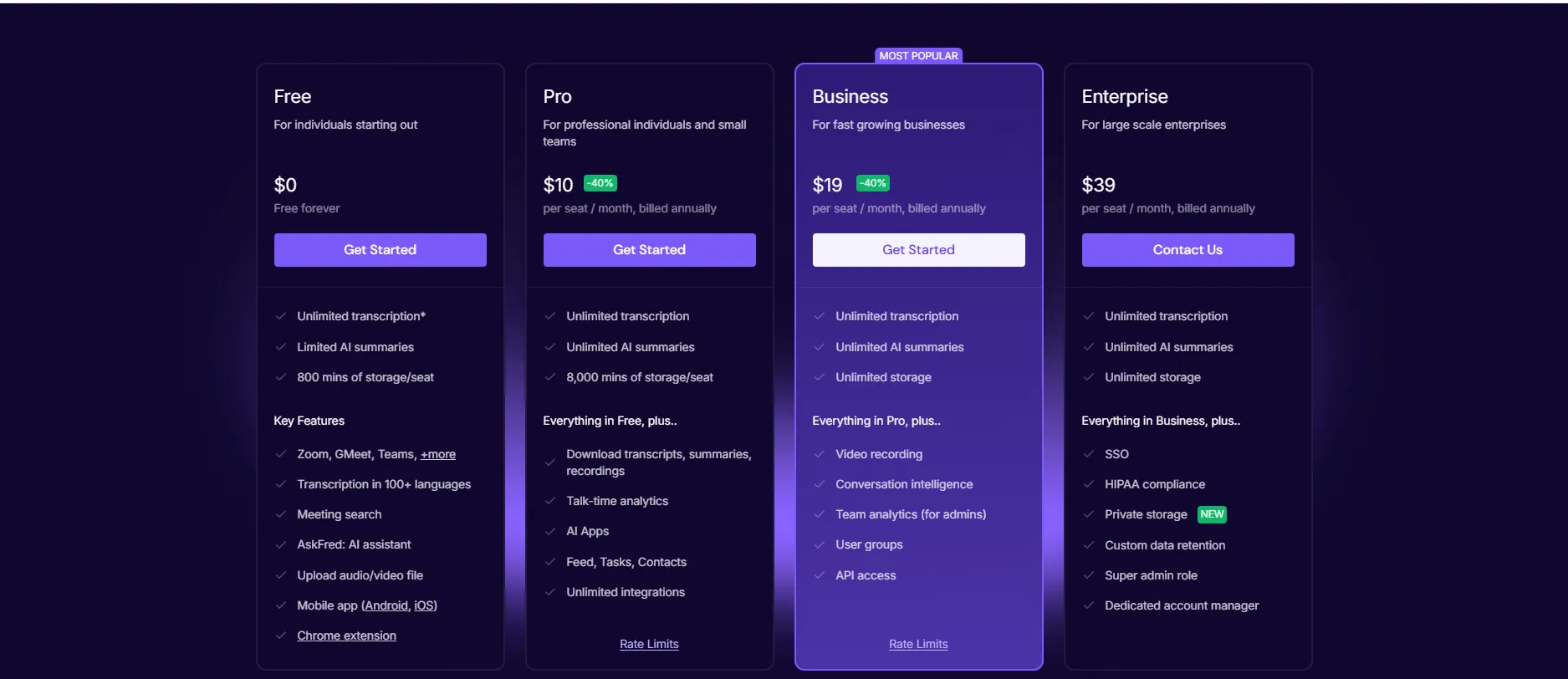
Fireflies AI has a free plan and three paid plans. The Free plan includes limited AI summaries and 400 minutes of meeting storage per team, but no integrations apart from API access. All integrations unlock on Pro.
The Pro version was designed for individuals and teams, and you can get it for $10 per user per month when billed annually. With this plan, you will access unlimited AI summaries, 8,000 minutes of storage per seat, video recording, all integrations, basic meeting analytics such as talk time and topic trackers, and full access to AskFred, its AI assistant.
Fireflies AI offers a Business plan for $19 per user per month when billed annually. Essentially, this plan covers unlimited storage, unlimited private & public channels, conversation intelligence features, and team insights for admins.
Finally, Fireflies AI offers an Enterprise plan for $39 per seat per month when billed annually.
Fireflies AI's User Interface
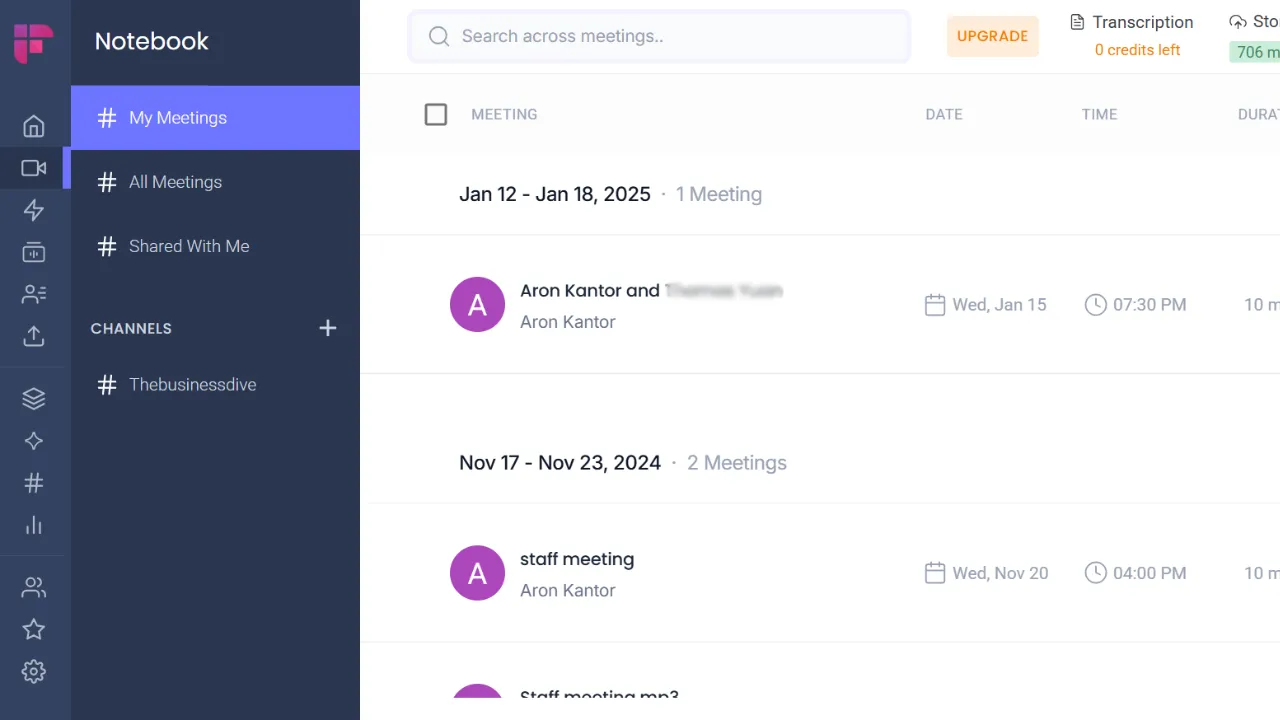
This AI meeting assistant has a clean user interface, and you can access all the important features with a few clicks. We experienced a short learning curve and easy navigation among its features.
Pros and Cons of Fireflies AI
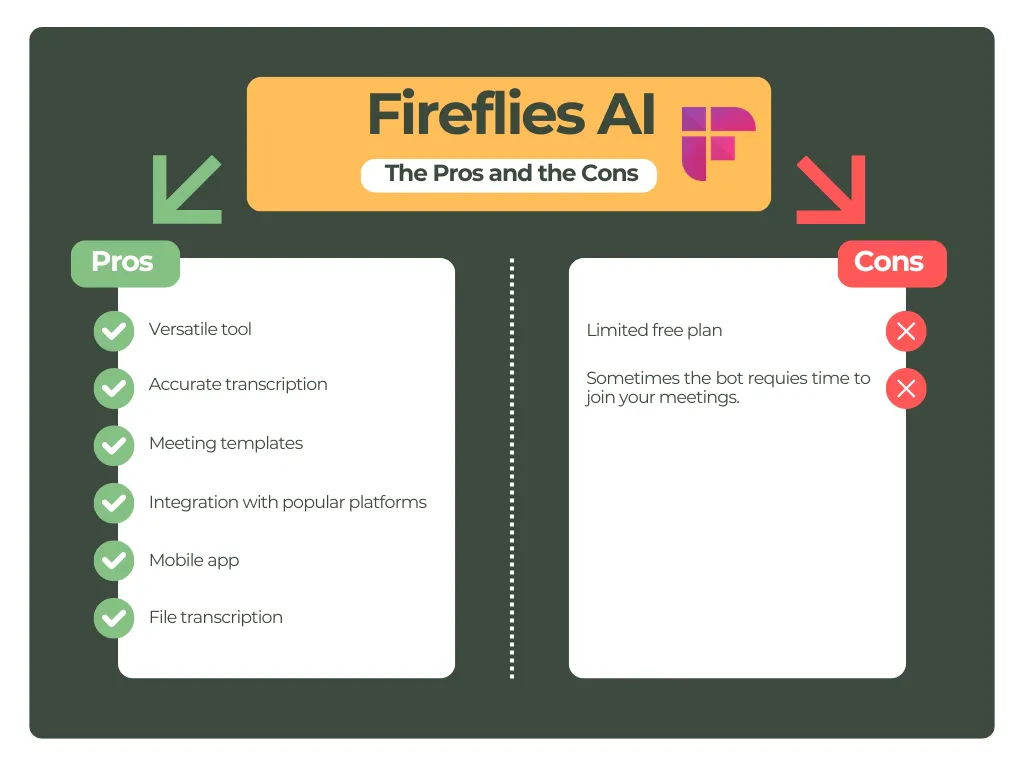
Why Is Fireflies AI a Good Fathom Alternative in 2026?
Fireflies AI is a versatile Fathom alternative that supports numerous meeting platforms and languages at an affordable price. Its free plan supports file uploads within its storage limits, and the tool includes collaboration features such as comments, bookmarks, and shared channels.
Want the feature-by-feature breakdown? Read our full MeetGeek vs Fireflies AI comparison.
tl;dv
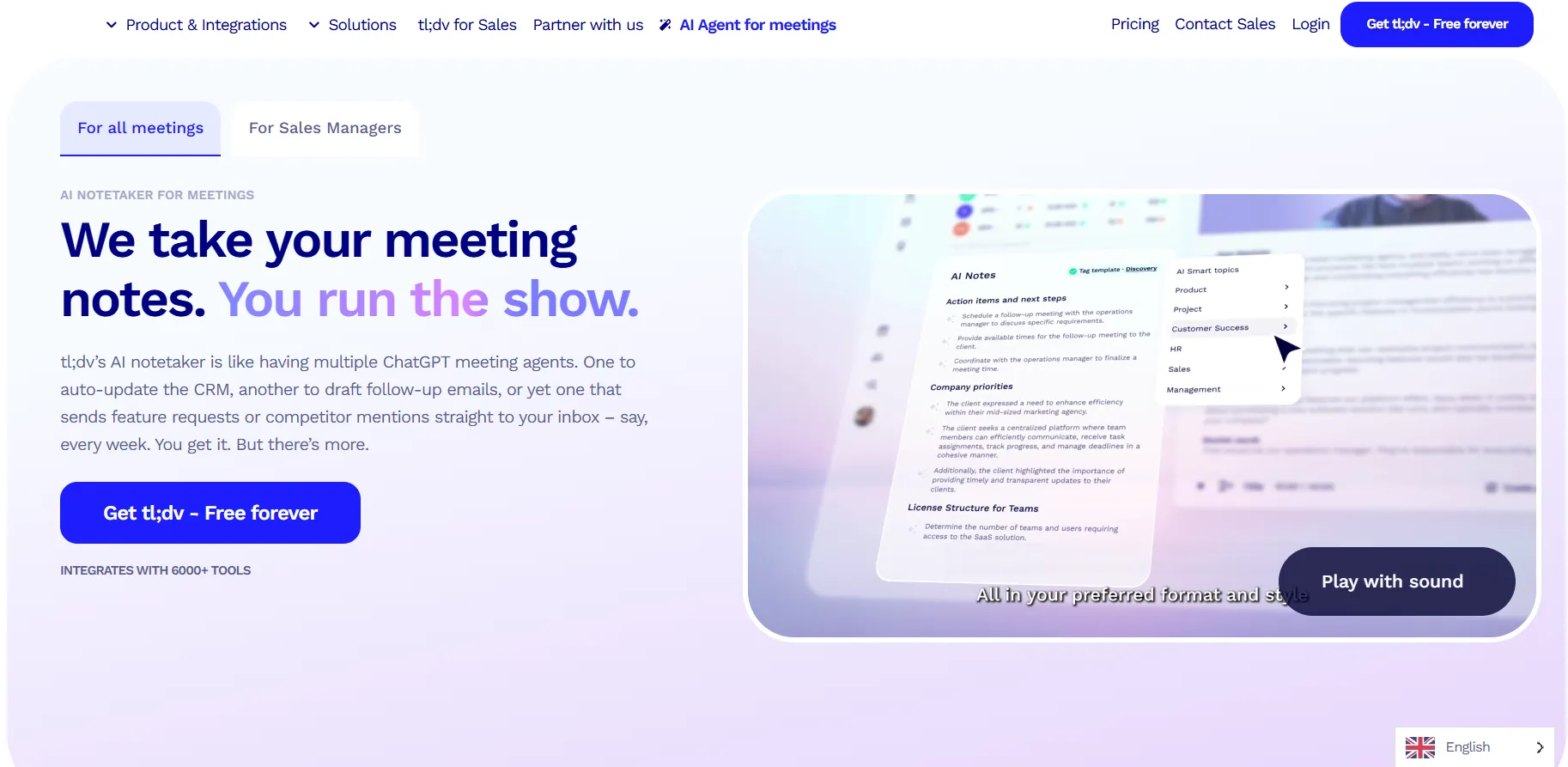
Tl;dv is an AI meeting assistant that automatically records, transcribes, and summarizes Google Meet, Microsoft Teams, and Zoom in over 30 languages.
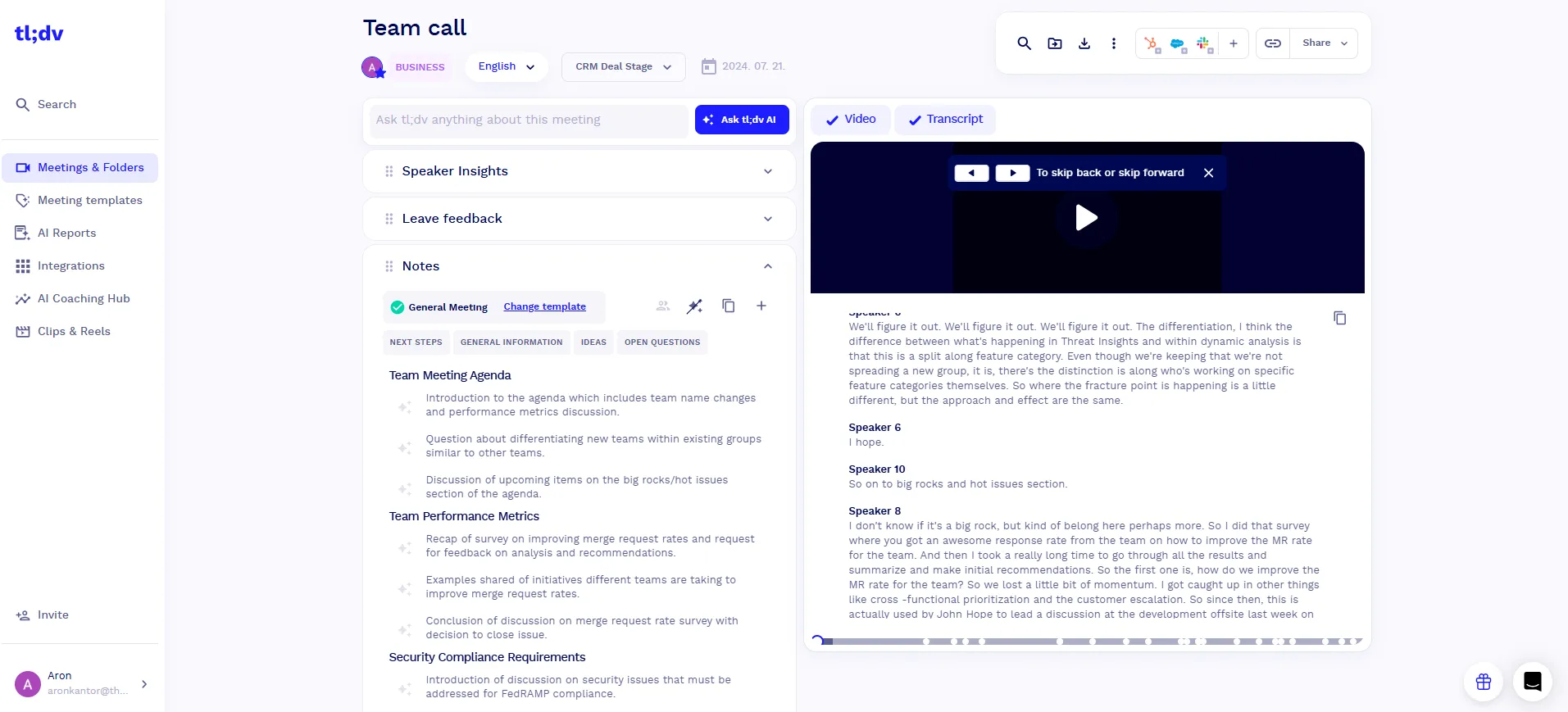
- Meeting notes: Tl;dv sends you the AI meeting notes, recordings, and transcripts in 5-10 minutes after your meeting is over. The AI meeting notes include the key points you discussed during the call. Depending on which template you use for meetings, you can filter the points like next steps, general information, and more.
- Meeting transcripts and recordings: It uses speaker identification and adds speaker IDs to all the meeting attendees. Tl;dv's transcripts also show timestamps and offer the possibility to change the playback speed of your meeting recordings.
- File upload: With tl;dv, you can transcribe uploaded files as well. Its free plan covers five file uploads, but if you upgrade to the paid plan, you can have unlimited file uploads.
- Collaboration tools: Tl;dv has some essential team collaboration tools. Utilizing this AI meeting assistant, you can easily share meeting notes with your team members and organize recordings in a centralized platform. Pro already includes AI meeting notes and single-meeting AI chat; the more advanced team analytics, like talk-time breakdowns and objection handling across multiple meetings, are tied to the Business plan.
- Other tools: It offers some default templates for sales, HR, customer success, management, or product-related calls, but you can also create customized templates. Whenever you change the template, tl;dv will re-structure your meeting notes based on the template.
- Integrations: Tl;dv provides seamless integration with 5,000+ third-party apps, including many project management tools, note-taking apps, and CRM systems.
- Mobile apps: Tl;dv now offers native iOS and Android apps for recording in-person meetings and uploading them to your tl;dv account.
tl;dv's Pricing
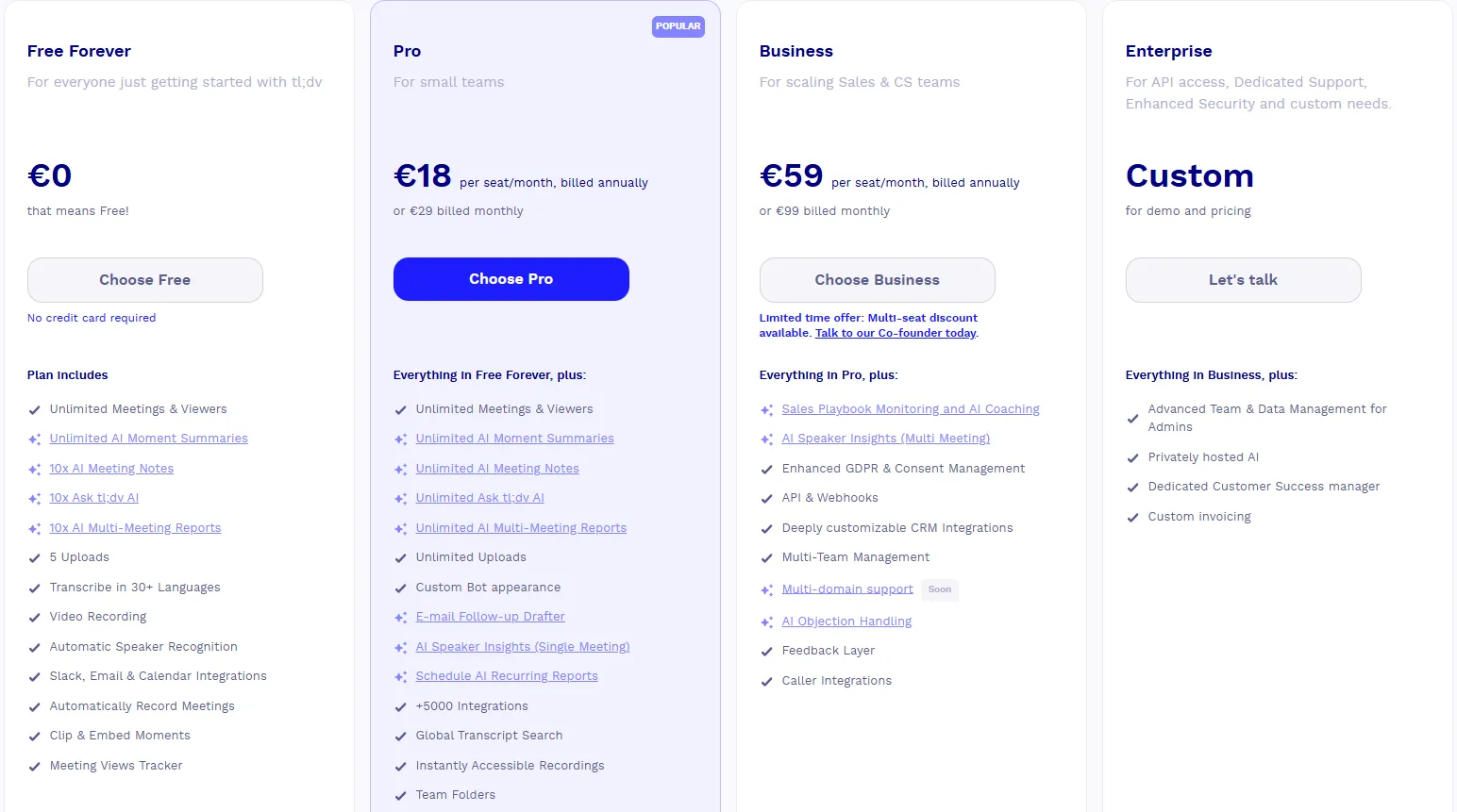
Tl;dv offers four plans for individual users and teams. If using the free plan, you will get unlimited meetings and up to five file uploads, but there are some limitations to AI features.
When it comes to the paid plans, you can use the Pro plan for $18 per user per month, billed annually. This plan fits people or small teams having numerous meetings in a month. It includes all the features in the free plan, plus unlimited AI meeting notes, unlimited file uploads and storage, and 5,000+ integrations.
If you want the more advanced team and sales analytics, like scheduled AI reports and objection handling, the Business plan is $29 per user per month, billed annually.
Tl;dv has an enterprise plan ideal for larger businesses where you get custom pricing.
tl;dv's User Interface
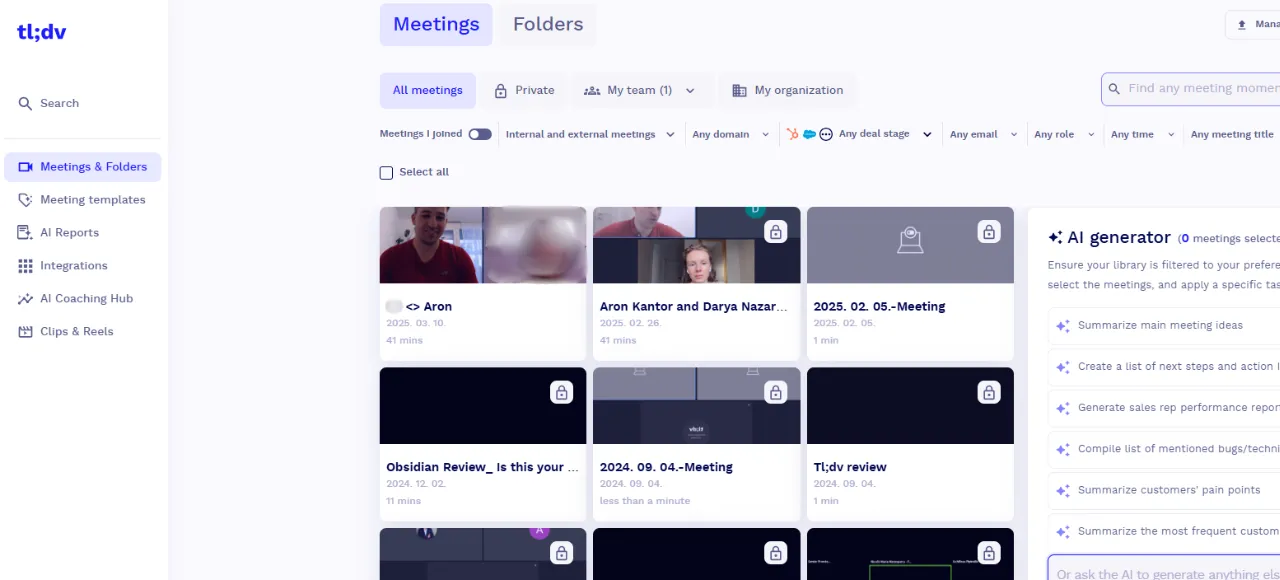
Tl;dv has a user-friendly interface where you can find essential information quickly. We used the Chrome extension and the desktop app as well, and both worked smoothly for us.
Pros and Cons of tl;dv
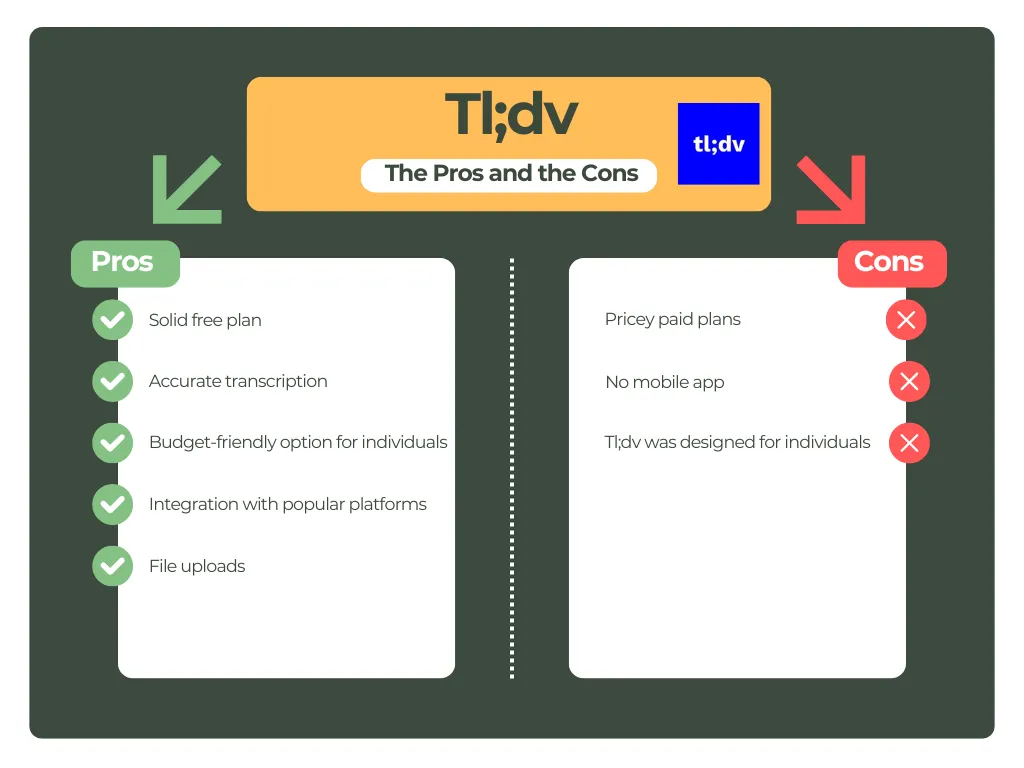
Why Is tl;dv a Good Fathom Alternative in 2026?
Tl;dv now offers a mobile app alongside its generous free plan, and we decided to put it on the list of best Fathom alternatives because of that free plan. It covers file uploads, unlimited meetings, and some integration options.
Curious how the two stack up side by side? Read our full MeetGeek vs tl;dv comparison.
Otter AI
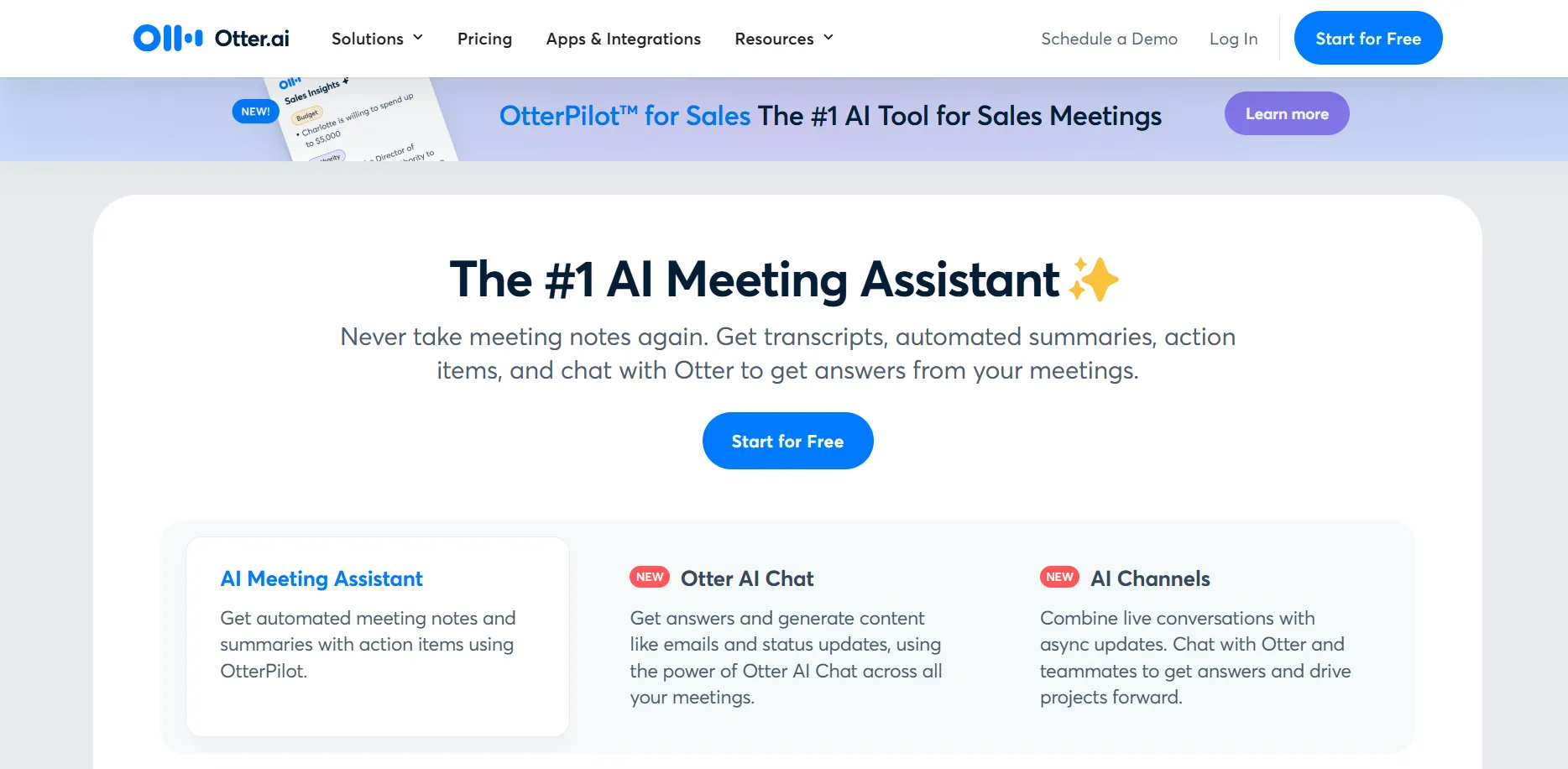
Otter AI is an AI-powered meeting tool that provides transcriptions and meeting notes about the important moments of the calls. It works on Zoom, Google Meet, and Microsoft Teams, and it currently supports six transcription languages: English, Spanish, French, German, Japanese, and Simplified Chinese.
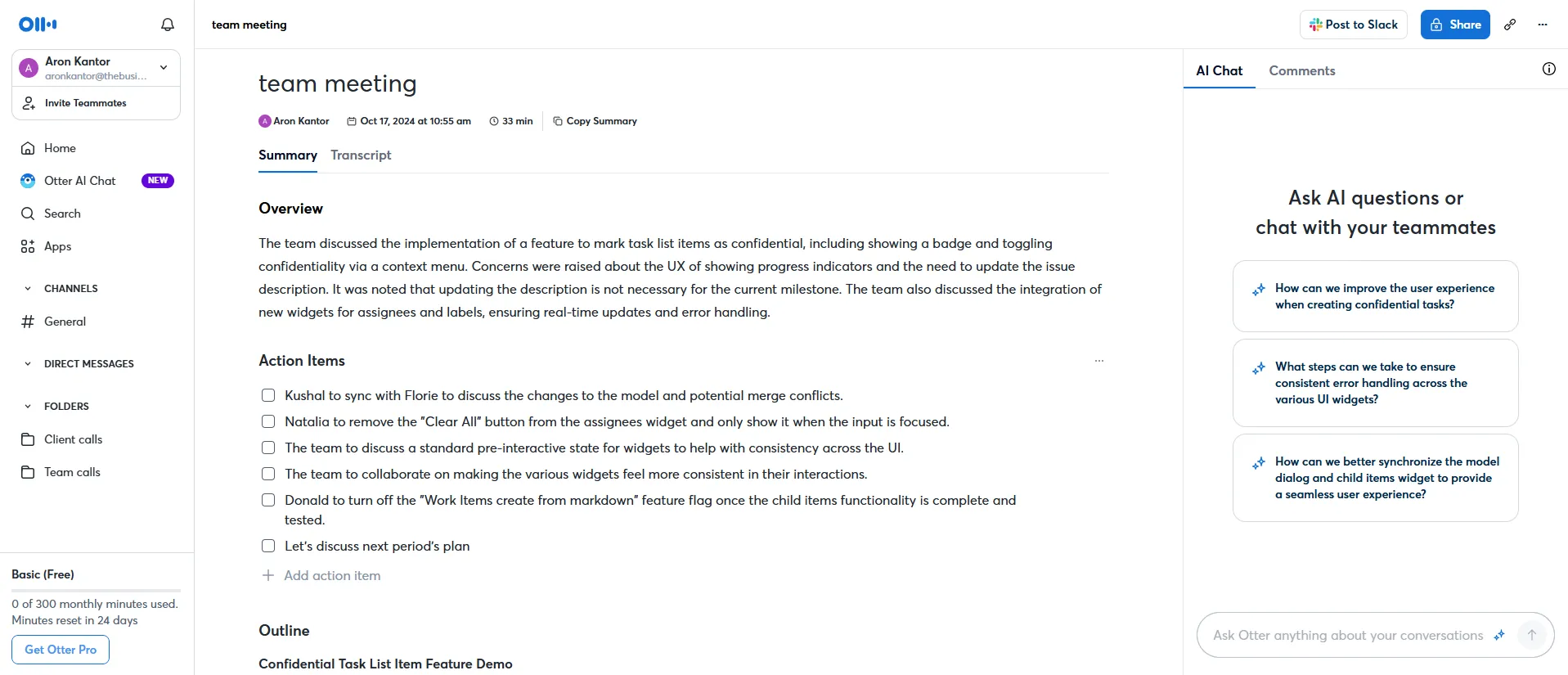
- Meeting notes: Once your virtual meeting is over, Otter AI sends you and the meeting attendees the meeting notes. It gives you a short overview of what happened during the call with some action items.
- Meeting transcripts and recordings: This Fathom alternative automatically transcribes online meetings on popular video conferencing platforms. Nonetheless, Otter doesn't natively record meeting video, which may matter if you want video replay alongside the transcript.
- File upload: Besides transcribing meetings, you can use Otter AI to transcribe uploaded audio or video files. With the free plan, you can import and transcribe 3 audio or video files.
- Collaboration tools: Using this AI-powered meeting tool, team members access some real-time annotation tools like comments or emojis, highlighting, and task assignments during or after your calls. You can also invite team members and create channels so teams can communicate effectively. While Otter AI does not have a general meeting analytics feature, it offers a revenue intelligence platform for sales teams, available on its Enterprise plan.
- Integrations: Otter AI recently implemented the Zapier integration, so you can connect this AI meeting assistant to over 7,000 third-party apps. However, you can access most of the integrations in the paid plans.
- Mobile apps: Otter AI has iOS and Android apps, so you can record conversations and check your transcripts from your phone.
Otter AI's Pricing
Otter AI offers four pricing plans to individual users and teams. Using this AI note-taker's Free plan helps you with transcription and summary, as well as 300 monthly transcription minutes with a limit of 30 minutes per conversation. Also, you can import and transcribe 3 audio or video files.
You can get the Pro plan for $8.33/user per month, billed annually. If purchasing this plan, you can access 1,200 monthly transcription minutes with 90 minutes per conversation, plus 10 imported audio or video files per month.
Otter AI's Business plan is $19.99/user per month, billed annually. The Business plan includes unlimited in-app meetings and recordings, with meetings up to four hours long. Imported-file transcription is capped separately at 6,000 minutes per user per month. With this plan, you can also access a shared custom vocabulary, tag speakers, assign action items to teammates, and more.
Lastly, Otter AI offers an Enterprise plan with custom pricing. If you choose this plan, Otter AI will assist you in organization-wide deployment, provide advanced security, and allow you to access the OtterPilot for sales feature.
Otter AI's User Interface
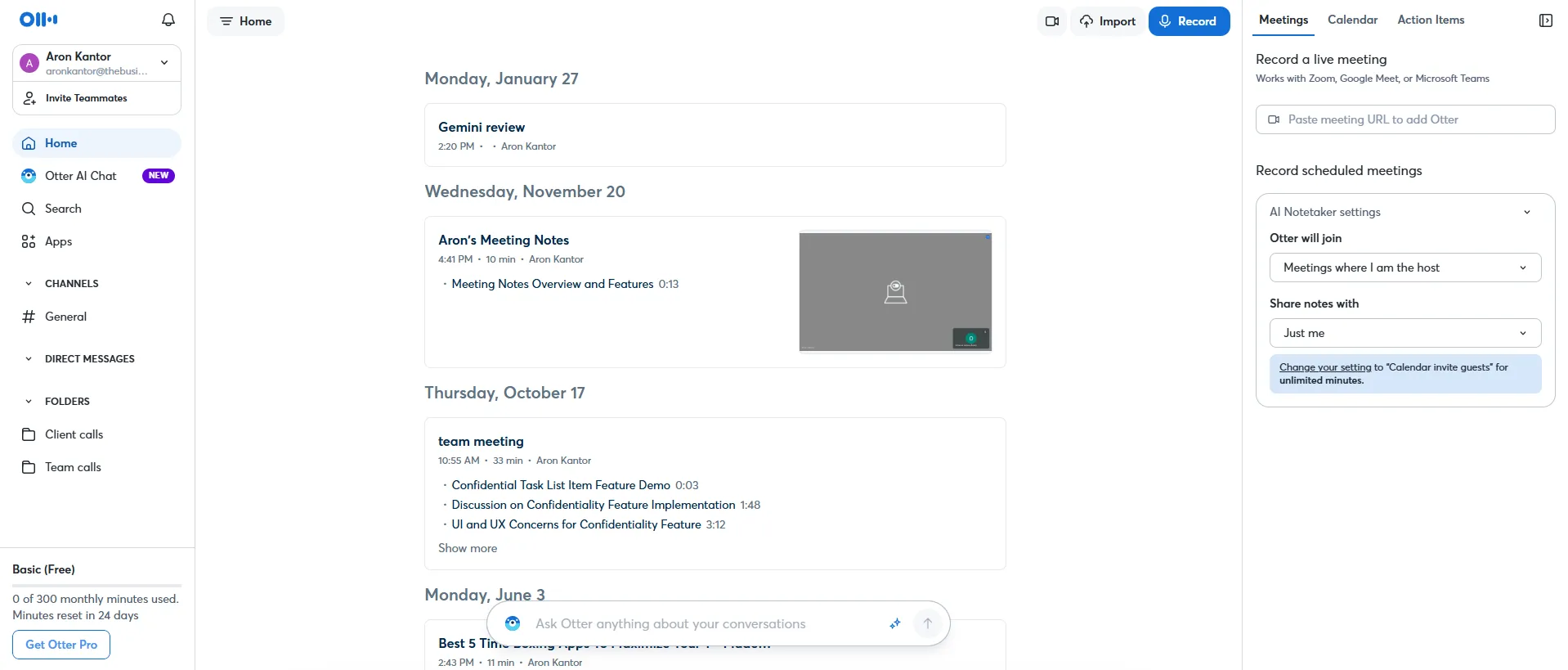
Otter AI has a simple user interface, and you will see nothing fancy here. You can access almost all the features on the homepage. Using the navigation panel on the left, you will get instant access to the most relevant features in one place.
Pros and Cons of Otter AI
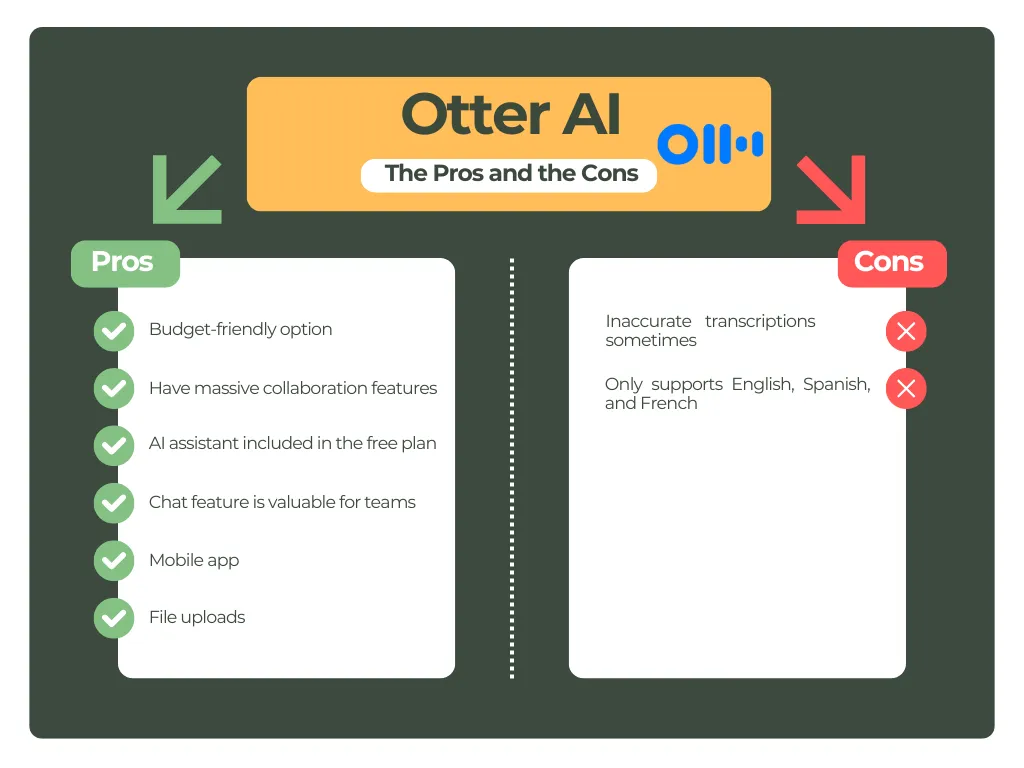
Why Is Otter AI a Good Fathom Alternative in 2026?
Otter is a solid option for transcription and mobile recording, although it is more limited if native meeting video recording or replay is important to you. You can transcribe uploaded files with Otter AI, and you can access your notes from your mobile as well.
Want the full feature-by-feature breakdown? Read our full MeetGeek vs Otter AI comparison.
Grain
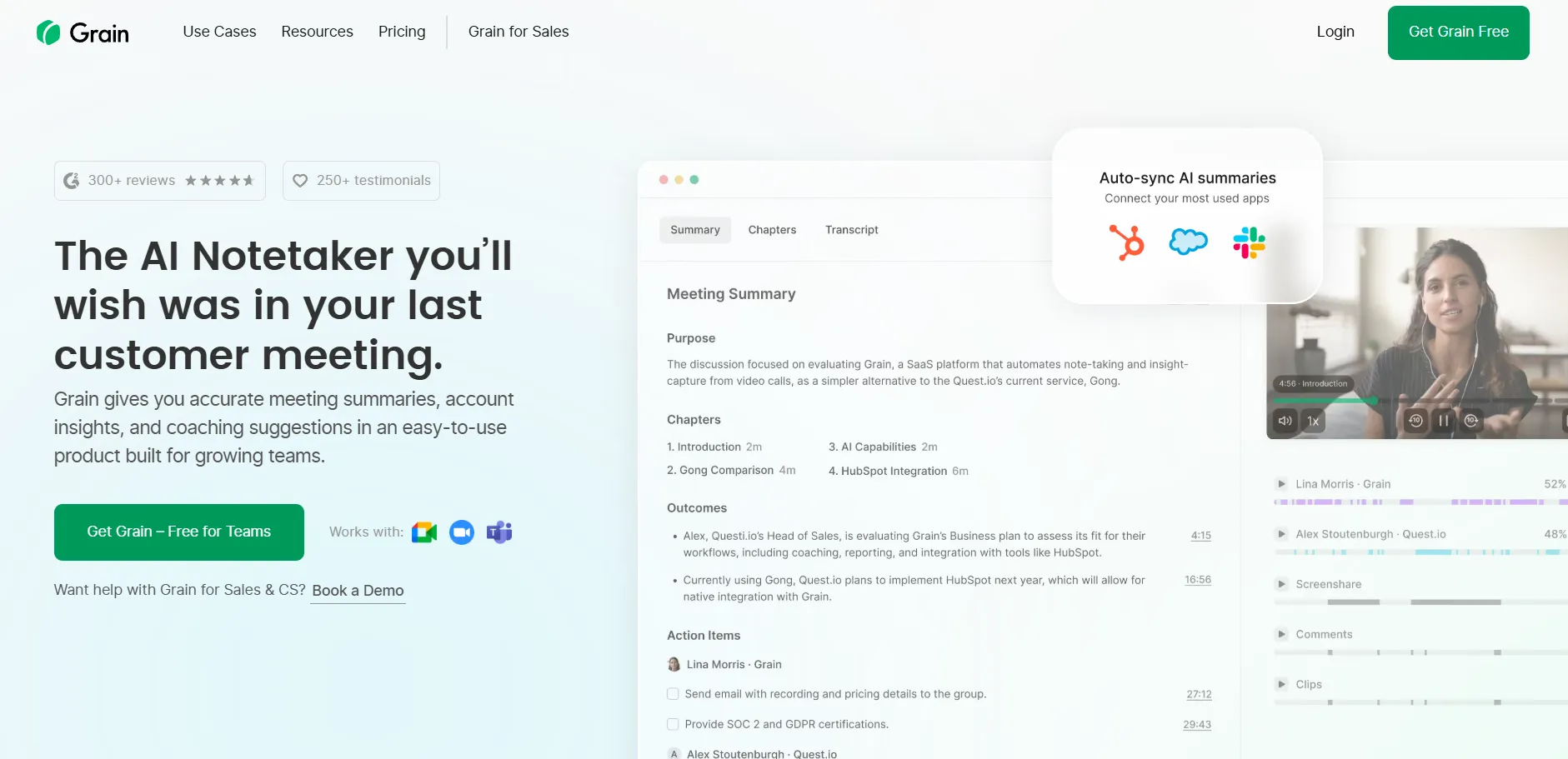
Grain is an AI meeting assistant that works on Google Meet, Webex, Microsoft Teams, and Zoom calls. It supports 100+ languages for meeting transcription and notes, offers file transcription, and through its Zapier integration, you can connect it with thousands of third-party apps.
Grain's Key Features
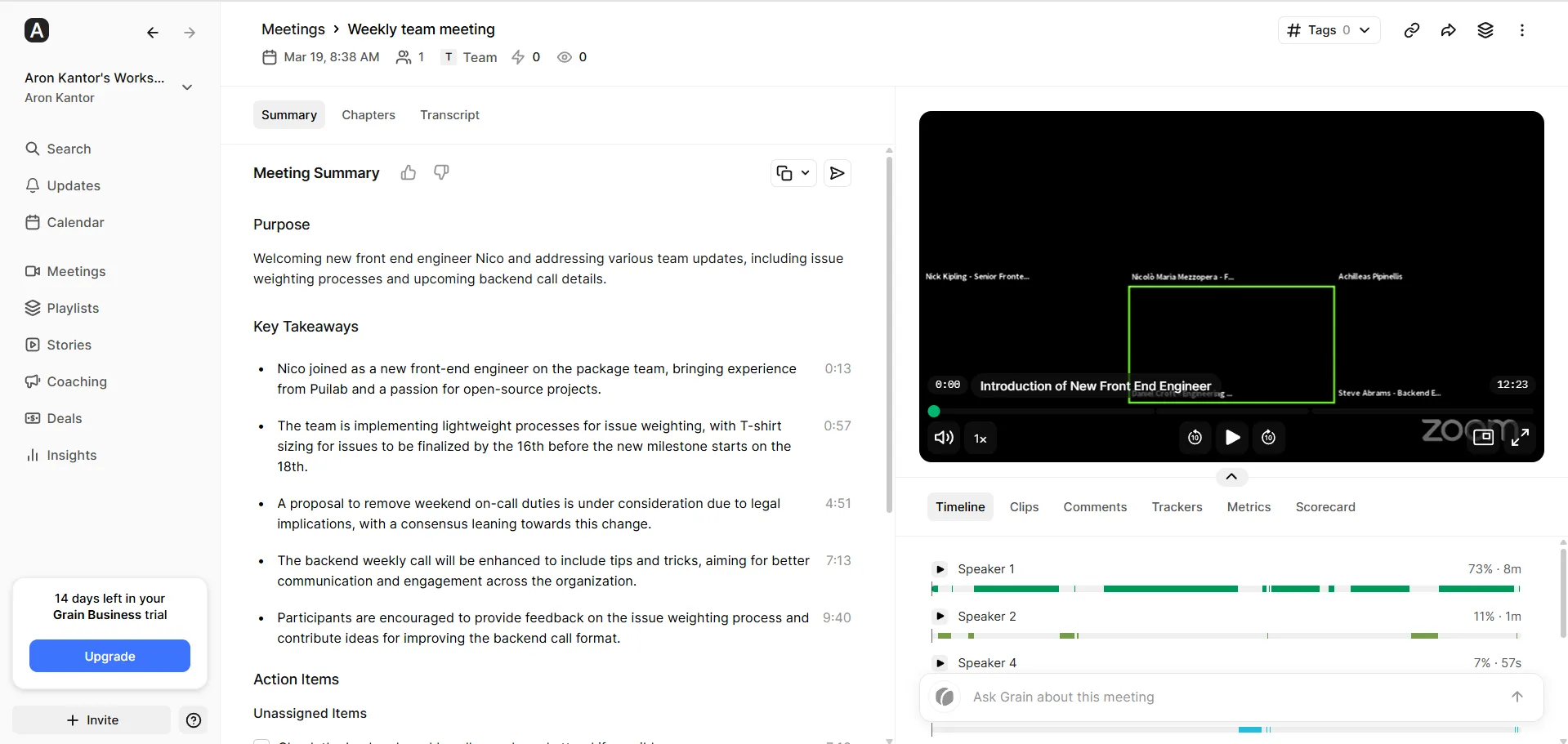
- Meeting notes: Grain's meeting summaries break down your calls into different blocks like purpose, key takeaways, action items, or chapters.
- Meeting transcripts and recordings: Similarly to other Fathom alternatives, Grain uses speaker identification and timestamps for its meeting transcriptions. You can also access the meeting recordings next to the transcriptions.
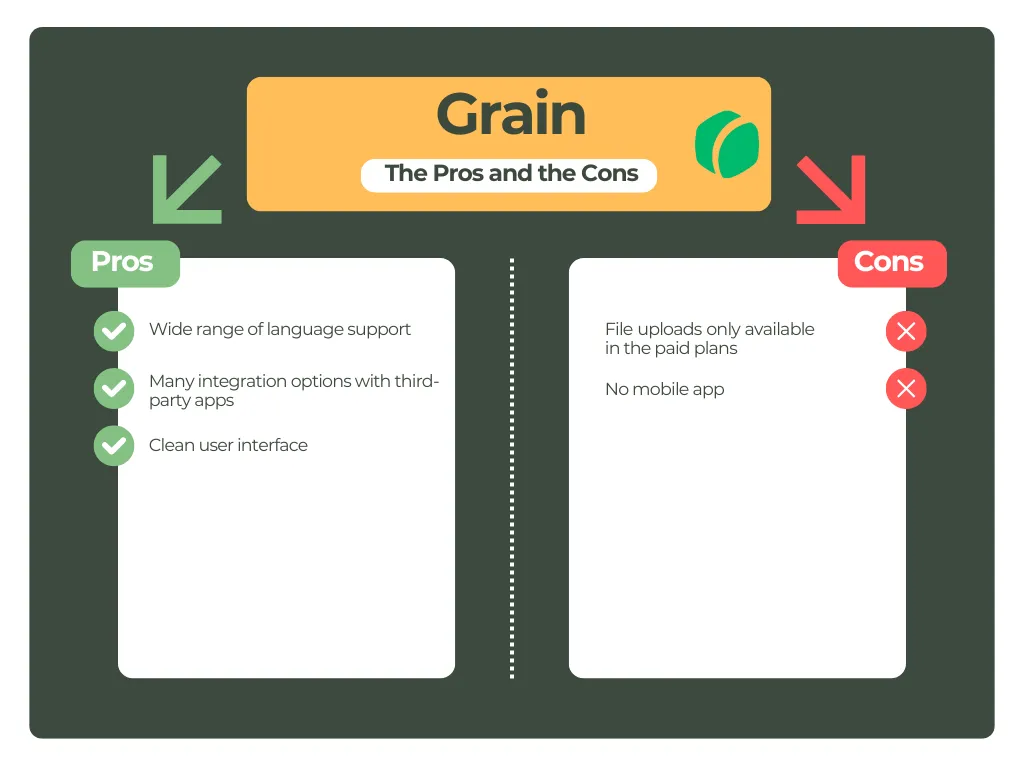
- File upload: You can transcribe and summarize uploaded recordings with this AI meeting assistant, starting on the paid Starter plan.
- Collaboration tools: Grain allows you to smoothly share your meeting notes, transcript, and recording with your team members. It is also great that you can add comments to different parts of your meetings, and Grain will provide you with insights from your past meetings.
- Integrations: Grain connects with Slack, HubSpot, Salesforce, and thousands of apps through Zapier. Beyond calendar and video-platform connections, these integrations start on the paid plans.
- Mobile apps: Grain does not offer a mobile version.
Grain's Pricing
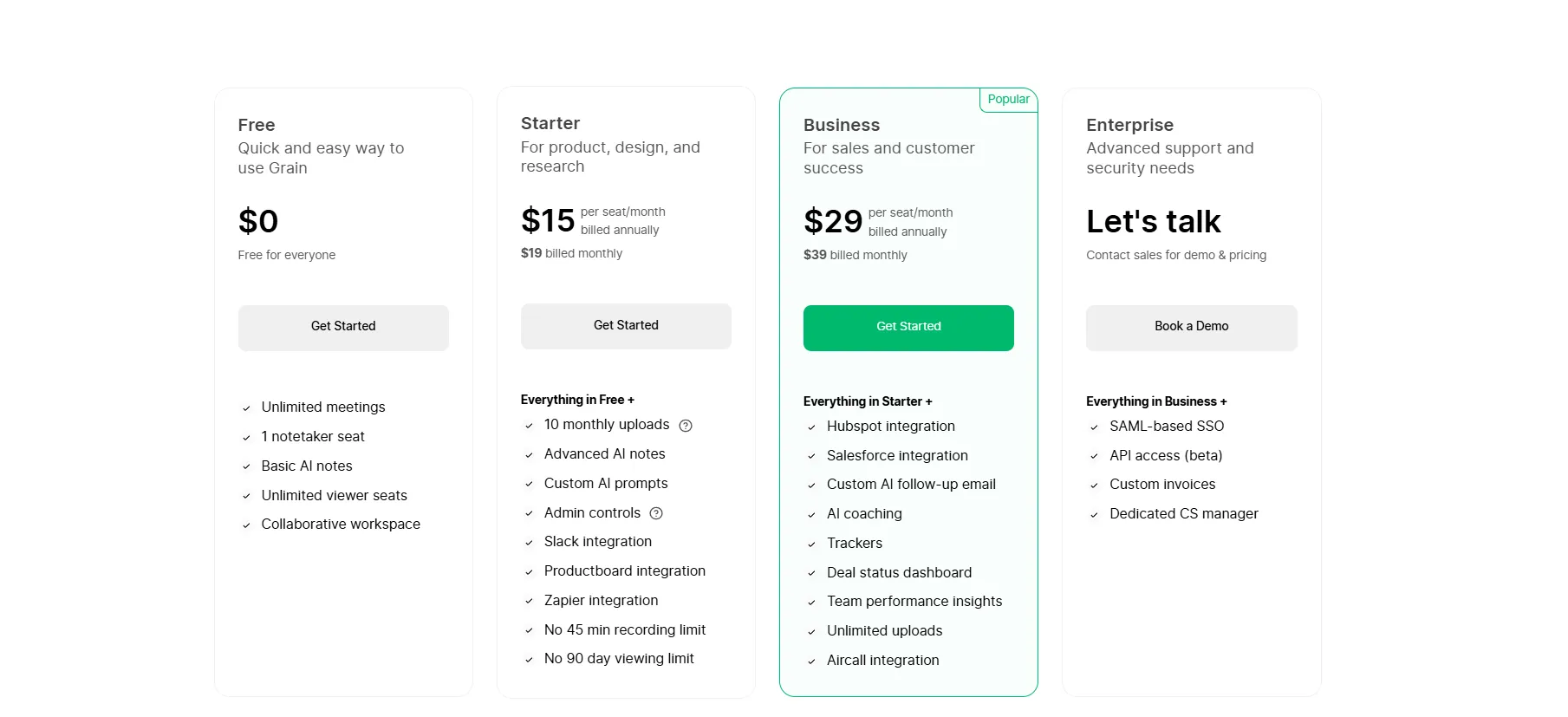
Grain has a free plan and three paid plans: Starter, Business, and Enterprise.
Its Free plan covers unlimited meetings up to 45 minutes each, AI notes and action items, and 30 days of meeting history, but no file uploads; uploaded-file transcription starts on the Starter plan.
Most of Grain's more advanced capabilities are available on its paid plans. On the Starter plan, at $15 per user per month billed annually ($19 monthly), you get unlimited meeting length and history, 10 uploads a month, advanced AI notes, and Slack and personal Zapier integrations.
If you want to use the conversation intelligence features and other tools designed for sales teams, you need the Business plan at $29 per user per month billed annually ($39 monthly). This plan adds HubSpot and Salesforce integrations and unlimited uploads.
Finally, Grain has an Enterprise plan at custom pricing.
Grain's User Interface
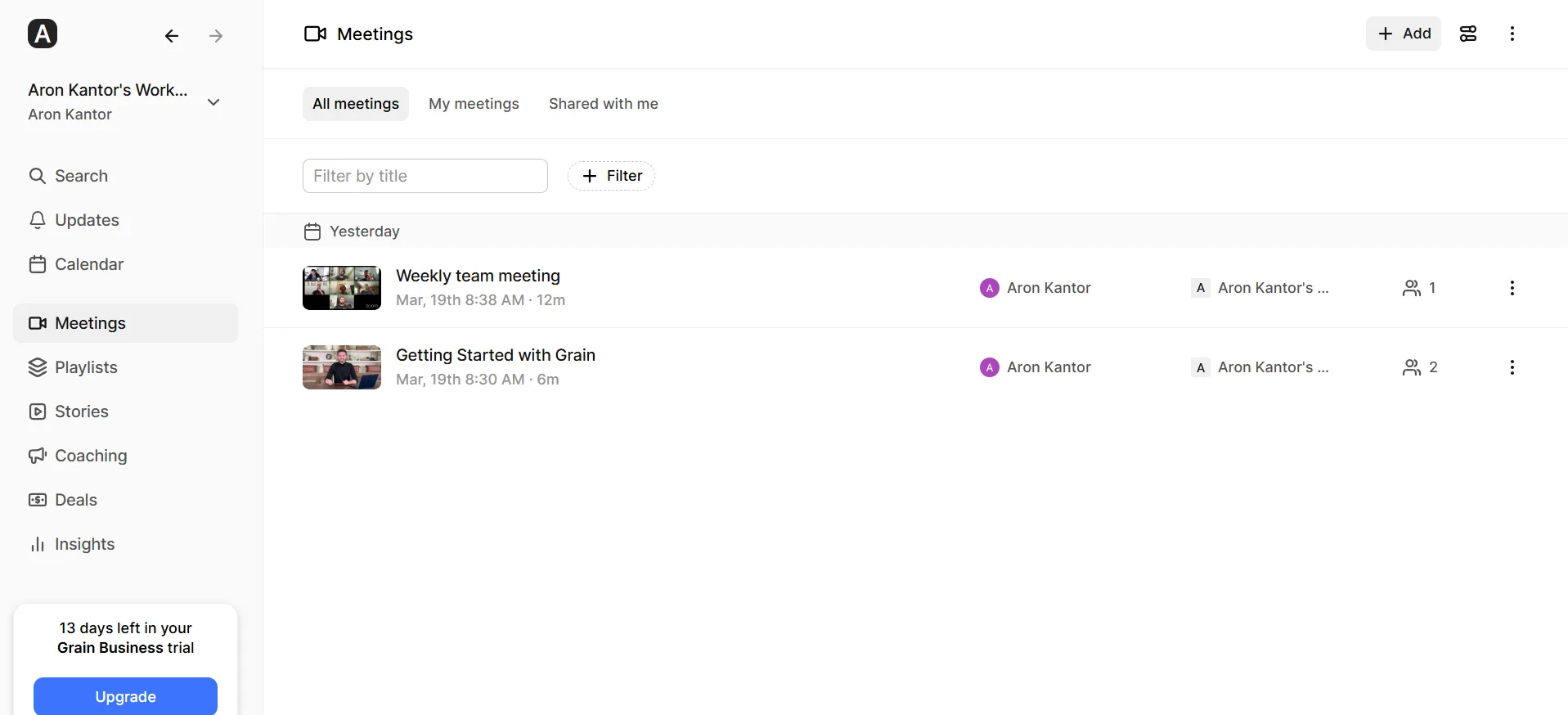
Grain has a clean and intuitive user interface. It is easy to navigate and find the key features. The transcript view feels quite plain and text-heavy compared with the rest of the interface.
Pros and Cons of Grain
Why Is Grain a Good Fathom Alternative in 2026?
Although there are some free plan limitations when using Grain, its paid plans include advanced features with a wide range of integrations and the option to transcribe uploaded files.
Looking for more options? Check out our full list of Grain alternatives.
Summary: Best Fathom Alternatives in 2026
After testing many AI meeting assistants on the market, we found these as the best Fathom alternatives for 2026. While all of these tools are excellent, our top pick is MeetGeek.
MeetGeek's free plan takes a different approach from Fathom's, adding features such as file uploads, mobile recording, and meeting analytics, while Fathom offers more generous free recording and transcription. On the Business plan, team spaces and team meeting analytics make MeetGeek a good fit for remote and hybrid teams.
Lastly, MeetGeek goes beyond meeting notes. Meeting Skills and 10,000+ connected apps turn what was said into updated records, tasks, and alerts, whether the conversation happened on Zoom, Google Meet, Microsoft Teams, or in person.
Ready to try MeetGeek for free?
Start with free recording, transcripts, and AI summaries, then let Meeting Skills move the follow-up into the tools your team already uses.
Frequently Asked Questions
What Is Similar to Fathom?
There are many AI meeting assistants on the market that have features similar to Fathom's. However, the best Fathom alternative is MeetGeek for both individuals and businesses.
How Much Is Fathom Note-Taker?
Fathom has a free version that covers unlimited recording and transcription. If you want more advanced AI features, the Premium plan is $16 per user per month billed annually, or $20 billed monthly.
Fathom also offers a Team plan at $15 per user per month billed annually ($19 monthly), requires at least 2 users, and adds team collaboration features like shared libraries, folders, comments, mentions, and keyword alerts.
Finally, if you want more advanced features like AI coaching and deal insights, the Business plan is $25 per user per month billed annually ($34 monthly).
Is Fathom AI Really Free?
Yes. Fathom's Free plan includes unlimited recording, storage, and transcription, while some more advanced AI functionality has usage limits compared with the paid tiers.






.avif)