


Capturing everything your professor says isn’t easy, especially when you’re juggling fast-moving slides, complex explanations, and the pressure of keeping your lecture notes clean and complete. That’s why more students are turning to the best lecture recording app they can find, not just to record lectures, but to turn them into organized, searchable, and genuinely useful study notes.
A good recording app does far more than store raw audio files or last-minute voice memos. It helps you focus during class, review key points afterward, and keep all your learning material accessible across every device you use. And with modern AI tools offering transcription, summaries, and synced notes, students no longer need to choose between listening and writing.
In this guide, we break down the top apps students rely on: what they offer, where they excel, and how they fit into your study routine. Whether you attend online lectures, prefer handwritten diagrams, or simply want a reliable way to press record without missing a moment, these are the tools worth considering.
Why you need a lecture recording app
Modern students juggle a lot: online lectures, hybrid classes, part-time work, and a growing pile of lecture notes, voice memos, and audio files scattered across every device. A dedicated lecture recording app helps you record lectures, keep everything in one place, and build a consistent study routine.
Instead of frantically writing on paper and missing key points, you can press record, focus on the professor’s explanation, and revisit the material when it actually matters: during revision, assignments, and exams.
A good app should:
- Capture clear audio (and ideally video)
- Generate transcription or live transcription
- Let you take notes directly or link them to timestamps
- Help you organize recordings into folders and topics
- Keep your content accessible across Android, iPhone, iPad, Windows, and Mac
Whether you want something low-cost and simple or a full AI assistant that can transcribe, summarize, and create study resources, choosing the best lecture recording app can make a big difference to your grades and your sanity.
Essential features in the best lecture recording app
When you’re comparing tools, these features and details really matter:
High-quality audio recording
Good notes start with good audio recording. Your app should reliably capture the speech of the main speaker, even in a big room or a busy call. Watch out for tools that compress too aggressively, leading to lower accuracy in any transcript.
Transcription, summaries, and text search
The best apps don’t just record; they also transcribe. Look for:
- Automatic transcription or live transcription
- AI summaries of lectures and meetings
- Searchable text so you can instantly jump to key points
This is what turns raw audio files into real study notes and resources you’ll actually use.
Note-taking and synced content
Some tools let you type notes, draw diagrams, or highlight slides while recording. Ideally, those notes sync with the audio timeline, so tapping a word or sketch lets you listen to that exact moment again.
File management and accessibility
You want your recordings to be easy to access and organize. Look for:
- Clear folders and labeling
- Search by title, date, course, or keyword
- Support for uploading existing audio or video
- Cloud access so you can switch between phone, laptop, and tablet
Cross-platform support
If you use a mix of Windows, Mac, Android, iPhone, or iPad, choose an app that doesn’t lock you into one device. Web-based tools are great here, especially when they integrate with platforms like Google Meet, Zoom, and Microsoft Teams.
Editing and playback controls
You should be able to:
- Pause and resume recordings
- Trim the start/end
- Change playback speed
- Jump to specific sections using timestamps or search
These small editing and navigation tools make reviewing long lectures much more efficient and help you study more effectively.
Best lecture recording apps in 2026 (ranked)
1. MeetGeek – best lecture recording app for online lectures and study notes
MeetGeek is built as an AI note taker for online conversations, which makes it a perfect fit if your lectures happen on Google Meet, Zoom, Microsoft Teams, or other conferencing platforms. It automatically records your meetings, generates full transcripts, and creates AI summaries that highlight key points and decisions.
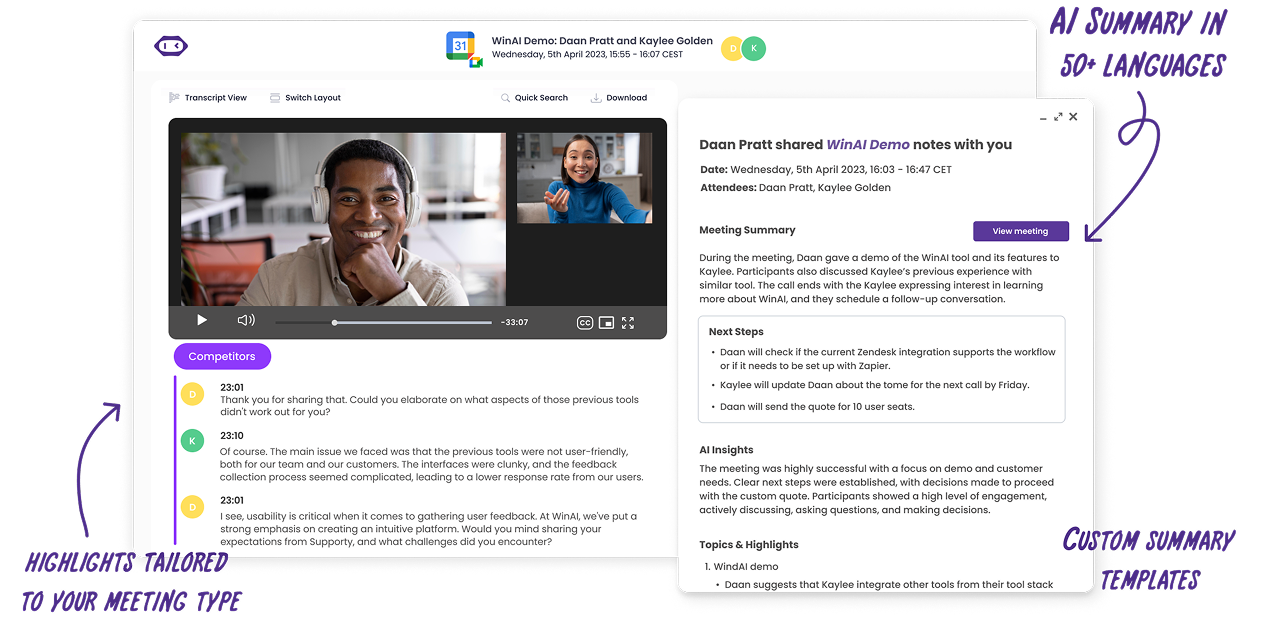
For education, MeetGeek positions itself specifically as a way to turn every lecture and meeting into learning gold by capturing, transcribing, and summarizing classes, then storing everything in a searchable knowledge base.
You can connect your calendar, let MeetGeek automatically join online lectures, or upload recorded audio and video files from your phone, iPad, or laptop. The app then transcribes and analyzes them so you don’t have to retype anything. With the mobile app, you can also record in-person lectures (with the permission of your professors, of course).
This is ideal if you want to record once and reuse the material everywhere: turn transcripts into flashcards, export notes into tools like Notion, or simply review the AI summary before exams.
Key features for students:
- Automatic recording + transcription for Google Meet, Zoom, Microsoft Teams, and in-person lectures
- Upload audio files and video to transcribe past lectures
- AI summaries, topic highlights, and key moments
- Searchable lecture notes in a shared or personal workspace
- Accessible via web and mobile, so you can review on Windows, Mac, Android, and iPhone
Pros:
- Built specifically to capture and summarize online lectures and meetings
- Excellent for students who hate manual note-taking and want organized study notes
- Strong search and highlight system for revisiting details quickly
- Works well alongside your existing tools (email, calendar, LMS, Notion, etc.) via integrations and automations
Cons:
- Some advanced automation and longer storage options may require a paid account
2. Otter.ai – best for real-time lecture transcription and searchable notes
Otter.ai is a popular AI notetaker that helps students record lectures and get real-time transcription for both in-person and online classes. When connected to your Google or Microsoft calendar, Otter can automatically join Zoom, Google Meet, and Teams sessions, capture the audio, and generate interactive notes and summaries.
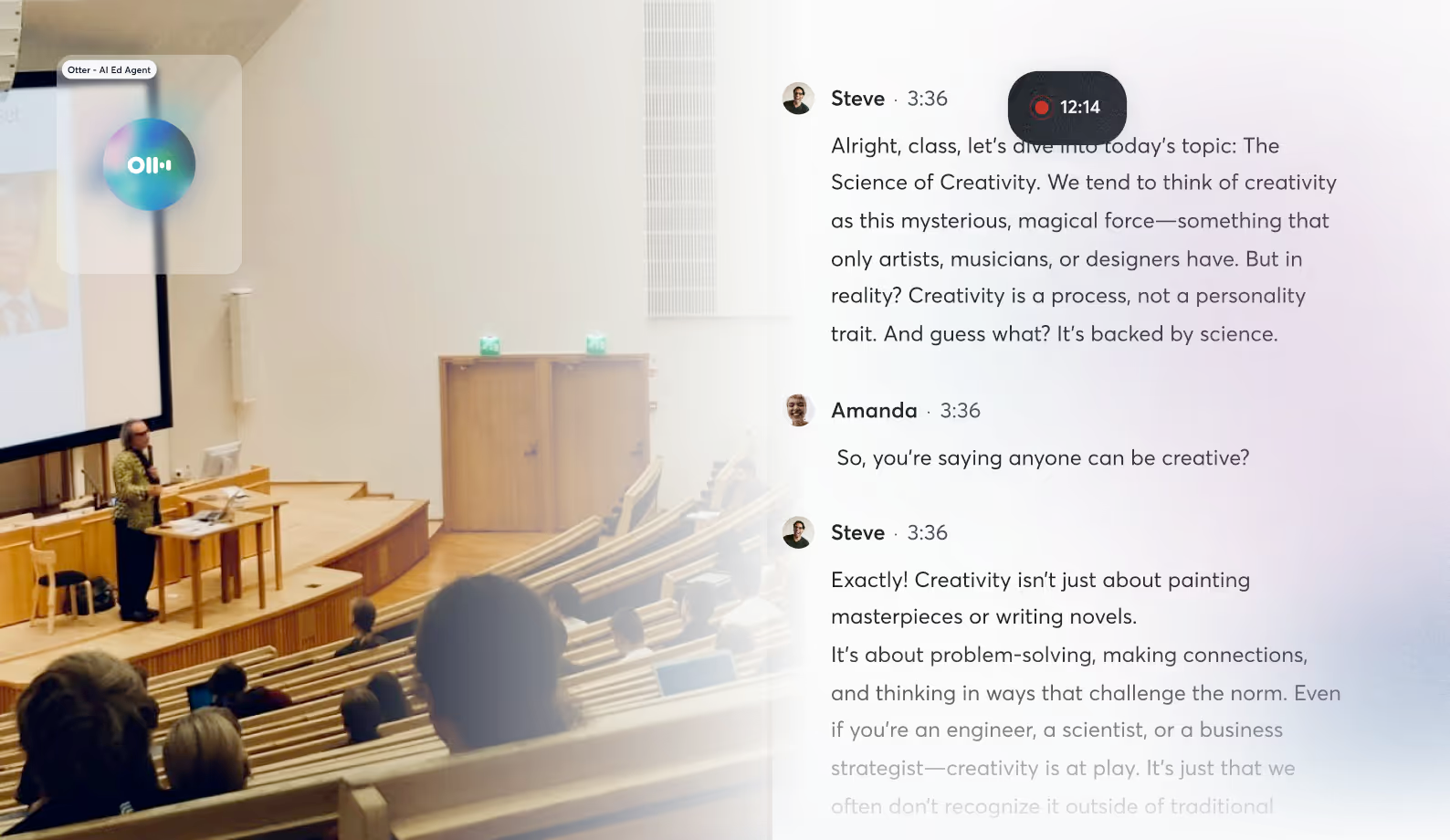
You get a live transcript you can follow during class, plus searchable lecture notes afterward. You can highlight key points, tag speakers, and later review any section by clicking on the text to jump to that point in the recording.
Pros:
- Strong live transcription for online and in-person classes
- Searchable notes with speaker identification
- Great for quickly finding specific ideas and quotes later
Cons:
- Free plan limits monthly transcription minutes
- Accuracy can vary in noisy environments or with heavy accents
3. Notability – best for handwritten notes with synced audio (iPad)
Notability is a classic choice for iPad users who prefer handwriting but still want linked audio. When you record while writing, Notability automatically ties your annotations to the audio recording, so tapping on any word or sketch jumps to that exact moment in the lecture.
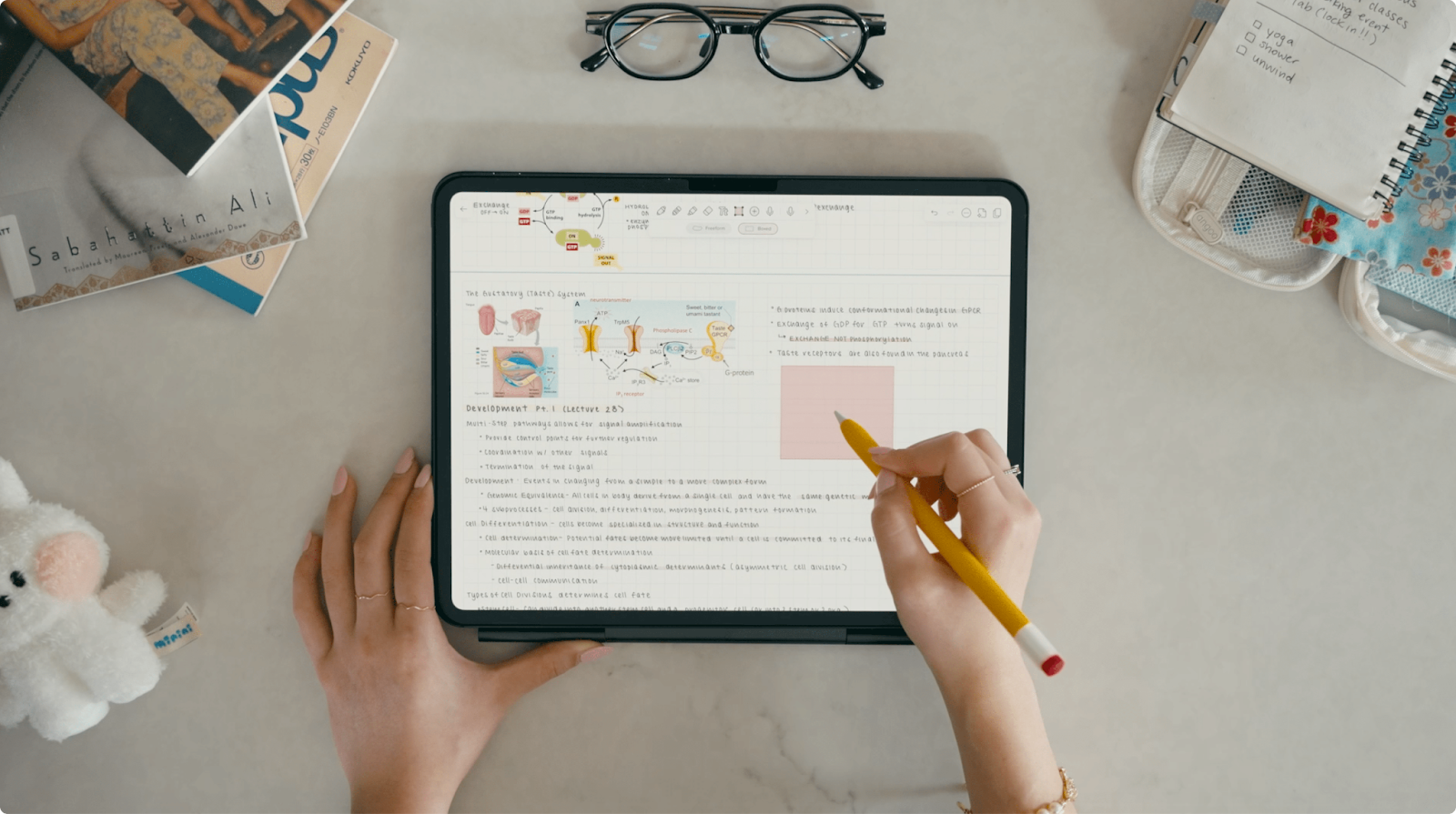
Notability also has Audio Transcripts, letting you turn recordings into text within your notes, which is a big upgrade if you want searchable material on top of the time-synced playback.
Pros:
- Smooth handwriting experience with Apple Pencil
- Time-linked audio makes lecture note review much easier
- New transcription feature helps you transcribe tricky parts and engage more deeply with the content
Cons:
- The best experience is limited to iPad and the Apple ecosystem
- Full features require a subscription rather than being completely free
4. Goodnotes – best for annotating slides and recording audio together
Goodnotes is another giant in digital note-taking, known for its pen-and-paper feel. It now includes an audio recording tool that lets you record lectures, meetings, or appointments while taking light notes, then rely on the recording later to fill in gaps.
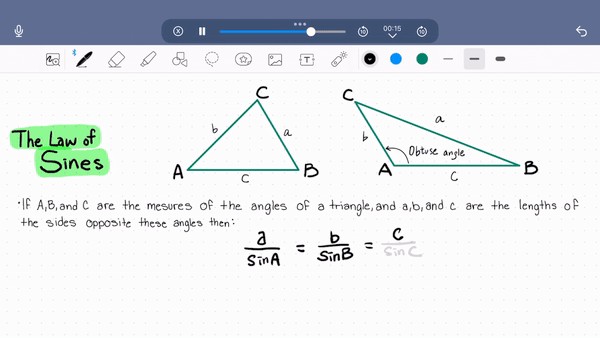
You can annotate slides, write formulas, and jot down ideas while the app records in the background. On iOS and supported platforms, you can grant microphone permission and easily combine written pages and audio in one place.
Pros:
- Great for annotating lecture slides while recording
- Natural handwriting and drawing experience
- Notes and recordings stay together for easier review
Cons:
- Some features roll out to Apple platforms first
- Does not offer the same level of AI summaries and automation as MeetGeek or Otter
5. Easy Voice Recorder – best low-cost app for simple lecture capture
Easy Voice Recorder is exactly what the name implies: a fun, simple app designed to record classes, meetings, and voice memos with minimal setup. On Android and iOS, you can press record in high-quality PCM or AAC, let it run in the background, and then share or back up the audio files.
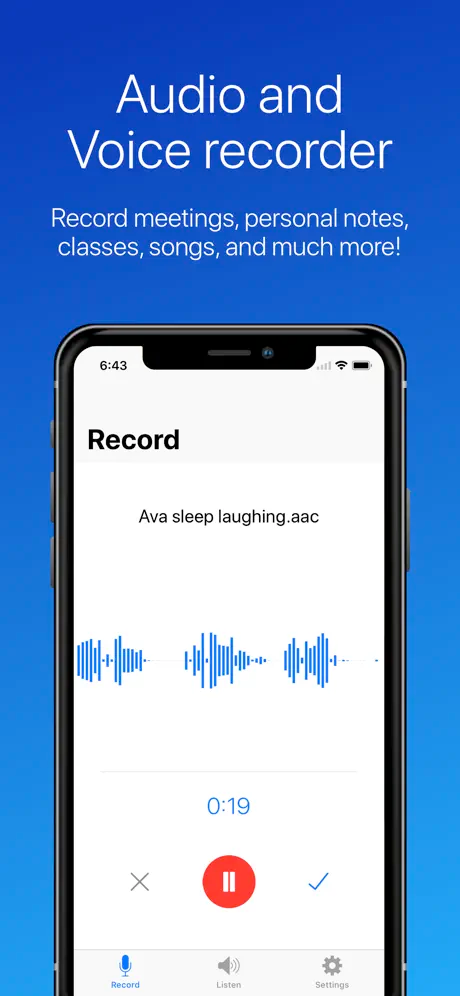
The Pro version adds bonus features like stereo recording, skip silence, external Bluetooth microphone support, cloud upload to Google Drive or Dropbox, and simple trimming tools so you can cut out unnecessary sections.
Pros:
- Very low cost compared to many AI tools
- Straightforward interface with fast access from widgets
- Great for quick voice capture when you just need raw audio
Cons:
- No built-in AI summaries or transcription
- Organization and study-focused workflows require extra apps (for example, exporting to Notion or a separate flashcard tool)
Tips for making the most out of your lecture recordings
Even the best lecture recording app won’t help if recordings just sit in a folder. A few simple tricks can help you use them more effectively:
- Always title your recordings clearly: Add the course name, date, and topic in the title (for example: “Psychology 101 – 2025-10-18 – Memory & Learning”). This makes it much easier to access and organize everything later.
- Mark key moments during class: If your app allows it (like MeetGeek highlights or Otter comments), mark key points when the professor explains something critical or when a complex diagram appears on screen. You’ll notice a huge difference when revising.
- Combine transcripts with active note-taking: After class, skim the transcript and paste important quotes or text into your preferred system, whether it's Notion, a document, or dedicated flashcards. This is where AI summaries and searchable notes really boost productivity.
- Use recordings to fill gaps, not replace attention: Don’t treat recording your call as a license to zone out. Let the app handle the voice capture so you can focus on understanding in real time, then use the recording to double-check details and review tricky sections.
- Sync across devices and platforms: Make sure your chosen tool stays connected to your calendar and platforms like Google Meet, Zoom, and Teams. This way, online sessions are automatically captured, and you can connect your learning flow across laptop and phone without friction.
- Additionally, turn recordings into study resources: Don’t stop at raw recordings. Turn them into structured study notes, summaries, mind maps, or even small video explainers for yourself. Many students like to create Notion pages that centralize resources, links, and lecture highlights from MeetGeek or Otter.
Choose the best lecture recording app for your study routine
There’s no one-size-fits-all best app, but there is a best fit for how you study. If you’re ready to stop worrying about missed details and start focusing on understanding the material, try MeetGeek for free as your main lecture recording app. It will capture, transcribe, summarize, and organize your lectures automatically, so you can spend more time learning and less time typing.
Frequently asked questions
Can I record lectures with my phone?
Yes. Simple recorders like Easy Voice Recorder or built-in voice memos work well for in-person lectures on Android and iPhone. But if you want full transcription and AI summaries, MeetGeek’s mobile app also lets you record in-person lectures directly from your phone, then automatically transcribes and summarizes them.
Is it legal to record lectures?
Rules vary by university and region. In many places, it’s allowed if the recording is for personal study, but some lecturers or institutions require explicit permission. Always check your institution’s policy and ask your professor if you’re unsure, especially if you plan to share recordings with others.
Do I really need transcription, or is audio enough?
It depends on how you like to learn. Pure audio is fine if you’re comfortable listening back at high speed. But transcription and AI summaries make it much faster to search, skim, and reuse material, especially for long lectures or complex speech. Tools like MeetGeek are designed exactly for this use case.







.avif)