

.webp)

Skip-level meetings are one of the simplest ways to reduce communication barriers in growing organizations.
When layers form between senior leaders and individual contributors, leaders can lose sight of day-to-day operations, and employees can start to feel like their employee’s perspective never reaches the people who shape priorities. A skip-level creates a direct line again, without turning into a performance review or an uncomfortable “tell me everything about your direct manager” session.
In this guide, you’ll learn what a skip-level meeting is, why skip levels create so much value, how to implement skip-level meetings without damaging trust, and how to run productive skip-level meetings that lead to real follow-up and continuous improvement.
What is a skip-level meeting?
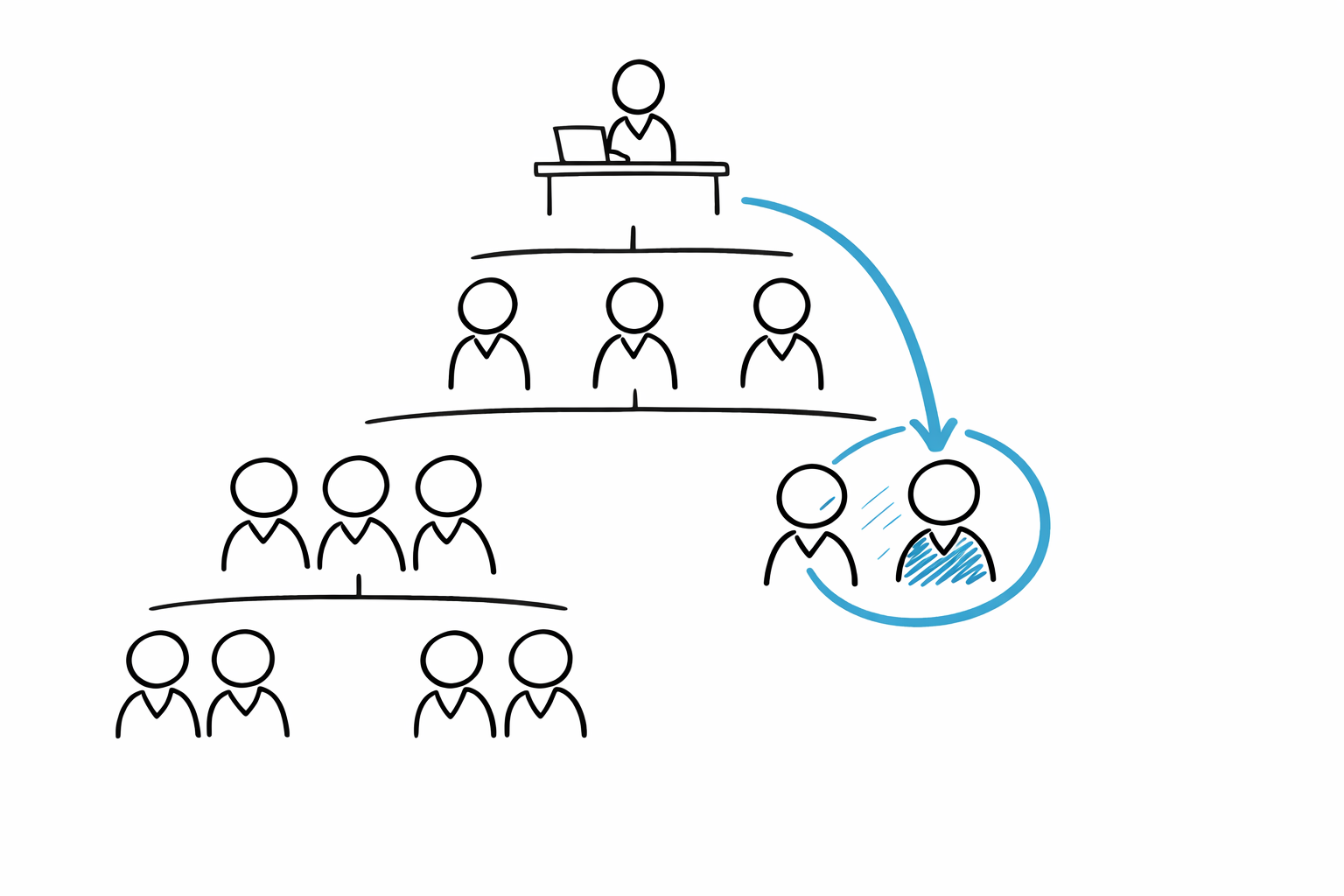
A skip-level meeting (sometimes written as a level meeting in internal docs) is a one-on-one meeting format where a leader meets with someone who does not report to them directly.
More specifically, it’s a conversation between an employee and their manager’s manager (their boss’s boss), without the employee’s direct manager in the room.
That “skipped” layer is why people call them skip levels or skip level meetings.
A simple example
- You manage three direct reports
- Each of those direct reports manages 6–10 team members
- You schedule a 30-minute 1:1 with one of those team members
That’s a skip-level. You’re meeting someone two levels down to gain insight, build rapport, and hear what’s working (and what isn’t) straight from the source.
Why skip-level meetings are important
Skip-level meetings are important because they address a real organizational risk: leaders making decisions with secondhand context, and employees feeling invisible.
Two data points help frame why this matters:
- Gallup has reported that low engagement carries a massive economic cost, measured in trillions of dollars globally.
- LinkedIn reporting has also highlighted how strongly “bad manager” experiences influence retention risk.
You don’t fix engagement with more meetings. But you can improve open communication and employee engagement when senior managers create safe, consistent opportunities to listen intently, gather information, and remove the friction employees deal with every week.
A good skip-level does four things at once:
- Helps upper management gain insight into reality, not just status updates
- Gives individual contributors a channel to share feedback and share suggestions
- Strengthens relationships across organizational levels through a real personal connection
- Creates organizational value by turning feedback into action and employee growth
The purpose of skip-level meetings
The purpose of skip-level meetings is not to bypass managers or override decision-making.
Done well, such meetings have a clear intent:
- Build trust and strengthen relationships across layers
- Improve communication by spotting gaps early
- Collect valuable insights leaders can’t get from dashboards
- Support professional development by understanding what people need to grow
- Reinforce a positive work environment where diverse perspectives are welcomed
What it is not:
- A secret channel for problem-solving around your direct manager
- A surprise audit of someone’s manager
- A place to make major decisions on the spot
- A backdoor performance review
If employees feel like the meeting is really about judging their manager, they’ll either shut down or turn it into gossip. Neither creates key insights you can act on.
MeetGeek can help you run skip-level meetings that lead to real action
Skip-level meetings create value only if you capture what matters, align on next steps, and close the loop.
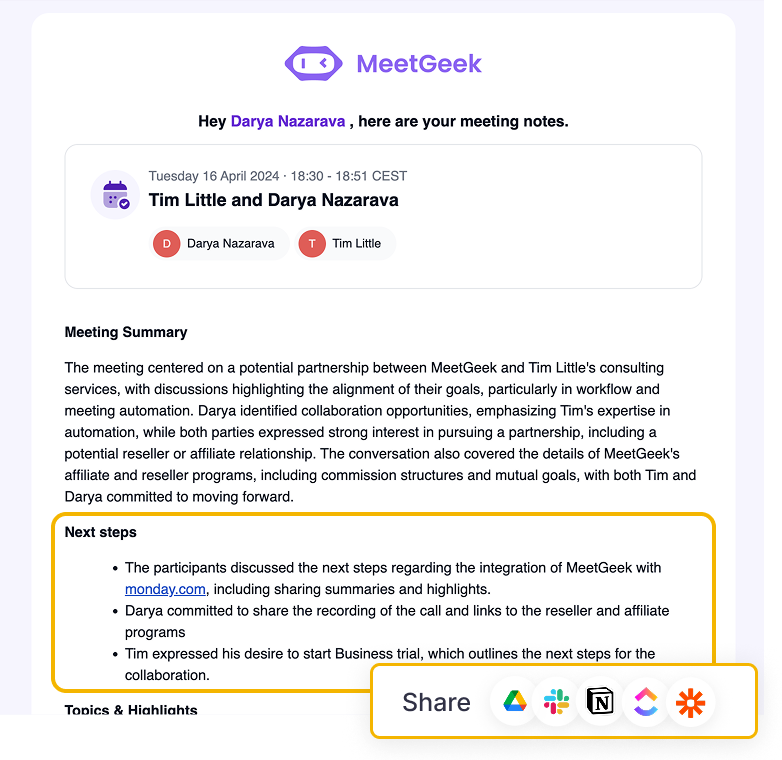
MeetGeek helps by turning these conversations into usable records, without adding admin work:
- Automatically records and transcribes skip-level conversations (with consent) so leaders don’t miss nuance while trying to take notes
- Produces structured summaries and key takeaways so patterns are easy to spot across multiple skip levels
- Highlights action items and makes follow-up easier, so “we should look into that” doesn’t disappear
- Keeps everything searchable later, so senior leaders can revisit context before planning changes
This is especially useful when you hold skip-level meetings across multiple departments: MeetGeek helps you compare themes, keep commitments visible, and show employees that their input prior to change decisions actually shaped the outcome.
Benefits of skip-level meetings for everyone involved
The benefits of skip-level meetings depend on how you run them, but the upside is real when the process is consistent.
For senior leaders and senior managers
- Faster signals about what’s breaking in day-to-day operations
- Early warning on process issues and communication barriers
- A clearer view of what’s helping (or blocking) employee growth
- Better visibility into how priorities land across organizational levels
- More grounded leadership, because you regularly gain insight beyond leadership meetings
For managers (the “skipped” layer)
- Better support when handled with respect and transparency
- A chance to become a stronger manager through coaching themes (not blame)
- More context on what their team needs, when feedback is shared appropriately
- Less risk of surprises, because issues surface earlier
For employees and individual contributors
- Direct access to higher-ups for new ideas and honest feedback
- A clearer picture of what senior management cares about and why
- More confidence that leadership listens (and not just in surveys)
- Better professional development conversations, especially around growth paths
And there’s a simple human factor, too: when people feel heard, they tend to bring more energy and care to their work.
How to implement skip-level meetings without breaking trust
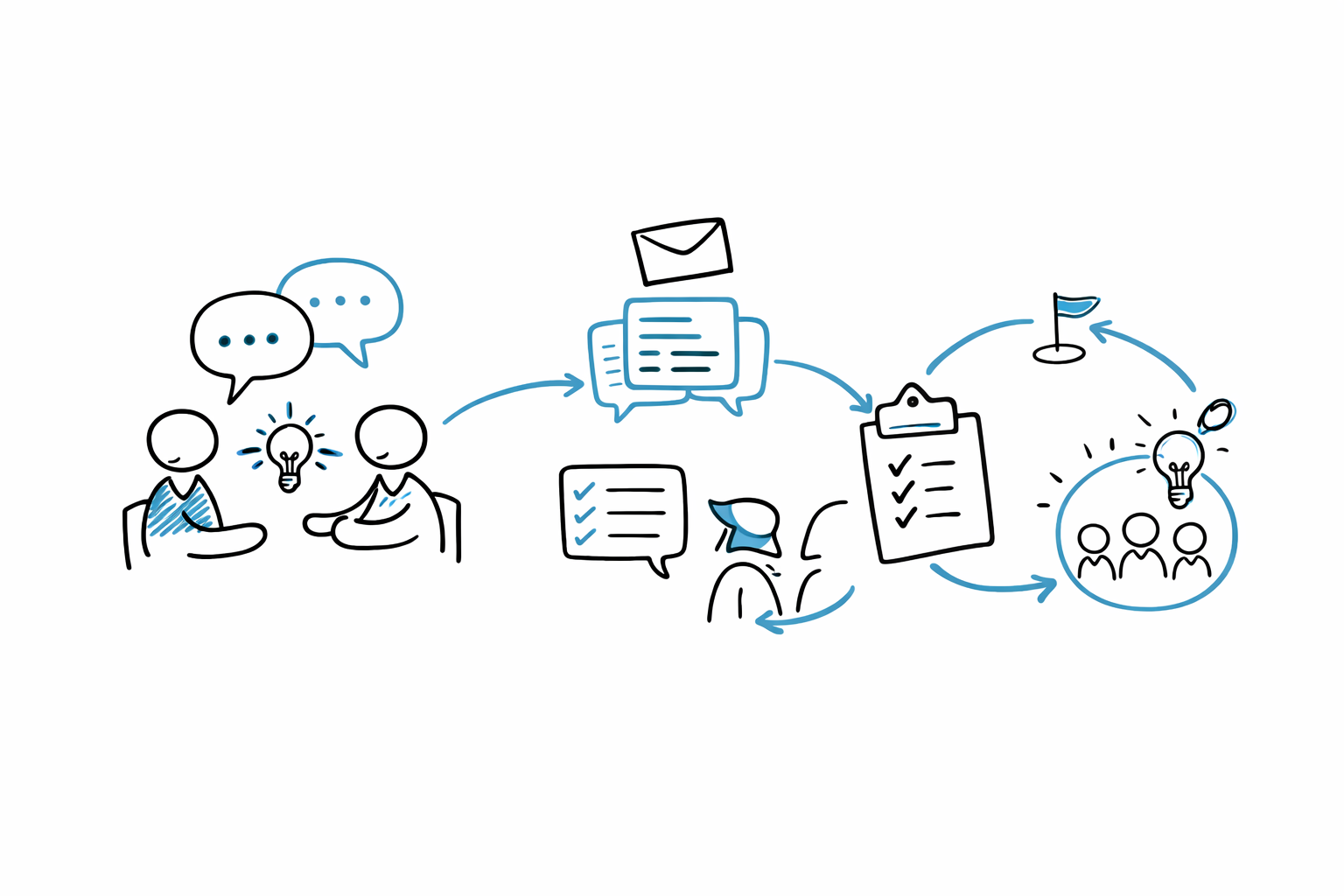
To implement skip-level meetings well, you need clarity and repetition. One skip-level done randomly can create anxiety. A clear program creates confidence.
1. Tell managers first, and be explicit about intent
Before you reach out to employees, speak with the direct manager. Explain:
- why you’re doing this (improve communication, strengthen relationships, learn what’s happening)
- what you will and won’t do (not a performance review, not decision making in the moment)
- how feedback will be handled (themes, not quotes; coaching, not punishment)
Ask for input prior to launching: managers may suggest key topics you should understand, or blind spots they’d like help surfacing.
2. Set expectations with employees
A short message can set the tone:
- This is a listening conversation
- It’s not about catching anyone out
- You want honest, constructive feedback
- You’ll share the next steps after patterns emerge
This is where meeting tone matters. If you sound like an investigator, you’ll get safe, shallow answers. If you sound curious and grounded, you’ll get valuable insights.
3. Start with a pilot
Pick one function or group, run 6–10 meetings, then review what you learned:
- Did you get key insights or just polite updates?
- Did people feel safe?
- Did managers feel undermined?
- Did you produce follow-up actions?
Then adjust and scale.
How often should you hold skip-level meetings?
There’s no universal rule, but meeting cadence matters.
A practical baseline many organizations use:
- Quarterly for established orgs
- Every 6–8 weeks during rapid change (reorgs, new leadership, mergers, new product phase)
As for length:
- 25–30 minutes can work if your questions are focused
- 45 minutes is better when you want depth and relationship-building
The key is consistency. If you schedule skip levels and then cancel repeatedly, employees will assume the program is performative.
Creating a skip-level meeting agenda that works
A skip-level meeting agenda should feel light, but intentional. You’re not reading a script, you’re shaping a conversation.
A reliable flow:
- Set the tone (2–3 minutes)
- Ask about the role and what’s going well (5–8 minutes)
- Explore friction and obstacles (10–15 minutes)
- Growth and support needs (5–10 minutes)
- Wrap with next steps (2–3 minutes)
Key topics to include
- What’s working well, and why
- The biggest challenge in the role right now
- Where collaboration breaks down
- What would remove a bottleneck quickly
- What support would help employee growth
- What the person wishes senior leaders understood about their work
Try to keep your prompts open. “Is everything fine?” gets you “yes.” “Where do you lose the most time each week?” gets you reality.
Tips for running great skip-level meetings
Conducting skip-level meetings well is mostly about behavior, not clever questions.
1. Start with rapport, not hierarchy
A quick human opener builds comfort:
- “What’s been keeping you busy lately?”
- “What’s one thing you’re proud of from the last month?”
This isn’t small talk for its own sake. It helps build rapport, which makes honest feedback possible.
2. Practice active listening
Active listening is your most important tool:
- Don’t interrupt
- Reflect on what you heard
- Ask one follow-up that goes deeper
- Confirm meaning before reacting
A simple line like “Let me repeat that back to make sure I got it” signals respect and reduces misunderstanding.
3. Keep it out of the “manager evaluation” trap
It’s fine to ask about support:
- “What does your manager do that helps you do your best work?”
- “What kind of support would make your work easier?”
But avoid turning it into a review of the direct manager. If a serious issue surfaces, thank them, stay neutral, and handle it carefully after the meeting.
4. Make room for their own questions
Skip-level meetings aren’t interviews where only the senior manager speaks.
Invite employees to talk with your own questions:
- “What would you like to understand about our priorities?”
- “What would help you make more impact here?”
That “exchange” builds a real personal connection, not a one-way download.
Sample questions you can reuse in your skip-level meetings
These sample questions cover most situations without sounding scripted:
Questions that surface what’s working
- “What’s going well in your work right now?”
- “What part of your role gives you the most energy?”
Questions that reveal friction
- “Where do you lose the most time?”
- “What slows your work down that leaders may not see?”
- “What’s the biggest challenge your group is facing this quarter?”
Questions about support and growth
- “What would help your professional development most this year?”
- “What skill are you trying to build next?”
- “What kind of feedback helps you most?”
Questions that lead to improvement ideas
- “If you could change one process, what would it be?”
- “What would increase productivity for you and your group?”
- “Any new ideas you think we should test?”
Questions that protect the manager relationship
- “Have you shared this with your manager already?”
- “Would you be comfortable if I brought this up as a theme, without naming you?”
How to provide feedback and follow up after a skip-level meeting
Skip-levels fail when leaders treat them like listening theatre.
Here’s a simple way to close the loop:
1. Send a short summary
Within 24–72 hours, send:
- what you heard (themes, not details that identify them)
- what you’re going to do next
- what you can’t change right now (and why)
That alone shows employees their time mattered.
2. Share feedback with managers responsibly
If you’re going to provide feedback to a manager, keep it constructive:
- focus on patterns
- keep it coachable
- avoid “X said…”
Done well, this helps someone become a stronger manager without damaging trust.
3. Track action items
If you make promises, track them. If you can’t act, explain.
This is where MeetGeek (or any disciplined system) helps: action items, themes, and next steps stay visible, which supports continuous improvement.
Common mistakes that kill skip-level value
Even well-intentioned senior managers can miss the mark. Watch for these:
- Treating it like a performance review
- Making instant decisions without context (and undermining the direct manager)
- Letting it become unstructured venting with no next steps
- Asking leading questions that shut down diverse perspectives
- Failing to follow up, which teaches people not to bother next time
- Using the meeting as problem-solving “above” the direct manager instead of partnering with them
Skip-level meetings should reduce politics, not create it.
Skip-level interviews vs skip-level meetings: Is there a difference?
You’ll sometimes hear people say skip-level interviews. In practice, most organizations mean the same thing: a 1:1 between an employee and the boss’s boss.
The word “interview” can feel more formal or evaluative, which is why many leaders prefer “skip-level meeting.” It supports a more open communication vibe and reduces pressure. If your culture is sensitive, choose language carefully.
Conclusion
Skip-level meetings are simple, but powerful: a direct conversation between an employee and their manager’s manager that helps senior leaders gain insight into day-to-day operations, build trust across organizational levels, and support employee growth.
The best skip levels have a clear agenda, a respectful tone, active listening, and real follow-up. That’s how such meetings create organizational value, not just calendar noise.
If you want skip-level conversations to turn into clear takeaways and action, MeetGeek can help you capture the discussion, pull out key insights, and keep next steps visible.
Try MeetGeek for free and turn your skip-level meetings into progress you can actually track.
Frequently asked questions
Are skip-level meetings good or bad?
They’re usually good when the intent is clear, and the process respects the manager relationship. Problems happen when skip-levels feel like a hidden channel around the direct manager, or when leaders don’t follow up with action.
Should I tell my manager what I said?
It depends on what you discussed and how safe you feel. In healthy cultures, sharing themes is normal. If you raised sensitive concerns, you can ask the senior leader how they’ll handle confidentiality first.
What should leaders avoid asking?
Avoid questions that push blame, like “What’s your manager doing wrong?” Instead, ask about support, obstacles, and improvements. You’ll still receive feedback, but in a way that keeps relationships intact.
What if an employee shares something serious?
Stay calm, listen intently, thank them, and take notes. Don’t promise outcomes on the spot. Explain what you’ll do next (for example, involving HR professionals if appropriate) and then follow your organization’s process.
What’s the best way to prepare questions?
Pick 6–8 prompts tied to your key topics: what’s working, what’s hard, what would help, and what to improve. Keep them open-ended and allow space for their own questions.






.avif)