

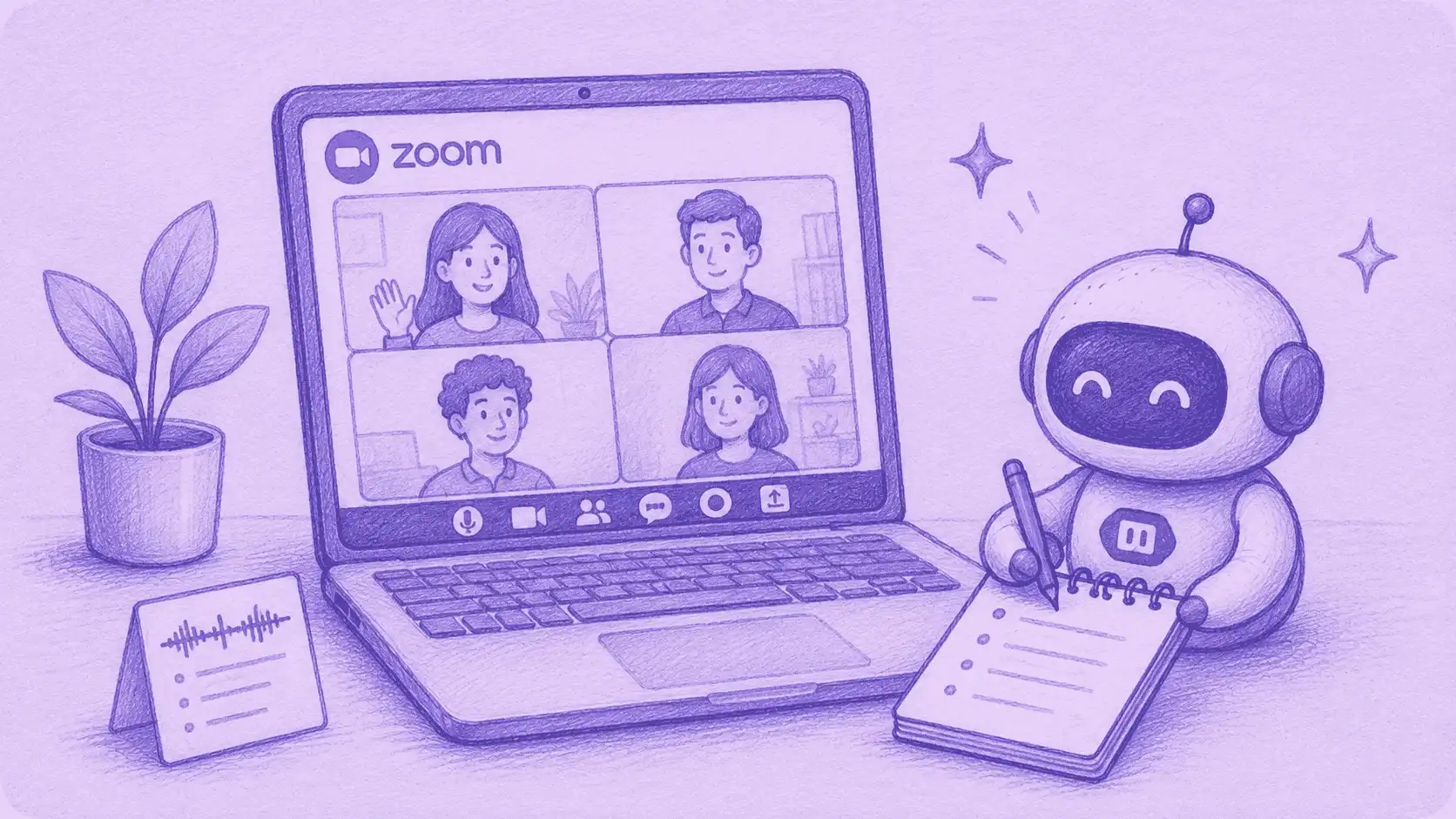

The best AI note taker for Zoom automatically joins your Zoom calls, records and transcribes them, and writes a shareable summary with action items. What separates them is how they connect to Zoom, whether they work when you are not the host, and how much you get free.
In our testing, MeetGeek was the strongest all-round pick for most Zoom users, because it captures Zoom with or without a bot and transcribes 100+ languages. If you mainly want unlimited free recording, Fathom, Fireflies, and tl;dv lift the monthly cap. And if your team is already on paid Zoom, Zoom's own AI is built in.
We ranked 8 tools against Zoom-specific criteria, and cover the native option separately. For the full market beyond Zoom, see our guide to the best AI note taker.
How We Evaluated AI Note Takers for Zoom
Generic best notetaker lists ignore what actually matters on Zoom. We judged each tool on six Zoom-specific criteria:
- How it joins the Zoom call. A bot that joins as a participant, a bot-free desktop or browser capture, or a native Zoom app.
- Whether it works when you are not the host, and on free Zoom. Bot-based tools join as a guest, so they capture calls you do not host, subject to the host admitting the bot.
- Zoom cloud recording and webinar support. Whether it can pull in Zoom cloud recordings or capture Zoom webinars.
- Setup friction on Zoom. How much configuration it takes to start capturing Zoom calls.
- Accuracy and languages on Zoom audio. How many languages it transcribes, which matters for global Zoom calls.
- Free plan, price, and multi-platform reach. The real free-plan limit, and whether the tool also covers Google Meet and Microsoft Teams.
Product facts below were verified on each vendor's official pricing or documentation in July 2026. Confirm current limits with the vendor, since plans change.
The Best AI Note Takers for Zoom in 2026
| Tool | How it joins Zoom | Works off-host / free Zoom | Free plan (real limit) | Multi-platform | Languages |
|---|---|---|---|---|---|
| MeetGeek | Bot from calendar + bot-free (browser/desktop) | Yes | 3 hrs/mo transcription | Zoom, Meet, Teams, +more | 100+ |
| Otter | Bot, plus Zoom cloud-recording sync | Yes | 300 min/mo | Zoom, Meet, Teams | 6 (all plans) |
| Fireflies | Bot, or bot-free via desktop app | Yes | Unlimited transcripts | Zoom, Meet, Teams | 100+ |
| Fathom | Bot + bot-free (beta, Mac) | Yes | Unlimited recording | Zoom, Meet, Teams | 38 |
| Avoma | Bot (Avoma Assistant) | Yes | 14-day trial (no free plan) | Zoom, Meet, Teams | 60+ |
| Fellow | Bot + botless recording | Yes | 5 notes and recordings (lifetime) | Zoom, Meet, Teams | 99 |
| tl;dv | Bot + desktop (bot-free) | Yes | Unlimited recordings (AI capped) | Zoom, Meet, Teams | 30+ |
| Notta | Bot + desktop (bot-free) | Yes | 200 min/mo | Zoom, Meet, Teams, Webex | 58 |
Zoom's own built-in AI is covered separately below because it is native rather than a third-party note taker. Details verified on each vendor's official pages, July 2026.
1. MeetGeek: Best All-Round AI Note Taker for Zoom
MeetGeek is our top all-round choice for Zoom because it captures Zoom calls two ways and pairs that with a broad feature set.
It can auto-join Zoom meetings from your calendar as a bot, or record without a bot through its browser extension and desktop recorder, which helps when you would rather not send an assistant into a sensitive call.
Because the bot joins as a participant, it also captures Zoom calls you do not host, though the host may still need to admit it from the waiting room.
On Zoom audio specifically, MeetGeek transcribes 100+ languages with automatic language detection, and each call becomes a structured summary with action items.
Its reach beyond Zoom is part of the appeal: the same setup covers Google Meet video calls and Microsoft Teams calls, so you are not locked to one platform.
For most people, that balance of capture flexibility, languages, and features is what makes it the strongest all-round Zoom pick in our testing. If you record every Zoom call you attend, check the free-plan limits further down before you commit.
You can add MeetGeek to Zoom in about two minutes and turn each call into AI meeting minutes you can share.
2. Otter: Best for Live Zoom Captions
Otter is built around what happens during the Zoom call rather than after it.
Its assistant joins Zoom meetings to write and share notes, and Otter offers live notes and captioning for Zoom, so people can read along in real time.
It can also sync your Zoom cloud recordings automatically, which suits teams that already record to Zoom's cloud. Worth reading the fine print first: Otter's own help docs put Zoom Sync on the Business plan, and it also requires a paid Zoom licence, so it is not something you get by upgrading Otter alone.
The bigger catch is language. Otter transcribes only six languages (English, Spanish, French, German, Japanese, and Chinese), with German and Chinese still in beta, and that applies on every plan. If your Zoom calls are not in one of those six, Otter is not an option.
Comparing the two on Zoom? See the MeetGeek vs Otter breakdown.
3. Fireflies: Best for Unlimited Free Zoom Transcripts
Fireflies joins Zoom with a bot by default, and it will capture Zoom calls you are not hosting, even ones you do not attend yourself.
It can also skip the bot, but the detail matters: the Fireflies Chrome extension records bot-free and their own docs limit it to Google Meet, capturing audio only. On Zoom, bot-free means their desktop app instead, which records your system audio with nothing joining the call. The trade-off there is real: the desktop app drops speaker labels, so you get Speaker 1 and Speaker 2 rather than names, and it saves no audio or video file.
What it does give you on Zoom is volume: unlimited transcription in 100+ languages on the free plan, which lets you build a searchable archive of Zoom calls rather than a handful of saved ones.
If your problem is finding what was said on a Zoom call three weeks ago, that archive is the point.
Want the details? See how MeetGeek and Fireflies compare.
4. Fathom: Best for Unlimited Free Zoom Recording
Fathom advertises unlimited recordings and transcriptions on its free plan, in 38 languages, with instant summaries and clips.
There is one detail most round-ups skip, and for a lot of teams it decides the question: Fathom's bot-free capture is still in beta and only available on Mac. If your company runs on Windows, the bot is your only option, so the promise of recording Zoom without a bot does not apply to you.
If everyone is on a Mac and the goal is simply to capture every Zoom meeting, Fathom is one of the strongest free options here.
Weighing them up? See the MeetGeek vs Fathom comparison.
5. Avoma: Best for Zoom Sales and Conversation Intelligence
Avoma sends its Assistant bot into Zoom calls and layers conversation intelligence on top, with transcription in 60+ languages and dialects, topic detection, and CRM workflows aimed at revenue teams.
It can also work the other way round: Avoma's own docs recommend feeding it your Zoom cloud recordings, so the Assistant never has to join the call as a participant. That is a useful option for client calls where an extra participant is awkward, though it does require a paid Zoom licence.
One thing to be clear about before you shortlist it: Avoma runs a 14-day free trial and has no free plan that lets you record. When the trial ends you drop to a free Viewer role, which keeps your past recordings readable but will not capture new ones. It belongs here as a paid conversation-intelligence platform for Zoom, not as a free note taker.
6. Fellow: Best for Zoom Agendas and 1:1s
Fellow attaches a collaborative agenda to the Zoom call itself, which changes what the note taker is for: the recording exists to close the loop on the agenda, not to replace it.
It supports both bot and botless recording, transcribes 99 languages, and integrates with Zoom on every plan, including the free one.
That makes it a natural fit for recurring Zoom meetings and 1:1s, where the same items come back week after week. Its free tier is a lifetime allowance rather than a monthly one, so treat it as a trial of the AI features.
7. tl;dv: Best for Bot-Free Zoom Recording on Mac and Windows
tl;dv records Zoom calls with a bot or bot-free through its desktop app, and unlike Fathom's bot-free capture, which is still in beta and Mac only, tl;dv publishes desktop downloads for both Mac and Windows. If you want to keep the bot out of your Zoom calls on a Windows machine, that is the practical difference. Its free plan also covers unlimited recordings and transcripts in 30+ languages.
The thing to understand before you rely on it is that the free caps are lifetime, not monthly. tl;dv says so in its own help centre: the limits are for the lifetime of the account and do not renew each month. Automatic AI notes cover your first 10 meetings, then only the first 10 minutes of each one.
Storage has a quirk worth knowing on a busy Zoom calendar too: free recordings move to archived storage after 3 days, and getting one back to watch can take up to an hour and a half.
So it is excellent as a Zoom recorder, and a weaker choice if what you actually want is a summary of every call, indefinitely.
8. Notta: Best for Multilingual Zoom Transcription
Notta records with a bot or with its bot-free desktop recorder, and it covers Webex alongside Zoom, Microsoft Teams, and Google Meet, which matters if your clients are split across platforms. The desktop recorder is still labelled beta on Notta's own site.
It transcribes 58 languages and includes speaker identification even on the free tier, which is useful on Zoom calls where several people talk over each other.
Its ceiling is volume rather than length. A single Zoom call can run up to 5 hours on the free tier, but you get 200 transcription minutes a month in total and they do not carry over, so one long call can spend most of your month in a single sitting unless you move to one of the paid plans covered in our Notta AI review.
How Much Zoom Capture Do You Get Free?

Free plans fall into three groups, and the difference matters more than the feature lists suggest.
- Unlimited recording. Fathom, Fireflies, and tl;dv let you record or transcribe as many Zoom calls as you like at no cost. The catch sits elsewhere: Fireflies caps storage at 400 minutes per team, tl;dv limits automatic AI notes to your first 10 meetings and stores recordings for three months, and Fathom reserves advanced summaries for paid tiers.
- A monthly cap. MeetGeek gives you 3 hours of transcription a month, Otter 300 minutes, and Notta 200 minutes. These reset every month, so they suit people who record a handful of important Zoom calls rather than every meeting on the calendar.
- A trial or lifetime cap. Avoma runs a 14-day free trial with no free recording plan, and Fellow limits you to 5 AI notes and 5 AI recordings for the life of the account. Treat both as paid tools rather than free ones.
The practical rule: if you plan to record every Zoom call, choose from the unlimited group. If you record a few calls a month but want richer notes, the monthly cap is rarely what stops you first.
Does Zoom Have Its Own AI Note Taker?
Yes, and the naming changed in June 2026, which is worth getting right before you compare anything.
Zoom retired the AI Companion brand. The capabilities it covered, including meeting summaries and transcription, are still built into Zoom Workplace and still included with eligible paid plans, just under their functional names now. Zoom's note taker is called My Notes. ZoomMate is a separate, newer product: an agentic add-on sold on top of Workplace that acts on meeting context to complete work, rather than the built-in note taker.
So the native note taking comes with paid Zoom Workplace, not with ZoomMate. The free tier, on Zoom Workplace Basic, is limited: meeting summaries for about three hosted meetings a month, AI note-taking (My Notes) for roughly three uses a month, and 20 AI queries a month.
The trade-offs are what push many teams to a third-party note taker. Zoom's built-in AI depends on the hosting account having it enabled, and its richest features assume everyone is on paid Zoom.
A dedicated AI note taker captures calls you do not host, works the same whoever is hosting, and often offers a more generous free tier and wider language support.
If your organization is entirely on paid Zoom and never leaves it, the native option is convenient. If you want more free usage, wider languages, or notes that flow into the tools you already use, a tool like MeetGeek is the more flexible pick.
Why Use an AI Note Taker on Zoom?
The case for automating Zoom notes starts with memory. People forget most of what they hear soon after a conversation: the University of Pennsylvania's Weingarten Center notes that we forget nearly 75% of what we learn within a day without review (University of Pennsylvania, Weingarten Center).
Typing notes during a live Zoom call also splits your attention, so you capture less and engage less at the same time. That overhead adds up: Microsoft's research finds the average employee spends most of their time communicating rather than creating (Microsoft Work Trend Index, 2025).
An AI note taker removes that trade-off by keeping the full transcript, a summary, and the action items, so the record does not depend on what you managed to type.
The newer advantage is what happens after the call. Several of these tools, including MeetGeek and Fathom, connect to ChatGPT and Claude, so you can ask an AI questions grounded in your real Zoom calls instead of starting from a blank prompt.
With MeetGeek, for example, you can query past meetings through its ChatGPT integration or Claude integration, turning a folder of recordings into something you can actually interrogate for decisions, commitments, and open questions.
How to Set Up an AI Note Taker on Zoom
Getting a note taker onto Zoom takes three steps:
- Connect your calendar. Sign up for the tool and connect Google Calendar or Outlook so it can see your Zoom meetings.
- Let the assistant join. For bot-based capture, the assistant joins the Zoom call automatically and the host admits it. For bot-free capture, start the browser extension or desktop recorder before the call.
- Get your notes. After the call, the transcript, summary, and action items appear in your dashboard, ready to share or sync to your other tools.
MeetGeek walks through the setup in a couple of steps, and the same account also records and transcribes your meetings on Google Meet and Microsoft Teams.
Key Takeaways
- The best AI note taker for Zoom captures your calls automatically and turns them into shareable summaries, and the tools differ most in how they join Zoom and how much they give free.
- In our testing, MeetGeek was the strongest all-round pick for most Zoom users, thanks to bot and bot-free capture, 100+ languages, and multi-platform reach, within a 3-hour monthly free limit.
- For unlimited free Zoom recording, Fathom, Fireflies, and tl;dv all lift the cap, while Otter is strongest for live Zoom captions and cloud-recording sync.
- Avoma and Fellow are capable but limited on free (a 14-day trial and lifetime caps respectively), so treat them as paid or trial tools.
- Zoom's built-in AI comes with eligible paid Workplace plans and its note taker is called My Notes. ZoomMate is a separate paid add-on, not the built-in note taker, so check which one you actually have before you compare.
Frequently Asked Questions
What Is the Best AI Note Taker for Zoom?
For most people, MeetGeek is the best all-round AI note taker for Zoom because it captures Zoom calls with a bot or bot-free, transcribes 100+ languages, and also works on Google Meet and Microsoft Teams. If you want unlimited free Zoom recording, Fathom and Fireflies are strong alternatives.
Does Zoom Have a Built-In AI Note Taker?
Yes. Zoom's built-in AI summarizes meetings and takes notes through a feature called My Notes, and it comes with eligible paid Zoom Workplace plans at no extra cost. Zoom retired the AI Companion brand in June 2026, but the features stayed and are now named after what they do. ZoomMate is a separate agentic add-on, not the built-in note taker. The free tier on Workplace Basic is limited to a few hosted meetings a month.
Can an AI Note Taker Join a Zoom Call if I Am Not the Host?
Usually yes. Bot-based note takers join as a participant, so they can capture Zoom calls you do not host, as long as the host admits the assistant into the meeting.
Is There a Free AI Note Taker for Zoom?
Yes. MeetGeek, Fireflies, Fathom, tl;dv, and Notta all have free plans that work with Zoom, though the limits differ. Fathom, Fireflies, and tl;dv allow unlimited free recording or transcripts, while MeetGeek caps free transcription at 3 hours a month but includes 100+ languages, analytics, and AI chat.
Do These Note Takers Work on Google Meet and Microsoft Teams Too?
Most do. MeetGeek, Otter, Fireflies, Fathom, Avoma, Fellow, tl;dv, and Notta all support Google Meet and Microsoft Teams alongside Zoom, so you are not tied to one platform. Zoom's own My Notes also reaches beyond Zoom, covering Microsoft Teams, Google Meet, and in-person conversations, though the rest of Zoom's AI is built around Zoom itself and assumes a paid Zoom account.





.avif)